
























































By The Audio Team Estimated Reading Time: 20 Minutes
It is the question we hear most often: "I spent $2,000 on my MacBook Pro. Surely the microphone is good enough?"
It’s a fair question. In a world of shrinking devices and minimalist desks, adding another gadget feels like clutter. Most people assume that unless they are starting a podcast or recording an album, the tiny hole in their laptop bezel is fine.
Here is the honest truth: For a quick FaceTime with your mom, it is fine. But if you negotiate contracts, manage teams, or rely on AI dictation for your livelihood, that tiny microphone is actively sabotaging you in ways you can’t even hear.
Let’s break down the physics, the psychology, and the ROI of upgrading your audio.
Part 1: The Verdict: When Do You Actually Need an External Microphone?
Let’s start with radical honesty. We aren’t here to sell you gear you don’t need. Not everyone needs a studio setup.
The "Good Enough" Zone
You do NOT need an upgrade if:
- You are a passive listener: You join huge town-hall meetings where you stay muted 99% of the time.
- You only do casual calls: Catching up with friends who don’t care about background noise.
- You work in total silence: You have a sound-treated room with zero echo, no fan noise, and you don’t type while talking.
If this is you, save your money. Your laptop is sufficient.
The "Danger" Zone
However, you DO need an external microphone if:
- You lead meetings: Your voice needs to command authority and retain attention.
- You work in a hybrid environment: You have background noise (kids, pets, coffee shops).
- You use AI tools: You dictate to ChatGPT, Cursor, or Otter.ai.
- You type while talking: You take notes during calls.
- You care about perception: You want to be perceived as professional, competent, and polished.
The gap between "audible" and "professional" is massive. Your laptop mic makes you audible. The AM25X makes you professional.
Part 2: The Hidden Flaw of the External Microphone for Laptop Users
Users often complain: "My laptop mic sounds robotic." or "People say I sound like I'm underwater."
This isn't just "bad quality." It is a fundamental failure of physics and software. When you rely on a built-in mic, you are fighting three losing battles.
1. The Distance Problem (Physics)
Microphones are "dumb" ears. They hear whatever is closest to them.
- Scenario: Your laptop is on your desk. You are leaning back in your chair.
- The Math: You are 24-30 inches away from the mic.
- The Result: The microphone hears more of "The Room" (reflections off walls) than "The Source" (your mouth). This creates that hollow, distant "bathroom sound."
An external microphone for laptop setups, like the AM25X, is designed to sit 6-8 inches from your mouth. By closing that physical gap, you instantly eliminate 80% of the room echo without any software processing.
2. The Mechanical Coupling (The Keyboard Thump)
Where is your laptop mic located? Usually right next to the keyboard or the hinge.
- The Issue: When you type, the physical vibration travels through the chassis directly into the microphone diaphragm.
- The Sound: To your listener, every keystroke sounds like a gunshot or a drum beat. It is deafening.
- The Fix: An external mic on a stand is "mechanically decoupled." It doesn't feel your typing vibrations.
3. The DSP Trap (The Robotic Voice)
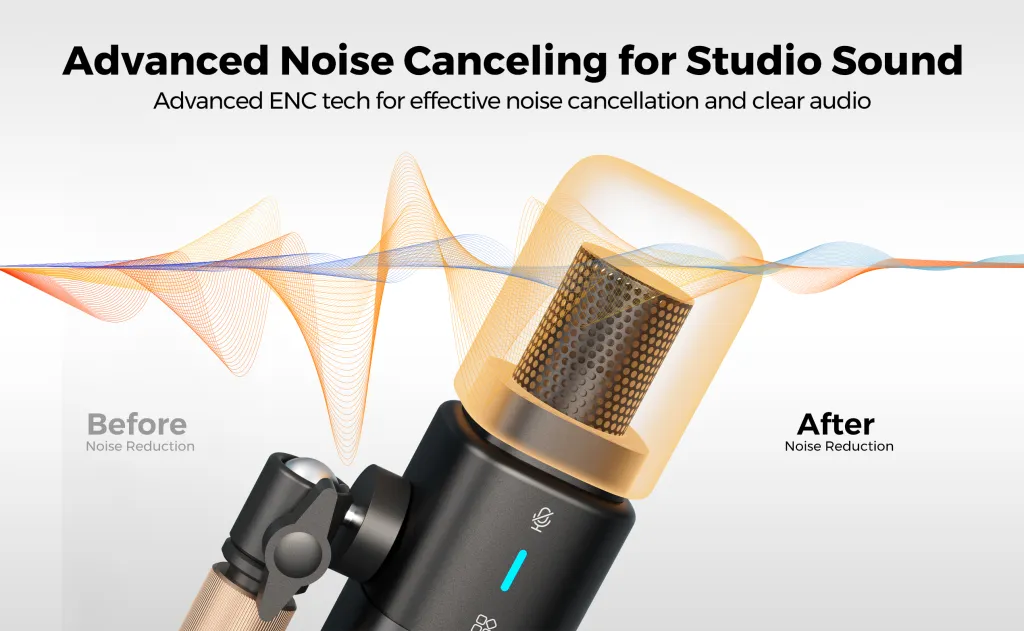
Because laptop mics are so far away and pick up so much noise (fans, typing), manufacturers use aggressive software (DSP) to "clean" the audio.
- Noise Gates: They chop off the start and end of your words to silence the background.
- Compression: They squash your voice to make it uniform.
- Result: You sound robotic, thin, and unnatural. The nuance and emotion in your voice are deleted by the algorithm.
Part 3: The Three Things an External Laptop Microphone Changes
Upgrading to a device like the AM25X isn't just about "sounding better." It changes the dynamic of your work.
1. Consistency is Currency
With a laptop mic, your audio quality depends on your posture. If you turn your head to look at a second monitor, your volume drops. If you lean back, you disappear.
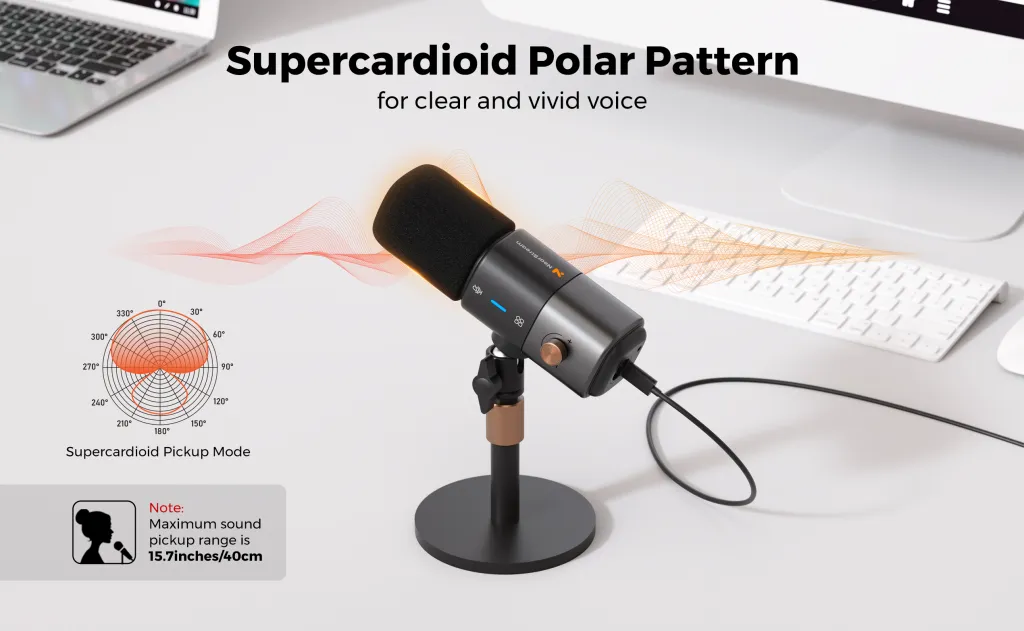
An external laptop microphone creates a consistent "pickup zone."
- The AM25X Benefit: Its Cardioid pattern creates a focused bubble of sound. Within that bubble, your voice is stable, rich, and clear, regardless of whether you are looking at your screen or your notes.
- Why it matters: Consistency builds trust. If your audio is constantly fluctuating, listeners subconsciously perceive you as "unstable" or "unprepared."
2. Reducing "Listener Fatigue" (Cognitive Load)
This is the most critical point for managers and sales pros.
Bad audio makes people stupid.
A study by USC and the Australian National University showed that when audio quality is poor, listeners have to work harder to decode the words.
- Cognitive Load: Their brain spends energy hearing, leaving less energy for understanding.
- The Consequence: Listeners get tired faster. They zone out. They are less likely to agree with your pitch or remember your instructions.
By using the AM25X, you are doing the work for them. You deliver a clean signal directly to their brain, reducing their cognitive load and keeping them engaged longer.
3. The AI Revolution (Transcription Accuracy)
We are entering the era of "Voice-First" computing.
- Dictating Code: One wrong word breaks the script.
- Meeting Transcripts: A fuzzy recording leads to missing action items.
An external mic provides the High Signal-to-Noise Ratio that AI engines need. It captures the sharp consonants (T, K, P) that define words.
- Laptop Mic: "The sales are low." (Muddy) -> AI hears: "The sails are slow."
- AM25X: "The sales are low." (Crisp) -> AI hears: "The sales are low."
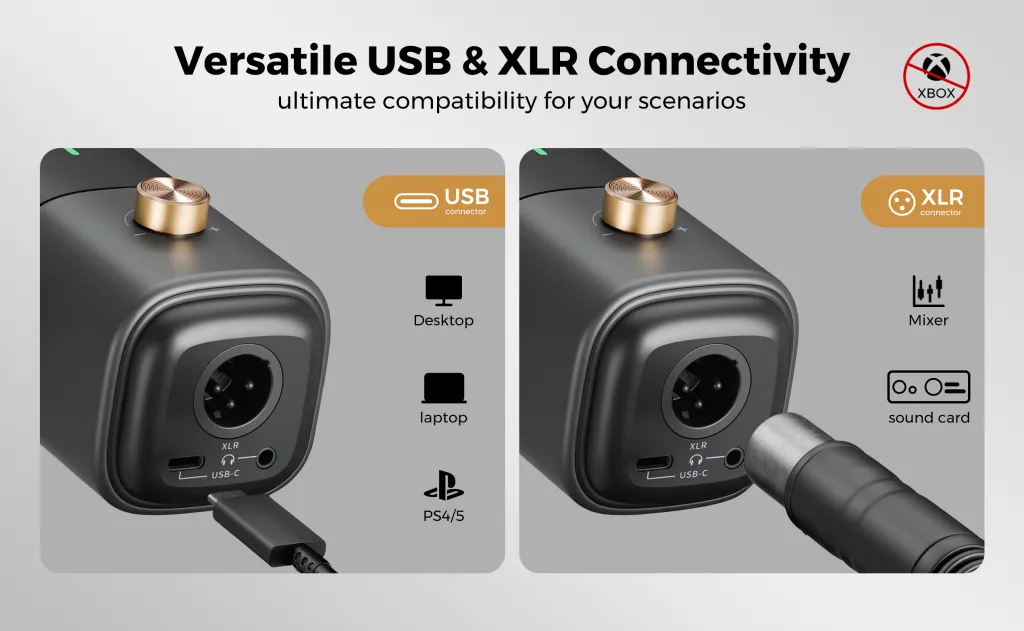
Part 4: Why AM25X is the Perfect External Microphone for PC Upgraders
If you are convinced you need an upgrade, the next question is: "Do I need a $400 XLR setup?"
No. That is overkill.
For 90% of users, the AM25X is the "Goldilocks" solution. It is designed specifically for people upgrading from built-in audio for the first time.
1. USB-C Simplicity (No Audio Engineering Degree Required)
Professional studio mics require XLR cables, pre-amps, and phantom power interfaces. It’s a mess of wires.
The AM25X is Plug-and-Play.
- Plug it into your USB port.
- Select "AM25X" in Zoom.
- Done.
It brings studio-grade large-diaphragm technology into a consumer-friendly package.
2. Work-First Aesthetics
Many "streaming mics" look like toys—full of RGB lights and aggressive shapes. They look out of place in a client meeting.
The AM25X features a sleek, minimal, professional design. It looks like a tool, not a toy. It signals to your colleagues that you take your communication seriously.
3. Physical Confidence (The Mute Button)
Fumbling for the mute button on your screen is stressful.
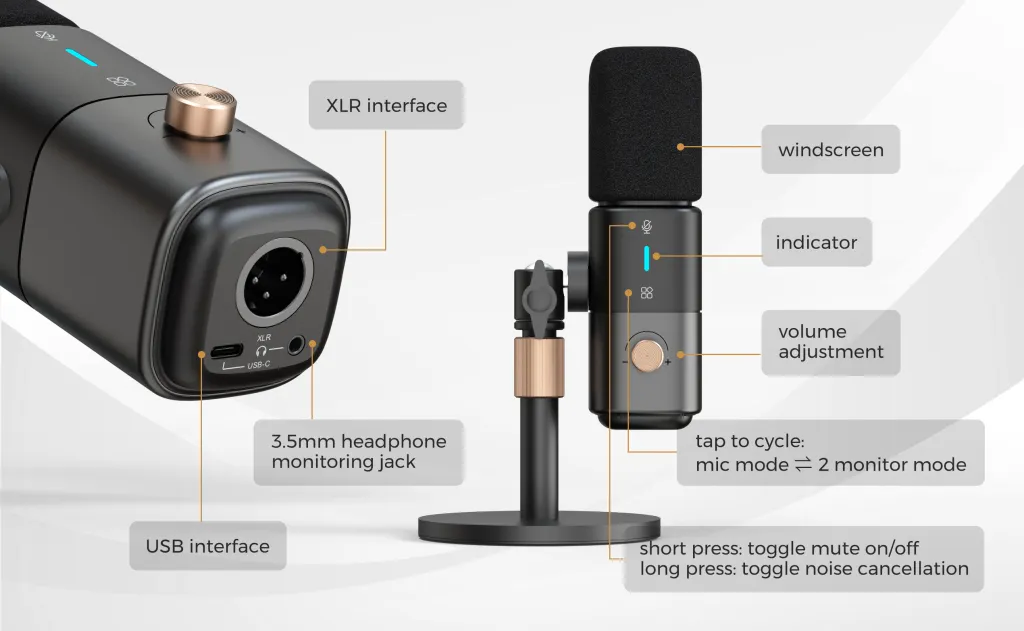
The AM25X puts control at your fingertips.
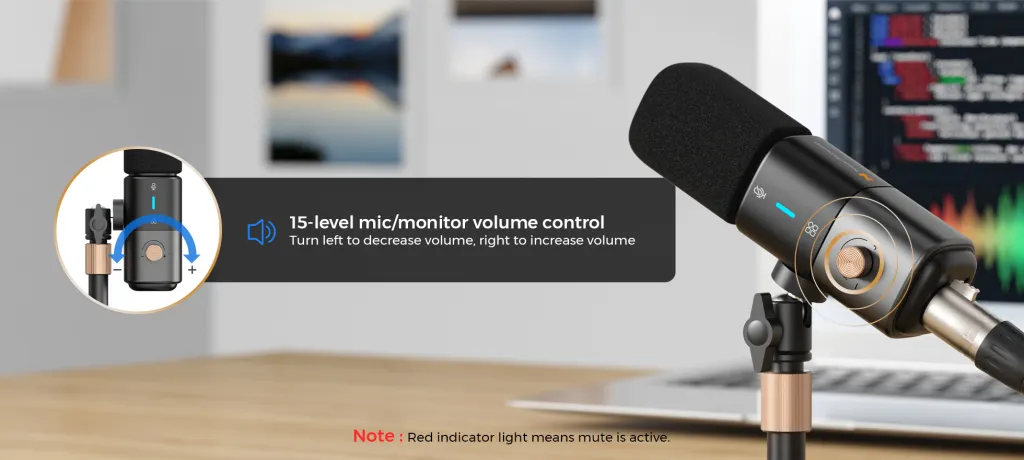
- Gain Knob: Adjust your volume instantly if you get too loud.
- Headphone Jack: Monitor your own voice so you don't end up shouting (The Lombard Effect).
Part 5: Three Personas Who Need an Upgrade
Are you still on the fence? Let's see if you fit one of these profiles. If you do, the AM25X isn't a luxury; it's a necessity.
1. The Remote Professional
Your Reality: You live on Teams/Zoom. You negotiate, persuade, and manage remotely.
Why Upgrade: Your voice is your only presence. If you sound pixelated and thin, you feel "small" in the meeting room. A rich, deep voice commanded by an external mic gives you "Digital Executive Presence."
2. The Educator / Trainer
Your Reality: You talk for hours. You need students to stay focused.
Why Upgrade: Listener fatigue is your enemy. If your audio is harsh, students will tune out after 20 minutes. A smooth, warm sound keeps them engaged for the full hour. Plus, you can speak softly (saving your voice) and still be heard clearly.
3. The AI Power User
Your Reality: You use dictation to draft emails, write code, or summarize notes.
Why Upgrade: Efficiency. Every time you have to correct a typo in your transcript, you lose time. The AM25X ensures 99% accuracy on the first pass, doubling your drafting speed.
Part 6: The "Audio ROI" Calculation
Let's talk money. Why spend $50-$100 on a microphone?
Think about the cost of miscommunication.
- The misunderstanding: A client mishears a deadline because your audio cut out. Cost: Potential lost contract.
- The fatigue: You end the day with a headache because you had to shout at your laptop. Cost: Burnout.
- The impression: You are passed over for a promotion because you didn't sound "leadership material" in the virtual boardroom. Cost: Career growth.
An external microphone for pc is one of the highest ROI investments you can make. It lasts for years, requires zero maintenance, and improves every single interaction you have, every single day.
Part 7: The Final Comparison (Stress Test)
| Condition | Laptop Built-in Mic | AM25X External Mic |
|---|---|---|
| Typing Noise | Thunderous. The person on the other end stops listening. | Minimal. Cardioid pattern rejects the noise behind the mic. |
| Fan Noise | Swirling. The noise suppression software cuts your voice in and out. | Silent. The mic focuses on the voice, ignoring the steady hum. |
| Voice Tone | Thin / Metallic. Sounds like a phone call. | Rich / Warm. Sounds like a podcast. |
| Echo | High. You sound like you are in an empty house. | Low. Proximity effect removes the room sound. |
Let's look at a direct comparison in a difficult environment (e.g., a home office with a fan running).
Conclusion: Stop Sabotaging Your Voice
You wouldn't run a marathon in flip-flops. You wouldn't edit photos on a black-and-white screen. So why are you conducting your professional life through a $0.50 microphone chip?
The "Good Enough" mindset is holding you back. Your ideas deserve to be heard clearly. Your colleagues deserve audio that doesn't exhaust them. And you deserve the confidence that comes from knowing you sound your best.
The AM25X isn't just a piece of hardware. It is the decision to stop being just "audible" and start being effective.
It’s time to close the laptop lid on bad audio.

Frequently Asked Questions (FAQ)
Q: Will an external microphone pick up more background noise because it's better?
A: This is a common myth. Actually, the opposite is true. Because you place the AM25X closer to your mouth (6 inches vs. 24 inches), you can turn the gain down. This means the mic is sensitive to your voice but deaf to the room. A laptop mic has to crank the gain up to hear you, which pulls in all the background noise.
Q: Do I need a boom arm, or is the desk stand okay?
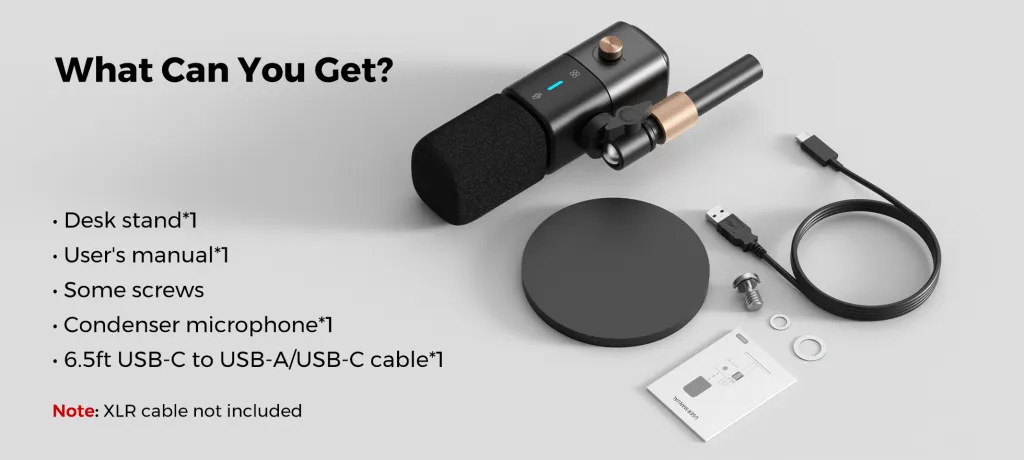
A: The AM25X comes with a solid desk stand that is perfect for beginners. It works great. However, if you type heavily, a boom arm is a nice future upgrade to completely eliminate desk vibrations.
Q: I have a deep voice. Will an external mic help?
A: Absolutely. Laptop mics physically cannot capture low frequencies (bass). They chop off the bottom half of your voice. The large diaphragm in the AM25X captures that low-end resonance, making deep voices sound powerful rather than muffled.
Q: Is it hard to travel with?
A: Not really. The AM25X is compact and rugged. While it's not as invisible as a built-in mic, it fits easily in a backpack. For the digital nomad, the trade-off of carrying a small mic is worth the massive upgrade in meeting quality.
Q: Can I use it with my phone?
A: Yes! With a simple USB adapter (OTG adapter), the AM25X works with iPhones and Androids, making it a powerful tool for mobile recording or high-quality calls on the go.





 sales@nearstream.us






