










































We are in the middle of a quiet revolution in the workplace. While many are obsessing over which AI tool to use, the most productive professionals have changed how they input data into those tools. They have stopped typing and started speaking.
The math is simple: The average professional types at 40-60 words per minute (WPM). But we speak at 150-170 WPM.
By relying solely on a keyboard, you are voluntarily bottling your thought process to 30% of its potential speed. In high-pressure North American work environments—where "speed to inbox" matters—voice dictation is no longer just an accessibility feature; it is a competitive advantage.
From Project Managers clearing their inbox to Consultants drafting complex SOPs, here is why the keyboard is becoming the secondary input device for high-value work.
1. The "10-Minute Rule": Why a Dictation Microphone Is Essential for Meeting Notes
In the corporate world, the meeting isn't over when the Zoom call ends. It’s over when the Meeting Minutes land in the client's inbox.
For Project Managers (PMs), Product Managers, and Operations leads, the "post-meeting scramble" is a daily reality. There is immense pressure to send out Action Items, Decision Summaries, and Follow-up Emails within 10–15 minutes of the call ending.
The Voice Workflow:
Instead of frantically typing notes during the call (which distracts you from listening), the new workflow relies on a dedicated dictation microphone:
- During the Call: Focus on engagement.
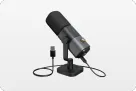
- Immediately After: Turn on your microphone (like the AM25X) and dictate the summary while the memory is fresh.
- "Action Item: Sarah to finalize the Q3 budget by Friday."
- "Decision: We are pivoting to the new API effective immediately."
- The Result: You generate a 500-word structured summary in 3 minutes of speaking.
Why it wins: A high-quality dictation microphone captures the nuance of the decision that bullet points often miss, ensuring your "Action Items" are clear and actionable.
2. High-Stakes Communication: Using a Microphone for PC to Draft Clearer Emails
In fast-paced environments (like Tech, Consulting, or Sales), clarity is currency. Whether it is explaining a complex solution to a client or ensuring internal alignment on Slack, "Long Messages" are often necessary.
The problem? Typing a long, sensitive email feels like a chore. You overthink every sentence, delete, and retype. It takes 20 minutes to write three paragraphs.
The "Talk It Out" Strategy
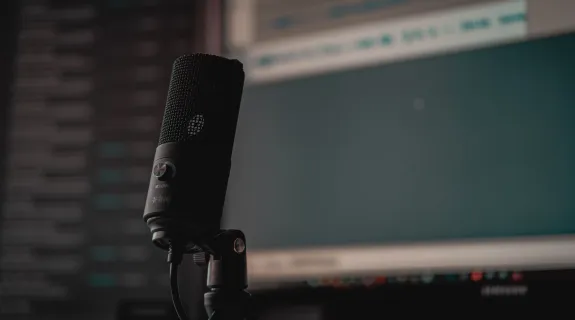
Many senior professionals now upgrade their microphone for pc setups to draft these high-value communications.
- Context: Explaining a strategic shift to a client.
- Method: You speak the logic out loud, naturally, just as if you were explaining it to a colleague over coffee.
- Benefit: The resulting text sounds human, empathetic, and logical. It avoids the "robotic" tone that often creeps in when we over-edit while typing.
Efficiency Hack: Speak the "ugly first draft" in 2 minutes. Spend 3 minutes editing. Total time: 5 minutes. (Typing time: 15+ minutes).
3. Breaking Writer's Block: How the Best Microphone Accelerates Documentation
Nothing is more intimidating than a blinking cursor on a blank white page.
For roles that require heavy documentation—writing Standard Operating Procedures (SOPs), Product Requirements, or Training Materials—the bottleneck usually isn't "writing speed," it is "thinking speed."
The "Stream of Consciousness" Approach
Structuring a document while typing is hard because you are trying to be an architect (structure) and a bricklayer (wording) at the same time.
- Voice Dictation: Separates these processes. You can dictate the raw process flow: "First, the user logs in, then they see the dashboard…"
- The Hardware Role: To do this effectively, you need the best microphone available—one that won't misinterpret your technical jargon. A device like the AM25X ensures that your "Stream of Consciousness" isn't interrupted by constant typo corrections.

4. How to Choose a Microphone: The Hidden Variable in Productivity
If voice dictation is so fast, why doesn't everyone use it?
Because of accuracy.
If you try to dictate a client email using your laptop’s built-in microphone, you will spend more time fixing typos ("sales" becoming "sails," "API" becoming "happy") than you saved by speaking.
Accuracy is the new typing speed.
When learning how to choose a microphone for this workflow, you need to look for two specific specs:
- Cardioid Pickup Pattern: To reject office noise and focus solely on your voice.
- High Signal-to-Noise Ratio: To ensure crisp consonants (T, P, S, K) so the AI distinguishes similar words.
The AM25X is designed specifically for this. It acts as a bridge between your thoughts and the screen, providing the fidelity needed for 99% accuracy. When you trust your hardware, you stop watching the screen to check for errors, and you truly enter the "Flow State."

Comparison: Manual Typing vs. Voice Dictation
Let’s look at the time savings for common tasks when using a professional setup.
| Task | Manual Typing Time (Avg) | Voice Dictation Time (Avg) | Time Saved |
|---|---|---|---|
| Daily Meeting Recap | 15 Minutes | 3 Minutes | 12 Mins |
| Complex Client Email | 20 Minutes | 5 Minutes | 15 Mins |
| Drafting a 1-Page SOP | 45 Minutes | 10 Minutes | 35 Mins |
| Slack Team Update | 5 Minutes | 1 Minute | 4 Mins |
Note: Savings assume a clear audio input source (like the AM25X) to minimize editing time.
Conclusion: The Future is Hybrid Input
We are not suggesting you throw away your keyboard. Code, data entry, and final editing still require the precision of keys.
But for the heavy lifting—the brainstorming, the summarizing, and the communicating—the keyboard is a relic. The most effective professionals of 2025 are "Hybrid Input" users. They speak to create, and they type to refine.
To join them, you only need two things: the willingness to change your habit, and a microphone good enough to listen.
Frequently Asked Questions (FAQ)
Q: Which software is best for professional dictation?
A: You don't necessarily need expensive software. Modern operating systems (macOS Dictation, Windows Voice Typing) and tools like Google Docs Voice Typing or Microsoft Word Dictate are incredibly powerful—if your audio input is clean.
Q: I feel awkward talking to my computer in an open office. Any tips?
A: This is common. Start with "Whisper Dictation." A high-sensitivity cardioid microphone (like the AM25X) allows you to speak very softly, almost in a whisper, while still capturing perfect audio. This keeps your dictation private and less disruptive.
Q: Does this work for technical jargon?
A: Yes, but audio clarity is critical here. AI models can recognize terms like "SQL," "Kubernetes," or "Q3 ROI," but only if the pronunciation is captured clearly. A muddy laptop mic will often fail on acronyms, which is why upgrading your microphone for pc is recommended.
Q: How do I handle punctuation?
A: It takes a little practice. You simply speak the punctuation commands: "Hi Team comma new paragraph I wanted to update you on the project period…" After a few days, this becomes second nature.


 sales@nearstream.us






