










































In our previous guide to Vibe Coding, we established that voice is the new syntax. But there is a silent killer lurking in your home office that threatens to derail your entire AI workflow: Noise Floor.
When you are prompting an LLM like Claude 3.5 or GPT-4o via voice, the AI isn't just listening to your words. It is listening to your mechanical keyboard, your air conditioner, and the construction work outside. To an AI model, this background chaos isn't just annoying—it's data. And bad data leads to "hallucinations," syntax errors, and broken code.
To code at the speed of thought, you don't just need any recording device. You need a dedicated dictation microphone capable of active noise rejection.
In this deep dive, we explore why specific hardware specs have become the secret weapon for developers, specifically analyzing how AI Noise Reduction technology acts as a firewall between your noisy environment and your pristine code.
The Science: Why the Best Microphone for Dictation Hates Noise
Before we look at the hardware, we need to understand the software problem. Why does a standard microphone for pc setups fail when it comes to AI?
The Signal-to-Noise Ratio (SNR) Criticality
Speech-to-Text (STT) engines operate on a principle called Signal-to-Noise Ratio (SNR).
- Signal: Your voice commands ("Create a Python function…").
- Noise: Everything else (Fan hum, typing clack, echo).
When the SNR is low (meaning the noise is almost as loud as your voice), the AI has to "guess" what you said. In a Zoom call, a human brain can filter out background noise. An AI cannot. It attempts to transcribe the noise as text. To prevent this, the best microphone for dictation must physically reject these sounds before they ever reach the software.
The Developer's Noisy Reality
Your workspace is likely louder than you think.
- Mechanical Keyboards: Blue/Brown switches create high-frequency spikes.
- GPU Fans: Training models locally creates a constant low-frequency drone.
- Room Reverb: Hard walls create echoes that muddy your consonants.
To fix this, you need hardware that actively cleans the signal.
The Solution: What Makes a Professional Dictation Microphone?
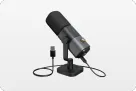
Not all microphones are created equal. When evaluating gear for coding, three specific technologies make certain devices superior to standard studio mics. We use the AM25X as our primary example here because it integrates all three specifically for desktop environments.
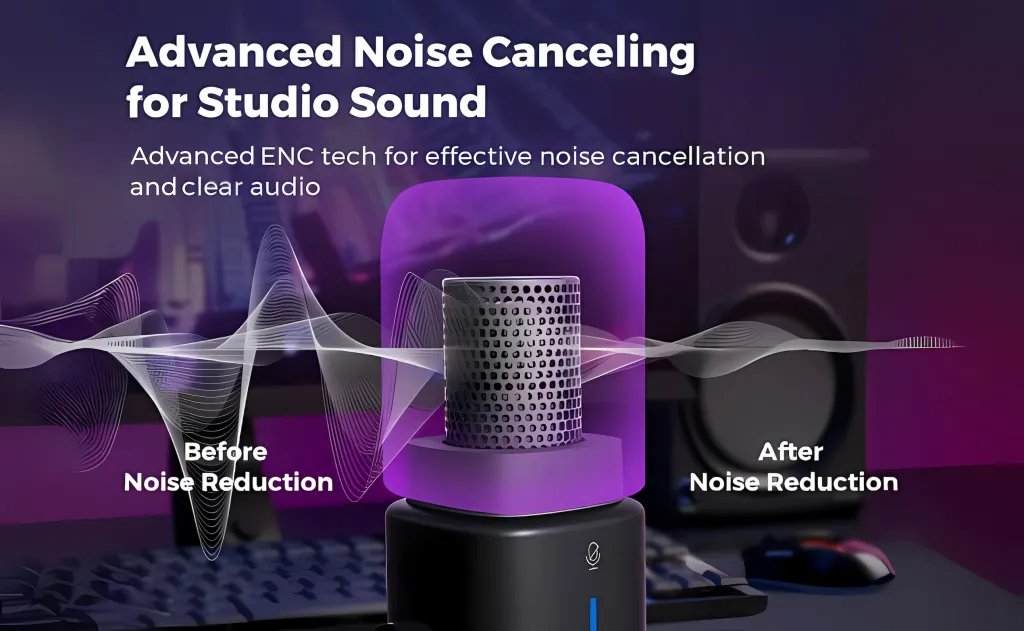
1. Integrated Noise-Canceling Chips vs. Software Filters
Unlike a standard microphone for pc use that captures raw audio (warts and all), modern dedicated mics feature integrated noise-canceling circuitry.
- How it works: The microphone analyzes the incoming sound wave in real-time. It identifies steady-state frequencies (like the hum of an AC unit) and irregular transient spikes (like distant traffic).
- The Hardware Advantage: Devices like the AM25X suppress these non-vocal frequencies before the signal hits your computer. This means when you feed audio into Cursor or Copilot, the AI receives a "dry," clean signal that requires zero guesswork.
2. Cardioid Physics: The "Cone of Silence"
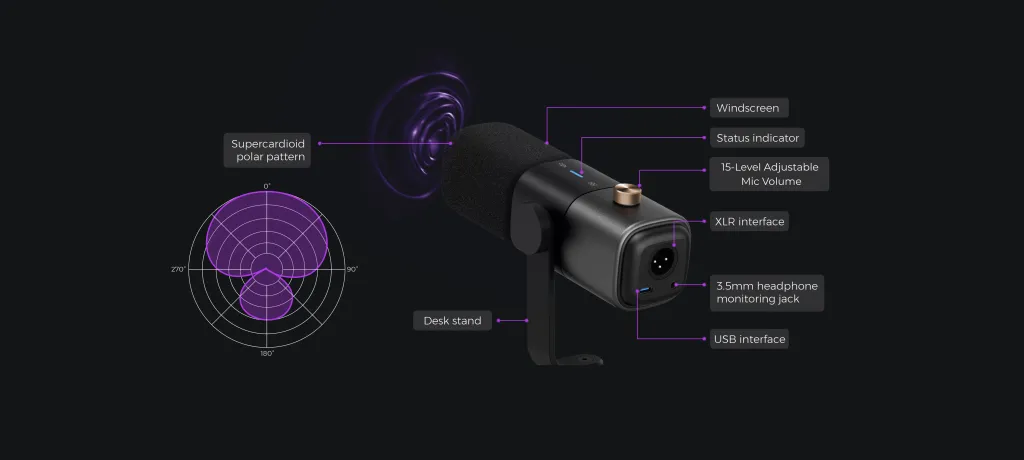
We mentioned the Cardioid pattern before, but let's look at it through the lens of noise rejection. Professional microphones use a directional capsule that is physically deaf to sound coming from behind it.
- Scenario: Your mechanical keyboard is behind the mic. Your monitor speakers are to the side.
- Result: A focused microphone treats these sounds as "off-axis" noise and naturally attenuates them. A standard webcam or omnidirectional headset mic would pick them up at full volume.
3. High Fidelity Across All Voice Types
One often overlooked factor is how a microphone handles different voice types. AI models can sometimes struggle with deep bass frequencies (common in male voices) or higher pitches (common in female voices) if the hardware compresses the audio.
- Why Fidelity Matters: A high-quality condenser mic boasts a wide frequency response and high Signal-to-Noise Ratio. Whether you have a deep, resonant voice or a softer tone, it preserves the "Vocal Fingerprint." This clarity allows the AI to distinguish between similar phonemes, such as "B" (Byte) vs. "Bi" (Bit), or "Void" vs. "Var".

Head-to-Head: Dedicated Audio vs. Standard Microphone for PC Options
Why not just use what you already have? We compared a professional setup (using the AM25X) against common developer gear to see which one qualifies as the best microphone for coding.
| Feature | Dedicated Mic (AM25X) | Gaming Headset | Webcam Mic | Built-in Laptop Mic |
|---|---|---|---|---|
| Noise Rejection | Excellent (Active & Passive) | Moderate (Passive) | None | None (Omnidirectional) |
| Bandwidth | Full Range (20Hz-20kHz) | Compressed (Telephony) | Thin / Tinny | Distorted |
| Typing Isolation | High (Off-axis rejection) | Low (Picks up vibration) | None | Negative (Keyboard is on the mic) |
| Comfort | High (Desk mount) | Low (Heavy on head) | N/A | N/A |
| AI Accuracy | 99% | ~90% | ~75% | ~60% |
The Verdict: While headsets are fine for Discord, their compressed audio confuses AI context. Webcam mics are non-starters. A dedicated solution offers the fidelity of a studio mic with the noise rejection of a broadcast tool.

Stress Test: Which Hardware is the Best Microphone for AI?
We didn't just look at the specs; we tested the AM25X in a simulated "Chaos Coding" environment to see how it affected transcription accuracy using OpenAI's Whisper model. We wanted to see if it truly performs under real-world pressure.
The Test Prompt: "Define an asynchronous function that fetches user data from the API endpoint and handles 404 errors."
Table 2: AI Recognition Success Rates
| Environment | Noise Source | Laptop Mic Accuracy | AM25X Accuracy |
|---|---|---|---|
| Quiet Office | None | 92% | 100% |
| "The Gamer" | Cherry MX Blue Typing | 65% (Garbled words) | 98% (Ignored clicks) |
| "The Cafe" | Background chatter/AC | 70% (Hallucinated words) | 95% (Focused on voice) |
| "The Grind" | Music playing nearby | 55% (Picked up lyrics) | 92% (Isolated speech) |
Analysis:
In the "Gamer" scenario—the most common for devs—the standard microphone for pc failed because the loud clicking of the keys drowned out the user's voice. The noise-canceling microphone, positioned between the user and the keyboard, successfully rejected the key clicks, delivering a perfect prompt.
The Efficiency ROI: Calculating Your Coding Speed
What does this improved accuracy mean for your workday?
Scenario: The "Correction Loop"
- Before (Standard Mic): You dictate a prompt. The AI writes code based on a misunderstanding (e.g., float instead of int). You have to stop, read the code, find the error, and type a correction.
- Time Wasted: 45 seconds per prompt.
- After (Professional Mic): You dictate a prompt. The hardware filters your background fan noise. The AI hears you perfectly. The code is correct on the first try.
- Time Wasted: 0 seconds.
Conclusion: If you Vibe Code for 4 hours a day, using a proper dictation microphone saves you approximately 30-40 minutes of correction time daily. It pays for itself in less than a week of recovered productivity.
Buying Guide: How to Choose the Best Microphone for Dictation
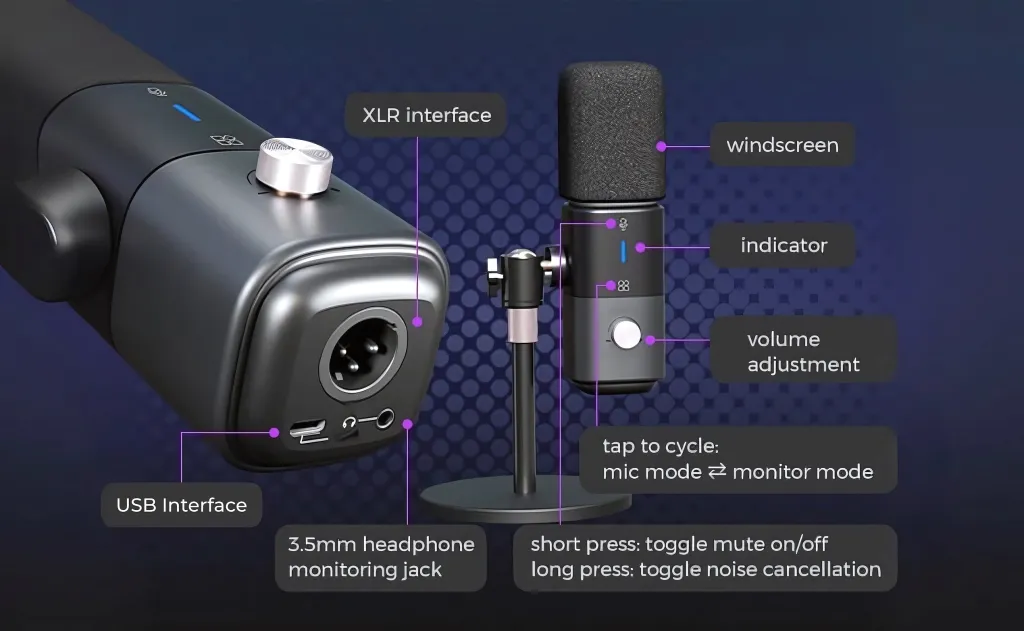
If you are ready to upgrade your setup, here is a checklist of features you should look for in a device like the AM25X:
- Cardioid Pickup Pattern: Essential for rejecting keyboard noise from behind the mic.
- Hardware Noise Cancellation: Look for "Active Noise Reduction" that doesn't rely on installing bloatware on your PC.
- Wide Frequency Response: To ensure your specific voice type is captured accurately without sounding robotic.
- USB Connectivity: For plug-and-play ease without needing an expensive audio interface.
Conclusion: Silence is Golden (Code)
In the world of AI programming, noise isn't just an annoyance—it's a bug.
You spend thousands on your MacBook, your GPU, and your mechanical keyboard. But if your microphone for pc is letting noise pollute your AI prompts, you are creating a bottleneck at the very start of your workflow.
The AM25X provides the necessary Noise Cancellation and Cardioid isolation to ensure that when you speak, the machine listens—and understands. It allows you to code in a busy house, a shared office, or while typing furiously, without ever breaking your flow state.
AM25X
$76.50 $84.99
XLR/USB Condenser Microphone for Podcast/Streaming/Gaming, Noise-Canceling Podcast Microphone Compatible with PC/Mac/Audio Mixer/PS4/PS5.
[Learn More]
Frequently Asked Questions (FAQ)
Q: Do I need to install software to activate the Noise Cancellation on the AM25X?
A: No. One of the best features of the AM25X is that the noise reduction is handled by the hardware chipset inside the microphone. It is Plug-and-Play. You don't need to run heavy background apps that eat up your GPU memory, making it an efficient microphone for pc builds.
Q: Does the AM25X work well with different voice types?
A: Yes. Whether you have a deep, resonant voice or a higher-pitched voice, the AM25X's wide frequency response captures the full character of your speech. This ensures that the AI can accurately transcribe users of all voice types without bias or error.
Q: Is the AM25X really the best microphone for dictation compared to a headset?
A: Headsets place the microphone very close to the mouth, but they often use small, cheap capsules that compress audio. The AM25X uses a large condenser capsule that captures more detail. For AI that relies on clarity, the AM25X is the best microphone for dictation because it provides a richer, cleaner data set for the algorithm.
Q: Can I use the AM25X with a boom arm to further reduce keyboard noise?
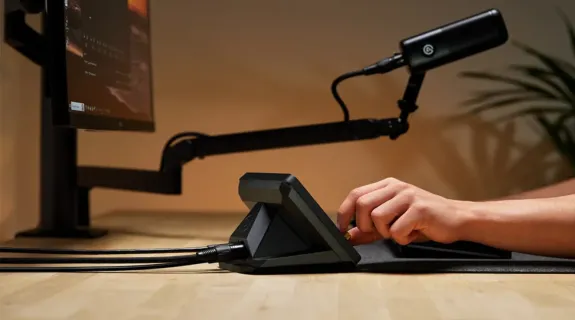
A: Yes! While it comes with a desk stand, mounting the AM25X on a boom arm is the "Pro Move." It physically lifts the mic off the desk, preventing vibrations from your typing from traveling up the stand, and gets the mic closer to your mouth, solidifying its status as the best microphone for a noisy desk.
Q: Is the AM25X compatible with voice coding extensions for VS Code?
A: Yes. The AM25X acts as a standard system input. Whether you are using the VS Code Speech extension, Talon Voice, or Serenade, the AM25X will work instantly and provide much higher accuracy than standard microphones.



 sales@nearstream.us






