

























































It starts with a simple desire: "I want to sound better on Zoom."
Or: "I want to start recording voiceovers for my videos."
You go to YouTube. You watch reviews. And suddenly, you are down a rabbit hole. The "experts" tell you that to sound "real," you need an XLR microphone. You need an Audio Interface. You need a Cloudlifter. You need a $50 cable. You need a boom arm that costs more than your desk.
While XLR setups have their place in music studios, for the modern professional, the creator, and the hybrid worker, they are often the wrong tool for the job.
In this comprehensive guide, we will break down the physics, the workflow, and the reality of USB vs. XLR. We will explain why choosing simplicity isn't "settling"—it's a strategic advantage.
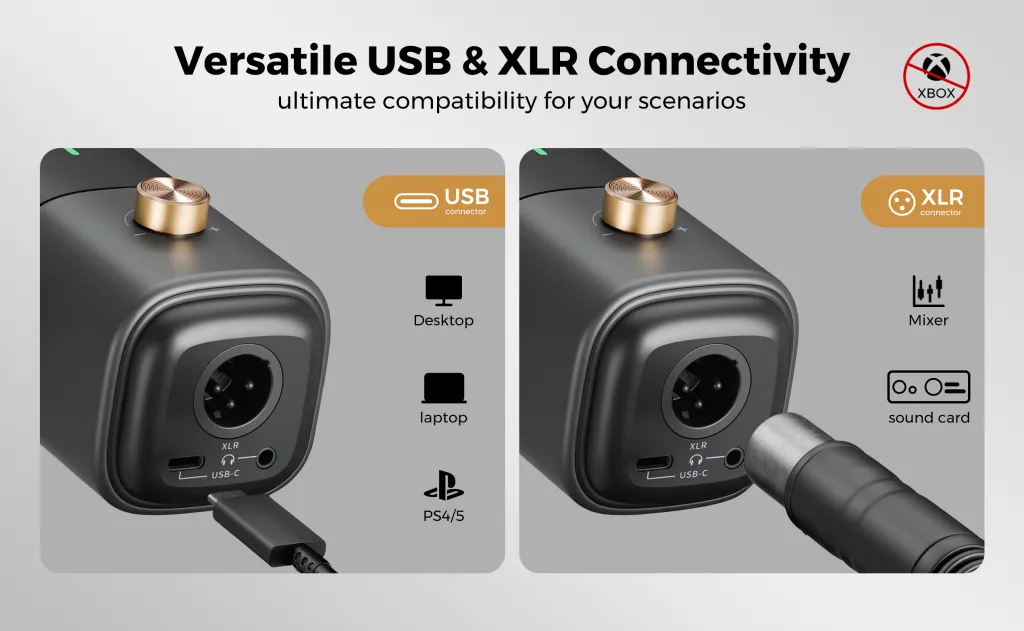
Part 1: How to Choose a Microphone: The "Studio" Myth vs. Your Bedroom Reality
When you are trying to figure out how to choose a microphone, you have to look at your environment, not just the spec sheet.
The allure of brands like RØDE or Shure is strong. They sell the dream of a "Broadcast Studio." But here is the uncomfortable truth: Professional gear requires a professional room.
The "Sensitivity" Trap
XLR microphones (especially high-end condensers) are designed to capture everything.
- In a Studio: This is great. It captures the "air" and the subtle breath of the singer.
- In Your Home Office: This is a disaster. It captures the hum of your PC fan, the reverb of your drywall, the traffic outside, and the creak of your chair.
A "better" microphone often sounds worse in an untreated room because it is too honest.
The "Chain" of Failure
When you buy a USB mic like the AM25X, the engineer has already matched the capsule to the internal pre-amp and the converter. It is a closed, optimized system.
When you build an XLR system, you are the engineer.
- Does your Audio Interface have enough gain for the mic?
- Is your XLR cable shielded enough to block radio interference?
- Is the "Self-Noise" of your pre-amp hissing?
If you get one part of this chain wrong, your $500 setup sounds worse than a $50 USB mic. For most people, the question isn't "Which mic has better specs?" It's "Do I want to become a part-time audio engineer?"
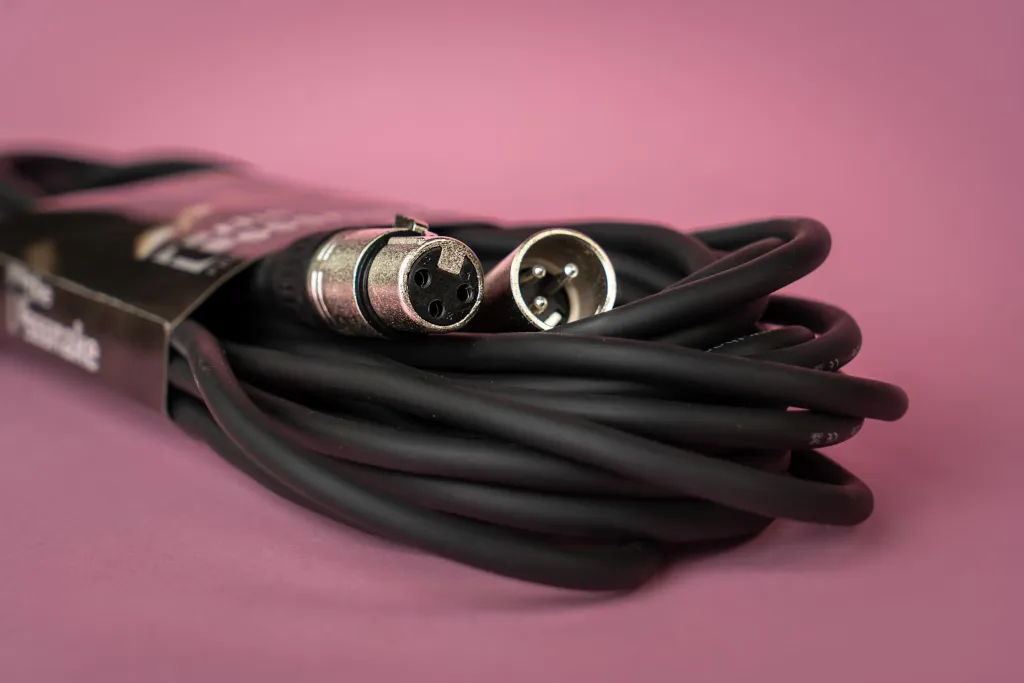
Part 2: The Hidden Costs of an XLR Microphone Setup: Complexity is the Enemy
Let’s look at the "hidden tax" of going the XLR route. It’s not just about money; it’s about friction.
1. The Desk Real Estate Tax
A USB microphone is one cable: Mic $\rightarrow$ Computer. Clean. Minimal.
An XLR microphone setup involves:
- The Microphone.
- The thick XLR cable (which is heavy and hard to hide).
- The Audio Interface box (which sits on your desk, taking up space).
- The USB cable connecting the Interface to the Computer.
- (Optional) A Pre-amp booster (like a Cloudlifter) + another cable.
If you are a minimalist or you value a clean workspace, an XLR setup adds a significant amount of clutter and cable management stress.
2. The "Software Driver" Nightmare
USB mics are "Class Compliant." They work instantly.
Audio Interfaces often require proprietary drivers.
- Scenario: You have an important meeting in 2 minutes. Windows updates. Suddenly, your Focusrite or GoXLR driver crashes. You have no audio.
- The Panic: You spend the first 5 minutes of the meeting debugging your "Pro" gear while your colleagues wait.
3. The "Gain Staging" Confusion
With an XLR setup, you have physical knobs on the interface. You have to physically dial in the gain.
- Turn it too high? You clip (distort).
- Turn it too low? You are inaudible.
- Bump the knob by accident while cleaning your desk? Your levels are ruined.
The Verdict: An XLR system introduces multiple single points of failure. For a musician recording an album, this control is necessary. For a Project Manager leading a sprint review, it is a liability.
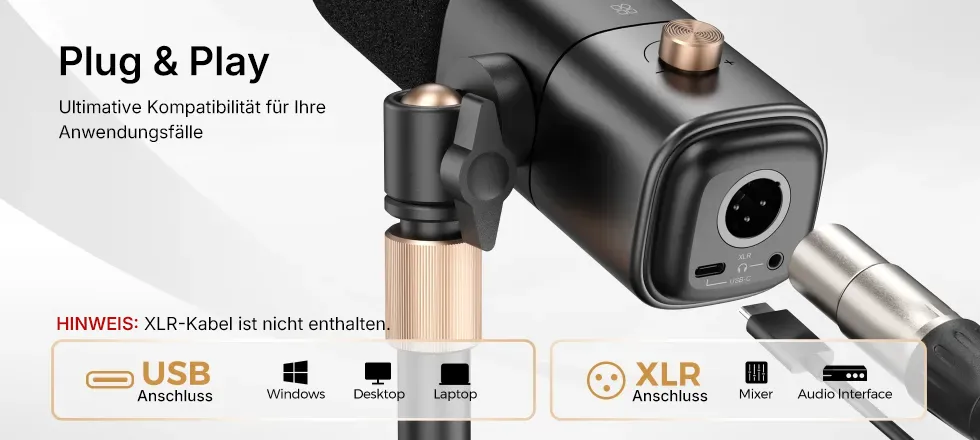
Part 3: When a USB Microphone Is Actually the Superior Choice
There was a time, 10 years ago, when "USB Mic" meant "Cheap Toy." That era is over. Modern USB technology has caught up.
In fact, there are specific scenarios where a USB microphone is objectively better than an XLR setup.
1. The Digital Nomad / Hybrid Worker
Try packing an XLR mic, an interface box, and two cables into your laptop bag. It’s impossible.
The AM25X fits in a side pocket.
- Scenario: You need to record a voiceover in a hotel room.
- USB Workflow: Plug in. Record.
- XLR Workflow: Unpack. Set up interface. Troubleshoot drivers. Realize you forgot the USB-C adapter.
2. The "Zoom Compression" Ceiling
This is the most practical argument.
Even if you have a $3,000 microphone chain, Zoom/Teams/Google Meet compresses your audio to 16kHz mono. They crush the quality to save bandwidth.
- The Reality: Through a video call, no one can tell the difference between a high-end USB microphone (like the AM25X) and a studio XLR setup. The bottleneck is the internet, not the hardware.
- The ROI: Why spend an extra $400 for quality that gets deleted by Zoom's compression algorithm?
3. AI and Transcription
We mentioned this in previous guides, but it bears repeating. AI tools (Dictation, Transcription) prefer a digital signal that is clean and consistent. USB mics provide a direct digital path. XLR interfaces introduce "analog warmth" (distortion) and variable noise floors that can sometimes confuse AI engines.

Part 4: Redefining the Best USB Microphone: Why AM25X Fits Your Life, Not Just Your Desk
So, if we reject the complexity of XLR, what should we look for?
The market is flooded with "Gaming Mics" (too flashy) and "Podcasting Mics" (too big). The AM25X was designed to fill the gap: Professional Utility.
1. The "Daily Driver" Philosophy
We didn't design the AM25X to record the London Symphony Orchestra. We designed it to be the best USB microphone for the things you actually do:
- Speaking clearly in meetings.
- Dictating ideas to AI.
- Recording content for social media.
It is tuned for the Human Voice. It naturally cuts out the rumble of HVAC systems and focuses on the frequencies where articulation happens.
2. Integrated "Pro" Features
Just because it’s USB doesn't mean it’s "dumb." The AM25X internalizes the components of an XLR chain:
- Internal Shock Mount: Replaces the bulky spider-web shock mounts of XLR mics.
- Built-in Pre-Amp: Provides clean, loud gain without a booster box.
- Zero-Latency Monitoring: A headphone jack on the mic itself, replacing the need for an interface monitor.
3. Stability is the Ultimate Feature
The best feature of the AM25X is that you don't have to think about it.
- It doesn't have drivers to crash.
- It doesn't have 48V Phantom Power switches to mess up.
- It remembers your settings.
You sit down. You work. It works.

Part 5: The Decision Matrix
Still undecided? Let's break it down into a simple choice.
Go for an XLR Setup If:
- You are a professional musician recording instruments (Guitar, Drums).
- You need to record multiple microphones onto separate tracks simultaneously (e.g., 4 people in one room).
- You treat audio engineering as a hobby and enjoy tweaking knobs and cables.
Go for the AM25X (USB) If:
- Your primary goal is communication (Meetings, Dictation, Content).
- You want a clean, minimalist desk.
- You move between locations (Office, Home, Travel).
- You want to spend your time creating, not configuring.
- You want 95% of the quality with 5% of the hassle.

Conclusion: Work With Audio, Don't Work On Audio
There is a difference between being an "Audio Professional" (someone who mixes sound) and a "Professional who uses Audio" (you).
RØDE and Shure make amazing gear for Audio Professionals. But if you are a Consultant, a Developer, a Writer, or a Manager, buying an XLR setup is like buying a Formula 1 car to drive to the grocery store. It’s impressive, but the maintenance will drive you crazy.
The AM25X is the Tesla. It’s electric, it’s advanced, and it just drives.
Don't let the "Pro" label fool you. True professionalism is efficiency. True professionalism is reliability. And true professionalism is knowing that your gear serves you, not the other way around.
Save the desk space. Save the money. Save your sanity. Choose the setup that lets you get to work.

Frequently Asked Questions (FAQ)
Q: Will a USB mic sound "amateur" compared to my colleague's XLR mic?
A: Not if you use it right. As we discussed in our positioning guide, a properly positioned AM25X (6 inches from the mouth) will sound better than an improperly positioned $500 XLR mic. The technique matters far more than the connector type.
Q: Can I upgrade the AM25X later?
A: While you can't turn it into an XLR mic, the AM25X is the upgrade. It supports high-resolution sampling rates (up to 192kHz). Unless you plan to open a commercial music studio, you are unlikely to "outgrow" the fidelity it provides for voice work.
Q: Does the AM25X work with a Boom Arm?
A: Yes! Even though it's a USB mic, it fits standard boom arms. Putting the AM25X on a boom arm is actually the best way to make it look and sound like a "Pro" XLR setup without the cable mess.
Q: Why do streamers use XLR then?
A: Many top streamers use XLR because they need to route audio to mixing desks, or they are sponsored by audio companies. However, look closely: many modern streamers and YouTubers are quietly switching back to high-end USB mics because the convenience is unbeatable.
Q: Is the AM25X "Plug and Play" on Mac?
A: Yes. Macs are notoriously fussy with audio interfaces (requiring drivers), but the AM25X is recognized instantly as a standard input device. It is arguably the most stable choice for the Apple ecosystem.





 sales@nearstream.us






