


























































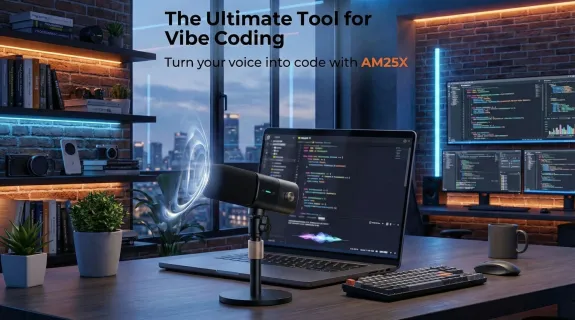
The era of "Vibe Coding" has arrived. Developers are shifting from manually typing every line of syntax to dictating logic directly to AI engines like Cursor, ChatGPT o1, and GitHub Copilot. It is the fastest way to build software—but only if the AI actually understands you.
If you find yourself constantly correcting the AI’s transcription—turning "def" into "deaf" or "float" into "boat"—the problem likely isn't the model. It's your audio chain. "Garbage in, garbage out" applies to audio just as much as data sets.
To achieve frictionless voice coding, you need a setup that eliminates room echo and isolates your voice from your mechanical keyboard. In this masterclass, we will walk you through the ultimate voice coding configuration using the AM25X, transforming your desk into a precision input station for AI.
The Science of "AI Hearing": Why Clarity Equals Code
Before we plug in the hardware, it is vital to understand how an AI model like OpenAI’s Whisper (the engine behind many coding assistants) actually "hears." It is different from a human ear.
1. The Tokenization of Sound
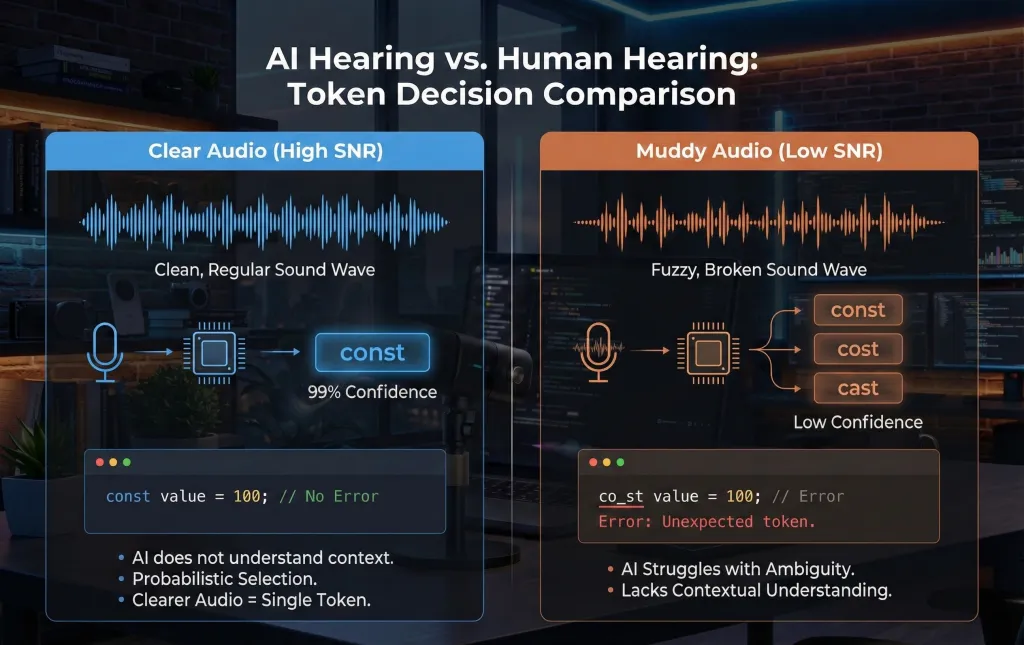
AI models break speech into small chunks called tokens. When audio is muddy or distant, the probability distribution for these tokens flattens.
- Clear Audio: The AI is 99% sure you said const.
- Muddy Audio: The AI splits the difference between const, cost, and cast.
- The Consequence: In a conversation, this is fine. In Python or JavaScript, one wrong letter breaks the build.
2. The Plosive & Sibilance Trap
Technical jargon is full of hard consonants. Words like "Push", "Pull", "Bit", and "Stack" contain bursts of air called plosives. Words like "System" and "C-Sharp" contain sibilance (hissing sounds).
Cheap microphones (or headset mics placed too close) distort these sounds. A distorted "Bit" sounds like "Pit" to an AI. The AM25X is designed with a frequency response that preserves the crispness of these consonants without the distortion, ensuring your git push doesn't become git bush.
The Hardware Debate: Why USB + Cardioid is the Developer Standard
For 99% of developers, an XLR setup with a complex audio interface is overkill, while Bluetooth headsets introduce latency that ruins the "real-time" feel of dictation.
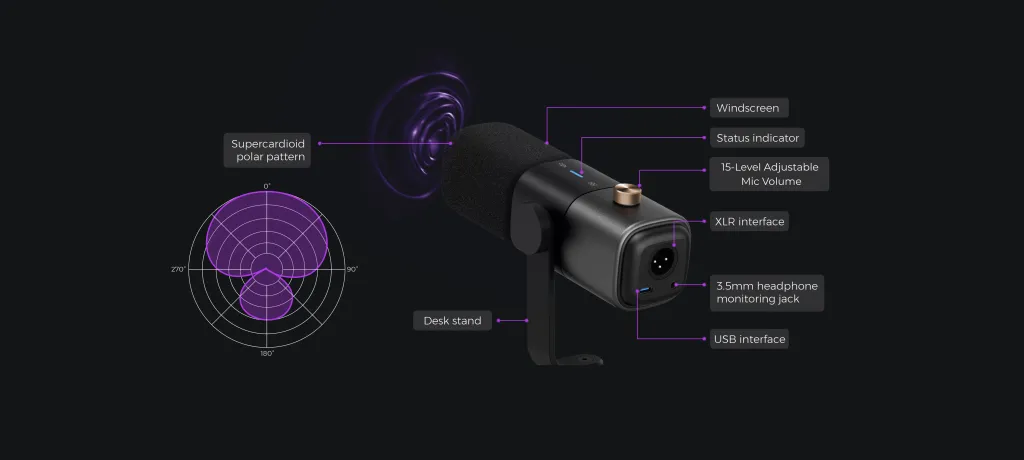
The sweet spot for coding is Wired USB Connectivity + Cardioid Polar Pattern. Here is why the AM25X dominates this category.
Table 1: Input Device Comparison for AI Coding
| Feature | AM25X (USB Cardioid) | Bluetooth Headset | Built-in Laptop Mic | Impact on AI Code Generation |
|---|---|---|---|---|
| Sample Rate | 48kHz / 192kHz (High Res) | 16kHz (Compressed) | Varies (often noisy) | Higher sample rates help AI distinguish similar sounding variables. |
| Latency | Near Zero (Wired) | ~100-200ms | Low | Bluetooth lag causes "stacking" errors where you speak faster than the text appears. |
| Pickup Pattern | Cardioid (Focused) | Omnidirectional | Omnidirectional | Critical: Cardioid rejects the keyboard noise behind the mic. |
| Setup Time | Plug-and-Play | Pairing issues | Instant | AM25X works instantly; no "Connection Lost" errors. |
| Proximity Effect | Rich/Full | Thin/Robotic | Distant/Echoey | Richer audio gives the AI more data to analyze context. |
The Verdict: The AM25X provides the bandwidth of a studio interface with the simplicity of a USB cable. It bypasses your computer's noisy internal sound card, performing the Analog-to-Digital conversion inside the microphone for a lossless signal.
The Setup Masterclass: Configuring the AM25X
Buying the mic is step one. Placing it correctly is step two. Physics dictates your audio quality. Here is how to set up the AM25X for maximum "Vibe Coding" efficiency.
1. The "Null Point" Strategy (Killing Keyboard Noise)
The AM25X uses a Cardioid polar pattern. Imagine a heart shape projecting from the front of the mic.
- The Front: Highly sensitive (Your mouth).
- The Back (The Null Point): Deaf (Your Keyboard).
- The Mistake: Many devs put the mic next to their keyboard, pointing up. This captures typing noise.
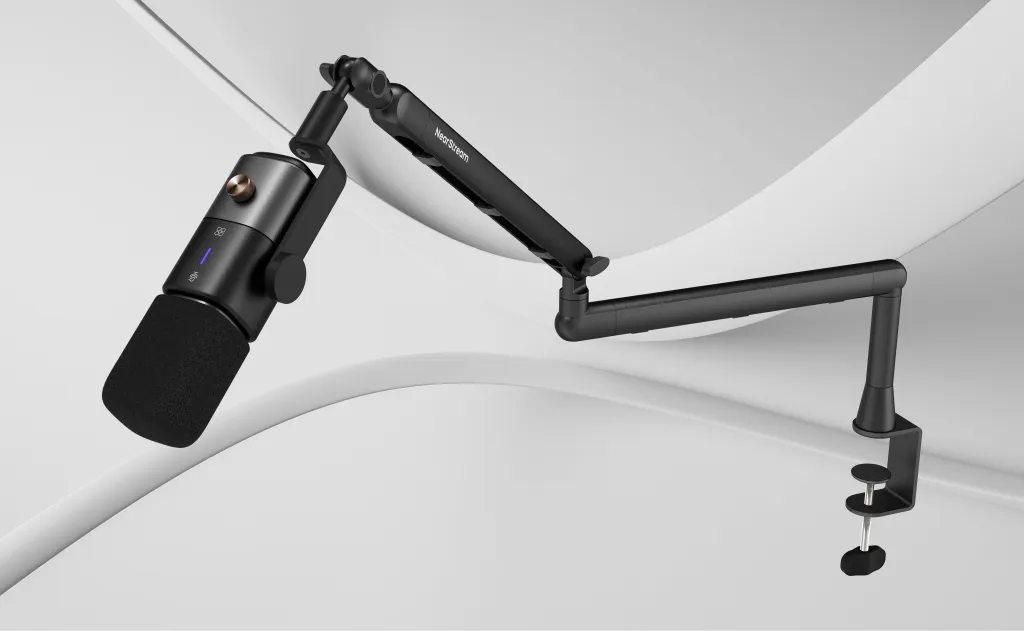
- The Fix: Place the AM25X between you and your keyboard. Alternatively, use a boom arm to float the mic over your keyboard, pointing down at your mouth. This keeps your loud mechanical switches in the microphone's "blind spot."
2. The "Hang Loose" Distance Rule
Distance creates depth. Too far, and you get room echo (reverb). Too close, and you get distortion.
- The Perfect Distance: 6 to 8 inches.
- The Quick Check: Make a "Hang Loose" (Shaka) hand sign. Put your thumb on your lips and your pinky on the AM25X grille. This ensures the "Proximity Effect" kicks in, making your voice sound authoritative and clear for the AI.
3. Stability: The Boom Arm Upgrade
While the AM25X comes with a sturdy desk stand, aggressive typers should consider upgrading to a suspension boom arm.
- Why? When you rage-type a bug fix, vibrations travel through the desk and up the mic stand, creating a low-frequency rumble. A boom arm mechanically decouples the mic from the desk, ensuring that even if you slam the enter key, the audio remains clean.

System Optimization: Tuning Gain for Mac & Windows
The AM25X is powerful. If you run it at 100% volume, you might "clip" (distort) the signal, which confuses the AI. Here are the optimal settings.
For macOS Users (Cursor / Xcode / Raycast)
Mac inputs can be "hot" (sensitive).
- Open System Settings > Sound > Input.
- Select AM25X.
- Input Volume Slider: Set to 75% - 80%.
- Pro Tip: Watch the input level meter while speaking normally. It should peak around the 75% mark. If it hits the far right edge, lower the volume.
For Windows Users (VS Code / Copilot / WSL)
Windows handles USB audio gain differently.
- Right-click the Speaker icon > Sound Settings.
- Under Input, click AM25X > Device Properties.
- Volume: Set to 80% - 85%.
- Advanced Tab: Ensure the format is set to 2 channel, 48000 Hz (DVD Quality) or higher.
- Exclusive Mode: Uncheck "Allow applications to take exclusive control." This prevents Spotify or Discord from stealing the mic focus away from your coding tool.

The Efficiency ROI: Voice vs. Keyboard
Why go through this setup? Is it worth buying an AM25X just to talk to a computer? Let's look at the data regarding input speed.
Table 2: Input Method Efficiency for Coding Tasks
| Task | Manual Typing (Avg Dev) | Voice Coding (with AM25X) | Efficiency Gain |
|---|---|---|---|
| Boilerplate Code | 40-60 WPM | 150 WPM | 3x Faster |
| Complex Logic Description | Slow (Stop & Think) | Fast (Stream of Consciousness) | 2x Faster |
| Error Correction | High (Typos) | Low (With clear audio) | Significant |
| Physical Strain | High (RSI Risk) | Zero | Healthier |
With the AM25X properly configured, your input speed effectively triples. You can describe a complex SQL query in 10 seconds, whereas typing it out, checking for typos, and formatting it would take a minute. The AM25X removes the friction of "repeating yourself," unlocking the true potential of Vibe Coding.
Conclusion: Don't Let Hardware Throttle Your AI
We are living in a golden age of developer tools. But using a $3,000 MacBook Pro and a $20/month AI subscription while relying on a $0.50 built-in laptop microphone is a massive bottleneck.
The AM25X offers the most cost-effective upgrade path for the modern developer. It is not just a microphone; it is a dedicated input terminal for your AI pair programmer. By providing a clean, noise-free, and rich audio signal via a simple USB connection, it ensures that when you speak code, the machine executes it correctly the first time.
Upgrade your audio, clear your desk, and watch your coding speed fly.
Frequently Asked Questions (FAQ)
Q: Does the AM25X need special drivers to work with Cursor or VS Code?
A: No. The AM25X is a Class-Compliant USB device. This means it works instantly on macOS, Windows, and Linux (Ubuntu/Arch) without any driver installation. Once plugged in, simply select "AM25X" as the microphone in your IDE settings or system preferences.
Q: I work in a shared office. Will the AM25X pick up my coworkers?
A: The Cardioid pattern is designed to reject sound from the sides and rear, but it isn't magic. To maximize isolation in a busy office, move the mic closer to your mouth (3-4 inches) and lower the input gain on your computer to 50-60%. This forces the mic to only "hear" what is directly in front of it—you.
Q: Can I use the AM25X for Zoom/Teams meetings as well?
A: Absolutely. The same qualities that make it great for AI (clarity, noise rejection) make it excellent for stand-ups. Your Project Manager will appreciate the lack of "tunnel sound," and your team will appreciate not hearing your mechanical keyboard clacking during the meeting.
Q: Why is my AI output showing random words like "Thanks" or "Bye" at the end?
A: This is a common "hallucination" caused by silence noise. If your mic gain is too high, the AI tries to interpret the "hiss" of the room as words. The AM25X's low self-noise helps prevent this, but ensuring your gain is set correctly (as per the guide above) is the ultimate fix.






 sales@nearstream.us






