The Ultimate Guide to Podcast Backgrounds: Ideas, Backdrops & Studio Setups for 2025
Explore the best podcast backgrounds, backdrop styles, and studio setup tips.
podcast background
podcast
Updated: 27 févr. 2026 · 8 minutes read
Modular Video Kits for Growing Business.
With 33% of podcast listeners actively watching shows on YouTube, having the right podcast background is more important than ever. A clean, professional backdrop not only keeps your audience focused but also strengthens your brand image. Whether you’re recording from home or a studio, choosing the perfect background can make all the difference in turning casual listeners into loyal fans.
What Is a Podcast Background?
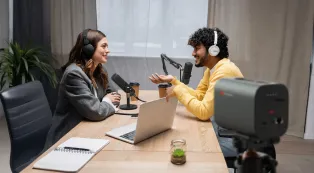
A podcast background (or podcast backdrop) is the visual setting behind you when you record or stream. While podcasts started as purely audio, video podcasts and clips shared on social media mean your background often appears front and center.
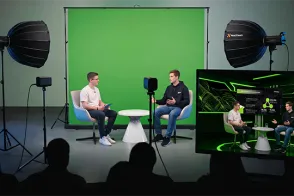
Virtual: Digital images or videos inserted using green screen (chroma key) technology.
A good background engages viewers, reinforces your brand, and makes your content feel polished and professional.
Popular Types of Podcast Backgrounds
Here are some favorite podcast backdrop styles creators use today:
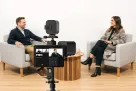
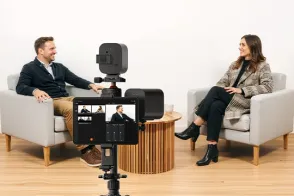
Minimalist Setup: Clean walls, neutral tones, soft lighting — great for keeping focus on the speaker.
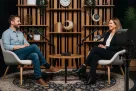
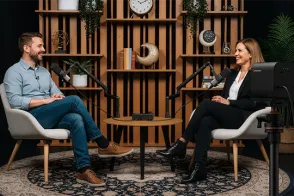
Bookshelf or Studio Shelf: Filled with books, plants, or branded swag to convey expertise and personality.
Lifestyle Background: Cozy home or office settings that feel warm and relatable.
Custom Fabric or Vinyl Backdrops: Use brand colors, logos, or patterns for a unique look.
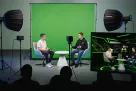
Green Screen / Virtual Background: Flexible, allowing you to switch backgrounds on the fly with software.
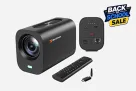
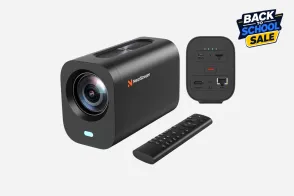
For flexible virtual backgrounds, NearStream’s VK40 kit includes a collapsible green screen that fits small spaces and is easy to set up.
How to Choose the Right Background for Your Podcast Studio
Choosing the perfect background for podcast studio goes beyond picking something that looks nice on camera. It’s about creating a visual environment that supports your content, reflects your brand personality, and keeps your audience engaged without distractions. Here are the key factors to consider when selecting or designing your podcast backdrop:
1. Keep It Simple and Clutter-Free
A clean and minimal background helps keep the focus on you and your message. Too many objects, bright colors, or busy patterns can distract viewers and make your video look chaotic. Aim for a neat setup with a few well-chosen items that complement your podcast theme. For example, a simple bookshelf, a piece of art, or a subtle brand logo can add personality without overwhelming the shot.
2. Create Depth and Separation
Your background shouldn’t be flat against you. Adding physical or visual depth improves the overall look and makes your video more pleasing to watch. Use lighting techniques—like a backlight or side lights—to separate yourself from the background. This creates a subtle “halo” effect and prevents you from blending into the backdrop.
3. The Importance of Lighting
Lighting is crucial when it comes to how your background looks on camera. Even the best backdrop can appear dull or washed out without proper lighting. Use soft, diffused lighting to evenly illuminate your space and avoid harsh shadows. Accent lights can highlight specific background elements like plants or artwork, adding visual interest and texture. The right lighting also helps maintain color accuracy and makes your entire video look more professional.
4. Align With Your Brand Colors and Style
Think about the mood and message you want to convey. Are you going for professional and sleek, casual and cozy, or energetic and colorful? Choose colors and decor that reinforce your brand identity and the tone of your podcast. For instance, tech podcasts often benefit from cool blues and grays, while lifestyle shows might use warm earth tones and plants.
5. Avoid Distracting or Reflective Elements
Shiny surfaces, moving objects, or busy wallpaper can interfere with camera focus and viewer attention. Similarly, avoid backgrounds that reflect light harshly, which can cause glare on camera. Keep your backdrop stable and consistent to maintain a polished look.
6. Consider Sound Quality
Though this isn’t a visual factor, your background can affect audio quality. Hard surfaces can cause echo, while soft materials like fabric panels or curtains absorb sound. Integrating acoustic treatment into your background setup improves both sound and look.
Podcast Background Ideas for Every Budget
Whether you’re just starting or ready for a pro setup, there are podcast background options for every wallet:
Low-Budget & DIY Podcast Background Ideas
If you’re working with a tight budget or setting up at home without a dedicated studio space, don’t worry! There are many affordable and effective ways to create a neat, attractive background:
Plain Walls or Curtains
DIY Fabric or Paper Backdrops
Plants and Personal Items
Natural Lighting
Mid-Range Background Ideas
With a bit more budget, you can enhance your podcast backdrop with better materials and lighting for a polished look:
Printed or Branded Backdrops
Custom-printed vinyl or fabric backdrops featuring your podcast logo, brand colors, or themed designs add a professional touch. These are portable and easy to set up in different locations.
Softbox or LED Lighting
Invest in affordable softbox lights or LED panels to improve lighting quality. Proper lighting brings out colors, creates depth, and eliminates shadows in your background.
Shelving and Decor
Install stylish bookshelves or wall-mounted shelves to showcase books, awards, or decorative items that reflect your podcast’s personality.
Acoustic Panels
Add foam or fabric-covered acoustic panels to reduce echo and add texture to your background. Many designs come in decorative shapes and colors.
Professional Background Ideas
For creators ready to invest in a full studio setup, professional backgrounds deliver maximum visual impact and brand consistency:
Custom Set Designs
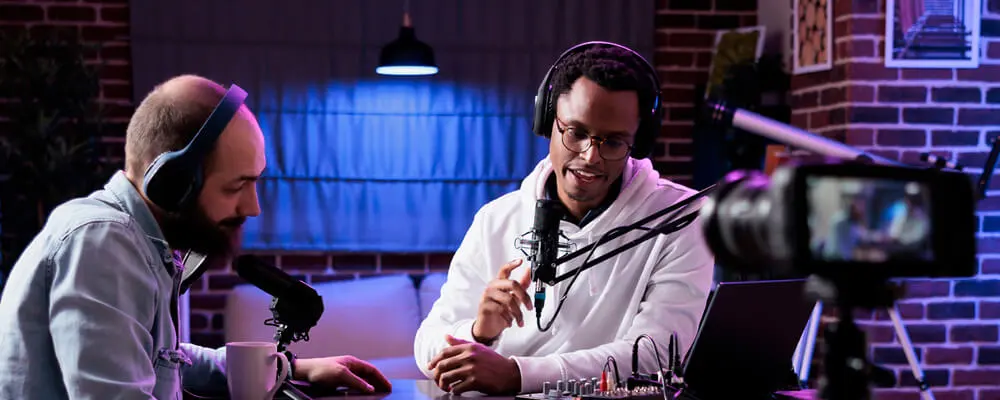
Build a dedicated podcast set with branded furniture, LED accent lighting, and custom wall finishes. This can include neon signs, textured walls, or themed props to create a unique atmosphere.
Green Screen / Virtual Backgrounds
Use high-quality green screens with controlled lighting to digitally replace your background with any image or video during live streams or recordings. This adds flexibility and creativity without needing physical space.
High-End Lighting Systems
Implement multi-point lighting setups including key, fill, and backlights with adjustable color temperature and brightness to create cinematic looks and professional-grade visuals.
Integrated Acoustic Treatment
Incorporate professional soundproofing and diffusion panels seamlessly into your set to ensure top-notch audio quality along with stunning visuals.
Feeling overwhelmed by endless background options and not sure which one fits your style or budget? Stop stressing! An all-in-one green screen kit lets you create any background you want — from sleek professional studios to fun, colorful scenes — all with just one easy setup.
For beginners and budget-conscious creators: No need to buy separate lights, stands, or backdrops. These kits bundle everything you need to look polished without the headache or high cost.
For growing podcasters: Gain full control over your lighting and background, switching up looks to match your episode or mood — no room redecorating required!
For pros and studios: Achieve consistently stunning visuals with premium gear built for streaming and recording at the highest level.
Why settle for a boring, static background when you can transform your podcast studio anytime with a simple green screen?
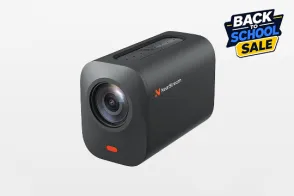
✅ The NearStream all-in-one green kit pairs pro 4K cameras, studio lighting, and a portable green screen — perfect for creators ready to upgrade their look effortlessly and stand out from the crowd.
Using Green Screens as Podcast Backdrops
Green screens unlock powerful creative options:
Switch between multiple themes or seasonal backgrounds without moving gear.
Use even lighting to prevent color spill and ensure clean keying.
Layer digital backgrounds using OBS Studio, StreamYard, or similar tools.
NearStream’s VK40 kit includes a portable green screen and tripod, ideal for home studios or creators working in multiple locations.
This lets you maintain professional visuals in any environment.
Podcast Backgrounds for Different Show Types
Different podcast genres benefit from different backdrop styles:
Podcast Type
Suggested Background Style
Tech or Business
Minimalist, clean, with branded logos
Lifestyle or Wellness
Warm, cozy, with natural elements
Comedy or Culture
Bold colors and pop-culture references
Interview Shows
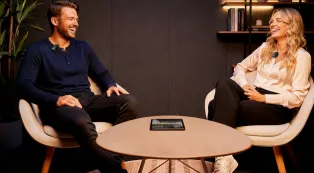
Neutral, simple background with side-angle shots
Solo Video Podcast
Head-on framing with bookshelf or brand logo
Final Thoughts: Make Your Background Work for You
Your podcast background isn’t just decoration — it’s a crucial part of your brand storytelling. A well-chosen backdrop enhances your message and helps your audience connect visually.
Whether you’re recording in a professional studio or a cozy corner at home, the right background paired with smart tools like NearStream’s camera and lighting kits can elevate any podcast setup — making your content look polished, consistent, and inviting.
FAQ
Do background for podcast really matter if I’m just recording audio?
Not always—but if you’re posting on YouTube or social media, a clean, intentional background makes your content look much more professional and engaging.
What’s the difference between a backdrop and a background?
“Background” refers to whatever’s naturally behind you—like your room. A “backdrop” is something intentionally placed, like a curtain, green screen, or banner.
Can I just blur my background with software instead of setting one up?
You can—but software blur often looks artificial or glitchy, especially with poor lighting. A well-designed physical background gives better results.
How can I make my podcast studio background look better without spending much?
Declutter, use soft lighting, and add personal touches like plants or books. Even a tidy wall with good framing can look professional with the right camera angle.
What background style works best for interview-style podcasts?
Neutral or minimalist settings work best, so they don’t distract from the guests. Try to keep the same tone across all angles if you’re recording multiple speakers.
Should I change my podcast studio background over time?
Yes—if your brand evolves, seasons change, or your topic shifts. Refreshing your background can help keep your visual identity aligned and interesting to viewers.




























































 and is easy to set up.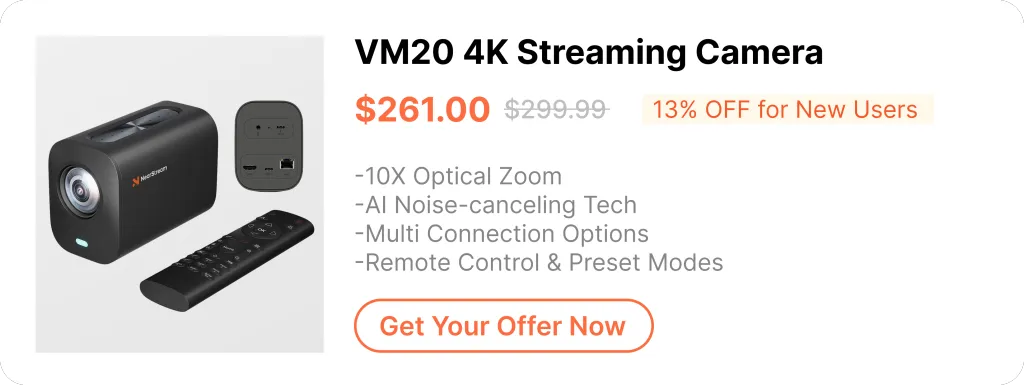





 sales@nearstream.us






