Mevo Start vs NearStream VM33 Pro: What Reliable Wireless Production Really Requires
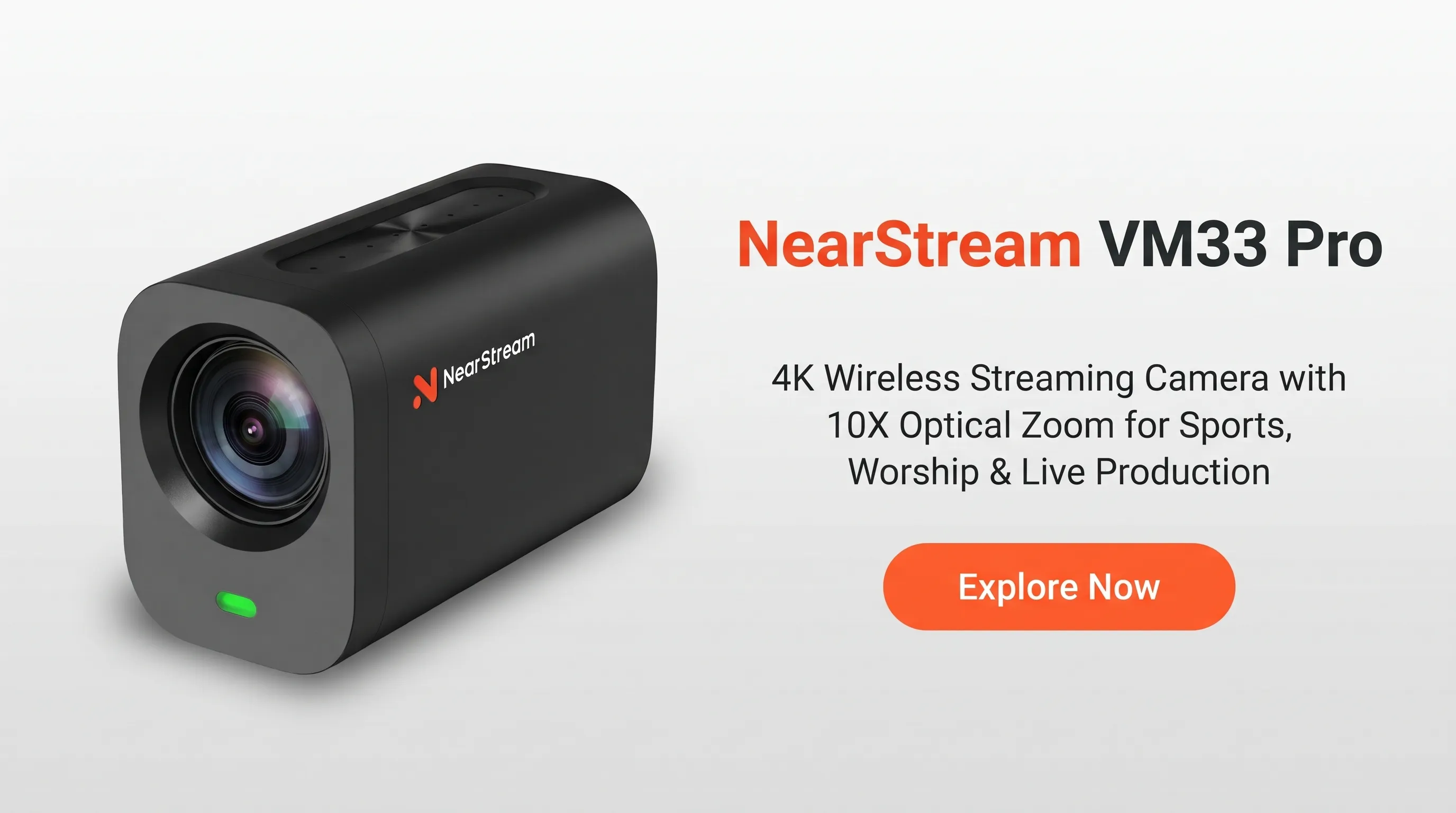
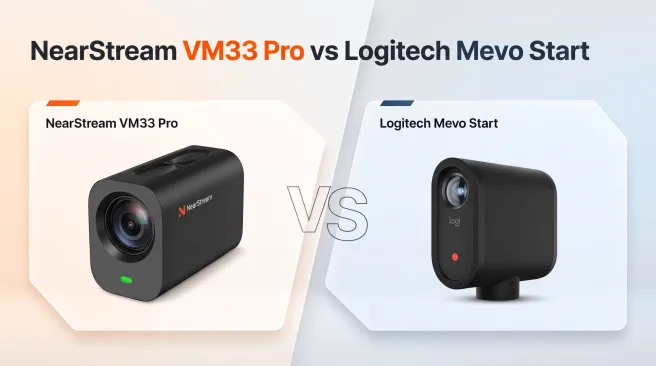
While the Mevo Start excels in simple, app-based 1080p streaming, the NearStream VM33 Pro provides critical fail-safes for higher-stakes productions.
camera with optical zoom for sports
wireless streaming camera
mevo multicam alternative
Updated: Nov 10, 2026 · 8 minutes read
Modular Video Kits for Growing Business.
Analyzing Amazon reviews, this article compares the NearStream VM33 Pro and Logitech Mevo Start. It reveals that true streaming reliability requires four safeguards beyond wireless convenience: independent camera control, versatile connections (Wi-Fi/Ethernet/HDMI), secure local recording, and 4K capture for post-production.
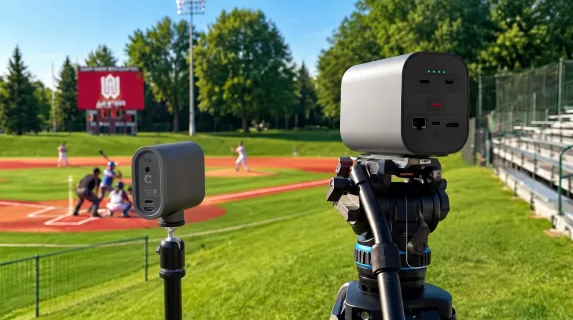
It is 6:55 p.m., and the first pitch is five minutes away. The camera is mounted behind the backstop. Your phone is supposed to score the game, manage the stream, and control the camera. Then the hotspot becomes unstable.
At that moment, the question is no longer whether a camera looks good on a specification sheet. It is whether you can start recording without fighting an app, whether you have another way to connect, and whether you will still leave with usable footage if the livestream fails.
That is the real test of a wireless live streaming camera: not just how it works on a good day, but whether the production remains controllable, connected, and recorded when the event does not go to plan.
Reliable wireless production does not mean making every link wireless. It means building four safeguards around the wireless convenience: independent camera control, more than one connection path, deliberate local recording, and capture quality that remains useful after the live feed ends.
To examine those requirements, we analyzed a new set of Amazon customer reviews for the Logitech Mevo Start and compared the recurring workflow risks with the NearStream VM33 Pro’s manufacturer-listed capabilities. The result is a reliability-focused way to frame the NearStream VM33 Pro vs Mevo Start decision: Mevo Start is often praised as a portable, approachable 1080p camera, while VM33 Pro provides more safeguards for users who cannot depend entirely on one phone, one app, one wireless network, or a live-only deliverable.
NearStream VM33 Pro vs Mevo Start: The Reliability Differences
Production need
NearStream VM33 Pro
Logitech Mevo Start
Why it matters during a real event
Primary workflow
Portable production with wired or wireless integration
App-centered, portable 1080p streaming and recording
The best choice depends on whether the camera is a simple streaming device or part of a larger production.
Zoom and focus
10x optical zoom, up to 40x hybrid zoom, and autofocus
Digital zoom and fixed focus
Optical zoom can tighten a shot through the lens when the camera must remain away from the subject.
Higher-resolution output
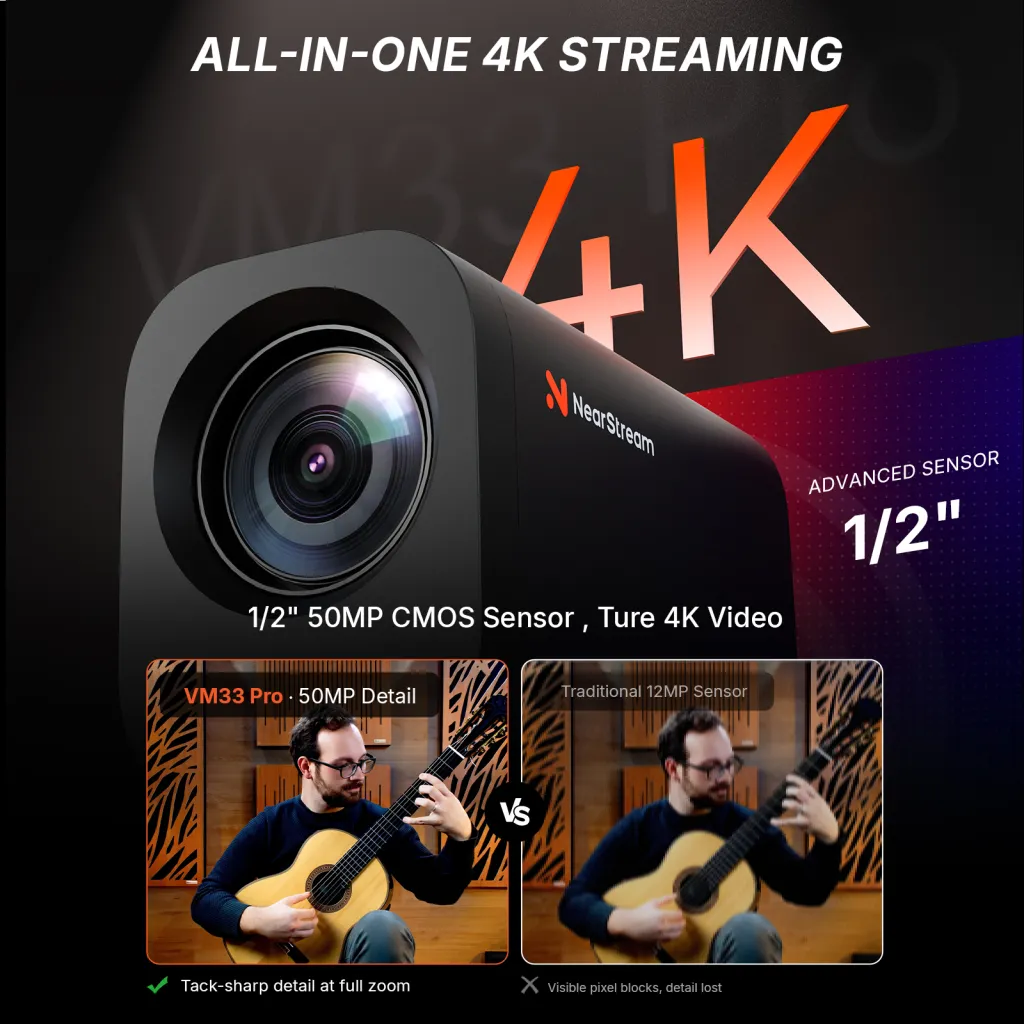
Up to 4K30 through USB-C or RJ45
Streaming up to 1080p30
A 4K production path matters when video will be edited, cropped, archived, or repurposed.
Local recording
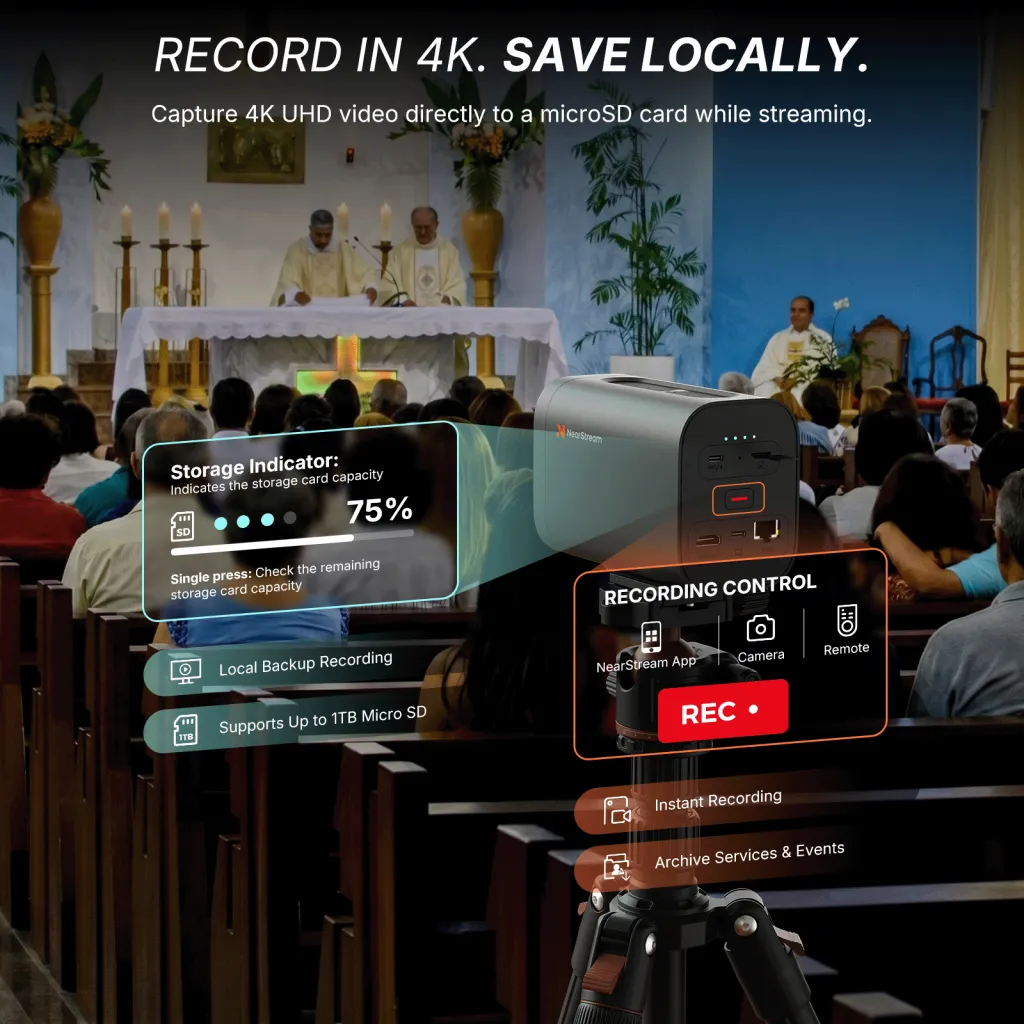
Up to 4K30 MP4 to microSD
Up to 1080p30 to microSD
Both offer local recording, but VM33 Pro can retain a higher-resolution master.
Physical and wireless connections
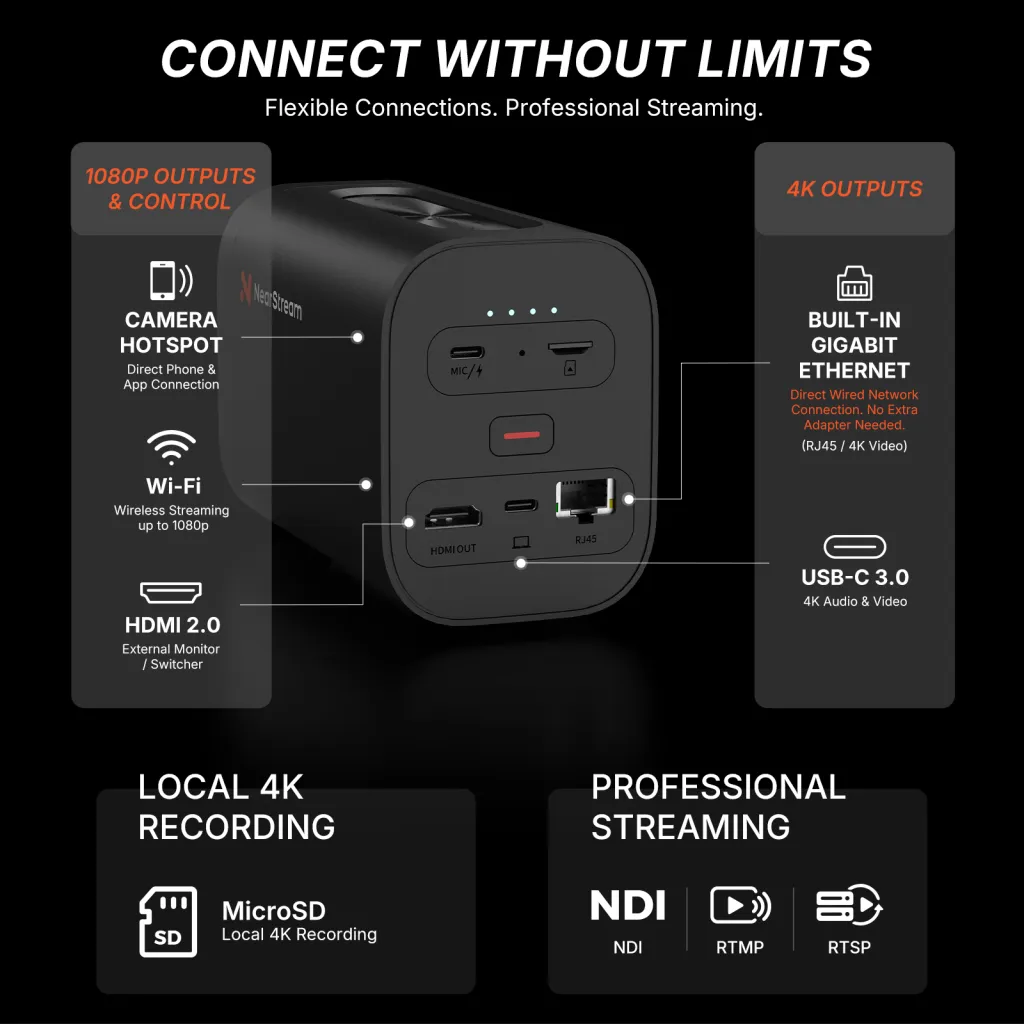
Built-in Wi-Fi, USB-C, RJ45 Ethernet, HDMI output, and microSD
Built-in Wi-Fi, USB-C, and microSD; Ethernet requires an optional adapter; no built-in HDMI output
More built-in paths can reduce dependence on one phone, one wireless network, or one adapter.
Production protocols
NDI, RTMP, and RTSP
NDI|HX, RTMP(S), and SRT
Both can enter compatible production workflows; the exact software and network setup still need testing.
Camera control
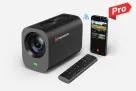
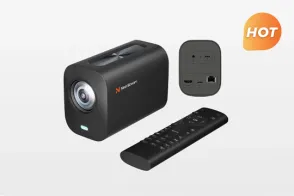
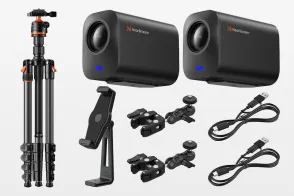
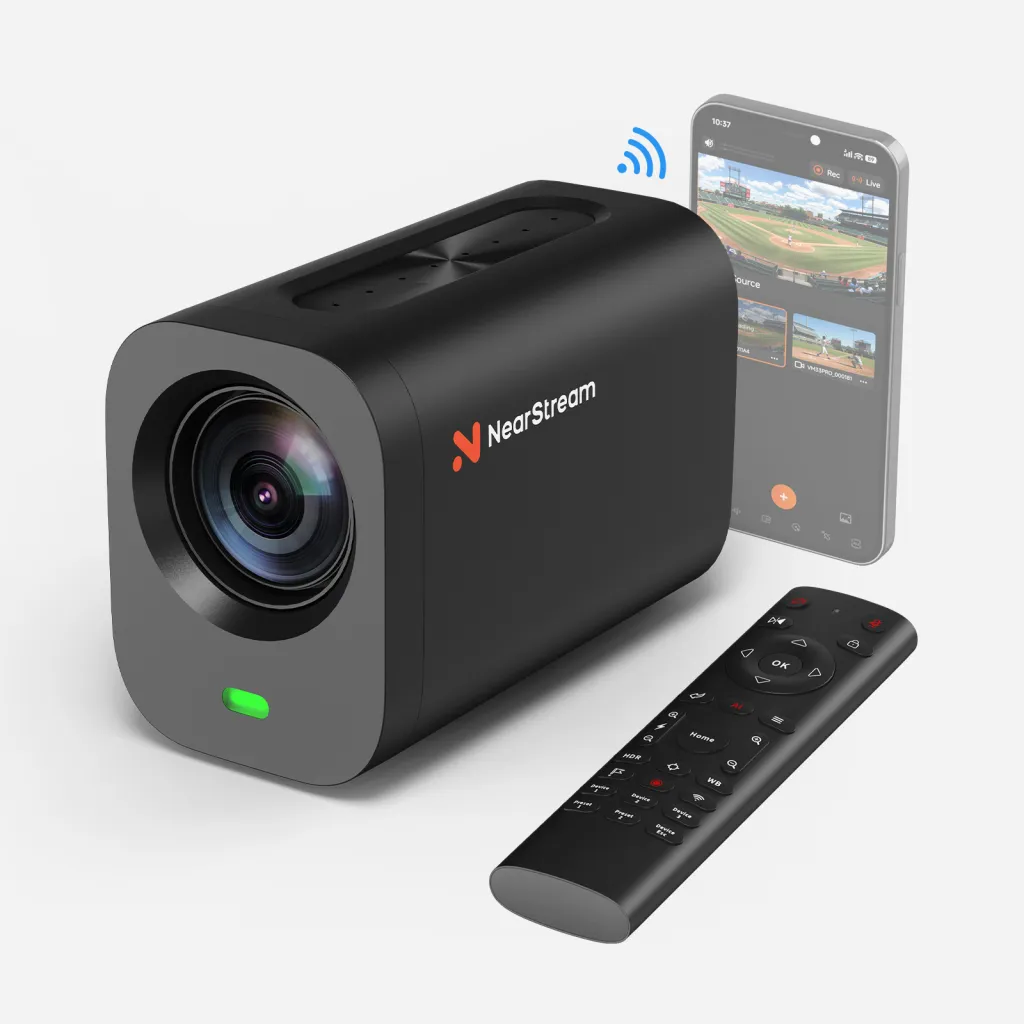
NearStream app plus an included RF remote for recording, zoom, focus, image/audio settings, presets, and selection among up to three cameras
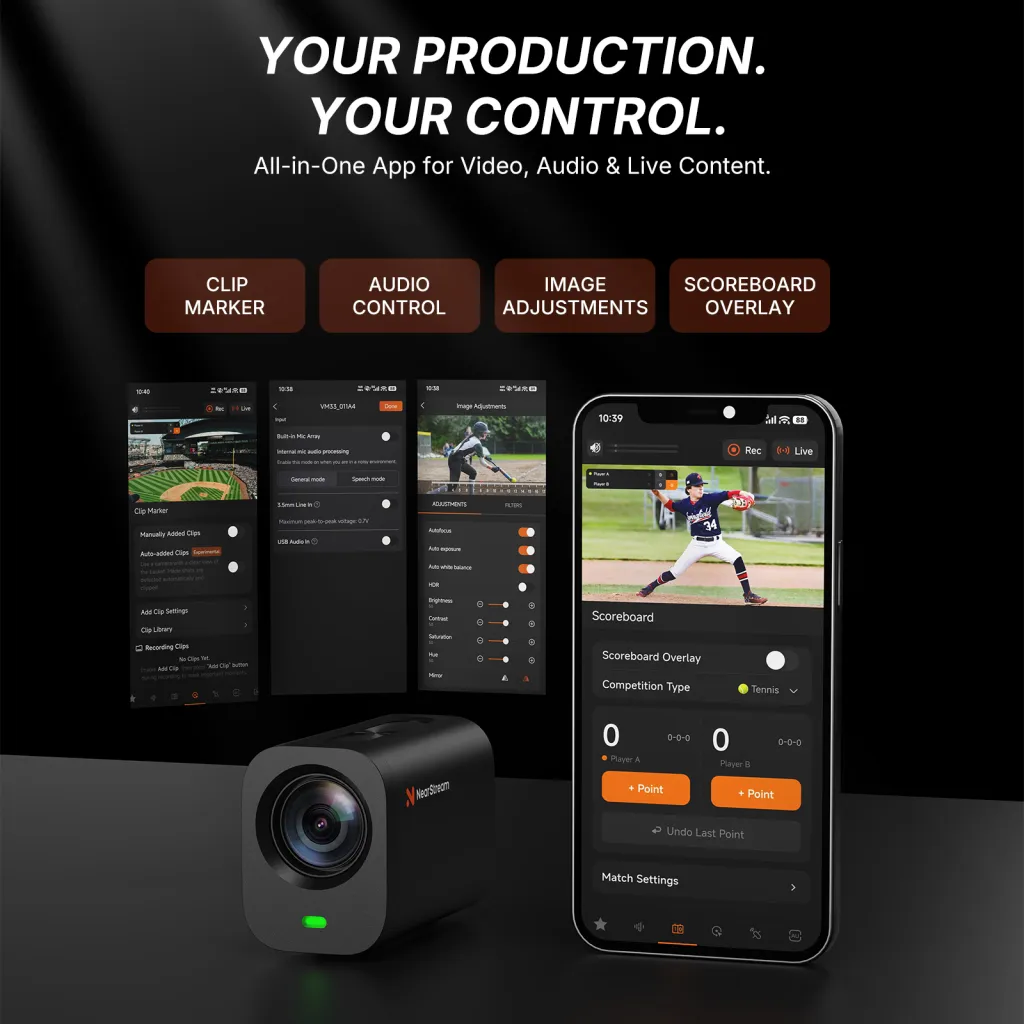
Mevo mobile apps, including multicam and Auto-Director features
A physical controller can reduce the need to use the same phone for scoring, streaming, and camera operation.
Computer, monitor, and switcher integration
Direct USB-C audio/video, RJ45, and HDMI output
Wired or wireless webcam modes; wired webcam mode is enabled through the mobile app
Direct output options are useful when a computer, monitor, or switcher is already part of the production.
Best fit
Sports, worship, meetings, and multicamera productions that need optical reach, physical control, built-in Ethernet/HDMI, or 4K wired/local workflows
Straightforward, close-range 1080p productions that prioritize portability and app-based operation
Neither camera is the universal answer; their strengths serve different production styles.
Specification sources: [NearStream VM33 Pro official product page][P1], [Logitech Mevo Start official product page][P2], and the [Mevo Start Amazon listing][P3]. NearStream’s 4K specification is connection-specific: wireless and HDMI output are rated up to 1080p30, while USB-C, RJ45, and local microSD recording support up to 4K30. Actual compatibility and streaming quality depend on the complete production setup.
VOC Research: What We Analyzed—and What We Did Not Assume
Our voice-of-customer dataset contained 100 U.S. Amazon reviews for Mevo Start, dated from May 31, 2020 through October 19, 2026. We checked review IDs and normalized review text for exact duplicates and consolidated one near-duplicate two-camera review. That left 99 distinct review experiences for qualitative analysis.
1. Independent Control: One Phone Cannot Be the Only Point of Operation
A phone-centered workflow can be elegant. It can also concentrate too many essential jobs in one device, turning ordinary multitasking into a production risk.
Susan, a youth-sports customer, liked the Mevo Start’s video and general usability but described two specific conflicts during games:
The Mevo camera had great video quality and was easy to use overall. However, we ended up returning it because the connection would not consistently hold through our phone hotspot during games. We also found that you cannot score the game on the same device while the Mevo is actively recording/streaming, which made it difficult for our setup and game management needs.
— Susan, 3-star Amazon review, May 24, 2026 [R1]
This is more precise than a generic complaint about Wi-Fi. The customer’s problem was the combination of hotspot dependence and device multitasking: the phone was part of both the scoring workflow and the video workflow.
Another reviewer expressed the control issue even more directly:
Wish it just had buttons on the camera, not have to connect to a device to record.
— Willy, 2-star Amazon review, June 30, 2026 [R2]
These experiences do not make app control undesirable. In fact, another youth-baseball reviewer praised Mevo’s scoring-app integration as “the easiest to use for our needs.” [R7] The lesson is that an app works best when it is a choice, not the only practical way to operate the camera.
How VM33 Pro addresses this need
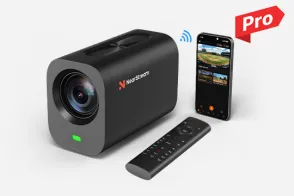
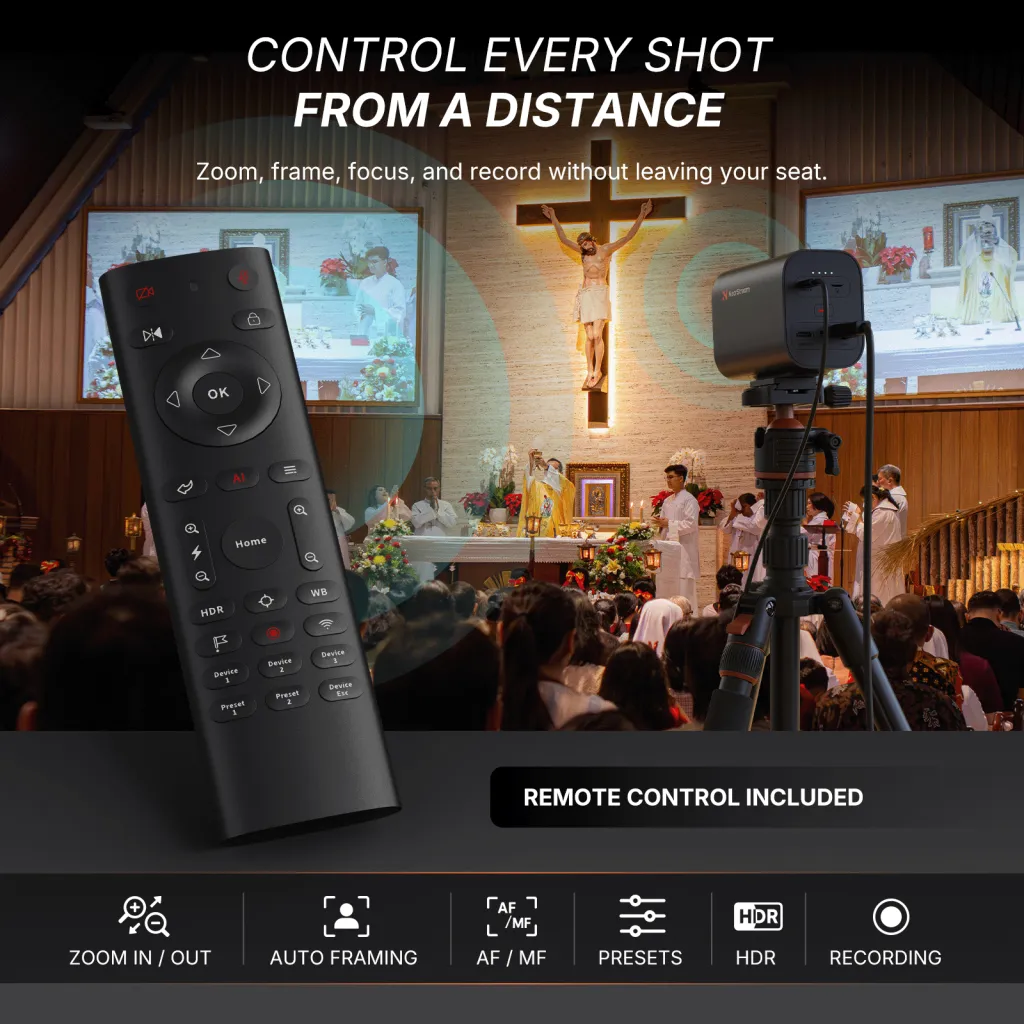
VM33 Pro combines app control with an included RF remote. The operator can start or stop recording, adjust zoom and focus, change image and audio settings, recall two presets, and select among up to three VM33 Pro cameras without making every adjustment on the phone. [P1]
For a sports streaming camera, that division of labor is meaningful: the phone can remain available for scoring or communication while recording and common camera adjustments move to a dedicated controller. In a worship or meeting setup, presets can similarly separate routine framing from deeper app configuration.
The remote’s camera-selection buttons choose which camera the remote controls; they do not replace the multicam app or video switcher that chooses the program feed.
2. Connection Redundancy: Wireless Convenience Needs a Plan B
A camera may work well in its mobile app yet become less predictable when it must serve as a computer input. One conference-room reviewer wrote:
There is additional software that has to be downloaded for use on a PC and sometimes it works properly, sometimes it does not.”
The same review concluded: “It works well on my phone app, but not on a PC.
— aalfie, 2-star Amazon review, March 13, 2025 [R3]
That is one person’s setup, not a universal compatibility verdict. Another Mevo Start owner reported the opposite experience with video conferencing:
It works seamlessly, on both Windows and Linux.
— Mariposa Jon, 5-star Amazon review, April 20, 2021 [R4]
Read together, these reviews point to a more useful purchasing principle: do not buy only for the best-case connection; buy for the connection paths you can test and support. Operating system, software version, network configuration, and firmware can all affect the result.
How VM33 Pro addresses this need
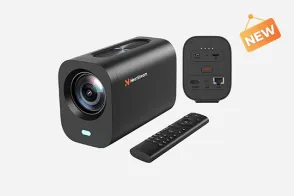
VM33 Pro gives a production team several built-in routes:
USB-C for direct audio/video output to a compatible computer, up to 4K30.
RJ45 Ethernet for a wired network connection and up to 4K30 video, without a separate Ethernet adapter.
HDMI for a compatible monitor or switcher, up to 1080p30.
Wi-Fi for portable operation, up to 1080p30.
NDI, RTMP, and RTSP for compatible network and streaming workflows. [P1]
Mevo Start also supports wired and wireless webcam modes, NDI|HX, RTMP(S), and SRT. Logitech notes that wired webcam mode is enabled through the mobile app, and its Ethernet power adapter is optional. [P2]
VM33 Pro’s advantage is architectural flexibility: a team can choose a direct cable, a wired network, or a wireless workflow rather than building every plan around a phone and Wi-Fi.
3. Recording Resilience: A Local Backup Must Be Deliberate
A microSD slot looks like a simple checkbox. Customer experiences show that the actual recording workflow deserves closer attention.
After livestream glitches during outdoor roller-derby games, Rebecca Craig still had the event footage:
But since the camera also records directly to the SD card, we’re still able to review and upload the complete footage.
— Rebecca Craig, 4-star Amazon review, April 27, 2026 [R5]
Another GameChanger user described a different outcome when the cellular signal was lost:
If it loses cell singal it can end your stream. and then it does not keep recording. so if you are not streaming you are not recording to back up drive…so moments are lost.
— Mo-eagle, 4-star Amazon review, May 1, 2023 [R6]
The spelling and punctuation are retained from the original review. More importantly, the contrast between these two accounts reveals a practical truth: having local-storage hardware is not the same as knowing that an independent local recording is running.
Before an event, the operator should verify the selected mode, storage capacity, recording indicator, and exact streaming/recording combination. A short rehearsal that intentionally interrupts the network can reveal more than another look at the specification table.
How VM33 Pro addresses this need
VM33 Pro supports standalone local microSD recording up to 4K30, and its RF remote provides a physical way to start and stop recording. Built-in RJ45 Ethernet also gives the team a wired alternative when a venue makes wireless operation unattractive. [P1]
NearStream notes that 4K H.264 streaming and 4K recording cannot be used at the same time, and wireless output is limited to 1080p30. [P1] The benefit is that local recording, physical record controls, and wired connectivity can be planned as separate parts of a more resilient workflow.
4. Deliverable Resilience: Reliable Production Protects More Than the Live Feed
Reliability is not only about keeping a stream online. It is also about ensuring that the event still produces a usable asset when the audience, network, or publishing plan changes. Coaches may need review footage, families may want highlights, and creators may publish only after the event.
One Mevo Start reviewer explained why livestreaming was not always the primary goal:
I do not use these cameras to livestream. I use them to record for posting later because most of the places I record do not have sufficient internet connections for livestreaming.”
The same reviewer added: “I wish there were a 4K option, but it’s a small sacrifice given the price point.
— DJ Stick, 3-star Amazon review, September 26, 2022 [R8]
A youth-baseball customer similarly valued what happened after capture: “Also, we’re able to get clips of the kids.” [R7]
These comments shift the comparison away from “Which camera can go live?” toward a broader question: What do you want to be able to make from the footage afterward?
Mevo Start’s 1080p30 streaming and recording can be entirely appropriate for straightforward viewing and publishing. One reviewer explicitly noted that 1080p worked well for an audience watching mainly on phones and tablets. [R9] But a 1080p file offers less latitude when an editor wants to crop tightly, extract detailed highlights, or build a higher-resolution archive.
How VM33 Pro addresses this need
VM33 Pro can create a local 4K30 master and output up to 4K30 through USB-C or RJ45. Its 10x optical zoom also lets the operator improve framing at capture, while up to 40x hybrid zoom provides additional reach when required. [P1]
This is where a 4K streaming camera should be evaluated carefully. The useful benefit is not the “4K” label alone; it is the combination of optical framing, a higher-resolution local file, and specific wired outputs that can carry that resolution. For organizations that want one event to become a live stream, a coaching asset, social clips, and an archive, that combination can outlast the live broadcast itself.
A Reliable Wireless Production Checklist
The VOC evidence suggests a practical way to build reliability into either camera workflow:
Assign each device a job. Decide which phone scores, which device controls the stream, and whether a separate controller can operate the camera.
Choose the primary and fallback connections. Test the actual computer, app, network, switcher, and platform—not just the camera.
Start and verify local recording deliberately. Confirm that the recording indicator is active and that the selected streaming mode permits the intended local recording.
Frame for both live viewing and later editing. Use optical zoom where available rather than assuming every shot can be repaired by cropping.
Test the failure, not only the success. Turn off the hotspot or disconnect the network during rehearsal and see what happens to the stream and local file.
VM33 Pro fits this checklist particularly well because its included RF remote, local 4K recording, built-in Ethernet, USB-C, HDMI, and optical zoom provide several distinct controls and production paths.
Which Camera Should You Choose?
Choose NearStream VM33 Pro if:
You want to operate recording, zoom, focus, and presets without relying exclusively on a phone.
Your phone also needs to handle scoring, communication, or another event-day task.
You need 10x optical zoom for subjects that cannot always be close to the camera.
You want a 4K30 local recording or 4K30 USB-C/RJ45 production path.
Built-in Ethernet or HDMI would simplify your backup, monitoring, or switching workflow.
You expect the footage to have a second life in coaching, editing, highlights, or archives.
Choose Logitech Mevo Start if:
Your goal is straightforward 1080p streaming and recording.
An app-centered workflow suits your team and devices.
Your subjects are generally close enough that digital framing is sufficient.
You do not need built-in Ethernet, HDMI, optical zoom, or a 4K master.
You value its portable design, mobile live-editing features, and Logitech’s 6+ hour manufacturer battery rating. [P2]
What Reliable Wireless Production Really Requires
The reviews do not show that Mevo Start is inherently difficult for everyone. Many customers praised its ease of use, sports and scoring-app integration, portability, and 1080p results. The more useful insight is that reliable production cannot depend on every part of the workflow succeeding at once.
It requires control that remains available when the phone is busy, connections that provide an alternative when wireless is unsuitable, local recording that is intentionally verified rather than assumed, and capture quality that preserves the value of the event beyond its live audience.
For simple, close-range 1080p production, Mevo Start can remain a practical choice. But when those four safeguards matter, NearStream VM33 Pro is the stronger fit. Its advantage is not merely a longer feature list: the included RF remote, built-in wired connections, 4K local recording, and optical zoom directly reduce the operational and content risks identified in the customer reviews.
FAQ
Is the NearStream VM33 Pro a true 4K wireless streaming camera?
It supports up to 4K30, but not through every output. NearStream rates USB-C, RJ45, and local microSD recording at up to 4K30. Wireless and HDMI output are rated up to 1080p30. Plan around the exact output you intend to use rather than assuming that every 4K streaming camera sends 4K wirelessly. [P1]
Does Mevo Start support 4K recording or optical zoom?
No. Logitech specifies streaming and local recording up to 1080p30. Mevo Start uses digital zoom rather than an optical zoom lens. [P2]
Can the VM33 Pro remote replace the app or a video switcher?
Not completely. The remote handles common camera controls, recording, presets, and selection of the camera it will control. The NearStream app provides broader configuration and monitoring, while a multicam app or compatible switcher determines which feed goes to the audience. [P1]
Does built-in Ethernet guarantee a reliable stream?
No. Network quality, platform settings, cables, software, and internet upload capacity still matter. The advantage of VM33 Pro’s built-in RJ45 port is that a wired option is available without the separate Ethernet adapter required by Mevo Start. [P1][P2]
Does a microSD card automatically guarantee a backup recording?
No. The Amazon reviews include both an account of SD recording preserving complete footage and an account of recording stopping when a cellular stream failed. [R5][R6] Test the exact recording and streaming mode, confirm the recording indicator, and rehearse a network interruption before the event.
Which camera is better for youth sports?
For simple, close-range 1080p streaming with an app-led scoring workflow, Mevo Start may fit well. VM33 Pro is the better match when you want phone-free recording and camera adjustments, optical zoom, built-in wired connectivity, or a 4K local master for coaching and highlights.
Which camera is easier to integrate with a computer or switcher?
Both offer production workflows, but VM33 Pro provides more built-in physical paths: USB-C, RJ45, and HDMI, plus NDI, RTMP, and RTSP. Mevo Start offers wired/wireless webcam modes and NDI|HX, RTMP(S), and SRT, with Ethernet available through an optional adapter. Test the complete chain with your own hardware and software before purchasing for a mission-critical setup. [P1][P2]
Sources and Citations
Product sources
[P1] NearStream, VM33 Pro official product page. Source for optical/hybrid zoom, output-resolution distinctions, local recording, physical connections, protocols, app/RF remote control, and recording limitations.
[P2] Logitech, Mevo Start official product page. Source for 1080p streaming/recording, mobile app workflows, webcam modes, protocols, optional Ethernet power adapter, and battery rating.
All quotations below come from the user-supplied CSV of U.S. Amazon reviews for ASIN B0866PZN76. Review IDs are included for traceability; wording, spelling, and punctuation are preserved in the quoted excerpts.
[R1] Susan, “Mevo to GC Review,” 3 stars, May 24, 2026. Review ID: R1A33R8UWHYGV8. Amazon review link.





















 sales@nearstream.us