


























































Let’s face the reality of content creation in 2026.
You have likely spent thousands of dollars on your visual setup. You have the 4K webcam, the ring lights, the RTX 50-series graphics card, and the dual monitors. Your stream looks incredible.
But close your eyes for a second and just listen.
Does your audio match your video? Or does it sound thin, distant, and echoey?
Does your audience hear your rich, commanding voice, or do they hear the frantic clicking of your mechanical keyboard, the hum of your air conditioner, and the traffic outside your window?
Here is the brutal truth of the creator economy:
Viewers will forgive a glitchy video stream. They will NOT forgive bad audio.
Scientific studies on viewer retention show that "listener fatigue" sets in within 30 seconds of hearing poor audio. If your voice hurts their ears, they will click away before you even finish your intro.
For years, streamers have been forced to make a difficult, unfair choice:
- The "Toy" Option: Buy a cheap USB mic that is easy to use but sounds amateurish and lacks upgradeability.
- The "Engineer" Option: Buy a complex Studio XLR setup (Mic + Interface + Cables + Cloudlifter) that costs $500+ and requires an audio engineering degree to configure.
But this year, the game has changed.
The NearStream AM25X has arrived to bridge that gap. It is a "Hybrid" microphone designed specifically for the chaotic, noisy, real-world environment of a streamer's bedroom, not a sound-treated studio.
In this comprehensive guide, we are going to dismantle the AM25X to see if it truly deserves the title of "The Best Streaming Microphone of 2026."
Defining the "Perfect" Stream Mic (It's Not What You Think)
Before we talk about the product, we need to set the standard. What makes a microphone "Good" for streaming?
Hint: It is NOT the same as what makes a mic good for recording a song.
❌ The "Studio Myth"
In a professional music studio, the room is dead silent. The walls are lined with thousands of dollars worth of acoustic foam and bass traps. In that environment, a super-sensitive vintage condenser mic is perfect because it picks up every tiny detail, from the breath of the singer to the squeak of the guitar chair.
✅ The "Streamer Reality"
Your room is NOT a studio. It is a living space.
- Noise Pollution: You have PC fans spinning at 100% while rendering graphics. You have a mechanical keyboard with loud switches. You have roommates or family members in the next room.
- Acoustics: You likely have bare walls and hardwood floors, which create reverb (echo).
- Movement: You don't stand still like a singer. You move around in your chair, laugh, and lean back while gaming.
- Compression: Twitch and YouTube compress audio heavily. You need a mic that sounds clear through that compression algorithm.
The 5 Pillars of a Great Stream Mic:
If a microphone fails any of these, it is not fit for streaming:
- Directionality: It must capture YOU, not the room.
- Rejection: It must ignore the keyboard clatter.
- Versatility: It needs to work with your PC today (USB) and a mixer tomorrow (XLR).
- Control: It needs physical buttons for emergencies (coughing/muting).
- Aesthetics: It needs to look good on camera (RGB/Design).
The AM25X was engineered specifically to hit all 5 of these pillars. Let's see how.
Deep Dive: Why AM25X is "Tuned for Twitch"
The NearStream AM25X isn't just a repurposed singing microphone. It is a tool built for broadcasters. Here is a technical breakdown of its core technologies.
🎙️ 1. The "Keyboard Killer": Built-in AI DSP
This is the feature that changes everything for gamers.
Most microphones are "dumb"—they act as a simple ear that amplifies whatever it hears. The AM25X is "smart."
When connected via USB-C, the internal DSP (Digital Signal Processor) wakes up.
- The Technology: It uses an AI algorithm trained on common noise profiles (fans, clicks, traffic, hums).
- The Experience: Imagine you are in a 1v4 clutch situation in a shooter game. You are communicating with your team while smashing your mechanical keyboard. Normally, this clatter would drown out your voice.
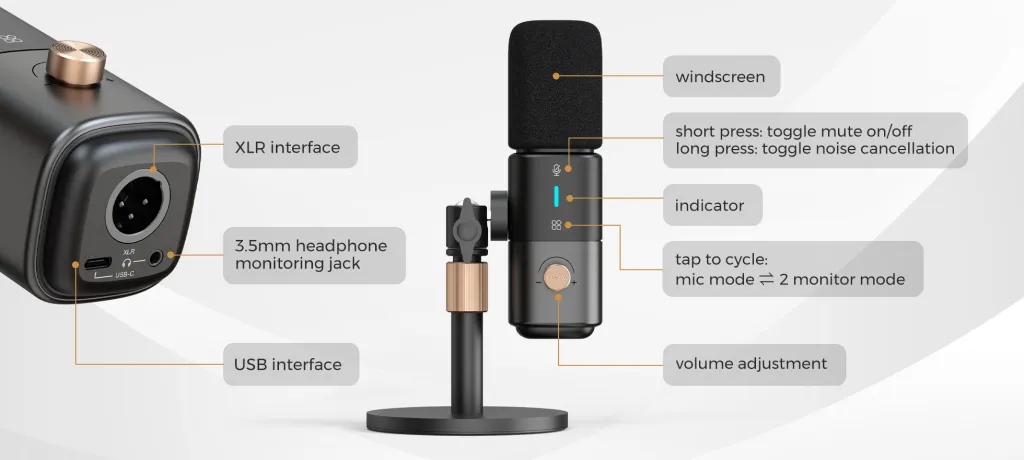
- The AM25X Difference: You long-press the mute button. The light turns Blue. The mic instantly identifies the sharp "transients" of the key clicks and suppresses them, while keeping your voice frequencies clear and forward.
Why this matters: You don't need to install complex VST plugins or noise gates in OBS, which use up your CPU power. The hardware does it for you, with zero latency.
🔌 2. The "Future-Proof" Hybrid Design (USB + XLR)
The biggest fear for new streamers is buying gear they will outgrow.
"If I buy a USB mic now, I'll have to throw it away when I buy a mixer later."
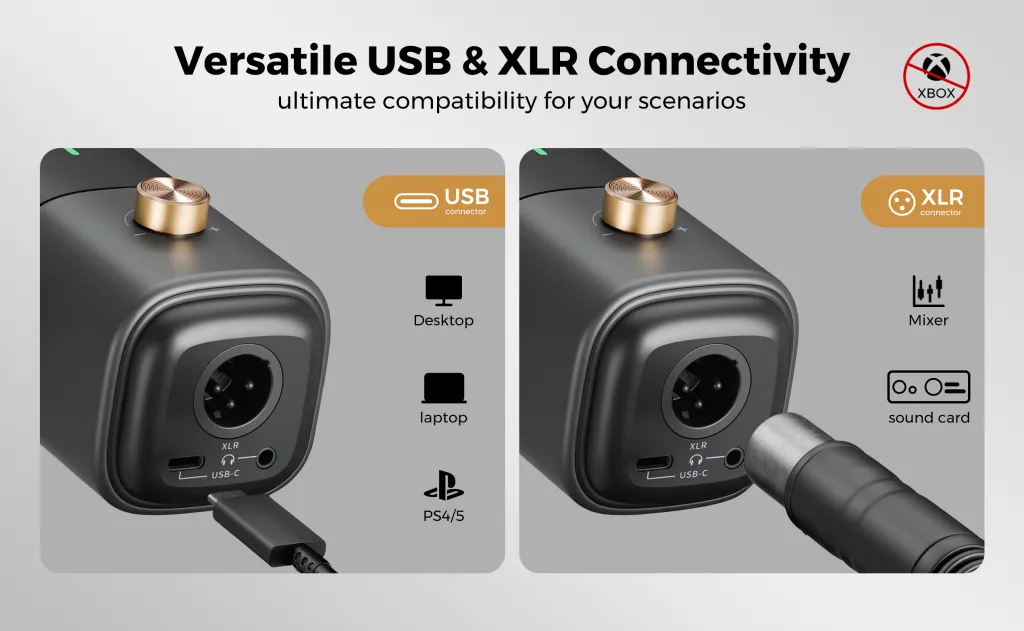
The AM25X solves this with Dual Ports. It is essentially two microphones in one body.
- Phase 1: The Rookie (USB Mode)
- Setup: 1 cable. Direct to PC, Mac, or PS5.
- Benefit: Instant "Pro Sound" with zero gear. RGB lights on. AI Denoise on.
- Cost: $0 extra.
- Phase 2: The Pro (XLR Mode)
- Setup: XLR cable into an AMIX40U Mixer.
- Benefit: You bypass the internal digital chip for a warm, raw analog signal. You gain physical fader control on your mixer.
- Cost: You keep the same mic! You just upgrade the engine driving it.
This makes the AM25X an Investment, not a disposable purchase.
🎚️ 3. The "Panic" Controls (Physical vs. Software)
Streaming is live. Anything can happen.
Imagine you are live and you suddenly need to cough. Or your mom walks in shouting your real name.
- Bad Scenario (Software Mic): You have to Alt-Tab out of your game, open the control software, find the slider, and click it. By then, the audience has heard everything.
- AM25X Scenario: You tap the top of the mic. The light turns Red. Silence.
The AM25X places Gain (Volume) and Mute physically on your desk. It gives you tactical control without ever looking away from your game.
The Showdown: AM25X vs. The Industry Titans
This is the most important section for your wallet. How does it compare to the mics everyone used to recommend?
We are comparing:
- NearStream AM25X (The Challenger)
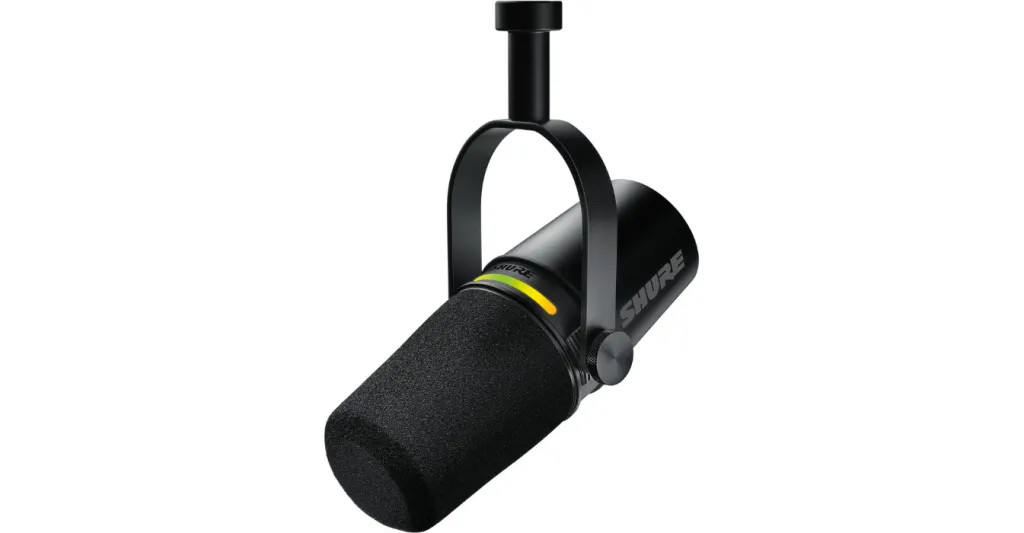
- Shure MV7+ (The Expensive Hybrid)
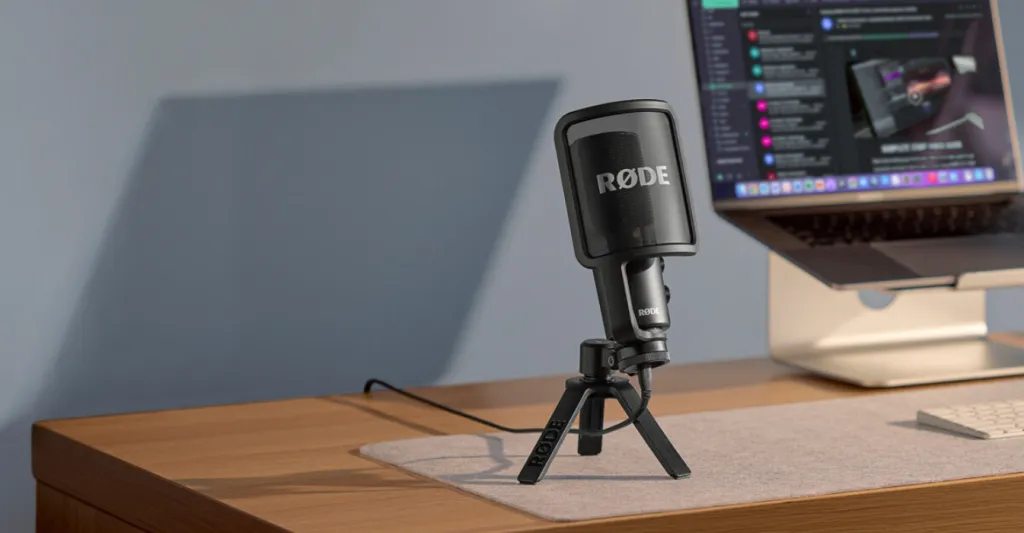
- RØDE NT-USB (The Old School USB)
- Audio-Technica AT2020 USB (The Musician's Mic)
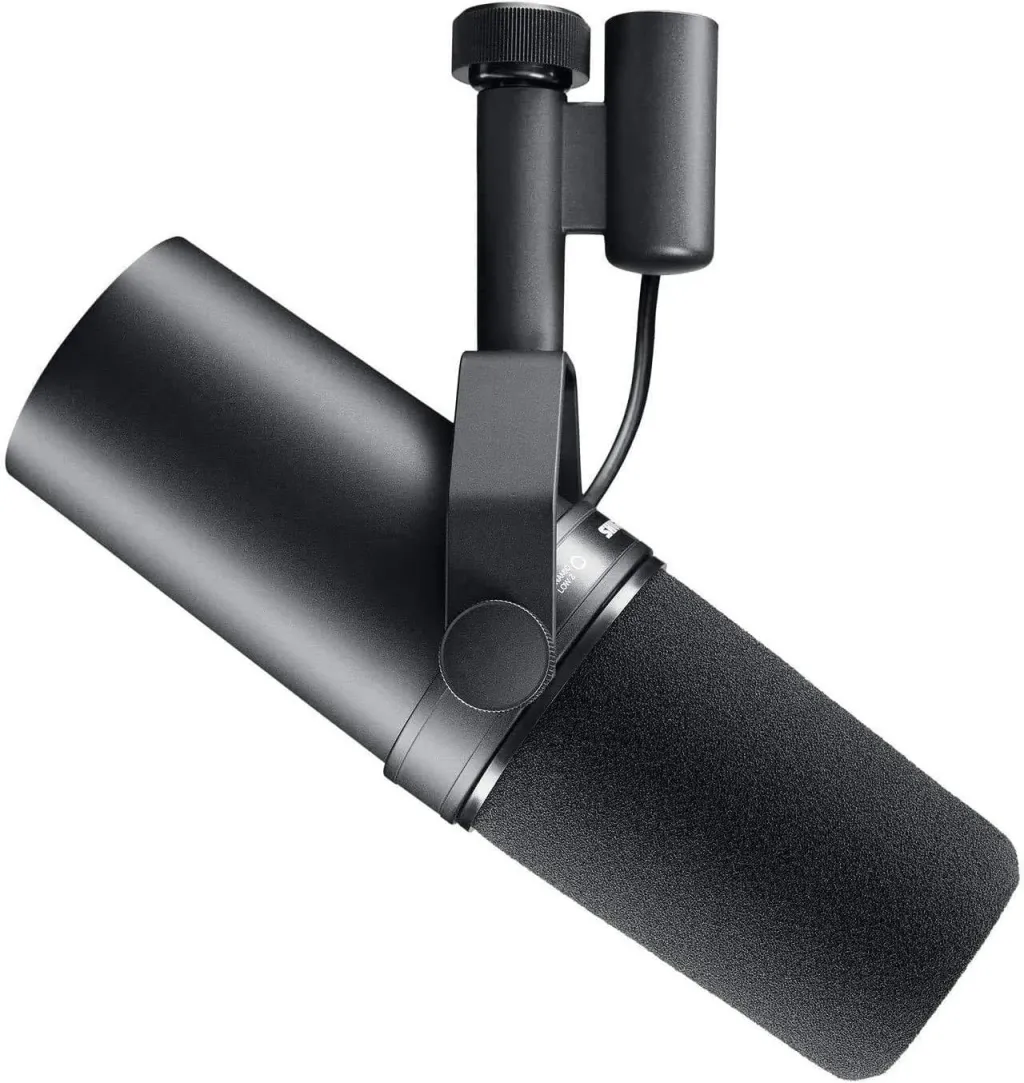
- Shure SM7B (The "Dream" Mic)
📊 Table 1: The Ultimate Comparison Matrix
| Feature | NearStream AM25X | Shure MV7+ | RØDE NT-USB | AT2020 USB | Shure SM7B |
|---|---|---|---|---|---|
| Price Class | 🔥 High Value | 💰 Premium ($280+) | 😐 Mid-Range | 😐 Mid-Range | 💸 Luxury ($400+) |
| Connection | Hybrid (USB+XLR) | Hybrid (USB+XLR) | USB Only | USB Only | XLR Only |
| Noise Cancel | ✅ One-Touch AI | ✅ Via App Only | ❌ None | ❌ None | ❌ None |
| Mute Button | ✅ Touch (Silent) | ✅ Touch | ❌ None | ❌ None | ❌ None |
| Plug & Play | ⭐⭐⭐⭐⭐ | ⭐⭐⭐⭐ | ⭐⭐⭐⭐⭐ | ⭐⭐⭐⭐⭐ | ❌ (Needs Preamp) |
| Growth Path | ✅ Upgradeable | ✅ Upgradeable | ❌ Stuck on USB | ❌ Stuck on USB | ✅ Pro Only |
| Live Monitoring | ✅ Zero Latency | ✅ Yes | ✅ Yes | ✅ Yes | ❌ No |
⚔️ Detailed Battle Analysis
Round 1: AM25X vs. Shure MV7+
The Shure MV7+ is a fantastic microphone. But is it worth double the price?
- The Difference: The MV7+ relies heavily on the "Shure MOTIV" desktop app to adjust settings. If that app crashes, you lose your settings. The AM25X has physical knobs and onboard AI hardware control.
- Verdict: If you want the "Shure" brand name, pay the premium. If you want the same functionality for a smarter price, get the AM25X.
Round 2: AM25X vs. RØDE NT-USB / AT2020
These mics were legends… in 2015. In 2026, they show their age.
- The Problem: They are USB-Only. You can never plug them into a mixer. They also lack built-in noise cancellation, meaning they pick up every keyboard click unless you have a silent room. They often lack Mute buttons, which is a dealbreaker for live streaming.
- Verdict: The AM25X is a generation ahead. It offers the upgrade path (XLR) that these older mics lack.
Round 3: AM25X vs. Shure SM7B
The SM7B is the mic you see Joe Rogan use. It is legendary.
- The Hidden Cost: The mic costs $400. But you can't plug it into a computer. You need an interface ($150) and a "Cloudlifter" ($150) to make it loud enough. Total cost: $700+.
- Verdict: For a beginner or intermediate streamer, the SM7B is overkill and over-budget. The AM25X gets you 90% of the sound quality for 20% of the hassle.
Real World Performance: The "Bedroom Test"
We didn't just look at specs; we put the AM25X in a typical gamer's room to see how it handles the "Real World."
The Environment:
- Room: 10ft x 12ft bedroom. Bare walls. Hardwood floor (High Echo).
- Noise: Gaming PC on desk (Fans @ 60dB).
- Keyboard: Mechanical Keyboard with Blue Switches (Very Loud).
The Result (USB Mode with Blue Light AI):
- Voice Clarity: The voice remained "Forward" and clear. The echo from the room was noticeably dampened by the Cardioid pattern, which focuses audio only from the front.
- Fan Noise: Completely eliminated. The DSP identified the steady "whirring" sound and erased it instantly.
- Keyboard Clicks: Reduced by approx. 70%. While not silent, they were pushed into the background, becoming a soft texture rather than a sharp distraction.
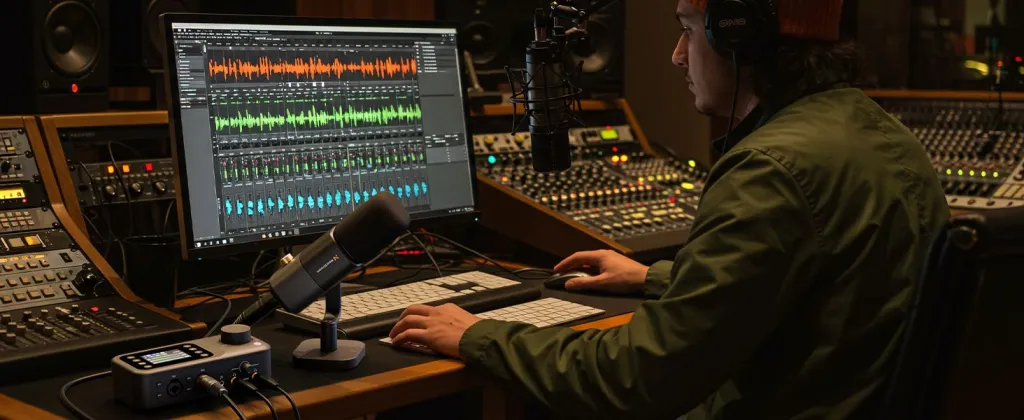
The Result (XLR Mode via AMIX40U):
- The sound became noticeably "Warmer." The bass response improved.
- By using the Noise Gate knob on the AMIX40U mixer, we achieved total silence between sentences. This proved that the AM25X scales beautifully with professional gear.
Setup Guide: Integrating AM25X into Your Stream
Here is how easy it is to set up the AM25X for the two most popular platforms. We have broken this down into a simple workflow table.
🎥 OBS Studio Setup (For Twitch/YouTube)
Don't overcomplicate it. Follow these steps for the cleanest audio.
- Plug AM25X into PC via USB-C.
- Open OBS.
- Go to Settings > Audio.
- Under Mic/Auxiliary Audio, select NearStream AM25X.
- Pro Tip: Do not add OBS Noise Suppression filters (like RNNoise) yet. Try the mic's internal Blue Light Mode first. Hardware processing is always better than software processing because it uses zero CPU.
💬 Discord Setup (For Voice Chat)
- Go to User Settings > Voice & Video.
- Input Device: Select NearStream AM25X.
- Input Sensitivity: Turn off "Automatically determine". Speak normally and adjust the slider so the green bar hits when you talk.
- Important: Turn OFF "Krisp Noise Suppression" in Discord. Let the AM25X's AI handle the noise. Doubling up on noise reduction can make you sound robotic.
📊 Table 2: The "Panic Button" Test (Hardware vs. Software)
When you need to act fast, hardware always wins.
| Action | Competitors (App-Based) | NearStream AM25X |
|---|---|---|
| To Mute | Unlock Phone → Open App → Tap Mute | Press ONE Red Button |
| To Fix Volume | Open App → Slide digital bar | Turn Physical Knob |
| To Enable Denoise | Dig into settings menu | Long Press Mute Button |
| Reaction Speed | 🐢 Slow (5+ Seconds) | ⚡ Instant (0.5 Seconds) |

Who is the AM25X Actually For? (The Verdict)
To reduce returns and ensure happiness, let’s be specific about the target audience.
📊 Table 3: User Persona Guide
| Persona | Should You Buy AM25X? | Why? |
|---|---|---|
| The Game Streamer | ✅ YES | You need the AI Denoise to kill keyboard sounds and the Mute button for privacy. |
| The "Just Chatting" Host | ✅ YES | You want the "Radio Voice" aesthetic and the RGB look on camera. |
| The Aspiring Pro | ✅ YES | You want to start cheap with USB but upgrade to an XLR mixer later without buying a new mic. |
| The Apple User | ✅ YES | It works seamlessly with Mac and iPad Pro without drivers. |
| The Opera Singer | ❌ NO | You should buy a specialized instrument condenser microphone for music production. |
| The Xbox User | ⚠️ Maybe | Only if you use the XLR connection with a mixer. USB direct does not work on Xbox. |
Conclusion: The Smartest Choice in 2026
The market is flooded with microphones.
Some look like toys. Some cost as much as a used car. And some are just old technology repackaged in a new box.
The NearStream AM25X sits in the perfect "Goldilocks Zone."
It respects the fact that you are a creator, not an audio engineer.
- It gives you the Intelligence of USB (AI Denoise, Plug-and-Play).
- It gives you the Quality of XLR (Analog Audio, Warmth).
- It gives you the Control of hardware buttons (Mute, Gain).
It is rare to find a product that is beginner-friendly enough for your first day of streaming, yet professional enough for your 1,000th day. The AM25X is that product.
Stop fighting your audio. Start creating.
Frequently Asked Questions (FAQ)
Q: Can I use the AM25X on a boom arm?
A: Yes! The AM25X comes with a desk stand, but it also features a standard 5/8" threaded mount. We highly recommend mounting it on a boom arm to get it off your desk (reducing keyboard vibration) and closer to your mouth for that "radio voice."
Q: Do I need a Pop Filter?
A: The AM25X has a built-in foam windscreen inside the grille which handles most "plosives" (P and B sounds). However, if you speak very close to the mic (within 2 inches), adding a simple external foam cover is a cheap way to ensure perfect audio.
Q: Does the RGB light stay on in XLR mode?
A: No. When connected via XLR, the mic enters "Pure Analog Mode." The digital circuits (including LEDs) are powered down to prevent any electrical interference. If you want the RGB aesthetic, you must use the USB connection.
Q: Can I use this with two PCs (Dual PC Stream Setup)?
A: Yes! This is a "Secret Feature." You can plug the XLR output into a mixer for your Streaming PC, and plug the USB output into your Gaming PC for Discord/Game Chat. (Note: This is an advanced setup and requires careful ground loop management).






 sales@nearstream.us






