

























































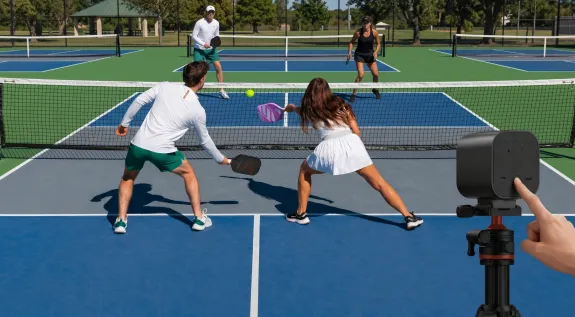
If you have ever tried to film a pickleball tournament with your phone, you already know the pain. The match starts, you prop your smartphone on a flimsy tripod at the edge of the court, and within twenty minutes you are squinting at a dimmed screen that feels hot enough to fry an egg. By the third game, your storage is full, your battery is at twelve percent, and the footage you do have is shaky enough to make viewers seasick.
This is not a hardware limitation of modern phones — it is a fundamental mismatch between the tool and the task. Recording fast-paced outdoor sports for hours at a time requires a sports recording camera designed specifically for heat, motion, and continuous operation. Whether you are a parent capturing your child's tournament, a club organizer building a content library, or a coach reviewing match footage, choosing the best video camera for sports means understanding field of view, mounting options, and the environmental realities of outdoor courts.
In this guide, you will learn how to select the optimal camera angle to cover both baselines without fish-eye distortion, why dedicated hardware outperforms phones in hot weather, and how to set up a reliable recording or live sports streams system at any pickleball venue.
Why Pickleball Is So Hard to Film
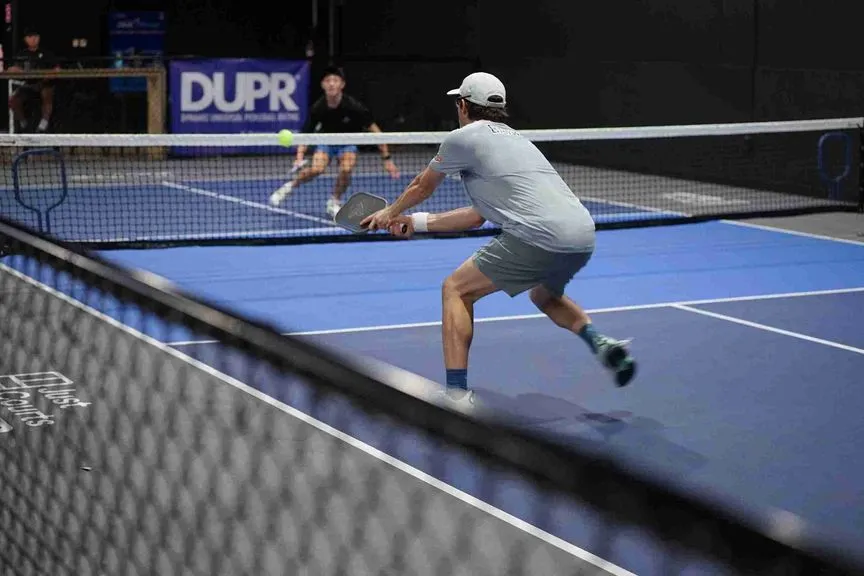
Pickleball presents unique challenges that make it demanding to capture cleanly. The court is small — just twenty by forty-four feet for doubles — which means the action moves fast and players frequently switch positions. A standard tennis court has nearly four times the playing area, giving cameras more room to work with. In pickleball, the net play (the "kitchen" or non-volley zone) happens within a few feet of the camera when positioned at the baseline, and rapid dink exchanges require smooth frame rates and precise focus tracking.
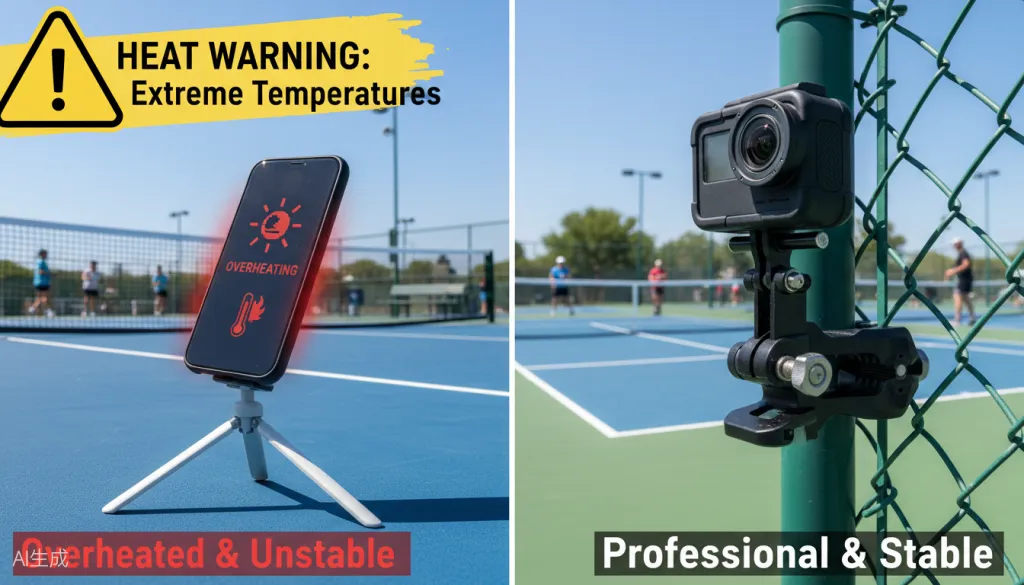
Environmental factors compound the problem. Most pickleball tournaments take place outdoors in summer heat on asphalt or concrete surfaces that radiate upward, creating ambient temperatures well above ninety degrees. Direct sun on a black phone screen causes thermal throttling within minutes. Courts are often packed side by side with minimal perimeter space, making tripod placement precarious and subject to constant interference. Wind picks up lightweight gear easily, and sudden gusts can topple a carefully positioned tripod.
Battery life becomes another nightmare. Lithium-ion batteries discharge faster in heat, and the combination of 4K recording, bright screen, and cellular connectivity drains even large phone batteries within an hour. If you are running live sports streams, the drain accelerates dramatically — and now you are managing power cables across a court perimeter where people are actively playing and walking.
When a parent misses their child's winning smash because an iPhone shut down from overheating, or a coach cannot review footwork because the footage is too shaky, the problem is not user error. It is using the wrong tool for a demanding job. To avoid these common pitfalls, many turn to a high school sports live streaming guide for professional setup strategies.
Choosing the Right Field of View for Full-Court Coverage
Field of view (FOV) is the single most important technical specification for court-side sports recording. It determines how much of the playing area fits in your frame and whether the perspective looks natural or distorted. For pickleball, the goal is to capture both baselines, both sidelines, and the net area simultaneously from a fixed position behind one baseline.
A horizontal FOV between 70° and 90° hits the sweet spot. At 70°, you get edge-to-edge coverage of the forty-four-foot width from a center position approximately fifteen feet behind the baseline, with minimal distortion at the edges. At 90°, you gain extra margin for slightly off-center mounting positions and ensure no action escapes during wide-angle rallies. Go wider than 100° and barrel distortion bends straight court lines, making it hard to judge whether balls landed in or out. Go narrower than 60° and you will miss sideline action unless you pan continuously, which introduces motion blur.
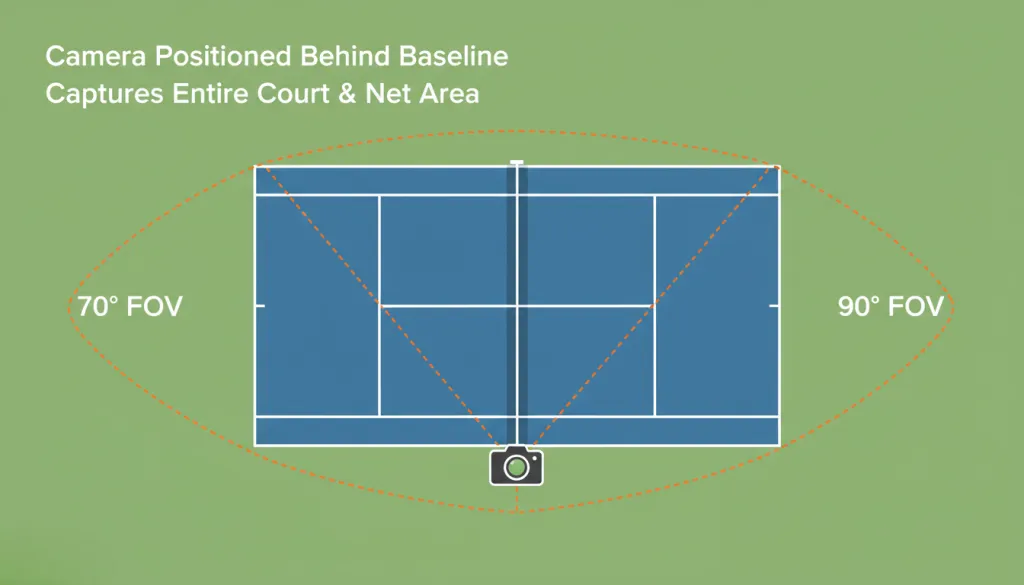
When evaluating any sports recording camera, check the manufacturer-specified horizontal FOV — not diagonal, which is always a larger, more impressive-sounding number. A camera marketed with 120° diagonal FOV may only deliver 90° horizontally. Knowing the real number helps you plan mounting distance accurately.
Camera Setup Options: Tripods, Phones, and Dedicated Gear
| Setup Type | Pros | Cons | Best For |
|---|---|---|---|
| Smartphone on tripod | Low cost, everyone owns one | Overheats, shaky, limited storage, poor battery, wrong FOV | Occasional casual recording |
| Action camera (GoPro) | Compact, durable, weatherproof | Fish-eye distortion, short battery, narrow FOV at 4K | Highlight clips, not full matches |
| Dedicated sports camera (NearStream VM33) | Heat-resistant, wireless, correct FOV, fence-mountable | Higher initial cost | Tournament organizers, coaches, parents |
Smartphones fail on thermal management and stability. Tripods at court level are bumped constantly, and phone cameras lack the optical architecture to deliver a distortion-free 75° FOV. Digital zoom degrades image quality significantly when you try to compensate.
Action cameras are built for motion and weather, but their default ultra-wide settings (120°+) create fish-eye distortion that ruins line-call judgment. Narrowing FOV digitally crops the sensor, reducing effective resolution from 4K to near 1080p. Battery life is another concern — most deliver ninety minutes at best.
Dedicated sports recording camera systems are designed around outdoor court constraints: thermal tolerance, wireless streaming, correct focal lengths, and secure fence or pole mounting instead of floor-level tripods.

What to Look for in a Sports Recording Camera
The best video camera for sports in a pickleball context should meet five core requirements:
1. Horizontal FOV between 70° and 90° — Captures the full court without distortion.
2. Operating temperature above 104°F (40°C) — Summer tournaments routinely exceed the 95°F threshold where consumer devices fail.
3. Continuous recording for 3+ hours — Tournament days involve back-to-back matches. The camera must run through entire sessions without shutdown.
4. Secure fence or pole mounting — Baseline positioning requires mounting to existing infrastructure. Freestanding tripods blow over and create tripping hazards.
5. Wireless streaming capability — For live sports streams, the camera needs Wi-Fi with RTMP protocol support for YouTube Live, Facebook Live, or Vimeo.
Bonus features include mobile app control, local storage redundancy while streaming, and battery options supporting hot-swaps or external power banks for all-day events.
The NearStream VM33: Built for Pickleball Tournaments
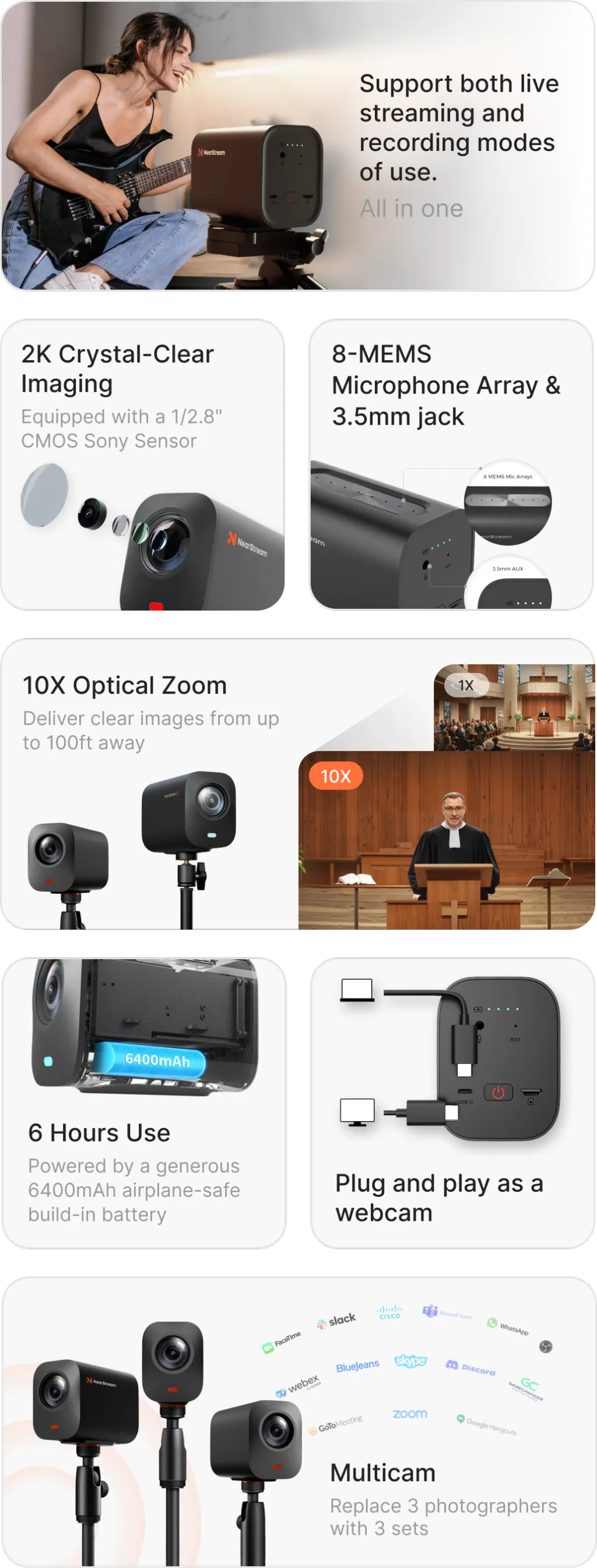
The NearStream VM33 is a wireless all-in-one streaming camera that checks every requirement on the list above, making it widely considered the best camera for GameChanger app and sports clubs. It was designed specifically for the pain points that ruin outdoor sports footage.
Field of view and optics. The VM33 delivers a horizontal FOV in the optimal 70°–90° range. Mount it behind the center baseline and capture both ends of the court with straight, true perspective lines — no fish-eye distortion.
Heat resistance. Unlike smartphones that throttle and shut down in direct sun, the VM33 has a heat-dissipating housing designed for extended outdoor operation. It maintains full 1080p performance where consumer devices fail — critical for June through August tournaments.
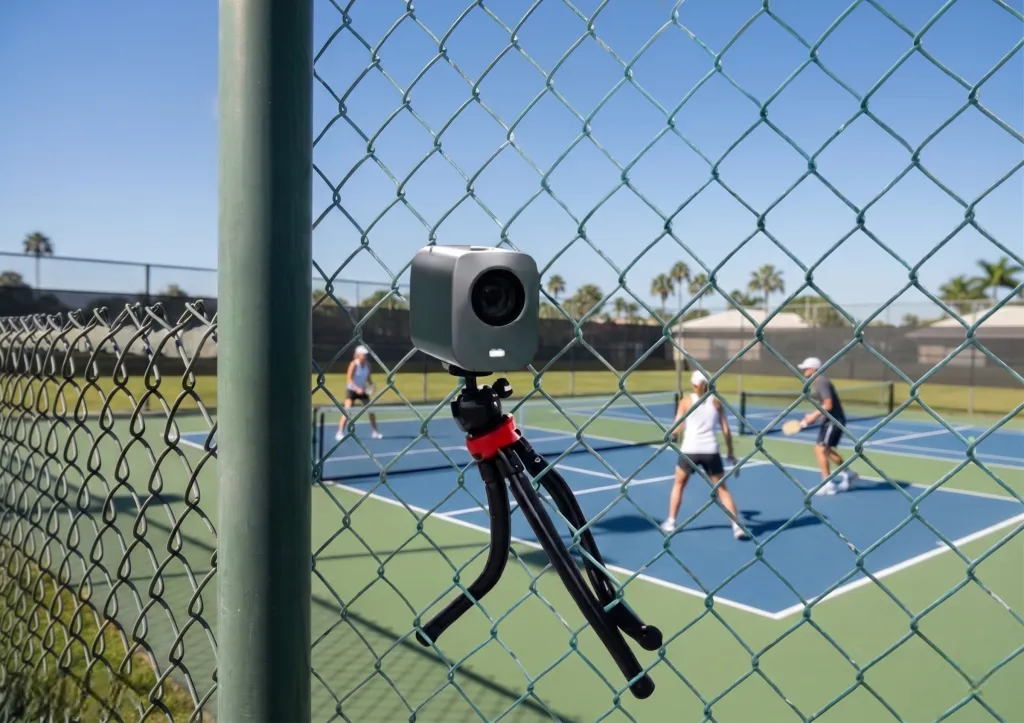
Fence mounting. The VM33 mounts to chain-link fences and round poles, eliminating precarious tripods. No more kicked legs, wind knockdowns, or tripping hazards. The elevated position provides a cleaner sightline over the net.
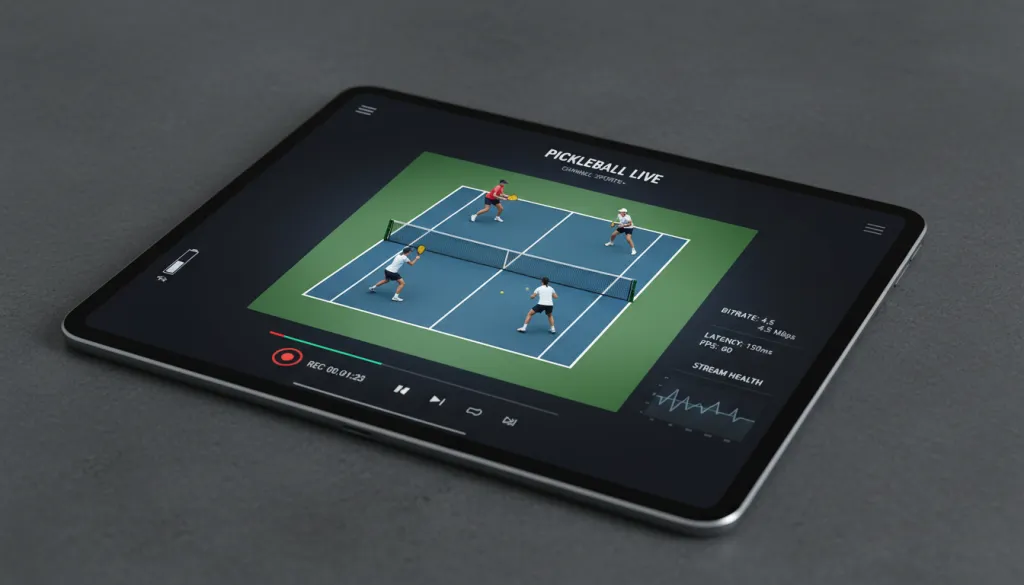
Wireless streaming and recording. For live sports streams, the VM33 connects to venue Wi-Fi and streams via RTMP to YouTube, Facebook, or custom CDNs without capture cards or laptops. It records locally simultaneously, giving you both live feed and archival files without cable runs.
Compared to phones, the VM33 eliminates thermal shutdown, storage anxiety, and shaky footage. Compared to action cameras, it delivers correct FOV without cropping and maintains consistent frame rates all day.
Step-by-Step Court-Side Setup Guide
Setting up a dedicated sports recording camera takes about ten minutes:
Step 1: Scout your mounting point. Find a fence section or pole roughly fifteen feet behind the court center, at least six feet high. If the layout forces off-center placement, a 90° FOV camera gives more flexibility than 70°.
Step 2: Mount the camera. Attach to the fence with a compatible mount, angled slightly downward so the net crosses the frame at roughly the horizontal midpoint. Tighten all screws — wind and vibration will loosen hand-tightened mounts.
Step 3: Connect power and verify Wi-Fi. Plug in power and connect to venue Wi-Fi. Test signal strength at the mount location using the companion app. Bring a dedicated mobile hotspot if venue Wi-Fi is unreliable.
Step 4: Frame the court using the app. Open the mobile app and check the live preview. Verify all four court corners are visible and horizontal lines are straight. Adjust the mount if the frame is too high or low.
Step 5: Start recording or streaming. Begin local recording first for archival backup. If streaming live, enter your RTMP URL and stream key, verify the feed, then go live. The camera runs unattended for the full match.
Common Mistakes That Waste Great Footage
Even with the right camera, poor setup choices cost you usable video:
- Mounting too low. Waist-height cameras capture the nearest player's back and little else. Elevate to six feet minimum.
- Using digital zoom. It degrades quality by cropping the sensor. To ensure your broadcast looks professional, you should always look for ways to improve live stream video quality by choosing the correct optical FOV from the start.
- Forgetting sun direction. Cameras pointed into the sun struggle with exposure. Position away from the sun when possible.
- Relying on phone hotspots. Phones used as hotspots overheat just as fast. Bring a dedicated mobile hotspot for streaming.
- Not testing audio. Wind noise ruins outdoor footage. Test levels before the first match.
- Forgetting spare storage and power. SD cards fill up and batteries die mid-match. Bring extras.
- Setting and forgetting. Check framing between matches — wind and vibration can shift the camera.
Recording vs. Live Sports Streams
Recording matches prioritizes storage and post-match access for coaches and players. Live streaming prioritizes connection stability and real-time viewer experience for family and fans watching remotely.
The NearStream VM33 handles both simultaneously — record a high-bitrate local file while streaming a lower-bitrate feed optimized for mobile viewers. Coaches get crisp review footage while family watches live, all from one device with no extra hardware.
For most pickleball tournaments, record everything locally by default and selectively stream featured matches (semifinals and finals) to build audience without overwhelming network bandwidth.
Frequently Asked Questions
What is the best field of view for recording pickleball games?
For pickleball, a horizontal field of view between 70° and 90° is ideal. A 70° FOV captures both baselines and the net area from a center-court position with minimal edge distortion, while a 90° FOV provides more margin for error in camera placement. Avoid ultra-wide lenses above 120° as they create fish-eye distortion.
Why do smartphones overheat when filming outdoor sports?
Smartphones lack active cooling and are not designed for sustained 4K capture in direct sunlight. Above 85°F, they throttle performance, dim screens, and may shut down entirely. Dedicated sports cameras use heat-dissipating housings for continuous hot-weather operation.
Can you live stream pickleball tournaments from an outdoor court?
Yes. You need stable internet, a camera with RTMP streaming support, and a fence or pole mount behind the baseline. Dedicated streaming cameras maintain consistent frame rates without overheating.
Is a tripod or fence mount better for filming pickleball?
A fence mount is better. Tripods get bumped, create shaky footage, and pose tripping hazards. Fence mounts provide elevated angles that capture both baselines clearly while staying secure.
How much does it cost to set up a camera for pickleball tournaments?
A dedicated sports camera setup ranges from $300 to $600 including the camera, mount, and accessories. The reliability and quality justify the investment over failed phone recordings.
Final Thoughts
Capturing pickleball tournaments comes down to two decisions: choosing the right field of view and choosing hardware that survives the heat. A 70°–90° horizontal FOV gives clean, distortion-free court coverage. A dedicated, heat-resistant, fence-mountable sports recording camera delivers the stability and endurance that smartphones cannot match.
If you are ready to stop worrying about overheating phones and shaky footage, the NearStream VM33 offers a purpose-built solution for outdoor court sports. It is the difference between hoping your recording works and knowing every rally is captured — from the opening serve to match point.



 sales@nearstream.us






