

























































It is 6:47 p.m. on a Tuesday. You are perched on aluminum bleachers in a humid gymnasium, holding a smartphone that is already at 34 percent battery. Your daughter's club team is about to serve for the set point. Parents who could not make it are watching your Facebook Live. A college recruiter asked for clean game film. You are trying to do all three jobs — coach, videographer, and live stream operator — with a device built for selfies and food photos.
Then the low-battery warning flashes. You fumble for a backup phone, miss the spike, and the live stream drops. The recording you promised the recruiter is vertical, shaky, and drowned out by the ref's whistle and squeaking shoes.
If this scenario feels familiar, you are not alone. Thousands of volleyball coaches, club directors, and athlete parents face the same headache every tournament weekend. They search online for the best video camera for sports streaming, hoping someone has solved the riddle of fast indoor action, bad lighting, and solo operation. The question is not whether you should stream and record matches. The question is what equipment actually works when one person — with no technical crew — is responsible for the entire broadcast.
Why Smartphones and Standard Webcams Fail Indoor Volleyball
Smartphones are convenient until they are not. Their digital zoom destroys image quality when you try to reach the opposite end line from the bleachers. Autofocus hunts back and forth every time the ball moves, and storage fills up after just two sets. Most critically, a phone cannot simultaneously live stream and record a high-quality local file for post-game film review. You are forced to choose—and either parents miss the live action, or your athletes lose their training tape.
Upgrading to traditional broadcast rigs (like DSLRs paired with hardware switchers) solves the image quality issue but introduces a different nightmare: heavy infrastructure. To run a dynamic multi-angle broadcast with old-school gear, you need long HDMI or SDI cables stretched across the gymnasium floor, a dedicated hardware switcher, and a second person to operate it all. In a busy school gym, that means taping cables to the floor to prevent tripping, begging the facilities manager for wall outlet access, and praying nobody rolls a ball cart over your expensive capture card.
Indoor volleyball adds its own unique hurdles. Gymnasium LED lighting cycles at frequencies that confuse phone sensors, producing terrible flicker. Echoey acoustics muddy the audio. Furthermore, the action is vertical—attacks, blocks, and sets happen above the net. A single fixed smartphone at a low angle captures nothing but torsos and backboards. One person simply cannot manually pan, zoom, stream, and record in real time while also coaching or managing substitutions.
The Solo Operator's Dilemma
You are not a broadcast engineer. You are a coach who wants crisp film for Monday's practice. You are a parent who promised out-of-town family they could watch the tournament. You are a club director who knows that professional media separates your program from the competition—but you do not have the budget for an entire AV crew.
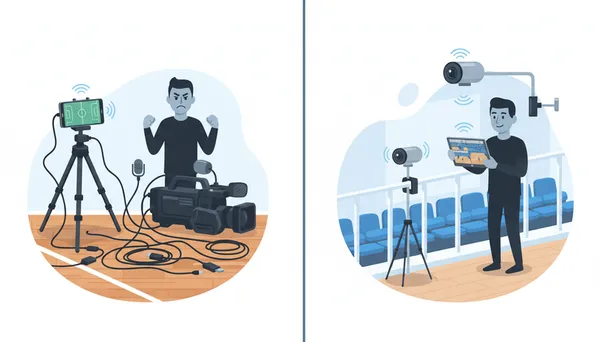
Between sets, you have maybe ten minutes to troubleshoot. There is no time to re-route a 50-foot HDMI cable because somebody tripped over it. There is no budget to hire a freelancer for every Saturday double-header. And there is certainly no way you can physically stand behind three separate cameras while simultaneously calling plays from the sideline.
The real problem is not your effort; it is the architecture of your setup. Solo operators who need multiple angles on the go require a mobile system designed for one person and zero cable clutter.
The Wireless Multicam Solution
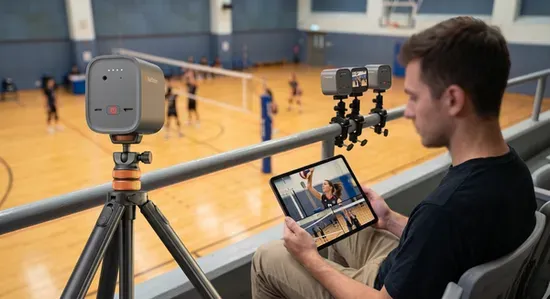
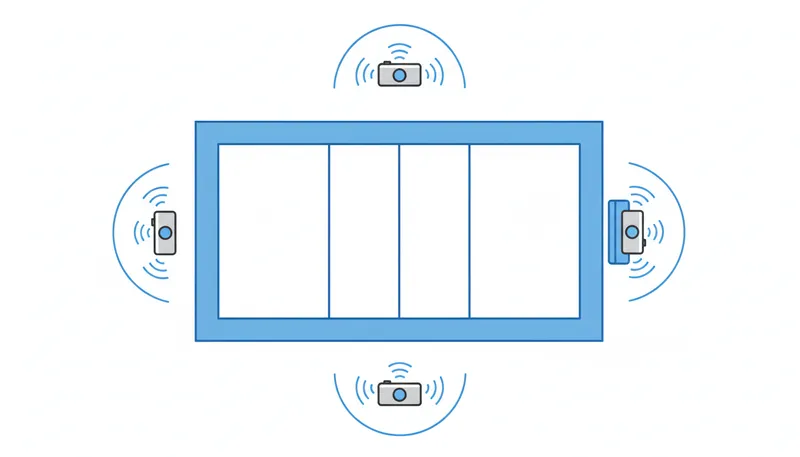
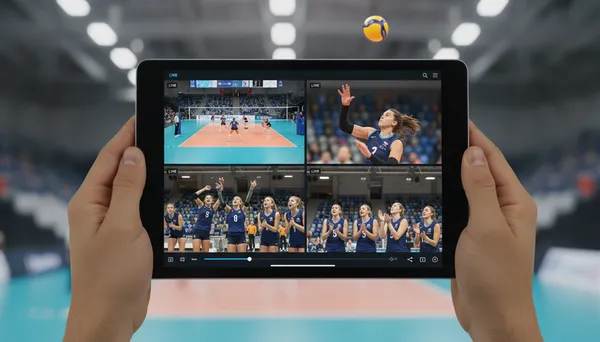
Imagine walking into the gym just fifteen minutes before warm-ups. You mount three compact cameras: one at the end line for a wide tactical view, one at the attack line for side-angle serves and spikes, and one behind your bench to capture team reactions. You sit down, open a single app on your tablet, and see all three feeds simultaneously. You tap to switch the live broadcast. You hit record on all three units for local backup. You have not run a single cable across the court, and you are already live.
That workflow is not hypothetical. It is exactly what a wireless multicam system delivers. Each camera connects over a reliable internal Wi-Fi network to a central app. The operator controls framing, exposure, zoom, and camera switching without ever leaving their seat. The system streams directly to YouTube, Facebook, or Twitch via RTMP while simultaneously recording high-resolution files to local microSD cards inside each camera. When the match ends, you have a polished live broadcast for the parents and three isolated camera files for your Monday film session.
The "Off-Grid" Secret: Beating Bad Gym Wi-Fi
One of the biggest anxieties for solo streamers is the dreaded "School Gym Wi-Fi." Between concrete walls, metal bleachers, and hundreds of spectators logging onto the same network, relying on the facility's public Wi-Fi or a standard cellular hotspot is a recipe for dropped frames and a crashed broadcast.
The professional solution? You bring your own invisible infrastructure.
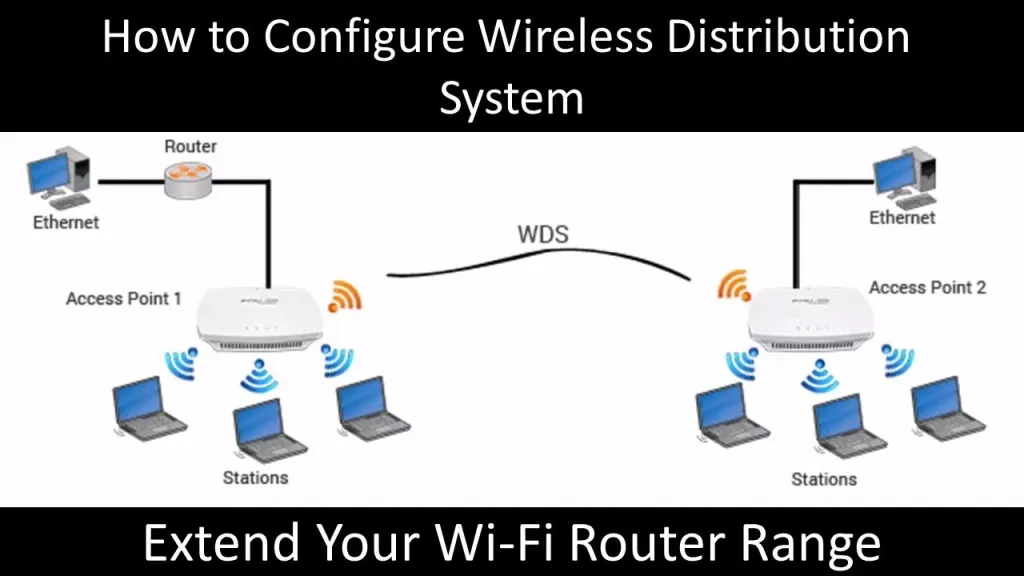
By pairing your NearStream VM33 cameras with a compact travel router (like the GL.iNet Slate AXT1800), you can create an "Off-Grid" Local Area Network (LAN).
- The Setup: You plug a dedicated mobile hotspot (or even a Starlink Roam dish if you are at a remote tournament complex) into the WAN port of your main router.
- The Magic: The router blankets the entire gym in a private, high-speed Wi-Fi web named exactly what you want (e.g., Volleyball-Live). Your tablet and all three VM33 cameras connect exclusively to this private network.
Because the cameras and the iPad are communicating locally on this powerful, dedicated bridge—completely bypassing the congested public network—your multi-cam sync remains flawless, latency drops to near-zero, and your broadcast pushes out reliably.
Your 15-Minute Pre-Match Setup
Here is how the scenario plays out in practice. Follow these five steps, and you will be broadcasting before the first serve.
Step 1: Position your three angles. Mount Camera A on a tripod at the end line, elevated at least six feet so the net does not block the action. This gives you the wide tactical view coaches love for film review. Mount Camera B at the attack line on the opposite side for close-up serve receive and hitting. Use Camera C behind your team bench for reactions, huddle audio, and substitution coverage. The clamps and magic arms included in the NearStream VM33 3-Pack Kit let you secure units to bleacher rails if floor space is limited.
Step 2: Power on and pair. Press the power button on each VM33. They boot in seconds and create their own wireless network. Open the NearStream app on your iPad or phone, and all three cameras appear automatically. No router configuration. No IP addresses. No password hunting on a sticky note.
Step 3: Frame, expose, and balance. Gymnasium LEDs are notoriously uneven. Use the app's manual exposure controls to lock settings so the camera does not pulse bright and dark every time the scoreboard changes. Set a custom white balance so skin tones look natural instead of gym-light green. Use the true 10x optical zoom to frame the opposite side of the court without losing clarity.
Step 4: Choose your output. Inside the app, select whether you want to live stream, record, or do both simultaneously. For recruiting film, stream to YouTube unlisted so family can watch live, while each camera writes 1440P files to its own microSD card. The VM33 offers up to eight hours of streaming battery life — enough for an entire tournament day.
Step 5: Start the broadcast and coach. Tap the red button to go live. Switch between the wide court view, the attack-line close-up, and the bench reaction cam with a single tap. The audio from all three cameras feeds into the app, and the built-in AI noise suppression cleans up the gym echo so viewers hear the whistle, not the HVAC system.
Why the VM33 Is the Best Wireless Camera for Sports Streaming
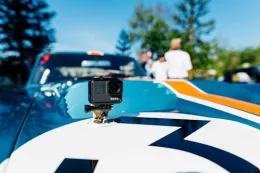
The NearStream VM33 3-Pack Kit is not a generic webcam marketed for sports. It is built for exactly the constraints solo volleyball operators face.
Built-in Battery, Zero Outlet Dependency: Each camera streams for up to eight hours on a full charge. You never need to hunt for wall outlets or run extension cords across the gymnasium floor.
10X Optical Zoom: Pull tight on a hitter's approach from the opposite end line without the pixelated mush that destroys digital zoom. You can safely place cameras high in the bleachers and still frame faces perfectly.
Extended Wireless Range: In a standard high school gym, you have the freedom to mount cameras on railings or tripods anywhere in the spectator area without signal dropouts.
App-Based Switching & Overlays: You do not need a $2,000 hardware switcher. Picture-in-picture, graphic overlays, and audio mixing all happen intuitively inside the free NearStream app.
Dual Output (Stream + Record): The VM33 streams at 1080P while recording 1440P to local microSD cards. Your live audience gets smooth video, and your athletes get crisp film for recruiting.
AI-Cleaned Audio: The built-in MEMS microphones use AI noise cancellation to suppress crowd rumble and gym ventilation. You capture the whistle, voices, and ball contact—not the echo.
Smartphone vs. Wired vs. Wireless: At a Glance
| Feature | Smartphone on Tripod | Wired Camcorder + Switcher | NearStream VM33 Wireless |
|---|---|---|---|
| Operator count required | 1 (but limited) | 2–3 | 1 |
| Camera angles | 1 | 2–3 (with cable mess) | 3 wireless |
| Zoom quality for far court | Poor (digital only) | Good (optical) | Good (10x optical) |
| Live stream + local record | No | Requires extra hardware | Yes, simultaneous |
| Setup time | 2 minutes | 30–45 minutes | 15 minutes |
| Gym floor cables | None | Multiple hazards | None |
| Battery for full tournament | No | AC dependent | 8 hours per camera |
| Audio quality | Wind + crowd noise | Requires external mic | Built-in AI noise cancel |
Common Mistakes Solo Streamers Make
Even with the right equipment, positioning errors can ruin a broadcast. Avoid these three pitfalls.
- Mounting Too Low: A camera at waist height captures the net instead of the action. Always elevate your setup to at least six feet for a clear line of sight over the net to the back row.
- Ignoring White Balance: Auto white balance under mixed gym LEDs will shift colors every time the camera pans. Lock it manually in the NearStream app before the match starts for professional consistency.
- Streaming Without a Backup: Internet in school gyms is notoriously unpredictable. Always record to the local microSD cards inside each VM33 so you have high-quality film even if the venue's Wi-Fi drops the live stream.
Frequently Asked Questions
Can one person really stream and record a volleyball match at the same time?
Yes. A wireless multicam system like the NearStream VM33 3-Pack Kit lets a single operator position three cameras around the court, then control framing, switching, and streaming from one tablet. There are no cables to manage, so one person can handle the entire broadcast while still coaching or watching the match.
Why do smartphones struggle with indoor volleyball?
Smartphones have limited zoom, short battery life, and small sensors that perform poorly under gymnasium LED lighting. They also capture only one angle and cannot simultaneously live stream and record high-quality video to local storage. Fast-moving action like spikes and digs often appears blurry on auto-focus phone cameras.
How far can wireless streaming cameras be placed from the operator?
The NearStream VM33 maintains a stable wireless connection at distances up to roughly 100 feet. That means you can mount cameras at the end line, the attack line, and behind the team bench while sitting in the bleachers and controlling everything from your iPad or phone.
Do I need a video switcher or capture card for a three-camera volleyball stream?
No. The VM33 system replaces traditional switchers and capture cards. All three cameras connect wirelessly to the NearStream app, where you can switch angles, apply picture-in-picture, and stream directly to YouTube, Facebook, or Twitch. This removes thousands of dollars in hardware and eliminates cable runs across the gym floor.
Your Next Move
You do not need a broadcast truck to look like a pro. You need the right architecture — three wireless angles, one tablet, and a system that understands solo operators have no time for cable management or battery anxiety. The NearStream VM33 3-Pack Kit is the best video camera for sports streaming when you are working alone. Set it up in fifteen minutes, stream the match live, and hand your athletes clean film on Monday. That is how you go solo like a pro.

Do you want me to write a custom meta title and description for this blog post to ensure it captures high-intent search traffic?



 sales@nearstream.us






