
























































It’s the most frustrating moment in a creator’s journey. You finally upgrade from your headset. You unbox a dedicated microphone, plug it in, hit record, and… disappointment.
You don’t sound like a podcast host. You sound like you’re trapped in a tin can. You hear the hum of your fridge, the echo of your walls, and a weird hiss. You think, "Did I just waste my money?" or "Do I need to hang blankets on my walls?"
Before you return it, stop. The problem likely isn't the hardware. It’s the invisible laws of physics you weren't told about. Here is why your "Pro" setup sounds amateur, and how to fix it without building a studio.
Part 1: The "Pro Sound" Myth: How to Choose a Microphone by Understanding Expectations
We need to debunk a myth: Price does not equal audio quality.
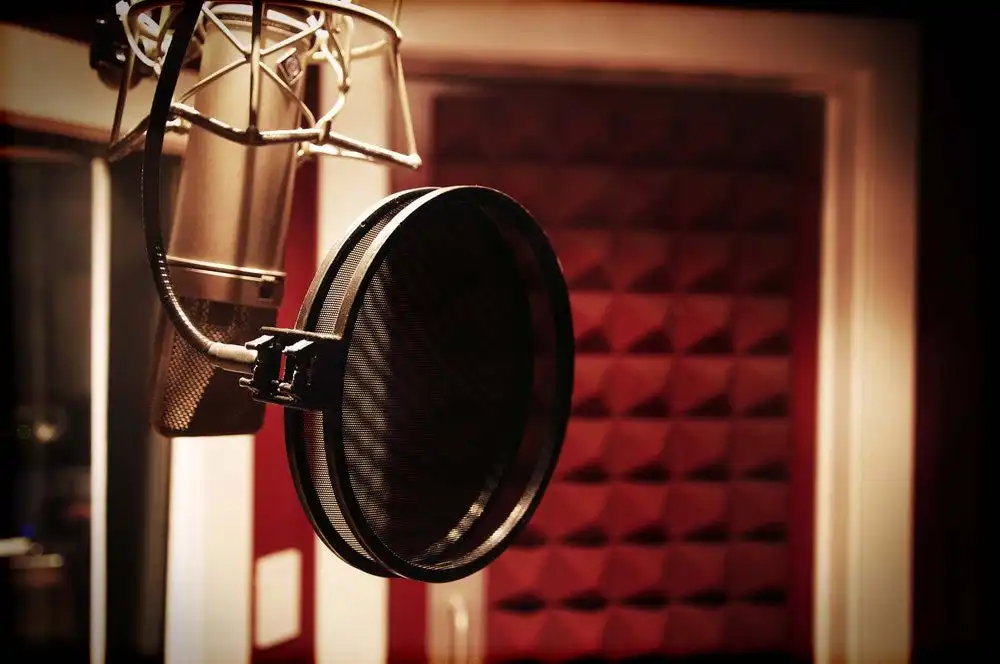
If you buy a $3,000 Neumann U87 (the industry standard) and put it in an untreated bedroom, it will sound worse than a $50 USB mic used correctly. Why? Because "Pro" microphones are designed to be brutally honest. They capture everything—including the bad stuff.
The Misunderstanding of "Fidelity"
When beginners ask how to choose a microphone, they usually look for "Highest Sensitivity" or "Widest Frequency Response."
- The Reality: In a home office, high sensitivity is often your enemy. It means the mic picks up the dog barking three houses down.
- The Goal: You don't want a microphone that hears everything. You want a microphone that hears only you.
The "Unprofessional" Sound usually comes from:
- Room Reverb: The sound bouncing off your hard walls.
- Low Signal-to-Noise Ratio: Your voice is too quiet compared to the background hum.
- Frequency Clash: Your mic capturing frequencies that fight with your voice.
The secret to sounding professional isn't buying a more expensive mic; it's controlling what the mic hears.
Part 2: The Three Quality Killers (And How to Remove Background Noise With Physics)
You might be looking for a "Noise Reduction" plugin. But software is a band-aid. The only way to truly remove background noise and sound professional is to fix the physical setup.
Here are the three mistakes ruining your audio:
Mistake #1: The "Webcam Mentality" (Distance)
This is the #1 offender. We are trained by webcams to keep electronics out of the frame. So, you place your mic 2 feet away, next to your monitor.
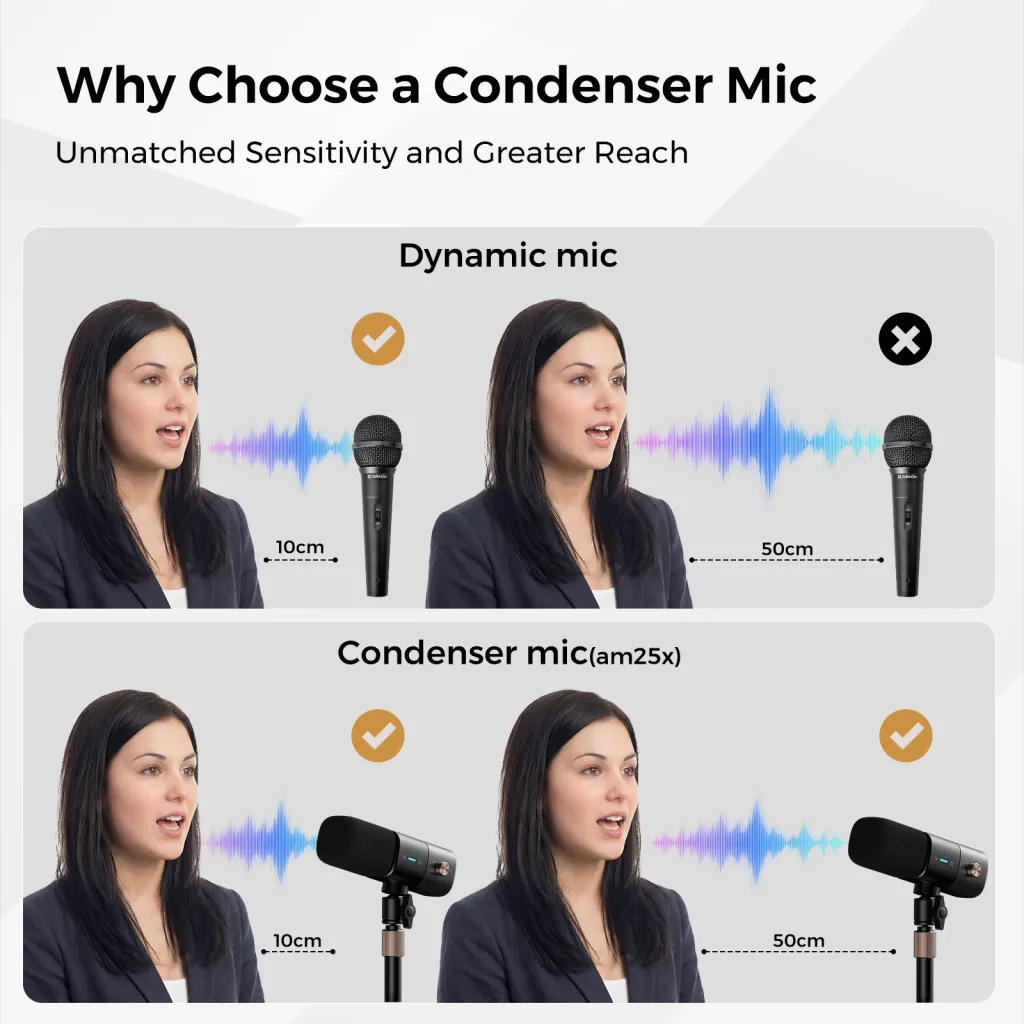
- The Physics: Sound follows the "Inverse Square Law." Every time you double the distance, you lose 6dB of volume.
- The Consequence: To hear you from 2 feet away, your computer cranks up the gain. This amplifies the "Noise Floor" (hiss) and the "Room Tone" (echo).
- The Fix: Close the gap. Move the AM25X to within 6-8 inches of your mouth. The signal (your voice) becomes massive, and the noise (the room) disappears.
Mistake #2: The "Side-Address" Confusion
Many users buy a microphone like the Blue Yeti or the AM25X and talk into the top of it (like a handheld stage mic).
- The Physics: These are "Side-Address" microphones. The capsule is facing the side (the logo).
- The Consequence: If you talk into the top, you are talking into the "Null Point" (the deaf spot). You sound muffled and distant because the mic is trying to reject your voice.
- The Fix: Talk into the logo. Talk into the front face. Suddenly, the high frequencies return, and you sound crisp.
Mistake #3: The "Hard Surface" Bounce
Your desk is a mirror for sound. When you speak, sound travels to the mic, but it also travels down, bounces off your desk, and hits the mic a millisecond later.
- The Consequence: This creates "Comb Filtering"—a phase issue that makes you sound robotic or thin.
- The Fix: Use a boom arm or place a desk mat under the stand. Or, simply tilt the AM25X slightly upward so it’s not pointing directly at the reflective desk surface.
Part 3: Why Does My Mic Sound Bad on Discord? (The Software Conflict)
You bought a great mic. You set it up. But your friends say you sound cutting out or robotic on Discord/Zoom.
Why does my mic sound bad on Discord? It’s a war between hardware and software.
The Clash of Processors
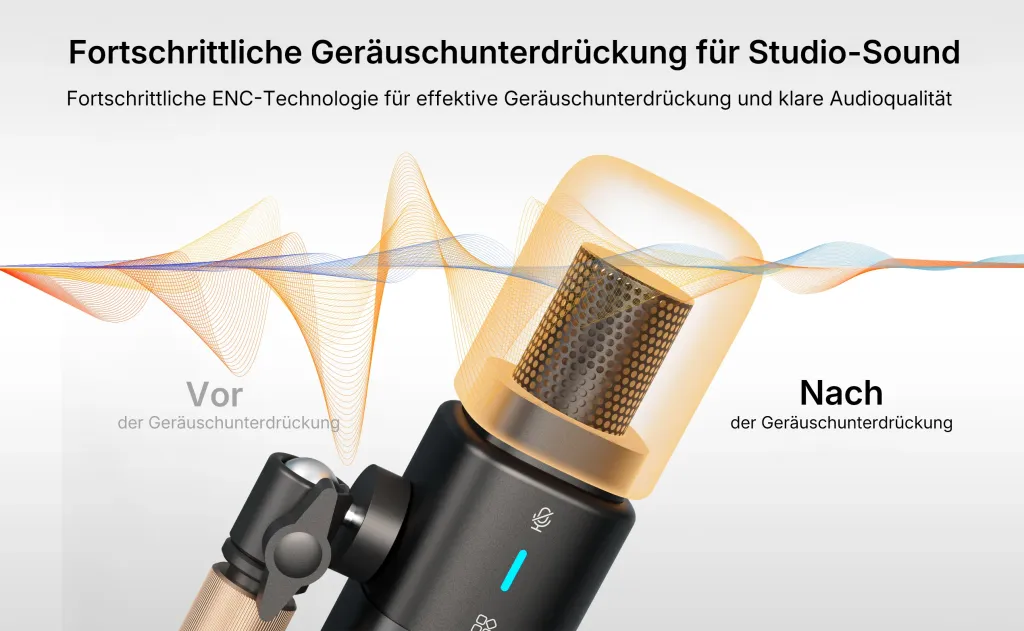
Apps like Discord, Zoom, and Teams have built-in "Noise Suppression" (like Krisp AI). These features are aggressive. They are designed to save bad audio from bad mics.
When you use a high-quality mic like the AM25X, you are feeding Discord a rich, full-spectrum signal.
- The Conflict: Your mic captures the natural breathiness of your voice. Discord thinks that "breath" is "noise" and tries to delete it.
- The Result: The ends of your words get chopped off. Your voice sounds "gated" or digital.
The Solution: Trust the Hardware
If you have a good mic, you need to tell the software to back off.
- On Discord: Go to Voice & Video > Scroll down to "Noise Suppression" > Set it to Standard or None.
- On Zoom: Set "Suppress Background Noise" to Low.
Let the AM25X’s natural Cardioid pattern handle the noise rejection. Don't let the software over-process your voice.

Part 4: The "Too Pro" Trap (Why Some Mics Are Hostile to Beginners)
There is a dirty secret in the audio industry: Some microphones are too good for you.
(We won't name names, but think of the famous microphones used by every top streamer).
These mics are "Broadcast Dynamic" microphones. They are legendary, but they are hostile to normal people.
- The Gain Problem: They are incredibly quiet. To make them work, you need to buy a $150 "Cloudlifter" or a $300 Pre-amp. If you plug them straight in, you hear nothing but hiss.
- The Address Problem: You have to basically eat the microphone (touch it with your lips) to get good sound. If you move 2 inches back, you disappear.
The Result: A beginner buys a $400 mic setup and sounds worse than before because they don't have the specialized hardware to drive it.

Part 5: The AM25X Philosophy: The Best Microphone is the One That Forgives You
We designed the AM25X with a different philosophy. We know you probably don't have a sound-treated studio. We know you might move around in your chair. We know you don't want to buy a pre-amp.
The best microphone isn't the one with the highest specs on paper; it's the one that sounds best in a real bedroom.
1. High Tolerance "Sweet Spot"
Unlike strict studio mics, the AM25X has a wider pickup field.
- If you lean back to grab your coffee, it still picks you up.
- If you get excited and shout, it handles the pressure without distorting immediately.
It is designed to be Forgiving.
2. Tuned for "Untreated" Rooms
We adjusted the frequency response to be slightly "dry."
- It focuses heavily on the mid-range (where the human voice lives).
- It naturally rolls off extreme low frequencies (which usually just rumble from trucks outside) and extreme high frequencies (which usually reflect off your walls).
- The Result: You sound clear, even if your room is echoey.
3. USB-C Power (No Hidden Costs)
The AM25X is a Condenser mic. It uses the power from your computer (USB) to charge the capsule. This means it is "hot" and sensitive right out of the box. You don't need a signal booster. You get a strong, loud signal instantly.
Part 6: The Reality Check
Here is a rule of thumb for your audio journey: "If you don't want to learn audio engineering, your microphone shouldn't require you to."
Many products punish you for not knowing about "Gain Staging," "Compression," or "EQ." They hand you a raw signal and say, "Good luck fixing it in Post."
The AM25X takes a different approach. It assumes you are a Creator, a Manager, or a Gamer—not a Sound Engineer.
- It assumes you want to plug it in and sound 90% perfect immediately.
- It assumes your room isn't perfect.
- It assumes you want to focus on what you are saying, not how you are recording it.
Conclusion: It’s Not Magic, It’s Mechanics
If your new microphone sounds unprofessional, don't despair.
- Move it closer. (Physics wins every time).
- Turn it around. (Make sure you are talking into the front).
- Turn off the "Enhancements". (Let the mic breathe).
And if you are looking for a tool that makes this process easier—a microphone that meets you halfway and compensates for your environment—the AM25X is built for you. It’s the bridge between "Amateur" and "Professional," and it doesn't require a degree to cross it.
Frequently Asked Questions (FAQ)
Q: Will a pop filter make me sound more professional?
A: A pop filter doesn't change the "tone" of your voice, but it fixes "Plosives"—the popping sounds when you say "P" or "B." These pops are the hallmark of amateur audio. The AM25X has internal protection, but adding a cheap external foam cover is the cheapest way to instantly sound 10% more pro.
Q: Why does my voice sound deeper in the morning?
A: This is known as "Morning Voice." Your vocal cords are relaxed and slightly swollen from sleep, creating a deeper resonance. Many creators prefer recording voiceovers first thing in the morning to capture this natural "Radio Tone."
Q: Can I use the AM25X for ASMR if my room is noisy?
A: ASMR requires a very quiet room because you have to turn the sensitivity up high. However, the AM25X is a "Cardioid" mic. If you point the back of the mic toward the noise source (like your computer fan), it will reject a lot of that noise, making ASMR possible even in imperfect rooms.
Q: Do I need to speak loudly into the AM25X?
A: No! That’s the beauty of a condenser mic. Speak in your normal conversational voice, or even softer. Speaking too loudly actually introduces more room echo. Speak softly and close to the mic for the most intimate, professional sound.





 sales@nearstream.us






