


























































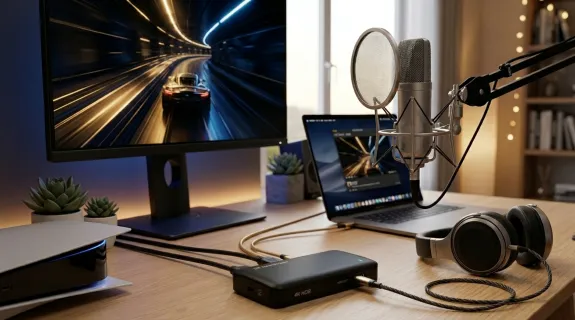
The evolution of content creation is a race against bandwidth. As creators transition to 4K60 HDR10 workflows, the hardware interface becomes the ultimate bottleneck. Many users still struggle to differentiate between legacy protocols, often settling for a generic video capture hdmi card that limits their potential. To claim the title of the best capture card in 2026, a device must embrace the USB 3.1 Type C standard. This 10Gbps pipeline is the silent hero behind flawless, uncompressed visuals, ensuring your 4k capture card delivers every pixel with professional precision and zero stuttering.
The 10Gbps Physical Dominance: Why USB 3.0 is No Longer Enough
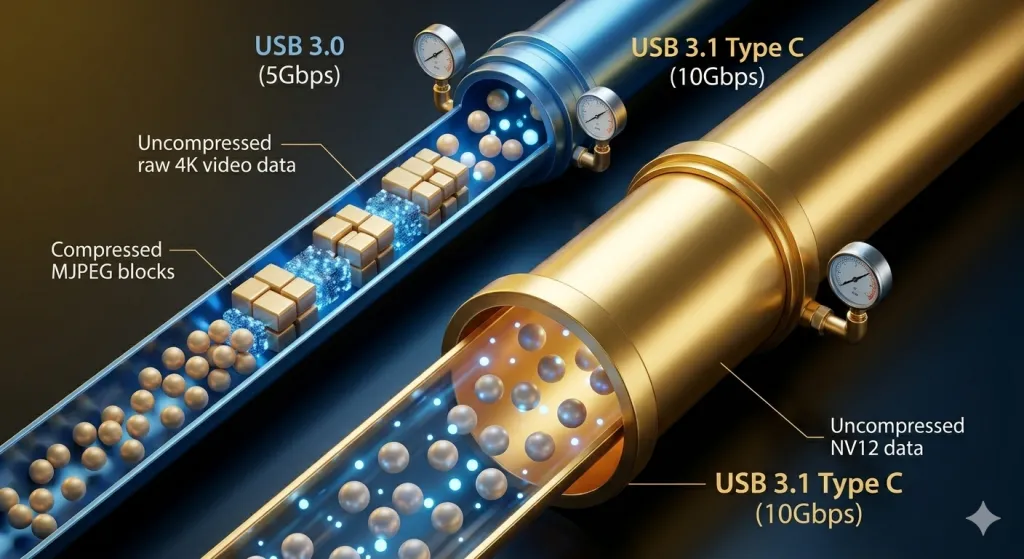
To understand why the NearStream CCD30 stands out as the best capture card, we must look at the raw physics of data transmission and the "mathematical wall" of 4K video. A 4K@60fps signal with 8-bit color depth and 4:4:4 sampling requires approximately 12Gbps of uncompressed bandwidth. This is where the industry faces a crisis: the ubiquitous USB 3.0 (also known as USB 3.2 Gen 1) only supports a maximum of 5Gbps.
The "5Gbps Bottleneck" and Its Consequences
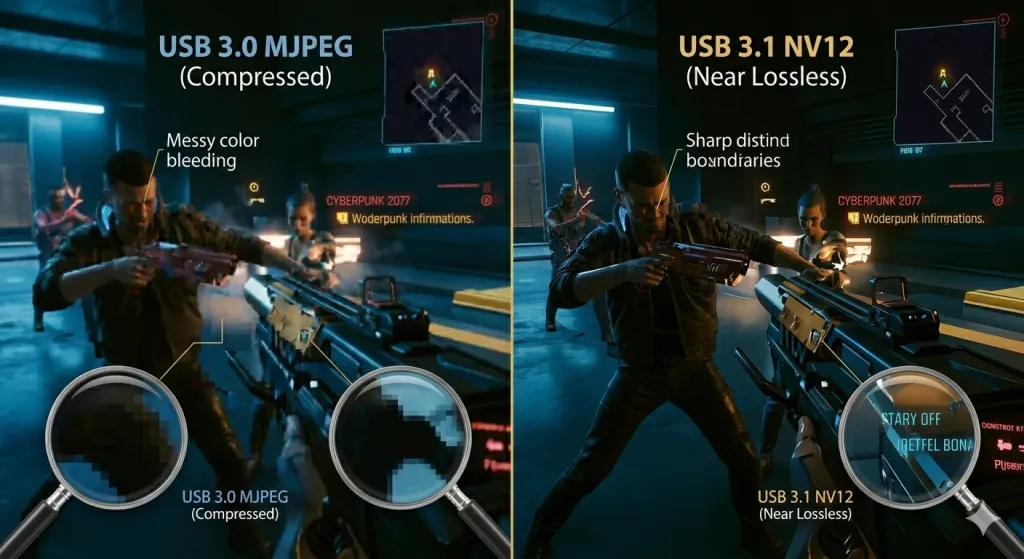
When you use a legacy video capture hdmi card limited to 5Gbps, the hardware is physically incapable of transmitting the raw 4K data. To compensate, these cards must employ aggressive "Lossy Compression," usually in the form of MJPEG. This compression discards massive amounts of visual data to fit the signal through the narrow 5Gbps "pipe." The result for the creator is a grainy, blocky image that loses the fine textures of high-end gaming.
The 10Gbps Breakthrough
The NearStream CCD30 utilizes the USB 3.1 Gen 2 protocol, providing a massive 10Gbps pipeline. This isn't just a marginal improvement; it doubles the throughput capacity. While it still involves some clever data management, the 10Gbps bandwidth allows for high-fidelity, low-compression formats. This "Physical Dominance" ensures that when you record in 4K, the audience sees the actual sweat on a character's face or the sharp glint of light on a metallic surface, rather than a blurred approximation. In 2026, if your 4k capture card isn't hitting 10Gbps, you are essentially streaming yesterday's technology.
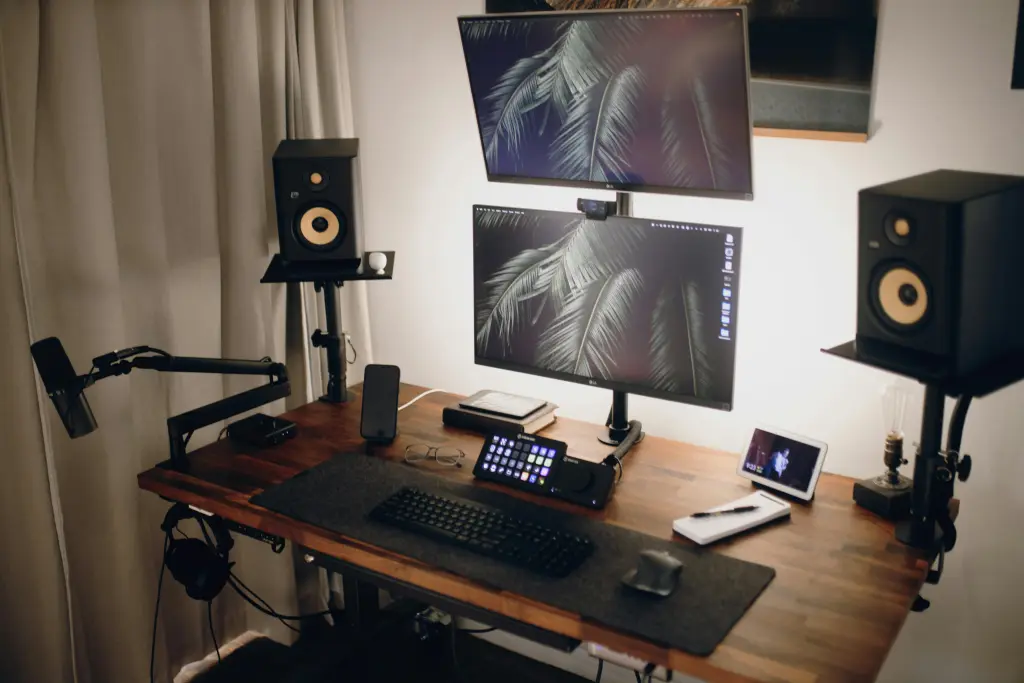
Decoding Color Formats: The Visual Superiority of NV12 and YUY2
In the professional world of a 4k capture card, the "format" is the invisible line between an amateur and an elite creator. When you search for the best capture card, you are unknowingly searching for superior "Chroma Subsampling."
MJPEG vs. NV12: The Battle for Clarity
Most budget video capture hdmi card models rely on MJPEG. This format treats video like a series of low-quality JPEG photos stitched together. It creates "Chroma Bleeding," where bright colors (like the red UI in an FPS game) look fuzzy or smeared.
The CCD30, powered by USB 3.1, supports NV12 (1440p@60fps) and YUY2 (1440p@50fps). These are "Raw-adjacent" formats that preserve the luminance (brightness) and chrominance (color) with much higher precision.
- NV12: This is the most efficient format for modern encoders like NVENC. It provides a crisp, artifact-free image that makes your 4K content look "Clean" and "Pro."
- YUY2: This provides even better color reproduction, making it the ideal choice for cinematic creators who want to color-grade their footage in post-production.
By supporting these formats, the CCD30 ensures that your 4k capture card doesn't just record pixels, but records accurate pixels. This is the difference between a video that looks like a "stream" and a video that looks like a "film."
| Format Supported | Bandwidth Reqd. | Visual Fidelity | Ideal Use Case |
|---|---|---|---|
| MJPEG | Low (5Gbps) | Standard / Blocky | Casual Social Media |
| NV12 | High (10Gbps) | High (Professional) | YouTube Gaming / Twitch |
| YUY2 | Very High (10G+) | Cinematic / Sharp | Color Grading / Pro Film |
| I420 | High (10Gbps) | High Fidelity | Detailed Static Scenes |
The All-in-One Power of Type C: Simplifying the Pro Studio
In 2026, the best capture card is defined not just by its internal chips, but by its "Workflow Efficiency." The transition to USB 3.1 Type C is more than just a change in the shape of the plug—it is a fundamental shift in how we power and connect our studios.
The "One-Cable" Philosophy
Traditional high-end capture cards often require an external DC power brick, a USB data cable, and sometimes even additional cooling fans. The CCD30 eliminates this "clutter." Because USB 3.1 Type C supports higher power delivery (PD) standards, the card pulls all the energy it needs directly from your PC or laptop. This "Bus-Powered" design is revolutionary for the aesthetic desk setup, allowing you to hide the device behind a monitor or under a desk without hunting for an extra wall outlet.
Physical Integrity for the Long Haul
Unlike the fragile Micro-USB or bulky USB-B ports of the past, the Type C interface is designed for high-frequency use. It is reversible, reducing wear and tear on the port during setup changes. For creators who use a 3.5mm audio cable to bridge their audio, the Type C connection ensures a stable, high-speed digital path that prevents "Electronic Noise" from leaking into your audio stream. It is the most robust and elegant connection in the history of video capture hdmi card development.
Solving the "Stutter" Mystery: High Bandwidth Meets Thermal Stability
If you have ever experienced "Stuttering" or "Dropped Frames" during a live stream, you have likely been a victim of "Thermal Throttling" or "Bus Congestion." This is the hidden enemy of the 4k capture card.
The Congestion Crisis
On a legacy USB 3.0 (5Gbps) system, the data pipe is always nearly 100% full when capturing 4K. If your PC tries to use the same bus for a webcam or a high-end mouse, the video signal is forced to wait, causing a "Micro-Stutter." The USB 3.1 (10Gbps) protocol of the CCD30 provides massive "Overhead." It’s like moving from a crowded two-lane road to a wide four-lane highway; the video data has plenty of room to move without interruption.
Thermal Resilience
Processing 10Gbps of data creates heat. Most plastic video capture hdmi card models trap this heat, causing the internal processor to slow down (throttle) to avoid melting. The CCD30’s Premium Aluminum Alloy shell acts as a passive heatsink, radiating heat away from the core components silently. This ensures that your frame rate stays at a rock-solid 60fps from the first minute of your stream to the tenth hour. This stability is why tech-reviewers consistently rate it as the best capture card for long-form marathon sessions.
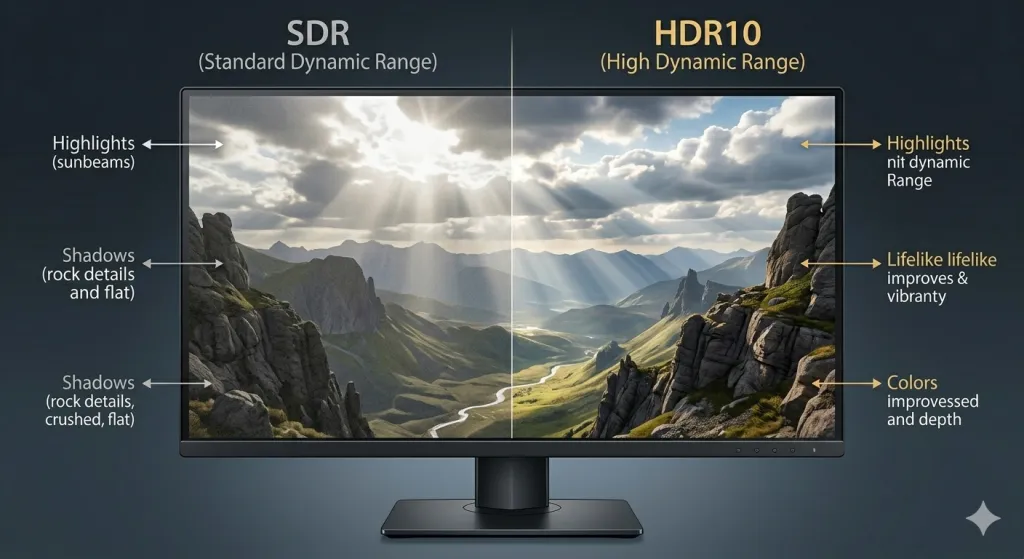
Next-Gen Gaming Optimization: PS5, Xbox, and the HDR10 Standard
With the release of more powerful consoles like the PS5 Pro and Xbox Series X, the requirements for a 4k capture card have shifted. In 2026, a card that doesn't support HDR10 is fundamentally broken for the modern gamer.
The Beauty of HDR10 Passthrough
HDR (High Dynamic Range) is what makes modern games look "Next-Gen." It provides deeper blacks and brighter highlights. However, many capture cards will "strip" the HDR signal to capture the video, meaning the player sees a dull, washed-out version of their game while playing. The NearStream CCD30 supports HDR10 Passthrough. You can play in native 4K60 HDR10 on your OLED TV while the card records a high-fidelity version for your audience.
Zero-Latency Sync
When playing fast-paced titles like Call of Duty or Street Fighter 6, even 100ms of lag is unacceptable. The USB 3.1 architecture of the CCD30 ensures Ultra-Low Latency (sub-50ms). This allows you to monitor the game directly on your PC screen if necessary, making it the best capture card for high-stakes competitive play where every millisecond counts toward a victory.
Audio Precision: The Power of the 3.5mm Interface
While we focus on the 4k capture card visuals, audio is 50% of the viewer's experience. "Audio Drift"—where the voice and the game sound slowly separate—is the most common reason viewers click away from a stream.
Why a Dedicated 3.5mm Port is Vital
Most streamers use a USB microphone, which has its own clock. The capture card has its own clock. Over time, these two clocks will drift apart. The CCD30 solves this by including a 3.5mm audio interface. By plugging your microphone or a 3.5mm audio cable from your mixer directly into the capture card, the audio is "Hard-Synced" to the video frames at the source.
- Analog Integrity: The 3.5mm port allows for a direct analog path, reducing digital processing delay.
- Simplified Monitoring: You can plug headphones directly into the CCD30 to hear exactly what the audience is hearing, ensuring that your game-to-voice ratio is perfect. This "All-in-One" AV hub is what separates the best capture card from a mere HDMI dongle.
Comparative Performance: The USB 3.1 vs. USB 3.0 Breakdown
| Technical Metric | Legacy USB 3.0 (5Gbps) | NearStream CCD30 (10Gbps) |
|---|---|---|
| Max Bitrate Capacity | ~400 Mbps | ~800 Mbps |
| Primary 4K Format | MJPEG (Lossy) | NV12 / YUY2 (Lossless-Grade) |
| HDR Passthrough | SDR Only | HDR10 Supported |
| Input Latency | 100ms - 200ms | \<50ms (Ultra-Low) |
| Material Build | Plastic (Heat Insulator) | Premium Aluminum (Heat Sink) |
| Audio Options | HDMI Only | HDMI + 3.5mm Analog Sync |
Conclusion: The Definitive Choice for 2026 Content Creators
In the high-velocity world of digital media, your hardware is your foundation. Settling for a legacy USB 3.0 video capture hdmi card is a compromise that will eventually manifest as blurry visuals, audio desync, or hardware failure. The NearStream CCD30 has set a new benchmark by embracing the USB 3.1 Type C standard as its core.
By doubling the physical bandwidth to 10Gbps, supporting professional formats like NV12, and integrating a dedicated 3.5mm audio interface, it offers a "No-Compromise" solution for the modern era. Whether you are building an aesthetic desk setup for 4K YouTube uploads or creating a high-stakes live streaming rig, the CCD30 is the best capture card to ensure your technical quality matches your creative ambition. In 2026, don't just capture video—capture excellence.
FAQ: USB 3.1, 4K Capture, and Professional Audio
Q1: Is there a real difference between USB 3.0 and USB 3.1 for gaming?
A: Absolutely. While 3.0 can "handle" video, it forces compression. USB 3.1 provides the 10Gbps bandwidth needed for high-fidelity formats like NV12, which is crucial for the "Flawless Clarity" required by professional 4k capture card standards.
Q2: Can I use a standard 3.5mm audio cable for professional commentary?
A: Yes. The CCD30’s 3.5mm audio interface is designed to accept high-quality analog signals. This ensures your audio is hardware-synced with the 4K video, eliminating the dreaded "Audio Drift" found in split-device setups.
Q3: Does the CCD30 work with my Mac for 4K60 capture?
A: Yes, it is Plug and Play. The Type C interface and UVC (USB Video Class) protocol ensure that it works seamlessly with macOS without the need for additional drivers, making it a favorite for best capture card lists on both PC and Mac.
Q4: Will the aluminum casing get hot during use?
A: The aluminum casing is designed to be warm to the touch—this means it is working! By pulling heat away from the internal chips, the Premium Aluminum shell prevents thermal throttling and ensures your video capture hdmi card maintains a steady 60fps.
Q5: Why is HDR10 mentioned in the technical specs?
A: HDR10 allows for a much wider range of colors and brightness. The CCD30 is the best capture card for next-gen consoles because it allows you to play and capture in HDR, providing a more vibrant and lifelike experience for both you and your audience.






 sales@nearstream.us






