Youth Sports Live Streaming Guide: From Sideline to Screen
Stop wrestling with phone tripods.
youth sports
best camera to live stream youth sports
youth sports camera
Updated: Apr 29, 2026 · 8 minutes read
Modular Video Kits for Growing Business.
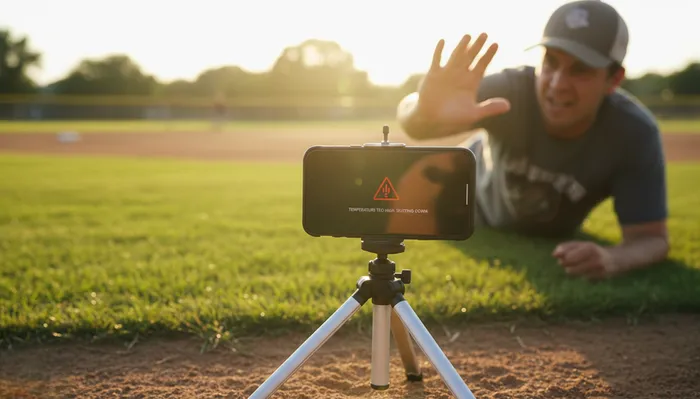
You showed up with a folding chair, a coffee, and every intention of actually watching your kid play. Then the team chat blew up: "Can someone livestream today? Grandma's watching from Florida." Two minutes later, you're duct-taping a phone to a tripod, praying the battery lasts through the third quarter, and squinting at a dimmed screen that just hit thermal shutdown. Again.
If this scene hits too close to home, you are not alone. The vast majority of youth sports streams in America are produced by volunteer parents who never asked for the job. However, by following a high school sports live streaming guide, you can easily bridge the gap between technical frustration and a reliable broadcast. You do not need a film degree. You do not need a production truck. What you need is a reliable, repeatable system that turns a chaotic sideline into a professional broadcast — without stealing your Saturday.
This guide is that system.
Why Your Phone-on-a-Tripod Setup Is Failing You
Let us diagnose the real problem before we fix it. Your iPhone is an incredible device, but it was never engineered to be a broadcast camera. Here is what is actually happening when you stream a full game on a smartphone:
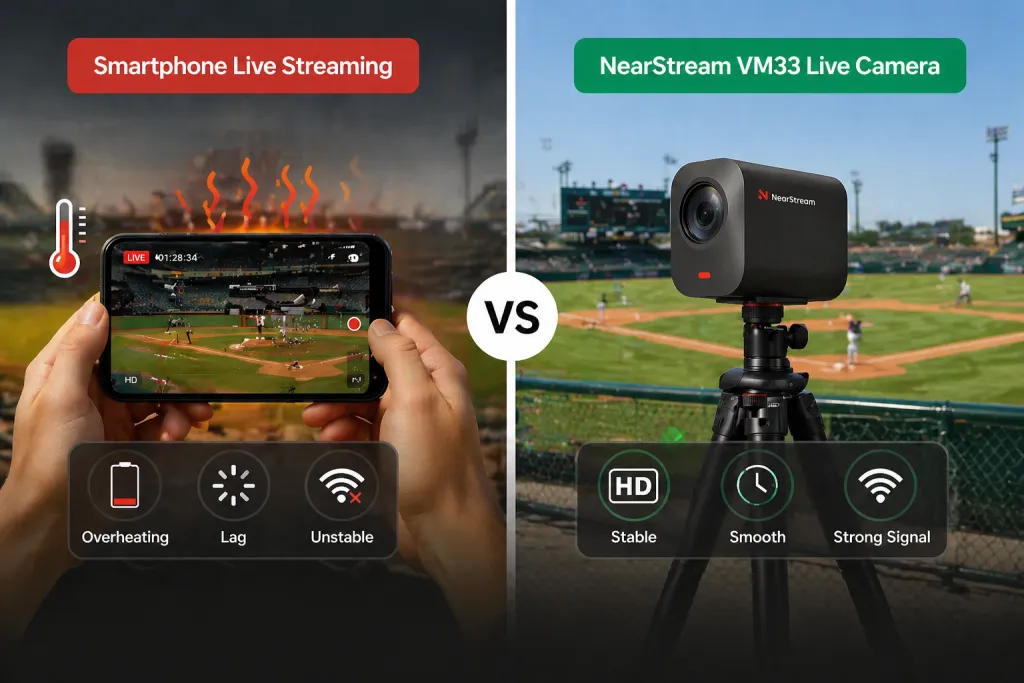
Thermal throttling kills the stream. Modern phones are designed for short video clips, not ninety minutes of continuous encoding and transmission. When internal temperatures spike, the device automatically dims the display, reduces processing power, or forces a shutdown. Direct summer sunlight on a black phone accelerates this cycle dramatically.
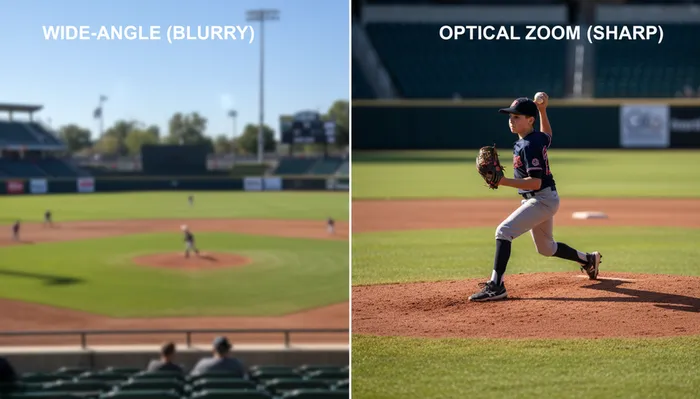
Digital zoom destroys image quality. When you pinch-to-zoom on a smartphone, you are not getting closer to the action. You are cropping the sensor and enlarging pixels. The result is a blocky, pixelated mess that making it impossible for viewers to read jersey numbers or follow a baseball from the pitcher's hand to the catcher's mitt. Beyond hardware choice, understanding how to improve live stream video quality through proper settings and positioning is essential for a professional look.
You cannot watch and produce simultaneously. A phone on a tripod demands constant attention. Someone bumps the stand. The sun shifts and creates glare. The stream drops and needs a manual reconnect. By the end of the first half, you have watched zero minutes of actual gameplay and answered forty-seven text messages from relatives complaining about the feed.
Audio is an afterthought. Built-in phone microphones pick up every gust of wind, every nearby conversation, and every concession-stand transaction. The game sounds like it is being played inside a tin can. If you're looking to elevate your production with specialized gear, our microphone buying guide explains how to choose the right tools for crisp, professional audio.
The phone was a great stopgap solution. It is no longer good enough. Here is what to look for in a real youth sports camera.
The 3 Non-Negotiable Features of a Youth Sports Camera
After talking to hundreds of parent-producers, club administrators, and coaches, three features separate a usable youth sports stream from a frustrating one. Ignore any of these and you will be back to the duct-tape-and-prayer method by halftime.
1. True Optical Zoom (Not Digital)
Youth sports fields are big. A regulation Little League diamond puts home plate nearly a hundred feet from the outfield fence. Soccer fields are even larger. If your camera cannot optically magnify the action, your stream will look like it was shot from a satellite.
Optical zoom uses physical glass lens elements to bring distant subjects closer without sacrificing resolution. Digital zoom simply crops the image and stretches the remaining pixels. A youth sports camera needs a minimum of 10x optical zoom to produce watchable footage from the sidelines. Combined with a quality sensor, this zoom range captures facial expressions, jersey numbers, and ball movement with broadcast-level clarity.
2. Heat Management and All-Day Battery
A streaming camera is essentially a computer that never gets to rest. It encodes video in real time, transmits over wireless networks, and runs processing algorithms for autofocus and audio. Without proper thermal design, it will suffer the same fate as your overheating phone.
Look for a dedicated streaming camera with a physically larger body designed to dissipate heat. Equally important is battery stamina. Youth sports events routinely run two to three hours with warmup time. Your camera needs at least six to eight hours of continuous streaming battery life to handle doubleheaders and tournament days without anxiety.
3. Dedicated Sports Streaming Software
Here is the secret that professional broadcasters know: the camera is only half the equation. The other half is the software ecosystem that controls it. A purpose-built streaming app should give you scoreboard overlays, Picture-in-Picture layouts, audio mixing, and one-touch publishing to platforms like YouTube and Facebook.
The best app to live stream youth sports is not the most complex one. It is the one that lets you add a digital scoreboard with three taps, switch between camera angles without a crew, and start the stream thirty seconds before kickoff. If the app requires a forty-five-minute tutorial, it is the wrong app for volunteer parents.
Phone vs. Dedicated Camera vs. Professional Rig: What Actually Makes Sense
Still weighing your options? Here is a direct comparison of the three approaches most youth sports organizations consider.
Feature
Smartphone on Tripod
Dedicated Streaming Camera
Professional Production Rig
Setup time
5 minutes
Under 5 minutes
45-90 minutes
Zoom quality
Digital only (pixelated)
10x optical (crisp)
20x+ optical (excellent)
Battery life
1-2 hours streaming
6-8 hours streaming
External power required
Heat management
Poor (throttles/shuts down)
Engineered for continuous use
Professional cooling
Scoreboard overlay
Third-party apps, complex
Built-in app overlays
Dedicated operator needed
Multi-camera support
None
2-3 cameras via single app
4+ cameras with switcher
Audio quality
Wind noise, no isolation
AI noise-canceling arrays
Dedicated audio engineer
Cost
$0 (if you own the phone)
$999 for 3-camera kit
$5,000-$15,000+
Can you watch the game?
No
Yes
Requires crew
The smartphone wins on upfront cost and loses on everything else. The professional rig produces gorgeous results and requires a budget most booster clubs cannot justify. The dedicated youth sports camera sits in the sweet spot: professional enough for Grandma in Florida, simple enough for a parent who has never streamed before.
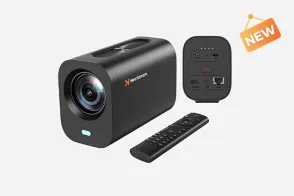
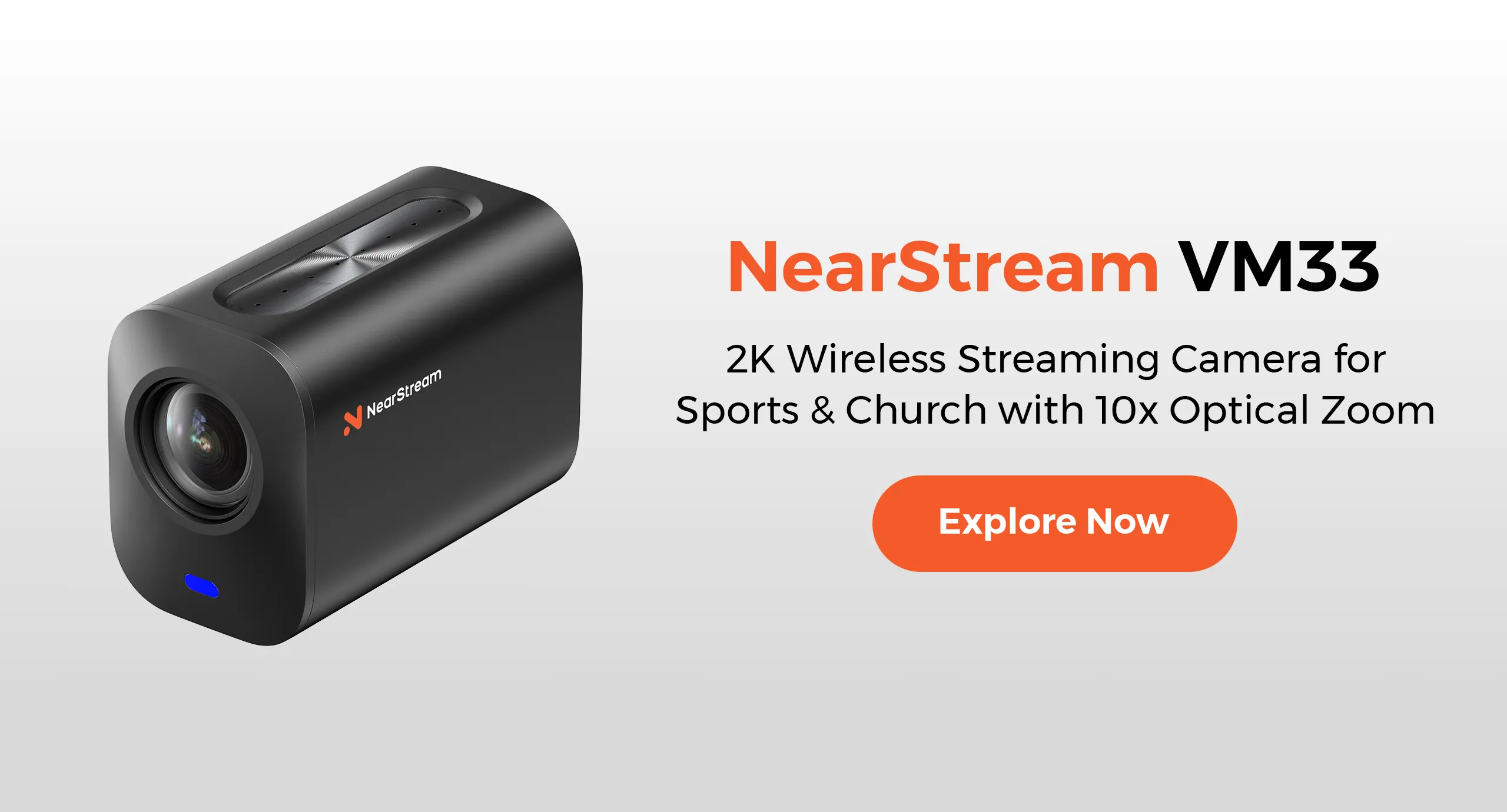
The NearStream VM33: A True One-Person Crew Solution
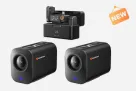
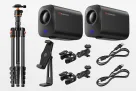
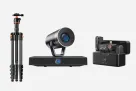
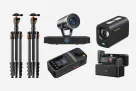
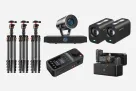
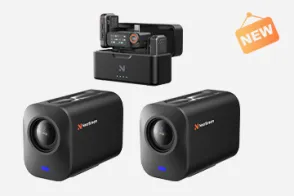
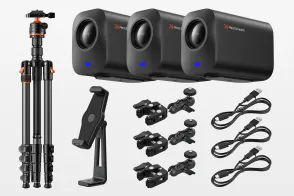
The NearStream VM33 3-Pack Kit was built for exactly the scenario you are living every weekend. It is not a repurposed webcam or an overcomplicated cinema camera. It is an all-in-one wireless streaming system designed for churches, schools, podcasts, and — most importantly — youth sports.
Here is what makes it the best camera to live stream youth sports for volunteer producers:
10x optical zoom with a 1/2.8-inch CMOS sensor. The VM33 delivers 40x hybrid zoom (10x optical, 4x digital) that maintains clarity from over 100 feet away. That pitcher on the mound looks sharp, not pixelated.
Eight hours of streaming battery life. The VM33 runs for a full tournament day on a single charge. No portable battery packs, no extension cords snaking across the dugout, no mid-game shutdowns.
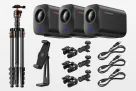
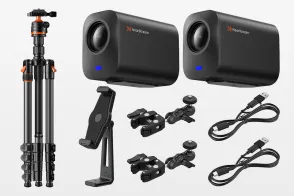
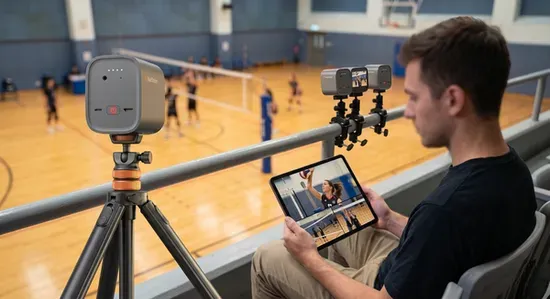
Wireless freedom via Wi-Fi, 4G, or 5G. Place the camera at the fence line, behind the backstop, or on the bleachers. You control everything from a tablet in your lawn chair. The included Super Clamps and Magic Arms mount to chain-link fences, tripods, or railings without tools.
Built-in audio that actually works. An 8-MEMS microphone array captures sound in 360 degrees within a 16-foot radius, while AI noise suppression eliminates wind and crowd chatter. Add an external mic through the 3.5mm jack if you want play-by-play commentary.
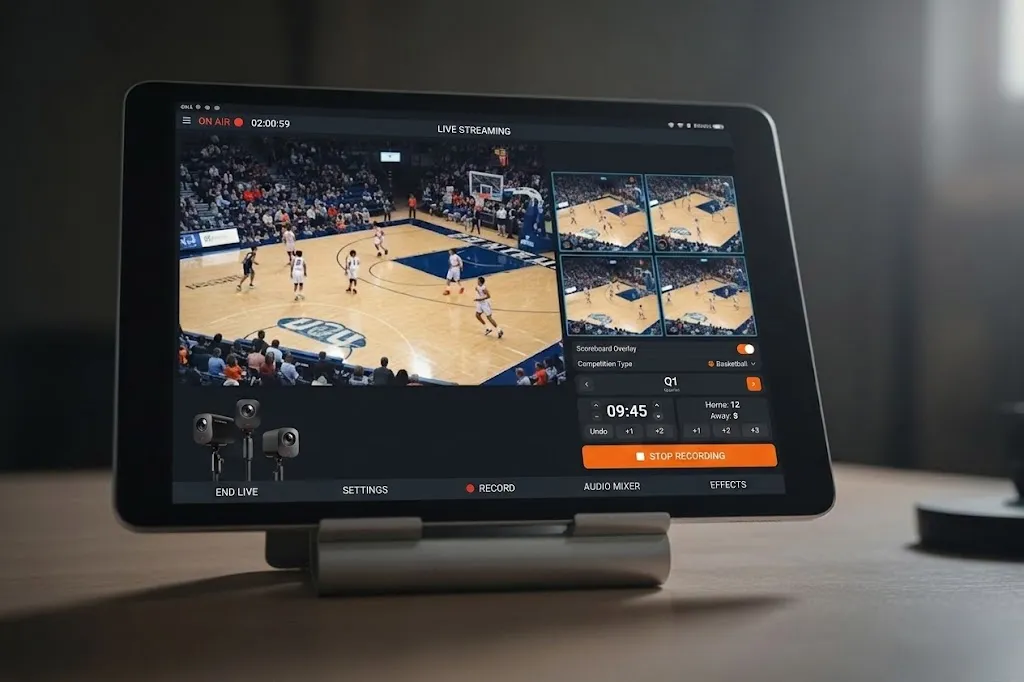
The NearStream App: your production truck in a tablet. This is where the VM33 becomes a true one-person solution. The free app supports Picture-in-Picture, graphic overlays, audio mixing, auto-director mode, and NDI integration. Link up to three VM33 cameras for multi-angle coverage — wide field, batter close-up, and dugout reactions — all controlled by a single person with zero production experience.
One-touch platform publishing. Stream directly to YouTube, Facebook, Twitch, or any RTMP-compatible platform. No encoder boxes, no capture cards, no software configuration nightmares.
The 5-Minute Setup Blueprint
The difference between a system you use every weekend and a system that stays in the box is setup friction. Here is the exact workflow to go from trunk to livestream in under five minutes:
Step 1: Position your cameras (90 seconds). Mount your primary VM33 behind home plate or at midfield using the included Super Clamp or tripod. If you are running a multi-camera setup, place your second camera on the opposite sideline for a reverse angle, and your third at a high vantage point for a wide establishing shot.
Step 2: Power on and connect (60 seconds). Press the power button on each camera. Open the NearStream App on your tablet or phone. The cameras connect automatically via Wi-Fi. No passwords, no IP addresses, no IT degree required.
Step 3: Configure your stream (90 seconds). Select your destination — YouTube, Facebook, Twitch, or a custom RTMP URL. Add your scoreboard overlay and team graphics. Test your audio levels. The app interface is designed for non-technical users; every control is a tap, not a menu dive.
Step 4: Go live (30 seconds). Tap the stream button. Confirm your feed is active on a second device if you want peace of mind. Sit down. Cheer. The camera handles the rest.
Step 5: Manage mid-game (optional). Switch camera angles, update the scoreboard when someone scores, or enable auto-director mode to let the system intelligently cut between shots while you actually watch the game.
Common Mistakes That Ruin Youth Sports Streams
Even with great equipment, a few predictable mistakes can torpedo your broadcast. Avoid these and your stream will instantly rank in the top 10 percent of youth sports productions:
Streaming on LTE without checking data limits. A ninety-minute HD stream consumes roughly 3-4 GB of data. Use venue Wi-Fi when possible, or confirm your mobile plan can handle tournament weekends without overage charges.
Ignoring the sun's direction. Position your camera with the sun behind it whenever possible. Shooting into direct sunlight silhouettes players and confuses autofocus systems.
Forgetting to update the scoreboard. Nothing frustrates remote viewers more than a scoreboard that reads 0-0 in the fourth quarter. Assign this task to a second parent or use the app's easy-tap overlay controls during natural breaks in play.
Skipping the audio check. Wind noise and distant muffled announcers kill viewer retention. Always run a thirty-second audio test before going live. The VM33's AI noise suppression handles most environmental issues automatically, but a quick listen confirms everything is clean.
Not having a backup power plan. While the VM33 runs eight hours on battery, tournament days can stretch to twelve. Keep a USB-C power bank in your bag for emergency top-offs between games.
Frequently Asked Questions
Why does my phone overheat when live streaming youth sports games?
Smartphones overheat during live streaming because they are not designed for sustained high-performance video processing. Running the camera, encoding video, pushing data over LTE or Wi-Fi, and keeping the screen bright simultaneously generates enormous heat. Direct sunlight on dark phone surfaces accelerates the problem. Once internal temperatures hit thermal limits, the phone dims the screen, throttles performance, or shuts down entirely. Dedicated streaming cameras are engineered with heat-dissipating bodies, passive cooling vents, and dedicated video processors that handle these workloads without breaking a sweat.
What is the easiest way to add a scoreboard to my youth sports live stream?
The easiest way to add a scoreboard is through a dedicated sports streaming app that offers built-in graphic overlays. Look for an app that provides native scoreboard templates you can update with a few taps mid-game. The NearStream App includes Picture-in-Picture, graphic overlays, and audio mixing features that let you add scoreboards, team logos, and timers without any graphic design skills. This eliminates the need for external software like OBS or complex HDMI capture setups.
How much zoom do I need to capture youth sports from the sidelines?
For most youth sports fields, you need at least 10x optical zoom to capture clear, usable footage from the sidelines or bleachers. Optical zoom uses physical lens elements to magnify the image without quality loss. Digital zoom, which most smartphones rely on, simply crops and enlarges the frame, producing pixelated results. A 10x optical zoom camera like the NearStream VM33 can deliver crisp images from over 100 feet away, making it ideal for baseball diamonds, soccer pitches, and football fields.
Can one person realistically stream a youth sports game and watch it at the same time?
Yes, but only with a wireless, app-controlled camera system. The traditional approach of manually panning a phone on a tripod requires your full attention. Modern all-in-one streaming cameras connect wirelessly to your tablet or phone, letting you position the camera at field level while you sit in the stands. The NearStream VM33 streams directly via Wi-Fi or 4G/5G and offers up to 8 hours of battery life, so you can monitor the stream, switch angles, and actually cheer for your kid without being chained to a tripod.
What is the best app to live stream youth sports with multiple camera angles?
The best app to live stream youth sports is one that combines multi-camera switching, scoreboard overlays, and one-touch platform publishing in a single interface. The NearStream App supports linking up to three VM33 cameras simultaneously, letting you cut between a wide field shot, a close-up on the batter, and a sideline reaction camera without a production crew. It also integrates directly with YouTube, Facebook, and Twitch via RTMP, and includes auto-director features for hands-free camera management.
Conclusion: Reclaim Your Sideline Seat
You became the team broadcaster by accident, not by choice. That does not mean you have to spend every game troubleshooting a phone that is too hot to touch while your kid's best plays happen thirty yards away from a camera you cannot move.
The best camera to live stream youth sports is the one that removes friction, not adds to it. It gives you optical zoom that actually reaches the action. It streams for eight hours without begging for a charger. It puts scoreboard graphics and multi-camera switching in an app that makes sense on the first tap.
The NearStream VM33 3-Pack Kit checks every box. For under a thousand dollars, you get three wireless cameras, professional-grade optics, and a streaming ecosystem that turns the chaotic volunteer-parent experience into a five-minute setup routine. More importantly, it gives you back the thing you came for in the first place: the ability to watch your kid play.




















































 sales@nearstream.us