For Every TikTok Shop Creator: Why You Need a Capture Card to Go Viral
The era of basic phone streaming for TikTok Shop is over.
Capture Card
TikTok Live Studio
OBS Studio
Updated: Feb 26, 2026 · 8 minutes read
Modular Video Kits for Growing Business.
The "Gold Rush" era of simply holding a phone and selling on TikTok is over. Today, users scroll past blurry, dark, or shaky streams in less than a second. If they can't see the texture of your fabric or the sparkle of your jewelry, they won't buy.
To survive and thrive as a TikTok Shop Creator, you need to upgrade. You need the depth of field of a professional camera and the connectivity of a capture card. In this guide, we will show you how to build a broadcast-quality vertical studio that converts viewers into buyers.
The Reality Check for Every TikTok Shop Creator
As a tiktok shop creator, your primary enemy is "The Scroll." You have roughly 0.5 seconds to grab a viewer's attention before they swipe up.
Why do mobile streams fail to convert?
Auto-Focus Hunting: When you bring a product close to the phone lens to show details, the phone struggles to focus, pulsing in and out. This looks amateur.
Bad Lighting/ISO Noise: Phones use tiny sensors. In a typical room, the phone boosts "ISO" to see, resulting in grainy, fuzzy video.
Overheating: Streaming for 4 hours on a phone often leads to dimming screens or app crashes.
The Professional Edge:
Top sellers use Mirrorless cameras (like Sony or Canon) connected to a PC. This allows for:
Locked Focus: The product is always sharp.
Bokeh: The background is blurred, keeping eyes on the product.
Color Accuracy: The red lipstick looks red, not pink.
Mobile vs. Professional Streaming Set Up: A Sales Comparison
Upgrading your streaming set up isn't just about vanity; it's about Revenue.
When a customer sees a crisp, high-definition image, their brain subconsciously signals "Trust." A blurry image signals "Risk." Let's compare the two setups directly to see why hardware matters for your bottom line.
You might be thinking, "I have a nice camera, can't I just use the USB cable?"
The answer is No.
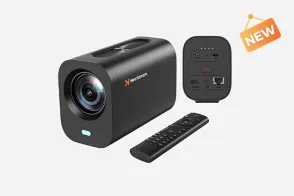
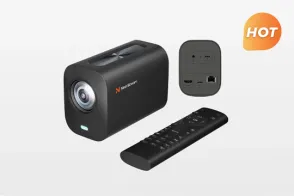
Most cameras output low-resolution, choppy video over USB. To get the 4K quality your lens is capturing into TikTok, you need an HDMI bridge. You need the best capture card for the job: NearStream.
Why NearStream is the "Secret Weapon" for Sellers:
1. Plug & Play (No Tech Skills Needed)
Most TikTok Shop creators are sales experts, not IT professionals. You don't have time to install drivers or debug software.
NearStream uses the UVC Standard. You simply plug the HDMI from your camera into the card, and the USB into your laptop. TikTok Live Studio recognizes it immediately as a "Camera." It just works.
2. 4K Input -> 1080p Sharpening
TikTok streams are limited to 1080p. However, NearStream accepts a 4K Input signal from your camera and utilizes hardware downscaling to output a Super-Sampled 1080p image.
Result: This 1080p is significantly sharper and more detailed than a native 1080p signal. It makes jewelry sparkle and text on packaging readable.
3. True Color Fidelity (YUY2)
If you are selling makeup or clothes, color is everything. A cheap MJPEG capture card compresses colors, making a "Crimson Red" dress look "Orange."
NearStream supports YUY2 Uncompressed format, ensuring 100% color accuracy. What you show is what the customer gets.
Step-by-Step: Connecting Your Camera to TikTok Live Studio
Ready to upgrade? Here is the exact workflow to turn your messy bedroom setup into a QVC-style sales floor.
The Gear List:
Camera: Any DSLR/Mirrorless with HDMI output (e.g., Sony ZV-E10).
Lens: A lens with a low f-stop (f/1.8) for blurry backgrounds.
Capture Card:NearStream (USB 3.0/3.1).
Software:TikTok Live Studio (Official PC App) or OBS Studio.
The Connection Steps:
Camera Settings: Go to your camera menu and turn OFF "HDMI Info Display" (Clean HDMI). Set output to 4K or 1080p.
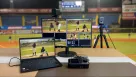
Physical Hookup: Connect Camera HDMI OUT -> NearStream HDMI IN -> PC USB Port.
Open TikTok Live Studio:
Click "Add Source" > "Camera".
Select "NearStream Capture" from the dropdown list.
Rotate (Crucial Step): Since you are streaming vertically (9:16), physically rotate your camera 90 degrees (Portrait Mode) on its tripod.
Note: If your camera doesn't support vertical rotation output, use the "Rotate 90 degrees" setting inside TikTok Live Studio source properties.
Mastering Vertical Video with OBS (Advanced)
For advanced creators who want to add "Limited Time Offer" banners, countdown timers, or multi-camera angles (e.g., a face cam and a close-up product cam), OBS Studio is the way to go.
Using the Aitum Vertical Plugin
Standard OBS is landscape (16:9). To stream to TikTok, you need the Aitum Vertical Plugin.
Install: Download the Vertical plugin for OBS.
Setup: It creates a second "Canvas" next to your main one that is perfectly sized for mobile (1080x1920).
NearStream Source: Add your NearStream card to the Vertical Canvas.
TikTok Link: Go to TikTok Live Studio, select "Camera," and choose "OBS Virtual Camera."
Now, you have the full power of OBS broadcasting directly to your shop!
Table 2: TikTok Live Studio vs. OBS Setup
Feature
TikTok Live Studio (Basic)
OBS + NearStream (Advanced)
Difficulty
Easy
Medium
CPU Usage
High
Optimized (Hardware Encoding)
Flexibility
Limited Layouts
Unlimited (Add Countdowns/Logos)
Multi-Cam
Basic
Seamless Switching (Face to Product)
Stability
Good
Rock Solid
Troubleshooting Common Issues for Sellers
Even with the best capture card, things can go wrong during a live sale. Here is how to fix them fast.
1. "My Product is Blurry when I hold it up!"
Cause: Your camera's autofocus is too slow or set to "Face Priority."
Fix: Change your camera's AF setting to "Product Showcase" (Sony) or enable "Continuous AF". Alternatively, hold the product next to your eye so the camera stays focused on the same plane.
2. "The Stream is Laggy/Choppy"
Cause: Your PC CPU is overloaded, or you plugged the capture card into a slow USB hub.
Fix: Plug NearStream directly into a USB 3.0 (Blue/Red) port on your motherboard. Close Chrome tabs running in the background.
3. "Colors look weird compared to real life"
Cause: White Balance mismatch.
Fix: Buy a "Grey Card" and set a Custom White Balance on your camera. Ensure your ring lights are set to "Daylight" (5600K). Do not mix yellow room lights with white ring lights.
Conclusion
In the competitive world of TikTok Shop, your video quality is your storefront. A messy, pixelated stream is like a shop with dirty windows—customers will walk right past.
By investing in a professional streaming set up powered by a camera and a NearStream capture card, you are sending a powerful signal: "I am a professional brand." You gain the ability to showcase intricate product details, maintain true-to-life colors, and keep viewers engaged longer.
Stop relying on your phone's tiny sensor. Upgrade to a capture card, and watch your engagement—and your GMV—go viral.
FAQ: Frequently Asked Questions
Q1: Do I need 4K for TikTok? It only displays 1080p.
A: You don't need to stream in 4K, but capturing in 4K is better. When you input a 4K signal into the NearStream card and downscale it to 1080p for TikTok, the image retains more detail and sharpness than a native 1080p signal. It’s called "Supersampling," and it makes your products look incredibly crisp.
Q2: Can I use two cameras? One for me, one for the product?
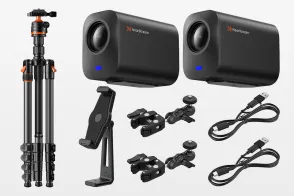
A: Yes! This is a pro strategy. You will need two NearStream capture cards plugged into your PC. In OBS or TikTok Live Studio, you can switch between "Scene A" (Wide shot of you talking) and "Scene B" (Macro shot of the product). NearStream cards have unique device IDs, so your computer can tell them apart easily.
Q3: Does this work with an iPhone as the camera?
A: Yes. If you have an iPhone 15/16 (USB-C), you can use a USB-C to HDMI cable connected to the NearStream card. If you have an older iPhone, use a Lightning to HDMI adapter. This gives you a clean HDMI feed into your computer, which is more stable than wireless AirPlay.
Q4: Will the battery on my camera die during a long stream?
A: Yes, most camera batteries last only 1 hour. For serious TikTok Shop creators, you must buy a "Dummy Battery" (AC Power Adapter) for your specific camera model. This plugs into the wall and gives you infinite power for 4+ hour live sessions.
Q5: Why is my vertical video stretched or squished?
A: This happens if you send a landscape (16:9) signal to a vertical (9:16) canvas without cropping. In TikTok Live Studio, make sure to use the "Fit to Screen" or "Center Crop" tool so your camera feed fills the vertical phone screen correctly without distortion.











































 sales@nearstream.us