

























































You've been there. You finish a great interview or podcast episode, import the files into your editing software, and then—the nightmare begins. Two separate audio tracks that started perfectly in sync are now drifting apart by seconds. You spend hours nudging clips, hunting for the right sync points, and hoping your audience won't notice the awkward moments where voices overlap or cut off.
This isn't a skill problem. It's an equipment problem.
If you're recording two people on separate devices, you're fighting a battle you can't win. Each device runs on its own internal clock, and those clocks never match perfectly. Even high-end recorders drift over time. The solution isn't better editing techniques—it's eliminating the problem at the source.
This guide will show you exactly how to record two people simultaneously with perfectly synchronized audio, zero post-production work, and professional studio quality. Whether you're conducting interviews, recording podcasts, or creating dual-host content, the right dual channel wireless mic system changes everything.
Why Recording Two People on Separate Devices Always Fails
Before we dive into the solution, let's understand why the common approaches don't work.
The Audio Drift Problem
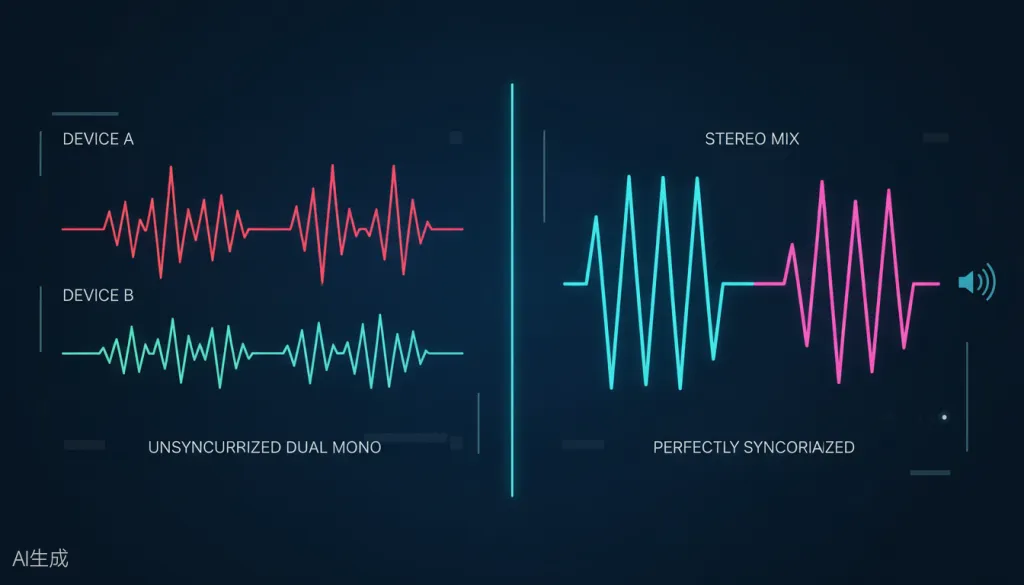
When you record Person A on Device A and Person B on Device B, each device samples audio at its own rate. Even if both claim to record at 48kHz, one might actually be sampling at 47,998Hz while the other hits 48,002Hz. That tiny difference compounds over time:
- After 10 minutes: barely noticeable
- After 30 minutes: slight echo effect
- After 60 minutes: completely unusable
Professional editors spend hours manually syncing drifted tracks, using clapperboards, or relying on PluralEyes software. But why add that workflow when you can eliminate the problem entirely?
The Adapter Nightmare
Some creators try using two separate wireless microphones plugged into a mixer or audio interface. This creates its own problems:
- Extra cables and adapters to manage
- Potential ground loop hum and interference
- Additional batteries to monitor
- More points of failure
There's a cleaner way.
The Solution: A True Dual Channel Wireless Mic System
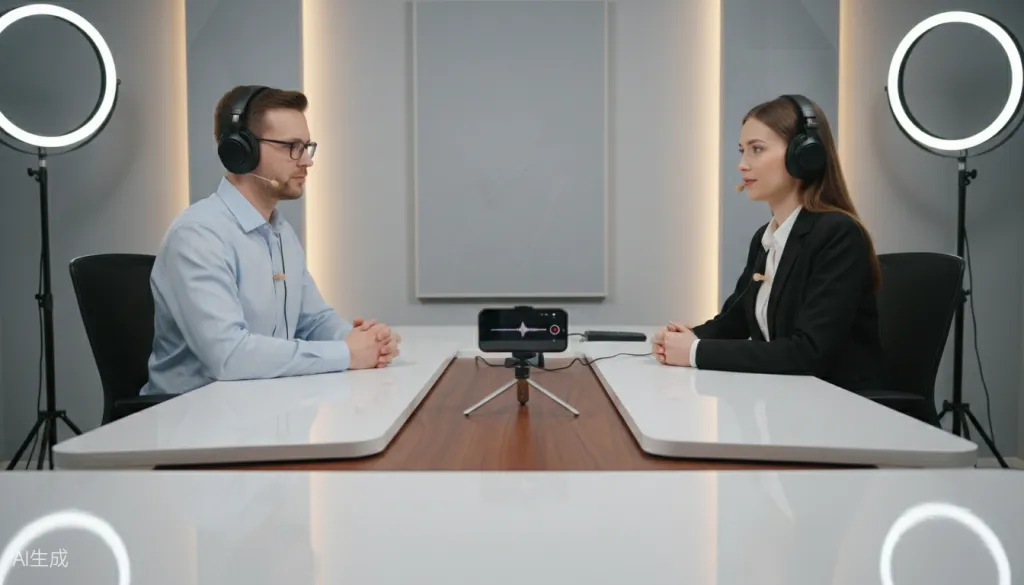
A dual channel wireless mic system is specifically designed to capture two audio sources simultaneously through a single receiver. Both transmitters send their signals to one central unit, which outputs a perfectly synchronized stereo file or separate tracks that are already time-aligned.
How It Works
- Transmitter A clips to Speaker A and sends audio wirelessly to the receiver
- Transmitter B clips to Speaker B and sends audio wirelessly to the same receiver
- The Receiver combines both signals into a single output with perfect synchronization
- Your Device (phone, camera, or computer) records one clean file with both voices
No drift. No sync work. No headaches.
What to Look for in a Dual Channel Wireless Microphone
Not all dual channel systems are created equal. Here's what separates professional-grade equipment from consumer toys:
Studio-Quality Audio Specifications
| Specification | Why It Matters | Professional Standard |
|---|---|---|
| Sample Rate | Determines audio fidelity | 48kHz minimum |
| Bit Depth | Affects dynamic range | 24-bit for professional work |
| Signal-to-Noise Ratio | Cleaner, clearer sound | 90dB SNR or higher |
| Max SPL | Handles loud voices without distortion | 120dB SPL |
Essential Features for Interviewers and Podcasters
Three Recording Modes
- Mono: Both voices on one track (simplest for basic content)
- Stereo: Each voice on its own channel (ideal for post-production control)
- Safety Track: Records a backup at lower gain (protects against clipping)
AI Noise Cancellation Background noise ruins recordings. Modern systems use DSP chips to intelligently filter out AC hum, traffic, wind, and other distractions while preserving voice clarity.
Real-Time Monitoring A headphone jack on the receiver lets you hear exactly what's being recorded, so you can catch problems before they ruin a take.
Extended Battery Life Look for systems offering 8+ hours of transmitter runtime with a charging case that extends total usage to 50+ hours. Nothing kills a recording session faster than dead batteries.
Wide Compatibility Your wireless microphone should work with iPhone, Android, cameras, and computers without requiring additional purchases. USB-C, Lightning, and 3.5mm outputs cover all bases.
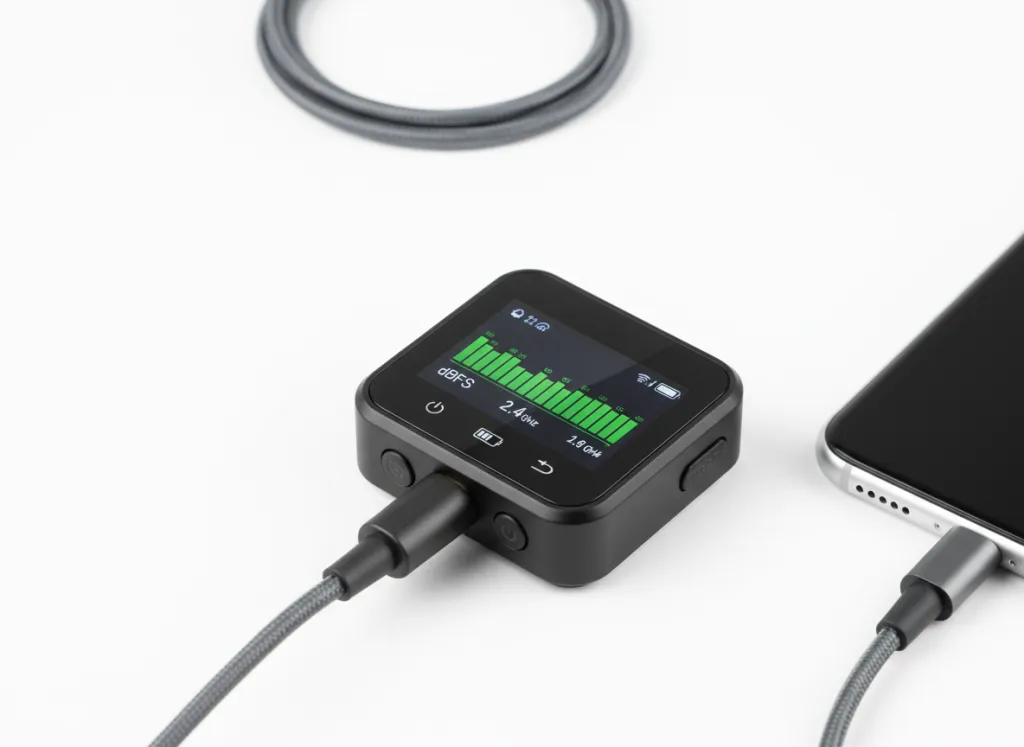
The NearStream AWM28T: A Complete Dual-Person Recording Solution
The NearStream AWM28T is a dual channel wireless mic system built specifically for creators who need professional two-person audio without technical complexity.
Professional Audio Quality
The AWM28T features a high-fidelity 6mm condenser microphone in each transmitter, delivering true 48kHz/24-bit uncompressed audio. With a 90dB signal-to-noise ratio and 120dB maximum SPL, it captures everything from quiet whispers to animated conversations without distortion.
Intelligent Noise Reduction
Powered by a HiFi 4 DSP chip, the AI noise cancellation filters over 700,000 noise types. It reduces steady background noise by up to -21dB and suppresses sudden disruptions by up to -40dB. A simple button press activates the feature, confirmed by a green LED indicator.
Touchscreen Control
The receiver's LCD touchscreen provides instant access to gain adjustments and mode switching. No digging through menus or memorizing button combinations—just tap and adjust.
Dual-Device Recording
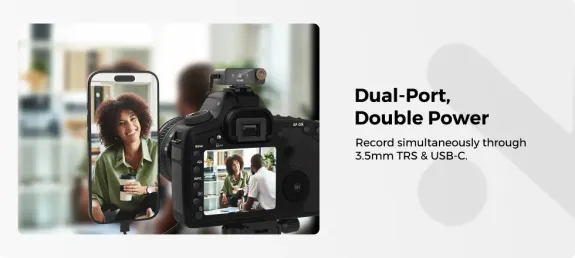
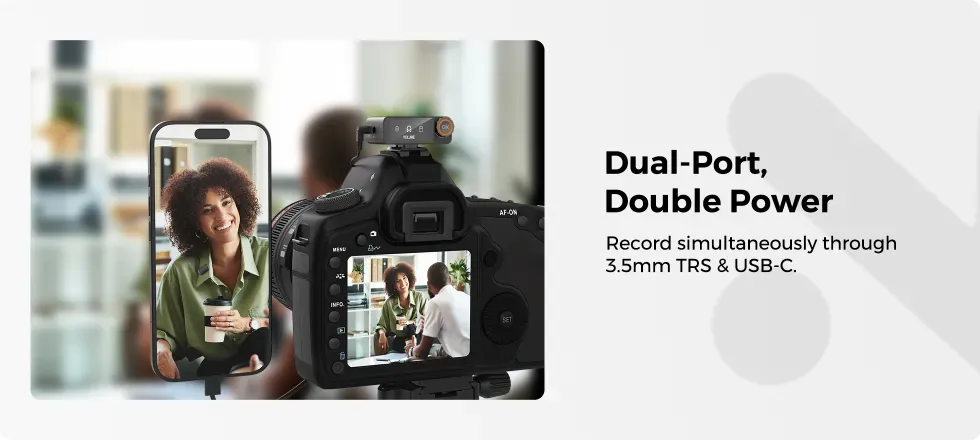
With both 3.5mm analog and USB-C digital outputs, you can record to a camera and phone simultaneously. This is perfect for creators who want a backup recording or need to stream while recording locally.
All-Day Battery Life
Each transmitter runs for 9 hours on a single charge. The included charging case provides two full recharges, extending total runtime to 54 hours. Fast charging gets you to 100% in just 2 hours.
Extended Range
The 100-meter (328-foot) transmission range with anti-interference technology ensures stable audio even when filming at a distance. Walk-and-talk interviews, outdoor shoots, and dynamic content creation are all possible without dropouts.
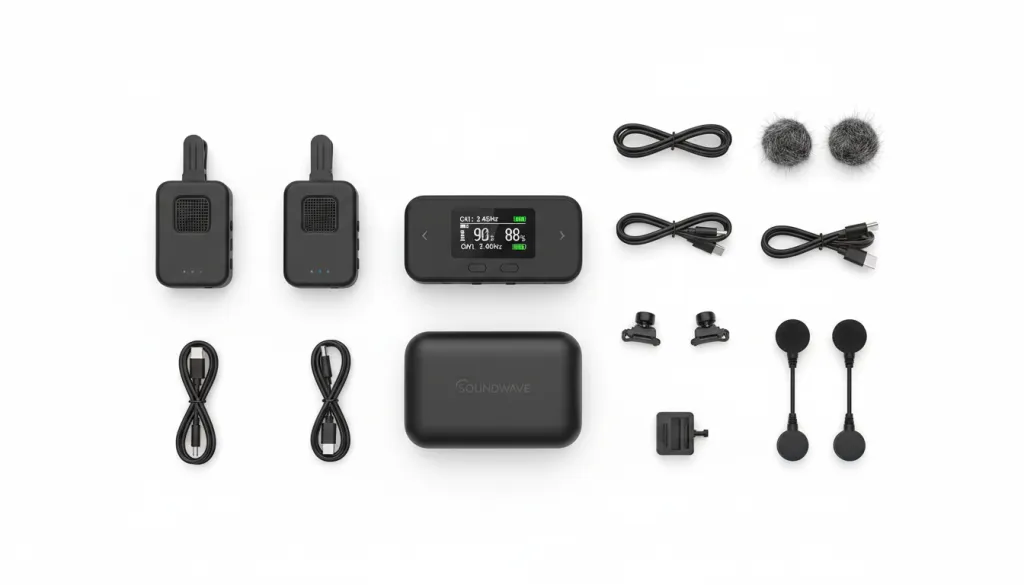
Step-by-Step: Recording Two People with the AWM28T
What You Need
- NearStream AWM28T dual channel wireless mic system
- Recording device (smartphone, camera, or computer)
- Headphones for monitoring (optional but recommended)
Setup Process
Step 1: Charge the System Place both transmitters and the receiver in the charging case. A full charge takes 2 hours and provides 54 hours of total recording time.
Step 2: Power On and Pair Remove the units from the case. They auto-pair in seconds—no manual pairing required.
Step 3: Attach the Transmitters Clip one transmitter to each speaker's clothing, approximately 6-8 inches from their mouth. Use the included magnetic attachments for secure placement without damaging fabric.
Step 4: Connect to Your Device Plug the receiver into your recording device using the appropriate cable or adapter (USB-C, Lightning, or 3.5mm).
Step 5: Select Your Recording Mode Use the touchscreen to choose between Mono, Stereo, or Safety Track mode based on your needs.
Step 6: Adjust Gain Levels Have each speaker talk at their normal volume. Adjust individual gain levels on the touchscreen so both voices peak around -12dB to -6dB on the meters.
Step 7: Monitor and Record Plug headphones into the receiver to monitor audio in real-time. Press record on your device and capture perfectly synchronized dual-person audio.

Common Mistakes to Avoid
Placing Microphones Too Far from the Mouth
Lavalier microphones work best when positioned 6-8 inches from the speaker's mouth. Too far, and you pick up room noise. Too close, and plosive sounds (p's and b's) cause distortion.
Ignoring Clothing Noise
Rustling fabric can ruin recordings. Use the included fur windshields and position the microphone where clothing movement is minimal. The magnetic attachments help secure the transmitter without creating friction noise.
Forgetting to Monitor
Always use headphones to monitor audio during recording. The AWM28T's zero-latency monitoring lets you catch issues like low batteries, interference, or accidental muting before they ruin a take.
Recording in Mono When You Need Separation
If you plan to edit voices separately in post-production, use Stereo mode. This puts each voice on its own channel, giving you full control over levels, EQ, and processing for each speaker.
Who Benefits from a Dual Channel Wireless Mic System?
Interviewers and Journalists
Capture clean, professional audio from both interviewer and subject without managing multiple devices. The compact size and quick setup make it ideal for field work.
Podcasters with Co-Hosts
Record podcast episodes with perfect sync every time. No more spending hours in post-production fixing drifted tracks or matching audio levels between separate recordings.
Content Creators and YouTubers
Create dynamic two-person content without technical limitations. The 100-meter range supports walk-and-talk formats, outdoor shoots, and creative filming styles.
Online Educators and Trainers
Record instructional content with a co-presenter or student. The plug-and-play simplicity means you can focus on teaching, not troubleshooting equipment.
Event Videographers
Capture vows at weddings, speeches at corporate events, or panel discussions with professional audio quality and reliable performance.
Comparing Your Options
| Approach | Sync Quality | Setup Complexity | Post-Production Work | Best For |
|---|---|---|---|---|
| Two separate recorders | Poor (drift issues) | Simple | Hours of sync work | Emergency backup only |
| Two wireless mics + mixer | Good | Complex (cables, adapters) | Moderate | Studio setups |
| Dual channel wireless system | Perfect | Simple (auto-pairing) | None | Professional content |
| Built-in camera/phone mics | Poor (distance/noise) | Simple | Extensive cleanup | Amateur content |
A dual channel wireless mic system is the only approach that delivers professional results with minimal complexity.
Frequently Asked Questions
Can I record two people with one wireless microphone?
No, a single wireless microphone can only capture one person's voice. To record two people simultaneously with clean, separate audio tracks, you need a dual channel wireless mic system with two transmitters and one receiver.
Why do my dual audio tracks drift out of sync?
Audio drift happens when you record two people on separate devices because each device runs on its own internal clock. Even a tiny timing difference compounds over time. A dual channel wireless mic system sends both audio signals to a single receiver, ensuring perfect synchronization without any post-production work.
What's the best wireless microphone for interviews?
The best wireless microphone for interviews is a dual channel lavalier system like the NearStream AWM28T. It features two clip-on transmitters, a receiver with touchscreen control, 48kHz/24-bit studio-quality audio, AI noise cancellation, and 54 hours of battery life with the charging case.
Do I need special software to sync two wireless microphones?
Not if you use a dual channel wireless mic system. These systems combine both audio sources into a single stereo file or separate tracks that are already synchronized. You can record directly into your phone, camera, or computer without any additional software or manual syncing.
How far can wireless lavalier microphones transmit?
Quality dual channel wireless mic systems like the NearStream AWM28T offer a transmission range of up to 100 meters (328 feet) with stable, dropout-free performance. This gives you the freedom to film interviews, podcasts, or outdoor content without worrying about audio cutting out.
Conclusion: Eliminate Audio Sync Headaches Forever
Recording two people simultaneously doesn't have to be a technical nightmare. The right wireless microphone system eliminates sync drift, reduces setup complexity, and delivers professional audio quality that elevates your content.
The NearStream AWM28T combines everything you need in one complete package: two lavalier microphone transmitters, an intelligent touchscreen receiver, studio-grade 48kHz/24-bit audio, AI noise cancellation, and 54 hours of battery life. It's the dual channel wireless mic system that lets you focus on creating great content instead of fighting with your equipment.
Stop spending hours in post-production fixing sync issues. Stop worrying about audio drift ruining your best takes. Get a system designed for two-person recording and experience the difference that professional-grade equipment makes.
Your audience hears the difference. Your workflow feels the difference. Make the switch today.



 sales@nearstream.us






