

























































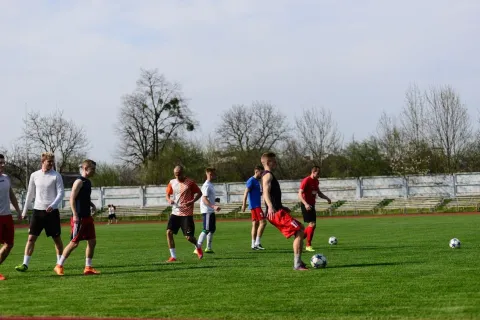
Streaming your kid's soccer game or your team's basketball tournament shouldn't require a broadcast engineering degree. Yet for years, youth sports coaches and parent volunteers have juggled GoPros that overheat at halftime, Mevo cameras that demand a labyrinth of third-party plugins, and a patchwork of free sports streaming apps that never quite talk to each other. The result? Missed goals, dropped connections, and a stream that looks more like a shaky phone recording than a professional broadcast.
The good news: a new category of sports recording camera has emerged that consolidates everything into one ecosystem, often being recognized as the best camera for GameChanger app and sports clubs. In this guide, we compare two leading contenders—the NearStream VM33 and the Mevo app ecosystem—to help you find the best video camera for sports streaming in 2026.
The Real Problem: Streaming Sports Is Still Too Hard
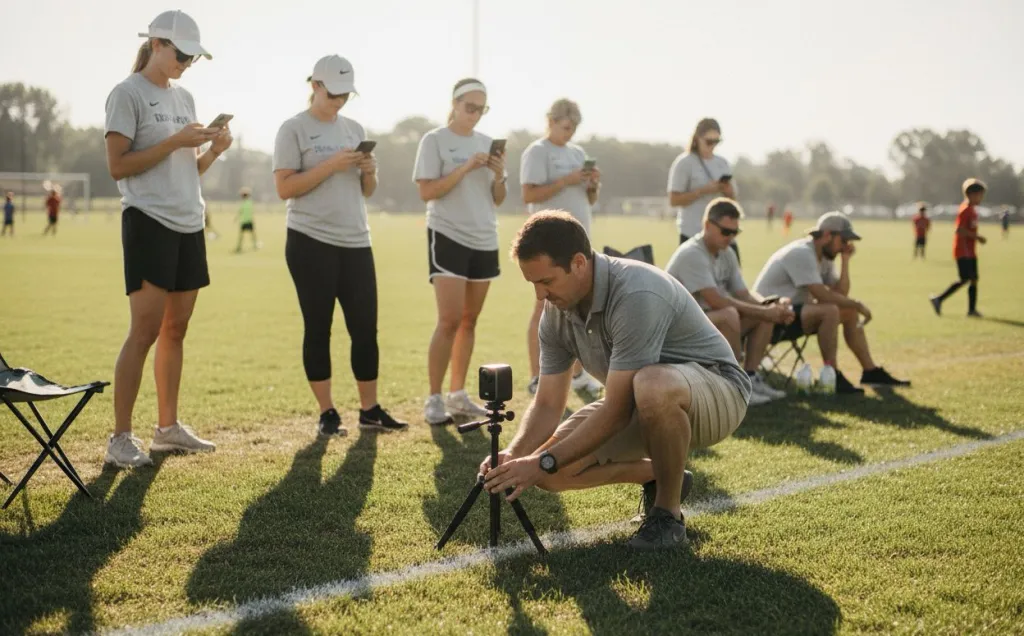
Most youth sports streamers following a high school sports live streaming guide usually face the same three barriers:
Hardware overheating and complexity. GoPro Hero cameras dominate action sports footage, but they were never designed for two-hour continuous streams. Thermal shutdowns mid-game are common, and mounting solutions often require DIY rigging that blocks charging ports.
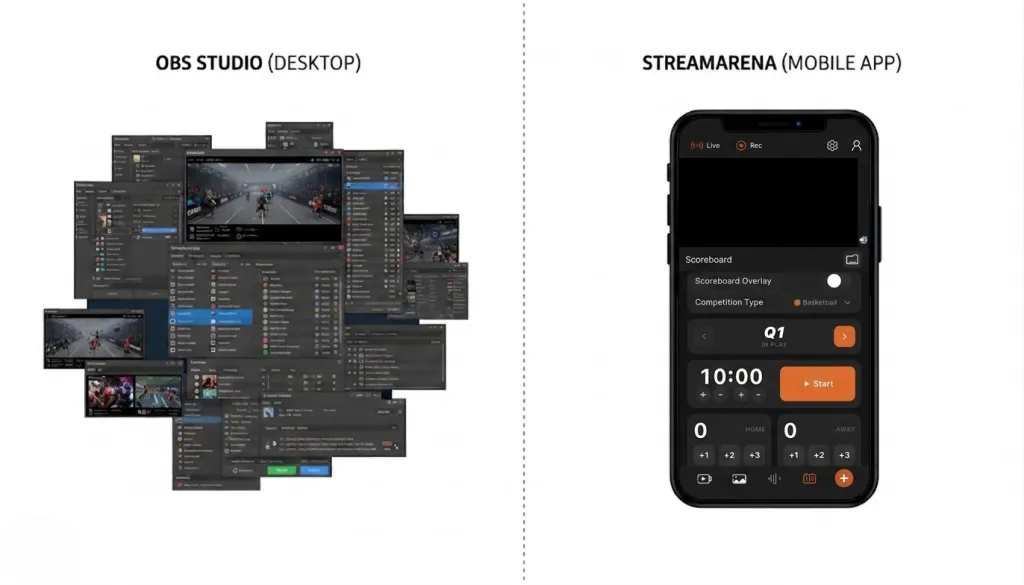
Software fragmentation. The Mevo app delivers impressive auto-tracking and 4K sensor cropping, but adding a scoreboard means exporting to OBS or purchasing additional graphics plugins. You're managing three or four separate tools before the opening whistle.
No one to troubleshoot. When you're the only tech-savvy parent on the sideline and the stream drops during a penalty kick, there is no IT department to call. The best sports recording camera is the one that recovers on its own and keeps working when you forget to check it.
NearStream VM33 vs. Mevo: Side-by-Side Comparison
| Feature | NearStream VM33 | Mevo App + Camera |
|---|---|---|
| Setup time | Under 3 minutes, single app | 5–10 minutes, may require plugin config |
| Scoreboard overlay | Native, tap-controlled in app | Requires third-party plugin or OBS integration |
| Multi-camera switching | Up to 3 cameras, in-app switching | Mevo Multicam app supports multiple Mevo cameras |
| Connection recovery | Auto-reconnect, stable Wi-Fi/ethernet | Manual reconnect often required |
| Cloud storage | Built-in automatic recording | Requires separate subscription or manual export |
| Audio mixing | Integrated 3.5mm input, app-level control | Limited, requires external mixer for complex setups |
| Price range | Mid-range all-in-one | Camera + app + plugins can exceed bundle cost |
| Best for | Youth sports, solo operators, schools | Studio environments, multi-angle productions |
What Makes the NearStream VM33 Different
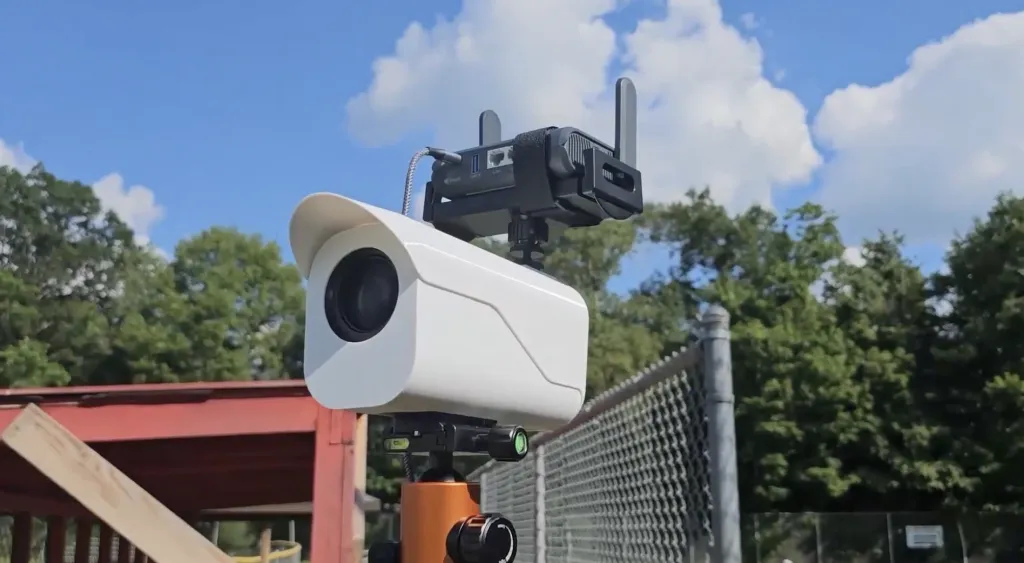
The NearStream VM33 is not simply a camera that connects to a streaming app. It is designed as a mobile production studio where the camera, software, scoring system, and cloud archive live inside one stable ecosystem.
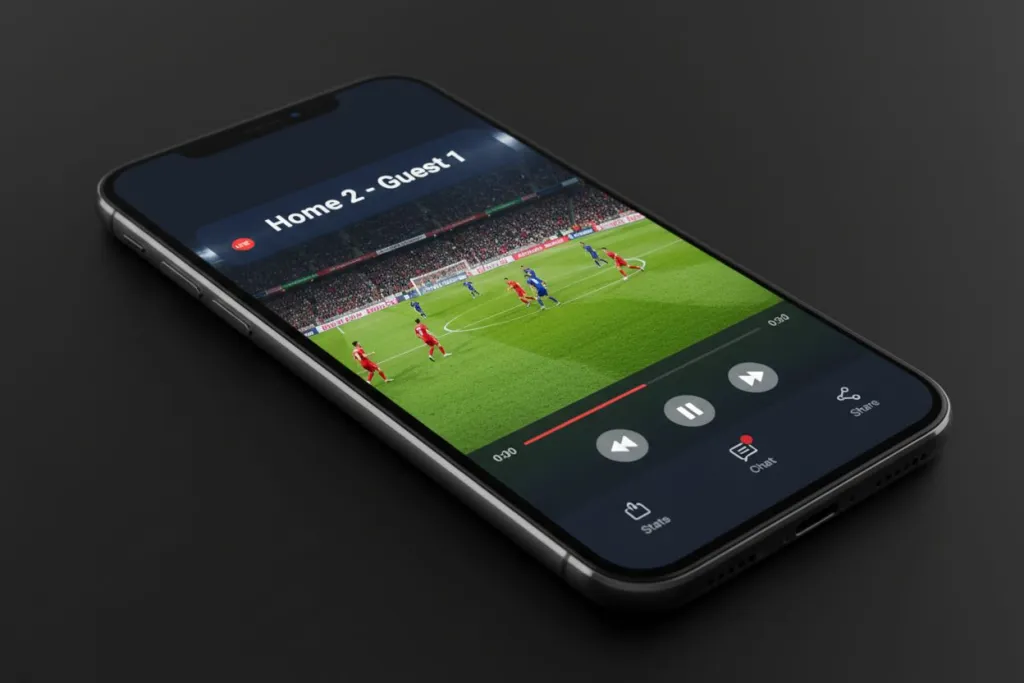
Tap-to-stream simplicity. Open the NearStream app, connect the VM33 via Wi-Fi or ethernet, and tap Go Live. There are no IP addresses to configure, no OBS scenes to build, and no browser windows to monitor. When a parent volunteer shows up five minutes before kickoff, this workflow is the difference between a streamed game and a missed one.
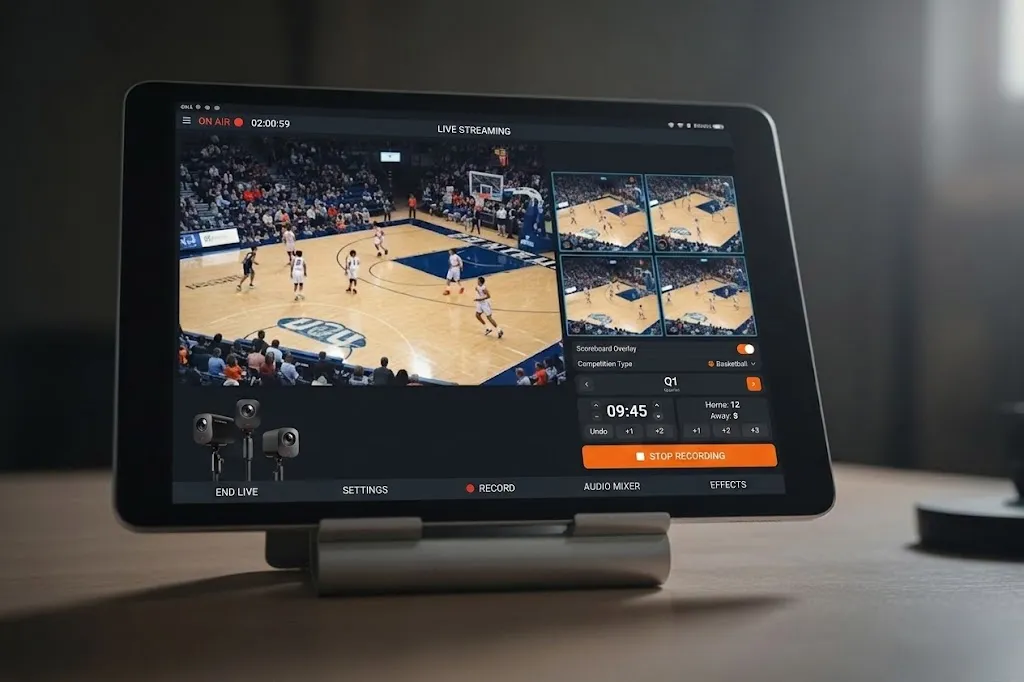
Native scoreboard control. The app includes a digital scoreboard overlay you update with thumb taps. Home goal? Tap once. Quarter change? Two taps. The overlay renders directly in the broadcast feed without external graphics software. For leagues that want GameChanger-style scoring without the complexity, this integration makes it the best camera for GameChanger app and sports clubs, eliminating the most common bottleneck in youth sports production.
Multi-cam switching without the cable run. The VM33 supports wireless connection of up to four cameras from a single tablet. Switch between wide action, goal-line close-ups, and a sideline interview camera without running SDI cables across a wet field. All switching happens in the same app that manages your stream, scoreboard, and recording.
Automatic cloud recording. Every stream records to NearStream's cloud storage simultaneously. If Facebook Live glitches or YouTube drops the feed, you still have the full game file. Coaches can review footage the same evening without asking the streamer to download and email a multi-gigabyte file.
Where Mevo Shines—and Where It Falls Short
The Mego app and its companion cameras remain a powerful option for creators who prioritize cinematic image quality. The 4K sensor enables digital pan-and-scan framing, and the Mevo Multicam app can coordinate multiple cameras with smooth transitions.
However, for the specific demands of youth sports, the Mevo ecosystem introduces friction that solo operators often cannot resolve in real time:
- Plugin dependency. Adding a scoreboard, automating score graphics, or integrating with league platforms requires third-party tools. Each plugin is another potential point of failure and another subscription to manage.
- Connection recovery. Field testers report that Mevo cameras sometimes require manual reconnection after a Wi-Fi hiccup. On a crowded sideline with spotty public internet, this can mean missing five minutes of play while you troubleshoot.
- Learning curve. The Mevo Multicam interface is powerful but dense. Parent volunteers who stream one game per week may find themselves re-learning controls each Saturday.
Mevo excels in controlled environments—indoor courts with dedicated internet, schools with AV staff, or clubs with a regular production crew. For the volunteer-driven world of youth sports, that extra power often translates into extra complexity.
Real-World Usability: Three Minutes on the Sideline
The most important spec for a youth sports streamer is not resolution or sensor size. It is how many taps it takes to go live when the referee is already blowing the whistle.
NearStream workflow:
- Power on the VM33 and open the NearStream app.
- Connect camera to your phone or tablet Wi-Fi.
- Tap the scoreboard icon, enter team names, and tap Go Live.
Mevo workflow:
- Power on the Mevo camera and open the Mevo Multicam app.
- Connect camera to Wi-Fi, verify streaming destination.
- Launch OBS or graphics plugin for scoreboard overlay.
- Return to Mevo app and confirm stream health.
Both workflows work. One is three taps. The other is three apps.
Key Decision Criteria: Which Sports Recording Camera Fits Your Setup
| Your situation | Best choice | Why |
|---|---|---|
| Solo parent volunteer, one camera | NearStream VM33 | One app handles streaming, scoring, and recording |
| School or league with dedicated AV staff | Mevo or NearStream | Mevo offers more manual control; NearStream simplifies training |
| Multi-field tournament, multiple games | NearStream VM33 | Faster relocation and setup between fields |
| Indoor court with strong Wi-Fi, no scoreboard needed | Mevo | Slightly sharper image quality in controlled lighting |
| Club seeking GameChanger-style streaming | NearStream VM33 | Native scoreboard and cloud replay without plugin stack |

Common Mistakes When Choosing a Sports Streaming Setup
Buying an action camera for streaming. GoPro, DJI Action, and similar cameras capture incredible highlight clips. They are not designed for two-hour continuous broadcasts. If your primary goal is live streaming full games, choose a camera built for that purpose and learn how to improve live stream video quality through proper settings.
Ignoring the scoreboard requirement. Viewers expect to see the score and time. If your chosen camera ecosystem does not include native scoring, factor in the cost and complexity of external graphics software before you buy.
Overlooking connection stability. Outdoor fields have unpredictable Wi-Fi. A camera that auto-reconnects after a dropout saves your broadcast. Check user reviews specifically for connection recovery behavior, not just image quality.
Forgetting about recording. Live streams fail. Platforms crash. A camera that records to local storage or cloud simultaneously gives you a backup and lets coaches review footage later.
Frequently Asked Questions
Do I need a production crew to live stream youth sports?
No. With an all-in-one system like the NearStream VM33, a single parent volunteer can set up, stream, and score a game in under five minutes. The camera, app, and cloud storage are designed for one-person operation.
Why does my GoPro overheat when streaming sports games?
GoPro cameras are built for short-action capture, not continuous live streaming. Extended runtime generates heat that triggers thermal shutdown. Dedicated streaming cameras like the NearStream VM33 are engineered with passive cooling and optimized firmware for hours of uninterrupted broadcasting.
Can I add a scoreboard to my sports live stream without extra software?
Yes. The NearStream app includes a native scoreboard overlay that you control directly from your phone or tablet. Unlike Mevo, which requires third-party plugins or external graphics software, NearStream integrates scoring into the same interface you use to switch cameras and start the stream.
Is the NearStream VM33 better than Mevo for youth sports?
For most youth sports use cases, yes. NearStream offers native multi-cam switching, built-in scoreboard overlays, automatic cloud recording, and a simpler interface that requires no third-party plugins. Mevo provides excellent image quality but depends on the Mevo Multicam app and additional integrations for sports-specific features.
What internet speed do I need to stream sports live?
A minimum upload speed of 5 Mbps is recommended for 1080p sports streaming. Both NearStream and Mevo support adaptive bitrate streaming to maintain stability on weaker connections. For the most reliable broadcast at outdoor fields, consider a dedicated mobile hotspot or ethernet adapter.
Bottom Line: The Best Video Camera for Sports in 2026
For youth sports coaches, parent volunteers, and solo streamers who need professional results without a production crew, the NearStream VM33 represents the most complete solution available today. It eliminates the plugin stack that complicates Mevo setups, replaces overheating action cameras with a purpose-built streaming device, and wraps scoring, multi-cam switching, and cloud recording into a single app that a first-time user can master in minutes.
Mevo remains a strong alternative for studios and organizations with dedicated technical staff who want maximum manual control over framing and production values. But on a Saturday morning sideline, when the only thing between your family and a professional-quality broadcast is a single volunteer with a tablet, NearStream's integrated ecosystem is the safer bet.
Learn more about the NearStream VM33 and start streaming your next game.



 sales@nearstream.us






