



























































By The NearStream Audio Lab Estimated Reading Time: 12 Minutes
You have the NearStream AM25X microphone. You have connected it via USB-C and loved the simplicity.
But now, you are eyeing the AMIX40U Audio Mixer. You want to connect via XLR to get that "Pro Studio" feel.
The question is: Does it actually sound different?
And more importantly, once you plug everything into a mixer, how does the workflow change?
In this guide, we dive deep into the sonic differences between the Digital Path (USB) and the Analog Path (XLR + AMIX40U), and explain the crucial logic of how a mixer handles your audio signals.
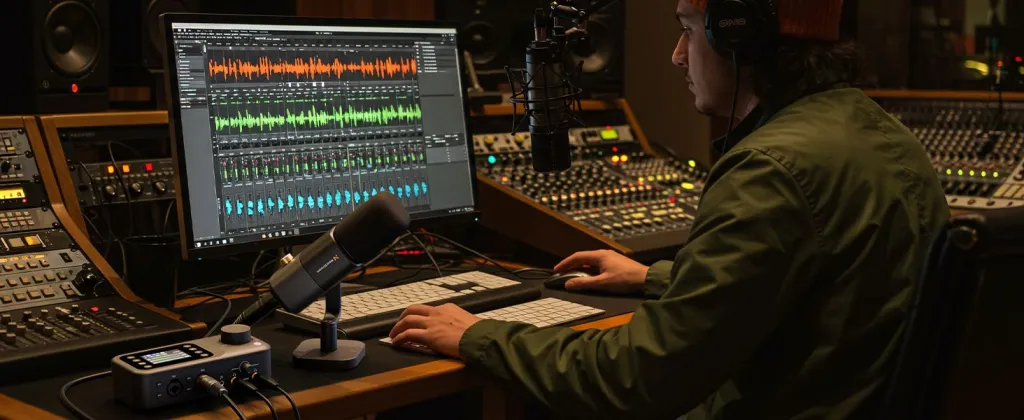
Part 1: The Sonic Difference (Digital vs. Analog)
The AM25X is unique because it offers two distinct sound signatures depending on which cable you use.
🔹 The USB-C Sound: "Computed Precision"
When you connect directly via USB, you are hearing the AM25X's internal computer (DSP).
- Character: Crisp, clean, and modern.
- Processing: The AI chip is actively removing background noise and keyboard clicks.
- Vibe: "Broadcast Ready." It sounds processed and polished right out of the box.
- Best For: Zoom meetings, quick voiceovers, and solo gaming where you don't want to tweak settings.
🔸 The XLR + AMIX40U Sound: "Analog Warmth"
When you connect via XLR to the AMIX40U, you bypass the digital chip. You are hearing the raw capsule amplified by the mixer's pre-amps.
- Character: Warm, rich, and dynamic.
- Processing: Zero digital filtering. You hear the natural "air" of the room and the full depth of your chest voice.
- Vibe: "Studio Authentic." It sounds like a classic radio station.
- Control: You use the EQ knobs on the mixer to sculpt the bass and treble manually, rather than relying on an AI algorithm.
📊 Sound Signature Comparison
| Feature | USB-C Direct Connection | XLR via AMIX40U Mixer |
|---|---|---|
| Tone | Modern, Bright, "Processed" | Warm, Natural, "Raw" |
| Noise Floor | Very Low (AI Denoise Active) | Natural (Depends on Room) |
| Dynamic Range | Compressed (Consistent Volume) | Wide (Captures whispers & shouts) |
| Customization | Low (Automatic) | High (Manual EQ on Mixer) |
Part 2: The "One Signal" Logic (Why 2 Mics = 1 Output)
This is the most confusing part for new mixer users.
The Scenario:
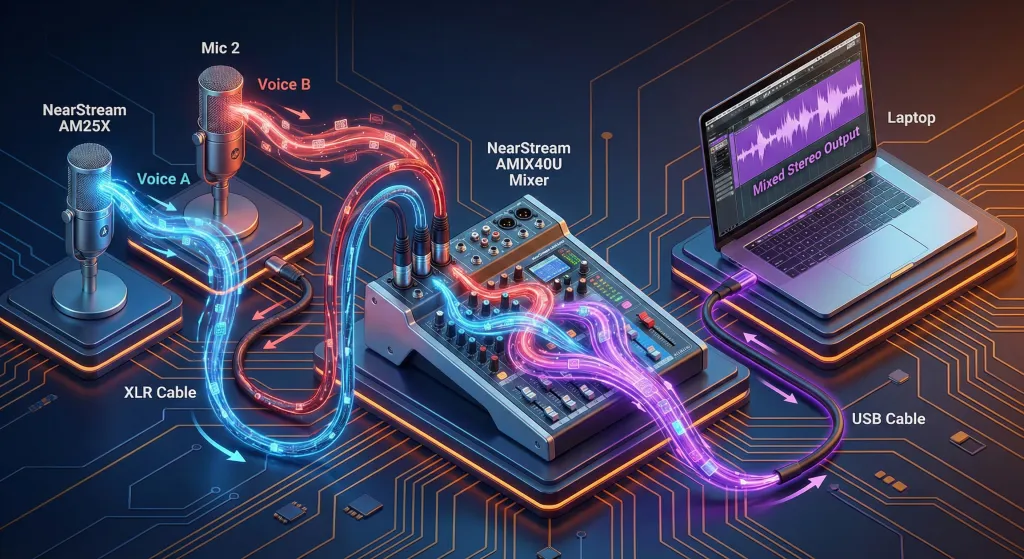
You connect Two AM25X Microphones into the AMIX40U (Input 1 and Input 2).
You open your recording software (like Audacity or OBS).
You expect to see two separate tracks.
Instead, you see one combined stereo track.
Why does this happen?
The AMIX40U is a Live Mixer, not a Multi-Track Recorder. Its job is to take all your inputs (Mic 1, Mic 2, Music, Game Audio), "Mix" them together like ingredients in a cake, and send a single, finished stereo file to your computer.
Why is this actually good?
- Streaming Simplicity: OBS only needs to manage one audio source ("AMIX40U"). You don't need to be a virtual DJ managing 5 different faders in software.
- CPU Load: Your computer works less because the mixing happens inside the hardware box.
⚠️ The Trade-off
Because the output is mixed:
- You cannot edit Mic 1's volume after you record without affecting Mic 2.
- Solution: You must do a "Sound Check" before you start. Balance the volumes of Host and Guest on the mixer knobs before hitting record.
Part 3: Power & Gain (The XLR Rules)
Moving to XLR means you have to manage the power yourself. The AM25X won't just "wake up" like it does with USB.
1. The 48V Phantom Power Rule
- The Physics: The AM25X is a Condenser Microphone. It needs electricity to create a magnetic field in the capsule.
- The Action: When plugged into the AMIX40U via XLR, you MUST press the 48V Button on the mixer channel.
- Without it: Silence. The mic is dead.
2. Gain Staging (The "Goldilocks" Zone)
- USB Mode: The computer handles the volume automatically (AGC).
- XLR Mode: You control the Gain Knob on the AMIX40U.
- Too Low: Your voice sounds tiny and has static hiss.
- Too High: Your voice distorts (clips) and sounds crunchy.
- Just Right: Turn the Gain knob until the LED lights on the mixer bounce in the Green zone when you speak normally. Only hit Yellow when you laugh loud. Never hit Red.
Part 4: The Monitoring Shift (Where do I plug my headphones?)
This is a critical workflow change that catches everyone off guard.
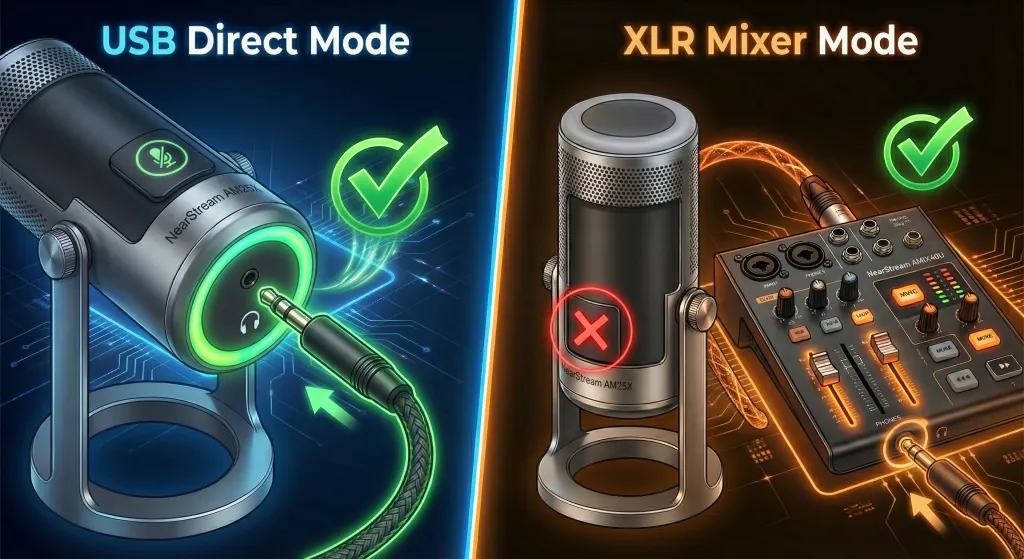
🎧 Scenario A: USB Direct Connection
- Where: Plug headphones into the 3.5mm jack on the AM25X Microphone body.
- Why: The mic acts as the sound card. You hear yourself with zero latency.
🎧 Scenario B: XLR Connection to AMIX40U
- Where: Plug headphones into the 6.35mm PHONES jack on the AMIX40U Mixer.
- CRITICAL: Do NOT plug headphones into the microphone body. In XLR mode, the mic's headphone jack is disabled.
- Why: You need to hear the entire mix (Microphone 1 + Microphone 2 + PC Audio). Only the mixer can let you hear everything together.
Note: Most consumer headphones use a small 3.5mm plug. You will likely need a 3.5mm to 6.35mm adapter (often included with the mixer) to plug into the AMIX40U.
Part 5: Cables & Stability (Don't Ignore the Wire)
In the analog world, the cable is part of the instrument.
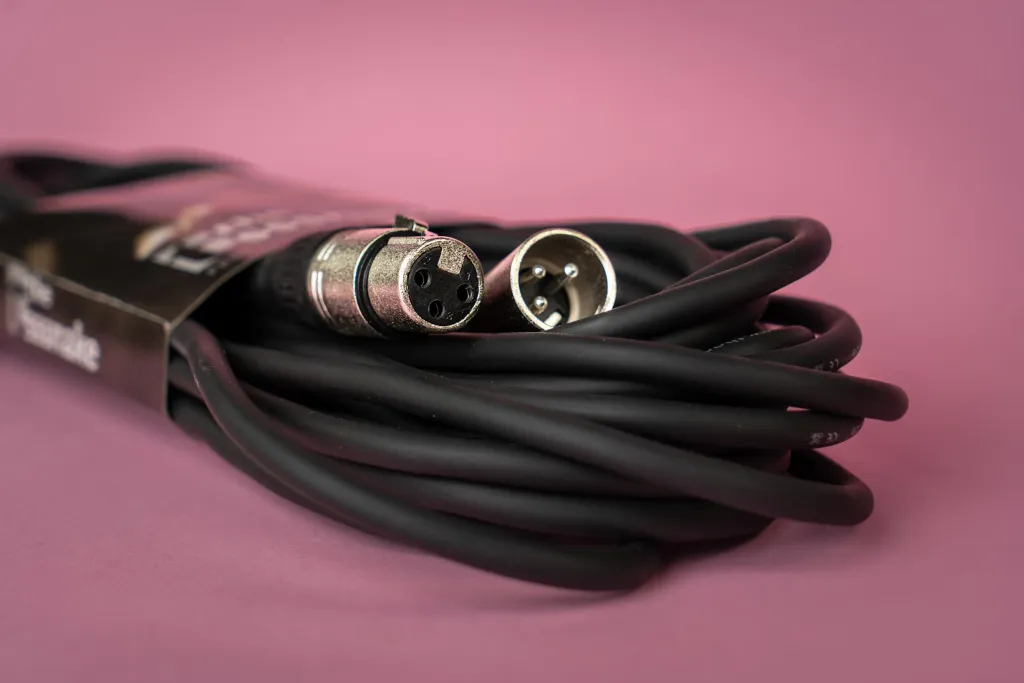
XLR Cables: Shielding Matters
- The Risk: XLR cables carry analog electricity. If they run next to power cords or Wi-Fi routers, they can act like antennas and pick up buzzing interference.
- The Fix: Use High-Quality Shielded XLR Cables (Balanced).
- Distance: XLR cables are great for long distances (up to 100 feet) without losing quality, unlike USB.
USB-C Cables: Stability Matters
- The Risk: A cheap USB cable can cause "digital dropouts" where the mic disconnects for a millisecond, ruining a stream.
- The Fix: Use the factory cable provided with the AMIX40U or AM25X. Keep USB runs short (under 2 meters) to ensure stable power delivery.

6. Summary: Which Connection Should You Choose?
✅ Choose USB-C Direct If:
- You want Speed. (Plug and record).
- You want Clean Audio without manual tweaking.
- You need AI Noise Cancellation for a noisy room.
- You are a solo creator.
✅ Choose XLR + AMIX40U If:
- You want Warmth. (That rich podcast tone).
- You need to record Two People at once.
- You want Physical Control (Faders, Knobs, EQ).
- You are building a professional studio.
7. Frequently Asked Questions (FAQ)
Q: Can I use one mic via USB and another via XLR into the mixer at the same time?
A: Technically, yes, but your computer will see them as two different audio devices. This makes recording very complicated (you need to create an "Aggregate Device" on Mac or use Voicemeeter on PC). We strongly recommend connecting both mics to the AMIX40U via XLR for a unified, stable system.
Q: My headphones are plugged into the mixer, but I can't hear myself?
A: Check the "Monitor" or "Headphone" knob on the AMIX40U. It is separate from the "Main Out" fader. Turn it up until you can hear your own voice comfortably.
Q: Why does the mixer audio sound quieter than the USB audio?
A: USB audio is digitally boosted (normalized). Analog XLR audio has more "headroom" to prevent distortion. This is good! Simply turn up the gain on the mixer, or add a little gain in your recording software (OBS) to match the volume.
Q: Can I separate the two microphone tracks later if I use the AMIX40U?
A: By default, no. The AMIX40U sends a mixed stereo file. However, if you pan Mic 1 hard Left and Mic 2 hard Right on the mixer, you can technically record them as a stereo track and split them in post-production.
Conclusion: Mastering Your Signal Flow
Upgrading from a simple USB connection to an AMIX40U Mixer setup is like moving from an automatic car to a manual transmission.
- With USB, the car drives itself. It's safe, clean, and easy.
- With XLR + Mixer, you are driving. You control the warmth, the volume, and the balance.
The AM25X performs beautifully in both worlds. The key is understanding that once you plug in that XLR cable, you aren't just changing a plug—you are changing the entire engine that drives your sound.





 sales@nearstream.us






