













































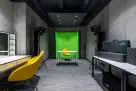












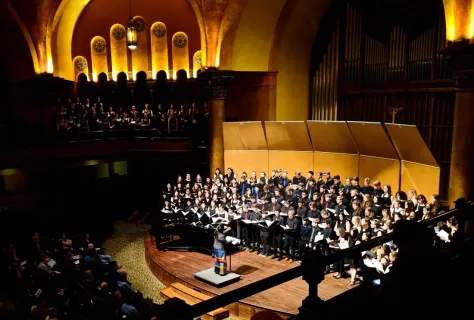
Live school streaming has become an essential bridge between classrooms, auditoriums, and gymnasiums and the families who cannot be there in person. When parents cannot attend a winter concert, grandparents want to watch a graduation from several states away, or the community expects to follow the home team through the playoffs, schools need reliable ways to broadcast their events. This technology has shifted from an occasional novelty to an expected communication channel that keeps communities genuinely connected to what happens inside school walls.
Yet many administrators and volunteer tech coordinators discover too late that a smartphone on a tripod and a prayer are rarely enough to deliver a satisfying viewing experience. The real challenge of running a successful live school broadcast goes far beyond just capturing video. Schools must manage audio from venue sound systems, frame performers clearly from a distance, maintain stable internet connections, and do all of this with people who may not have professional AV training.
How We Evaluated the Best Camera for Streaming School Events
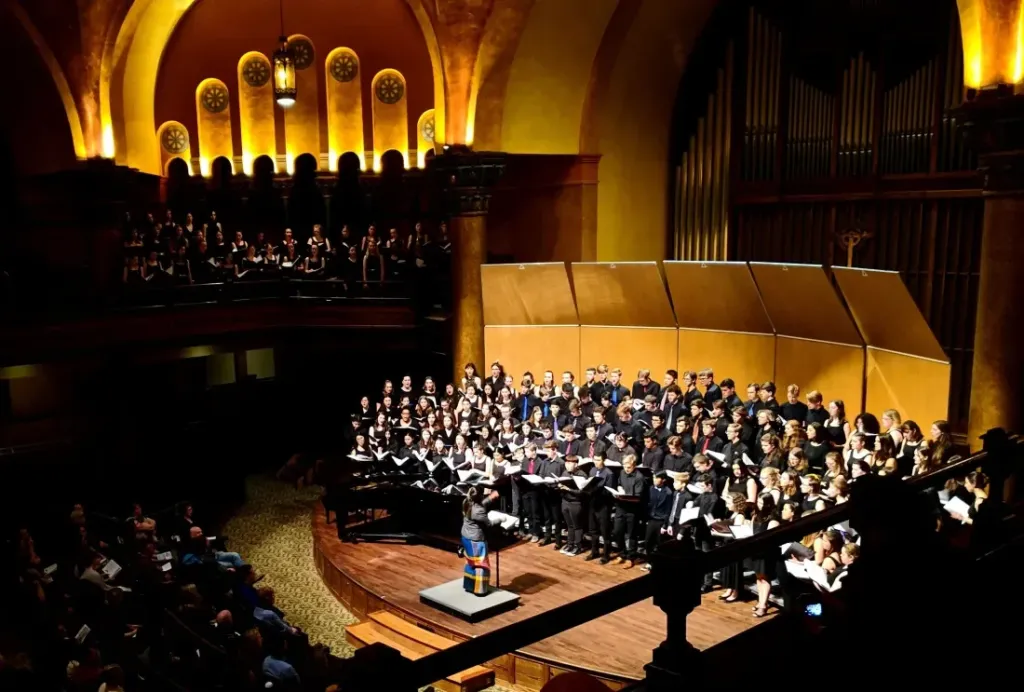
Our selections prioritize the practical realities of educational streaming. Most schools do not employ dedicated AV staff. Often a parent volunteer, a helpful teacher, or an IT coordinator steps in to handle the broadcast. In that context, complexity is a genuine liability, and reliability matters more than having every professional feature available. We focused on four criteria that determine whether a live school streaming setup succeeds or fails:
Setup simplicity. The best camera for streaming school events is one that a parent volunteer or teacher can configure in under 30 minutes without calling tech support. We favored models with intuitive mobile app control, reliable automatic settings, and minimal cabling that can be tucked safely out of foot traffic.
Optical zoom range. School auditoriums and gymnasiums are expansive spaces. A camera positioned at the back of the room or up in a balcony needs serious reach to produce engaging close-ups of performers and speakers. Digital zoom degrades image quality significantly; optical zoom preserves detail and clarity across distance.
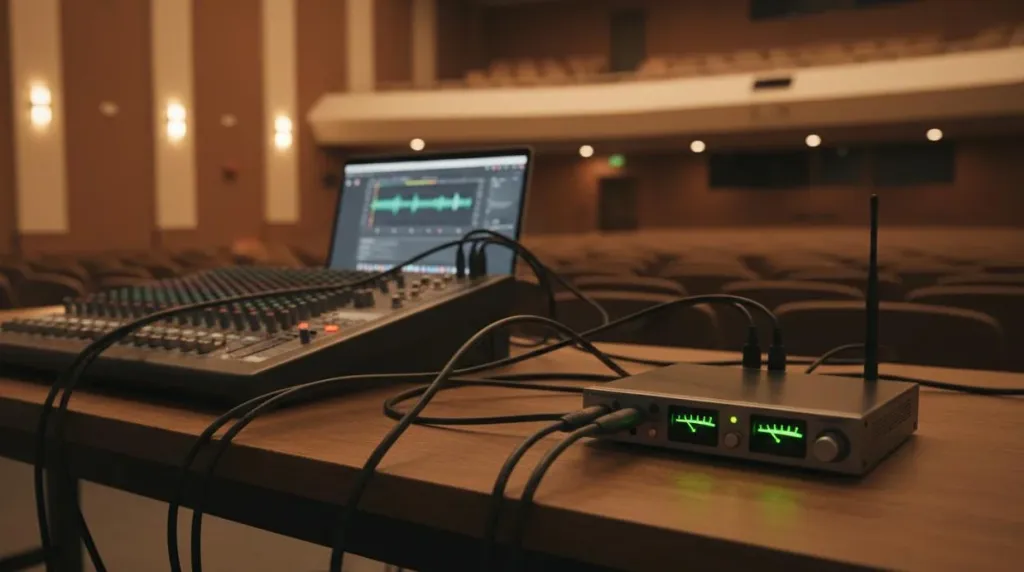
Audio integration. Clear audio matters more than pristine video for viewer retention. Audiences will tolerate slightly soft focus or minor motion blur, but they click away quickly from distorted, echo-filled sound that makes it impossible to understand what is being said. We looked for cameras that accept external audio inputs, connect cleanly to auditorium sound systems, or include quality built-in microphones for simpler setups. If you are unsure which audio gear pairs best with your cameras, our microphone buying guide breaks down the best options for speech and music.
Connection flexibility. Schools need options that adapt to different venues and event types. Ethernet provides the most reliable connection for permanent auditorium installations. Wi-Fi enables flexible camera positioning without running cables across walkways. HDMI output allows simultaneous local display on projectors or confidence monitors. Cameras offering multiple connectivity methods adapt to whatever infrastructure your building already provides.
Quick Picks for Different Live School Scenarios
Before diving into the detailed rankings, here is where each option shines for specific live school streaming needs:
- Best overall for schools: NearStream VM33 — all-in-one simplicity with 4K quality, auto-framing, and direct streaming without extra hardware
- Best budget multi-camera: Logitech Mevo Start 3-Pack — three wireless cameras controlled from a single app for under the cost of one professional PTZ
- Best remote-control PTZ: PTZOptics Move 4K — smooth robotic pan-tilt-zoom from a tablet, with broadcast-grade image quality
- Best for sports: Sony PXW-Z90 — unmatched autofocus speed and 12x optical zoom for fast-moving athletic action
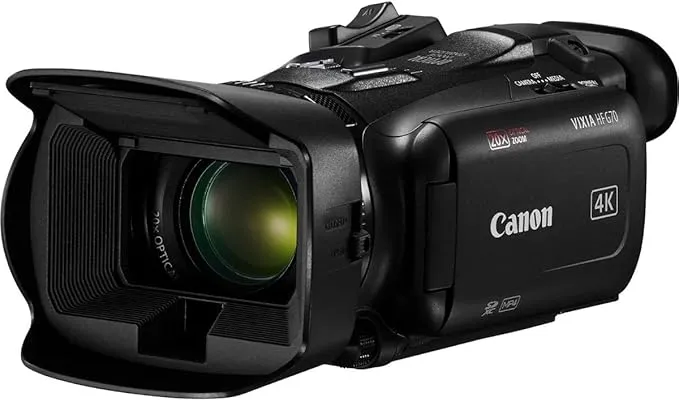
- Best for drama live and fine arts: Canon Vixia HF G70 — cinematic color science and professional XLR audio inputs for stage productions
The Best Cameras for Live School Streaming
NearStream VM33 — Best Overall for Schools
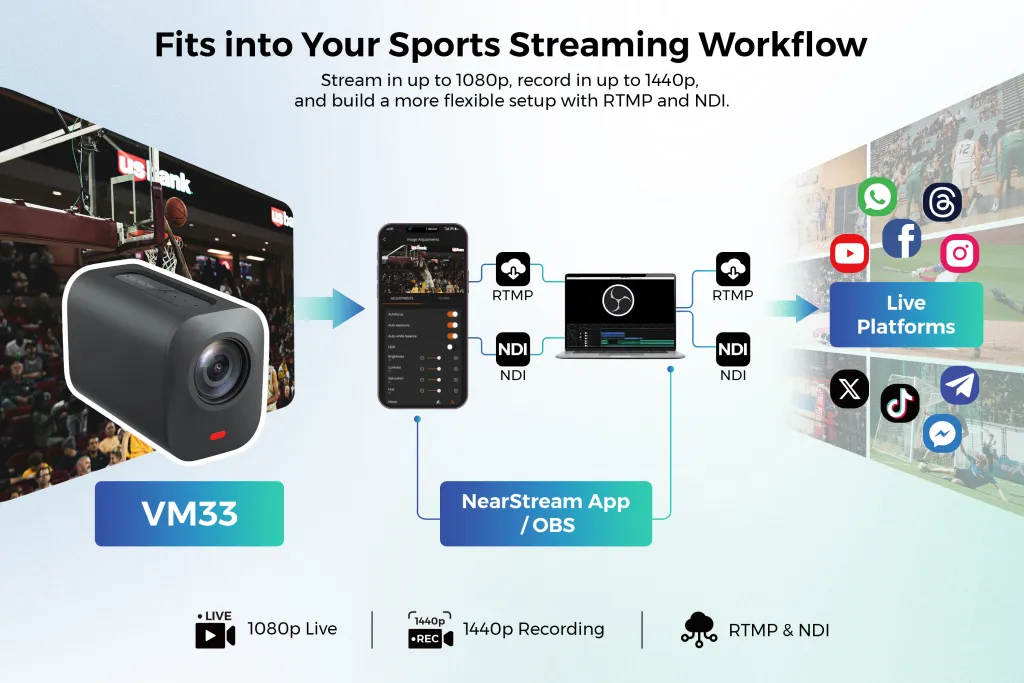
The NearStream VM33 represents the closest thing to a purpose-built solution for live school streaming available today. It is an all-in-one camera that combines a 4K sensor, 10x optical zoom, intelligent auto-framing, and built-in streaming capability over both Wi-Fi and Ethernet. What sets it apart from every other option on this list is the complete elimination of external encoders, capture cards, and complicated streaming software. You position the camera on a tripod or mount, connect it to your network, and start broadcasting directly to YouTube, Facebook, or any standard RTMP endpoint within minutes.
For schools, this simplicity translates directly to operational reliability. The auto-framing feature uses AI to track presenters or performers automatically, significantly reducing the need for a dedicated camera operator to manually pan and tilt throughout an event. The 10x optical zoom reaches comfortably across a standard auditorium or gymnasium, and the dual-microphone array with noise reduction captures acceptable audio for events where connecting to the house sound system is not practical. When you do need professional-grade audio, the VM33 accepts a 3.5mm line-in jack for a direct feed from the venue mixer.
The VM33 excels at the everyday streaming tasks that consume most schools' time: morning announcements, school board meetings, guest speaker assemblies, and medium-sized performances where staffing a full multi-camera production crew is simply unrealistic. It can be permanently ceiling-mounted in an auditorium for a dedicated streaming station, or moved between venues on a tripod as different events require. The mobile app provides complete remote control, so a teacher can start and manage a stream from their phone without ever walking over to physically touch the camera.
Trade-offs exist, and it is worth acknowledging them honestly. The 10x zoom, while sufficient for most school venues, does not match the extreme reach of professional camcorders. Schools with cavernous field houses or outdoor athletic complexes may find themselves wanting more telephoto range for distant subjects. The all-in-one design also means you cannot upgrade individual components as technology advances — you replace the entire unit when the time comes. But for the vast majority of live school streaming scenarios, the VM33 hits a practical sweet spot that no other camera matches at its price point.
Best for: Schools that want professional streaming without employing a dedicated AV department, and for live stream high school events with minimal technical staffing available. For schools focused specifically on athletic coverage, our high school sports live streaming guide provides a deeper dive into field and court setups.
Learn more: NearStream VM33 All-in-One Streaming Camera
Logitech Mevo Start 3-Pack — Best Budget Multi-Camera
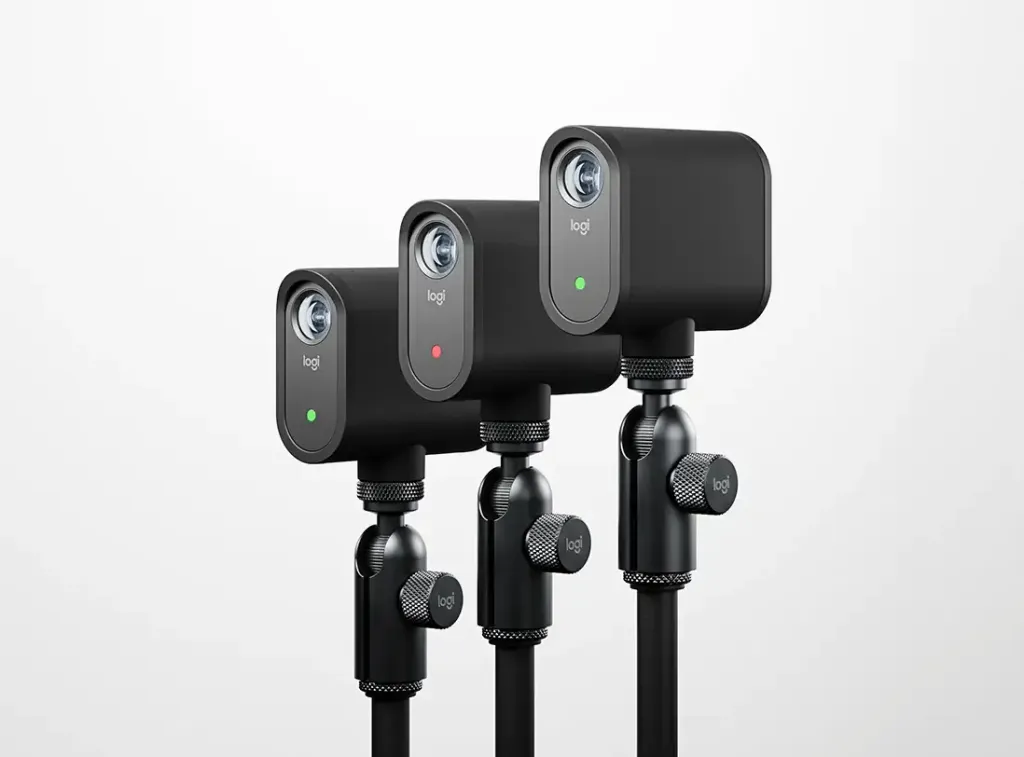
For schools that need multiple camera angles on a tight budget, the Mevo Start 3-Pack delivers remarkable value that is genuinely difficult to match. Each camera is compact, wireless, battery-powered, and capable of streaming independently or as part of a unified multi-camera production. The companion Mevo app lets you switch between camera feeds, add lower-third graphics, and stream directly to all major platforms from an iPad or even a smartphone.
The real advantage here is flexibility. You can place one camera at the back of the auditorium for a wide establishing shot, another down front for tight close-ups of speakers, and a third on a monopod or handheld grip for roaming shots of audience reactions or backstWe looked for cameras that accept external audio inputs, connect cleanly to auditorium sound systems, or include quality built-in microphones for simpler setups.age activity. The wireless range handles most school venues comfortably, and the six-hour battery life covers the vast majority of events without needing power cables running across floors where people walk.
Image quality is solid in well-lit environments but falls behind the VM33 and dedicated camcorders in dimly lit auditoriums. Each camera has a fixed wide-angle lens with no optical zoom, so physical placement determines your framing entirely. For events where you can position cameras reasonably close to the action, this limitation rarely becomes a problem. For large gymnasiums where spectators sit far from the court, it requires more creative positioning and possibly supplemental lighting.
The Mevo system particularly shines for smaller classroom events and informal gatherings where multiple perspectives genuinely add production value for viewers at home. The instant replay feature, which lets you quickly cut to a recent moment and replay it for the audience, is a nice bonus for sports coverage, though the lack of zoom limits its effectiveness for capturing distant athletic action.
Best for: Budget-conscious schools that want multi-camera coverage of assemblies, plays, and classroom events without the complexity and cabling of traditional production setups.
PTZOptics Move 4K — Best Remote-Control PTZ
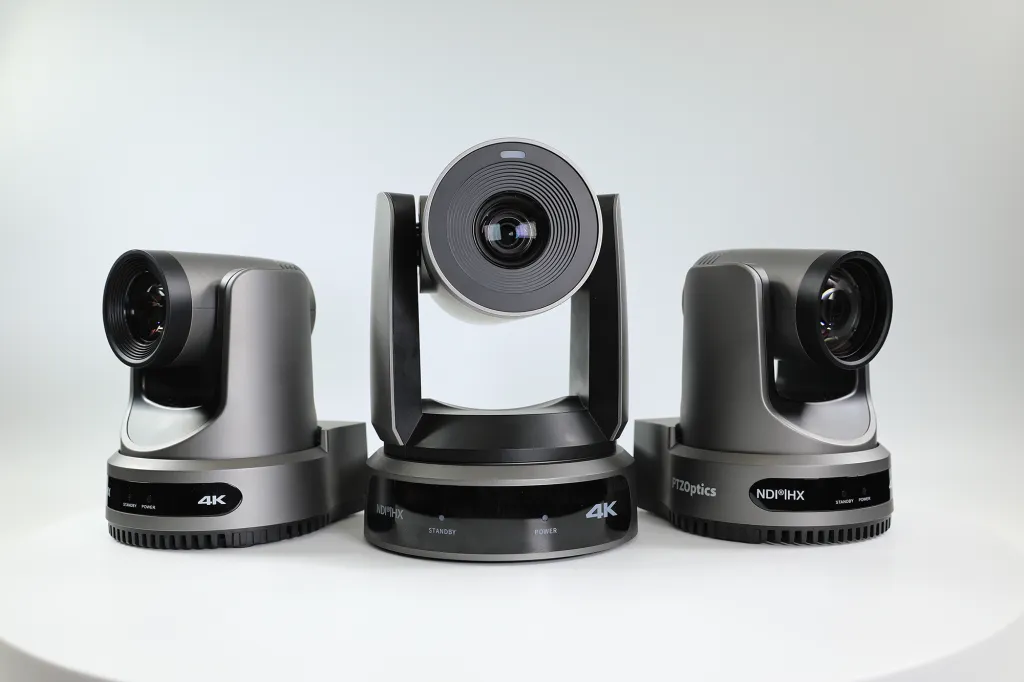
When your school has a dedicated auditorium, media room, or lecture hall and wants genuine broadcast-quality production values, the PTZOptics Move 4K represents a serious step up in capability. This professional pan-tilt-zoom camera delivers true 4K resolution through a 20x optical zoom lens, with silky-smooth robotic movement controlled from a tablet, software interface, or dedicated hardware joystick.
The Move 4K is fundamentally designed for permanent installation. Ceiling or wall mounting keeps it entirely out of the audience's sightlines while providing a commanding view of the entire stage. The 20x zoom reaches from the back of virtually any school auditorium to center stage with impressive clarity, and the SDI output connects directly to professional switchers for ambitious live productions. NDI|HX3 support means it integrates cleanly with software-based production systems like OBS and vMix, opening up advanced graphics and streaming options without expensive hardware investments.
What makes this camera genuinely school-friendly is the breadth of control options it provides. A student production team can operate it manually from a tablet during major assemblies, while an automated preset recall system handles daily morning announcements without any human intervention whatsoever. The image quality is legitimately broadcast-grade, with accurate colors, excellent low-light sensitivity, and professional codecs that preserve detail through the entire production chain.
The trade-off, as you would expect, is complexity and cost. This camera requires professional installation, proper network configuration, and either a separate streaming encoder or production software to get your feed online. It is genuinely overkill for schools that only stream occasional events. But for districts with active media programs, frequent board meetings, or ambitious performing arts calendars, the Move 4K provides a technical foundation that scales with your ambitions.
Best for: Schools with permanent auditorium installations, active AV or media clubs, or districts that stream frequent events and need professional-grade output.
Sony PXW-Z90 — Best for Sports and Fast Action
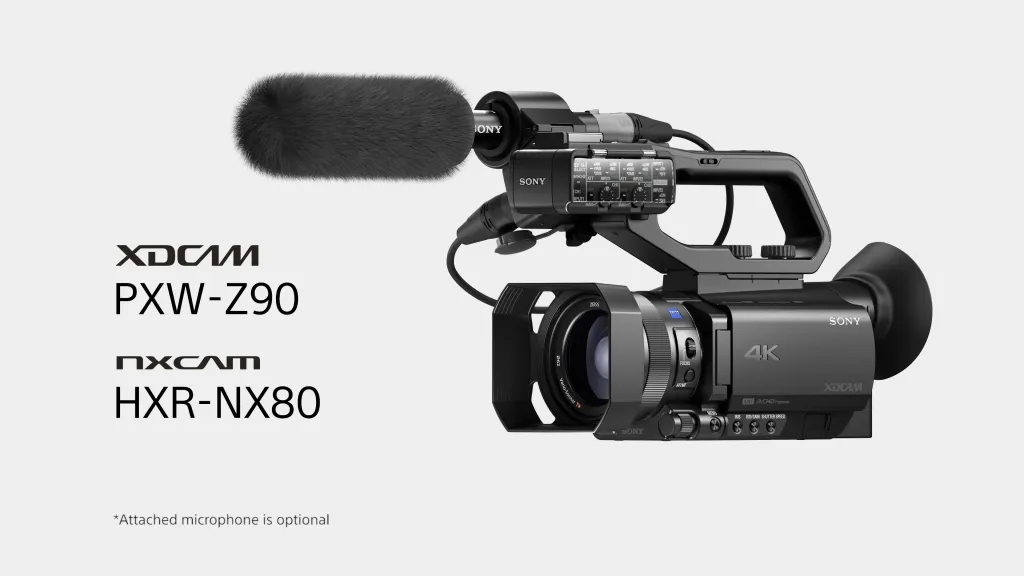
High school sports present the most demanding streaming challenge in education: fast and unpredictable movement, inconsistent lighting between gymnasiums and stadiums, outdoor glare and weather concerns, and the absolute necessity of following action happening far across a field or court. The Sony PXW-Z90 handles every one of these challenges with professional confidence. This camcorder features Sony's legendary Fast Hybrid Autofocus system, a 12x optical zoom, and excellent low-light sensitivity that produces clean, noise-free footage even under dim Friday night stadium lights.
The integrated live streaming function sends your feed directly to platforms without requiring additional encoding hardware. Dual XLR audio inputs let you connect professional shotgun microphones or take a direct feed from the announcer's booth. The 1-inch sensor delivers shallow depth of field that naturally separates athletes from busy, cluttered backgrounds, giving your sports streams a polished, professional visual aesthetic that stands out from typical school broadcasts.
For live stream high school events like football, basketball, volleyball, or soccer, the Z90's responsive autofocus becomes the deciding factor. Athletes change direction constantly, and a camera that hunts for focus produces footage that frustrates viewers within seconds. The Z90 locks onto subjects and maintains that lock even as players sprint across the frame. The 12x zoom covers the full basketball court from a mid-court tripod position, and the built-in neutral density filters handle bright outdoor afternoon games without forcing you to constantly adjust exposure settings.
The downside is price and complexity. This is a professional camcorder with menu systems and manual controls that require some dedicated learning time to master. It also lacks the wireless streaming simplicity of the VM33 or Mevo systems, meaning you need to think more carefully about your production workflow. But for schools serious about sports broadcasting, where parents and community members expect reliable, high-quality coverage of every game, the image quality and autofocus performance justify the investment.
Best for: Schools prioritizing athletic coverage that demands fast autofocus response, long zoom reach, and consistent outdoor performance in variable lighting.
Canon Vixia HF G70 — Best for Drama Live and Fine Arts
Theater productions, choir concerts, dance recitals, and orchestra performances demand image quality that captures subtle stage lighting variations, accurate skin tones, and the atmospheric depth of a live performance. The Canon Vixia HF G70 delivers genuinely cinematic footage through a large sensor and genuine Canon optics, with color science that flatters performers under the challenging mixed lighting typical of school stages.
The 20x optical zoom reaches from the back row of any auditorium to center stage with impressive clarity, and the advanced optical image stabilization keeps handheld shots steady even when operators lack professional technique. The dual SD card slots enable seamless relay recording for events that run long, while the clean HDMI output feeds directly into a capture card or hardware encoder for live streaming. Most importantly for performing arts venues, the HF G70 includes dual XLR audio inputs with independent manual level control, letting you connect directly to the auditorium's soundboard for pristine, broadcast-quality audio.
For a drama live production where lighting shifts constantly between tight spotlights and full stage washes, the HF G70's manual exposure controls and highlight priority mode prevent blown-out highlights while preserving crucial shadow detail. The responsive touchscreen interface makes focus pulling intuitive, so you can track performers smoothly as they move across the stage without losing sharpness at critical moments.
The limitation is that this camera functions primarily as a recording device. For live streaming, you need an HDMI capture card and a computer running streaming software to bring it online. It cannot stream independently like the VM33 or Z90. But for schools that value recording archival quality as much as live distribution, and for theater and music departments that want their performances preserved beautifully, this trade-off is entirely worthwhile.
Best for: Schools with active theater, music, and dance programs that demand beautiful image quality and accept the extra workflow steps required for live streaming.
At a Glance: How These Cameras Compare
| Feature | NearStream VM33 | Mevo Start 3-Pack | PTZOptics Move 4K | Sony PXW-Z90 | Canon HF G70 |
|---|---|---|---|---|---|
| Resolution | 4K | 1080p | 4K | 4K | 4K |
| Optical Zoom | 10x | None (fixed wide) | 20x | 12x | 20x |
| Direct Streaming | Yes (Wi-Fi/Ethernet) | Yes (Wi-Fi) | Via encoder/NDI | Yes | No (HDMI out) |
| Audio Inputs | 3.5mm line-in | Built-in mic only | 3.5mm line-in | Dual XLR | Dual XLR |
| Multi-Camera Support | Single camera | 3 cameras included | Multiple via switcher | Single camera | Single camera |
| Best Use Case | All-purpose school | Budget multi-angle | Permanent auditorium | Sports/fast action | Theater/fine arts |
| Relative Price | $$ | $ | $$$$ | $$$$ | $$$ |
 Choosing by Scenario
Still unsure which direction makes sense for your school? Match your specific situation to the right equipment:
You have no AV staff and volunteers run the streams. The NearStream VM33 is purpose-built for this reality. Its intuitive app-based control, intelligent auto-framing, and direct streaming capability eliminate the technical barriers that cause school streams to fail at the worst possible moment. A parent volunteer can have it running and streaming reliably in under ten minutes, not the hour it might take to configure a traditional camera and encoding setup.
Your budget is tight but you want multiple angles. The Mevo Start 3-Pack gives you three wireless cameras for less than the cost of one professional PTZ unit. Start with wide coverage of assemblies and plays, then add a dedicated zoom camera later when additional funding becomes available. The wireless design means you can experiment with placement without committing to permanent cable runs.
You stream from a permanent auditorium several times per week. Invest in the PTZOptics Move 4K. Install it once, program your preset shots for your specific stage layout, and operate it effortlessly from a tablet or phone. The professional image quality reflects well on your school's commitment to communication, and the robotic movement adds production polish that genuinely engages remote viewers.
Sports dominate your streaming calendar. Prioritize the Sony PXW-Z90 above all else. The autofocus system is simply the best available for fast action at this price level, and the 12x zoom covers a basketball court or football field from standard elevated tripod positions. The direct streaming feature means one less piece of equipment to manage and troubleshoot on game day when you already have enough to worry about.
Your theater and music programs are the priority. Choose the Canon HF G70 for its cinematic image quality and professional-grade audio inputs. Accept that you will need a capture card and laptop to bring it online for live streaming. The resulting recordings and streams will look and sound exceptional, preserving performances in a way that does justice to your students' hard work.
You need one camera that handles everything reasonably well. The NearStream VM33 offers the best overall balance of zoom range, streaming simplicity, audio flexibility, and price for general school use. It will not match the sports specialization of the Z90 or the theater-quality output of the HF G70, but it performs capably across every live school scenario without requiring dedicated technical expertise that most districts simply do not have.
Frequently Asked Questions
What is the easiest camera setup for live streaming school events?
The easiest setup is an all-in-one streaming camera like the NearStream VM33, which combines a 4K sensor, optical zoom, auto-framing, and direct streaming over Wi-Fi or Ethernet. It eliminates the need for a separate encoder, capture card, or complex software configuration. You can be streaming within minutes of taking it out of the box, making it ideal for schools without dedicated technical staff.
How many cameras do I need to stream a school play or graduation?
For most school events, two to three cameras provide excellent coverage that keeps viewers engaged. A wide shot captures the full stage and establishes context, a medium shot focuses on individual speakers or performers, and an optional roaming camera adds close-ups and audience reactions. Budget-conscious teams can absolutely start with one quality PTZ camera that offers multiple preset angles you can switch between during the event.
Can I stream school sports with a single camera?
Yes, a single camera with a powerful optical zoom can cover most high school sports effectively. Look for models with at least 12x optical zoom, fast and reliable autofocus, and stable streaming connectivity. A camera positioned at mid-court, behind home plate, or at midfield with a wide-to-telephoto range can follow the action without missing the key moments that matter to viewers.
What audio equipment do I need for streaming school events?
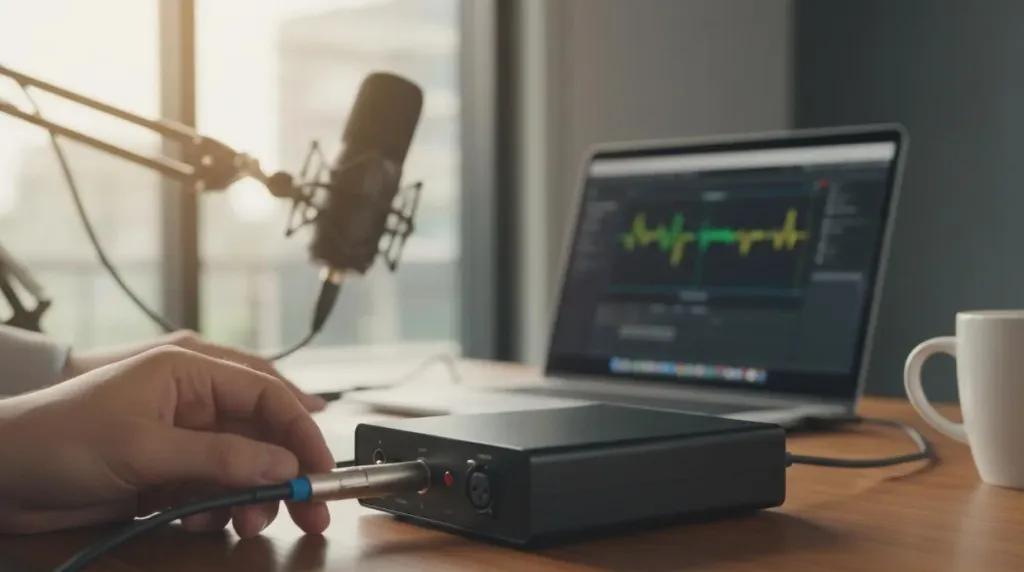
At minimum, you need a way to capture clean audio from the venue's existing sound system. Options include a direct line-out from the auditorium mixer into your camera or streaming encoder, a wireless microphone system for mobile speakers who move around, or a dedicated USB audio interface with XLR inputs for more complex setups. Remember that good audio matters significantly more than perfect video quality when it comes to viewer retention and satisfaction.
Do I need a capture card to stream with these cameras?
Not necessarily. Many modern streaming cameras, including the NearStream VM33 and Logitech Mevo Start, can stream directly to platforms like YouTube or Facebook without any capture card at all. For traditional camcorders or cinema cameras without built-in streaming, you will still need an HDMI-to-USB capture card to bring the video feed into your computer.
Final Thoughts
The best camera for streaming school events is ultimately the one your team will use successfully and consistently. A professional cinema camera produces gorgeous images, but if your volunteer operator cannot figure out how to start the stream before the curtain goes up, it is unquestionably the wrong choice for your situation. Start by being honest about who will run the equipment, how frequently you plan to stream, and what your specific audience values most from the experience.
For most schools and educational institutions, the NearStream VM33 represents the best starting point for building a reliable live school streaming program. It produces sharp 4K video with enough zoom range for most auditoriums and gymnasiums, streams directly without requiring additional hardware purchases, and remains genuinely manageable for non-technical operators who are volunteering their time. Schools with specific, well-defined needs — multi-camera productions on limited budgets, permanent auditorium installations, sports-focused coverage schedules, or theater-quality recording requirements — have excellent alternatives in the Mevo Start, PTZOptics Move, Sony Z90, and Canon HF G70.
Whatever equipment you ultimately choose, invest real time in testing your complete setup before the first public event. Run a private stream to verify your settings, check audio levels from all your sources, confirm your internet upload bandwidth is sufficient, and make sure at least one person on site knows how to troubleshoot the most common issues. The technology available for live school streaming has never been more capable or more accessible. Once your hardware is in place, learning how to improve live stream video quality through lighting and network adjustments will ensure your school's message reaches every listener with professional clarity. With the right camera and a modest amount of preparation, your next broadcast can connect your community in genuinely meaningful ways, bringing families, friends, and supporters into the moments that matter most.



 sales@nearstream.us






