Best PTZ Camera for Lecture and Speech Live Streaming: Top Picks for Large Venues
Discover the best PTZ cameras for lecture halls and speech live streaming.
ptz camera
ptz video camera
4k ptz camera
Updated: May 22, 2026 · 8 minutes read
Modular Video Kits for Growing Business.
When you're responsible for live streaming a keynote speech, corporate training, or university lecture, the stakes are high. Remote attendees expect broadcast-quality video, smooth speaker tracking, and the ability to see both the presenter and supporting visuals clearly. A basic webcam pointed at a podium won't cut it in a medium-to-large venue. That's where a professional PTZ camera becomes essential.
Pan-tilt-zoom cameras have evolved significantly. The latest generation combines powerful optical zoom, AI-driven auto-tracking, and dual-lens systems that capture both the speaker and the full stage simultaneously. After evaluating dozens of models across factors including image quality, zoom range, tracking accuracy, connectivity options, and real-world ease of use, we've identified the top ptz video camera options for lecture halls, conference rooms, and auditoriums.
Our selections prioritize cameras that IT teams and AV coordinators can deploy without extensive training, integrate cleanly with existing platforms like Zoom and Microsoft Teams, and operate reliably in large spaces where the camera sits far from the stage.
Top Pick: NearStream Dual-Lens 4K PTZ Camera — Best Overall for Lecture and Speech Streaming
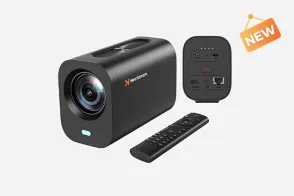
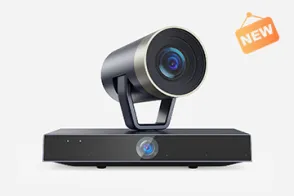
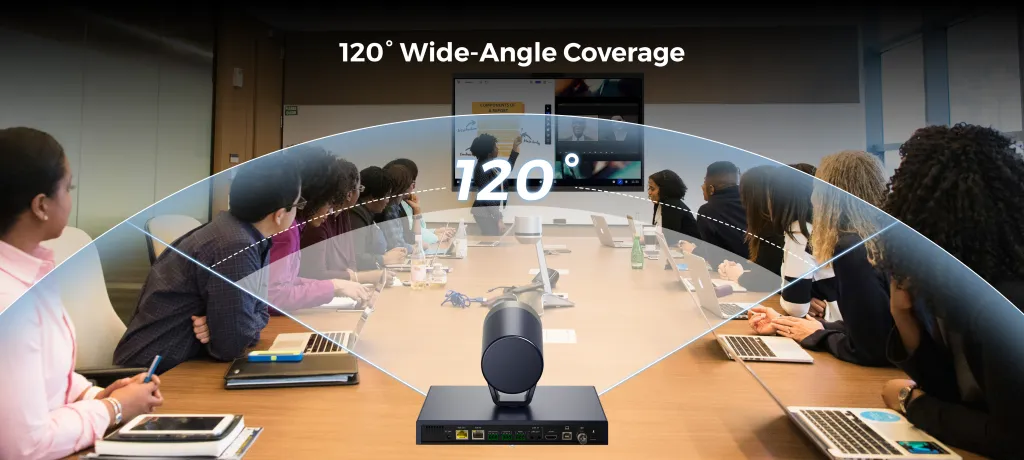
The NearStream dual-lens 4k ptz camera stands out as the most versatile solution for lecture hall and speech live streaming. Its defining feature is a dual-lens architecture that combines a 120-degree wide-angle panoramic lens with a dedicated 20x optical zoom PTZ lens. This setup solves the single biggest challenge in large-venue streaming: the need to show both the speaker's expressions and the full context of the room simultaneously.
Key Strengths
Dual-lens panoramic coverage. Most conference room camera models force you to choose between a wide shot and a close-up. NearStream's dual-lens system provides both at once. The panoramic lens maintains a constant wide view of the entire stage, whiteboard, or presentation area, while the PTZ lens independently tracks and frames the speaker in crisp 4K. Picture-in-picture output lets remote viewers see the speaker and their slides simultaneously without any post-production work.
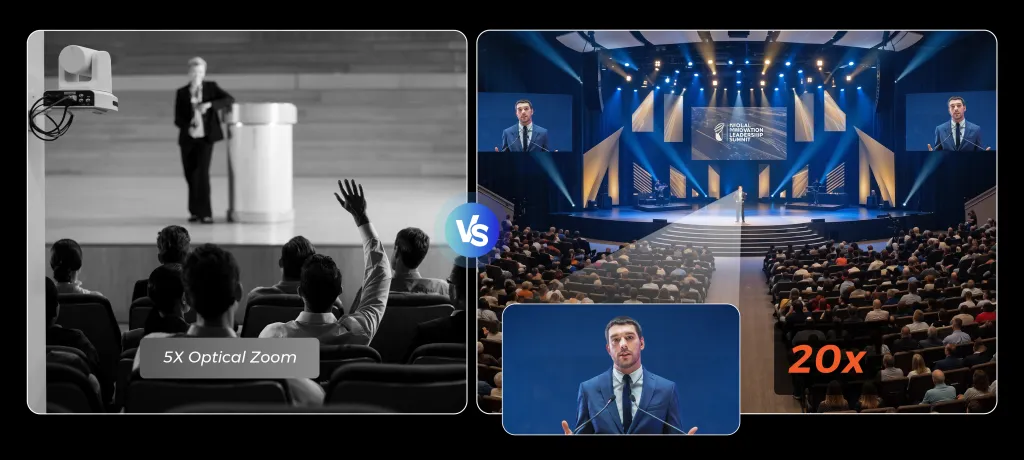
40x hybrid zoom with Sony optics. The PTZ lens features a Sony CMOS sensor with an F/1.8 aperture and genuine 20x optical zoom, plus 2x digital for 40x hybrid reach. In practical terms, this means sharp close-ups from the back row of a large auditorium or church sanctuary — up to 65 feet away — without the image degradation that plagues cameras relying heavily on digital zoom.
AI auto-tracking that actually works. NearStream's region-based tracking locks onto your selected subject and follows smoothly across the stage, even when other people walk through the frame. The system uses smart tracking rather than basic motion detection, so it won't get distracted by audience movement or ambient changes. For volunteer-run operations, this is a game-changer: the camera operates hands-free once configured.
Professional connectivity suite. The back panel offers HDMI, 3G-SDI, USB, LAN with PoE, and RS232/485 control ports. Native NDI support enables ultra-low-latency streaming over your existing IP network, eliminating the need for dedicated video cable runs across large buildings. For simpler setups, USB provides plug-and-play compatibility with Zoom, Teams, and OBS. The 255 programmable presets let you store camera positions for different speakers, stage areas, or event types and switch between them instantly via remote or software.
Built-in privacy protection. For corporate environments handling sensitive meetings, the lens automatically rotates to face the wall when sessions end, providing physical privacy assurance that software-based solutions cannot match.
Considerations
At $1,799 (regularly $1,999), the NearStream sits in the mid-to-high range of professional PTZ cameras. For small huddle rooms or individual offices, this is more hardware than necessary. But for organizations streaming from large venues regularly, the dual-lens capability eliminates the cost of a second camera and operator. While the dual-lens excels in structured environments, if your venue also hosts high-action athletic events, you might also be interested in the best camera for sports videography, which focuses on autofocus and movement tracking for faster subjects.
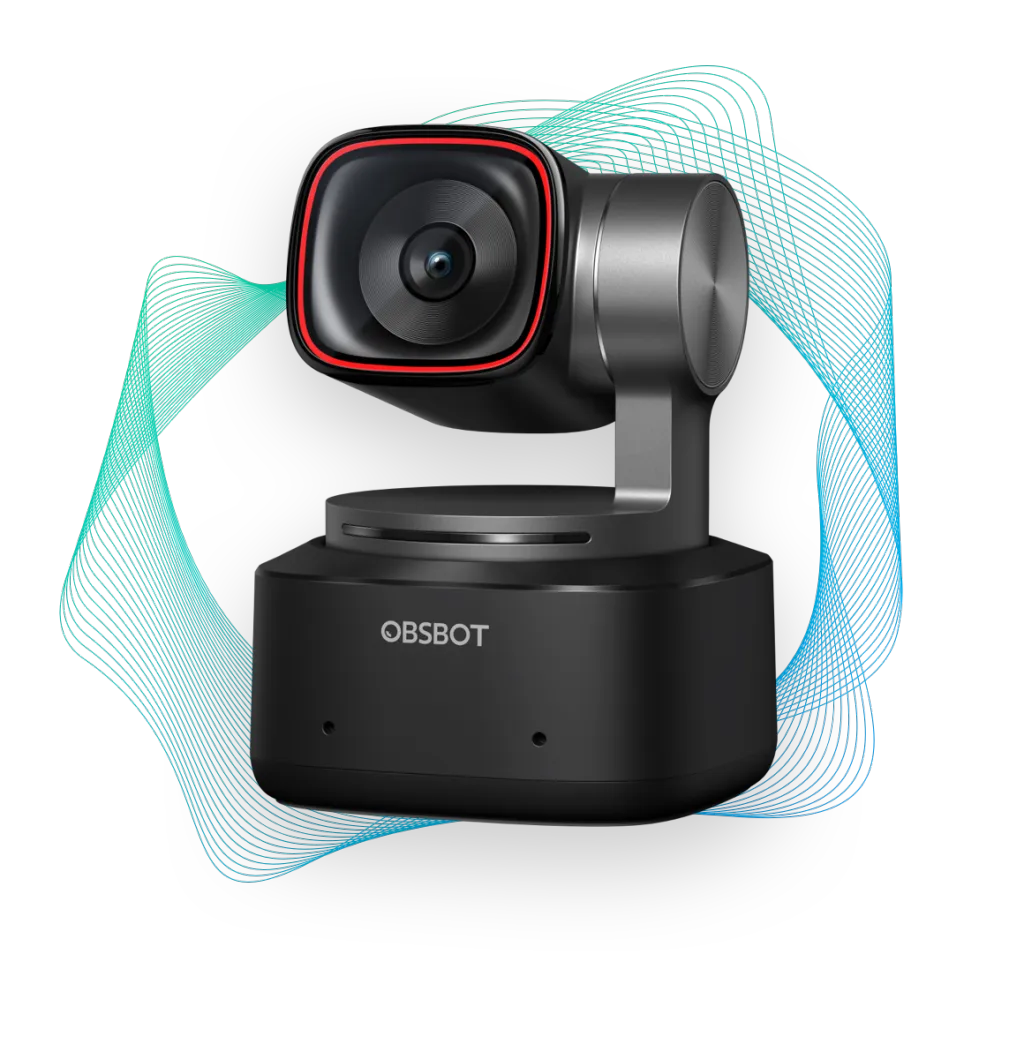
Budget Alternative: OBSBOT Tiny 2 — Best for Small-to-Medium Conference Rooms
If your primary venue is a standard conference room rather than a full auditorium, the OBSBOT Tiny 2 offers impressive tracking and 4K quality at roughly one-third the price of professional dual-lens systems.
Key Strengths
Compact and portable. At roughly the size of a smartphone, the Tiny 2 sits unobtrusively on a monitor or tripod. It's ideal for organizations that need a ptz video camera they can move between meeting rooms.
Good tracking for seated presenters. The AI tracking works well when the presenter remains in a defined area, such as behind a lectern or at a whiteboard. Gesture controls let the presenter trigger zoom and position changes without touching the camera.
4K resolution with USB-C. The image quality is sharp for its class, and USB-C connectivity means it works immediately with laptops and conferencing software.
Limitations
The 4x digital zoom is insufficient for large venues. Without optical zoom, image quality degrades significantly when trying to capture a speaker from the back of a hall. There's no SDI, HDMI, or NDI output, limiting it to USB-based workflows. The single-lens design cannot simultaneously show both the speaker and a wide room view.
Best for: Small-to-medium conference rooms, training rooms, and organizations prioritizing portability over broadcast-grade reach.
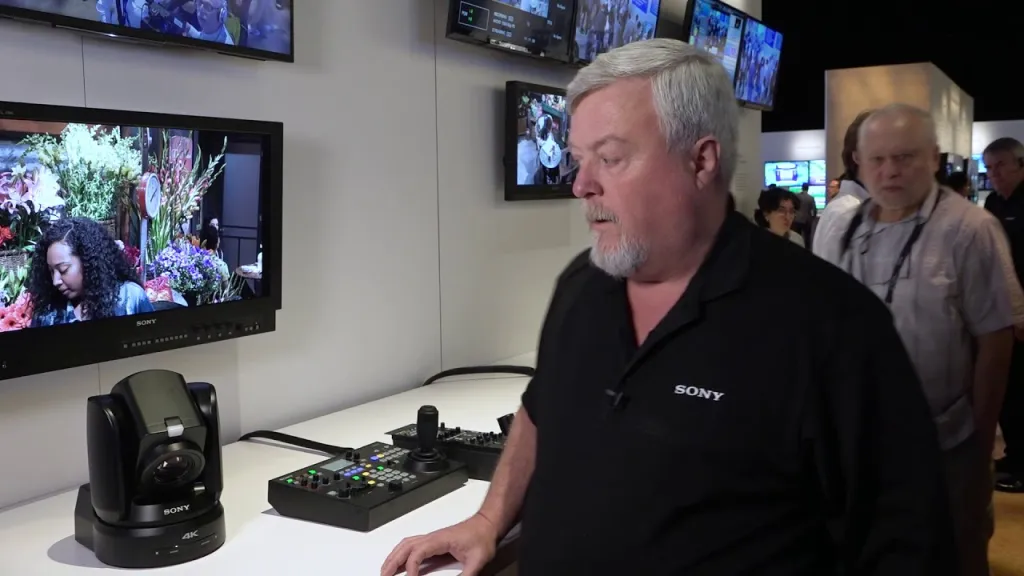
Premium Broadcast Option: Sony BRC-X1000 — Best for Professional Production Studios
For organizations running dedicated broadcast operations with full AV teams, Sony's BRC-X1000 represents the gold standard in 4K PTZ imaging.
Key Strengths
1-inch Exmor R CMOS sensor. This is the largest sensor in any PTZ camera, delivering superior low-light performance, shallower depth of field, and broadcast-quality color science that holds up in professional post-production workflows.
12x optical zoom with premium glass. While the zoom range is shorter than NearStream's 20x, the optical quality is exceptional. Sony's lens coatings and image processing produce footage that integrates seamlessly with other professional broadcast cameras.
Full broadcast connectivity. The camera offers 3G-SDI, HDMI, and IP streaming with comprehensive VISCA control protocols. It integrates cleanly with production switchers, tally systems, and broadcast automation.
Limitations
At approximately $2,800, the BRC-X1000 is significantly more expensive. It lacks the dual-lens panoramic capability, so you'll need a second camera for wide room shots in large venues. The camera requires more technical expertise to configure and operate effectively, making it less suitable for environments where non-technical staff handle streaming.
Best for: Television studios, large churches with dedicated video teams, and organizations already invested in Sony broadcast ecosystems.
Why the Dual-Lens Approach Matters for Lectures and Speeches
Most ptz camera systems use a single lens. In a large venue, this creates a fundamental problem: zoom in for a compelling speaker shot, and you lose the context of slides, demonstrations, or audience interaction. Stay wide, and the speaker appears as a small figure on screen.
Dual-lens cameras like the NearStream solve this by running two independent video streams through a single unit. The wide-angle lens constantly monitors the full stage while the PTZ lens delivers dynamic, tracked close-ups. For hybrid events where remote attendees need to follow both the presenter and visual aids, this approach produces a noticeably more professional result without requiring a multi-camera crew. If you are aiming to scale this to a full-blown broadcast network in larger facilities, our guide on wireless multi-cam broadcast networks offers a proven blueprint for managing multiple units remotely.
The table below summarizes how our top picks compare across the specifications that matter most for lecture and speech applications:
You need one camera to handle everything in a large auditorium or lecture hall. The NearStream dual-lens system is purpose-built for this scenario. The wide-angle lens captures the full stage while the PTZ lens tracks the speaker, and both feeds can output simultaneously. No other camera in this price range offers this combination of dual coverage, 20x optical zoom, and AI tracking.
Your events are run by volunteers or non-technical staff. NearStream's region-based AI tracking and intuitive remote control minimize the learning curve. Once you set the tracking zone and store presets, operation is largely hands-off. The OBSBOT Tiny 2 is also simple to operate but lacks the zoom and connectivity for large spaces.
You have a dedicated AV team and a broadcast infrastructure. The Sony BRC-X1000 delivers the best raw image quality and integrates with professional production switchers. However, you'll need a multi-camera setup to achieve the same coverage that NearStream provides with a single unit.
Budget is the primary constraint. The OBSBOT Tiny 2 produces good results in smaller rooms at a significantly lower price point. Just understand its limitations: no optical zoom, no dual-lens capability, and USB-only connectivity. For large venues, it won't deliver the reach you need.
Privacy and security are priorities for corporate boardrooms. NearStream's automatic lens rotation provides physical privacy assurance after meetings conclude. This hardware-level protection is particularly valuable in corporate and government environments where software-only privacy controls are insufficient.
Frequently Asked Questions
What makes a PTZ camera suitable for lecture halls and large venues?
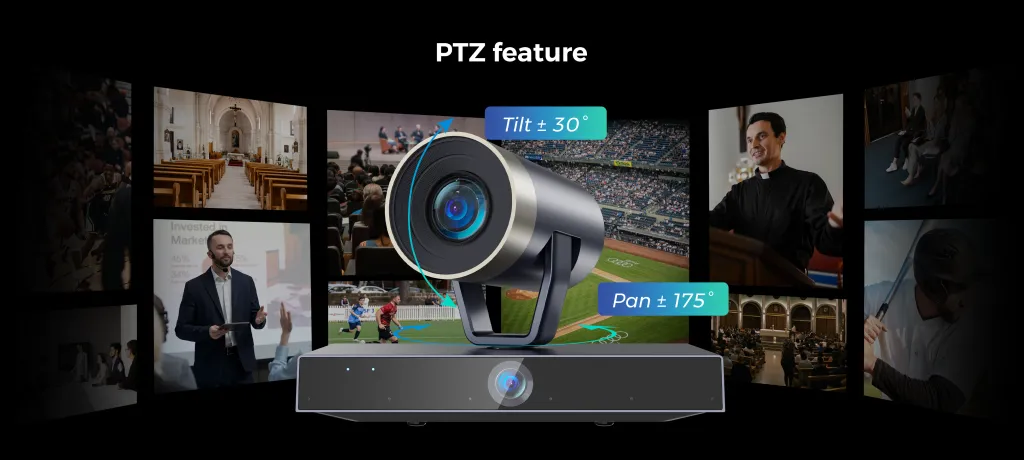
A PTZ camera designed for lecture halls needs strong optical zoom (at least 12x, ideally 20x), wide pan and tilt ranges for full room coverage, and reliable AI auto-tracking to follow speakers as they move. Dual-lens systems that combine a wide-angle overview with a zoom lens are particularly effective for large venues because they capture both the speaker and the broader context simultaneously.
How much optical zoom do I need for a conference room or auditorium?
For medium conference rooms, 5x to 10x optical zoom is usually sufficient. For lecture halls, auditoriums, and sanctuaries where the camera mounts at the back, 20x optical zoom is the professional standard. The NearStream dual-lens 4k ptz camera offers 20x optical zoom plus 2x digital, providing 40x hybrid zoom that delivers crisp close-ups from over 65 feet away.
What is dual-lens technology in a PTZ video camera?
Dual-lens PTZ cameras use two independent lenses simultaneously: typically a wide-angle lens for panoramic room coverage and a separate PTZ zoom lens for detailed speaker tracking. This eliminates the compromise between seeing the full stage and getting a tight shot of the presenter. The wide lens maintains context while the zoom lens delivers broadcast-quality framing.
Do PTZ cameras work with Zoom, Microsoft Teams, and OBS?
Most professional PTZ cameras connect via USB and appear as a standard webcam to Zoom, Microsoft Teams, Google Meet, and other platforms. For more advanced setups, cameras with HDMI, SDI, or NDI output work with OBS, vMix, and production switchers. NearStream's conference room camera supports all of these: USB for plug-and-play conferencing, HDMI and SDI for broadcast workflows, and native NDI for IP-based streaming.
Is a single PTZ camera enough for live streaming a lecture or speech?
A single dual-lens PTZ camera can often handle the entire stream by providing both wide room coverage and speaker close-ups simultaneously. For productions requiring multiple independent angles, you can add a second PTZ camera. Many models support PoE (Power over Ethernet), so adding cameras only requires running a single Ethernet cable per unit.
Final Thoughts
Selecting the right ptz camera for lecture halls and speech streaming comes down to understanding your venue size, technical resources, and the experience you want remote attendees to have. For large venues where a single camera must deliver both wide context and intimate speaker framing, the NearStream dual-lens system offers a combination of capabilities that no competitor matches at its price point. Its 20x optical zoom, AI tracking, comprehensive connectivity, and built-in privacy features address the specific pain points that AV coordinators face when streaming high-stakes events. Remember, great hardware is only half the battle—learning how to improve live stream video quality through proper lighting and setup will ensure your dual-lens footage looks truly cinematic.
Smaller organizations with limited budgets and room sizes should consider the OBSBOT Tiny 2 as a capable entry point. Professional broadcast operations with dedicated technical teams may prefer the Sony BRC-X1000 for its superior sensor and broadcast integration, though they should plan for a multi-camera investment to achieve full room coverage.
For most organizations equipping lecture halls, conference centers, and event spaces, the NearStream dual-lens ptz video camera hits the sweet spot of performance, versatility, and operational simplicity. The dual-lens architecture alone transforms what's possible with a single camera unit, making it the strongest choice for professional speech and lecture live streaming in 2026.
















































 sales@nearstream.us