The Ultimate Guide to Lightning vs. USB-C Adapters: How to Connect Any Mic to iPhone
The iPhone 15’s shift to USB-C was a massive upgrade for professionals, but a headache for creators holding onto legacy gear.
iPhone Microphone
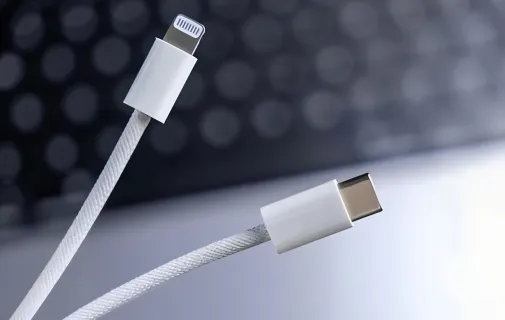
Lightning vs USB-C
Audio Adapter
Updated: Mar 6, 2026 · 8 minutes read
Modular Video Kits for Growing Business.
The iPhone 15’s shift to USB-C was a massive upgrade for professionals, but a headache for creators holding onto legacy gear. Suddenly, your reliable Lightning microphones don’t fit, and generic adapters from Amazon are failing to record audio.
If you’ve ever plugged in a microphone only to realize later that your phone recorded silence (or worse, used the echoey built-in mic), this guide is for you.
The problem usually isn't your microphone—it’s the digital handshake inside the cable. Whether you are trying to connect an old Lightning shotgun mic to a new iPhone 16, or a modern USB-C interface to an older iPhone 12, we have the solution. Here is how to navigate the dongle chaos and get crystal-clear audio every time.
The Core Conflict: Why "Charge-Only" Cables Are Ruining Your Audio
To choose the right adapter, you need to understand that not all USB-C ports are created equal. The confusion stems from the difference between a cable designed for power and a cable designed for data.
Here is a technical breakdown of why your old gear might be struggling with the new phones:
Table 1: Lightning vs. USB-C Technical Specs
Feature
Lightning (Older iPhones)
USB-C (iPhone 15/16)
Impact on Creators
Data Speed
USB 2.0 (Slow)
USB 3.0+ (Fast)
USB-C handles higher bit-rate audio/video with less latency.
Power Flow
Restricted
Bi-directional
USB-C phones can power hungry microphones without needing external batteries.
Signal Type
Digital + Analog
Digital Only
Critical: USB-C demands a DAC (Digital-to-Analog Converter) chip. Cheap adapters without this chip will fail.
Ecosystem
Closed (MFi Certified)
Open (Standardized)
Theoretically more open, but legacy Lightning gear needs a specific "translator" to work.
The "Charge-Only" Trap
This is where 90% of creators waste their money. Most cheap adapters are wired only for electricity. They lack the data pins required to transmit audio signals. If you plug a microphone into a "charge-only" adapter, the iPhone doesn't see an audio device; it just sees a dead end.
Which Adapter Do You Need? (The Decision Matrix)
Audio signal flow is directional. You cannot just match the shapes; you have to match the data flow. Use this matrix to find the exact setup for your gear.
Table 2: The Adapter Decision Matrix
Your Scenario
Your Phone
Your Microphone
The Solution You Need
Success Rate
Scenario A
Old (Lightning)
(iPhone 14 & older)
New (USB-C)
(e.g., DJI Mic 2, RØDE)
Lightning (Male) to USB-C (Female) OTG Adapter
Must specify "OTG" or "Audio"
⭐⭐⭐⭐
Reliable if you buy the right cable.
Scenario B
New (USB-C)
(iPhone 15 / 16)
Old (Lightning)
(e.g., Zoom iQ7, Shure MV88)
USB-C (Male) to Lightning (Female) Audio Adapter
Recommendation: Apple Official Adapter
⭐⭐
Difficult. Many old mics are incompatible.
Scenario C
New (USB-C)
(iPhone 15 / 16)
New (USB-C)
USB-C to USB-C Data Cable
(Usually included with mic)
⭐⭐⭐⭐⭐
The Holy Grail. Works perfectly.
Scenario A: Connecting a New USB-C Mic to an Old iPhone
The Challenge: Your older iPhone has strict power limits and doesn't natively "host" USB-C devices.
The Fix: You need an OTG (On-The-Go) Adapter.
This chip tells the iPhone to switch from "charging mode" to "host mode," allowing it to power the microphone and read the data.
What to buy: Look for cables explicitly labeled "OTG" or "Support Audio."
The Pro Method: Use Apple’s Lightning to USB 3 Camera Adapter. It’s bulky, but it provides a USB-A port and a charging pass-through, ensuring your microphone gets enough power.
Scenario B: Connecting an Old Lightning Mic to a New iPhone
The Challenge: You have a high-end Lightning mic (like a Shure MV88) that you don't want to throw away.
The Fix: The Apple USB-C to Lightning Adapter ($29).
Warning: Do not buy generic $10 adapters for this. They are almost exclusively for charging old iPhones with old cables. They do not have the firmware to translate the specific MFi audio protocols of older microphones. Even with the official Apple adapter, some microphones that rely on specific apps may lose functionality.
Scenario C: The Native USB-C Connection
The Challenge: None. This is the future.
The Fix: Use a high-quality USB-C Data Cable (10Gbps rated cables are best for shielding against interference).
Note: If your microphone is a "receiver" (like the DJI Mic receiver), it plugs directly into the phone. No cables needed.
The "Litmus Test": How to Know If It’s Working
Don’t wait until you finish recording to check your audio. Here is the foolproof 10-second test.
The Scratch Test:
Plug in your mic and adapter.
Open Voice Memos.
Hit record.
Lightly scratch the microphone grill with your fingernail.
Speak while holding the phone at arm's length.
Playback:
Loud Scratch + Clear Voice: Success. The external mic is active.
Faint Scratch + Roomy Echo: Fail. The phone is using the internal mic.
Buying Guide: 3 Rules to Avoid Wasting Money
Keywords Matter: If the product title says "Charging," "PD," or "Fast Charge" but omits "Data," "Audio," or "OTG," do not buy it.
Check the Pins: If you are buying a Lightning connector, look at the metal pins. If pins are missing (you see empty white plastic slots), it is a charging-only cable. Data requires all pins to be present.
Stick to Trusted Brands: For audio adapters, brand matters. Stick to Apple (Official), Anker, or audio brands like RØDE and Boy. Avoid unpronounceable generic brands.
The Hassle-Free Alternative: Go Wireless
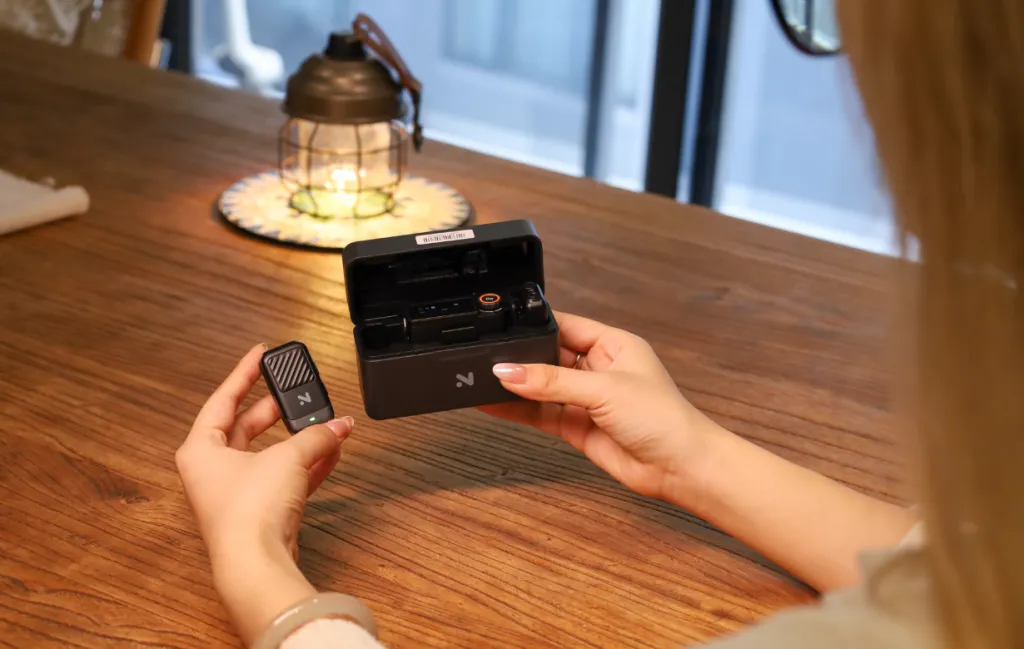
If you want to bypass the adapter headache entirely, the industry is moving toward wireless systems that include digital receivers. These plug directly into the phone, bypassing the need for analog conversion or dongles.
Top Picks for Creators:
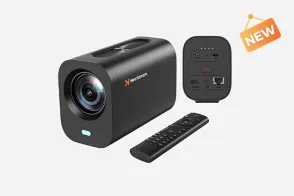
NearStream AWM28T: excellent for livestreamers; features an all-in-one design that handles the digital handshake perfectly for apps like TikTok.
DJI Mic Mini: Comes with swappable Lightning and USB-C plugs, making it "phone-proof" for future upgrades.
RØDE Wireless GO II: The industry standard. Just ensure you use the SC15 (Lightning) or SC16 (USB-C) patch cables.
Conclusion
The transition to USB-C is messy, but it’s a necessary step toward better mobile audio. By understanding the difference between a "charging cable" and a "data cable," you can save yourself hours of frustration and hundreds of dollars in gear.
Quick Action Plan:
Check Table 2 above to identify your specific scenario.
Perform the Scratch Test on your current setup immediately.
If you are upgrading, prioritize native USB-C microphones or wireless systems to future-proof your content.




















































 sales@nearstream.us