

























































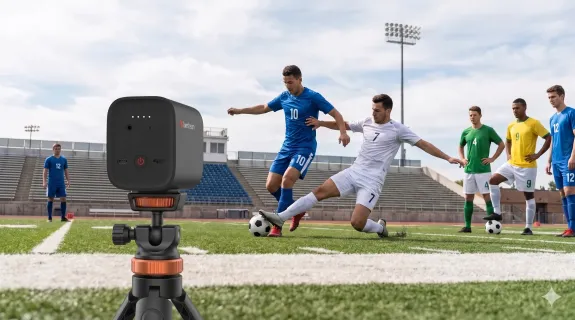
This comprehensive 2026 guide evaluates the best cameras for sports videography, helping athletic directors, coaches, parents, and independent broadcasters select the ideal equipment based on autofocus speed, optical zoom, live streaming capabilities, setup complexity, and budget. Highlighting the industry's current split between traditional recording camcorders and modern wireless streaming setups, the article provides targeted recommendations tailored to specific production needs. While the Canon Vixia HF G70 remains the gold standard for traditional highlight recording and the Sony HXC-FB80 serves full professional broadcast teams, the NearStream VM33 3-Pack emerges as the standout overall choice, offering an affordable, solo-operated solution that delivers broadcast-quality, multi-camera live streaming without the need for a dedicated crew.
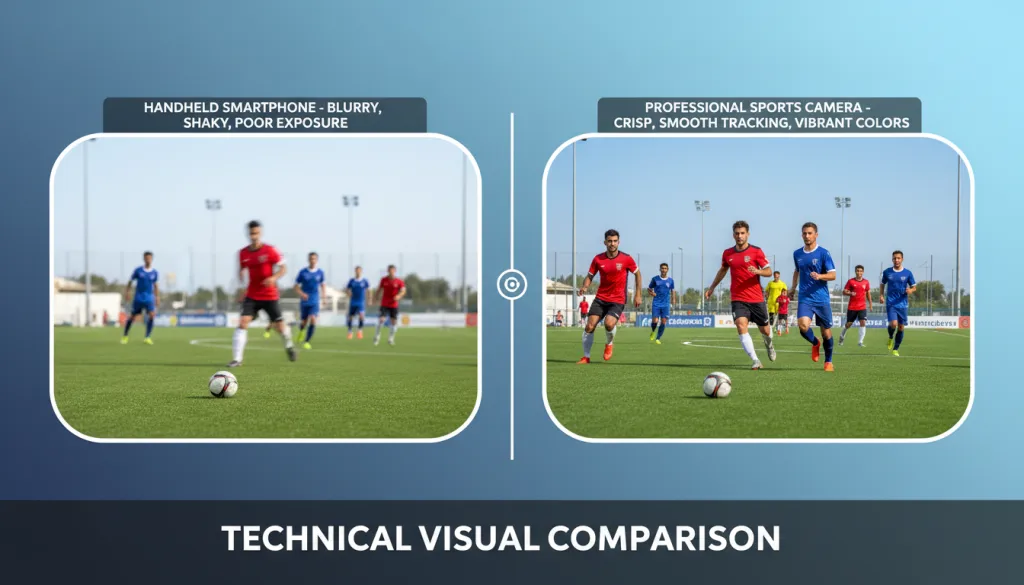
Covering a full soccer field or fast-moving basketball game is one of the hardest jobs in videography. The action spreads across a massive area, lighting conditions shift constantly, and your viewers expect broadcast-quality footage whether they are watching live or catching highlights later. Choosing the best camera for sports videography means balancing zoom reach, autofocus speed, streaming capability, and how many crew members you can actually put on the sideline.
In 2026, the market splits into two clear paths: traditional camcorders that excel at recording, and wireless streaming camera systems that handle multi-camera live production from a single tablet. This guide covers both. Each recommendation below is ranked by real-world usefulness for specific scenarios, not spec sheets alone.
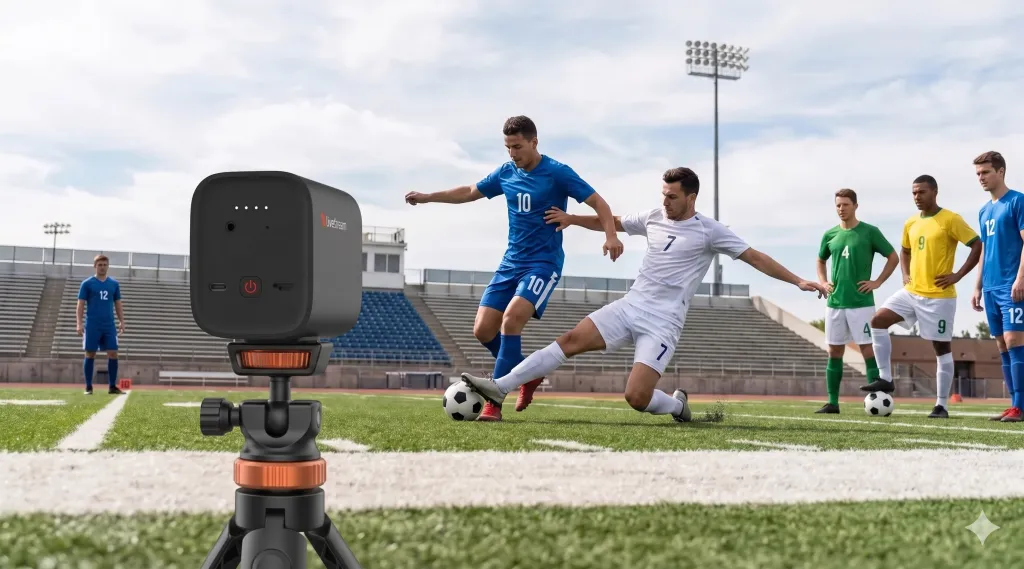
How These Rankings Work
Every camera on this list was evaluated across five factors that matter most for sports production:
- Autofocus and tracking speed — Can it keep running players sharp?
- Zoom reach — Is optical zoom sufficient for field-wide coverage?
- Live streaming and multi-camera support — Can it stream directly, and can you link multiple angles?
- Setup complexity — How many crew members and how much cabling are required?
- Total cost of ownership — Including necessary accessories and expansion.
This list is designed for high school athletic directors, youth sports coaches, parents filming their kids, and independent broadcasters who need professional results without a professional crew.
Quick Picks
| Scenario | Top Pick | Why It Wins |
|---|---|---|
| Multi-camera live streaming | NearStream VM33 3-Pack | Wireless cameras*3, USB2.0 type-C data cable with A-C adapter *3, $899 |
| Recording highlights only | Canon Vixia HF G70 | 20x optical zoom, reliable, no streaming learning curve |
| One-person streaming on a budget | NearStream VM33 (single) | 10x optical zoom, built-in streaming, $359 |
| Broadcast-level production | Sony HXC-FB80 + CCU | Full broadcast features, but requires crew and $10K+ budget |
The Best Camera for Sports Videography: Top Recommendations
1. NearStream VM33 3-Pack — Best Overall for Multi-Camera Live Streaming
The NearStream VM33 3-Pack is the standout choice for anyone who wants to stream or record sports with multiple angles with minimal setup. At $899 for three cameras, it costs less than a single professional camcorder from traditional brands, yet replaces an entire multi-person production crew.
Key strengths:
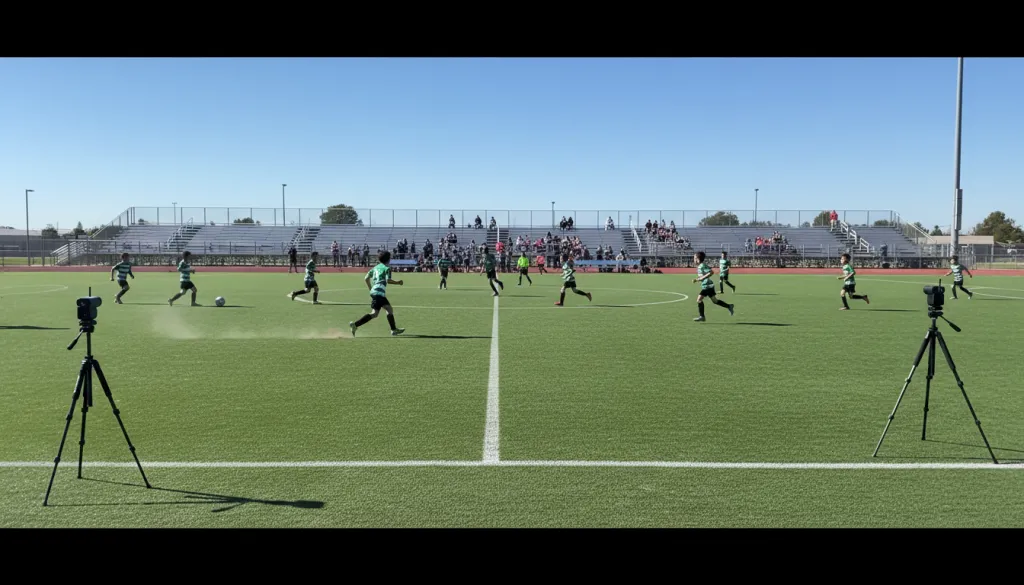
- True wireless multi-camera streaming — Link up to three VM33 cameras to one app and switch between angles in real time. For soccer, place one camera at midfield for the wide tactical view and a second behind each goal for close-up scoring shots.
- 10x optical zoom (40x hybrid) — The 1/2.8-inch Sony CMOS sensor delivers clear 2K footage of players up to 100 feet away. Optical zoom preserves detail in a way digital zoom cannot.
- Built-in 6-hour battery per camera — The 6400mAh battery lasts through doubleheaders. No power cables running across the sideline.
- Direct streaming without a computer — RTMP and RTSP output means you can stream straight to YouTube, Facebook, Twitch, or GameChanger from the NearStream app.
- Auto-director and picture-in-picture — The app can automatically switch between cameras based on motion, or display two angles simultaneously.
What to consider:
The VM33 maxes out at 1080p for live streaming (1440p for local recording). If you need 4K streaming, you will need a more expensive cinema camera setup. The all-wireless approach also depends on a stable Wi-Fi or 4G/5G connection at your venue.
Best for: Schools, youth sports leagues, parents, and independent broadcasters who want professional multi-angle streaming without hiring a production team.
2. Canon Vixia HF G70 — Best Traditional Camcorder for Recording
If your goal is to produce highlight reels rather than live streams, the Canon Vixia HF G70 remains the gold standard in the sub-$1,500 camcorder category. Canon's Dual Pixel autofocus is fast enough to track athletes in motion, and the 20x optical zoom reaches further than most streaming cameras.
Key strengths:
- 20x optical zoom — Significantly more reach than the 10x found on most streaming cameras, ideal for capturing the far end of a soccer or football field.
- Canon Dual Pixel CMOS AF — Reliable face and subject tracking that keeps runners in focus without constant manual adjustment.
- No network dependency — Records directly to SD cards. You are not relying on venue Wi-Fi or cellular signal.
Trade-offs:
The G70 does not stream natively. To go live, you need an HDMI capture card, a computer, and streaming software — adding cost and complexity. It is also a single-camera solution; adding a second angle means duplicating the entire hardware chain and adding an operator.
Best for: Coaches and videographers who prioritize highlight editing and post-production over live streaming.
3. NearStream VM33 (Single Unit) — Best Entry-Level Sports Streaming Camera
At $359, the single VM33 is the most accessible way to start streaming sports with a proper zoom lens. It shares the same sensor, zoom range, and streaming features as the 3-Pack, just as a standalone unit.
Key strengths:
- Same 10x optical zoom and 2K sensor as the 3-Pack version
- 8-MEMS microphone array with AI noise cancellation — Captures field audio clearly without an external mic
- Upgradable to multi-camera later — Start with one, add a second and third camera when budget allows
- Tripod-friendly mounting — Standard mounting point for quick setup on any tripod
What to consider:
A single camera means one angle. For soccer, you will need to position it at midfield and accept that the far goal will be at the edge of your zoom range.
Best for: Solo parents or coaches testing the waters with sports streaming before committing to a full multi-camera rig.
4. Sony HXC-FB80 — Best for Professional Broadcast Crews
The Sony HXC-FB80 is a true broadcast studio camera designed for regional sports networks and large athletic departments with full production teams. This is not a one-person camera; it requires a camera operator, a CCU (camera control unit) operator, and a director.
Key strengths:
- Studio-grade image quality with full shading control from the CCU
- Interchangeable lenses — Mount professional broadcast lenses with 30x+ servo zoom
- Genlock and tally — Purpose-built for multi-camera environments
Trade-offs:
With the CCU, lenses, and support gear, a two-camera HXC-FB80 setup easily exceeds $20,000. It also requires trained operators and a production control room.
Best for: College athletic departments, regional broadcasters, and professional sports productions with dedicated crews.
Head-to-Head Comparison
| Feature | NearStream VM33 3-Pack | Canon Vixia HF G70 | Sony HXC-FB80 |
|---|---|---|---|
| Price (approx.) | $899 | $1,299 | $10,000+ with CCU |
| Optical zoom | 10x | 20x | Depends on lens |
| Max streaming resolution | 1080p | None (HDMI output only) | 1080p / 4K with upgrade |
| Multi-camera support | Up to 3 wireless cameras | Single camera only | Unlimited with CCU |
| Setup crew needed | 1 person | 1 person | 3+ people |
| Battery life | 8 hours per camera | ~3 hours | AC powered |
| Audio | Built-in 8-mic array + 3.5mm input | 3.5mm input | XLR professional inputs |
| Best use case | Live streaming youth/college sports/sports clubs | Recording highlights | Professional broadcast |

Why the VM33 Changes the Math
Historically, multi-camera sports production required three things most youth programs and schools do not have: multiple operators, expensive switcher hardware, and long cable runs. The VM33 removes all three barriers.
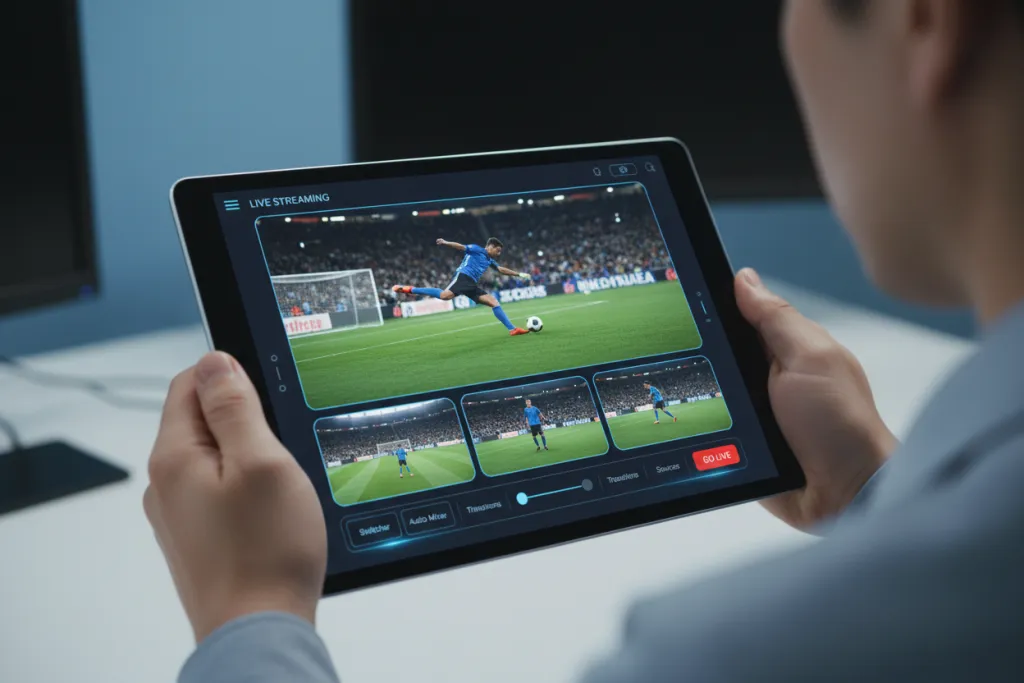
Three cameras talking to one tablet means a single parent or assistant coach can run an entire broadcast. Position Camera 1 at midfield for the wide tracking shot. Place Camera 2 on the near goal line for tight action. Add Camera 3 on the opposite sideline for player close-ups and celebrations. Switch between them with a tap, or let the auto-director handle cutting based on motion in the frame.
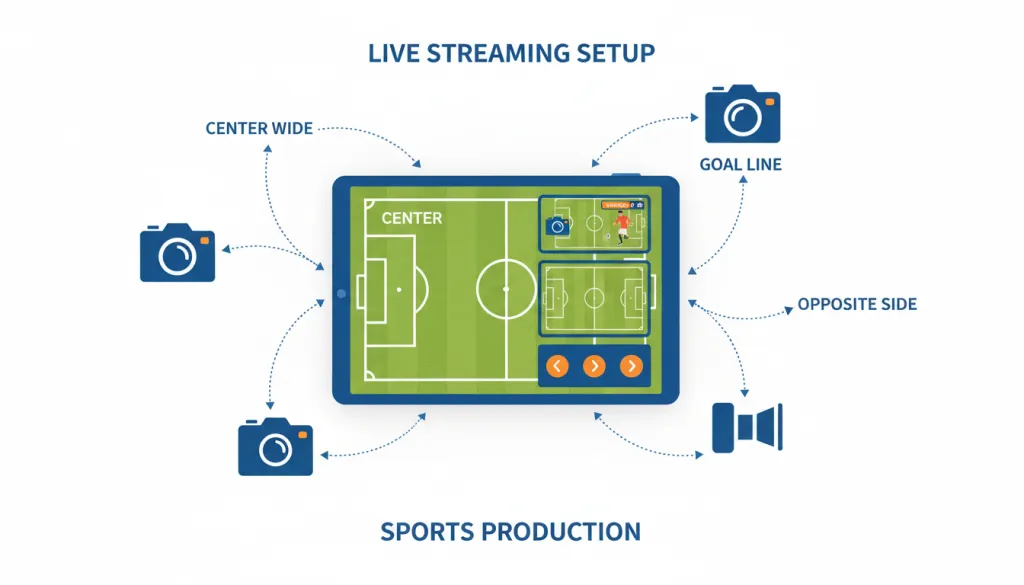
The wireless design also matters for venues with limited infrastructure. You are not running 100-foot SDI cables across a track or hoping the press box has power outlets. Each camera runs on its own battery and connects over Wi-Fi or 4G/5G. If your venue has no internet, the L30 PoE Ethernet adapter adds a wired network option.
At $899, the 3-Pack costs roughly what a single professional camcorder used to cost. For schools and leagues streaming multiple games per week, the ROI is measured in weeks, not seasons.
Which Setup Should You Choose?
Your ideal setup depends on what you are actually trying to accomplish:
You want to live stream games with multiple angles — The NearStream VM33 3-Pack is purpose-built for this. Three cameras, one operator, direct output to YouTube or GameChanger. This is the closest thing to a broadcast truck that fits in a backpack.
You only need highlight reels for recruiting or review — The Canon Vixia HF G70 gives you longer zoom reach and simpler file-based workflow. Record, transfer the SD card, edit. No network setup required.
You are a parent filming one child on a budget — Start with a single VM33. It is $359, streams directly, and upgrades to a multi-camera system later without replacing hardware.
You run a broadcast program with a full crew — The Sony HXC-FB80 or equivalent broadcast camera system is still the standard for regional sports networks. Nothing in the sub-$1,000 category competes at this level.
Frequently Asked Questions
What is the best camera for filming youth sports? For most youth sports, the NearStream VM33 3-Pack offers the best balance of zoom range, wireless convenience, and multi-camera live streaming at under $900. If you only need recording without streaming, a traditional camcorder like the Canon Vixia HF G70 is a solid alternative.
How many cameras do I need to live stream a soccer game? A professional-looking soccer stream typically uses two to three cameras: one wide shot capturing the full field from the center line, and one or two additional cameras covering each goal line for tight shots on scoring action. The NearStream VM33 system supports up to three wireless cameras controlled from a single tablet or phone.
Can one person operate multiple cameras at a sports game? Yes. Wireless multi-camera systems like the NearStream VM33 3-Pack are designed for solo operators. All cameras connect to a single app where you can switch feeds, zoom, and stream without assistance. Traditional camera setups usually require a dedicated operator per camera.
Is optical zoom important for sports videography? Optical zoom is critical for sports. Unlike digital zoom, optical zoom maintains full image quality when capturing distant action. For soccer and football filmed from the sidelines, 10x optical zoom or greater is recommended to clearly capture players across the full field.
What is the difference between a sports camera and a regular video camera? Sports cameras prioritize fast autofocus, long optical zoom, and live streaming capability. They are built to track quick movement across large fields and often include wireless multi-camera support. Regular video cameras may lack the zoom reach and low-light performance needed for outdoor sports filming.
Final Verdict
The best camera for sports videography in 2026 depends on whether your priority is live streaming or recording, and how many people you have to run the show. For the growing number of schools, leagues, and parents who need professional-looking multi-angle live streams without a production crew, the NearStream VM33 3-Pack or VM33 3-pack Kit is the clear winner. It replaces what used to require ten thousand dollars in hardware and three trained operators with a $899 wireless system that one person can run from an iPad.
If your workflow is purely about recording and post-production, traditional camcorders still hold advantages in zoom range and file flexibility. But for the modern sports videographer who needs to go live, the VM33 3-Pack is the most practical and cost-effective solution available.
Learn more about the NearStream VM33 3-Pack and check current pricing on the official product page.



 sales@nearstream.us






