


























































Nothing kills a recording session faster than the blinking low-battery light on your wireless microphone. You are halfway through a wedding ceremony, deep into a hiking trail miles from any outlet, or streaming the final quarter of a championship game — and your audio dies. The footage you capture after that point? Silent and useless.
If you are a sports live streamer covering 4-hour tournaments or an outdoor hiking vlogger spending entire days on the trail, runtime anxiety is not just inconvenient — it is a career risk. This guide walks you through exactly how to ensure your wireless microphone system delivers reliable audio for 10 hours or more, with practical workflows and gear recommendations that solve the battery problem for good.

What You Need for All-Day Wireless Audio
Before diving into the workflow, let us establish the prerequisites. Getting 10+ hours of reliable wireless audio requires more than just one piece of gear. Here is what actually matters:
- A wireless microphone system with 8+ hour single-charge runtime — Anything less forces you to mid-shoot swap, which interrupts recording.
- A charging case that provides multiple full recharges — This is your portable power hub built specifically for your mics.
- Visual battery monitoring, not just LED guessing — You need exact percentages to plan your shoot, not a vague flashing red light.
- Fast recharge capability — 2-hour or less full recharge means your lunch break is enough to get back to 100%.
- Wind protection and noise cancellation — For outdoor creators, wind drains mental energy; built-in noise handling keeps your audio clean without extra post work.
- External lavalier microphone input — Sometimes you want the transmitter hidden in a pocket with only a tiny lapel mic visible. Having a 3.5mm input for an external lavalier microphone gives you that flexibility.
Understanding Wireless Microphone Battery Technology
Before choosing a system, it helps to understand what determines battery life in a wireless microphone. Three factors control runtime: transmitter efficiency, battery chemistry, and power management intelligence.
Transmitter efficiency is the biggest variable. Cheaper wireless microphones use basic 2.4GHz chips that consume power constantly, even when not actively transmitting audio. Premium systems use optimized transmission protocols that scale power usage based on distance and signal conditions. When you are standing close to the receiver, the transmitter uses less power. When you move farther away, it intelligently ramps up. This adaptive behavior extends real-world battery life significantly.
Battery chemistry matters too. Most modern wireless microphones use lithium-polymer batteries because they offer the best energy density for their size. However, not all lithium batteries are equal. The capacity (measured in milliamp-hours, or mAh) determines raw runtime. Higher-end systems pack larger batteries without adding bulk.
Power management intelligence is the final piece. Systems with smart standby modes, efficient audio processing chips (like the HiFi 4 DSP in the AWM28T), and optimized screen power draw squeeze more hours from the same battery capacity. A bright touchscreen that stays on constantly will drain faster than one with auto-dimming, which is why visual power management features matter.
Step-by-Step: Building a 10-Hour Wireless Microphone Workflow
Step 1 — Select a Wireless Microphone Built for Endurance
Not all wireless microphones are created equal when it comes to battery life. Entry-level clip-on mics typically offer 5-6 hours per charge. That might cover a short YouTube video, but it fails for sports events, weddings, or all-day hiking vlogs.
What to look for:
| Specification | Minimum Acceptable | Ideal Target |
|---|---|---|
| Single-charge runtime | 6 hours | 8-10+ hours |
| Total runtime with case | 20 hours | 45-55+ hours |
| Full recharge time | 3 hours | 2 hours or less |
| Wireless transmission range | 50 meters | 100+ meters |
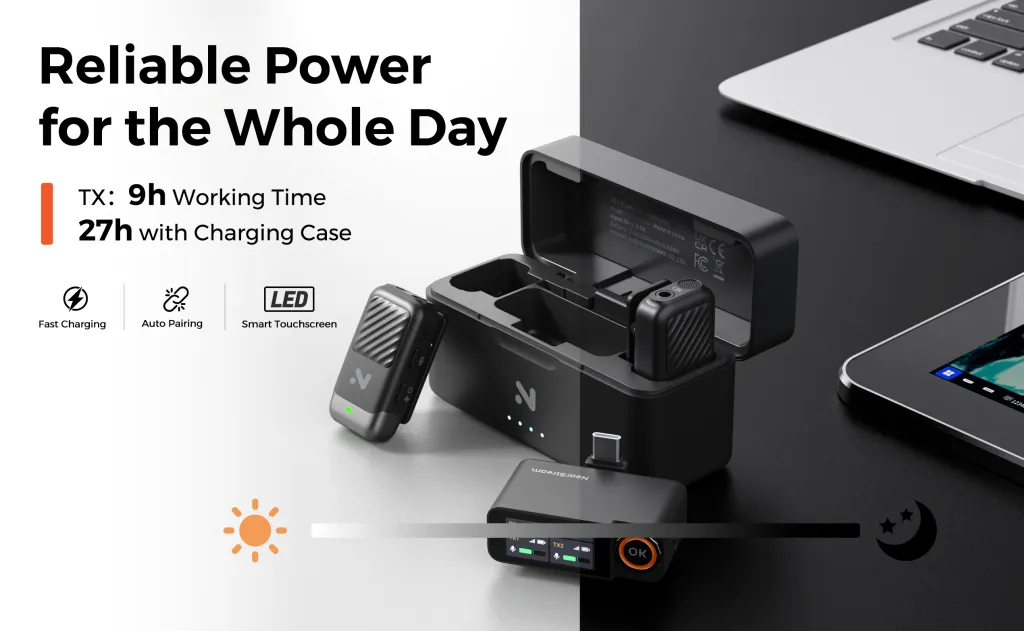
The NearStream AWM28T hits the ideal targets across the board. Each transmitter runs for 9 hours on a single charge, and the included charging case extends total system runtime to 54 hours. For context, that is enough to cover three consecutive 10-hour wedding shoots without ever plugging into a wall outlet. When you do need to recharge, the system goes from empty to full in just 2 hours.
For sports live streamers and outdoor vloggers, this means you can start recording at sunrise and keep going through sunset without a second thought about power.
Step 2 — Master the Charging Case Rotation Strategy
The charging case is not just storage — it is your power hub. Smart rotation separates professionals from amateurs.
The swap-and-charge workflow:
- Start your day with both transmitters fully charged and the case topped off overnight.
- Use one transmitter as your primary while keeping the second in the case as a hot backup.
- During breaks, lunch, or transition periods, swap the used transmitter into the case. Even 30 minutes in the case adds significant charge.
- The receiver stays powered throughout — the AWM28T receiver also benefits from the case's charging capability.
This rotation means you effectively have unlimited power as long as you have brief downtime to swap. A 15-minute coffee break can add hours of recording time back to your transmitters. The AWM28T case is designed precisely for this kind of working rhythm.
Think of the case like a tactical reload. You are not waiting for something to run dry; you are proactively refreshing your gear during natural pauses in the action.
Step 3 — Monitor Battery Levels Visually in Real Time
Here is a truth most creators learn the hard way: LED battery lights lie by omission. A "green" light tells you almost nothing about how much time you actually have left. A flashing red light creates panic, not a plan.
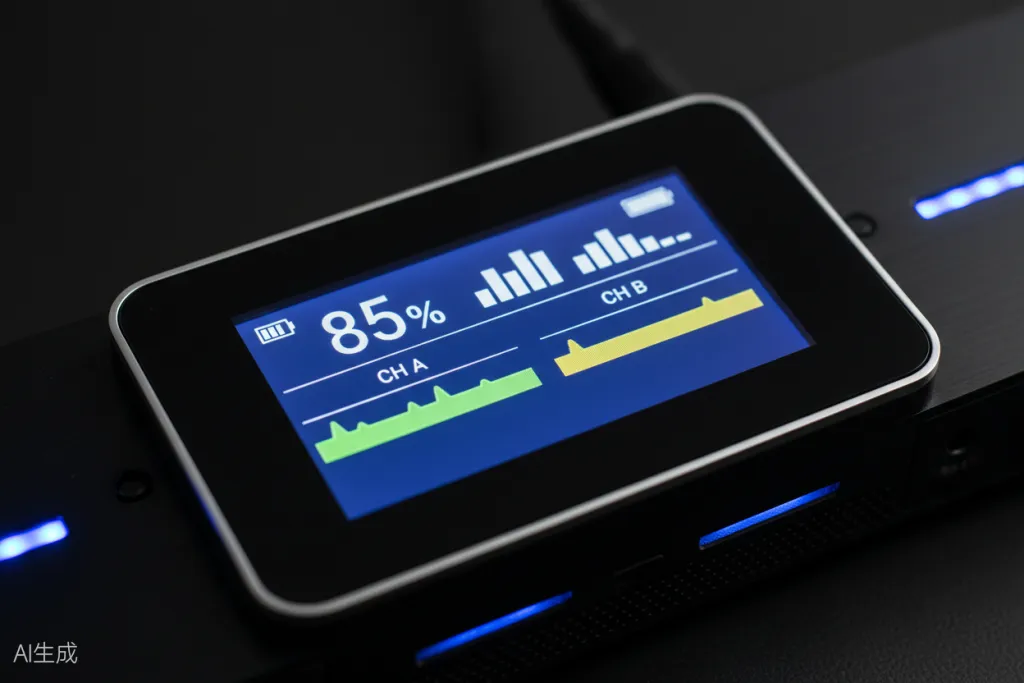
A wireless microphone receiver with a visual display changes everything. The AWM28T features an LCD touchscreen that shows:
- Exact battery percentage for the receiver
- Individual battery percentages for both transmitters
- Real-time audio waveforms and signal strength
- Recording mode confirmation (Mono, Stereo, Safety Track)
This visibility means when you see "15% remaining," you know precisely how much time you have to finish your current segment before swapping to a fresh transmitter. No guessing. No mid-sentence dropouts.
The psychological difference is real. Creators using screenless mics report constant anxiety — checking, guessing, hoping. Creators using visual systems report confidence and focus. When you know your numbers, you can think about your content instead of your gear.
Step 4 — Optimize Settings for Maximum Battery Life
Even the best wireless microphone benefits from smart power management. Small adjustments can extend your effective runtime significantly.
Power optimization tips:
- Use Mono mode for solo content — Stereo mode uses slightly more processing power. If you are recording alone, Mono is simpler and more efficient.
- Disable unnecessary noise cancellation indoors — The AWM28T's AI noise reduction is phenomenal outdoors but not always needed in controlled indoor environments. Toggle it off to save power.
- Lower screen brightness on the receiver — The touchscreen is useful, but maximum brightness drains the receiver faster. Find a level you can read comfortably without maxing it out.
- Keep transmitters in the case during extended breaks — Even powered-off transmitters lose small amounts of charge over time. The case maintains optimal charge levels.
- Use headphones strategically — Zero-latency monitoring via the 3.5mm jack is invaluable for checking levels, but if you are confident in your setup, you do not need monitoring running continuously. The headphone amp draws power.
These optimizations might add 30-60 minutes per cycle. Across a 10-hour day, that extra margin matters.
Step 5 — Build a Pre-Shoot Battery Checklist
Professionals do not leave battery management to chance. Run through this checklist before every long shoot:
- [ ] Charging case charged to 100% (check the night before)
- [ ] Both transmitters show full charge when removed from case
- [ ] Receiver powered on and displaying accurate battery percentages
- [ ] Backup power bank packed (for charging the case itself in emergencies)
- [ ] All cables and adapters accounted for (USB-C, Lightning, 3.5mm)
- [ ] Windshields attached if shooting outdoors
- [ ] Second pair of charged transmitters identified if available
This five-minute routine eliminates 90% of battery-related failures in the field. Make it a habit, just like checking your lens caps and memory cards.
Why the NearStream AWM28T Solves the 10-Hour Challenge
The AWM28T is not just a wireless microphone with good battery life. It is a system engineered around the reality that creators work long, unpredictable days and cannot afford to have their audio fail.
The endurance advantage:
| Feature | AWM28T | Typical Competitor |
|---|---|---|
| Single runtime | 9 hours | 5-6 hours |
| Total with case | 54 hours | 15-24 hours |
| Recharge time | 2 hours | 2.5-3 hours |
| Range | 100 meters (328 ft) | 50-80 meters |
| Display | LCD touchscreen | LED only |
| Safety Track | Yes (-6dB backup) | Rare |
| AI Noise Reduction | Yes (HiFi 4 DSP) | Basic or none |
| Dual-device output | Yes (simultaneous) | No |
Beyond raw battery numbers, the AWM28T adds features that matter specifically for long shoots. The Safety Track mode records a backup audio channel at -6dB lower volume. If you suddenly laugh, cheer, or encounter an unexpected loud noise that clips your main track, you have a clean backup ready in post-production. For unscripted content like sports reactions or emotional interviews, this is professional insurance.
The AI noise cancellation handles over 700,000 noise types via a HiFi 4 DSP chip, reducing steady background noise by up to 21dB and sudden disruptions by 40dB. Outdoor hiking vloggers dealing with wind, streams, and traffic get cleaner audio without bulky external gear.
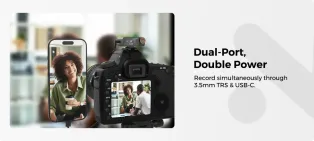
And the dual-device output means you can record to your camera and live stream to your phone simultaneously — both with professional 48kHz/24-bit audio. No splitters, no compromises. This is especially valuable for sports streamers who want a clean recording for later editing while also going live in real time.
The included external lavalier microphone input on the transmitters is another endurance feature in disguise. When you clip a tiny lapel mic to your collar and hide the transmitter in a pocket, you reduce wind exposure and physical strain on the transmitter. The built-in mic is convenient for quick setups, but the lavalier option gives you professional flexibility for demanding shoots.
Battery Workflows by Creator Type
For Sports Live Streamers
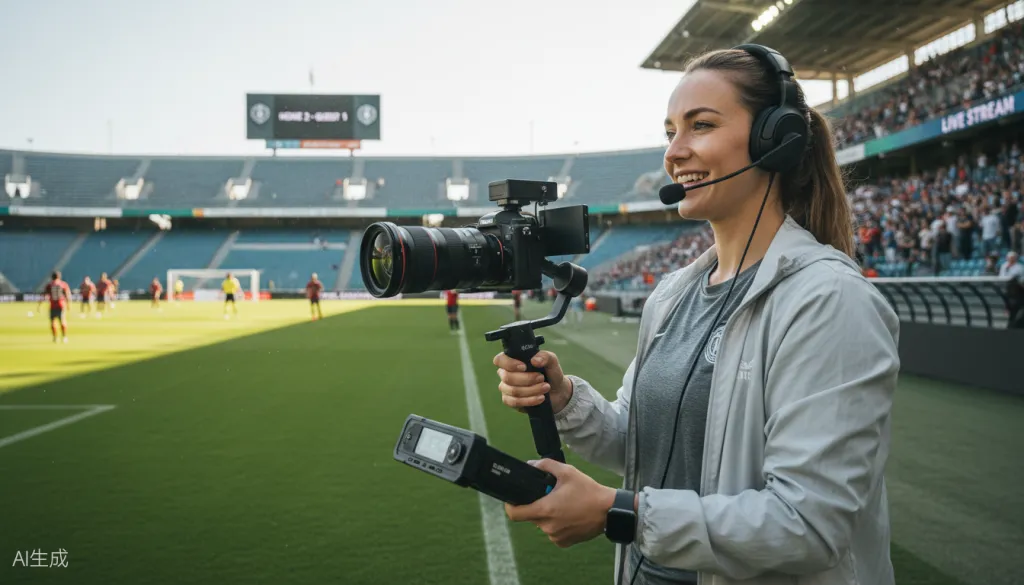
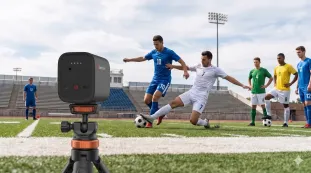
Sports events are marathon recording sessions. A single soccer match with pre-game and post-game coverage easily stretches 5-6 hours. Tournament days run 10+ hours.
Recommended workflow:
- Arrive with the case at 100%.
- Mic up your primary commentator or subject with transmitter A.
- Keep transmitter B in the case as backup.
- At halftime or between matches, swap transmitters.
- Use the LCD touchscreen to monitor levels throughout — the 100-meter range means you can move freely around the venue without signal dropouts.
- Enable Safety Track mode before going live. Sports reactions are unpredictable, and having that -6dB backup saves takes that would otherwise be ruined by sudden cheering.
- Use the dual-output feature to feed audio to your streaming device via USB-C while simultaneously recording to a camera via 3.5mm for your highlight reel.
For Outdoor Hiking Vloggers
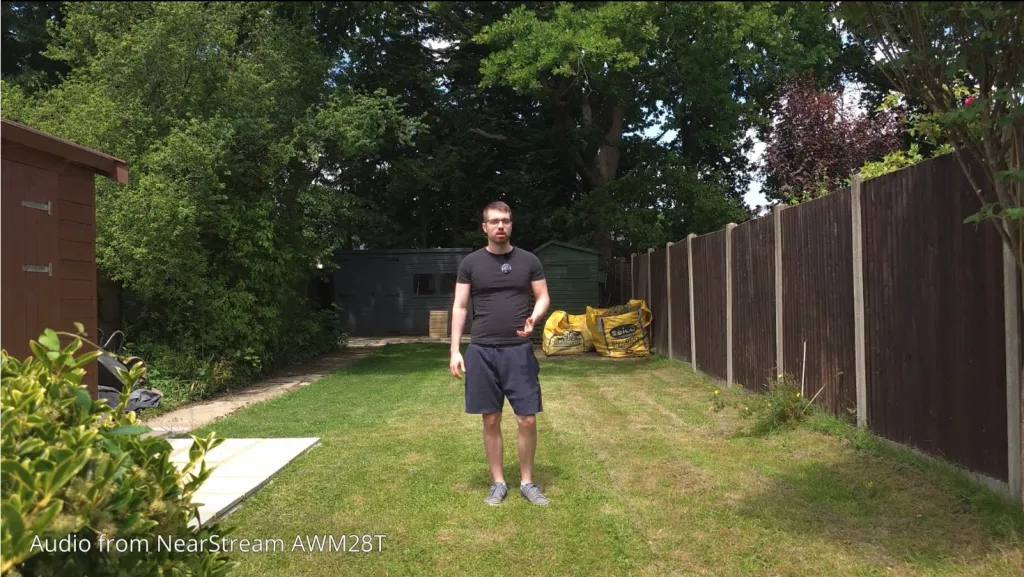
Hiking vloggers face a unique challenge: no power outlets, unpredictable weather, and all-day recording needs. A 12-mile hike with commentary can easily consume 6-8 hours of recording time. Multi-day backpacking trips are even more demanding.
Recommended workflow:
- Start both transmitters fully charged in the morning.
- Attach the included fur windshields before leaving — wind noise kills audio faster than any technical issue.
- Use the magnetic clips to position the transmitter discreetly on your pack strap or clothing. The magnets are strong enough to hold through layers but easy to reposition.
- The 54-hour total runtime means even a multi-day backpacking trip is covered without bringing extra power banks. Over a three-day trip with 6 hours of recording per day, you still have charge to spare.
- The 100-meter range lets you set up B-roll shots where you walk away from the camera while still recording clean audio. Hike ahead, set the camera on a tripod, and walk back through the frame — all with continuous audio.
- Enable AI noise cancellation on windy ridges or near streams. The HiFi 4 DSP processes environmental noise in real time, keeping your voice prominent without that processed, robotic sound cheaper systems produce.
For Wedding and Event Videographers
Weddings are unpredictable, emotionally charged, and unrepeatable. You get one chance to capture the vows, the speeches, and the first dance. Battery failure is not an option.
Recommended workflow:
- Charge the case the night before and verify 100% in the morning.
- Assign one transmitter to the officiant or groom during the ceremony. Keep the second as backup in your pocket.
- During cocktail hour, swap transmitters and recharge the used one in the case.
- For speeches, mic up the best man or maid of honor with a fully charged transmitter.
- Use the touchscreen to visually confirm audio levels before each segment. The confidence of seeing waveforms move beats hoping an LED is the right color.
- The Safety Track is your secret weapon for unpredictable emotional moments — a quiet vow followed by a celebratory cheer can clip lesser systems. The AWM28T's backup channel saves those moments.
Troubleshooting Common Battery Issues
Even with great gear, problems happen. Here is how to handle the most common battery-related issues:
"My transmitter died faster than expected"
- Cold weather reduces battery performance significantly. Below 40°F (4°C), lithium batteries lose capacity. Keep the case in an inside pocket when not in use.
- Check if noise cancellation has been running constantly at maximum — this draws more power. Toggle it off in quiet environments.
- Older batteries lose capacity over time. If your system is over two years old and runtime has dropped noticeably, the internal battery may be degrading.
- Verify you are not accidentally in a high-power transmission mode. Some systems boost signal at the cost of battery when interference is detected.
"The case is not charging my transmitters"
- Ensure the case itself has charge. The LED indicators on the AWM28T case show remaining power.
- Verify the transmitters are seated properly in the case. Magnetic alignment helps, but double-check contact points.
- Clean the charging contacts on both the transmitters and the case with a dry cloth. Dirt and debris can interrupt charging.
- Try a different USB-C cable and power brick. Not all chargers deliver the same power output.
"I forgot to charge the case last night"
- With the AWM28T's 2-hour fast charging, even a morning coffee run gives you enough time to get significant charge into the case.
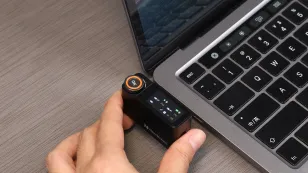
- In emergencies, the case can be charged via USB-C from a portable power bank while simultaneously charging transmitters inside.
- If you have access to a car charger, a 30-minute drive can add several hours of runtime back to the case.
"My receiver battery is draining faster than the transmitters"
- Brightness is the culprit. Lower the touchscreen brightness to extend receiver runtime.
- Disconnect unused outputs. If you are only recording to camera (not dual-device), unplug the USB-C to conserve power.
- The receiver processes two audio streams and drives a display — it naturally consumes more power than a simple transmitter. Budget your power accordingly.
"Audio cuts out intermittently even with good battery levels"
- This is usually a range or interference issue, not a battery problem. The AWM28T's 100-meter range handles most situations, but physical obstructions like concrete walls or metal structures can affect signal.
- Other 2.4GHz devices (WiFi routers, Bluetooth headphones, wireless video transmitters) can cause interference. Try changing position or temporarily disabling nearby WiFi if possible.
- Ensure a clear line of sight between transmitter and receiver whenever possible. Even turning your body to block the signal path can cause brief dropouts.
FAQ: Long Runtime Wireless Microphones
How long should a wireless microphone battery last for professional use?
For professional use, a wireless microphone should last at least 6-8 hours on a single charge to cover a standard workday. The best systems, like the NearStream AWM28T, offer 9 hours of single runtime and up to 54 hours total with a charging case, making them ideal for wedding videographers, outdoor vloggers, and sports live streamers who need all-day reliability.
Can I use a wireless microphone for a full day of live streaming without charging?
Yes, but only if you choose the right system. Most standard wireless microphones last 5-6 hours per charge, which won't cover a full day. Look for a wireless microphone with a charging case that provides multiple recharges. The NearStream AWM28T offers 9 hours per transmitter and 54 hours total with its case, easily covering full-day live streaming events without needing a wall outlet.
How do I monitor battery levels on a wireless microphone during a shoot?
The most reliable method is using a wireless microphone receiver with a visual display. LED indicators alone are vague and stressful. A system like the NearStream AWM28T features an LCD touchscreen that shows exact battery percentages for the receiver and both transmitters, plus real-time audio waveforms, so you always know precisely how much runtime remains and can plan swaps accordingly.
What is the best wireless microphone for outdoor hiking and adventure vlogging?
The best wireless microphone for outdoor hiking vlogging needs three things: long battery life (8+ hours), a charging case for extended trips, and reliable wireless range. The NearStream AWM28T checks all boxes with 9 hours single runtime, 54 hours total via charging case, 100-meter stable transmission, AI noise cancellation for wind and environmental noise, and included fur windshields for outdoor recording.
How fast do wireless microphone charging cases recharge the transmitters?
Recharge speeds vary by model, but premium systems offer fast charging. The NearStream AWM28T fully recharges from 0% to 100% in just 2 hours. During short breaks between shooting sessions, the charging case can top up transmitters significantly, giving you enough juice to extend recording time without long downtime.
Conclusion: Record All Day, Worry Never
Battery anxiety is one of the most stress-inducing problems in content creation — and it is entirely solvable. The right wireless microphone system with a charging case transforms your workflow from constant power monitoring to pure creative focus.
If your work involves 4-6 hour shoots, all-day events, or multi-day outdoor adventures, the NearStream AWM28T gives you the endurance headroom to stop thinking about batteries entirely. With 9 hours of single runtime, 54 hours total with the charging case, fast 2-hour recharges, and the visual confidence of an LCD touchscreen, you have professional-grade audio that lasts as long as you do.
The best wireless microphone for vlogging is not the one with the most features on paper. It is the one that disappears into your workflow and lets you focus on what matters — telling great stories, capturing genuine reactions, and creating content your audience loves.
Ready to eliminate battery anxiety from your shoots? Check out the NearStream AWM28T and experience what true wireless freedom feels like.



 sales@nearstream.us






