The Ultimate Guide to Outreach Videos: Create, Convert, Connect
Learn how to make outreach videos that convert.
outreach video
outreach strategies
Updated: Feb 27, 2026 · 8 minutes read
Modular Video Kits for Growing Business.
Making effective outreach videos starts with clarity—of message, audience, and tools. This guide walks you through everything from strategy to setup:
Outreach Strategy: Learn the difference between business and community outreach
Lead Qualification: Use video data to segment and prioritize contacts
Toolbox: Best free and paid tools to create, edit, and send impactful videos
Script Templates: From nonprofit messaging to cold sales outreach
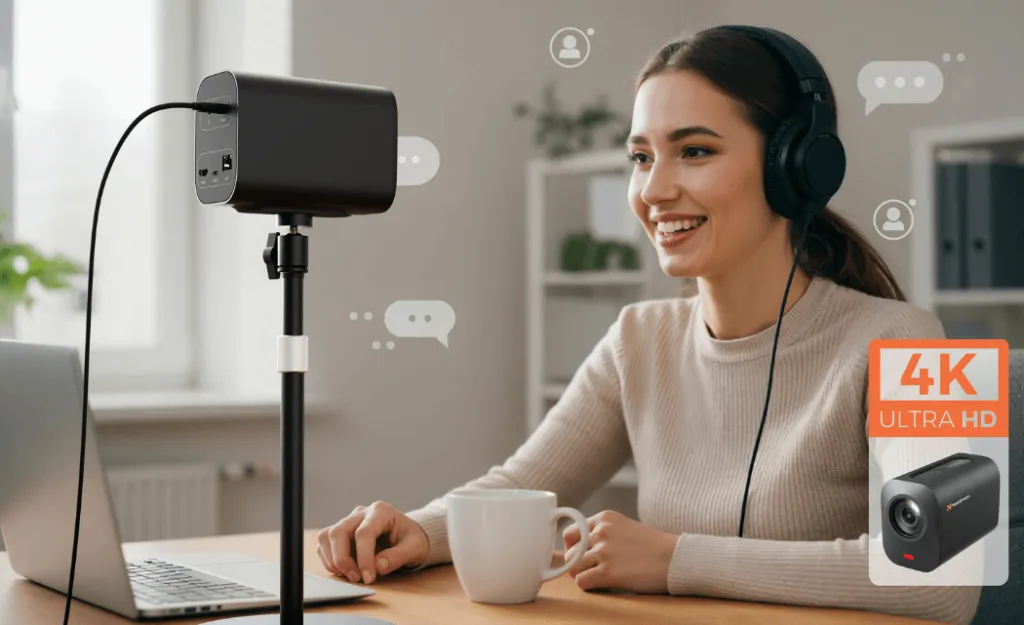
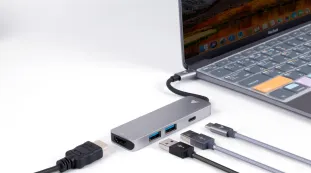
Hardware Recommendations: Use NearStream gear to upgrade quality 📌 Cut through the noise. Send video messages that get watched—and acted on.
What Is an Outreach Video? Business vs. Community Use Cases
An outreach video is a short, intentional video used to initiate a connection, drive awareness, or nurture a relationship with a target audience. It replaces or supplements traditional outreach tools like cold emails, brochures, or phone calls. Its goal is to make communication more human, visual, and emotionally resonant.
Business Outreach: Qualifying Leads Through Personalization
In the business world, outreach videos are often used by sales, marketing, or customer success teams to reach leads or prospects. The content typically introduces a product, highlights a specific pain point, and suggests a clear next step (such as "Book a Demo" or "Start Free Trial").
Community Outreach: Raising Awareness and Building Trust
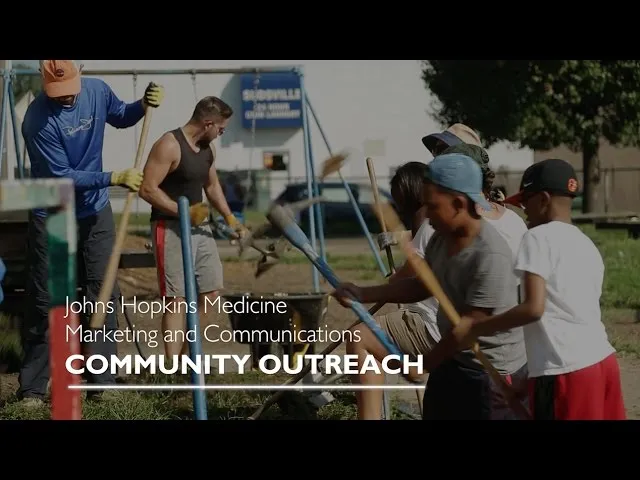
In nonprofit, education, or public health sectors, outreach videos serve a different purpose: building trust, inspiring participation, or educating underserved groups. Here, the goal isn’t sales—but community impact.
In both business and community outreach, video outperforms almost every other medium in terms of engagement, trust-building, and conversion.
Stat 1: Personalized video emails drive massive engagement
According to Vidyard, personalized video messages (e.g. via Loom, Vidyard) can yield up to 8× higher click-through rates and 4× more replies compared to standard messages.
Video email has become a new form to replace the traditional cold email, with a click-through rate of more than three times (Vidyard data). Best practices include:
Start by mentioning the user name or company name to create the feeling of "This is recorded for you";
In the middle: Focus on one pain point or demand and don't elaborate too much on product details.
Conclusion: Clarify the action path, such as "Reply me", "Click to make an appointment" or "Fill out the questionnaire".
📌 The marketing team can also batch record semi-temtemplate videos and distribute them automatically through the CRM system.
Stat 2: Video email thumbnails boost clicks
Vidyard also reports that including a video thumbnail in emails can increase click-through rates by 65%—while just writing “video” in the subject line increases open rates by ≈ 6%.
Communities or educational organizations can embed videos in email push notifications, registration pages or social platforms to enhance their dissemination influence. The strategies include:
The video incorporates real stories (such as volunteers, patients, and teachers);
As many language versions as possible (especially suitable for diverse communities);
Clarify the community CTA, such as "Register Now", "Follow the official account", "Join the Group", etc.
🔧 Tools such as Canva, Kapwing, and Descript are also good for non-professionals to generate materials quickly.
Stat 3: Video is the preferred outreach format for decision-makers
It is reported that most sellers using video in prospecting gain higher response and pipeline results; combined with Vidyard + Salesloft data, video messages outperform text by up to 300% CTR and 400% reply rates.
For B2B sales, combine video outreach with LinkedIn messages, follow-up emails, and CRM tracking to score and qualify leads based on response behavior.
Hybrid reach + behavioral analysis is the trend in 2025. The process is illustrated as follows:
First contact: LinkedIn private message + short video introduction;
Second reach: Automatic email + personalized follow-up video;
The third contact: Observe the viewing behavior in the CRM (whether it has been viewed and whether the CTA has been clicked).
Mark the intention intensity: Mark as MQL (Marketing Qualified Lead) or SQL (Sales Qualified Lead). This mechanism not only achieves "humanization", but also retains "data-driven".
How to Make a Community Outreach Video
Community outreach videos are designed to inform, inspire, and mobilize. Unlike business-oriented content, they lean heavily on authenticity, empathy, and storytelling. They don’t sell—they connect.
Steps
Content notes
Specific Aims
Is it for enhancing cognition? Mobilize volunteers? Or to popularize knowledge?
Focus Audience
Is it the elderly? Parents of students? Language minority groups? The information carrier should be compatible.
Write the scripts
Describe the problem in simple language, provide solutions and call for action.
Shoot a video
Try to use familiar scenarios (classrooms, community centers, homes) to reduce the "sense of distance".
Distribute channels
Emails, wechat groups, official accounts, poster QR codes, community activities, etc.
Business Outreach Video Ideas for B2B Lead Generation
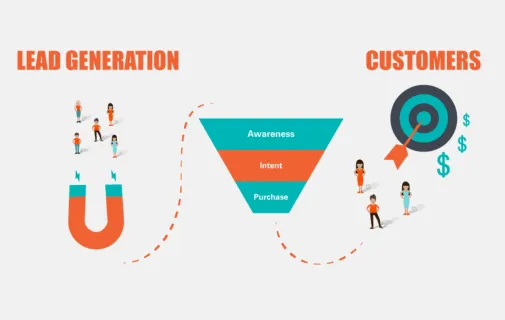
In B2B outreach, your goal isn't just to connect—it's to identify qualified leads who are ready for a demo, call, or purchase. Smart use of outreach video allows you to filter, score, and prioritize these leads based on engagement.
What Makes a Lead-Qualifying Outreach Video?
Short but value-packed: Solve a pain point within 45-60 seconds
Problem-solution framing: Identify the problems that users may face and present the solutions
Visual product context: Briefly display the product interface or usage scenarios
Direct CTA: "Reply to this message", "Schedule a presentation" or "Click to get the white paper"
Smart Strategy: Lead Segmentation with Video
In conjunction with the CRM system, you can judge the quality of potential customers through the following behaviors:
Behavior
Intention judgment
Clicked on the video but received no reply
Moderate intention, suitable for a second follow-up
After watching the video, visit the official website
High intention, prioritize marking SQL
No clicks, no views
Keep cool and do not advance for the time being
Best Tools to Record and Edit Outreach Videos (Free & Paid)
Creating professional outreach videos doesn’t require a film crew. With the right tools and setup, you can produce high-converting videos from your desk—or even your phone.
Tips for Qualifying Leads with Personalized Video Outreach
Once your video is sent, the next challenge is to know: Who’s really interested? Who’s worth a follow-up? That’s where lead qualification through video engagement comes into play.
Segment Leads by Behavior
Use tools like Vidyard or Wistia to track viewing behaviors:
A1. An outreach video aims to connect with a target audience by informing, educating, or encouraging an action. It replaces impersonal communication like emails with visual storytelling that builds trust and engagement.
Q2. How long should an outreach video be?
A2. Ideally, keep it between 30 seconds and 2 minutes, depending on context. Business videos often work best around 45–60 seconds, while community messages may extend up to 2 minutes to include full context.
Q3. How do I use outreach videos in email marketing?
A3. Use a thumbnail or animated GIF preview in your email, include “video” in the subject line, and add a CTA below the embedded video. Personalized video boosts click-through and reply rates significantly.
Q4. Can outreach videos help with lead qualification?
A4. Yes. By tracking who watches your video and how much they engage (clicks, views, replies), you can assign lead scores and prioritize follow-ups more effectively than with text-based outreach alone.
Q5. What's the difference between a business and a community outreach video?
A5. Business outreach videos focus on solving a pain point and converting leads, while community outreach videos aim to educate, raise awareness, or encourage participation without a sales agenda.
Q6. Are there free tools to make outreach videos?
A6. Yes. Loom offers a free tier with screen + webcam recording. Canva and Kapwing also offer free plans for video editing. These are great options for nonprofits, educators, or small teams.














































































 sales@nearstream.us






