User Interface and Latency
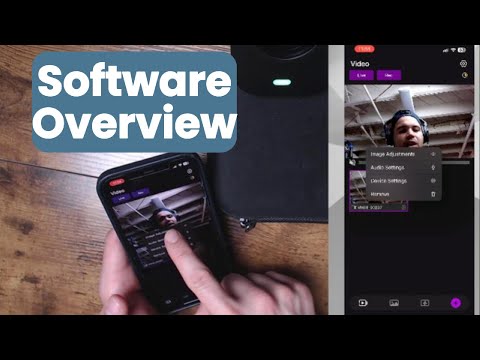
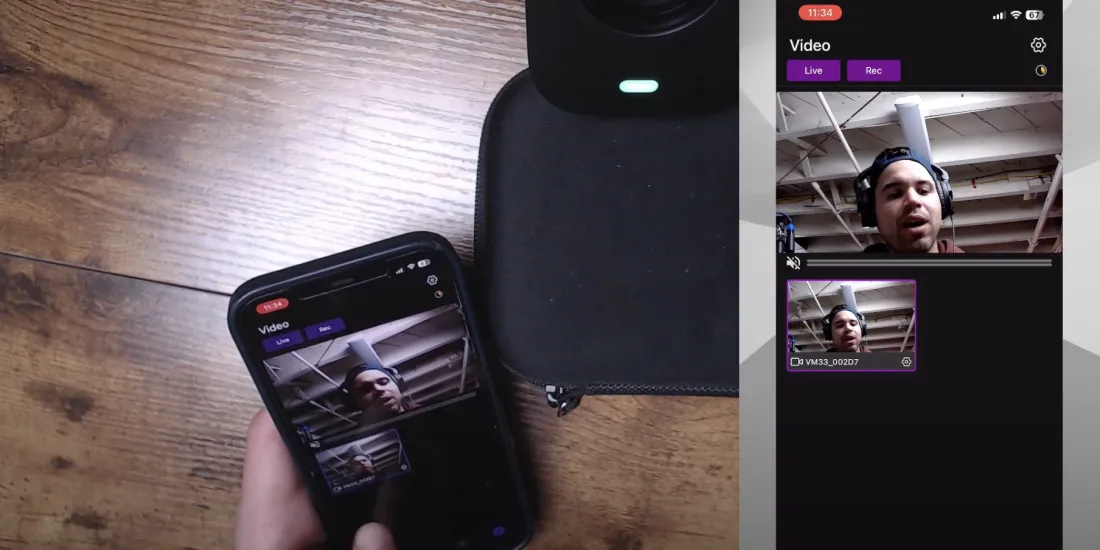
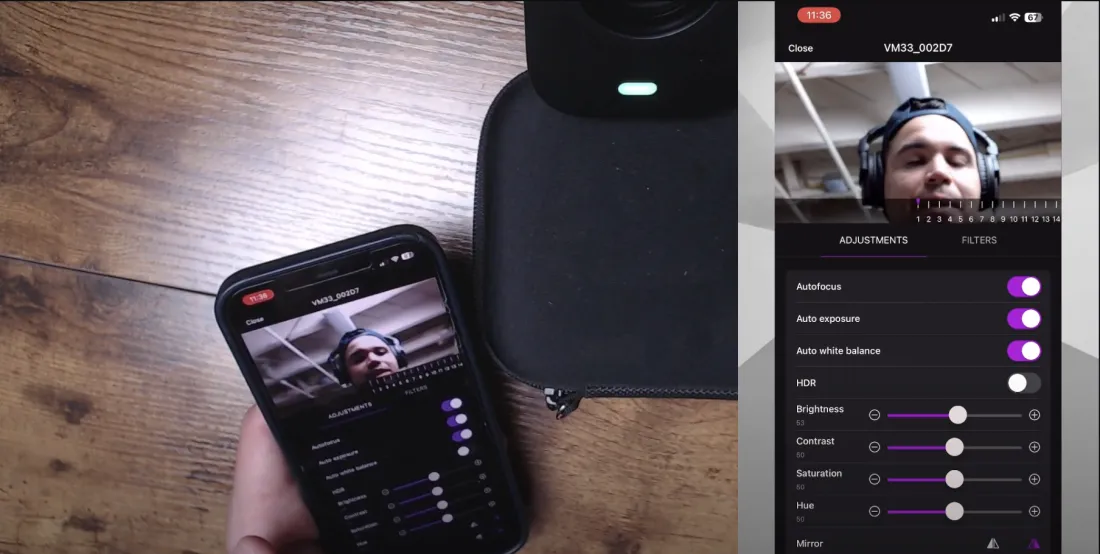
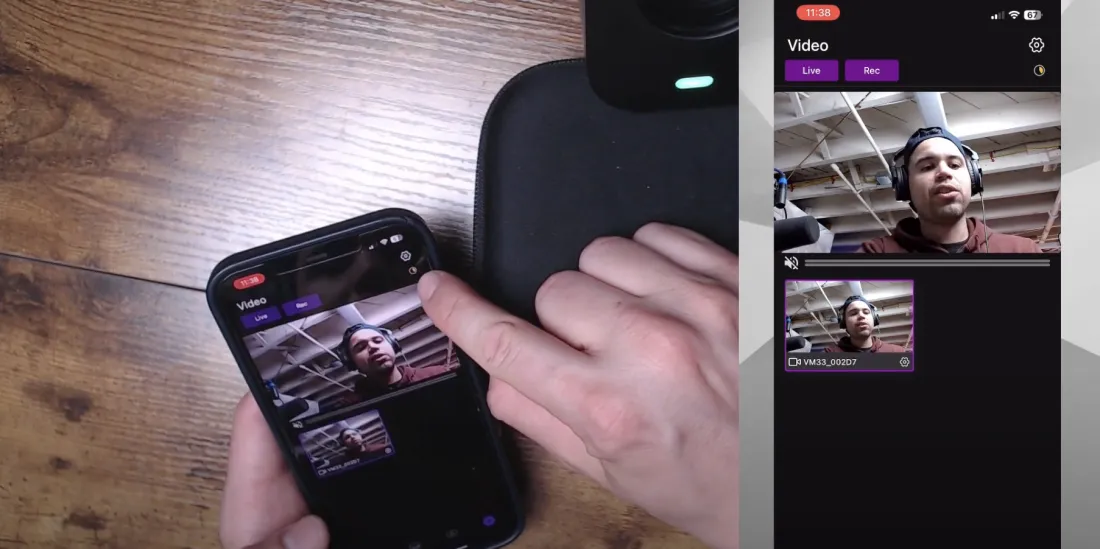
Kenny highlighted the seamless user interface of the VM33's accompanying app, noting that the live preview showed minimal latency. The app allowed for real-time adjustments to settings such as auto focus, exposure, white balance, and HDR, with changes reflecting almost instantaneously. This responsiveness made it easier to maintain optimal image quality in dynamic environments.
Camera Adjustments and Filters
The software offered a comprehensive suite of camera adjustments, including brightness, contrast, and saturation, providing users with extensive control over their footage. Additionally, built-in filters added versatility, catering to those who prefer vibrant, colorful images or classic black and white.
Audio Settings and Connectivity
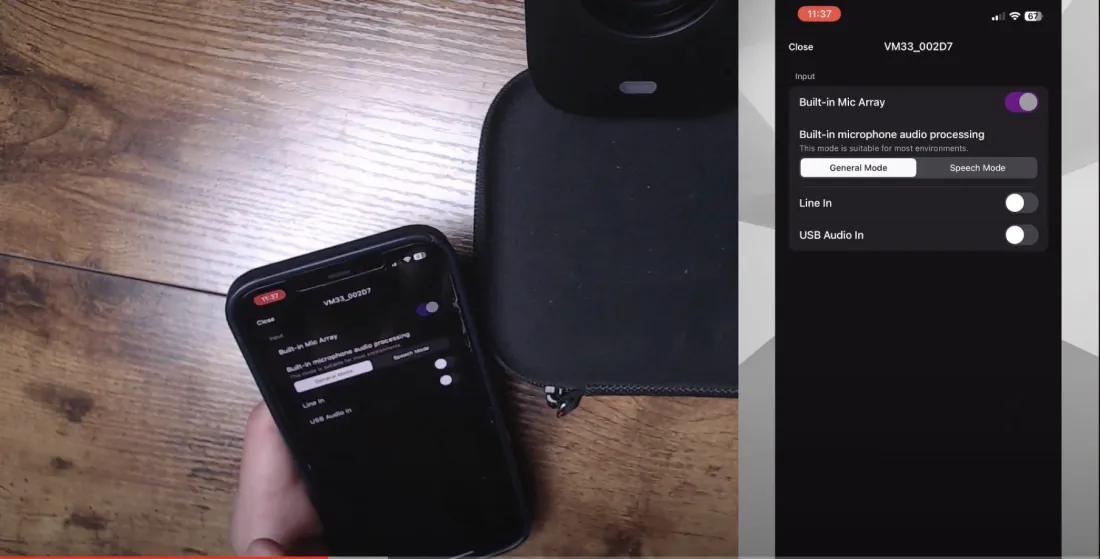
Kenny praised the audio settings, which included options for using the built-in eight-microphone array or connecting external microphones via a 3.5mm jack. The ability to monitor audio levels directly within the app was particularly useful for ensuring consistent sound quality during recordings.
Device Management and Customization
The device settings menu provided tools for managing the camera's network connections, battery status, and storage. Features like the ability to format SD cards and adjust recording quality added convenience. Kenny also appreciated the customizable light indicators, which helped users track the camera's operational status at a glance.
Streaming and Recording Capabilities
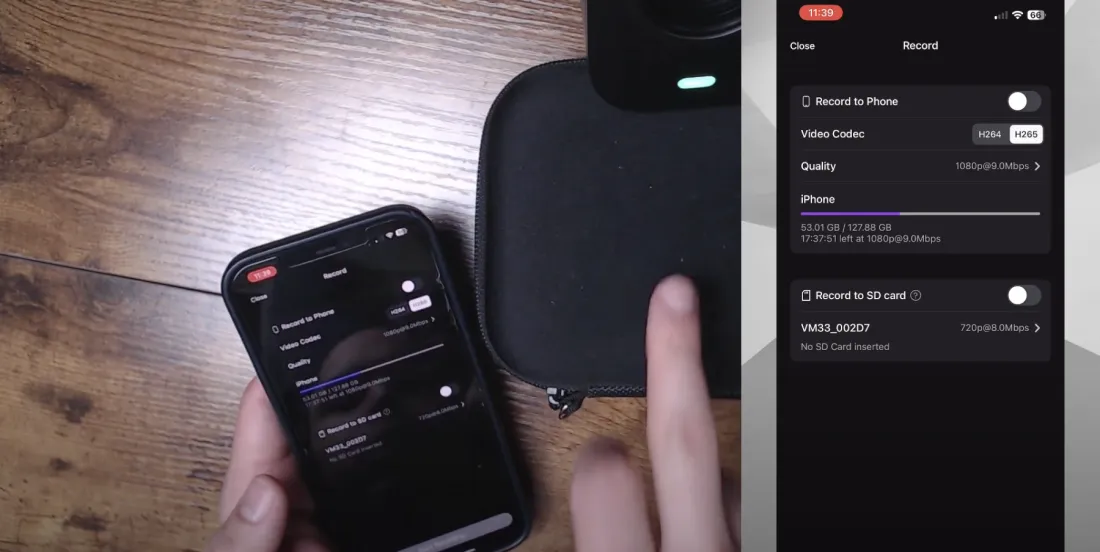
The VM33's software excelled in its streaming and recording functionalities, offering support for popular platforms like YouTube, Facebook, and Twitch, as well as custom RTMP servers. Local recording to the phone or SD card was also seamless, with options to adjust video codecs for optimal performance.
Advanced Features and Multi-Camera Support
One standout feature was the multi-camera support, which allowed users to synchronize multiple VM33 cameras for a professional multi-angle production. This capability, combined with the ease of use and streamlined interface, made the VM33 an attractive option for content creators seeking high-quality streaming solutions.
Overall Impression
Kenny concluded by emphasizing the software's user-friendly design and quick response times, giving it high marks for functionality and ease of use. He encouraged viewers to explore both the hardware and software aspects further, expressing enthusiasm for the VM33's comprehensive feature set and its potential to elevate content creation.













































































 sales@nearstream.us






