What Is B-Roll? The Complete Guide to B-Roll Footage for Creators
B-Roll is more than just background footage — it's a storytelling tool that adds rhythm, emotion, and clarity to your videos.
b roll footage
how to create b-roll
content creation
Updated: Feb 24, 2026 · 8 minutes read
Modular Video Kits for Growing Business.
Whether you're creating YouTube tutorials, TikTok content, vlogs, or documentaries, knowing how to use B-Roll can elevate your videos from basic to cinematic. B-Roll isn’t just filler — it’s a powerful visual storytelling tool that helps clarify, enhance, and emotionally amplify your message. In this guide, you’ll learn everything from what B-Roll is to how to shoot it with purpose and polish to make your workflow smoother and your footage more professional — right from the source.
In the simplest terms, B-Roll refers to supplemental or secondary footage that’s used to enrich your main video. It’s what you see when the narrator keeps speaking, but the visuals cut away to something else — like scenery, hands at work, product close-ups, or contextual action. B-Roll makes your content more dynamic, less monotonous, and helps tell a richer story.
Where Did the Term Come From?
The term originated in the film editing era of analog filmmaking. Editors used two rolls of film:
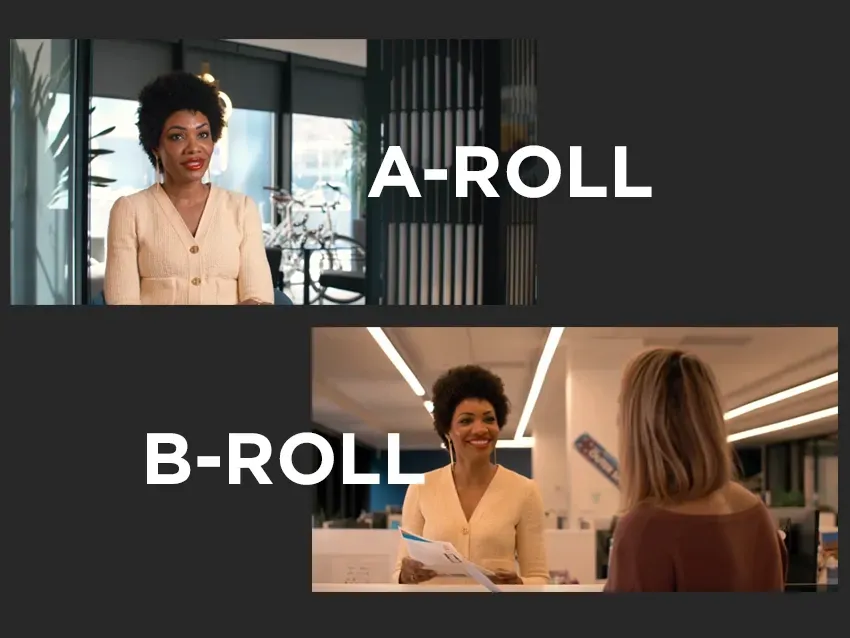
A-Roll contained the primary shots and dialogue
B-Roll was layered in during cuts or transitions to mask edits or add depth
Even in digital production today, the name stuck — and so did its creative purpose.
So, Is B-Roll Just Filler?
Far from it. While B-Roll supports A-Roll, it’s not filler. In fact, great B-Roll can elevate your video’s entire quality, turning talking-head content into a visual story that connects emotionally and keeps viewers engaged.
A-Roll vs. B-Roll: What’s the Difference?
A-Roll is your primary footage — the person speaking, the tutorial being explained, the interviewee answering questions. It’s direct, informative, and usually includes the core narrative.
B-Roll, on the other hand, is your visual seasoning. It supports the A-Roll by providing context, color, emotion, and rhythm.
Comparison Aspect
A-Roll
B-Roll
Content Role
Main information delivery
Visual support and storytelling enhancement
Shot Type
Direct-to-camera, main tutorials
Environment shots, close-ups, action shots
Primary Function
Builds narrative and structure
Adds emotion, flow, and visual variety
Can Stand Alone?
Yes
Usually requires A-Roll to provide context
eg:A cooking video’s A-Roll shows the chef explaining a recipe. The B-Roll shows garlic sizzling in a pan, steam rising, and ingredients being chopped.
Beginners often tend to only shoot A-roll and ignore B-Roll, resulting in A monotonous picture and stiff rhythm during editing. It is recommended to reserve specific time for shooting B-Roll materials in each shooting to leave room for post-production.
Why B-Roll Matters in Video Production
B-Roll isn't just decoration — it's a storytelling engine. It fills gaps, emphasizes key points, adds emotion, and keeps the viewer’s attention locked in. It’s especially powerful for creators in YouTube, TikTok, vlogs, tutorials, interviews, and branded content.
🔹 B-Roll Adds Depth
It transforms a flat explanation into something visual. Instead of saying “this camera is portable,” you show someone folding it into a bag.
🔹 B-Roll Enhances Engagement
Breaking up long talking scenes with relevant visuals reduces fatigue and makes your message stick better.
🔹 B-Roll Fixes Mistakes & Improves Flow
Misspoke a line? Need to cut a chunk? Add B-Roll over the audio and no one notices.
🔹 It Builds Emotional Tone
Want to make a viewer feel calm? Use wide slow-motion B-Roll of clouds or water. Want intensity? Use fast handheld shots, product macro close-ups, or behind-the-scenes energy. B-Roll sets the mood — often more effectively than music.
Types of B-Roll Footage (Planned, Natural, Stock)
Not all B-Roll is created the same. Depending on your filming style, goals, and budget, B-Roll can take on very different forms — from meticulously scripted sequences to spontaneous, in-the-moment captures, or even downloaded stock footage. The more you understand the types of B-Roll, the more intentional and effective your content will become.
Planned B-Roll
This is B-Roll you storyboard or plan in advance. You know what shots you need to support your A-Roll before filming even begins. It’s ideal for product demos, commercials, brand storytelling, or high-end YouTube content.
👉🏻 Common examples:
360° product display screen
Simulate usage scenarios (such as opening packages, handheld operations)
Close-up of the shooting location (such as the environment and props)
Natural B-Roll
Also called reactive B-Roll, this footage is captured organically during your shoot — with no prior planning. It’s great for vlogs, behind-the-scenes videos, live content, or authentic storytelling where moments unfold naturally.
👉🏻 Common examples:
The preparation process or behind-the-scenes footage of the shooting site
The natural reactions and action details of the characters
Urban street photography, outdoor environment
Stock B-Roll
This is B-Roll you license or download from professional platforms like Artgrid, Pexels, or Adobe Stock. It’s useful when you need visuals you can’t shoot yourself — think drone shots, exotic locations, or abstract overlays.
👉🏻 Common examples:
Drones are used to capture the panoramic view of the city
The clouds and starry sky as time passes
Abstract patterns are used for transitions or openings
❌ Disadvantages: It is easy to reuse a certain piece of material with others, or it may seem to lack individuality. It is recommended to use it only when necessary or in combination with original graphics to enhance the overall uniqueness.
How to Mix B-Roll Types Strategically
A mature video project usually uses the above three types of B-rolls in combination:
✔️ Make sure the structure is intact with Planned B-Roll
✔️ Add emotion and realism with Natural B-Roll
✔️ Use Stock Footage to fill blind spots or elevate visual levels
Type
Planned B-Roll
Natural / Spontaneous B-Roll
Stock B-Roll
Pre-planned
Yes
No
No
Authenticity
Medium to High
Very High
Low to Medium
Customization
Fully customizable
Depends on real-time conditions
Limited (preset visuals)
Best for
Product demos, branding
Vlogs, interviews, BTS
Cutaways, overlays, transitions
Equipment Need
Tripod, controlled setup
Handheld, mobile shooting
None (just editing software)
When and Where to Use B-Roll
B-Roll isn't just something you throw into your video “when it feels boring.” It’s a strategic tool that, when used thoughtfully, can shape pacing, elevate tone, and guide the viewer’s attention. The key is knowing when and where B-Roll adds value — rather than using it as random filler.
Situation
How to Use B-Roll
Purpose
Long stretches of talking
Insert related visuals like demos or cutaways
Prevent visual fatigue and keep audience engaged
Editing transitions or cuts
Cover jump cuts with B-Roll overlays
Smooth out edits, maintain visual flow
Explaining abstract concepts
Add visual examples like diagrams or metaphors
Help viewers understand through visual context
Emotional or tone shifts
Use ambient scenes (e.g., rain, sunset)
Reinforce the emotional tone or atmosphere
Emphasizing key information
Insert close-ups, slow motion, or visual cues
Grab attention and create memorable highlights
Pro Editing Flow: Where B-Roll Fits In
Script First:B-Roll placement starts in the writing stage — where do you need visual proof, emotion, or breaks?
Edit A-Roll First:Lock your main dialogue or story, then insert B-Roll around it to cover cuts, add rhythm, or reinforce key points.
Use B-Roll Like Music:B-Roll adds “visual beats.” Use it to speed things up, slow them down, or pause for emotional impact.
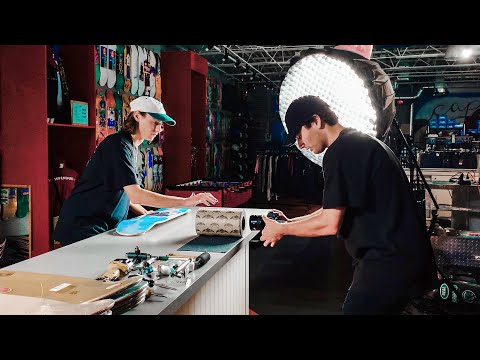
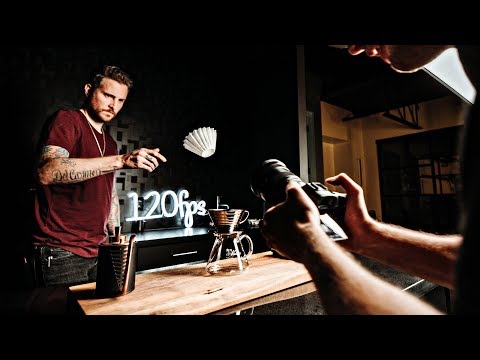
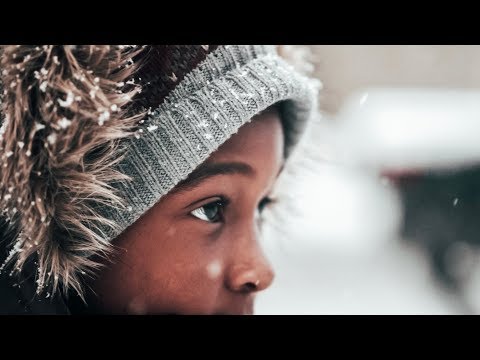
Here are some YouTube masters teaching you how to shoot videos of b roll:
How to Shoot High-Quality B-Roll Footage
You don’t need a Hollywood budget to shoot cinematic B-Roll — but you do need purpose, preparation, and the right technique. Great B-Roll is not about fancy effects or expensive equipment; it’s about clarity, movement, lighting, and intention.
Know Your Purpose
Before hitting record, ask yourself: What part of the story does this B-Roll support?What emotion do I want to convey? Will it be used to cover edits, set the tone, or show detail?
Prioritize Stability and Composition
A shaky camera screams “amateur.” Use tripods, gimbals, or surfaces to stabilize your shots. Frame your subjects with intention — use the rule of thirds, leading lines, or symmetrical balance to make every frame count.
Master Light — Natural or Controlled
Light makes or breaks your B-Roll. If you’re outdoors, shoot during golden hour (just after sunrise or before sunset) for soft, cinematic tones. Indoors? Use key lights or window light for even exposure.
Use Motion for Visual Interest
Camera motion gives your B-Roll energy. Try slow pans, tilts, slides, or handheld push-ins. The key is intentional, smooth movement — not chaotic shaking.
Don’t Forget Sound
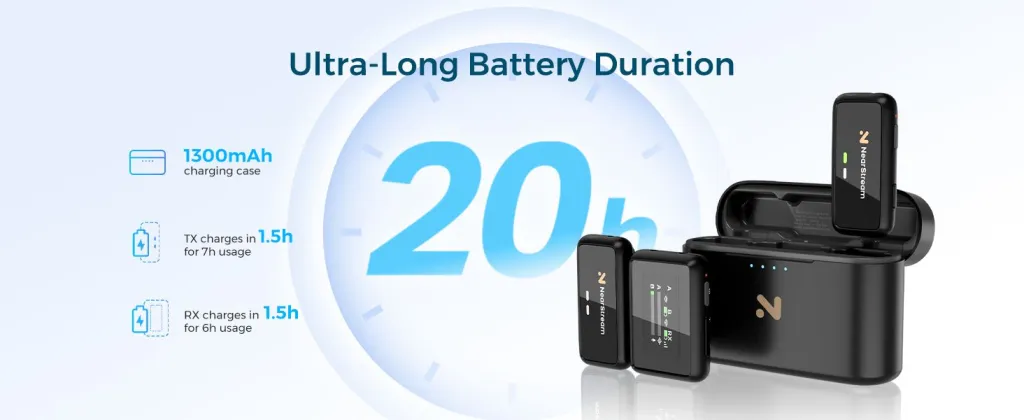
Even if you overlay music later, capturing ambient sound can add immersion or be used in a behind-the-scenes sequence. A high-quality mic like the Nearstream AWM25T wireless mic helps you capture clear, usable sound during your B-Roll shoot.
To make sure you’re ready for all types of B-Roll, pair the camera with a compact audio mixer. Whether you’re doing a controlled shoot or spontaneous grab, you’ll always get pro-level footage and sound — without needing a full crew.
Editing Tips: How to Seamlessly Integrate B-Roll
Match the Visual with the Voice
Whenever possible, insert B-Roll to reinforce what’s being said. If you’re talking about “editing audio,” show your DAW interface. If you’re discussing a product’s durability, show it being used outdoors. This improves viewer comprehension and retention.
Use B-Roll to Hide Cuts
Jump cuts can be jarring if not masked. When trimming out “ums,” pauses, or rewordings, insert B-Roll to hide visual discontinuity. Your audio stays continuous, while the picture transitions smoothly.
Cut to the Beat (If You’re Using Music)
For rhythmic videos like travel vlogs or montages, align B-Roll transitions with the music’s beats. Cut on the drum hits, snare snaps, or downbeats — this makes the edit feel intentional and satisfying.
Don’t Overdo It
B-Roll should add, not distract. If you insert too many unrelated or overly stylized shots, viewers may lose the thread. Ask yourself: “Does this help the story or just look cool?”
Common B-Roll Mistakes to Avoid
🚫 Mistake 1: Using Random or Irrelevant Footage
It’s tempting to throw in visually cool footage — like slow-mo coffee pours or timelapses — just because it looks nice. But if it doesn’t connect to what’s being said, it can feel jarring or pointless.
🚫 Mistake 2: Overusing B-Roll as a Crutch
While stock footage can save time, relying on it too much makes your video feel generic and less personal. Audiences value authenticity — especially on YouTube or TikTok.Mistake 3: Poor Audio Integration
🚫 Mistake 3: Poor Audio Integration
Even if you overlay B-Roll on top of A-Roll dialogue, make sure audio transitions are smooth. Sudden drops, background noise spikes, or inconsistent levels can distract or irritate your audience.
From B-Roll Beginner to Visual Storyteller
B-Roll might seem like a minor element, but as you’ve seen throughout this guide, it can be the difference between an amateur video and a captivating, professional piece. When used strategically, B-Roll improves pacing, deepens emotion, clarifies messaging, and elevates the entire viewing experience.
Whether you’re shooting product tutorials, vlogs, branded content, or cinematic montages, learning how to shoot and edit purposeful B-Roll is a skill that pays back again and again.













































































 sales@nearstream.us






