Camera
Webcam
Microphone
Wireless Microphone
Capture Card
Audio Mixer
Lighting & Backdrop
Accessories

Upgrade your Studio with Our Modular Video Kits
Never Miss a Deal from Us
Build Your Video Podcast like LEGO!

Pro-Level 2K Wireless Gear for LiveMe
LiveMe

Ultimate Wireless Setup for Texas Poker
Texas Hold’em

4K Multi-Cam for Kick
Kick
Pro Multi-Cam for Twitch
Twitch
Pro Gear for TikTok Live & Shop
TikTok Live
Ultimate Setup for Whatnot Sellers
Whatnot
Professional 4K Kits for YouTube
YouTube Live

Best Streaming Setup for Onlyfans
Onlyfans Streaming

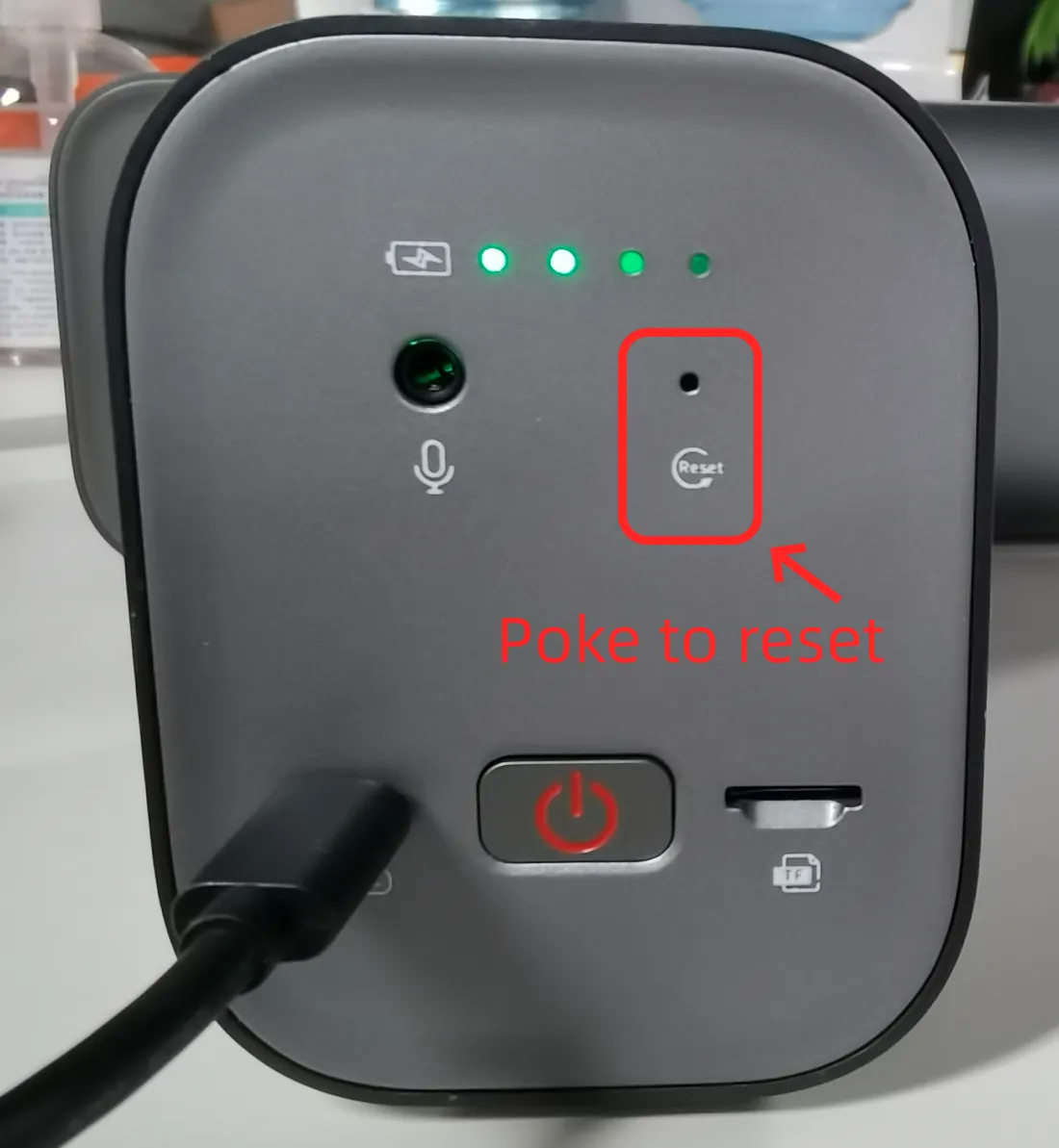
There are two ways to reset your VM33 camera.
Go to NearStream App -> Camera -> find "NearStream Setting" and press the "Reset to Factory Default".
Long-press the power button for 4 seconds to reset.
To factory reset, you can use a small stick to poke the "Reset" next to the audio jack at the back of your VM33.
Unlock 10% OFF for Your First Purchase

Sign up for our newsletters
Get exclusive NearStream offers and catch the latest in features, updates, and more.
By signing up, you agree to NearStream's Privacy Policy.