The Ultimate Guide to Choosing the Best Stream Camera in 2025
Discover the best cameras for streaming in 2025 with our expert guide.
stream camera
good cameras for streaming
streaming video cameras
Updated: Mar 10, 2026 · 8 minutes read
Modular Video Kits for Growing Business.
In today’s fast-growing streaming world, over 7.5 million creators go live every month across platforms like Twitch and YouTube. With so much competition, having a high-quality streaming camera is key to standing out.
Whether you're a gamer, vlogger, or hosting live events, viewers expect sharp video and clear audio — and studies show they’re 62% more likely to stay when the stream looks professional.
Simply put: Your camera shapes your audience’s first impression. The right choice can take your content from average to outstanding.
Why Investing in a Quality Streaming Camera Matters
A high-quality stream camera not only improves your video resolution but also enhances your audience’s experience by delivering smooth, vibrant visuals. In addition, many modern streaming cameras come with advanced audio features, low-light performance, and flexible connectivity options — all crucial for creating polished live content.
Top Features to Look for in a Live Stream Camera
Choosing the perfect live stream camera involves more than just picking the highest resolution or the fanciest model. Here’s a detailed look at the essential features you should prioritize to elevate your streaming quality:
High Resolution
Resolution is one of the most important aspects of a streaming camera. While 1080p HD is the current standard for many streamers, 4K resolution is rapidly becoming the new benchmark for professional-grade streaming. A higher resolution means sharper, clearer images with finer details, giving your audience a visually immersive experience. This is especially important if you want your streams to look polished and future-proof.
Zoom Capabilities
A camera’s zoom function determines how well you can focus on details or change the framing without moving the camera physically. Optical zoom is highly preferred over digital zoom because it uses the camera’s lens to zoom in without sacrificing image quality. Digital zoom, on the other hand, simply crops and enlarges the image digitally, which can degrade clarity. A streaming camera with strong optical zoom allows you to capture distant subjects crisply, ideal for dynamic live events or multi-scene setups.
Low-Light Performance
Streaming doesn’t always happen in perfect lighting conditions. Whether you’re streaming in a dimly lit room or an evening event, having a camera with a high-quality sensor optimized for low light can make a big difference. Cameras equipped with sensors like Sony Starvis or CMOS technology can capture more detail and reduce noise in low-light environments, ensuring your viewers get clear, vibrant video regardless of lighting.
Connectivity Options
Ease of connection is key for a smooth streaming experience. Look for cameras offering multiple connection types such as HDMI, USB, and even RJ45 Ethernet for wired stability or wireless streaming capabilities. A camera that supports protocols like RTSP or RTMP allows direct streaming to platforms such as YouTube, Twitch, or Facebook without complex setups. Flexibility in connectivity means less hassle and faster setup, letting you focus on content.
Audio Quality
Video without clear audio can feel amateurish. Cameras with integrated microphones featuring AI noise cancellation help minimize background noise, providing crisp sound directly from the source. Even better, look for models with a 3.5mm audio input so you can connect high-quality external microphones for interviews, podcasts, or musical performances. Audio clarity is essential for keeping viewers engaged.
Remote Control & Presets
A streaming session requires smooth transitions and quick adjustments. Cameras with remote controls and programmable preset positions allow you to zoom, pan, and change camera angles on the fly without stopping the stream. This makes it easy to switch scenes seamlessly and keep your broadcast dynamic and professional.
Multi-Camera Support
For streamers aiming to create engaging content with varied perspectives, the ability to connect multiple cameras is a game-changer. Multi-camera setups enable live switching between different angles, creating a more immersive viewing experience. Look for cameras that easily integrate into multi-camera systems, often with synchronized controls and app support to simplify management.
Summary Table: Essential Features for a Live Stream Camera
Feature
Importance
Must-Have?
Why It Matters
High Resolution
Very High
✔️ Must-Have
Ensures sharp, detailed, professional video quality
Optical Zoom
High
✔️ Highly Recommended
Maintains image quality when zooming in
Low-Light Performance
High
✔️ Highly Recommended
Clearer video in various lighting conditions
Connectivity Options
Very High
✔️ Must-Have
Flexible setup with HDMI, USB, Ethernet, wireless
Audio Quality
Very High
✔️ Must-Have
Crisp sound with noise cancellation and external mic input
Remote Control & Presets
Medium-High
✔️ Recommended
Smooth scene transitions and easy adjustments
Multi-Camera Support
Medium
Optional
Adds versatility and dynamic angles for advanced streams
Which Streaming Camera is Right for You?
Choosing the perfect streaming camera depends largely on your content style, budget, and streaming environment. To help you make the right decision, here are tailored recommendations for different types of streamers:
1. Casual Streamers and Vloggers
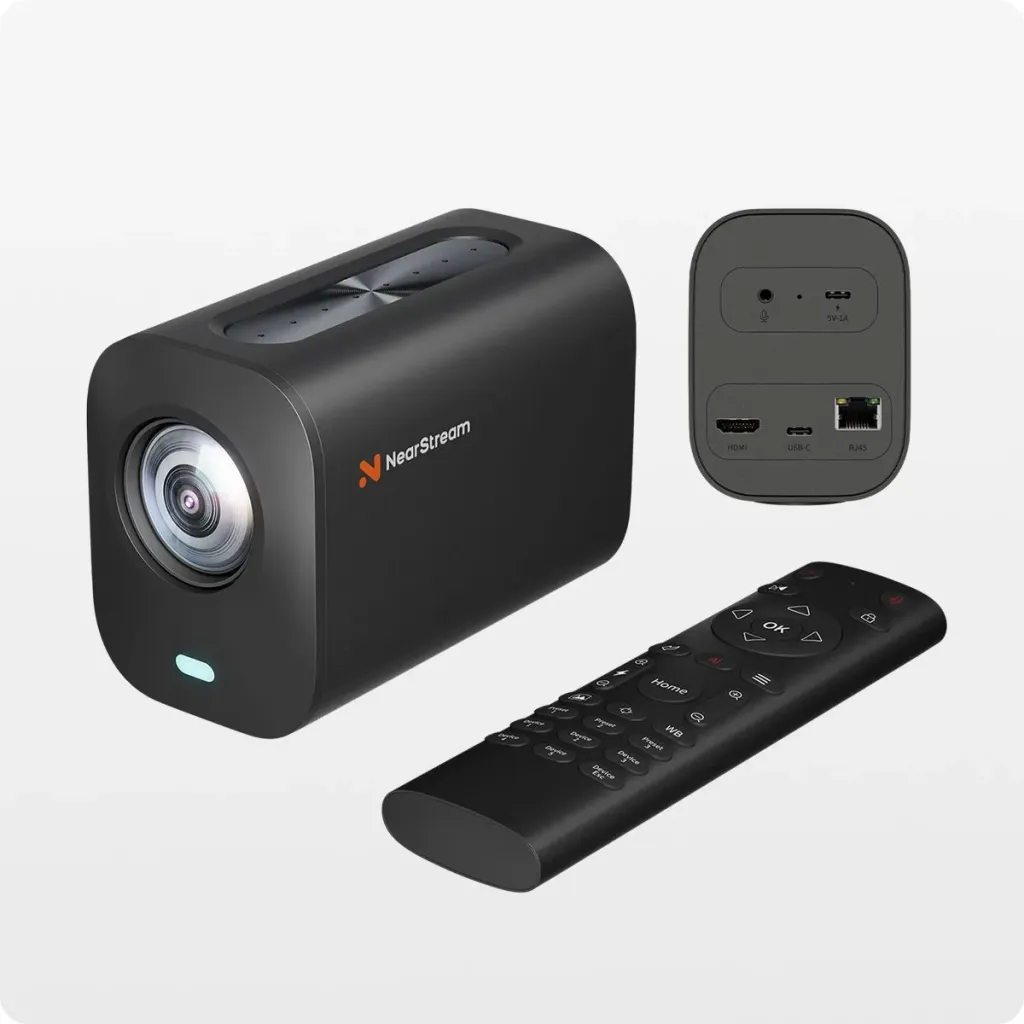
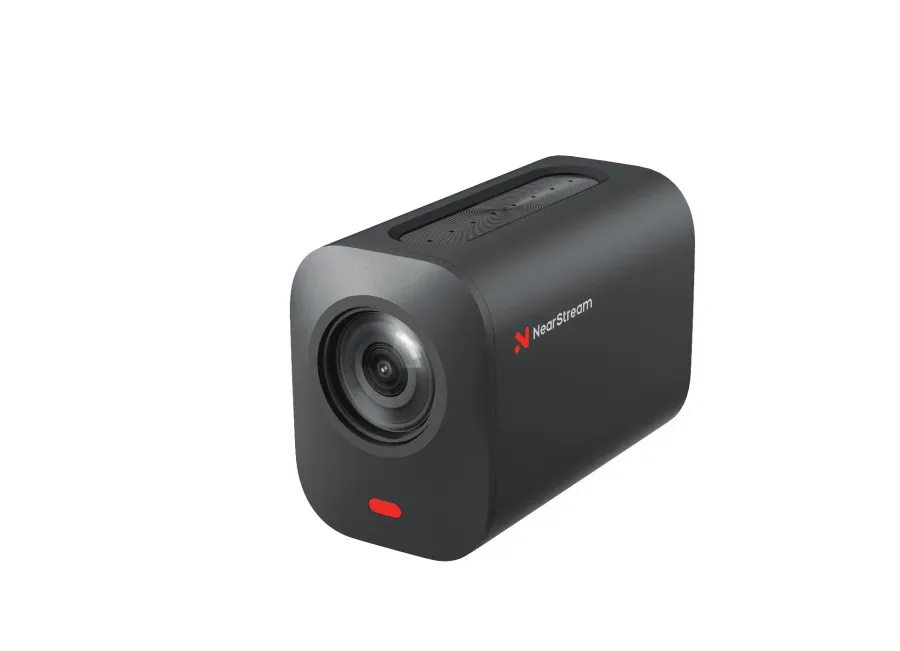
If you’re just starting out or want a straightforward, budget-friendly option, the NearStream VM20 is a great choice. It offers 4K resolution with a powerful 40X Hybrid Zoom and excellent low-light performance thanks to its Sony Starvis sensor. Its versatile connectivity (HDMI, USB, RJ45) and remote control features make it perfect for daily live streams, casual vlogging, and small events without complicated setups.
2. Professional Content Creators and Multi-Camera Setups
For streamers looking to elevate production quality with multiple camera angles, the NearStream VM46 shines. With 60X Hybrid Zoom and a larger 1/2.8" CMOS sensor, it delivers crystal-clear images even from long distances. Its wireless streaming capability, AI-powered 8-MEMS microphone array, and intelligent app control make it ideal for professional multi-cam productions, outdoor events, and dynamic live broadcasts.
3. Beginner Streamers on a Budget
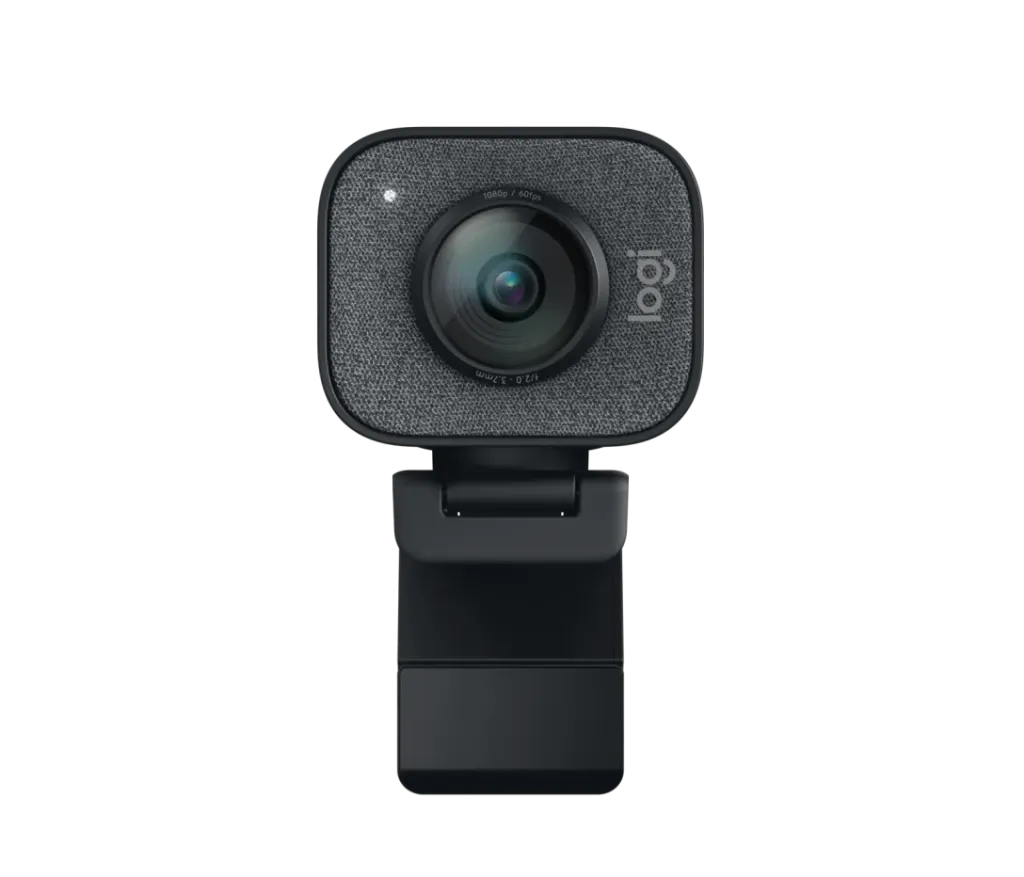
If you want an affordable and easy-to-use webcam primarily for desktop streaming, the Logitech StreamCam is a reliable option. It supports smooth 1080p60 video via USB-C and is designed for plug-and-play convenience — perfect for gamers and casual streamers focusing on straightforward setups.
4. Studio and Cinematic Streamers
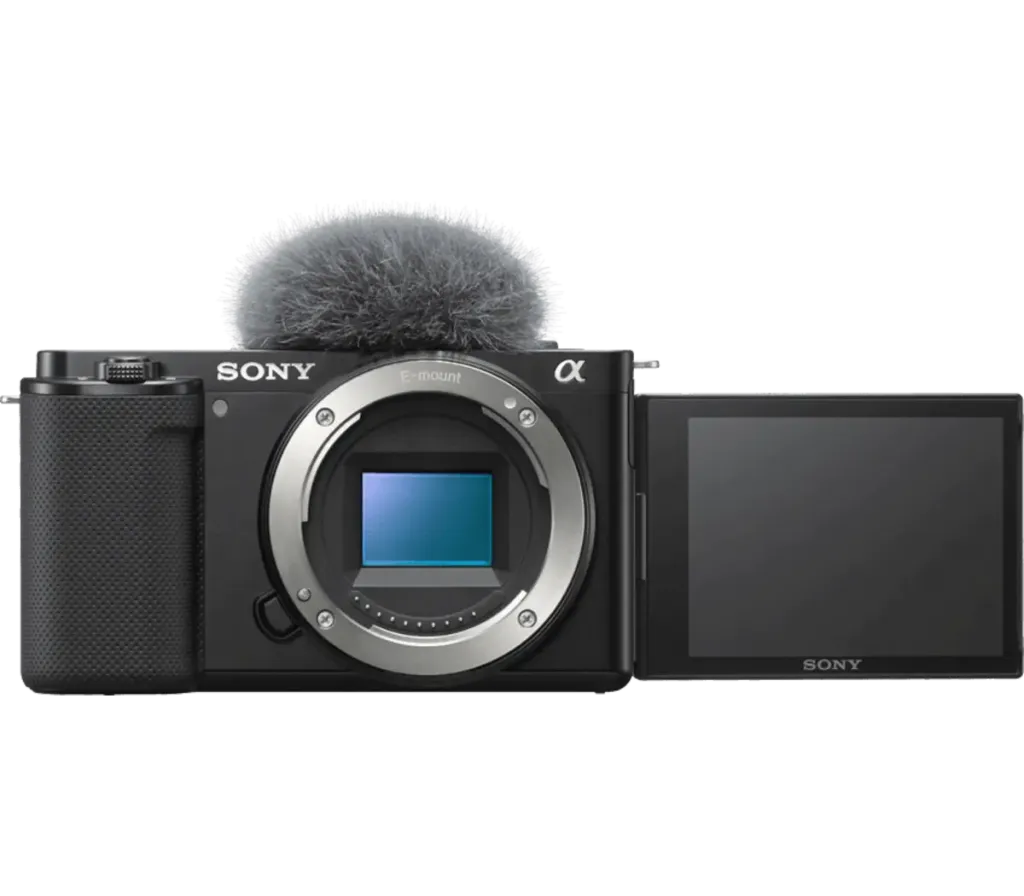
For creators seeking cinematic quality and flexibility, the Sony Alpha ZV-E10 mirrorless camera is an excellent choice. It offers interchangeable lenses and 4K recording capabilities, making it suitable for studio setups, interviews, and cinematic live streams where image quality and customization are paramount.
Quick Comparison Table
Camera Model
Key Features
Best For
Approximate Price Range
NearStream VM20
4K, 40X Hybrid Zoom, Sony Starvis sensor
Casual streamers, vloggers, small events
$200-$300
NearStream VM46
4K, 60X Hybrid Zoom, wireless streaming, 8-MEMS mic array
Professional multi-cam, outdoor, large events
$600-$700
Logitech StreamCam
1080p60, USB-C, plug-and-play
Beginners, desktop streaming
$150-$200
Sony Alpha ZV-E10
Mirrorless, interchangeable lenses, 4K
Studio, cinematic streaming
$700-$1000+
Final Thoughts
Prioritizing these features when choosing your stream camera will set you up for success, whether you're a beginner or a seasoned streamer. Cameras that excel in resolution, connectivity, and audio quality are the foundation of professional-looking live streams, while remote control and multi-camera support add polish and creativity to your broadcast.













































































 sales@nearstream.us






