Best TikTok Live Studio Setup: Top Hardware Picks for Gaming, Podcasting, and Music
The best TikTok live studio setup depends on what you do on camera.
best tiktok live studio setup
tiktok live studio
dual camera streaming setup
Updated: Oct 10, 2026 · 8 minutes read
Modular Video Kits for Growing Business.
There is no single best TikTok live studio setup — hardcore gaming, professional music recording, and podcast-style live selling each demand completely different hardware priorities and budgets. This guide maps out the ultra-premium purist gear for specific niches, and names one highly cost-effective dual-camera kit that dominates podcasting and selling natively while seamlessly adapting to hybrid creator workflows.
Key Takeaways
Gaming rigs live or die by noise rejection: a supercardioid mic 6–8 inches from your mouth on a boom arm beats a far more expensive mic sitting on the desk next to your keyboard.
Podcast and live-selling streams benefit most from two fixed camera angles — a face cam plus a product or guest cam — because the host never stops handling things on camera.
Music streaming is the only scenario where XLR audio is genuinely non-negotiable; a dual USB/XLR microphone lets one rig serve both talk and music formats.
Desk-mounted clamp arms matter more for gamers than anyone else: their desks are already the fullest, and floor stands simply do not fit.
A 100W softbox placed off-axis solves the two problems ring lights create for glasses-wearing gamers and long-session sellers alike: glare and eye strain.
Best TikTok Live Studio Setup: Top Hardware Picks for Gaming, Podcasting, and Music
Here is the truth about the best TikTok live studio setup: it depends entirely on what you do in front of the camera. Watch the top creator setup breakdowns and you will notice something immediately. A hardcore gamer's rig, a podcaster's studio, and a musician's recording space share almost nothing beyond "a camera and a mic".
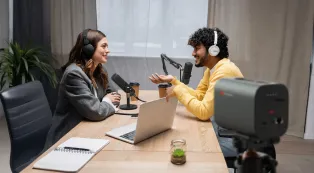
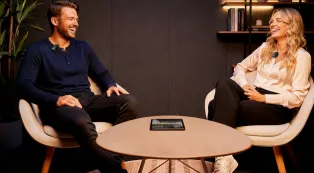
If you are building a physical broadcast studio for podcasts, interviews, or TikTok Shop live selling, your needs are completely different from an esports streamer. You need multiple camera angles to show products or guests, and you need voice-first audio that stays out of your way.
This guide breaks down the best TikTok streaming equipment for the three biggest live scenarios — podcasting/selling, gaming, and music. We will explore the ultra-premium niche gear for gaming and music, and explain why a balanced, dual-camera kit is the ultimate sweet spot for podcasters, sellers, and multi-scenario creators.
What Every TikTok Live Studio Needs
Four hardware pillars separate a real TikTok live studio from a phone balanced on a mug:
Camera coverage. At minimum one quality camera; ideally two fixed angles so the show never pauses while you re-aim anything.
Clean audio. A dedicated microphone, positioned close to your mouth and physically decoupled from the desk.
Smart mounting. Clamp-on arms instead of floor tripods, so the studio fits where you actually work.
Comfortable lighting. Diffused light you can sit under for hours, not a harsh ring aimed at your retinas.
What changes per scenario is which pillar gets the budget. That is what the next three sections are about.
The Core Focus: Best Setup for Podcasting, Talk & Live Selling
Talk formats — podcasts, commentary, and TikTok Shop selling — are the most demanding scenarios for coverage. The host is always doing two things at once: addressing the audience and handling something physical (like a product or notes).
Trying to achieve a professional dual-camera setup using premium DSLRs (like two Sony A6700s) will easily push your budget past $4,000 just for the camera bodies and lenses. That is why this category has a clear, highly cost-effective hardware winner.
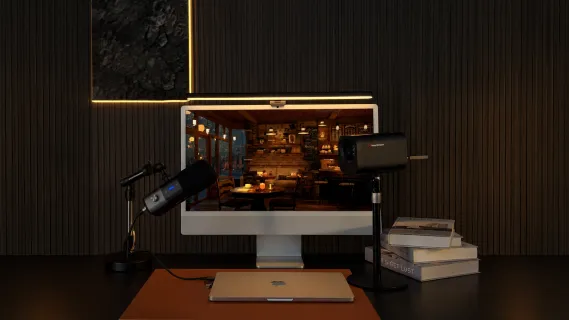
The NearStream Dual-View Home Studio Setup — two VM20 Pro cameras, the AM25X microphone, ST20 boom arm, ST40 dual-arm desk mount, and SL40 100W softbox — was essentially designed for this use case, and it takes the category on hardware merits:
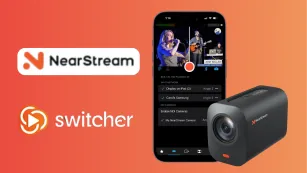
Dual-view cameras. Each VM20 Pro pairs a 1/2-inch 50MP CMOS sensor with 10X optical zoom and mounts horizontally or vertically on a standard 1/4-inch thread. One locks on your face; the second hangs over the product surface or faces a guest chair. Both stay pre-framed, with zoom and presets on the included remote, so cutting from "talking" to "look at this detail" is a button press — the core promise of a dual camera streaming setup, delivered in hardware.
Voice-first audio, off the desk. The AM25X is a supercardioid condenser with a built-in AI noise-cancellation chip, a 15-level gain knob, and dual USB/XLR outputs — a genuine candidate for the best microphone for TikTok live talk formats. Paired with the ST20 boom arm, it floats at mouth level while your hands stay free for notes, a mug, or the product you are selling, and desk thuds never travel up the mic.
One-clamp organization. The ST40 dual-arm desk mount carries the camera gear from a single heavy-duty clamp, keeping cables along the arms and the desk surface clear — which, for live selling, is not a nicety but the workspace itself.
Long-session light. The SL40 softbox pushes 100W through a large diffusion panel, with 2700K–6500K color temperature and CRI 97+ color accuracy controlled by remote. For sellers, that color accuracy is commercial: the lipstick shade viewers see is the shade they receive.
Who this suits: TikTok Shop sellers, podcasters, interview and commentary creators — anyone whose stream is 80% voice and 20% showing things.
Best Setup for Gaming: The Ultra-Premium Purist Picks
A gamer's desk is a crowded warzone: monitors, mechanical keyboards, and controllers. If your only goal is to stream high-level esports, you need extreme noise rejection and specific aesthetic lighting.
The Premium Gaming Rig (Est. $2,500+)
Gear: Sony A7 IV Camera + Shure SM7B Microphone + GoXLR Audio Interface.
Why it's the gold standard: Unmatched cinematic depth of field and the legendary broadcast vocal tone used by top-tier esports streamers.
The reality check: It is incredibly expensive. It requires complex driver routing, dummy batteries for the camera, and heavy-duty stands that consume half your room. It is a specialized tool for a specific niche.
Best Setup for Music: The Studio Purist Picks
Music flips the priorities again. Audio is no longer "voice, but clean" — it is the product.
The Premium Recording Rig (Est. $2,000+)
Gear: Neumann TLM 102 XLR Microphone + Universal Audio Apollo Twin Interface + Sony DSLR.
Why it's the gold standard: Studio-grade pristine vocal capture and zero-latency audio processing for live instruments.
The reality check: This is a dedicated recording studio setup. It requires extensive audio engineering knowledge, and the gear is notoriously fragile and expensive.
The Verdict: Why the NearStream Kit is the Ultimate Balanced Choice
Let’s be honest: if you have an unlimited budget and only stream competitive PC games, buy the $3,000 Shure/Sony rig. If you only record acoustic guitar for a studio album, buy the Neumann mic. Specialized, single-focus gear excels in its narrow lane.
But most TikTok creators are not purists. The podcaster unboxes sponsor gear; the live seller occasionally plays a game with chat; the hybrid creator does a bit of everything. If that sounds like you, the question shifts from "what is the best niche gear?" to "what setup offers the fewest compromises across all scenarios?"
For Podcasting/Selling: It is in its native territory, offering dual pre-framed angles, broadcast-grade voice audio, and a clear workspace.
For Gaming: The AM25X's AI noise-canceling on the ST20 boom arm solves the keyboard-noise problem, and the clamp mounting respects an already-full desk.
For Music: The AM25X features both USB and XLR outputs. You can plug it directly into your PC today, and run it into an audio interface later when you are ready to expand your music capabilities.
If your content refuses to stay in one lane, the NearStream Dual-View Setup delivers a complete, professional, and highly cost-effective ecosystem that adapts to whatever you want to create next.
Scenario Comparison at a Glance
Gaming
Podcast / Talk / Selling
Music
Budget priority
Microphone & boom arm
Second camera + audio equally
Audio path (XLR/interface)
Camera angles
Face cam; hands cam optional
Face cam + product/guest cam (both fixed)
Wide performance shot + detail cam
Mic type
Supercardioid, 6–8" from mouth
Supercardioid condenser on boom
XLR-capable, into interface
Lighting
Off-axis softbox (no screen/glasses glare)
Large diffused softbox, CRI 97+ for product color
Warm, dimmable, directional
Mounting
Desk clamps only — floor is full
One clamp for the whole rig
Arms at desk; stands only if performing away from it
Desk footprint
Minimal — desk is already crowded
Clear surface required (workspace)
Minimal at desk; open floor nearby
Recommended rig
4K cam + supercardioid mic on boom + off-axis softbox
NearStream Dual-View kit
XLR mic path + zoom camera + warm softbox
How to Choose Your Scenario
Ask two questions:
What is on camera besides my face? A keyboard and screen → gaming priorities. Products, guests, or notes → talk/selling priorities. An instrument → music priorities.
Where does my next dollar go? Gaming: mic and boom first. Talk/selling: second camera first. Music: XLR-capable audio first.
And if your honest answer to question one is "a bit of everything," skip the specialized builds and go straight to the balanced dual-camera kit — re-aiming one camera beats rebuying a whole rig.
FAQ
Can one TikTok live studio setup handle both gaming and podcasting?
Yes — provided it is built on clamp-mounted arms, a boom microphone, and two cameras. Those three elements are scenario-agnostic. A dual-camera desk kit covers a podcaster's face-plus-product angles and a gamer's face-plus-hands angles with the same hardware; you simply re-aim the second camera between formats.
Do gaming streamers really need two cameras on TikTok Live?
Not strictly. One good face cam covers most gameplay streams. The second angle earns its place for specific content: stick or pad technique in fighting games, hand-cam speedruns, and gear unboxings. If budget forces a choice, put the money into the microphone and boom arm first — viewers forgive a single angle far sooner than keyboard clatter.
Is a USB microphone enough for music streaming, or do I need XLR?
For casual singing over a backing track, a quality USB condenser mic is fine. For serious music — live instruments, mixers, multiple audio sources — XLR into an audio interface is the correct path. The practical move is a dual-output mic with both connections: start on USB, add the interface later, keep the mic.
Is a softbox better than a ring light for gaming streams?
Generally, yes. A large softbox placed off-axis produces soft, wraparound light that does not bounce a harsh ring off glasses or a monitor, and it is dramatically more comfortable in hour three of a session than a ring of LEDs aimed at your face. Ring lights remain fine for short, phone-based streams.
How much space does a proper TikTok live studio setup need?
Less than most people fear. A clamp-based desk rig — cameras on a dual-arm mount, mic on a boom, one softbox — needs a sturdy desk, a few feet of wall, and roughly a 3-by-3-foot footprint, with nothing on the floor. Traditional tripod-and-light-stand rigs, by contrast, can swallow a six-foot radius of a room.
The Bottom Line
The best TikTok live studio setup is the one matched to what you actually do on camera: noise rejection and clamp mounting for gamers, dual fixed angles and voice-first audio for podcasters and sellers, an XLR-ready audio path for musicians. Build for your scenario first. And if your content refuses to stay in one lane — as most creators' does — a balanced dual-camera desk kit like the NearStream Dual-View covers podcast and selling natively, stretches credibly into gaming and music, and never asks you to rebuild the desk when your format evolves.









































































 sales@nearstream.us






