Starter Podcast Equipment Guide: Buy Once, Grow Into
Which starter podcast gear survives growth and which gets replaced — a tier-by-tier guide to buying once.
podcast equipment
podcast kit
Updated: Aug 31, 2026 · 8 minutes read
Modular Video Kits for Growing Business.
Starter podcast equipment should mean 'gear you never replace,' not 'the cheapest gear available.' This guide sorts components by upgrade-safety — microphones and mounts last, input counts don't stretch — and walks through four questions that pick the right starter tier for your format.
Key Takeaways
Judge starter gear by upgrade-safety: a dual USB/XLR microphone survives every future stage; a USB-only mic does not.
Buy for your maximum headcount in the next 12 months — mixer inputs can't be stretched, microphones can always be added.
Microphones, mounts, and cameras are buy-once items; the mixer is the one component whose limits force a replacement.
An untreated room caps any starter kit — spend on a rug and curtains before upgrading any single component.
"Starter equipment" doesn't mean cheap equipment — it means equipment you won't have to replace when your show stops being a starter show. The right starter podcast equipment is a small set of upgrade-safe core components: a microphone that works over both USB and XLR, a mount that holds it properly, monitoring you already own, and a space that doesn't sabotage all three. Buy those right, and nothing in your first purchase ever gets thrown away — and everything you add later extends the rig instead of replacing it.
This guide reframes the beginner buying decision around one question — what survives growth? — and gives you a four-question framework to pick your exact starter tier. If you already know you want a complete matched bundle, the podcast kit buying guide compares bundle vs piecemeal buying head-to-head.
What Should "Starter" Actually Mean?
A starter kit is the smallest set of components that (a) produces publishable audio today and (b) remains useful at every future stage of the show. The second condition is the one beginners miss — and the one that separates a $150 foundation from a $150 lesson.
The underlying principle: podcast gear has two different lifespans. Transducers and mechanicals — microphones, boom arms, tripods, cables — don't become obsolete; a good mic bought in year one is still a good mic in year five. Capacity components — mixer inputs, camera count — have hard ceilings, and growth past the ceiling forces a decision. Smart starter buying means spending on long-lifespan quality and choosing capacity components whose ceilings match your realistic future, not your fantasy one.
This is why "what's the cheapest mic?" is the wrong first question. The right first question is: "which components will still be in my chain at episode 100?"
It also reframes the budget conversation. Beginners tend to spread a fixed budget evenly — a little mic, a little arm, a little mixer, a little camera — which produces a rig where everything is equally mediocre and equally replaceable. Upgrade-safe thinking concentrates the budget instead: spend on the components with decade-long lifespans (the microphone, the mount), and defer the capacity components until the trigger that sizes them has actually fired. A concentrated starter rig sounds better on day one and survives longer — the even-spread rig manages neither.
Starter Podcast Equipment: The Buy-Once Core vs the Buy-Later Parts
Sort every component into two columns before spending anything: buy-once (invest now, keep forever) and buy-later (add when a specific trigger fires). Most starter mistakes come from shopping in the wrong column — either deferring the buy-once items and suffering bad audio for months, or pulling buy-later items forward and stranding money in unused capacity. The table below is the whole strategy on one screen:
Component
Column
Why
Microphone (USB + XLR)
Buy once
Outlives every setup change; the dual connection is the upgrade path
Boom arm / tripod
Buy once
Standard threads fit future devices; placement quality is permanent value
XLR cables
Buy once
Inert, universal, and always eventually needed
Headphones
Buy once
Wired closed-back pairs you already own are fine for years
Mixer / interface
Buy later
Add when the second voice or live-mixing trigger fires — sized to max headcount
Camera
Buy later
Add when video becomes a plan, not a maybe
Acoustic panels
Buy later
Diagnose the room first; rugs and curtains may solve it free
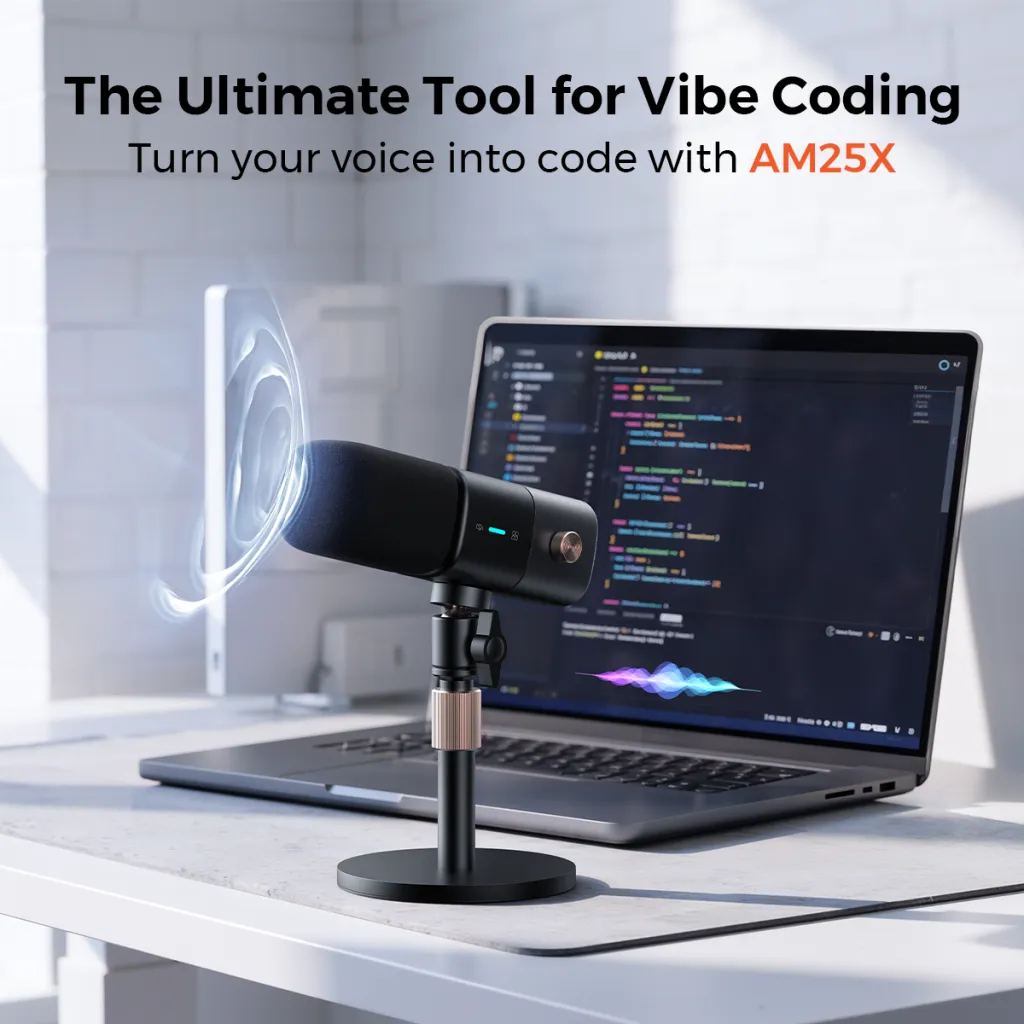
The microphone row deserves the closest look, because it's where beginners most often buy in the wrong column. A USB-only mic is a buy-later item masquerading as a buy-once item: fine today, replaced the day a co-host arrives. A dual-connection mic like the NearStream AM25X is genuinely buy-once — USB to the computer now, XLR into a mixer later, same microphone. That single spec is the dividing line between a starter kit and a disposable one.
Why the Microphone Connection Decides Your Upgrade Path
To understand why one connector matters so much, it helps to know what a microphone actually does — and where the compromises hide.
A microphone capsule turns sound into a tiny electrical signal. That signal is too weak to use, so it passes through a preamp (which boosts it) and a converter (which digitizes it). The question "USB or XLR?" is really the question "where do the preamp and converter live?"
In a USB microphone, they live inside the mic — chosen and built to hit a retail price, which means the two stages that shape your sound most are the two stages you can never upgrade. In an XLR microphone, those stages live in your mixer or interface: separate devices, separately upgradeable, with physical gain control. The mic stays a mic; the electronics grow with you.
That's the first-principles case, and it produces a simple buying rule: a dual-connection microphone lets you start at the convenient end (USB straight into the computer) without closing the capable end (XLR into a mixer when a second voice or live control arrives). You're not paying for two connections — you're paying for the option to upgrade the chain around the mic without replacing the mic itself. Most people don't realize the connector is a fork in the road until they're standing at it with a USB-only mic and a co-host starting next week.
The True Cost of Buying Twice
Beginners optimize for the lowest first receipt; experienced creators optimize for the lowest total. The gap between those two strategies is the buy-twice tax, and it's larger than it looks.
Take the classic path: a $50 USB-only mic today, then a $100 XLR mic plus a $135 mixer six months later when the first guest books. Total: $285, plus a redundant microphone in a drawer, plus the hidden costs — re-learning a new signal chain mid-season, re-explaining your setup to your co-host, and the episode or two that sounds different while you dial in the new rig. The alternative path — a dual-connection mic at roughly $80 and the same mixer later — totals less, keeps one consistent sound across every episode, and never strands hardware.
The pattern repeats across categories. The flimsy boom arm that droops under a real microphone gets replaced by the proper arm. The HDMI camera plus capture card rig gets replaced by the USB-connected camera you should have bought when video became real. Each individual saving was rational; the sum was the most expensive route available. Starter buying done right isn't about spending more — it's about refusing the purchases whose replacement date is already written on them.
The Four Questions That Pick Your Starter Tier
Answer four questions honestly and your starter configuration picks itself. Each answer maps to a specific tier — don't shop above it, and don't shop below it either, because under-buying has its own replacement tax.
1. How many people will speak in the same room, maximum, in the next 12 months? One → solo tier. Two → two-person tier. Three or four → roundtable tier. This number sets your eventual mixer input requirement, and mixer inputs are the ceiling you can't stretch. If the honest answer is "one, but maybe a guest," buy the solo core now and the dual-input mixer when the guest books — the solo podcast setup guide has that exact chain.
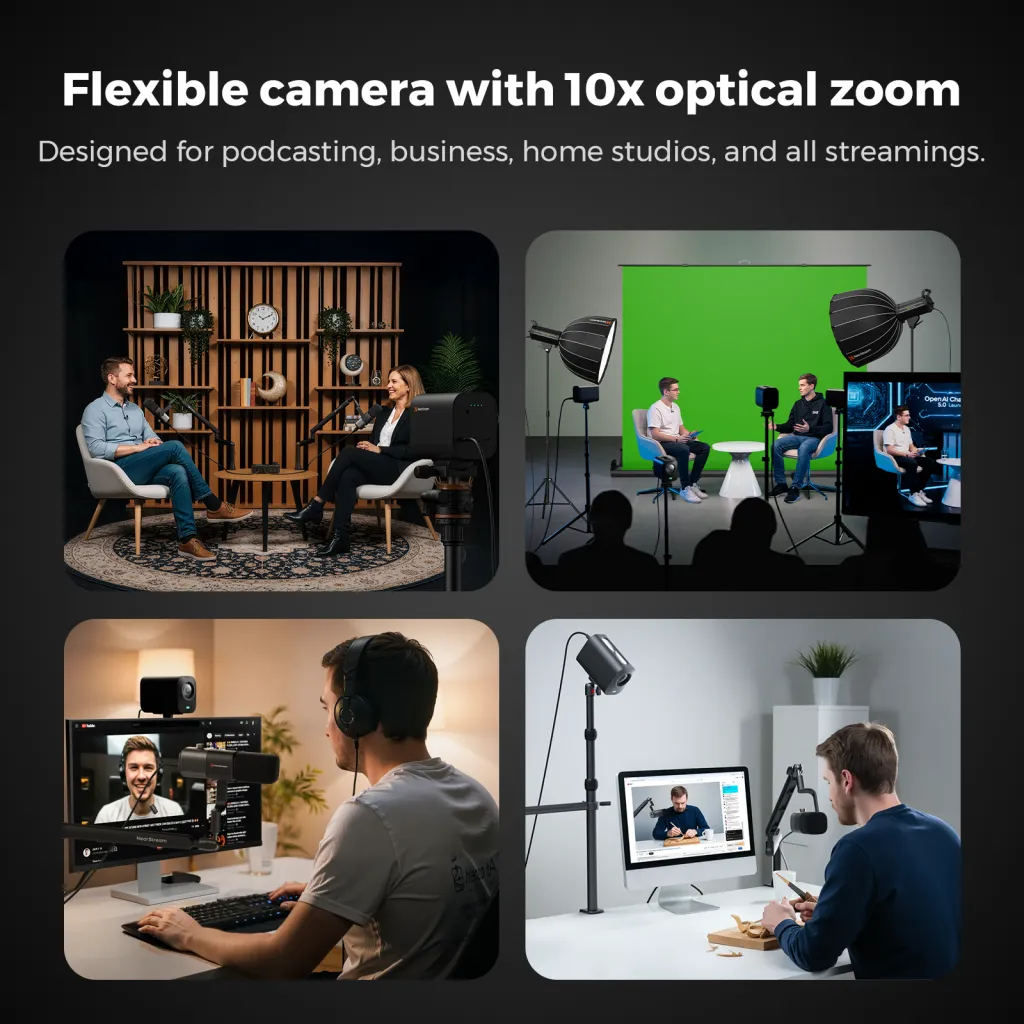
2. Is video a plan or a maybe? A plan within six months → include the camera now and save a second setup day. A maybe → skip it; audio-first and add video later costs you nothing but a delayed purchase. If it's a plan, one USB-connected 4K camera like the VM20 on a tripod covers a solo or two-person show without capture cards or a crew. The test that separates plan from maybe: if you've already picked the YouTube channel name, it's a plan; if you haven't, it's a maybe.
3. Where will you record? A spare room you control → you can treat the space once and forget it. A shared or multi-use space → prioritize a boom arm that sets up and breaks down fast, and gear that lives in one bag. Room quality caps audio quality regardless of budget, so this question often reroutes money from hardware to a rug. And if the honest answer is "wherever is quiet that day," weight portability above everything: a compact mic, a clamp-on arm, and headphones are the whole studio, and permanence upgrades can wait for a permanent room.
4. Will you still be doing this in six months? Brutal, but the most important. If you're testing the waters, the solo core (mic, arm, headphones) is the entire experiment — it costs the least and resells or redeploys the easiest. If you've already committed to a season, buy at your 12-month headcount tier immediately; mid-season upgrades cost more in disruption than in dollars.
A useful way to locate yourself on this question is a simple three-stage maturity check:
Stage 1 — Exploring (episodes 0–10): you're learning whether you enjoy the work. Buy the solo core, nothing else. Every additional dollar at this stage buys anxiety, not quality.
Stage 2 — Committing (episodes 10–30): the format is settling and a schedule exists. This is when triggered upgrades earn their place — the mixer when the guest books, the camera when video becomes a plan.
Stage 3 — Scaling (episode 30+): the show has a real cadence and maybe a co-host or panel. Now capacity decisions dominate, and the upgrade-safe core you bought in stage 1 pays its dividend: nothing needs replacing, only extending.
Most buyers misplace themselves one stage up — buying stage-3 capacity at stage-1 enthusiasm. The check is simple: if you can't name your next three episode topics, you're stage 1 regardless of how serious the idea feels. Buy for the stage you're in, and let the stages pull your gear forward.
What Beginners Most Often Buy Wrong
Three purchasing patterns waste more beginner money than any bad product: overbuying capacity, underbuying placement, and treating the room as free.
Overbuying capacity looks like a four-input mixer for a permanently solo show "for the future." Inputs you don't use this year are dollars parked in a device you'll understand less than a simpler one — and when the future arrives, chained compact mixers or a different topology may fit better anyway. Buy the capacity of your 12-month maximum, not your dream format. The tell that you've overbought: a device on your desk whose manual you've never opened, guarding against a scenario that has no date attached.
Underbuying placement is the mirror image: a respectable microphone left on its desk stand, 20 inches from the mouth, capturing the keyboard and the room. A boom arm like the ST20 costs a fraction of any mic upgrade and delivers a larger audible improvement, because placement determines what the mic hears more than the capsule does. If you can only afford two purchases at the start, make them the microphone and the arm — the pair functions as one instrument, and skimping on either half wastes the other.
Treating the room as free is the subtle one. Bare walls and hard floors add echo that no post-processing fully removes. The fix costs almost nothing — a rug, curtains, a full bookcase, recording away from bare corners — but only if you spend the attention before spending the money on panels you may not need.
There's a fourth pattern worth naming: buying for the show you admire instead of the show you make. Beginners benchmark against flagship podcasts — multi-cam studios, broadcast arms, rack processors — and anchor their cart to a production they don't run. A weekly solo interview show recorded at a desk has nothing in common with a daily four-person video panel except the word "podcast." The four questions exist to anchor your cart to your format; every purchase justified by "that's what the big shows use" deserves a second pass through question one.
The Software Side Costs Nothing — and Matters More Than You Think
Every hardware dollar pairs with a software decision that costs zero: recording and editing software. Free tools record multitrack audio and cut episodes capably, and the near-universal beginner experience is that software feels limiting months before hardware does — which is correct, because editing skill is the actual bottleneck for the first fifty episodes.
Two software habits belong in your starter kit even though they're not purchases. First, always record a local track: whatever remote platform or computer setup you use, a local recording is the insurance copy when a connection glitches. Second, keep a thirty-second pre-roll ritual — record silence and room tone before every session — because that clip is what noise-reduction tools learn your room from. Neither habit costs anything; both have saved more episodes than any single hardware upgrade.
Starter Tiers by Format, Assembled
Applying the four questions produces three clean tiers:
Solo audio starter: one dual-connection microphone, one boom arm, wired headphones you own, one cable. Record over USB into free software. Total new purchases: two items. This is the tier where the "room over gear" rule bites hardest — a creator recording in a bare kitchen with a great mic loses to one recording in a curtained bedroom with the same mic, every time, so do the fifteen-minute room audit before judging your sound.
Solo video starter: the audio core plus one USB-connected streaming camera and one tripod. The camera frames once and stays — the ST30 tripod keeps it there across episodes. The scenario this tier prevents: three episodes in, your webcam-on-a-monitor framing has drifted each week, your channel page looks like three different shows, and you spend an evening re-shooting thumbnails instead of recording. Fixed framing is a brand decision as much as a technical one.
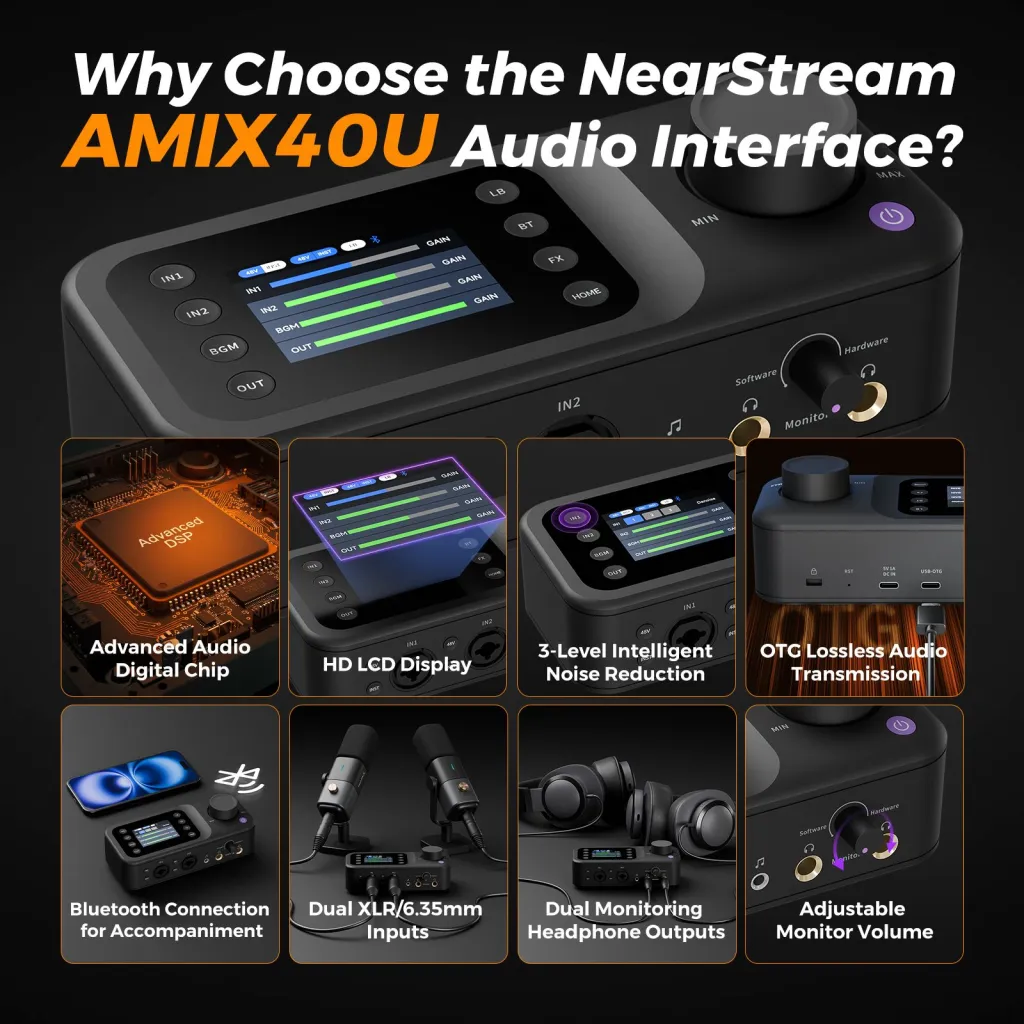
Two-host starter: two microphones, a dual-input mixer like the AMIX40U (two XLR inputs, 48V phantom power, USB-C to the computer), two arms, two XLR cables, two headphone pairs. This is the tier where a matched kit saves real trouble — the two-person setup guide walks the wiring, and the NearStream starter podcast kit bundles the components with the cables counted. Growing past two hosts later means chaining a second mixer, not replacing the first — the multi-person guide shows how. The mistake to sidestep here: buying two USB mics to "save the mixer," which trades a small saving for sync drift and driver fragility — the two-person guide explains why that hack fails exactly when you can't afford it to.
Honest limitation of the starter approach: it optimizes for not wasting money, which means your first rig won't be your most capable one. If you already know your format is a four-person video panel, skip the starter logic entirely and buy at that tier — the framework above will tell you the same thing if you answer question one honestly.
What About Secondhand Gear?
Buying used is the one strategy that can beat starter-kit economics — but only for the buy-once column, and only with a checklist. Microphones, boom arms, and tripods are mechanical devices with long lives; a well-kept used unit performs like new. Cables are safe used purchases too. The risk concentrates exactly where you'd expect: anything with electronics and firmware (mixers, cameras) carries unknown usage history and no warranty, and a flaky used mixer fails in the worst way — intermittently, mid-recording.
The rule that keeps secondhand smart: buy used in the buy-once column if you find a genuinely good deal, but never let a used bargain drag you off your tier plan. A cheap used four-input mixer is not a saving for a solo show — it's overcapacity purchased at a discount, and the four questions still outrank any price tag. If your situation is "tight budget, patient timeline," used core components plus new cables and mounts is a legitimate build. If your situation is "recording starts next week," the matched kit is worth its premium in verified compatibility alone.
Frequently Asked Questions
What starter podcast equipment do beginners actually need?
A microphone with both USB and XLR outputs, a boom arm to place it 6–12 inches from your mouth, wired headphones, and a quiet room with soft surfaces. That set produces publishable audio on day one and every piece of it survives every future upgrade. Software is free; everything else — mixers, cameras, second mics — attaches to a specific growth trigger rather than day one.
Should beginners buy a podcast starter kit or individual pieces?
The kit, by default. First-time buyers don't yet know which cables, adapters, and input counts a complete chain requires, and those are exactly the gaps a matched bundle closes. The exception: if you already own a usable microphone or camera, buy the missing pieces individually instead of duplicating what works.
How much should a beginner spend on podcast equipment?
Enough to make the core components buy-once — that typically means a dual-connection microphone and a real boom arm rather than the cheapest listing in each category. The number matters less than the allocation: placement and room first, microphone second, everything else triggered by growth. Buying twice is the only genuinely expensive path.
What podcast gear should beginners avoid buying first?
Large mixers with inputs you won't use this year, acoustic panel kits for a room you haven't diagnosed, and cameras before video is a concrete plan. All three are buy-later items that beginners purchase early because they feel like commitment. Commitment is publishing episode ten — the gear should follow that, not precede it.
Your Next Step
Answer the four questions, buy the tier they point to, and record a test episode within a week — the setup you learn is the one you own. If your answers say solo, the solo setup guide is your wiring diagram; if they say two hosts, start with the two-person configuration; and when you're ready to price a matched set, the NearStream podcasting solutions page builds the kit to your headcount.













































































 sales@nearstream.us






