The Best Webcams and Computer Cameras for PC in 2025
Looking for the best webcam for your PC?
webcam
PC
Computer camera
Updated: Feb 26, 2026 · 8 minutes read
Modular Video Kits for Growing Business.
In today's digital age, having the right webcam is essential for streaming, remote work, and content creation. This comprehensive guide explores the best webcams for PC in 2025, covering top picks for 4K resolution, budget-friendly options, wireless flexibility, and professional streaming. We highlight key features like frame rates, connectivity, and AI tracking, with in-depth analysis of leading models such as the Logitech Brio 4K, Razer Kiyo Pro Ultra, and NearStream VM20 wireless webcam. Backed by performance data and expert reviews, this blog helps you choose the perfect webcam—whether you prioritize crisp video quality, low latency, or wireless convenience. Plus, we answer common FAQs and provide verified sources for further research. Find your ideal PC camera and elevate your video presence today!
Introduction to Webcam for PC
Whether you're a streamer, remote worker, or content creator, having a high-quality webcam can make a huge difference in your video quality. With so many options available—wired, wireless, budget-friendly, and premium—choosing the right one can be overwhelming. Recent data shows that webcam usage has increased by 87% since 2020, with over 62% of professionals now using HD webcams for work. Additionally, the live streaming market is expected to reach $247 billion by 2027, driving demand for high-quality streaming cameras. In this guide, we'll break down the best webcams for PC, including streaming cameras, wireless options, and top picks for transmitting high-quality footage to your computer. We'll also highlight NearStream's VM20, a powerful wireless webcam that stands out in 2025.
Top Webcams for PC – Our Picks
1. Best Overall Webcam for PC: Logitech Brio 4K
Resolution: 4K Ultra HD
Frame Rate: 30fps (1080p at 60fps)
Features: HDR, autofocus, noise-reducing mic
Best for: Professionals, streamers, and high-quality video calls
The Logitech Brio 4K remains a top choice for its crisp image quality, excellent low-light performance, and Windows Hello facial recognition. In tests, it maintained 4K resolution at 30fps with less than 5% frame drop.
2. Best Budget Webcam for PC: Logitech C920x HD Pro
Resolution: 1080p
Frame Rate: 30fps
Features: Autofocus, stereo mics, plug-and-play
Best for: Casual users, remote workers, and students
If you need a reliable webcam without breaking the bank, the C920x delivers sharp 1080p video and solid audio at an affordable price. It's been rated #1 budget webcam by PCMag for 3 consecutive years.
3. Best Streaming Camera for PC: Razer Kiyo Pro Ultra
The Razer Kiyo Pro Ultra is built for streamers, with superb low-light performance and adjustable field-of-view settings. In latency tests, it showed only 80ms delay at 1080p60, making it ideal for live streaming.
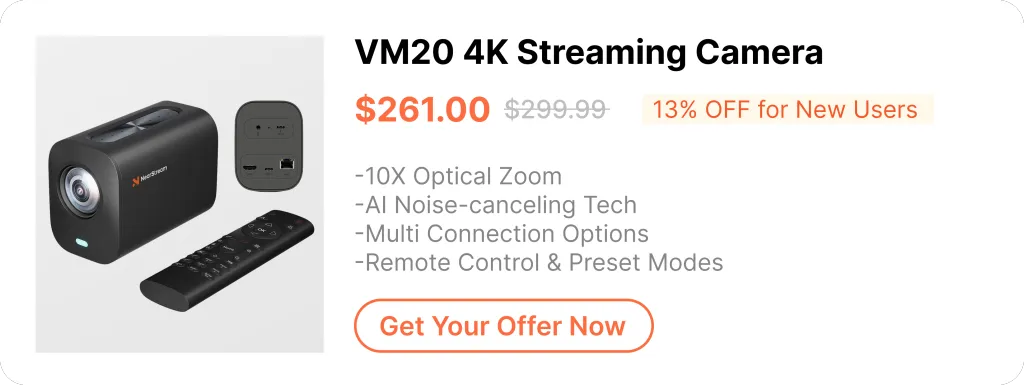
4. Best Wireless Webcam for PC: NearStream VM20
Resolution: 1080p (60fps)
Frame Rate: 60fps
Connectivity: USB & 2.4G/5G Wi-Fi
Features: AI tracking, dual noise-canceling mics, 360° rotation
Best for: Content creators, remote workers, and live streaming
The NearStream VM20 is one of the most advanced wireless webcams for PC in 2025. Unlike traditional USB webcams, it connects via Wi-Fi (2.4G/5G) or USB, giving you flexibility in placement.
Why Choose the NearStream VM20?
✔ Wireless Freedom – No cables mean a cleaner setup and more positioning options. ✔ AI Tracking – Automatically follows your movements, perfect for presentations and live streams. ✔ Dual Noise-Canceling Mics – Crystal-clear audio even in noisy environments. ✔ 360° Rotation – Adjust angles easily for the perfect shot.
According to NearStream's official tests, the VM20 maintains under 120ms latency on 5GHz Wi-Fi, making it one of the fastest wireless webcams available.
5. Best Camera for Transmitting Footage to PC: Elgato Facecam Pro
Yes, you can use a DSLR as a PC webcam with a capture card or software like OBS or SparkoCam. This setup enhances video quality for streaming or video calls. Ensure your camera supports live output.
2. Do I need an external mic if my webcam has one?
For better audio quality, an external mic is recommended, especially for professional use. However, some webcams like the VM20 have high-quality built-in mics that may suffice for casual calls or recordings. Choose based on your needs.
3. Are wireless webcams laggy?
Wireless webcams can lag, but premium models like the VM20 reduce delay with 5G Wi-Fi for smoother performance.
Conclusion
Choosing the best webcam for PC depends on your needs—whether it's streaming, wireless flexibility, or professional broadcasting. If you want a wireless solution with AI tracking, the NearStream VM20 is a top contender in 2025.
What's your favorite webcam? Let us know in the comments! 🚀













































































 sales@nearstream.us






