The Ultimate Guide to Wireless Microphones for Mobile Phones in 2025
Explore the best wireless microphones for mobile phones in 2025.
wireless microphone
phone microphone
Updated: Feb 26, 2026 · 8 minutes read
Modular Video Kits for Growing Business.
Smartphone cameras have seen significant advancements, yet audio capture remains a challenge. Built-in microphones are designed for casual use and often fail to deliver the clarity required for professional content creation. Whether you're recording YouTube videos, vlogs, podcasts, or hosting Instagram Lives, a wireless microphone can dramatically enhance sound quality, consistency, and mobility.
Wireless Microphone Market Trends and Data in 2025
According to a report by IMARC Group, the global wireless microphone market reached $1.8 billion in 2023 and is projected to grow to $8.2 billion by 2032, exhibiting a CAGR of 18%. This growth is primarily driven by the increasing number of content creators, the proliferation of smart home devices, and the rapid development of the eSports industry.
Technological advancements also contribute to market expansion. For instance, Potronics released the Vlogmate 2 wireless microphone in 2024, featuring 360-degree sound pickup, dual-microphone configuration, and long-lasting battery life, catering to content creators' demand for high-quality audio equipment.
Wireless vs. Wired Mics: What’s the Real Difference?
While wired microphones offer reliable performance, they restrict movement and can introduce cable noise, especially during mobile filming.
Feature
Wired Microphone
Wireless Microphone
Mobility
❌ Limited
✅ Full freedom of movement
Setup
✅ Simple plug-in
✅ Plug & play with receiver/transmitter
Cable Noise Risk
❌ High (movement causes noise)
✅ None
Ideal For
Desktop podcasting, voiceover
Vlogging, interviews, live streaming
Wireless microphones have evolved with modern content needs. Technologies like 2.4GHz transmission, low-latency Bluetooth, and smart noise cancellation enable high-fidelity sound without the constraints of cables.
Key Features to Look for in a Wireless Phone Microphone
When selecting a wireless microphone for mobile use, consider the following key features:
Low Latency Transmission: Essential for real-time syncing with video, especially during livestreams.
Long Battery Life: Look for 6–8 hours or more for extended field use.
Clip-on / Lavalier Design: Provides hands-free convenience during recording.
Noise Cancellation: Filters out background noise and wind interference.
Universal Compatibility: Ensure it works with both iOS and Android devices.
Range: At least 20–50 meters in open space.
According to Grand View Research, the global wireless microphone market is projected to reach USD 4.08 billion by 2030, driven largely by mobile and creator use cases.
Bluetooth vs. 2.4GHz Wireless: Which Is Better for Mobile?
How to Connect and Use a Wireless Mic with Your iPhone or Android
Connecting a wireless microphone to your mobile phone may sound intimidating, but it’s actually straightforward when you follow the right steps. Both iPhones and Android phones support wireless mics through USB-C, Lightning, or TRRS interfaces (3.5mm jack). More advanced mics may also come with a dedicated receiver for plug-and-play use.
Step-by-Step Setup for iPhone:
1. Use a Lightning-compatible wireless mic or Apple’s Lightning-to-3.5mm adapter.
2. Plug the mic’s receiver into your iPhone.
3. Open your preferred recording app (e.g., Camera, Instagram Live, GarageBand).
4. Record a test clip to confirm the audio input is coming from the external mic.
Step-by-Step Setup for Android:
1. Ensure your mic supports USB-C or has a TRRS adapter.
2. Plug the receiver into your Android device.
3. Launch your video or audio app and run a short sound check.
4. Some devices may need to toggle external mic recognition in settings.
📌 Pro Tip: Always do a 10-second test recording before a live shoot to confirm levels and eliminate background noise.
Troubleshooting Common Wireless Mic Issues on Mobile
Even with high-quality gear, wireless microphones can occasionally cause frustration. Here are the top issues mobile users face—and how to fix them quickly:
Can I Use Wireless Mics for TikTok, YouTube, Instagram Live, and More?
Absolutely. Wireless microphones have become essential tools for creators on platforms like TikTok, YouTube Shorts, Instagram Live, Facebook Reels, and even Twitch. Here's how they enhance each experience:
Platform
Use Case
Mic Benefit
TikTok
Dance, skits, voiceovers
Removes room echo, clearer vocals
YouTube
Vlogging, interviews, tutorials
Clean dialogue, consistent tone
Instagram Live
Real-time audience interaction
Stable audio over mobile networks
Facebook Reels
Lifestyle and story content
Professional sound in casual clips
Twitch IRL
Mobile outdoor streams
Directional audio, no wind noise
What’s the Best Mic Setup for Mobile Filmmaking or Vlogging?
The ideal mic setup for mobile filmmaking balances portability, sound quality, and user-friendliness. Here's what professionals use:
2. Single Clip-on Mic: Perfect for solo vloggers; discreet and reliable.
3. Windshield / Windscreen Accessories: Critical for outdoor shooting to eliminate wind noise.
4. Tripod or Stabilizer: To minimize handling noise from the phone itself.
5. Onboard Monitoring (if supported): Real-time feedback lets you correct problems on the fly.
FAQs
Q1: Can I use a wireless mic while recording video on my phone?
A: Yes. Most modern wireless mics are designed to work seamlessly with iOS and Android camera apps or third-party apps like Filmic Pro and Open Camera. Just ensure your phone detects the external mic before recording.
Q2: What’s the difference between Bluetooth and 2.4GHz wireless microphones?
A: Bluetooth mics often have limited range (~10m) and higher latency. 2.4GHz wireless mics provide better sound quality, longer range (~100-250m), and low-latency transmission—ideal for professional content creators.
Q3: Can I use one mic system for both camera and phone?
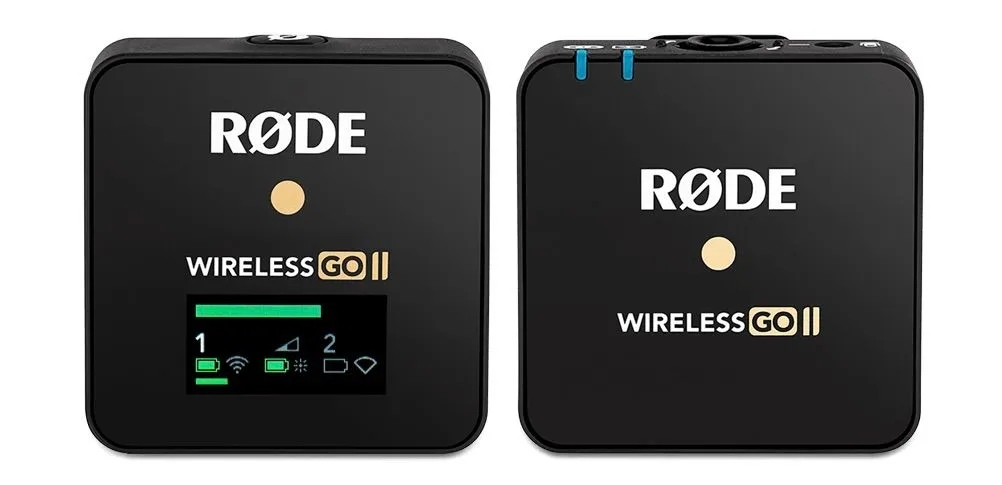
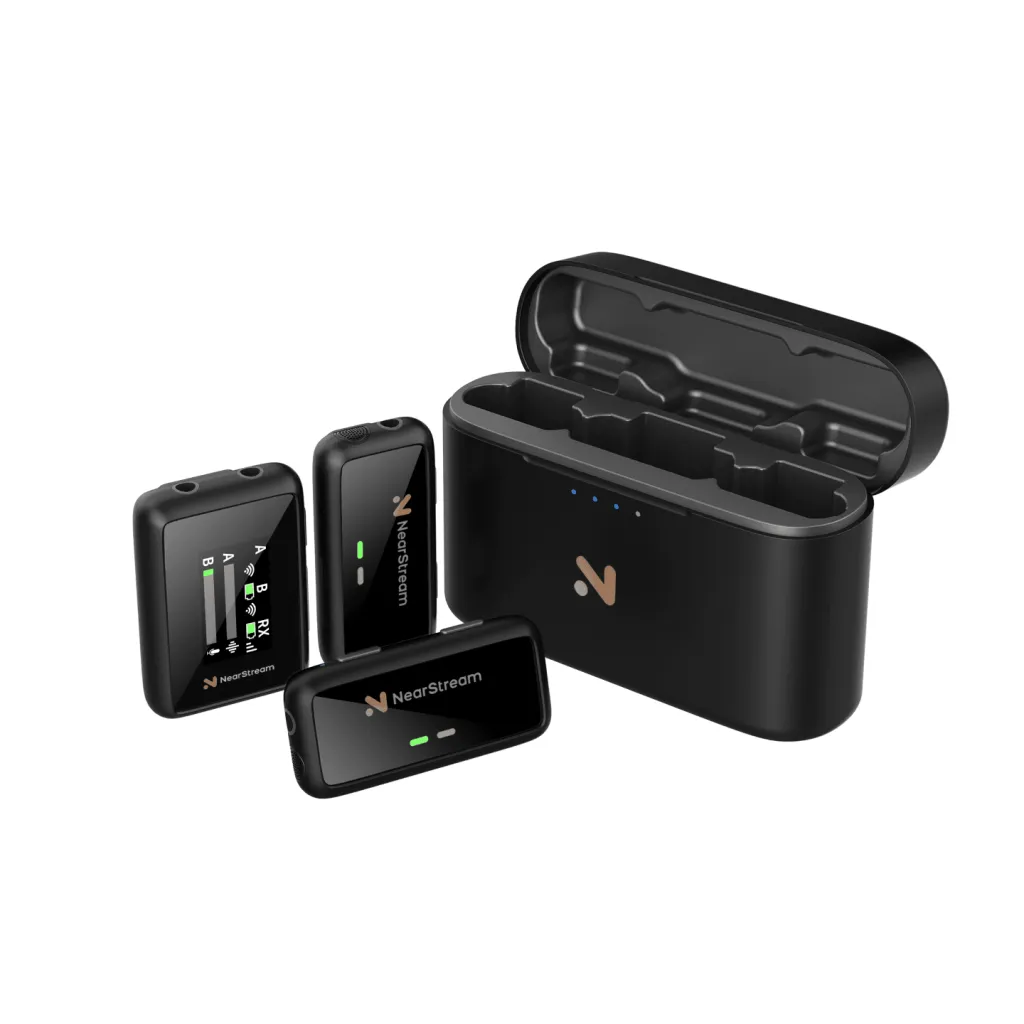
A: Many dual-output mics (like Nearstream or Rode Wireless GO II) come with adapters for both smartphones and DSLRs/mirrorless cameras, making them versatile for hybrid creators.
Q4: How much should I spend on a wireless mic for my phone?
A: For occasional creators, $50–100 gets you decent quality. Pros or frequent users may want to invest $150–300 for features like dual channels, internal recording, or real-time monitoring.
Final Thoughts
High-quality audio can elevate your video from “just okay” to unforgettable. Whether you're vlogging, livestreaming, or filming your next viral short, the right wireless microphone gives you clarity, flexibility, and credibility.












































































 sales@nearstream.us






