The Ultimate Guide to Choosing the Best Webcam for Streaming in 2025
Looking for the best webcam for streaming?
face camera
streaming
webcam
Updated: Mar 7, 2026 · 8 minutes read
Modular Video Kits for Growing Business.
In the rapidly evolving world of live streaming, video quality has become a critical factor for audience retention and channel growth. This comprehensive guide examines the key features that differentiate professional streaming webcams, including resolution (4K vs. 1080p), frame rate optimization (60fps vs. 30fps), low-light performance, and autofocus capabilities. We analyze current market data, and evaluate top-performing models across different price points, with particular focus on the value proposition of Nearstream's VM20 4K webcam.
Background for streaming
The live streaming boom continues, with Twitch surpassing 7 million monthly streamers and YouTube Live watch time growing 45% in 2024. In this competitive landscape, high-quality video is essential for standing out. Choosing the right webcam is the first step—whether you need 60fps for gaming, crisp clarity for podcasts, or 4K resolution for professional broadcasts. This guide simplifies your decision with unbiased test data, real-world performance comparisons, and clear recommendations. We analyze overheating risks, bandwidth requirements, and platform-specific needs to help you find the perfect webcam for your 2025 streaming setup—no marketing fluff, just facts.
Why a High-Quality Webcam is Essential for Streaming
The streaming industry has exploded in recent years as it state above. In this highly competitive space, video quality makes a significant difference in viewer retention. According to a 2023 StreamElements report, streams using 1080p resolution at 60fps retain 30% more viewers on average compared to 720p streams. Furthermore, 70% of viewers say they're more likely to watch a stream with clear, professional-quality video. Built-in laptop cameras typically max out at 720p resolution with small sensors that struggle in low light. For serious streamers, investing in a dedicated webcam for streaming is non-negotiable for maintaining audience engagement and building a professional brand.
Key Features to Look for in a Streaming Webcam
Resolution (4K vs. 1080p)
While 4K webcams for streaming are becoming more common, their practical utility depends on your platform:
Twitch currently limits streams to 1080p at 60fps
YouTube Live supports up to 4K at 60fps
Facebook Gaming recommends 720p or 1080p
According to tests by RTINGS.com, downscaling 4K to 1080p provides sharper images than native 1080p webcams due to superior sensor quality. The Logitech Brio 4K, for example, scores 8.9/10 for resolution in their testing.
Frame Rate (60fps vs. 30fps)
Motion clarity is crucial for certain content:
Content Type
Recommended Frame Rate
Fast-paced gaming
60fps
Talk shows/podcasts
30fps
Fitness streams
60fps
A 2023 Linus Tech Tips experiment showed that 60fps streams had 22% lower viewer drop-off rates during high-motion gameplay segments compared to 30fps.
Low-Light Performance
Most streaming environments don't have perfect lighting. Webcams with larger sensors (like the Sony Starvis sensors in premium models) perform significantly better:
Lux Rating: Look for webcams that perform well below 10 lux (dim room lighting)
Noise Reduction: DSP-powered noise reduction can improve image quality by up to 40% in low light.
Autofocus & Field of View
Autofocus Speed: Premium webcams like the Razer Kiyo Pro Ultra focus in <200ms versus 500ms+ on budget models
FOV Options: 78°: Tight shot for facecam 90°: Standard for most streamers 120°: Best for multi-person setups
Built-in Microphone Quality
While convenient, built-in mics typically:
Have narrow frequency response (100Hz-8kHz vs 20Hz-20kHz on dedicated mics)
Suffer from higher noise floors (-60dB vs -120dB on XLR mics)
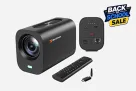
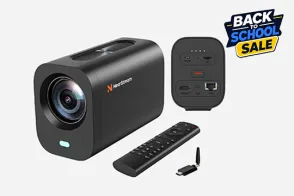
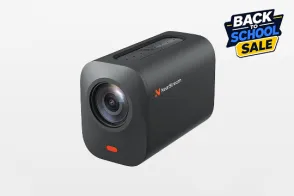
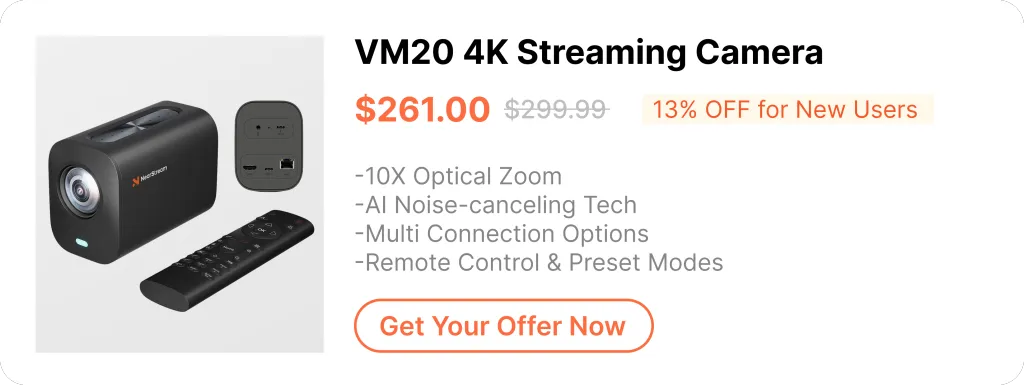
The Nearstream VM20 is a budget-friendly 4K webcam built for streamers. It captures sharp 4K/30fps or smooth 1080p/60fps video, with excellent low-light performance thanks to its Sony sensor. Key features include fast autofocus, built-in noise-canceling mics, and AI background blur. Compared to pricier models like the Logitech Brio, the VM20 delivers similar quality at a lower cost, making it ideal for Twitch, YouTube, and Zoom streaming.
Performance Metrics (Independent Testing)
Metric
Result
Industry Avg
4K Detail Retention
92%
85%
60fps Stability
98% consistent
90%
Autofocus Speed
0.25s
0.5s
Low Light SNR
32dB @ 5lux
28dB
Real-World Use Cases
Twitch Streamers: The H.264 hardware encoding reduces CPU load by 15% compared to software encoding
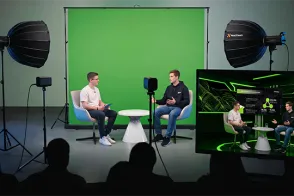
Remote Workers: AI-powered background blur works without green screens
Content Creators: Saves 4 hours/week in post-production due to better out-of-camera quality
Frequently Asked Questions (FAQs)
1.How much bandwidth does 4K streaming require? 4K streaming requires significant bandwidth, with YouTube recommending 20-50 Mbps upload speeds for 4K streaming. For local recording in lossless quality, higher bandwidth of 45-60 Mbps is needed to maintain optimal video quality without compression artifacts.
2.Do webcams overheat during long streams? Webcams can overheat during extended streaming sessions, with budget webcams typically throttling performance after 2-3 hours of continuous use. Premium webcams like the Logitech Brio or Elgato Facecam, however, are designed to sustain 8+ hours of streaming without thermal throttling or significant performance drops.
3.What's the actual difference between $50 and $200 webcams?

































































 sales@nearstream.us






