
























































By The NearStream Audio Team Estimated Reading Time: 12 Minutes
It is the moment every content creator fears.
You set up the camera. You checked the lights. You did a quick mic check. Everything seemed fine in rehearsal.
But five minutes into the live broadcast, the comments section explodes:
"I can hear an echo!"
"The guest is too quiet!"
"Is the audio cutting out for anyone else?"
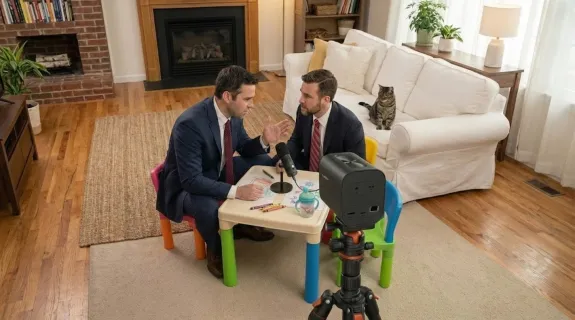
Hybrid interviews (where you have local hosts and remote guests) are deceptively simple. On paper, it’s just a meeting. In reality, it is a complex web of audio routing where one wrong setting can ruin the entire show.
In the final part of our Hybrid Interview Masterclass, we aren’t just looking at how to set things up. We are looking at what goes wrong and how to stop it.
Here are the 5 most common "disasters" in hybrid broadcasting—and how the NearStream VM20 is designed to prevent them automatically.
Problem #1: The Dreaded Echo Loop (The Audio Killer)
Frequency: Extremely High | Severity: Critical
This is the number one reason hybrid interviews fail.
The Symptom:
The remote guest starts speaking, but then stops abruptly. They say, "Sorry, I’m hearing myself coming back a second later."
Or worse, your local audience hears the remote guest's voice repeating in a loop, creating a screeching feedback noise.
The Hidden Cause:
You are likely using Mismatched I/O (Input/Output).
- You are using a webcam microphone to record.
- You are using laptop speakers to listen.
- The microphone hears the speakers and sends the audio back to the guest.
🛡️ The VM20 Solution:
The VM20 solves this with hardware-level Acoustic Echo Cancellation (AEC).
Because the VM20 handles both the microphone input and the speaker output, it "knows" exactly what sound is coming out of the speaker. Its internal processor mathematically subtracts that sound from the microphone signal before sending it to Zoom or OBS.
The Fix:
Ensure that NearStream VM20 is selected as BOTH the Microphone and the Speaker in your software. Do not mix and match devices.
Problem #2: The "Loud Host, Quiet Guest" Imbalance
Frequency: High | Severity: Annoying
The Symptom:
You (the host) sound crystal clear and loud. But your local guest, sitting just two feet away, sounds distant, muffled, or quiet.
Your listeners have to constantly adjust their volume knob: turning it up for the guest, then blasting their ears when you speak.
The Hidden Cause:
You are likely using a Directional Microphone.
Standard cardioid mics are designed to pick up sound from one direction only. If your guest is sitting "off-axis" (to the side), the physics of the microphone works against them.
🛡️ The VM20 Solution:
The VM20 is designed for Conversational Audio.
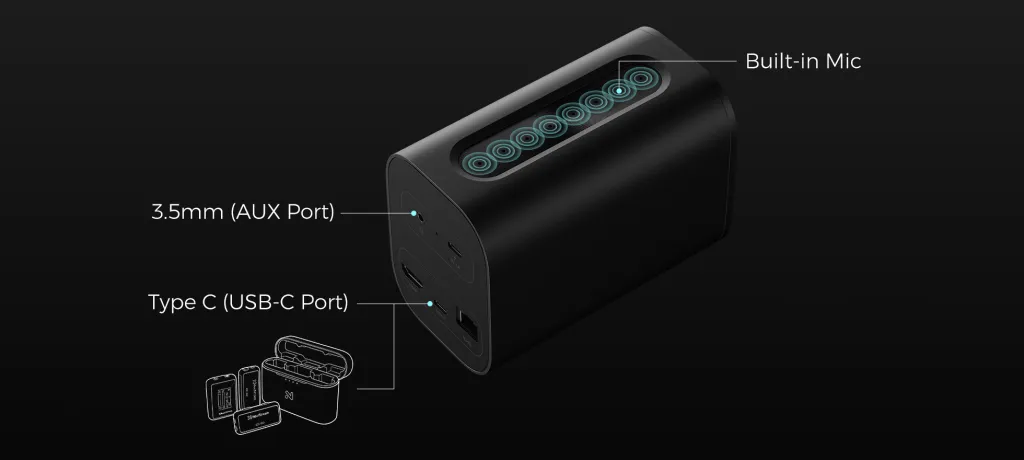
- Beamforming Array: It uses 8 microphones to create a 360-degree pickup zone.
- Automatic Gain Control (AGC): The VM20 actively listens to the volume levels. If you are loud and your guest is soft, it automatically boosts the guest and limits you, balancing the levels in real-time without you touching a fader.
The Fix:
Place the VM20 centrally between you and your guest. Let the AGC algorithms handle the mixing.
Problem #3: The Remote Guest Feel Left Out
Frequency: Medium | Severity: Flow-Killing
The Symptom:
The conversation feels disjointed. The remote guest frequently interrupts awkwardly, or they stay silent for too long. When they do speak, they often ask, "Sorry, what was that?" or "Can you repeat the question?"
The Hidden Cause:
Poor Local Return Audio.
The remote guest can't hear the "room tone." If your local microphone setup is messy, the remote guest only hears fragments of the local conversation. They miss the subtle cues—the breaths, the laughs, the pauses—that signal it’s their turn to speak.
🛡️ The VM20 Solution:
The VM20 provides a Unified Room Mix.
Because it captures the entire room clearly and sends a processed, noise-reduced signal to the conferencing app, the remote guest feels like they are sitting at the table. They can hear the nuance of the local conversation, allowing for natural, fluid banter.
The Fix:
Trust the VM20's processing. Avoid using aggressive software noise suppression in Zoom (set it to "Low") so the remote guest can hear the natural room ambience.
Problem #4: The Broadcast Sounds "Messy" (Like a Zoom Call)
Frequency: High | Severity: Unprofessional
The Symptom:
Your final recording or livestream sounds like a corporate meeting, not a produced show. The audio quality varies wildly between speakers, and there is background hiss.
The Hidden Cause:
Multiple Audio Sources.
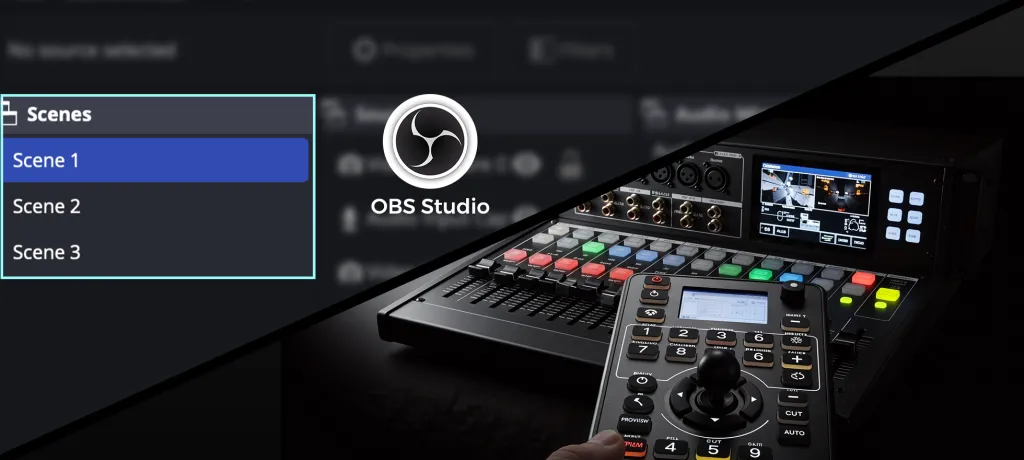
You are trying to manually mix audio from a USB mic, a laptop mic, and system audio in OBS. It is a recipe for disaster.
🛡️ The VM20 Solution:
The "Single Source" Philosophy.
The VM20 acts as a central audio hub. It takes the local voices, cleans them, mixes them, and sends a single, polished stereo track to your computer.
Your broadcasting software (OBS/StreamYard) only has to manage one audio source.
One Sentence Summary:
VM20 is designed for real conversations — not complicated audio setups.
Problem #5: "We Don't Have an Audio Engineer"
Frequency: Universal | Severity: Barrier to Entry
The Symptom:
You want to start a podcast or a webinar series, but you look at the recommended gear lists—XLR cables, mixers, audio interfaces, Cloudlifters—and you give up. You just want it to work.
The Hidden Cause:
Complexity Creep.
Traditional audio gear is designed for musicians, not communicators. It requires technical knowledge to operate correctly.
🛡️ The VM20 Solution:
Plug-and-Play Simplicity.
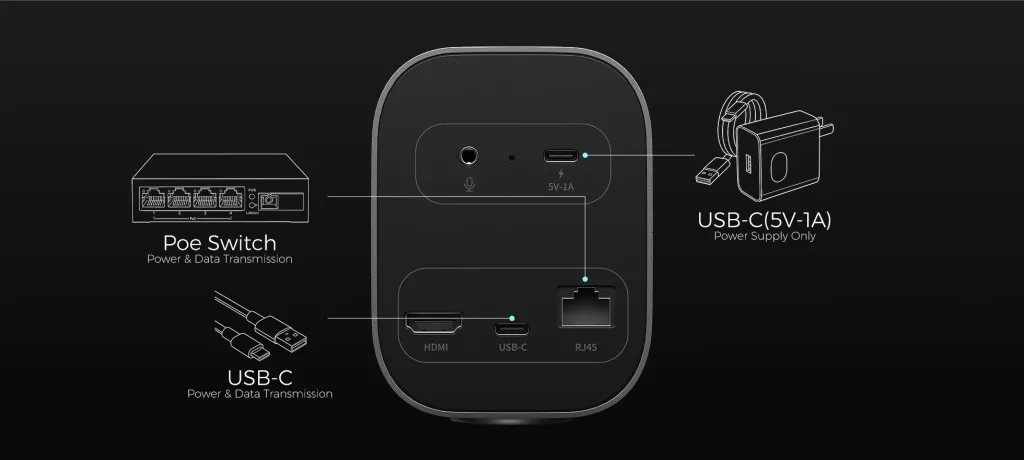
The VM20 is a driver-free USB device. If you know how to plug in a mouse, you know how to set up a VM20 studio. It removes the technical barrier so you can focus on your content.
⚡ The 60-Second Troubleshooting Checklist
Before you hit "Go Live," run through this list to catch 99% of potential issues.
| Check | Action Item | Why? |
|---|---|---|
| Microphone Selection | ✅ Select "NearStream VM20" | Ensure Zoom isn't using the webcam mic. |
| Speaker Selection | ✅ Select "NearStream VM20" | Critical for Echo Cancellation to work. |
| System Sounds | ✅ Mute Notifications | Prevents "Ding!" sounds from ruining the broadcast. |
| Headphones | ✅ Host Wearing Headphones? | Recommended for monitoring the remote guest. |
| Local Spacing | ✅ VM20 Centered? | Ensure equal distance between local speakers. |
| The "Echo Test" | ✅ Remote Guest Speaks | Ask: "Do you hear yourself?" If no, you are good. |

Who Is This Setup Ideal For?
We built the VM20 for people who value Communication over Configuration.
- 🎙️ Podcasters: Who want to interview remote guests without losing the in-studio chemistry.
- 🏢 Corporate Comms: Who need to broadcast "All-Hands" meetings with hybrid leadership teams.
- 📺 Media & News: Who need a quick, deployable interview station for field reporting.
- 🎓 Education: Who need to bring remote lecturers into a physical classroom.
Conclusion: Stability is Better Than Complexity
In the world of live production, "boring" is good. Boring means stable. Boring means predictable.
You don't need a $5,000 studio rack to produce a great hybrid interview. You need a device that understands the physics of the room and handles the problems for you.
The NearStream VM20 isn't just a camera; it is a safety net.
- It prevents the echo.
- It balances the voices.
- It simplifies the workflow.
It allows you to stop worrying about the "Input Settings" and start focusing on the conversation. Because at the end of the day, your audience is there for the story, not the tech.
🚀 Ready to Upgrade Your Hybrid Workflow?
Stop fearing the "Echo Loop." Experience the simplicity of the NearStream VM20.




 sales@nearstream.us






