How to Make a Demo Video: Tools, Examples, and Recording Tips
Learn how to make high-converting demo videos with expert tips, tools, script templates, and real examples.
demo video
technology
Updated: Feb 27, 2026 · 8 minutes read
Modular Video Kits for Growing Business.
Making demo videos that actually convert requires more than just screen recording. This guide walks you through every step—from planning and tools to real-world examples:
Demo Video Strategy: Define goals, audience, and message before you hit record
Recording Tools: Screen recorders, video editors, and online creation platforms
Real Examples: See how top brands like Salesforce & Slack do it
Pro Setup: Use gear for crisp results
Avoid Common Pitfalls: Bad lighting, unclear CTAs, or audio issues
📌 Plan smarter. Film better. Create demo videos that engage, educate, and convert.
What Is a Demo Video?
A demo video—short for "demonstration video"—is a visual presentation that showcases how a product, software, or service works. Unlike traditional advertisements, demo videos focus on educating users through clear, step-by-step walkthroughs, often highlighting key features, benefits, and real-life usage.
Demo videos can be live-action, animated, or screen-recorded, depending on the context. For example, a product demo video might show someone using a physical product, while a software demo video usually involves screen captures with voiceover instructions.
Demo videos are widely used in SaaS onboarding, ecommerce product listings, crowdfunding pages, investor decks, and internal training.
Why You Should Create Demo Videos
In a digital-first world, demo videos are a powerful way to communicate value quickly and visually. Here’s why they matter:
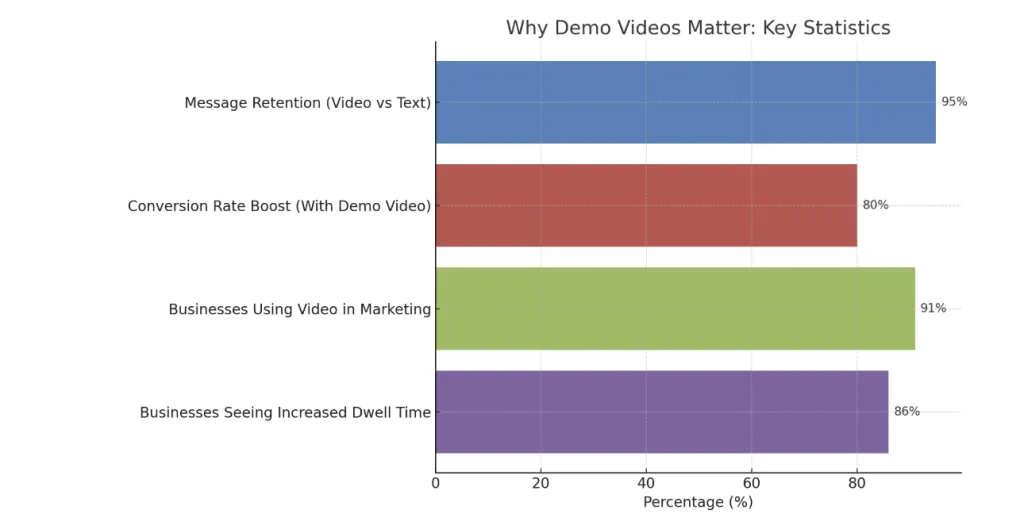
Improve Understanding: Viewers retain 95% of a message when they watch it in a video, compared to just 10% when reading text.
Reduce Support Costs: Tutorials via video can cut down repetitive questions and reduce onboarding friction.
Build Trust: Transparent demonstrations help potential customers see how your product actually works, which boosts credibility.
Increase stay times: 91% of businesses now use video as part of their marketing strategy, with 86% saying that video increases dwell time on their website
Whether you're a startup introducing a new SaaS tool or an ecommerce brand launching a new gadget, demo videos help explain what your product does and why it matters—without requiring a sales pitch.
Types of Demo Videos: Product, Software, App & More
There are several types of demo videos, each suited to a specific product or use case. Here are the most common categories:
✅ Product Demo Videos
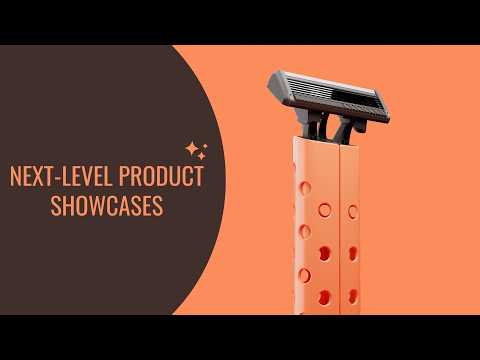
These videos show physical products in action—how they are used, assembled, or solve a problem. Great for ecommerce, Amazon listings, and crowdfunding campaigns.
✅ Software Demo Videos
Typically screen recordings combined with voiceovers, highlighting user interface, features, and workflows. Common in SaaS platforms, enterprise software, and mobile apps.
✅ App Demo Videos
Short videos optimized for app stores, showing key mobile features and user experience. Often used for app store previews or paid ads.
✅ Animated Explainer Demos
Use motion graphics to explain complex ideas simply. Ideal for startups that haven't launched a physical product yet.
✅ Internal Training Demos
Used inside companies to demonstrate tools, internal systems, or onboarding flows to employees.
Best Tools for Demo Video Recording & Creation
Whether you’re recording a software demo, creating a product demo video, or designing a screen-based tutorial, choosing the right tools can make or break your workflow. Below is a detailed breakdown of top demo video tools, categorized by use case.
Why choose these? If you want to create demo videos without installing software or hiring editors, these web-based tools are fast, beginner-friendly, and effective.
How to Make a Demo Video: Step-by-Step Tutorial
Creating a demo video isn’t just about hitting record—it’s about planning, scripting, and editing strategically. Here’s a simple step-by-step guide:
✅ Step 1: Define Your Goal & Audience
Who are you speaking to? A B2B buyer, a new user, or an investor? Your script and visuals should be tailored accordingly.
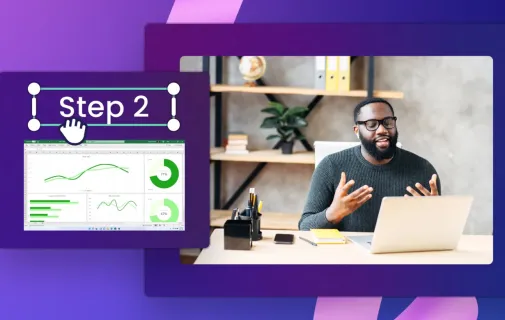
✅ Step 2: Write a Clear Script or Outline
Use a logical structure:
Hook (problem or value statement)
Main features or workflow
Call to action (CTA)
✅ Step 3: Record the Demo
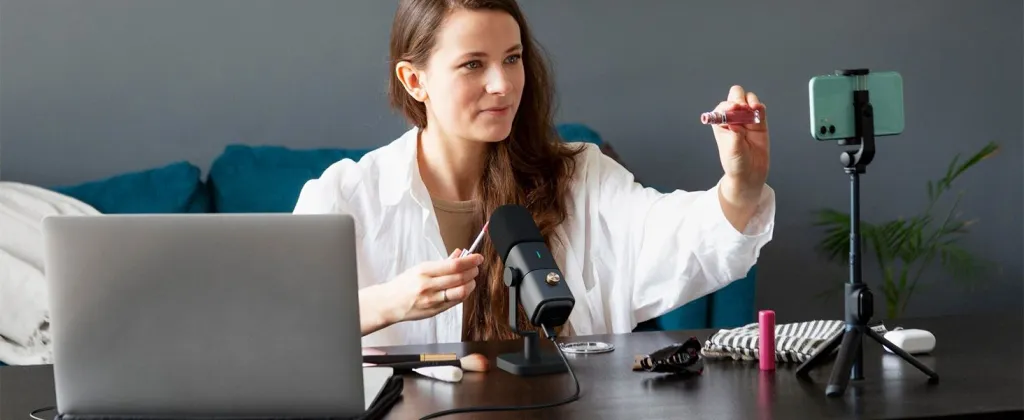
Use screen recording software (like OBS or Loom) for software, or a 4K camera (like the NearStream VM20) for physical products.
✅ Step 4: Add Voiceover and Annotations
Use clear, concise narration. Highlight clicks, processes, and key messages with on-screen text or graphics.
✅ Step 5: Edit & Export
Trim extra pauses, add transitions, subtitles, logos, and CTA buttons. Export in a format suitable for your platform (MP4 recommended).
Demo Video Examples That Convert: Learn from the Best
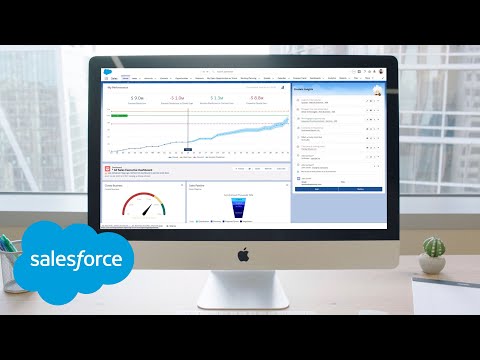
Type: Software demonstration + explanation Highlights: A demonstration of AI functions from Salesforce, with clear steps and a slow speaking pace, highlighting how AI optimizes the sales process. The large interface recording is adopted, combined with step-by-step explanations, allowing the audience to intuitively understand "function → effect". Key learning points: Professional narrative speed, precise demonstration of interface operation, and highlighting of solution value.
Type: Animation-driven software demonstration Highlights: It uses 2D animations combined with a simple interface to showcase Slack's functions. The pace is brisk and the style is friendly, making it suitable for educational or promotional purposes. The animation is synchronized with the copywriting, creating a strong visual impact. Key learning points: Animations assist in explaining complex concepts, which can enhance the interest and user engagement. It is suitable for explaining the functions in a relaxed style.
Type: Collection of real-shot product demonstrations Highlights: It gathers multiple real-shot video examples, showcasing the product's appearance, usage process, and functional application scenarios, allowing people to directly experience the actual value of the product. Key learning points: Real shooting can enhance credibility and purchase intention. Demonstrate functional diversity through scene switching and attach a guiding CTA at the end.
Tips for Writing a Great Demo Video Script
A compelling demo video script is the backbone of an effective presentation. Whether you’re creating a software walkthrough or a product demo video, your script should balance clarity, brevity, and persuasion.
Here are practical tips to help you write scripts that keep your audience engaged and drive action:
1. Start with a Strong Hook
Open with a relatable pain point or a bold promise. Your first 5–10 seconds should answer: “Why should I care?”
📌 Example:
"Still wasting hours copying data between systems? With ZapX, you can automate it all in two clicks."
2. Structure Your Script Logically
Use a simple 3-part structure:
1. Problem – What issue are you solving?
2. Solution – How does your product solve it?
3. Call to Action (CTA) – What should the viewer do next?
💡 Tip: This structure keeps the video focused and makes it easier for viewers to follow.
3. Use Plain Language & Active Voice
Avoid technical jargon unless you're speaking to a technical audience. Use verbs that show action (e.g., “click,” “create,” “drag”).
Instead of "This feature allows for the creation of templates…", say "You can create templates instantly with just one click."
4. Keep It Short & Timed
Aim for 60–90 seconds for general demos, or up to 2–3 minutes for feature-rich products. Read your script out loud—it should sound conversational.
📌 Rule of thumb: 125–150 words ≈ 1 minute of spoken video.
5. Leave Room for Visuals & Voiceover
Remember: you don’t have to say everything. Some points can be shown on-screen (via highlights, cursor movement, animations, etc.).
Don’t describe the UI in words if you’re showing it visually—it creates redundancy and overload.
6. Align with Your Brand Voice
Is your tone playful, professional, or technical? A script for a developer tool will sound very different from one for a lifestyle product.
📌 Bonus: If your brand is B2B, use terms like “optimize,” “streamline,” and “enterprise-ready.” For B2C, go for “easy,” “fast,” “fun.”
Hardware Setup for High-Quality Demo Videos
While software tools are essential, hardware quality can make or break your demo video—especially if you're filming physical products or on-camera intros. Here's how to upgrade your setup.
The capacitive structure captures the details of human voices, and the voice explanation is clear and natural
Noise reduction technology is suitable for recording in non-professional environments
If you need to move around on camera, you can choose the same brand's wireless microphone system to ensure both flexibility and sound quality
💡 Lighting: Make Your Footage Pop
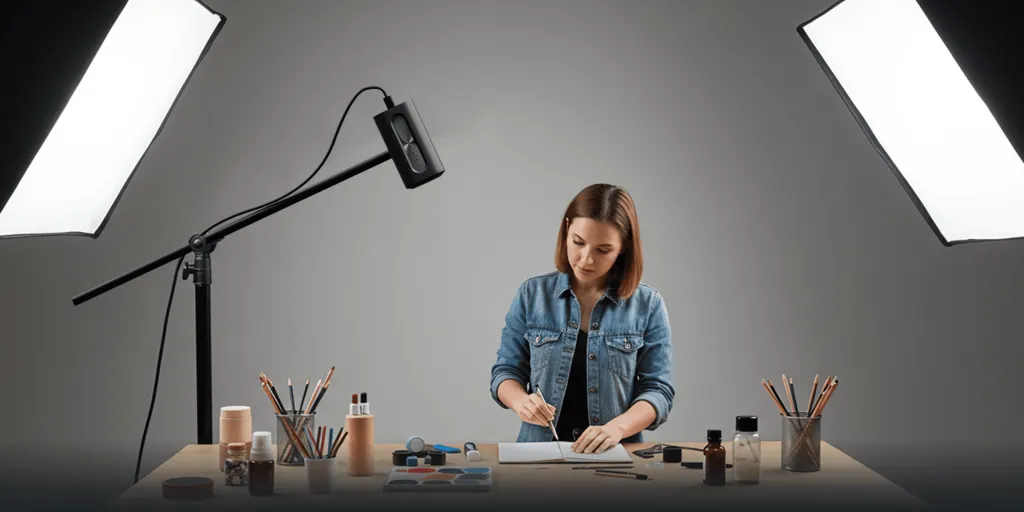
Use a three-point lighting setup for best results (main light, supplementary light, backlight)
Ring lights are a compact solution for facecam shots
Avoid overhead-only lighting, which causes shadows
📌 Tip: Avoiding backlighting or dim environments can significantly improve picture quality, especially when displaying small products or screen details.
Common Mistakes to Avoid in Demo Video Production
1. Script Overload
Trying to say too much often leads to a scattered, confusing message.
✅ Solution: Stick to one core idea per video.
2. No Visual Planning
If you just record without thinking visually, your demo may lack flow.
✅ Solution: Use storyboards or script notes to plan visuals.
3. Low Audio Quality
Audiences will forgive grainy video, but not poor sound.
✅ Solution: Invest in a quality microphone like the AM25X.
4. UI Clutter
If you're doing a screen recording, a messy interface distracts from your message.
✅ Solution: Clean up your screen and use zoom-in effects or focus highlights.
5. No Clear CTA
Many demo videos forget to tell users what to do next.
✅ Solution: End with a direct, visual call-to-action (e.g., “Start Free Trial Now”).
FAQs
Q1. Do I need to hire a voiceover artist?
A1. Not necessarily. Many creators use their own voice for authenticity. Just make sure your mic quality is clear and you're speaking slowly and confidently.
Q2. How long should a demo video be for maximum engagement?
A2. Ideally 60–90 seconds for general products, or 2–3 minutes for complex tools. Shorter is better if your goal is top-of-funnel awareness.
Q4. Always script your core message, even if you leave space for improvisation. A script keeps your video focused and ensures you don’t forget key points.
Q4. What’s the best format to export my demo video for web upload?
A4. Use MP4 (H.264) format with a resolution of at least 1080p. It offers high compatibility and good compression for websites and social platforms.
Q5. Should I include subtitles in my demo video?
A5. Yes. Subtitles improve accessibility and retention, especially for mobile and international viewers. Tools like VEED or Descript can generate subtitles automatically.













































































 sales@nearstream.us






