The Ultimate Guide to Live Streaming Equipment: Devices & Hardware for Professional Streams
Discover the best live streaming equipment for pro-quality streams!
video streaming devices
livestream equipment
live streaming equipment
Updated: Feb 26, 2026 · 8 minutes read
Modular Video Kits for Growing Business.
This comprehensive guide explores essential live streaming equipment for content creators at every level, from beginners to professionals. We analyze key components like cameras, microphones, lighting, and capture cards, comparing performance and value across different budgets. The article highlights NearStream's VM20 4K camera, AM35U microphone, and VK40 green screen kit as standout solutions for streamers seeking broadcast-quality results. Practical FAQs address common technical concerns, while data-driven recommendations help optimize setups for various streaming scenarios. Whether you're a gamer, podcaster, or educator, this guide provides actionable insights to elevate your production value and audience engagement.
Introduction to Live Streaming Equipment
The live streaming industry has grown exponentially, with viewership increasing by 99% from 2020 to 2023 (StreamElements Report). Platforms like Twitch, YouTube Live, and Facebook Gaming now see over 8.5 million active streamers monthly, creating intense competition for viewer attention.
What separates successful streams from amateur ones? Production quality. According to a 2023 Streamlabs study:
78% of viewers will leave a stream within 30 seconds if video quality is poor
Audio quality is ranked as more important than video by 62% of audiences
Streams with proper lighting retain 40% more viewers on average
Why Professional Streaming Gear Matters
Investing in the right live streaming equipment isn't just about vanity - it directly impacts:
Discoverability: Platforms prioritize high-quality streams in recommendations
Monetization: Sponsors and advertisers prefer professional-looking content
Audience retention: Viewers stay 3x longer on well-produced streams
Key Components of a Streaming Setup
A complete professional setup includes five core systems:
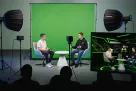
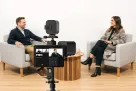
Video System (Camera, capture card, lenses)
Audio System (Microphone, interface, processors)
Lighting System (Key lights, fill lights, diffusion)
Encoding System (Computer, encoder, streaming software)
Control System (Stream deck, monitoring solutions)
Essential Video Streaming Devices
1. Best Cameras for Live Streaming
Your camera is the centerpiece of your stream. Here are the top options:
Recommended: NVIDIA RTX 3060+ for high-quality encoding.
2. Encoders & Streaming Consoles
Hardware encoders (Elgato Stream Deck, Blackmagic Web Presenter) help streamline controls.
Software encoders (OBS Studio, Streamlabs) are free and customizable.
3. Internet & Networking for Smooth Streams
Wired Ethernet is best (avoid Wi-Fi if possible).
Upload speed: At least 10 Mbps for 1080p streaming.
NearStream Professional Streaming Solutions
After extensive testing of streaming gear, NearStream's VM20 camera, AM35U microphone, and VK40 Green Screen Kit deliver broadcast-quality performance at accessible prices. Here's why these products stand out:
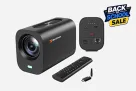
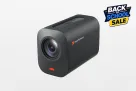
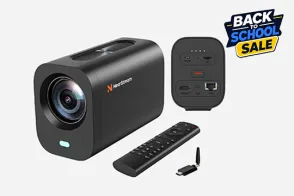
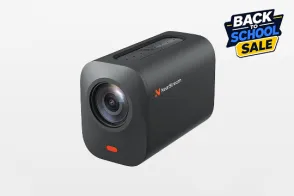
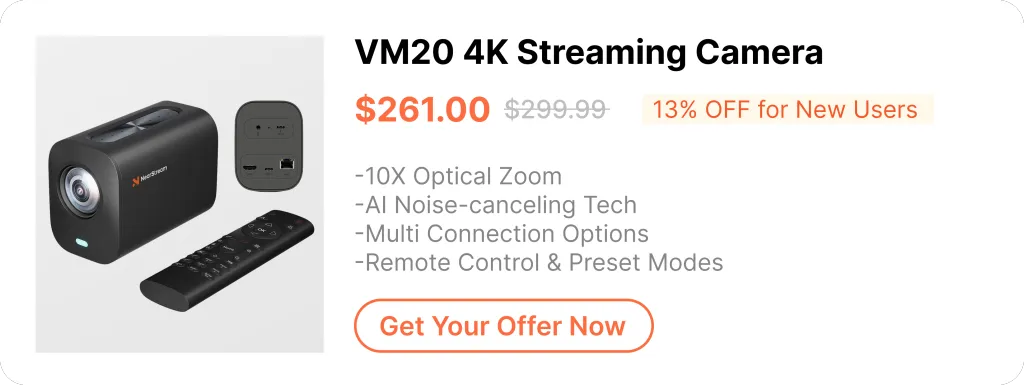
1. NearStream VM20 4K Professional Camera ($299)
True 4K/30fps resolution with Sony CMOS sensor
3-layer anti-glare coating for crisp image quality
Dual native ISO for superior low-light performance
HDMI/USB dual output for flexible connectivity
Ideal for: Streamers needing broadcast-quality video with precise color accuracy
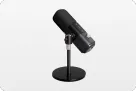
Cardioid pickup pattern with excellent off-axis rejection
Includes shock mount and pop filter
Perfect for: Podcasters and streamers demanding professional vocal clarity
3. NearStream VK40 Green Screen Kit ($249.99)
9.8 x 9.8 ft Wrinkle-Resistant Fabric (Machine Washable)
Adjustable Stand & Clamps (Fits most spaces)
Travel Bag for easy storage
Perfect For: Podcasters, VTubers, and professional streamers
Why Choose NearStream?
1-Year Warranty – Reliable long-term support
Free Firmware Updates – Future-proof your gear
24/7 Customer Service – Quick troubleshooting
Upgrade your stream today with NearStream’s pro-grade gear!
FAQs About Live Streaming Equipment
1. What's better for streaming - the VM20 camera or a DSLR?
The VM20 offers simpler setup with comparable 4K quality, better heat management for long streams, and more affordable than DSLR+capture card combos. However, DSLRs still win for interchangeable lenses and shallow depth of field.
2. Can I use the AM35U microphone without an audio interface?
Yes! The AM35U gives you two setup options: plug-and-play USB connectivity (perfect for beginners) or higher-quality XLR connection (if you have an audio interface for professional use).
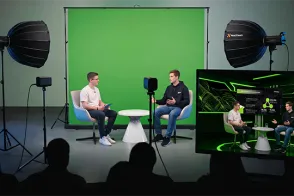
3. How much space do I need for the NearStream Green Screen? The 9.8 x 9.8 ft size fits most rooms, but you’ll want at least 3 ft of clearance behind you and proper lighting which help you avoid shadows on the green screen.
4. What’s the best lighting setup for a green screen? A basic 3-point lighting setup works best: 1️⃣ Key Light (Main light on you) 2️⃣ Fill Light (Reduces harsh shadows) 3️⃣ Backlight (Separates you from the green screen)
5. Can I use the VM20 webcam for recording videos too? Absolutely! The VM20 webcam is perfect for recording videos, including YouTube videos with 4K recording, Zoom calls enhanced by HDR for a crisp appearance, and content creation thanks to its smooth autofocus, which is ideal for product reviews and other video projects.
Final Thoughts
Whether you're a beginner or a pro, NearStream’s VM20 camera, AM35U microphone, and VK40 Green Screen Kit provide studio-quality streaming without breaking the bank.
Ready to upgrade? Check out NearStream’s full lineup for the ultimate streaming setup! 🚀






























































 sales@nearstream.us






