Vibe Coding Essentials: Why Your Microphone Is Now Your Most Important Syntax Tool
Vibe Coding, leveraging LLMs like Cursor and Claude 3.
Vibe Coding
AI Programming
Microphone for PC
Updated: Feb 27, 2026 · 8 minutes read
Modular Video Kits for Growing Business.
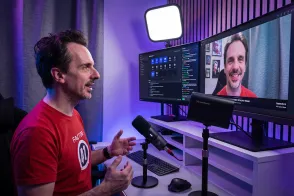
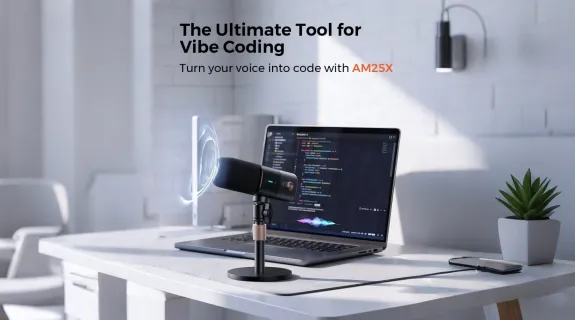
"Vibe Coding" is transforming the world of software development. Instead of wrestling with syntax and semicolons, developers are now using LLMs like Cursor and Claude 3.5 Sonnet to build complex code through natural language. But to truly maximize the speed of this method, you need to switch from typing prompts to speaking them—and your laptop’s built-in microphone is holding you back.
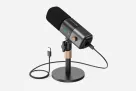
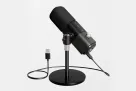
Grainy audio and background noise lead to transcription errors that kill your flow. You need precision. The AM25X Microphone solves this with its focused cardioid pickup pattern, which physically isolates your voice from keyboard clatter and room echo. Here is why clear audio is the secret to error-free AI programming.
The Rise of Vibe Coding: Speed is the New Syntax
Why is everyone from Andrej Karpathy to indie hackers talking about this? Because it lowers the barrier to entry and skyrockets efficiency.
In a traditional workflow, if you wanted to build a React component, you had to type out the structure, recall the specific CSS class names, and debug the render. In a Vibe Coding workflow, you simply describe the functionality, and the AI builds it.
The efficiency gain is exponential. However, this efficiency is entirely dependent on one variable: Input Quality. If your input is garbled, the AI's output will be broken. This is why relying on a standard, low-quality input device is no longer an option.
The Bottleneck: Why Your Built-in Microphone for PC Fails
You might be thinking, "My MacBook Pro microphone is fine for Zoom, why not for coding?"
There is a big difference between human hearing and AI processing. Humans can use context to fill in the gaps if your audio is fuzzy. AI models operate on raw data. When looking for a microphone for PC setups, most users settle for the one embedded in their laptop bezel.
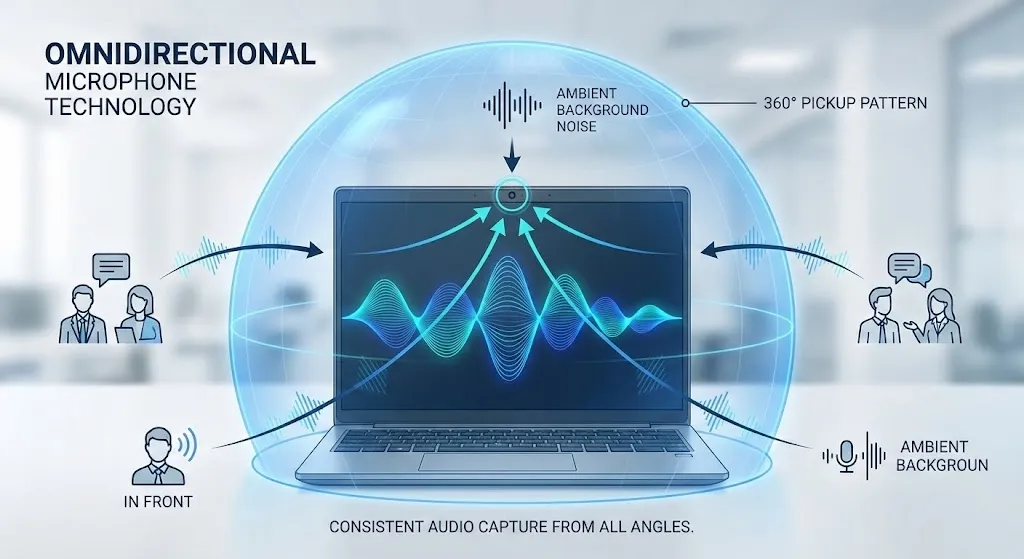
The problem? Most built-in laptop microphones are Omnidirectional, meaning they pick up sound from everywhere—your mechanical keyboard clicking, your fan spinning, and your voice bouncing off the walls.
Table 1: Laptop Mic vs. Dedicated External Mic
Feature
Internal Laptop Microphone
Dedicated External Mic (AM25X)
Impact on Vibe Coding
Pickup Pattern
Omnidirectional (All noise)
Cardioid (Directional)
Internal mics capture keyboard clacking. The AM25X focuses only on you.
Signal-to-Noise Ratio
Low (Hissy/Grainy)
High (Crystal Clear)
High noise floors lead to "hallucinated" words in prompts.
Error Rate
High (~5-10% errors)
Very Low (\<1% errors)
The AM25X ensures you don't have to repeat yourself.
The Solution: Why the AM25X is the Best Microphone for Vibe Coding
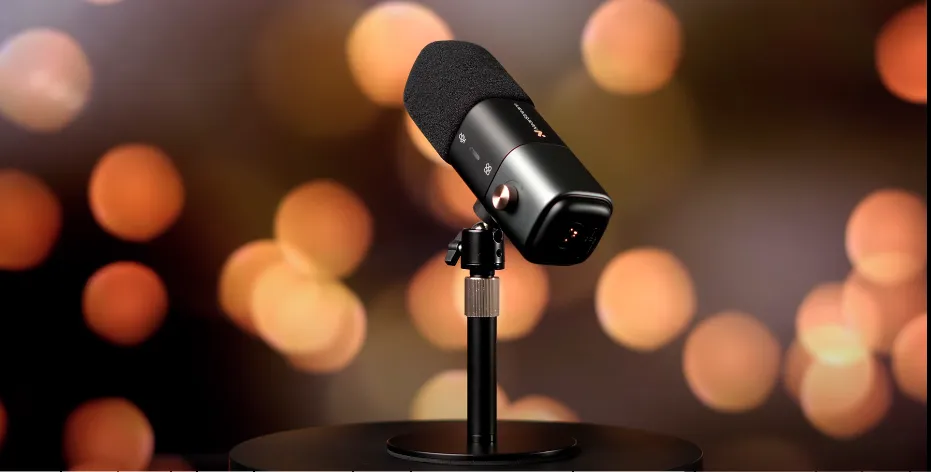
If Vibe Coding is about efficiency, your hardware needs to support that. The AM25X has emerged as the best microphone for office and desk setups because it hits the sweet spot between "studio-grade audio" and "plug-and-play utility."
Here is why the AM25X is uniquely suited for the developer's desk.
1. Precision Voice Isolation (The "Anti-Clack" Factor)
This is where that cardioid pickup pattern becomes critical. The AM25X is engineered to capture sound in a heart-shaped pattern directly in front of the capsule, while rejecting sound from the rear.
Why this matters: As a developer, you are likely typing while talking. A standard mic picks up the CLACK-CLACK-CLACK of your mechanical keyboard. The AM25X isolates your voice from the key switches, ensuring the AI hears your command, not your Cherry MX Blues.
2. High-Fidelity for All Voice Types
Voice recognition models thrive on "dry," clear audio. However, they can sometimes struggle with deep bass frequencies or higher pitches if the microphone compresses the audio too much.
Technical Advantage: The AM25X delivers a rich vocal profile with a wide frequency response. Whether you have deep, resonant tones or softer, higher voice types, the microphone captures the nuance of your pronunciation. This ensures distinct consonant articulation, so complex variable names like userAuthenticationStatus are written correctly the first time.
3. Desk Aesthetics and Ergonomics
Vibe coding sessions can last hours. Wearing a heavy headset with a boom mic causes ear fatigue. The AM25X sits elegantly on your desk, allowing you to speak naturally without wearing gear, making it a staple for any professional setup.
Real-World Workflow: Using a Dictation Microphone with Cursor
How does this actually look in a daily workflow when you upgrade to a proper dictation microphone?
The Old Way (Laptop Mic):
You press the microphone button in ChatGPT.
You lean in close to your laptop screen (posture killer).
You dictate: "Refactor this function to be asynchronous."
Result: "Reflector this function to be a sink on us."
Outcome: The vibe is dead. You delete the text and type manually.
The Vibe Way (With AM25X):
You sit back comfortably in your ergonomic chair.
The AM25X sits on your desk, acting as a dedicated dictation microphone.
You speak naturally: "Refactor this function to be asynchronous."
Result: "Refactor this function to be asynchronous."
Outcome: You press Enter. The code is written. You stay in the flow.
The AM25X removes the friction. It turns your voice into a precision instrument.
Buying Guide: Is the AM25X the Best Microphone for Dictation?
The AM25X isn't just for coding; it’s a versatile office tool. But is it the best microphone for dictation in a developer context? Use this checklist to decide.
You need the AM25X if:
✅ You use AI voice-to-text: You regularly use features like ChatGPT Voice Mode, Wispr Flow, or Mac Dictation.
✅ You value Deep Work: You want to maintain a "flow state" without stopping to fix typos.
✅ You work in a home office: You need to filter out the sound of the washing machine, street noise, or typing.
✅ You hate headsets: You want clear audio without the weight on your head.
Conclusion: Upgrade Your Input, Upgrade Your Output
In the era of Vibe Coding, your ability to articulate thoughts into code is your most valuable skill. The keyboard is no longer the only input device that matters.
If you are trying to embrace this new way of working but are relying on the tiny, tinny microphone embedded in your laptop bezel, you are voluntarily handicapping your AI assistant. The AM25X offers the clarity, noise rejection, and reliability needed to make voice-driven coding a reality.
Frequently Asked Questions (FAQ)
Q: Will the AM25X work as a primary microphone for PC and Mac setups?
A: Absolutely. The AM25X is a Plug-and-Play USB device, making it an ideal microphone for PC and Mac users alike. There are no complex drivers to install; simply plug it in, select it as your input device in your system settings, and you are ready to start coding.
Q: Why is the AM25X considered the best microphone compared to a gaming headset?
A: While headsets are great for gaming audio, their microphones are often an afterthought, designed only for low-bandwidth voice chat. The AM25X is a dedicated condenser microphone with a larger capsule, capturing a much fuller range of audio frequencies. For AI accuracy, fidelity matters, making the AM25X the best microphone choice for professional dictation.
Q: Does the AM25X handle different voice types well?
A: Yes. AI models can sometimes struggle with very deep or very high-pitched voices if the audio input is compressed (like on a phone or laptop). The AM25X has a wide frequency response that accurately captures the natural timbre of all voice types, ensuring the AI hears exactly what you said, regardless of your pitch.
Q: What makes the AM25X the best microphone for dictation specifically?
A: It comes down to the "Cardioid" pickup pattern. Most general-purpose microphones record the whole room. The AM25X creates a "cone of silence" around your voice, rejecting the noise of your mechanical keyboard and computer fans. This isolation is why it is consistently rated as the best microphone for dictation in noisy home office environments.
Q: Do I need special software to use this as a dictation microphone with Cursor or Copilot?
A: No specific software is needed for the hardware itself. Once connected, the AM25X acts as your system's default input. Any app—whether it's Cursor, ChatGPT, Otter.ai, or Microsoft Word—will automatically utilize the clearer signal from your dictation microphone, instantly improving transcription accuracy.




















































 sales@nearstream.us