Live Podcast Equipment for Twitch: Built for No Second Takes
Live podcasting has no edit button — so equipment is chosen for fault tolerance, not post-production potential.
live streaming
podcast equipment
video podcast
Updated: Oct 16, 2026 · 8 minutes read
Modular Video Kits for Growing Business.
A live podcast on Twitch can't be fixed in post, which flips equipment priorities: fault tolerance, thermal stability, and glanceable controls outrank peak specs. This guide prices two live-ready builds (~$650 solo, ~$1,700 two-person), audits every failure point in the chain, and shows how to run a no-second-take show with one operator.
Key Takeaways
Live flips buying logic: the best gear is whatever fails least over three continuous hours, not whatever measures best in a ten-minute test.
A live-ready solo rig costs about $650; a two-person live studio about $1,700 — mostly the same money as recorded podcasting, spent on different priorities.
Every HDMI link, capture card, and adapter is a failure point you can't fix mid-show; USB-C-native cameras and one-mixer audio chains shrink that list.
Glanceable control beats deep control live: physical gain knobs and an LCD level readout you'll actually watch matter more than a software mixer with fifty settings.
Record locally while you stream — the VOD and clips are where live episodes earn their long-term money, and a stream archive alone is fragile.
A live podcast is the only format where your equipment gets no second take. Every hum, every dropped camera, every clipped laugh goes out raw to everyone watching — which flips the usual buying logic on its head. For Twitch, you don't buy the gear that measures best; you buy the gear that fails least over three continuous hours. This guide prices two live-ready builds honestly (late-2026 street prices — verify at checkout), audits the failure points most lists ignore, and lays out the one-operator signal chain.
A caveat worth saying out loud, because live guides rarely do: going live is a format decision before it's a gear decision. Live rewards shows with a reason to be live — audience interaction, timely topics, community ritual — and punishes shows that are just recordings with extra anxiety. If your show's value is in the edit, stay recorded and let the YouTube pillar guide spec your rig. But if your show comes alive with a chat beside it, the rest of this guide is how to make the technical side disappear so the format can work.
The Failure-Point Audit: Where Live Shows Actually Die
Before any product names, count what can kill a live episode. Each of these has ended real streams:
Capture card / HDMI chain — driver hiccups, cable wobble, HDCP weirdness. The single most failure-dense subsystem in a typical rig.
Thermal shutdown — mirrorless cameras and overheating laptops, usually around minute 90 of a 3-hour show.
Software mixer complexity — the wrong mute button at the wrong time, with fifty settings between you and the fix.
Network upload — a congested upstream turning your 1080p60 dream into a buffering 720p reality.
Power — a camera battery that wasn't meant to run for three hours, because it wasn't.
Human bandwidth — the host who tries to fix a technical problem mid-sentence and loses the thread of both. This one isn't sold in stores; it's prevented by the simplicity of everything above it.
The pattern: almost nothing on this list is a quality problem. They're all continuity problems. That's the lens for every purchase below.
Notice also what's not on the list: sensor size, bit rate, codec choice, color science. Those dominate recorded-production gear guides because recorded shows can fix, grade, and re-render. Live strips all of that away — the audience's experience is exactly what your chain produces in real time, which is why a "boring" rig with five failure points beats an impressive one with fifteen. Every component decision in this guide is really the same question asked five ways: what happens to the show at minute 140 when this part misbehaves?
The most instructive row is the camera alternative: the mirrorless route prices out roughly $700 higher for two angles, and every extra dollar buys a better image plus a worse failure profile — capture cards, batteries, heat. For a recorded show with an operator, that trade can be worth it. For a live show run by the host, it almost never is. Our camera buying guide covers the recorded-side trade-offs; live pushes the same decision further toward simplicity.
A word on what "bundled" buys beyond the discount: a matched podcasting kit arrives as one system with one support channel, one warranty window, and zero compatibility research — the two-camera, two-mic, mixer-and-light configuration in the table is their standard two-person bundle, and their configuration service adapts it for unusual rooms. Piecemeal rigs can absolutely match the specs; what they can't match is the afternoon you don't spend discovering that your arms, threads, and drivers disagree.
The Signal Chain That Lets One Person Run the Show
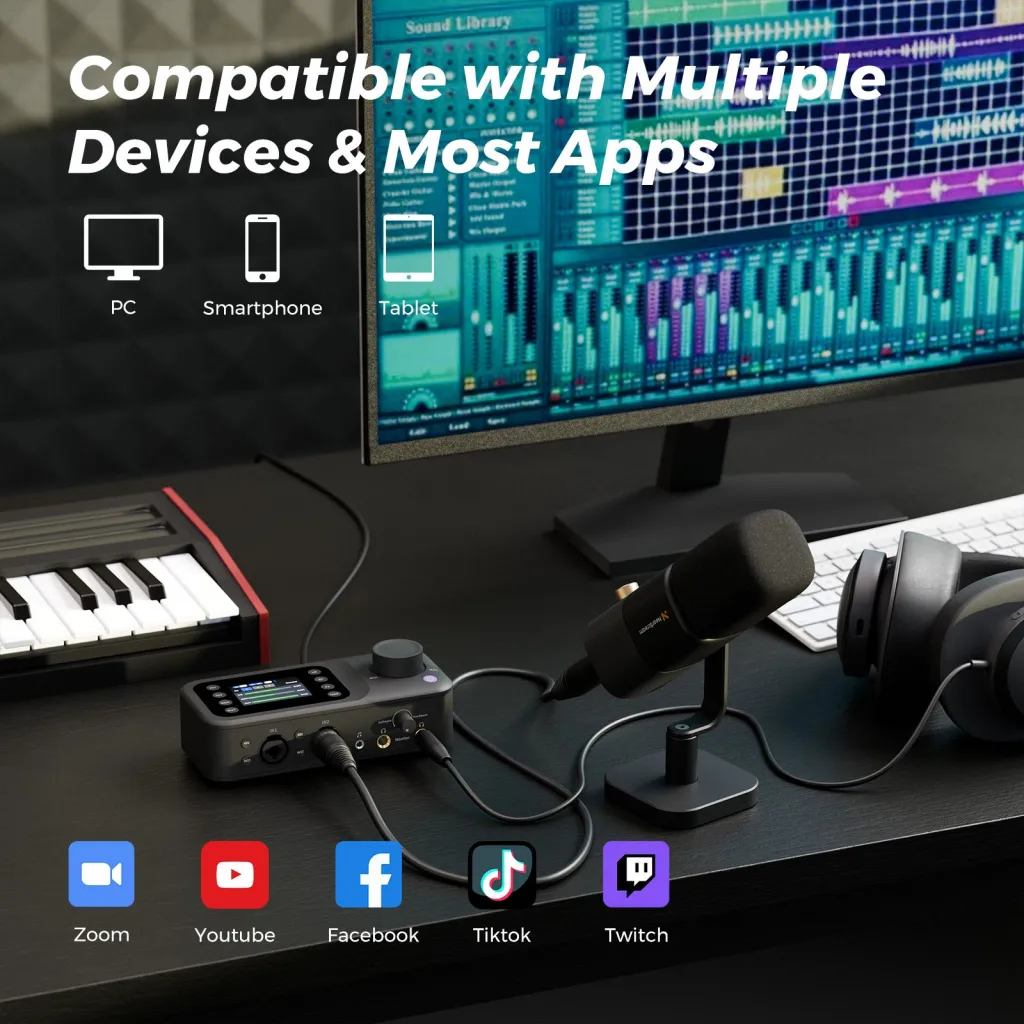
Audio: mics → AMIX40U (gain set at soundcheck, watched on its LCD) → USB-C to computer. That's it — one box, physical knobs reachable from the host seat, and per-channel metering you can check with a glance instead of a click. If a phone guest joins, they come in over the mixer's Bluetooth channel and ride the same strip.
The mid-show scenario this design answers: your guest laughs three decibels louder than they talked at soundcheck, and clipping is imminent. On a software-mixer rig you're alt-tabbing to a control panel while nodding along, hoping the audience doesn't notice your eyes leave the conversation. On a hardware strip you roll one knob back half a turn without breaking eye contact. Live audio adjustment is a physical task disguised as a technical one — buy the interface you can operate blindfolded, because mid-show you effectively are.
Video: cameras → USB-C → OBS. Scenes built and locked before going live: wide, each host, and a screen-share layout. Switch scenes with a stream deck or hotkeys; never reframe mid-show — the zoom is set at soundcheck and trusted.
Network: wired ethernet to the computer, full stop. Test your real upstream the same hour of day you'll stream; a beautiful 500 Mbps plan that sags to 8 Mbps upload at 7 pm is an 8 Mbps plan. For a two-hour 1080p60 show, budget a stable 10+ Mbps upload with headroom.
The ten-minute rule: audit every component and ask, "does anything here need attention more often than every ten minutes?" If yes, redesign until the answer is no — because your attention is the show, not the rig.
One network habit separates resilient shows from fragile ones: stream at 80% of your tested worst-case upload, not your best-case. If your connection reliably delivers 12 Mbps up at showtime, a 6,000–8,000 kbps stream has headroom for the evening your ISP is congested; a 10,000 kbps stream is one bad night away from buffering for everyone watching. Live audiences forgive 720p60 and never forgive stutter — resolution you keep beats resolution you occasionally lose.
Chat, Alerts, and the On-Screen Layer
Twitch's difference from every other platform is the audience in the room: chat is a co-host, and your on-screen layer is part of the set. Keep both simple. A scene with your camera frame, a small chat overlay, and one alert style is enough; over-built overlays (animated everything, five widgets) steal frame space from the conversation and CPU headroom from the encoder — and encoder stress reaches the audience directly as dropped frames.
If your audience justifies it, assign chat triage to a mod or co-host; if it doesn't yet, slow mode exists so the conversation can pull your eyes only as often as it deserves. The ten-minute rule applies to attention most of all: everything on screen should serve the show or wait for the VOD.
The Pre-Flight Checklist
Live shows are won in the fifteen minutes before going live. Run this every time:
Levels: each mic peaking around -12 dB on the mixer's display, headphones confirming what the meters claim.
Frame check: every camera scene selected once, framing confirmed, zoom locked.
Recordings armed: OBS recording, camera-local backups, and the mixer's output all actually rolling — check file sizes growing, not just indicator lights.
Network test: a two-minute private test stream watched back on a phone — buffering caught here is buffering your audience never sees.
Contingency agreed out loud: who fixes what if something drops, and the show's rule — the host keeps talking; audiences forgive a frozen camera far faster than dead air.
That last item deserves emphasis, because it's the only checklist line with no equipment equivalent: rehearse the failure once. Literally do a five-minute drill where a co-host unplugs something and you practice narrating through it calmly. The audience doesn't judge a live show by whether things break — everything breaks eventually — they judge it by whether the breakage rattles you.
Record While You Stream: The Asset Logic
A Twitch stream is an event; the recording is the asset. Twitch's own archive window is temporary, and the episode's long-term money — YouTube VOD, audio feed, a week of clips — all comes from a clean local recording, not the compressed stream archive.
So run two recordings in parallel: the mixer's clean audio to your DAW or OBS, and each camera's local SD backup (the VM20 Pro records up to 1TB internally, which is many weeks of shows). If OBS crashes, the internet dies, or Twitch hiccups, you still own the episode. On a format where nothing can be redone, redundancy isn't paranoia — it's the only edit button a live show has. The clips pipeline and the monetization math for what those recordings earn are covered in the companion guides.
There's a subtler dividend: knowing the local recording exists changes how you perform live. Hosts who trust their backup take the risky question, let the awkward silence breathe, and stop clutching for the reset button when a segment wobbles — because the wobble can be trimmed later. The stream stays authentic; the VOD stays tight; and you get both from one performance. That psychological slack is worth as much as the redundancy itself.
Frequently Asked Questions
What equipment do I need to livestream a podcast on Twitch?
The core chain is one microphone per speaker into a mixer, USB-C cameras into a computer running OBS, wired internet, and one softbox light. Solo runs about $650; a two-person studio about $1,700 — for example, a matched NearStream podcasting kit bundles the two-mic, two-camera, mixer, and lighting version at roughly that price. What changes versus recorded podcasting isn't the parts list but the priority: fault tolerance first.
Do I need a capture card to livestream a podcast?
Only for HDMI-output cameras (mirrorless, DSLR). USB-C-native streaming cameras connect directly to the computer as a video source, deleting the capture card, its drivers, and its cable run — three of the most common live failure points. Unless you specifically need mirrorless optics, skip the card.
How is live podcast equipment different from recorded podcast equipment?
Same components, inverted criteria. Recorded shows buy for peak quality because post-production fixes mistakes. Live shows buy for continuity because nothing gets fixed: physical controls over software menus, AC power and thermal headroom over compactness, simple chains over flexible ones. The best live rig is usually slightly less impressive on a spec sheet and dramatically more boring at minute 150 — which is the point.
Can one person host and operate a live podcast?
Yes, if the rig passes the ten-minute rule: nothing may need attention more often than every ten minutes. In practice that means USB-C cameras with framing locked at soundcheck, a mixer with physical knobs and a visible meter, preset OBS scenes, and a wired network. The moment a component needs babysitting, it competes with your hosting — and hosting always loses.
Should I record locally while streaming my podcast live?
Always. The stream is the event; the recording is the asset that earns for months — YouTube VOD, the audio podcast feed, and clips all come from it, and platform archives are temporary. Record the mixer's clean output plus a camera-local backup in parallel, so no single crash can erase an episode that can never be re-performed.
Keep Going
Live is the stress test; the same rig serves every other format with less pressure. The platform-wide buying logic is in the YouTube podcast equipment pillar, the audio-first variant in the Spotify guide, and the fundamentals in the podcast equipment guide. Build for no second takes, and everything else gets easier.
The mindset to carry into your first live episode: your job is the conversation; the rig's job is to be forgotten. When you catch yourself thinking about the equipment mid-show, something in the chain is wrong — fix it before the next episode, not during this one. Do that consistently for a dozen shows and the rig fades into furniture, which is exactly where the best live equipment belongs.













































































 sales@nearstream.us






