The Best Video Switchers for Live Streaming in 2026 (Top 4 Mixers Compared)
Discover the best video switchers for live streaming.
video switcher
video switcher for live streaming
church switcher
Updated: Nov 16, 2026 · 8 minutes read
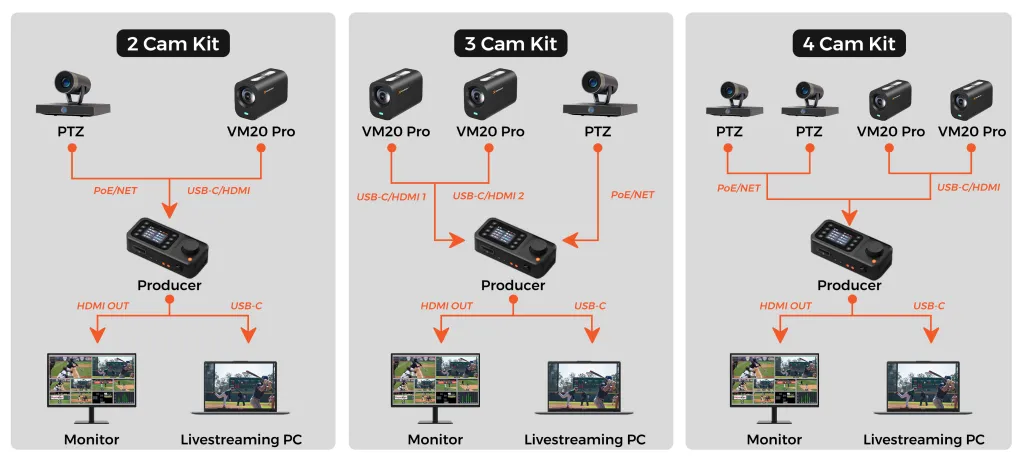
Modular Video Kits for Growing Business.
Choosing the right live video switcher is about much more than just counting HDMI inputs—it's about managing hidden accessory costs, eliminating cable clutter, and streamlining your operator's workflow. In this comprehensive guide, we compare the top four video mixer switchers: NearStream Producer, YoloBox Ultra, RØDECaster Video, and Blackmagic ATEM Mini Extreme. Whether you are wiring a multi-camera church broadcast, producing a mobile sports stream, or building an audio-first podcast studio, discover which console truly fits your venue and budget.
Key Takeaways
The "Hidden Cost" Trap: Why cables, monitors, and accessories often cost more than the switcher itself.
Monitor-Free Operations: How physical PTZ joysticks beat computer-mouse workflows for single operators.
Pro Setup Tips: Actionable advice on cable management and ergonomic desk layouts.
Top 4 Breakdown: A deep dive into NearStream, YoloLiv, RØDE, and Blackmagic.
According to video marketing research, multi-camera live streams can increase viewer retention by up to 300% compared to single-angle broadcasts. But upgrading your production often brings an exponential increase in equipment complexity and cable clutter.
The right hardware does much more than cut between camera angles. A live video switcher shapes how much cabling you need, whether one operator can manage cameras and audio seamlessly, and how easily you can go live without being tethered to a laptop.
This guide compares four strong but different options for solo creators, churches, podcasters, schools, and small studios in 2026. We focus on workflow, setup complexity, recording, portability, and the true total system cost.
Quick Picks: Four Video Switchers for Different Setups
Product
Best for
Key Interfaces
Standout strength
Main trade-off
NearStream Producer
PoE and PTZ multi-camera venues
2 HDMI In, 2 USB-C/UVC, 2 PoE/NET, 2 Wi-Fi, 1 Media
Integrated network camera and joystick workflow
1080p30 production; no internal battery
RØDECaster Video
Podcasts and audio-first shows
4 HDMI In, 2 USB-C/UVC, 4 NDI
Professional microphone inputs and processing
No dedicated PTZ joystick or battery
YoloBox Ultra
Mobile and outdoor streaming
4 HDMI In, 2 USB-A, 1 USB-C/UVC, NDI
Touchscreen, battery, and cellular connectivity
Touch-led control may not suit every operator
Blackmagic ATEM Mini Extreme
Traditional HDMI studios
8x HDMI In
Eight HDMI inputs and extensive production controls
No built-in monitor; ISO recording requires the ISO variant
The Price Tag vs. the Real Cost of a Video Switcher
A switcher’s sticker price is only one line in your total production budget. A complete broadcast setup may also need a multiview monitor, a high-performance computer for encoding, a separate audio interface, a PTZ controller, and long-distance optical cables. You may not need all of these immediately, but comparing only the console prices can hide meaningful differences in total system cost.
For example, traditional HDMI is convenient when cameras sit close to the desk in a small bedroom studio. But across a large venue (like a church sanctuary, a high school auditorium, or a sports field), longer runs require expensive optical HDMI cables or SDI signal extenders. A compatible PoE (Power over Ethernet) camera workflow can instead carry network video, camera control data, and power over one standard Ethernet cable, significantly lowering your overall budget while eliminating failure points.
What a Monitor-Free Setup Really Means
Several models here can stream without a computer, and USB webcam output can simplify hybrid production for Zoom or Microsoft Teams. However, receiving a program feed on a laptop is not the same as viewing a full multiview with every source and audio meter.
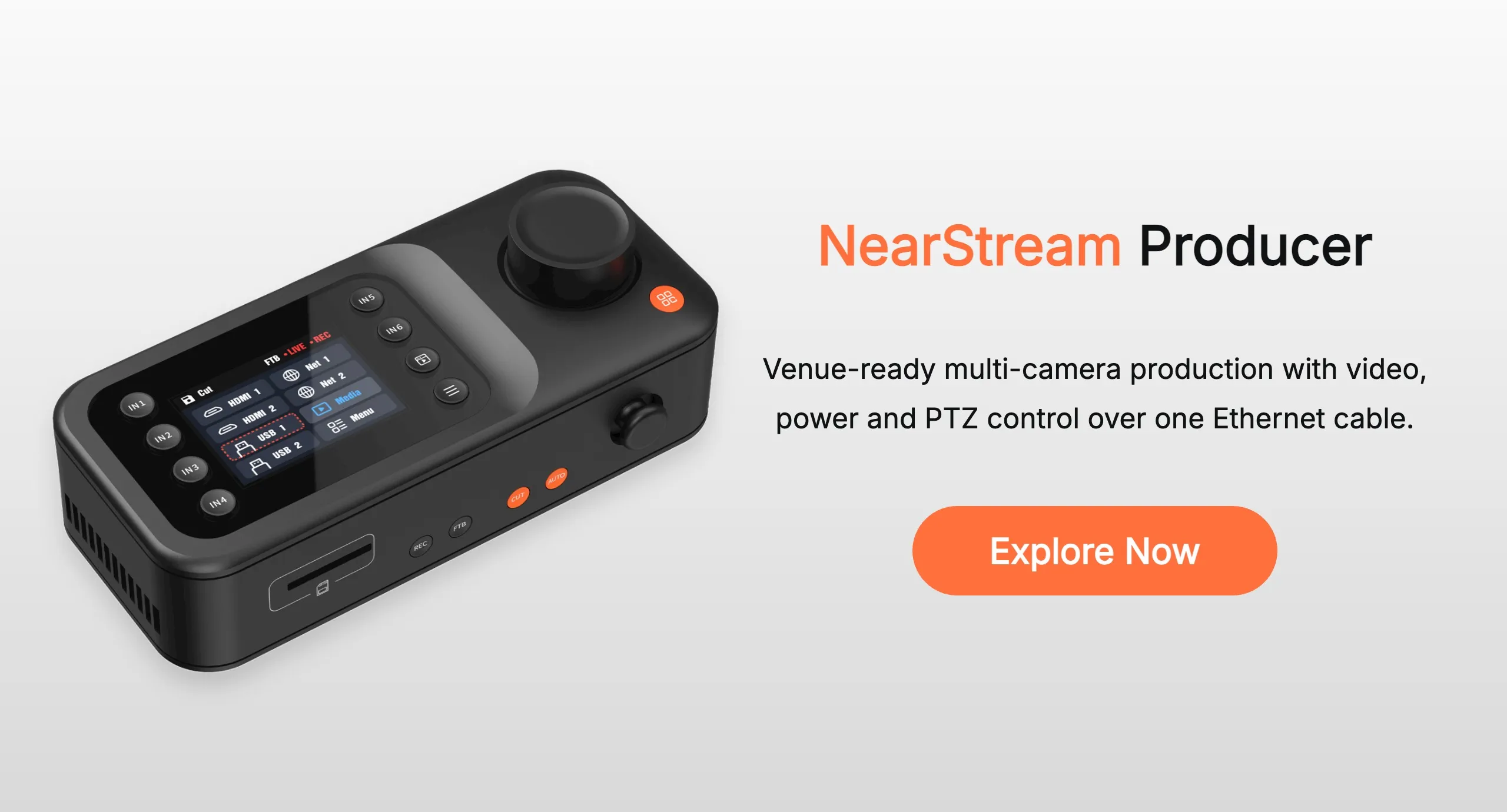
If you want a minimal, screen-free desk, physical controls become your ultimate lifeline. Dedicated source buttons, audio knobs, and a hardware PTZ joystick keep the operator’s hands on the console rather than frantically moving a mouse between software windows. NearStream Producer is specifically designed for this tactile, monitor-free workflow, allowing you to operate entirely by feel and muscle memory.
The Best Video Switchers for Live Streaming: Deep Dive
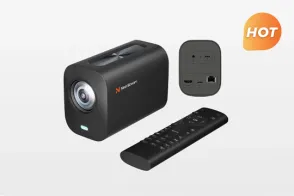
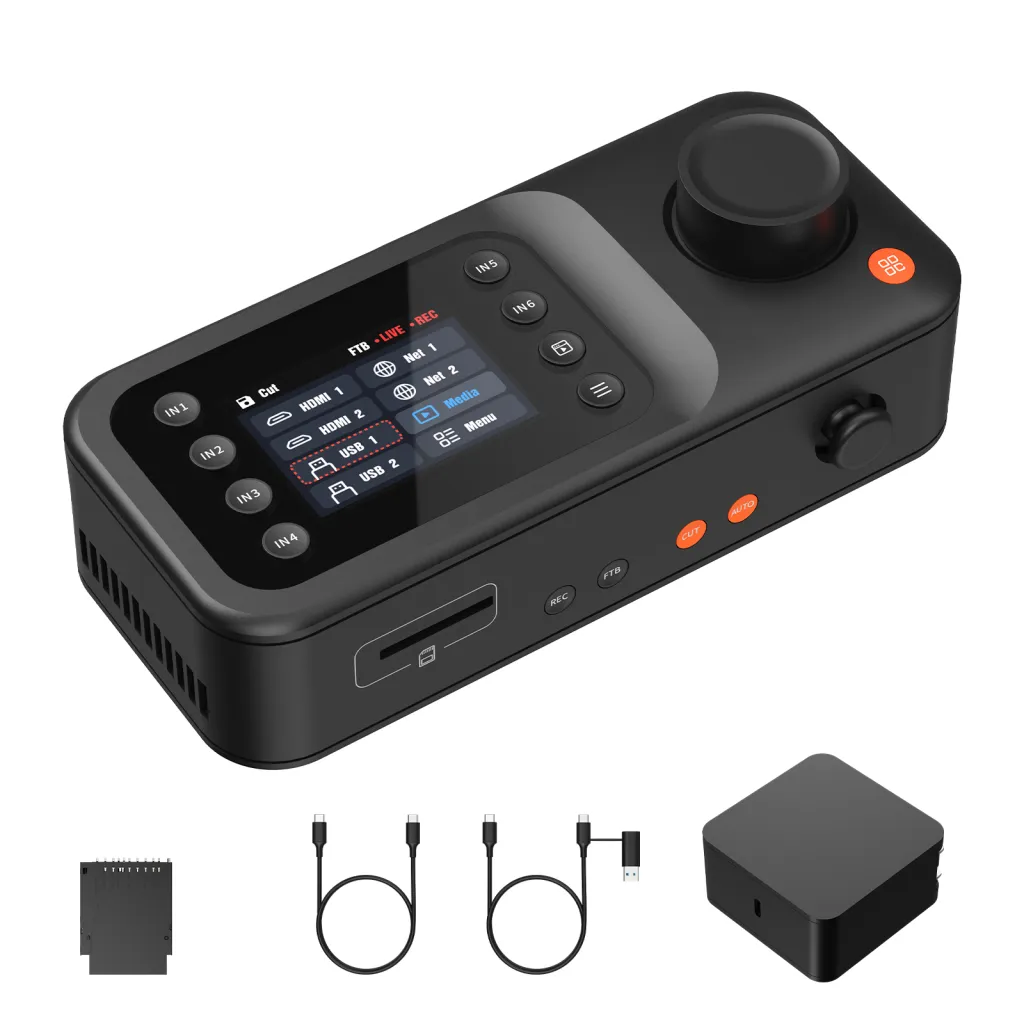
1. NearStream Producer: The Ultimate Setup for PTZ & PoE Workflows
💰 Current Price: $720 (Includes built-in PTZ joystick and PoE routing)
Best for: Churches, schools, small event teams, sports venues, and solo operators using network or PTZ cameras.
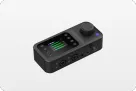
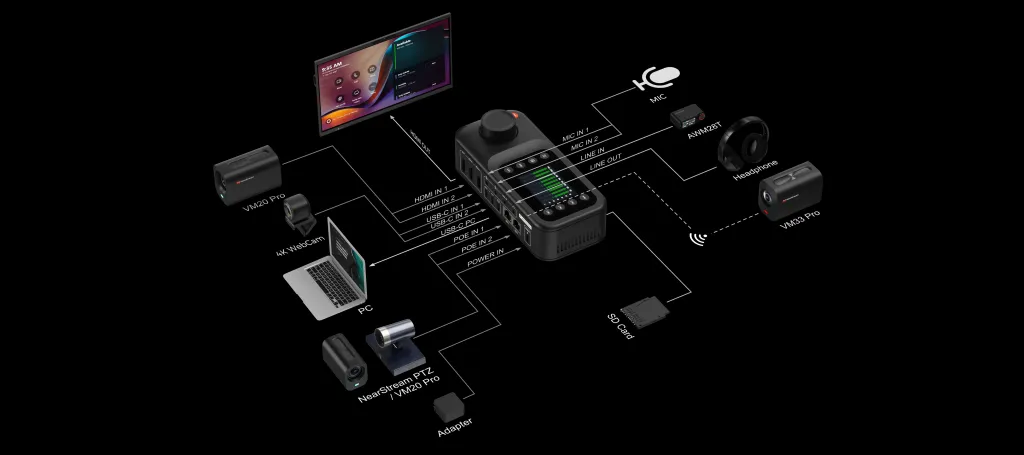
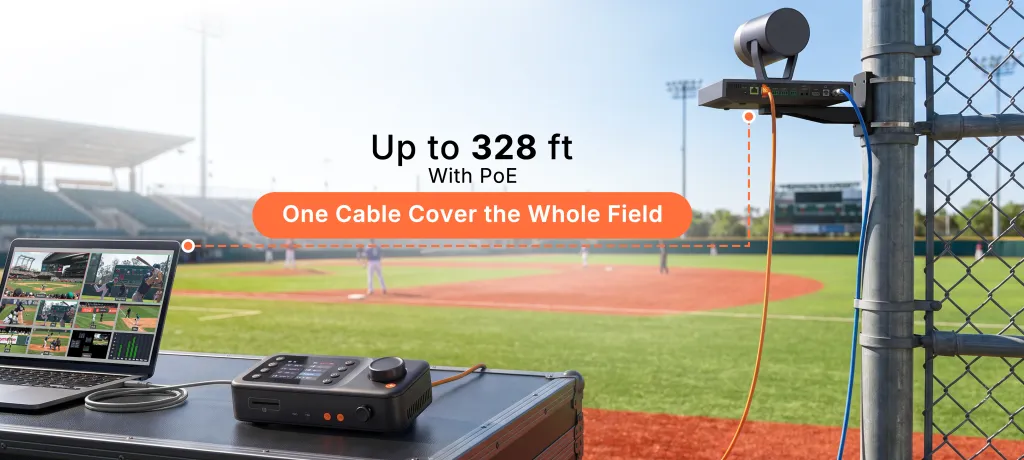
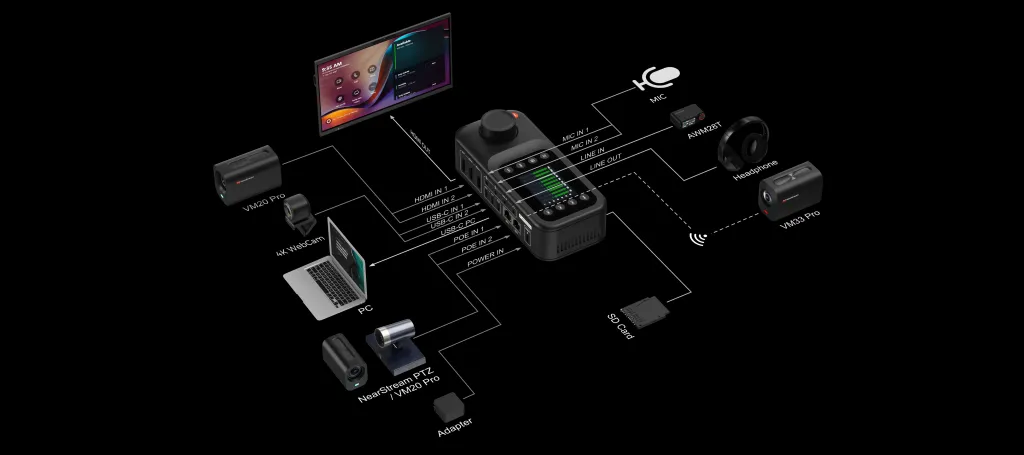
NearStream Producer combines two HDMI inputs, two USB-C/UVC inputs, and selectable network/wireless sources, handling up to nine connected sources and six simultaneous inputs. Its core advantage is the two PoE/NET connections. They support compatible camera video and power over Ethernet at distances up to 328 feet (100 meters)—saving you hundreds of dollars on fragile optical HDMI cables and separate camera power supplies.
A built-in five-way joystick provides direct PTZ control, meaning you don't need to buy a separate $300 PTZ keyboard. It streams at up to 1080p30 and records the program as MP4 plus a separate stereo WAV file directly to a microSD card.
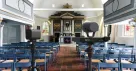
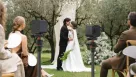
The Real-World Scenario: Imagine a Sunday morning church service. Your cameras are mounted 60 feet away on the balcony. With Producer, you only run one standard Cat6 cable per camera. Your volunteer operator doesn't need to navigate complex software; they just push the physical buttons and use the joystick to pan the camera to the choir. It is a foolproof system.
The Trade-off: It is optimized for 1080p30 streaming rather than 4K. However, because platforms like Facebook and most church streaming services cap streams at 1080p, this design actively prevents bandwidth throttling and frame drops during live broadcasts.
2. YoloBox Ultra: The Best Video Switcher for Mobile Streaming
💰 MSRP: $1,299
Best for: Outdoor events, roaming creators, weddings, and productions where power or wired internet is limited.
YoloBox Ultra packages switching, monitoring, encoding, and recording around an 8-inch touchscreen. It offers four HDMI inputs, USB/IP options, 4K streaming, and ISO recording. Its internal 75.48Wh battery is rated for up to six hours, and cellular bonding combines 4G LTE, Wi-Fi, and Ethernet to prevent stream drops.
For run-and-gun production, it replaces a laptop-monitor-encoder stack entirely. It is a compelling live video switcher when mobility matters more than a permanent control room layout.
The Real-World Scenario: Picture a weekend youth soccer tournament. There are no power outlets and no venue Wi-Fi. With YoloBox Ultra, you can mount the unit directly to your tripod, insert a 4G SIM card, plug in your cameras, and broadcast the entire match completely off the grid.
The Trade-off: Its touch-led operating style lacks the tactile feedback of physical buttons. In fixed, multi-camera venues where operators need to quickly switch angles without looking down at a screen, a wired hardware workflow is generally more intuitive.
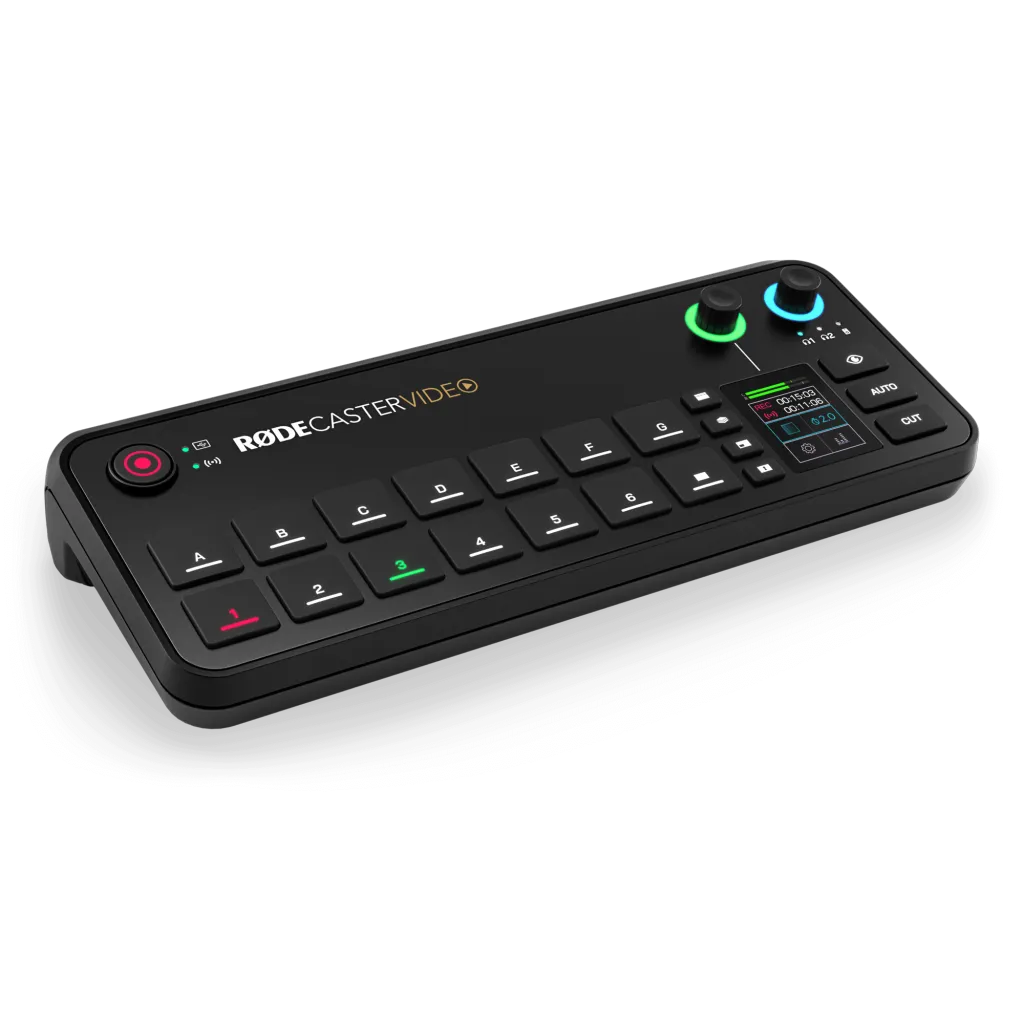
3. RØDECaster Video: The Best Video Mixer Switcher for Audio-First Shows
💰 MSRP: $1,199
Best for: Video podcasts, interview panels, talk shows, and creators with multiple premium microphones.
RØDECaster Video supports four 1080p HDMI inputs, USB-C sources, and NDI. Its standout feature is its audio pedigree: two Neutrik combo jacks with RØDE’s Revolution Preamps, APHEX processing, and built-in receivers for RØDE Series IV wireless microphones.
This video mixer switcher is built for teams where sound quality is non-negotiable. A podcast team can handle microphone processing, scene switching, and recording all on one console.
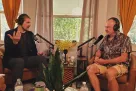
The Real-World Scenario: For a three-person YouTube talk show, you can plug premium XLR dynamic microphones directly into the back of the switcher. You can apply noise gates and studio-grade EQ to each host's voice internally, completely eliminating the need for a secondary external audio mixer.
The Trade-off: It is less suited for PTZ-heavy live events. There is no built-in joystick, and its small screen isn't a substitute for full multiview monitoring. It’s a highly specialized tool for podcasters rather than a general-purpose broadcast hub.
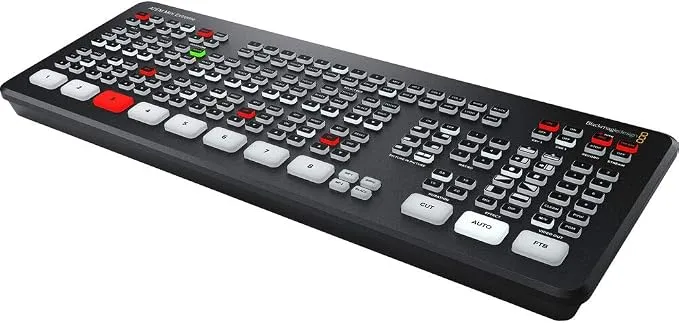
4. Blackmagic ATEM Mini Extreme: The HDMI Studio Workhorse
💰 MSRP: $995 (Note: A complete setup often exceeds $1,500 when factoring in a multiview monitor, PTZ controller, and long HDMI runs)
Best for: Established HDMI studios, experienced operators, and multi-source productions that need generous input capacity.
The Blackmagic ATEM Mini Extreme provides eight HDMI inputs with format conversion, supports HD production up to 1080p60, and includes two HDMI outputs with a stunning 16-view multiview. You can stream directly over Ethernet or send a USB webcam output to a computer. Teams already invested in HDMI cameras and Blackmagic ecosystems get massive switching and effects capabilities.
The Real-World Scenario: In a dedicated corporate webinar room, a technical director can use the ATEM to seamlessly cut between three presenter cameras, two laptop presentation feeds, and pre-recorded video playbacks, all while executing complex picture-in-picture macros built in the ATEM Software Control.
The Trade-off: It strictly demands peripheral investments. It lacks a built-in monitor, PoE camera ports, and a dedicated PTZ joystick. Operating it without a computer or monitor is extremely difficult, and running 8 long HDMI cables across a large venue can be a logistical nightmare.
Understanding Video Protocols: HDMI vs. NDI vs. PoE
When choosing the best video switcher, understanding how video travels from the camera to the console is critical.
HDMI: The standard for consumer video. It offers zero latency and high quality, but degrades over 30-50 feet. It cannot carry power to the camera.
NDI (Network Device Interface): Sends high-quality video over a local network (Wi-Fi or Ethernet). It allows incredible flexibility but requires a robust, high-bandwidth local router to prevent lag.
PoE (Power over Ethernet): The gold standard for fixed installations. One Cat6 cable provides continuous power to the camera, returns a stable video feed to the switcher, and allows you to send PTZ control commands. Switchers like NearStream Producer utilize PoE to drastically simplify venue architecture.
Video Switcher Setup Tips: Cable Management & Ergonomics
Proper camera placement and desk layout make or break your live production experience. The goal is to maximize the operator's comfort while minimizing tripping hazards and technical failures.
Embrace PoE (Power over Ethernet): If your cameras are more than 30 feet away, avoid HDMI. Using a PoE switcher allows you to run a single Cat6 cable for video, power, and control. It cuts your cable count in half and eliminates the need for wall outlets near the cameras.
Ergonomic Placement: Mount or place your video switcher approximately 15 degrees below your natural eye line. Your forearms should rest parallel to the desk so you can operate the physical buttons and PTZ joystick for hours without shoulder fatigue.
Manage Audio Sync (Lip Sync): When mixing HDMI video with USB audio interfaces, video processing takes slightly longer than audio, leading to out-of-sync vocals. Utilize the internal audio delay settings in your video switcher to hold the audio back by a few milliseconds so it perfectly matches the mouth movements.
Hide the Hubs: Keep your routers, network switches, and messy power strips mounted under the desk or in a separate AV rack. Only the control surface (the switcher itself) should be on your tabletop.
Final Verdict: Choose the Workflow, Not Just the Box
There is no single best video switcher for everyone. The right video switcher for live streaming is the one that removes friction from your specific venue and matches the technical skill level of your daily operator.
For fixed multi-camera venues and PTZ control: NearStream Producer provides the cleanest desk, easiest cabling, and most intuitive tactile operation.
For microphone-heavy podcasts: RØDECaster Video puts premium studio audio processing at the center of your stream.
For mobile and outdoor production: YoloBox Ultra offers the strongest portability and battery-powered freedom.
For complex HDMI-based studios: ATEM Mini Extreme provides the most inputs for technical directors.
Not sure which model matches your cameras, audio, and venue? Don't let cable clutter, network confusion, and hidden accessory costs ruin your production budget.
What is the best video switcher for church live streaming?
For a church with widely spaced cameras and volunteer operators, a strong candidate combines practical cable runs with clear physical controls. NearStream Producer is highly recommended because its PoE inputs and hardware joystick solve the exact pain points of large venues. Volunteers can operate it without needing a complex PC software interface.
Do I need a computer to use a live video switcher?
Not necessarily. All four products here support direct "PC-free" streaming workflows. However, if you choose a traditional HDMI switcher without a PTZ joystick or built-in screen, you will likely still need a laptop nearby to adjust camera angles or monitor the software control panel.
Can a video switcher control PTZ cameras?
Some can, but it is highly model-dependent. NearStream Producer includes a hardware 5-way joystick specifically built for network-connected PTZ cameras. Other switchers may accept the video feed but force you to buy a separate $300+ PTZ keyboard or use a tablet app to actually move the cameras.
How much upload speed do I need for a multi-camera live stream?
Regardless of how many cameras you connect to your switcher, the final output stream requires stable bandwidth. For a standard 1080p30 stream (like the output from the NearStream Producer), you should maintain a dedicated upload speed of at least 10 Mbps. Always use a hardwired Ethernet connection from your switcher to your router instead of relying on Wi-Fi.
How far away can my cameras be from the video switcher?
It depends entirely on the connection type. Standard HDMI cables begin to lose signal quality after 30 to 50 feet. If your cameras are further away—such as in a large auditorium or stadium—you will need expensive optical HDMI cables or SDI converters. However, if you use a PoE (Power over Ethernet) system like the NearStream Producer, you can run a single standard Cat6 network cable up to 328 feet (100 meters) without any signal loss, while simultaneously powering the camera.
Can I record and live stream at the same time with a video mixer switcher?
Yes. Most modern hardware switchers, including all four models compared in this guide, feature built-in hardware encoders. This allows you to push a live broadcast to platforms like YouTube or Facebook while simultaneously recording a high-quality master copy directly to an SD card or USB drive. Using a dedicated video mixer switcher for this dual-task ensures you always have a pristine local backup even if your internet connection drops, all without overloading a computer's CPU.












 sales@nearstream.us