Key Features to Look for in a Webcam for Podcast
When selecting a webcam for podcast, you should consider several important features to ensure high-quality video output.
- Resolution: 1080p vs. 4K
- 1080p (Full HD) – A standard for most podcasts webcam, offering clear video quality.
- 4K Ultra HD – Provides superior clarity and detail, ideal for professional podcasting setups.
- If your podcast focuses on high production value, a 4K webcam is the best choice. However, 1080p webcams can still provide excellent results when paired with good lighting.
- Frame Rate: 30fps vs. 60fps
- 30fps (Frames Per Second) – Works well for standard video podcasts.
- 60fps – Ensures smoother motion, reducing lag and making the video more professional.
- If you record a lot of movement or use animations, go for 60fps.
- Low-Light Performance
- Some webcams for podcast struggle in dim lighting, causing grainy or blurry images.
- Choose a webcam for podcasting with a good low-light sensor or pair it with a quality lighting setup.
- Autofocus & Exposure Control
- Autofocus keeps you sharp and clear, especially if you move around.
- Auto-exposure ensures the right brightness, even in different lighting conditions.
- AI-powered features of podcasting webcams can automatically adjust focus and exposure.
- Field of View (FoV)
- Narrow (65°-78°) – Ideal for solo podcasters who want a centered frame.
- Wide (90°-120°) – Perfect for multi-person podcasts or capturing a larger space.
- Some webcams for podcasting allow adjustable FoV settings for flexibility.
- Built-in vs. External Microphone
- While some webcams for podcast have built-in microphones, an external microphone (like the Nearstream Podpro Solo) provides better sound quality.
- Consider podcasting webcams with noise-canceling mics if you need a backup audio source.
Best Webcams for Podcasting in 2025
Based on the above features, here are the best webcams for podcasting this year:
- Nearstream CAM 4K(V08AF) – Best for High-Quality Professional Podcasting
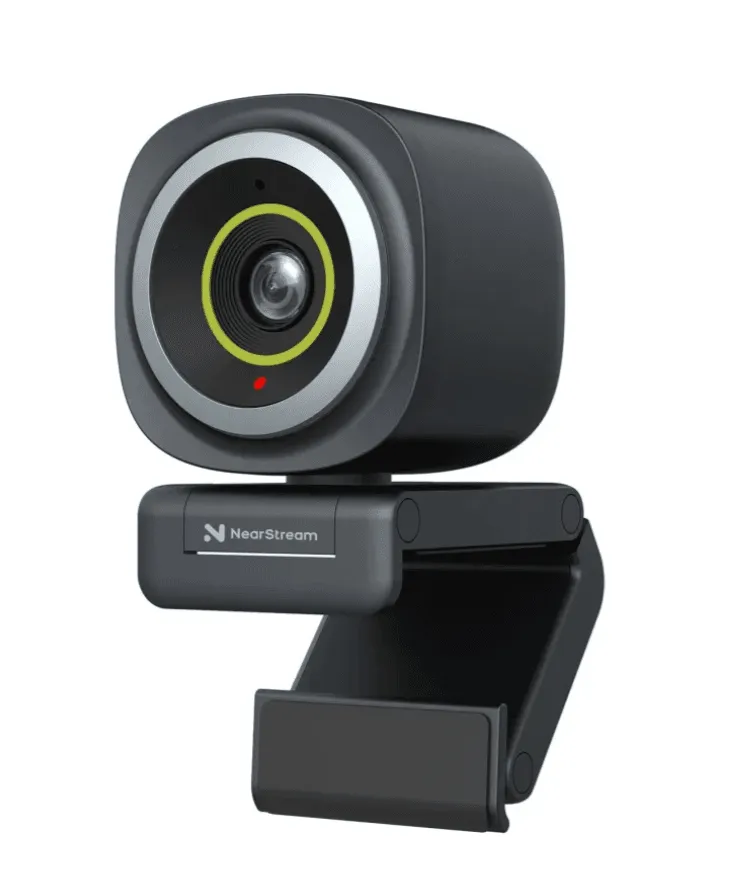
- 4K UHD resolution at 60fps
- AI-powered autofocus and auto-exposure
- Wide dynamic range for better color accuracy
- Adjustable Field of View (FoV) for solo or group recordings
- Plug-and-play USB connection for easy setup
Why Choose It? This webcam for podcast is designed for professional podcasters who want top-tier video quality. The AI enhancements make it perfect for dynamic lighting conditions.
Reviews:
"My initial experience with the V08AF wasn't positive. I wrote to the NearStream Team and they were very responsive and helpful. Although I had returned the webcam there was a sincere effort on their part to rectify the matter. So, at their own cost, shipped a replacement V08AF and the follow up has been impressive. The webcam and software is working as it should and I'm a very pleased customer!"
--Robertico
"This webcamera has awesome quality and picture. I was super nervous about it at first but it has impressed not only me, but work calls as well! Clients say the pictures are much better and I have great control on where to place it which is nice! Love this thing and we'll worth the money!"
--Johnathan
- Logitech Brio 4K – Best for Clarity & HDR Support
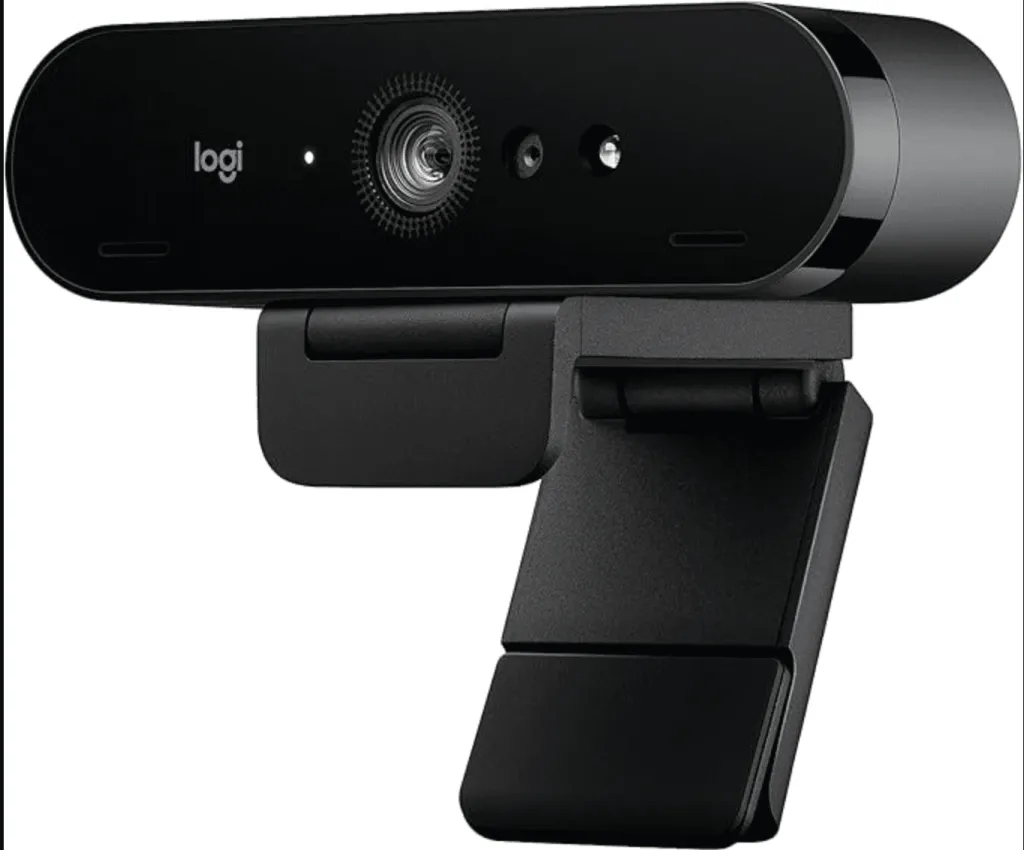
- 4K HDR resolution with 30/60fps options
- High dynamic range (HDR) for improved contrast and color
- Adjustable FoV: 65°, 78°, and 90°
Why Choose It? Logitech Brio is a great choice if you want crisp, high-quality visuals with HDR support for improved color depth.
Reviews:
"Reason for purchasing. I purchased this product for improving the picture quality of my Zoom conferencing and other things like that.
Did I achieve the result? It does improve upon what I had previously, but I cannot see the 4K quality. Probably Zoom does not allow that (I tried it on a Super HD display!). Let's say that quality is fine, but not as good as I expected though.
Autofocus does its job and via the G-Hub it is easy to center myself inside the camera. However, without the G-Hub, I would not know how to do it. I am sure that there is a way. Autofocus can be replaced by manual settings, but when I tried I did not improve upon the autofocus.
Instruction manual is miserable, but I downloaded one from internet. Not too useful either. At least the schematics on how to install it are very clear and it is actually quite easy as written earlier.
Overall, I am fine with this webcam, everything seems to be in order and definitely it improved my situation, but I was expecting (maybe I had erroneous expectations) a tad higher quality of camera as I see many streamers reaching very nice qualities. Definitely better than mine. The quality is not professional grade, not at the top standards at least."
--StudyA'lot
- Elgato Facecam Pro – Best for High Frame Rate Streaming
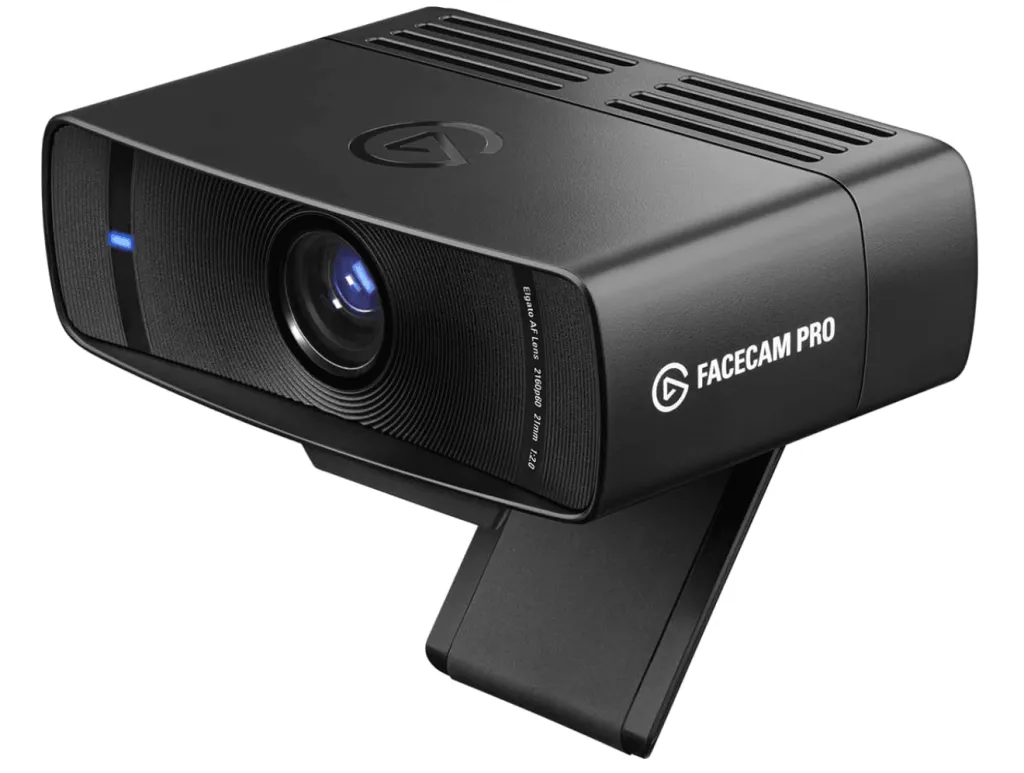
- 4K at 60fps for ultra-smooth video
- Advanced image processing with low-latency output
- Manual control options for exposure, white balance, and more
Why Choose It? This webcam for podcast is ideal for podcasters who stream live and need high frame rates to capture smooth movement.
Reviews:
"I didn't even actually believe it would be that great, but it truly is. I always prefer to keep my room dark, and have poor lighting anyway, so I was very surprised to see good colors being represented, a bright image, and surprising clarity. It worked right when I plugged it in. The only thing, it feels kind of cheaply made, like it's literally a plastic box. Great camera though"
--Jacob R Whitley
"The camera works well and is very responsive. However the cost is a bit high for a 1080p device.
The software on this camera does not allow you to create virtual backgrounds without greenscreens. If you are wanting to replace your background without using a greenscreen, this camera and software are not for you."
--Austin
- Razer Kiyo Pro – Best for Low-Light Performance
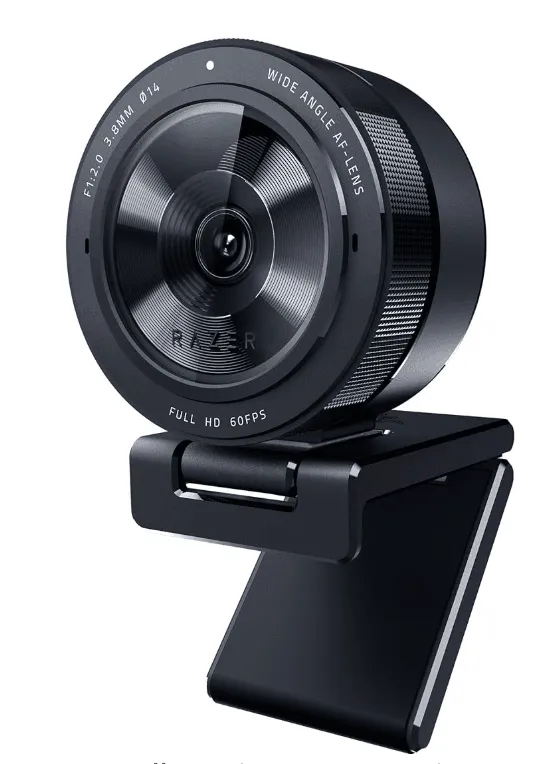
- 1080p at 60fps
- Adaptive light sensor for better low-light performance
- Wide-angle lens with adjustable FoV
Why Choose It? If you record in various lighting conditions, the Kiyo Pro’s low-light optimization ensures clear visuals even in dim settings.
Reviews:
"This webcam is outstanding. After extensively testing it, I can confidently say its quality rivals that of professional cameras. It’s an incredible choice for anyone on a budget who demands excellent video quality. I strongly recommend it. Considering its performance, the PRO version is simply not needed; this webcam is more than sufficient for anyone seeking a reliable and high-quality option without breaking the bank."
-- David Juan
"I have done extensive research into webcams. From the Logitech c920 all the way to the Insta360 Link and almost anything in-between! I have not personally used these webcams but I have watched enough videos, read tons of comments and forum posts that I feel I can give an educated review. Out of all the currently available webcams under $200 the Razer Kiyo Pro is by far the best when bought under $100. The color accuracy, low light performance, auto focus, field of view choices and crisp image make this the clear choice for those looking for a budget webcam for anything from zoom calls to live streaming! I even tested this against my Galaxy s9+ and though at 4k resolution the Galaxy s9+ performed better, its difficult to use on a computer and the quality is diminished using third party software. My Galaxy S9+ beats this webcam hands down doing local recording in 4k but that is to be expected. But when comparing both in 1080p I cannot tell a difference between the Razer Kiyo Pro and my Samsung Galaxy S9+ which is very impressive! You cannot get a better webcam at the $100-150 price range than the Razer Kiyo Pro as of 11/24/2023. The next best webcam would be the Insta360 Link, or using an actual high end $350+ camera with a $100 capture card to be able to capture it on your computer. Some newer camera's are coming with the ability to be captured directly by software like Open Broadcast Software (OBS) but they are still over the price of something like the Insta360 Link. But for my use case which is primarily for video calls with friends and family and live streaming a tiny square of myself in the corner of gameplay content the Razer Kiyo Pro is hands down the best choice!"
--DigIntoGaming
- AverMedia PW513 – Best for Budget 4K Podcasting
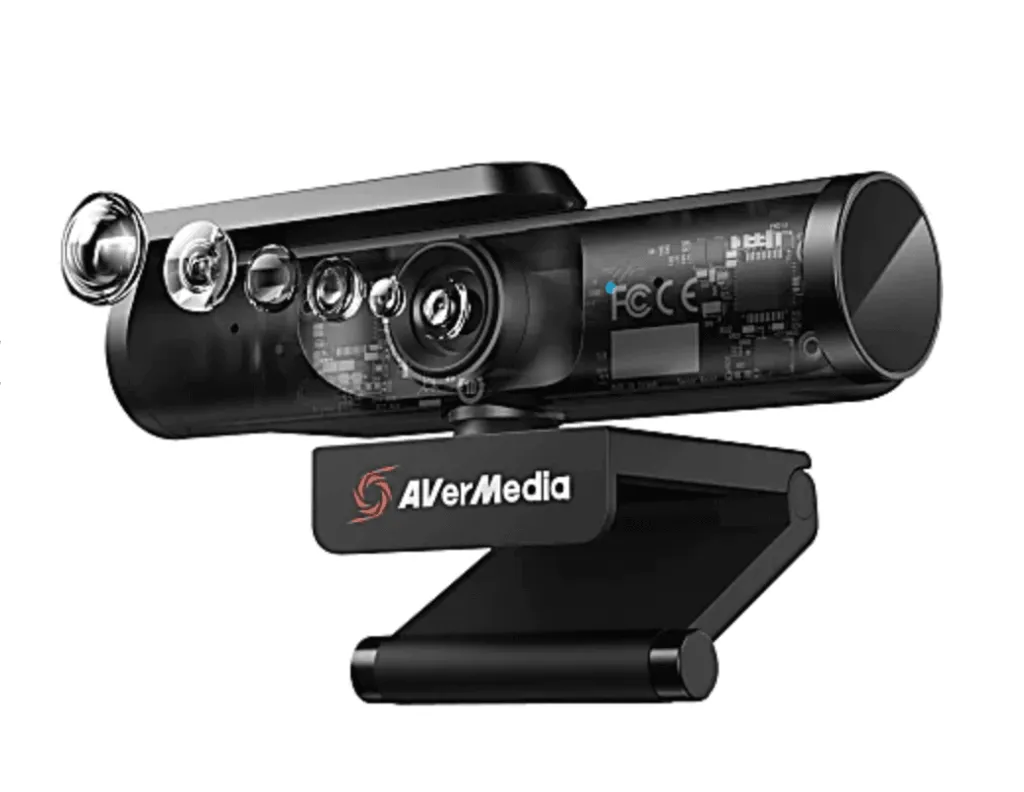
- 4K Ultra HD resolution at 30fps
- Sony Exmor sensor for better image quality
- USB 3.0 plug-and-play connectivity
Why Choose It? For podcasters who want a budget-friendly 4K option, the AverMedia PW513 delivers solid performance at a lower price point.
Amazon Reviews:
"I'm not really sure what the stigmatism is for these small low quality cameras being so expensive but this is the cheapest "high" quality webcam I could find. But only one of the webcams is good quality.
Pros;
- The Right camera is very good quality, no latency and you can make the image pretty sharp and adjust the angle as you please.
- Two cameras allow for some good multi angles.
- Only needs one cable and it's USB Type C.
- The quality of the materials is very very good. A mix of good plastics and metal where it's needed.
- The stand it comes with has a metal ball instead of a plastic one and it holds firmly in place in any position as well as a high range of motion.
- Easy to install any drivers or software needed, once plugged in it'll prompt you with the download.
Cons;
- The stand looks adjustable but it's only actually two different heights, default and fully extended.
- One camera is a lower quality than the adjustable camera. Not sure why you can't make both the same.
- It didn't come in a package, it came with the box it's inside of. Minor gripe I suppose but it is a webcam, they put the ugly packaging sticker on the front and I was worried it was broken based on how dirty and banged up the box was."
--Rex
- Nearstream VM20(4K) – 4K DSLR-Quality Webcam for Podcasts & Live Streaming
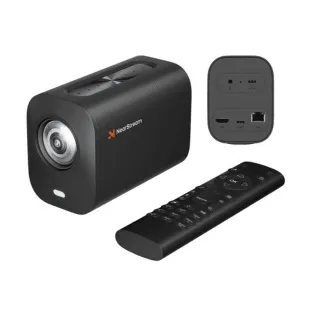
- 4K UHD resolution at 60fps
- 40X Hybrid Zoom (10x optical, 4x digital)
- 8-MEMS mic array integrated for better audio
- RTSP protocol support for multi-platform stremaing
- Plug-and-play connection with multiple options: HDMI, USB, and RJ45
- Customizable Preset mode with remote control to quick switching between scenes
- 1/4-inch mounting hole compatible with all kinds of tripods or mounts
Why Choose It? This 4k streaming webcam is designed for professional podcasters and streamers who want to distribute content across multiple platforms without sacrificing audiovisual quality. With built-in RTSP support, hybrid zoom, and studio-grade audio, the VM20 ensures your streams, podcasts, or video calls stand out with professional polish.
Reviews:
"This 4K streaming camera is great for content creators, streamers, and vloggers. It offers clear and detailed images, even in low-light conditions, thanks to its powerful zoom and high-quality sensor. You can easily connect it to your devices using HDMI, USB, or RJ45 cables. Setting it up is a breeze—just plug it in and start streaming. The camera comes with a remote control, so you can adjust the settings and switch between different scenes effortlessly. The built-in microphones cancel out background noise, and you can also connect an external microphone for even better sound quality. Whether you're streaming, recording, or capturing events, this camera makes the process simple and enjoyable."
--Andromeda
"This is a high-spec camera with loads of features and a good build quality.
I do think that most of the picture and sound quality and the capabilities will be wasted on most non-professional users though. If you are just going to use it for Zoom meetings and hobby streaming then it will do a good job but something costing a tenth of the price will also do a good enough job, although if the Zoom meetings are in a meeting room with several people then some of the AI features will come in handy.
I do know that this is a lot more camera than I need or can use personally, but it has so many connection options that it would cope with just about any scenario. Being able to connect an external mic and link with other cameras just makes it even more capable.
The price of this should be a huge clue, but this is not a toy or just a simple webcam, but a professional tool for producing broadcast quality images and could be used to capture large events or for serious streaming."
--A. Skudder
How to Set Up Your Webcam for Podcasting
Even with the best webcam for podcast, proper setup is key to achieving a professional look.
- Lighting Setup
- Use key light (main light), fill light (softens shadows), and backlight (adds depth).
- A ring light or LED panel helps improve clarity.
- Positioning the Camera
- Place the camera at eye level for a natural look.
- Avoid low or high angles to maintain a professional appearance.
- Optimizing Webcam Settings
- Adjust brightness, contrast, and white balance manually for better control.
- Enable autofocus and exposure correction if available.
- Using a Virtual Background or Green Screen
- If you want a clean or branded background, use a green screen.
- Some webcams for podcast, like the Nearstream CAM 4K, support AI background removal.
FAQ: Common Questions About Podcasting Webcams
Q1: Do I need a 4K webcam for podcasting?
Not necessarily. While 4K provides higher quality, a 1080p webcam for podcast can still produce great results if paired with good lighting and proper settings.
Q2: What’s the best budget webcam for podcasting?
The AverMedia PW513 is a solid 4K option at an affordable price. If you don’t need 4K, the Razer Kiyo Pro is excellent for 1080p recording.
Q3: How can I improve my webcam quality?
- Use a good lighting setup, including key, fill, and backlight.
- Adjust brightness, contrast, and white balance settings.
- Upgrade to a high-quality webcam for podcast like the Nearstream CAM 4K, which offers AI-powered autofocus and exposure adjustments.
Q4: What’s the best webcam for a multi-person podcast?
A webcam for podcast with a wide Field of View (FoV), such as the Nearstream CAM 4K or Logitech Brio 4K, is ideal for capturing multiple people in the frame without distortion.
Conclusion
Choosing the right webcam for podcast can significantly improve your podcast's video quality. If you're looking for a professional-grade solution for podcasting, the Nearstream Podpro Solo offers you good experience and little effort to setup.
No matter your budget or experience level, investing in the right webcam for webcam will help you create a more engaging and professional video podcast.













































































 sales@nearstream.us






