Choose between Blue Yeti's four-pattern USB workflow and AM25X USB/XLR expansion for growing podcast kits.
Podcast Microphones
Podcast Workflow
Podcast Gear
Updated: Nov 1, 2026 · 8 minutes read
Modular Video Kits for Growing Business.
Choose Nearstream AM25X as a Blue Yeti upgrade when one podcast voice needs direct USB recording now and a real XLR expansion path later. Keep the standard Blue Yeti when cardioid, bidirectional, omnidirectional, and stereo patterns serve a stable USB-only workflow that has no mixer or multi-camera requirement.
Key Takeaways
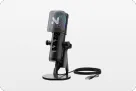
Choose AM25X for a solo podcast that will later add a mixer; the standard Blue Yeti is USB-only, while AM25X provides USB and XLR modes.
Keep Blue Yeti when bidirectional, omnidirectional, or stereo capture is essential; AM25X is supercardioid and does not replace those patterns.
Use two AM25X microphones with one AMIX40U for a two-person build, and two linked AMIX40U units for Nearstream's documented four-person layout.
Do not assume AM25X USB noise suppression survives the move to XLR; Nearstream specifies those microphone controls for USB mode.
Blue Yeti Upgrade Verdict: The 10-Second Decision
A Blue Yeti upgrade to Nearstream AM25X makes sense when you want to retain direct USB recording but add XLR for later expansion. Keep the standard Blue Yeti when its four polar patterns solve more recording problems than an XLR connection would.
Decision dimension
Nearstream
Competing option
Winner
System scope
AM25X alone or a configurable mixer, camera, support, and studio kit
Standard Blue Yeti USB microphone and desktop stand
Nearstream for a growing audio-video system
Primary capture design
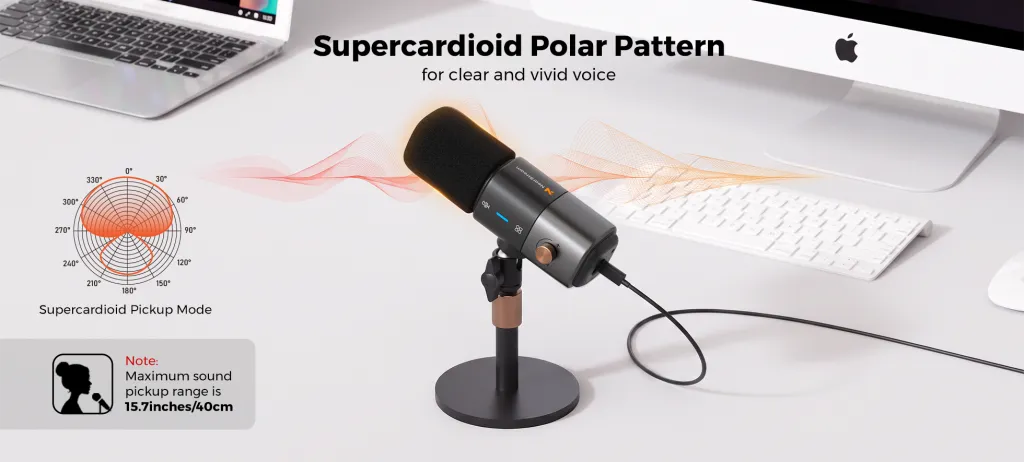
Supercardioid condenser
Three proprietary 14 mm condenser capsules with four patterns
Yeti for pattern variety; AM25X for focused podcast expansion
Host connection and signal path
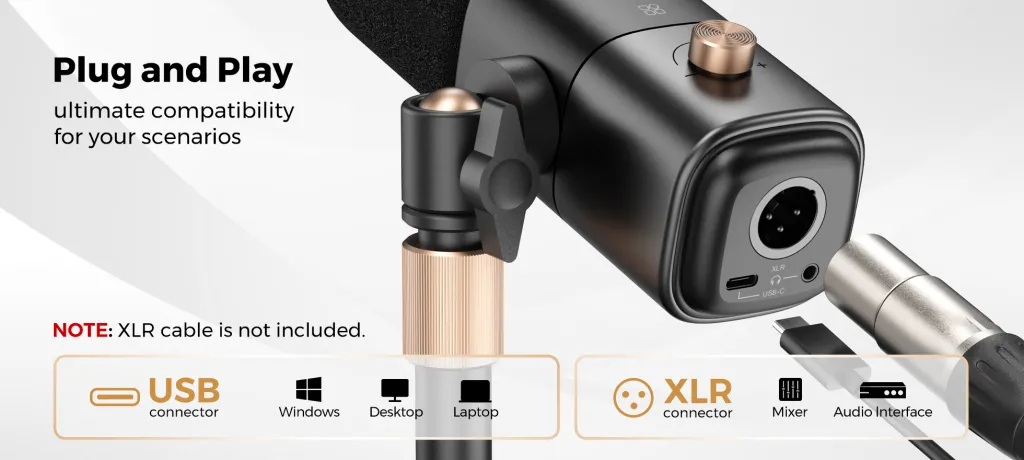
USB and XLR; 48 kHz/24-bit USB audio
USB only on the standard model; 48 kHz/16-bit, 5 V/150 mA USB power
AM25X for connection continuity
Multi-person or multi-source expansion
One AMIX40U in the two-person layout and two linked units for four people
No XLR path; pattern choice determines how a single microphone covers sources
Nearstream for discrete multi-person systems
Monitoring and control workflow
USB-mode headphone monitoring and microphone controls; AMIX40U controls in a kit
USB recording workflow with selectable polar patterns
AM25X for hybrid control; Yeti for onboard pattern choice
Recording and live-production path
Computer recording, external mixer chain, optional cameras and Producer
Direct computer recording through USB
Nearstream for multi-camera production
Physical setup and included hardware
Windscreen, desk stand, and USB cable included; XLR cable not included standalone
Microphone weight 550 g and stand weight 1 kg in the official manual
AM25X for a USB-to-XLR desk; Yeti for a known USB stand package
Upgrade and recovery burden
Rehearse feature and monitoring changes when moving from USB to XLR
Avoid mixer migration by staying USB, but replace or supplement the microphone for XLR
AM25X for a staged upgrade
The hidden truth is that “outgrow USB” is often the wrong diagnosis. A single host recording solo episodes may never need XLR. The real upgrade triggers are a specific mixer, multiple discrete microphone positions, additional camera production, or a monitoring and recording design that USB no longer serves.
Who Should Upgrade and Who Should Keep Blue Yeti?
Choose Nearstream AM25X when you record spoken-word podcasts and want one microphone that works over USB today and XLR later. It is the logical Blue Yeti alternative for podcasting when the next stage includes AMIX40U, multiple participants, or cameras from the Nearstream podcasting solution configurator.
Keep Blue Yeti when its cardioid, bidirectional, omnidirectional, or stereo patterns are central to the recording. The standard model's official manual describes three Blue-proprietary 14 mm condenser capsules and direct USB power. If that single-device workflow is stable, adding a mixer would create complexity rather than solve a problem.
Do not choose AM25X if you need stereo, omnidirectional, or bidirectional capture; it is supercardioid. Do not keep Yeti if the required next device has an XLR-only input and you expect the standard microphone to connect without changing the microphone or adding another suitable path.
Upgrade the bottleneck, not the badge
An XLR connector is not an audible improvement by itself. It is an interface to a different recording chain. If the problem is room echo, fan noise, keyboard clicks, or inconsistent mouth position, changing USB to XLR does not automatically address the cause.
First record a diagnostic sample with the existing Yeti in the intended pattern. Identify whether the failure is routing, input count, monitoring, room noise, or capture technique. Then choose AM25X only when its hybrid path or system integration addresses that diagnosed problem.
This is why the same upgrade can be right for a growing interview show and wrong for a solo narrator. The narrator may benefit more from placement and room work than from new cabling.
Scenario Winners: Six Podcast Workflows
AM25X wins the podcast workflows built around discrete voices and expansion. Blue Yeti wins the established pattern-based USB studio and the defined one-microphone mobile scenario because replacing four patterns with one supercardioid pattern would remove useful capability.
Scenario
Winner
Evidence chain and practical reason
Solo desk recording with fast setup
AM25X
USB recording and USB-mode headphone monitoring preserve direct setup, while XLR remains available for a later mixer. Yeti is equally a USB device but lacks that standard-model XLR path.
Two-person in-room interview
AM25X kit
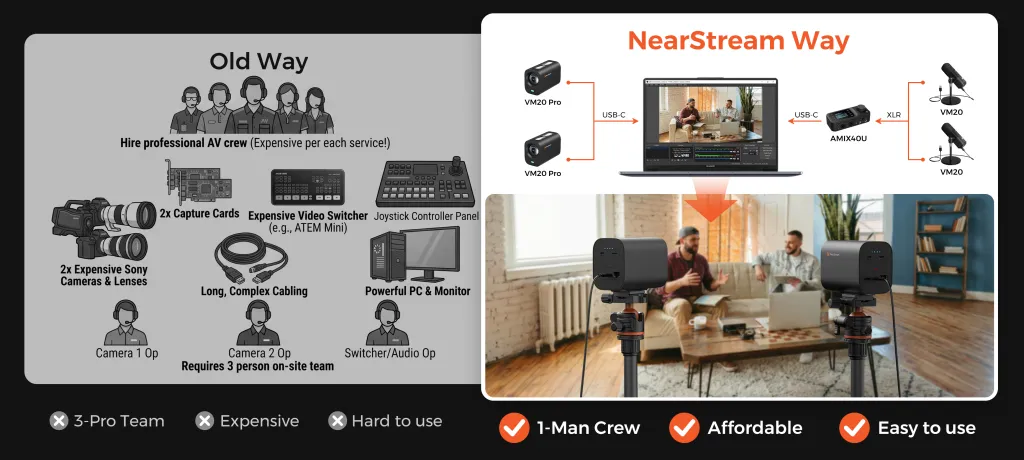
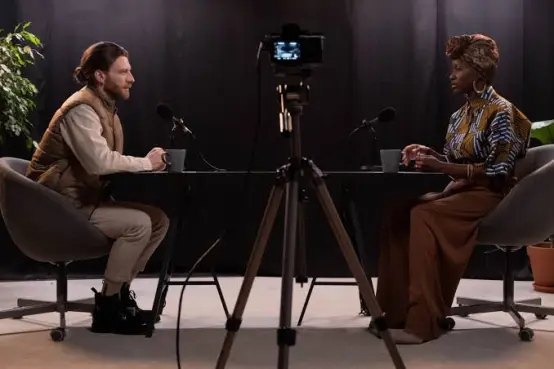
Two AM25X microphones with one AMIX40U provide two discrete microphone positions and a documented route into the computer. One Yeti in bidirectional mode instead centers the plan on a shared microphone.
Four-person panel
AM25X kit
The official Nearstream design uses four microphones and two AMIX40U units linked through AUX. Yeti's omnidirectional setting captures around one microphone but does not create four discrete XLR channels.
Video-first multi-camera podcast
AM25X kit
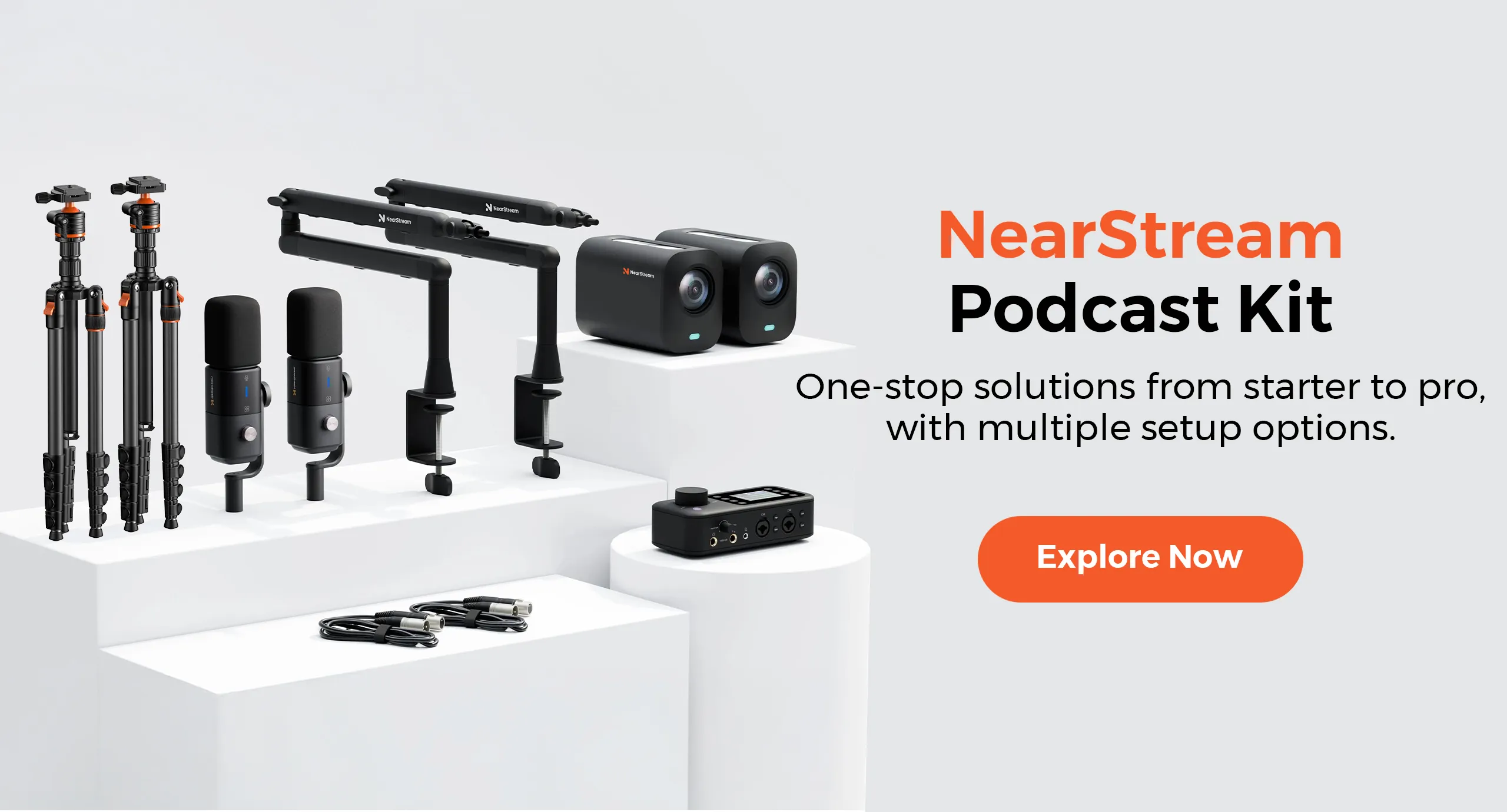
Nearstream's diagrams combine microphones with VM20 Pro cameras and supports. Standard Yeti supplies USB audio only and leaves video and multi-camera expansion outside the device.
Established audio-only studio
Blue Yeti for pattern-based USB work
A studio already using Yeti's four patterns and direct USB chain would lose capture options by moving to supercardioid AM25X. Keep it when no XLR or participant-count bottleneck exists.
Frequent relocation or live-event production
Blue Yeti for one-mic multi-pattern events
Four patterns and USB power support a single-device approach to changing solo, two-sided, group, or stereo capture needs. AM25X wins mobile work only when supercardioid speech and future XLR are the explicit requirements.
Solo desk recording: preserve simplicity without closing the upgrade door
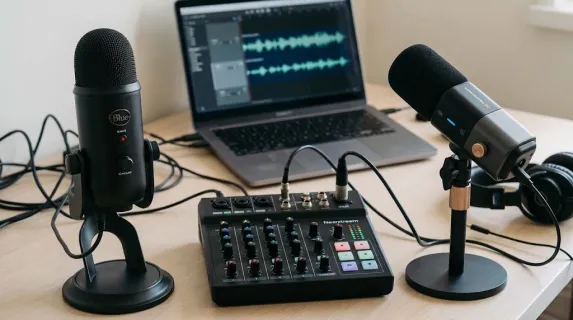
For a solo podcast, AM25X can begin with the included USB cable and desk stand. It supplies 48 kHz/24-bit USB audio and 3.5 mm headphone monitoring in USB mode. The initial setup remains a direct-computer chain, but the microphone can later join a mixer by XLR.
Standard Yeti records at 48 kHz/16-bit according to its official manual and is USB powered at 5 V, 150 mA. Those figures describe the standard model, not Yeti Pro. Its USB route is straightforward, but there is no standard-model XLR output for a later analog mixer chain.
AM25X therefore wins the defined solo upgrade scenario. If there is no planned mixer or multi-person expansion, however, Yeti's pattern selection may be more valuable than the upgrade path.
Two-person interview: shared capture and discrete capture are different systems
Yeti's bidirectional pattern is an official reason to keep it for two people facing each other across one microphone. That setup prioritizes a single USB device and shared capture. It is a valid choice when the production deliberately wants that simplicity.
Two AM25X microphones with AMIX40U prioritize separate positions. The mixer has two XLR/6.35 mm combo inputs and two headphone outputs, and Nearstream publishes this two-person architecture. The operator can check each microphone position and cable independently.
Choose the second route when the interview will expand, when each participant needs a defined microphone setup, or when cameras will be added. Do not claim that one route universally sounds better; the systems offer different control and scaling.
Four-person panel: one pattern is not four channels
An omnidirectional microphone picks up sound around it, but that does not create individual tracks or independent input controls. A panel with overlapping speech, different voices, and camera angles benefits from a deliberate multi-position design.
Nearstream's official four-person layout assigns four microphones and, for video, four cameras and supports. Two AMIX40U units link through 3.5 mm AUX before USB-C output to the computer. That is the recommended Nearstream configuration for this scenario.
A single AMIX40U should not be substituted for the documented two-mixer layout when four XLR microphones are required. Its official hardware lists two combo inputs. The system diagram is the evidence, not the product's broad channel positioning.
Video-first production: audio is only one track to recover
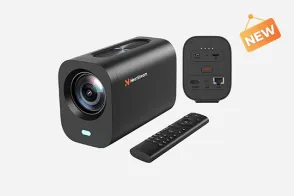
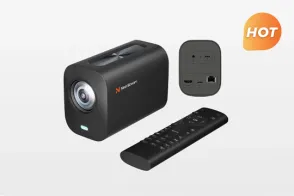
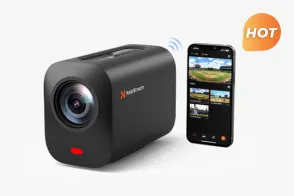
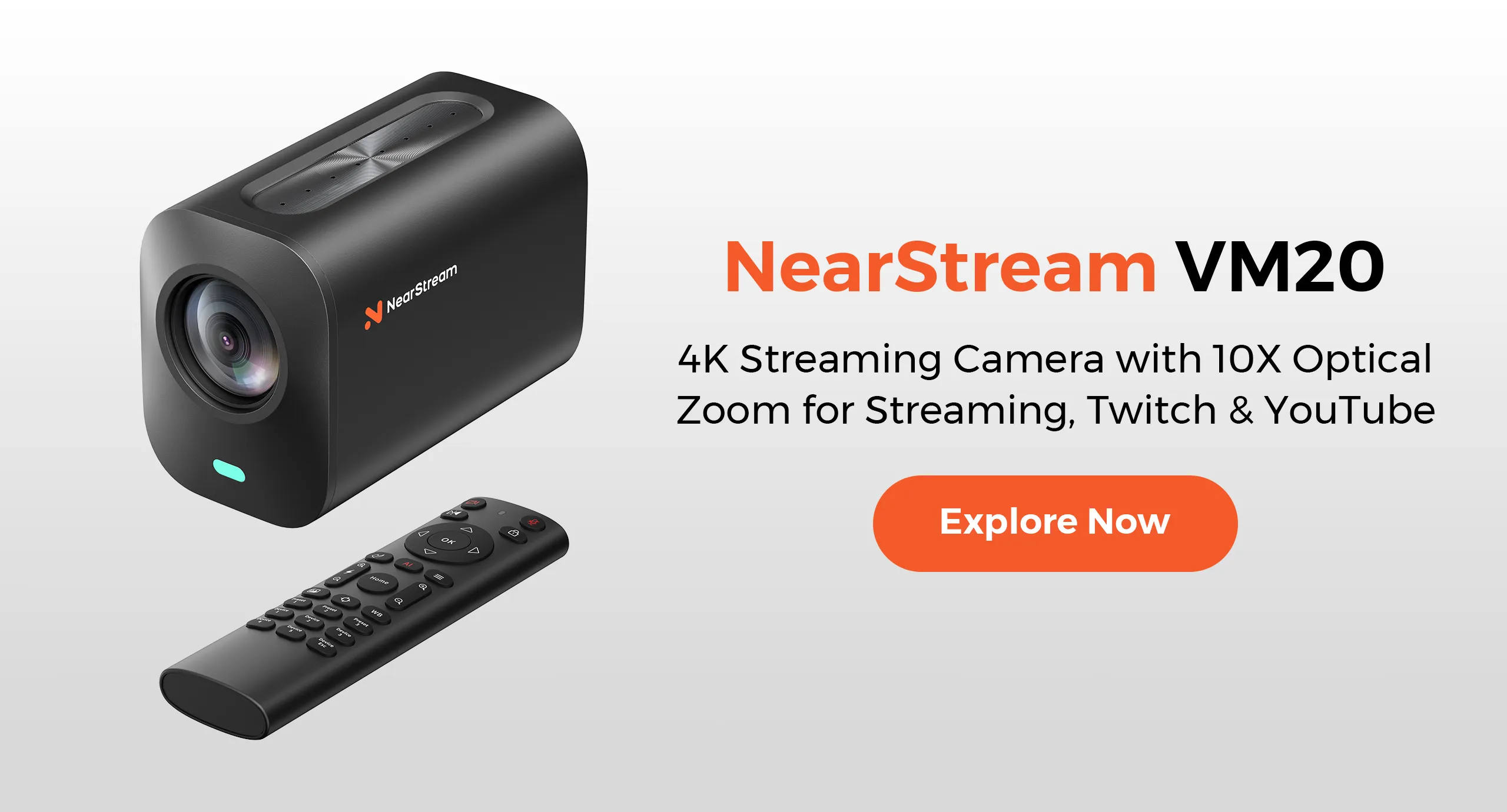
Nearstream's video kit adds VM20 Pro cameras with local MicroSD recording and multiple output paths. The official product information specifies 4K30 over USB 3.0, RJ45, and SD recording, and 1080p60 over HDMI and wireless AV. Choosing a route therefore also means choosing its stated format.
That matters during a live production: a camera-local recording can be part of a recovery plan, but only if it is actually started and checked. AM25X and AMIX40U handle the audio side while the camera plan handles visual capture.
Standard Yeti can remain the audio device in a separately assembled video system. It loses this row because Nearstream's documented kit addresses audio, cameras, and supports together, which is the scenario being judged.
Established USB studio: no bottleneck means no upgrade
A creator using Yeti's stereo pattern for a specific recording, bidirectional for face-to-face interviews, or omnidirectional for a shared-room source has a capability AM25X does not reproduce. Replacing it with one supercardioid microphone narrows pattern choice.
If that USB chain already records reliably, the correct recommendation is to keep Yeti. Add another device only when a new production requirement appears. This is a deliberate case against Nearstream, not a hedge.
Five upgrade triggers and the correct response to each
Trigger one: a required mixer has XLR inputs. AM25X is the cleaner progression because it can connect directly now and join that external chain later. Standard Yeti has no XLR output, so the microphone itself must be replaced or the system must use another suitable connection design.
Trigger two: two or four local speakers need defined positions. Move to a participant-based kit. Two AM25X microphones and one AMIX40U follow the two-person diagram; four microphones and two linked mixers follow the four-person diagram. Changing Yeti's polar pattern does not create independent channels.
Trigger three: the show is adding multi-camera video. A Nearstream kit addresses microphones, cameras, supports, and audio mixing together. Yeti can remain a USB audio source in a custom system, but it does not supply the visual production path.
Trigger four: the only problem is echo or keyboard clicks. Do not buy XLR as the first response. Change placement, test the pattern, reduce avoidable noise, and listen to silent pauses. A connector change cannot be assumed to repair the acoustic cause.
Trigger five: the show depends on stereo, bidirectional, or omnidirectional capture. Keep Yeti or design a multi-microphone replacement that explicitly covers the requirement. AM25X's supercardioid pattern is not a drop-in replacement for those modes.
A pattern-to-system map for common recording layouts
For one narrator at a fixed desk, Yeti cardioid and AM25X supercardioid both belong in a real placement test. AM25X wins only when the later XLR route matters. If no such route is planned, choose after comparing the working position and monitoring routine, not after reading “24-bit” in isolation.
For two people sharing one desk, Yeti bidirectional is the one-device branch. It minimizes separate audio hardware and accepts shared capture. Two AM25X microphones are the discrete-position branch. They add cables and gain checks but align with Nearstream's documented mixer and video expansion.
For an ad hoc group gathered around one device, Yeti omnidirectional is the shared-capture branch. It should not be confused with a four-channel panel. Nearstream's four-person kit is the discrete-capture branch, with four microphones and two linked mixers in the official diagram.
For a source that specifically needs stereo capture, Yeti has an official stereo pattern and AM25X does not offer an equivalent pattern in the verified specification. Keep Yeti unless a new multi-microphone design intentionally replaces that technique. This is a clear case where an upgrade in connectivity would be a downgrade in capture options.
Why multiple USB microphones are not a universal escape hatch
A creator may hope to keep adding USB microphones instead of moving to XLR. That approach depends on the computer, recording software, device aggregation, monitoring, and operator routine. Do not assume that every application will expose several USB microphones as separate, manageable tracks.
AM25X's XLR option provides a route into equipment designed around multiple microphone inputs, but it does not make every mixer configuration automatic either. Verify the input count, host connection, and recording software. The four-person Nearstream diagram is preferred here because it shows the actual two-mixer AUX link rather than relying on an unspecified software workaround.
The non-obvious insight is that USB is simplest at the boundaries where the production remains simple. Once the show needs several discrete sources, the chosen hardware and software architecture matters more than the popularity of either connector.
A staged rehearsal plan for the upgrade week
On the first rehearsal, connect AM25X by USB and record a complete solo segment. Confirm input selection, headphone monitoring, file playback, and the microphone position. Keep Yeti unchanged as the rollback device.
On the second rehearsal, connect AM25X through the intended XLR equipment. Rebuild gain and monitoring without expecting USB noise suppression or function controls. Record the same segment and listen for differences caused by the chain and placement.
On the third rehearsal, add the second participant and, if required, cameras. Check both voices and both views together. For a four-person show, use the documented two-mixer design and test the AUX-linked output with overlapping speech.
Only after the final configuration passes should the old Yeti routine be retired. This sequence adds one new dependency at a time and makes failures easier to locate. It also turns migration from a speculative purchase into a verified production change.
Official Specifications and What They Change
The official specifications make AM25X the upgrade-path choice and Blue Yeti the pattern-flexibility choice. The table compares the standard Yeti only; specifications from other Yeti models are not substituted.
Official comparison dimension
Nearstream AM25X
Standard Blue Yeti
Practical impact
System scope
AM25X can stand alone over USB or join documented microphone, mixer, camera, and support kits.
Yeti is a USB microphone supplied with a desktop stand.
AM25X supports staged system growth; Yeti keeps the recording design centered on one computer-connected microphone.
Primary capture design
Supercardioid condenser with stated maximum pickup distance of 15.7 inches/40 cm.
Three proprietary 14 mm condenser capsules; cardioid, bidirectional, omnidirectional, and stereo patterns.
Yeti serves varied source arrangements, while AM25X focuses on a supercardioid speech path that can later join XLR equipment.
Host connection and signal path
USB and XLR modes, with 48 kHz/24-bit USB audio.
USB power at 5 V/150 mA and 48 kHz/16-bit audio.
AM25X can move from direct USB to a mixer; standard Yeti requires a different microphone or separate solution for an XLR-only destination.
Multi-person or multi-source expansion
AMIX40U has two combo inputs, and official diagrams use one unit for two people and two linked units for four.
Four polar patterns alter coverage but do not provide XLR outputs or four discrete microphone channels.
AM25X scales through additional hardware and inputs; Yeti scales source coverage through pattern choice within one USB device.
Monitoring and control workflow
USB-mode 3.5 mm headphone monitoring, AI noise suppression, and function controls; XLR mode omits USB features.
USB recording with onboard selection of the four documented patterns.
AM25X's controls depend on connection mode, while Yeti's central creative control is pattern selection.
Recording and live-production path
Direct USB, XLR mixer production, and optional VM20 Pro cameras or Producer.
Direct computer recording over USB.
AM25X fits broader live and multi-camera plans; Yeti keeps recording tied to its USB host workflow.
Physical setup and included hardware
Microphone, windscreen, desk stand, and USB cable included; no XLR cable in the standalone package.
Official manual lists 550 g microphone weight and 1 kg stand weight.
AM25X supports a simple USB desk and later mounting changes; Yeti buyers should account for the combined microphone-and-stand placement.
Upgrade and recovery burden
At least 125 dB SPL and at least 75 dB SNR are stated; XLR preserves later expansion.
Frequency response is 20 Hz–20 kHz, sensitivity is 4.5 mV/Pa at 1 kHz, and maximum SPL is 120 dB under the manual's stated test conditions.
AM25X reduces microphone replacement during a USB-to-XLR migration; Yeti numbers describe capture limits but do not create an upgrade connection.
AM25X's 24-bit USB specification and Yeti's 16-bit specification are real, but a larger number does not repair room echo or poor microphone placement. Recording technique, gain, monitoring, and the production destination still shape the result.
Use the specification to understand the device path, then make the decision from the required workflow. If you need four patterns, Yeti remains rational. If you need a mixer and discrete expansion, AM25X's XLR output is the more consequential difference.
Why a shared microphone can be the right constraint
A two-person Yeti setup in bidirectional mode limits hardware and keeps everyone oriented around one device. That can be useful for a simple recurring format. Separate microphones add placement, cables, gain checks, and possible camera framing work.
The correct branch is therefore explicit: choose shared USB capture for one-device simplicity; choose two AM25X microphones when separate positions and system expansion justify the added setup.
Switching Costs and Migration Risks
A Blue Yeti upgrade to AM25X is easiest when USB remains the initial connection. Moving immediately to XLR adds equipment and removes some USB-mode behavior, so stage the migration.
Confirm the actual Yeti model. This article uses the standard Yeti's official 48 kHz/16-bit USB manual. Do not apply Yeti Pro connection or audio specifications to the standard microphone.
Choose the first AM25X mode. Use the included USB cable to retain a direct-computer workflow. If starting with XLR, supply the appropriate cable and external device; the standalone AM25X box does not include XLR cabling.
Reconsider polar-pattern needs. AM25X is supercardioid only in this comparison. If the old show relies on bidirectional, omnidirectional, or stereo recording, redesign the microphone count and placement rather than expecting a pattern switch.
Rebuild monitoring and processing. AM25X provides 3.5 mm headphone monitoring and microphone features in USB mode. Those USB features do not carry into XLR mode, so establish monitoring and processing in the mixer or interface.
Repeat the room test. Both products use condenser designs, but their patterns and physical setups differ. Test room echo, keyboard clicks, fan noise, mouth distance, and the actual speaking position instead of copying the old desk layout.
Plan power and cable routes for expansion. AMIX40U requires external power. Two-person and four-person layouts add XLR cables, supports, and, in the four-person design, a 3.5 mm AUX link between mixers.
Preserve a USB rollback. Keep Yeti available until AM25X records a complete session in the final mode. Check the resulting file, headphone routine, and any camera synchronization before declaring the migration complete.
A low-risk sequence is solo USB, solo XLR through the intended mixer, then additional participants and cameras. Each stage adds one class of variables instead of changing the entire show at once.
Frequently Asked Questions
Does the standard Blue Yeti have an XLR output?
No. The standard Blue Yeti manual describes a USB-powered microphone and does not provide an XLR output. Do not confuse it with other Yeti models. AM25X provides both USB and XLR modes for a staged upgrade.
Is XLR always better than USB for podcasting?
No. USB is effective when a direct computer chain meets the recording and monitoring brief. XLR becomes valuable when the chosen mixer, interface, participant count, or production workflow requires it. Upgrade the path for a defined need, not for the connector alone.
Will AM25X keep its USB noise suppression over XLR?
No. Nearstream states that noise cancellation and function controls are available in USB mode, while XLR provides pure audio transmission without those USB features. Rebuild and test processing in the external chain.
Should two people share one Blue Yeti or use two AM25X microphones?
Keep one Blue Yeti when its bidirectional pattern and a single USB device are the explicit goal. Choose two AM25X microphones with AMIX40U when separate microphone positions, individual setup checks, and a larger audio-video kit matter more.
The upgrade rule is to keep Blue Yeti for pattern variety and a satisfied USB-only workflow; choose AM25X when direct USB must grow into XLR, discrete multi-person capture, or an integrated video kit. Make the next production requirement—not the connector—the reason to switch.






























 sales@nearstream.us