Mevo Alternative for Podcasting: Mevo Core vs VM20 Pro
Compare Mevo Core and VM20 Pro by lenses, outputs, recording, audio integration, and production mobility.
Video Podcasting
Podcast Gear
Podcast Workflow
Updated: Nov 1, 2026 · 8 minutes read
Modular Video Kits for Growing Business.
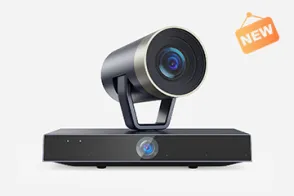
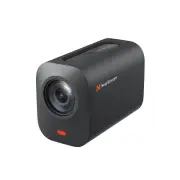
Nearstream VM20 Pro is the stronger Mevo alternative for podcast studios that want integrated 10× optical zoom, several wired and wireless output paths, and a complete microphone-camera kit. Mevo Core wins when interchangeable Micro Four Thirds lenses, app-centered wireless switching, and battery-powered portability are non-negotiable.
Key Takeaways
Choose VM20 Pro for a two- or four-person podcast kit that needs cameras, individual microphones, supports, and a documented mixer layout.
Choose Mevo Core for interchangeable Micro Four Thirds lenses and wireless app control rather than VM20 Pro's integrated 10× optical zoom.
Mevo Core officially separates 4K30 capture from 1080p60 streaming, so a 4K label should not be treated as a 4K live-stream promise.
Do not choose VM20 Pro for a battery-led mobile production; Mevo Core's built-in battery is rated for up to six hours and supports external USB-C power.
Mevo Alternative Verdict: The 10-Second Decision
Choose Nearstream VM20 Pro as the Mevo alternative when integrated optical zoom, multiple output paths, and a complete microphone-camera system matter most. Choose Mevo Core when Micro Four Thirds lens flexibility, Mevo Studio wireless control, and built-in battery operation define the workflow.
Decision dimension
Nearstream
Competing option
Winner
System scope
VM20 Pro within configurable AM25X, AMIX40U, support, and optional studio kits
Mevo Core camera with Mevo Studio ecosystem and separately designed audio/support chain
Nearstream for a complete podcast system
Primary capture design
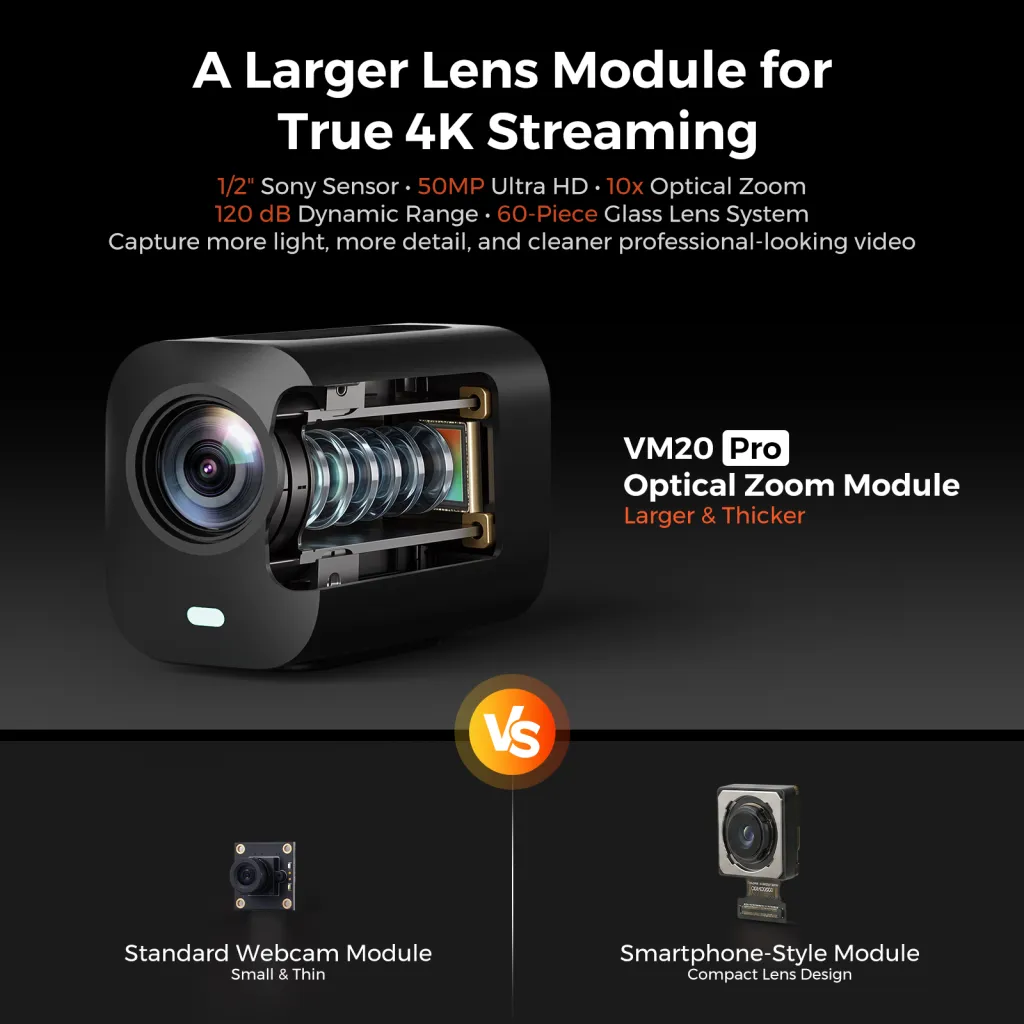
1/2-inch 50MP Sony CMOS, integrated 10× optical zoom, 4K positioning
Mevo for lens choice; VM20 Pro for integrated zoom
Host connection and signal path
USB 3.0, HDMI 2.0, RJ45, SD, RTSP, PoE, and optional NA20 wireless AV
HDMI, dual USB-C with UVC on one port, 3.5 mm analog input, and app-centered wireless control
VM20 Pro for varied studio paths; Mevo for app-led wireless
Multi-person or multi-source expansion
Official two- and four-person camera-microphone layouts; four-person audio uses two linked mixers
Wireless multi-camera control through Mevo Studio with real-time view switching
Nearstream for full participant kits; Mevo for tablet/phone switching
Monitoring and control workflow
Camera outputs integrated with AMIX40U audio control and optional Producer
Smartphone/tablet control with crop, pan, zoom, overlays, and view switching
Mevo for mobile app control; Nearstream for separated audio-video operation
Recording and live-production path
4K MicroSD recording, 4K30 on stated paths, 1080p60 on HDMI/wireless AV, optional Producer
Local microSD or Mevo Studio recording; 1080p60 streaming
VM20 Pro for path-specific 4K recording; Mevo for app ecosystem
Physical setup and included hardware
ST30 tripod and ST20 microphone supports in documented kits; optional lights and green screen
Built-in battery rated up to six hours and external USB-C power support
Mevo for battery portability; Nearstream for fixed multi-person rigs
Upgrade and recovery burden
More cables and paths to label, but local recording and multiple outputs support deliberate recovery
Lens, battery, app, and wireless dependencies remain part of the Mevo workflow
Nearstream for studio recovery design; Mevo for contained mobile operation
This is not a meaningful contest of one sensor number against another. A podcast camera succeeds only when framing, host connection, audio, support, recording, and operator control work together. The best Mevo alternative for podcasting therefore depends on whether the missing piece is a camera or the entire production chain.
Who Should Choose VM20 Pro or Mevo Core?
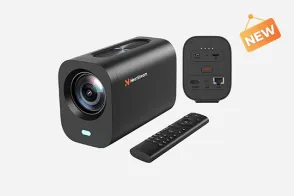
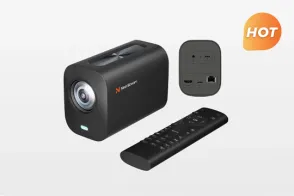
Choose Nearstream VM20 Pro when a permanent or repeatable podcast setup needs integrated 10× optical zoom, several connection choices, and local 4K recording. It is especially strong when configured through the multi-person Nearstream podcasting solution with AM25X microphones, AMIX40U, and the required supports.
Choose Mevo Core when lens selection is part of the creative brief or when a phone/tablet operator must switch views wirelessly. Its Micro Four Thirds mount, Mevo Studio ecosystem, and built-in battery rated up to six hours support that style of production.
Do not choose VM20 Pro if existing MFT lenses must remain in use. Do not choose Mevo Core if the purchase brief expects one kit to include discrete podcast microphones, a mixer, camera supports, and a documented four-person audio route.
Camera-first versus deliverable-first buying
A camera-first buyer begins with sensor and lens questions. A deliverable-first buyer begins with the episode: how many people appear, which views are needed, where audio is mixed, and what happens if the live output fails. The second approach prevents a polished camera preview from hiding an unfinished podcast system.
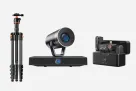
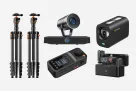
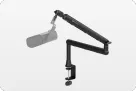
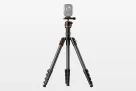
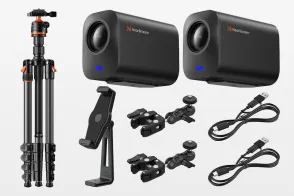
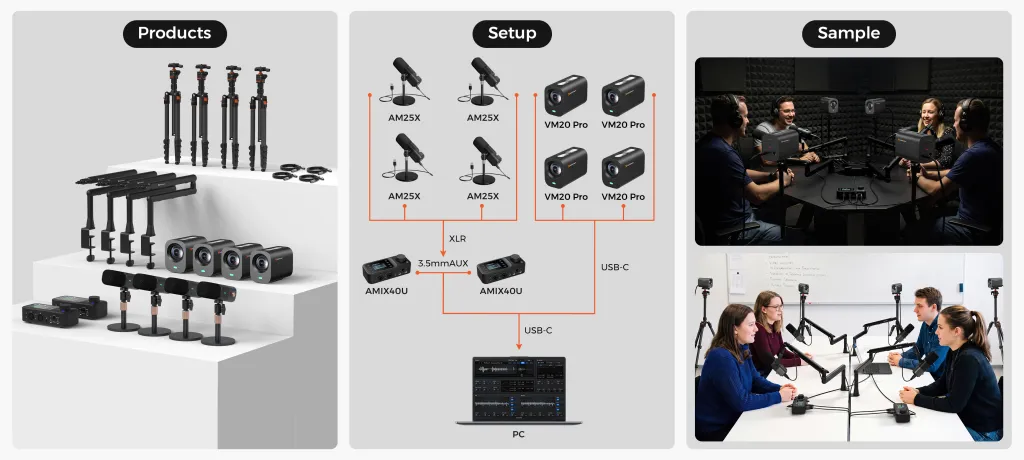
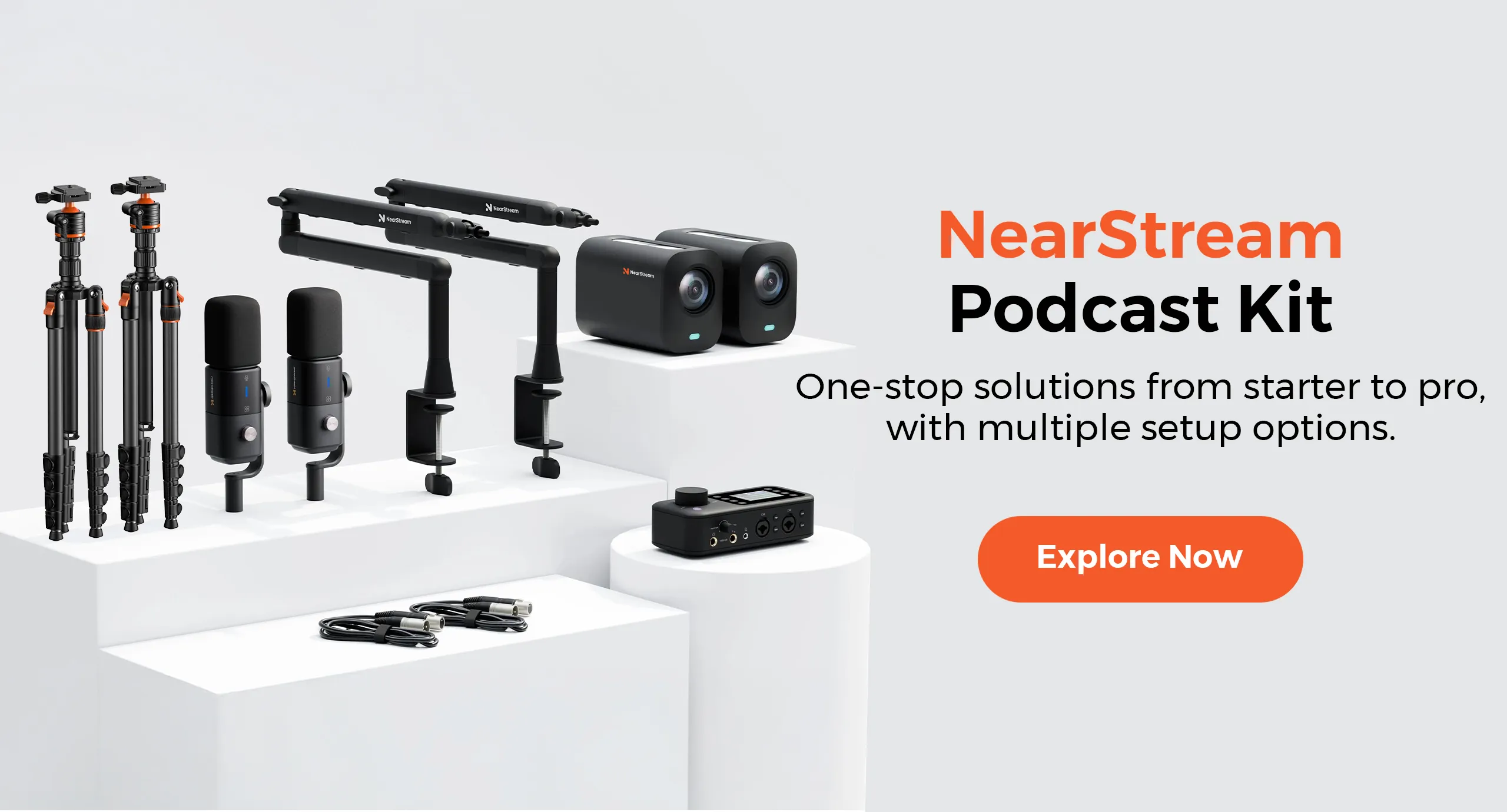
For two people, Nearstream's official diagram assigns two VM20 Pro cameras, two AM25X microphones, two ST20 arms, two ST30 tripods, one AMIX40U, and XLR cabling. For four people, it assigns four capture positions and two mixers. These are different kits by design.
Mevo Core can serve a multi-camera production through its app ecosystem, but the buyer still needs to design participant audio, supports, power, and recovery. That may be exactly right for an experienced mobile team; it is not the same purchase as a configured podcast kit.
Scenario Winners: Six Podcast Workflows
Nearstream wins the four scenarios where a complete wired or repeatable podcast system is the goal. Mevo Core wins the established audio-only studio that needs a lens-flexible camera addition and the mobile production that depends on battery and app control.
Scenario
Winner
Evidence chain and practical reason
Solo desk recording with fast setup
VM20 Pro plus AM25X
USB 3.0 provides a stated 4K30 camera path, while AM25X provides direct USB audio and USB-mode monitoring. The combination covers video and voice without requiring a tablet-led multi-camera routine.
Two-person in-room interview
Nearstream two-person kit
Two cameras, two microphones, supports, and one AMIX40U appear in the official layout. Mevo Core supplies camera and app capabilities but not that complete two-person audio-hardware package.
Four-person panel
Nearstream four-person kit
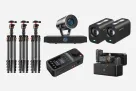
The official design uses four microphones and cameras, four supports, and two AMIX40U units linked through AUX. It explicitly addresses participant count instead of leaving audio expansion to a separate plan.
Video-first multi-camera podcast
Nearstream kit
VM20 Pro's multiple outputs and local 4K MicroSD recording combine with discrete microphones and supports. Mevo's app switching is strong, but this scenario requires the entire repeatable kit.
Established audio-only studio
Mevo Core
A studio keeping its audio chain can choose Mevo Core for MFT lens flexibility and add only the required camera workflow. Replacing the design with a full Nearstream kit would add unnecessary audio migration.
Frequent relocation or live-event production
Mevo Core
Its built-in battery is rated up to six hours, external USB-C power is supported, and wireless phone/tablet control reduces dependence on a fixed studio routing plan.
Solo desk recording: direct paths beat unnecessary production layers
A solo desk show needs one reliable view and one reliable voice path. VM20 Pro's USB 3.0 route supports 4K30 according to Nearstream, while AM25X supplies 48 kHz/24-bit USB audio and 3.5 mm headphone monitoring in USB mode. Together they form a direct computer-oriented starting point.
The operator must still select and test both USB devices in the recording software. “USB” on a specification sheet does not prove that every application will choose the intended camera and microphone automatically. Label them and save the recording settings only after a complete test.
Mevo Core also offers UVC on one of its dual USB-C ports, plus a 3.5 mm analog input. It remains a strong option when its app or lens workflow is desired. Nearstream wins this specific desk scenario because the paired AM25X route addresses voice monitoring as part of the recommendation.
Two-person interview: frame and microphone position must be designed together
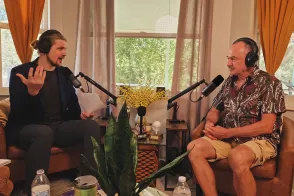
Two-person video creates four basic capture positions: a camera and microphone for each participant in Nearstream's documented layout. ST20 arms and ST30 tripods hold the planned positions, while AMIX40U supplies two combo inputs and two headphone outputs.
This arrangement makes the shot and audio position visible in one plan. A host can see whether a microphone placement fits the camera frame before recording, rather than adding cameras after an audio-only desk has become fixed.
Mevo Studio can wirelessly switch views and offers crop, pan, zoom, and overlays. Those controls are valuable, but they do not replace microphone mounting, per-person gain checks, or headphone monitoring. For a new two-person podcast build, the complete Nearstream kit wins.
Four-person panel: scale the mixer as well as the camera count
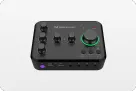
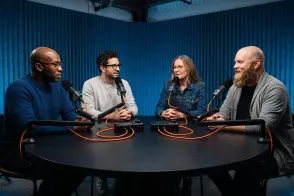
Four camera angles do not solve four-person audio. Nearstream's diagram uses two AMIX40U units linked by 3.5 mm AUX, with USB-C output to a computer. This matters because one AMIX40U has two XLR/6.35 mm combo inputs, not four discrete XLR microphone inputs.
The recommended four-person kit therefore includes four AM25X microphones and the two-mixer path shown officially. It also requires a combined rehearsal: test overlapping speech, AUX routing, monitor levels, and the computer recording with all four participants present.
A Mevo multi-camera design can provide wireless view switching, but its audio and input expansion must be designed separately. If the production team already owns that audio system, Mevo may remain sensible. For a new four-person kit, Nearstream has the clearer published architecture.
Video-first production: choose the format for each path
VM20 Pro does not assign one format to every output. Nearstream lists 4K30 for USB 3.0, RJ45, and SD recording, and 1080p60 for HDMI and wireless AV. It also supports RTSP and PoE, and wireless AV through the NA20 transmitter/receiver.
This creates useful branches. A recording-led studio can prioritize a stated 4K30 path; a live design using HDMI or wireless AV works within the stated 1080p60 path. Local MicroSD recording can serve recovery, but the operator must verify media, recording status, and file usability.
Mevo Core likewise separates 4K30 capture from 1080p60 streaming. Neither camera should be bought on the assumption that “4K” applies equally to every live and recorded output.
Established audio-only studio: add a camera, not a second migration
A studio that already has individual microphones, a mixer, monitoring, and a recording routine may only need visual capture. Mevo Core's interchangeable MFT mount allows the team to build around a chosen lens, while its app supports wireless multi-camera control.
In that case, Mevo Core wins because VM20 Pro's full-kit advantage addresses a problem the studio does not have. A Nearstream camera could still be considered for its outputs and zoom, but replacing working audio hardware is not justified by this scenario.
Mobile production: battery and app control change the risk profile
Mevo Core's built-in battery is officially rated for up to six hours, with external USB-C power support. Wireless control from a tablet or phone and real-time switching reduce the need for a fixed control position. These are concrete advantages for a mobile event team.
Battery operation does not remove all planning. Wireless conditions, audio connections, local recording, and remaining power still require checks. Yet VM20 Pro should not be presented as equivalent here: its strengths are integrated zoom and multiple studio-oriented paths, not a verified built-in-battery workflow.
The three-layer choice between lens flexibility and integrated zoom
The first layer is framing. Mevo Core lets the production choose a Micro Four Thirds lens, which is valuable when lens-specific perspective or an existing lens collection drives the shot. VM20 Pro instead integrates 10× optical zoom, reducing the need to select and change lenses for a repeatable setup.
The second layer is operation. Mevo Studio places wireless view switching, crop, pan, zoom, and overlays on a phone or tablet. Nearstream places VM20 Pro inside a kit where AMIX40U handles audio and an optional Producer can serve a defined live-production role. The question is not which interface has more controls, but which operator routine the team can sustain.
The third layer is recovery. Mevo offers local microSD recording or recording through Mevo Studio. VM20 Pro offers local 4K MicroSD recording and several output paths with stated format differences. More recovery choices help only when each is configured and checked. A camera with an unused card slot has no backup advantage.
This layered decision produces two firm branches. Choose Mevo when the lens and mobile app are the foundation of the production. Choose VM20 Pro when integrated framing, wired or network path selection, and participant-based audio-video expansion are the foundation.
A multi-camera recovery drill for either system
Before a real episode, record every camera locally where the chosen workflow supports it and record the switched or host output at the same time. Stop after a representative segment, then open both the local and program files. Confirm duration, picture, audio, and the format expected by the edit.
Next, interrupt one nonessential output during rehearsal and observe whether the rest of the production continues as planned. This is not an instruction to improvise during a paid event; it is a controlled test to reveal whether the team understands its own routing. Restore the connection and document the exact recovery steps.
For VM20 Pro, label which paths are being used because 4K30 and 1080p60 capabilities differ by output. For Mevo Core, distinguish 4K30 capture from 1080p60 streaming and confirm which device holds each recording. For both, check remaining storage and power before the guests arrive.
Finally, rehearse the audio failure separately. A camera backup cannot reconstruct a missing voice. Nearstream's two- and four-person layouts make AM25X and AMIX40U part of this drill; a Mevo-based production needs its chosen audio chain tested with equal rigor.
Configuration stopping rules that prevent overbuying
For a solo desk show, stop at one VM20 Pro and one AM25X unless another camera view, local guest, or production role is explicitly required. Optional lighting should follow an actual exposure test, and Producer should follow an actual live-production need.
For two people, use the documented two-camera, two-microphone layout and one AMIX40U. For four, stop if the plan has only one two-combo-input AMIX40U for four XLR microphones; the official layout uses two linked units. These stopping rules keep the kit tied to participant count.
For a mobile Mevo team with working audio and supports, do not replace the entire system merely to obtain a different output list. Switch only when VM20 Pro's integrated zoom or specific paths solve a demonstrated production limitation.
Official Specifications and What They Change
Official specifications favor Mevo Core for lens and battery flexibility, and VM20 Pro for integrated zoom and path-diverse studio integration. Use the exact capture, streaming, and output distinctions when designing the show.
Official comparison dimension
Nearstream VM20 Pro
Logitech Mevo Core
Practical impact
System scope
VM20 Pro appears in official two- and four-person kits with AM25X, AMIX40U, ST20, ST30, and cabling.
Mevo Core belongs to the Mevo Studio camera ecosystem, with audio and support designed around the production.
Nearstream supplies a documented participant-count architecture; Mevo gives the camera and app center while leaving more system choices to the team.
Primary capture design
1/2-inch 50MP Sony CMOS sensor and integrated 10× optical zoom, with 4K positioning.
4/3 CMOS sensor, interchangeable Micro Four Thirds mount, and 4K30 capture.
Mevo preserves lens choice; VM20 Pro avoids separate lens selection and provides integrated optical zoom for repeatable framing.
Host connection and signal path
USB 3.0, HDMI 2.0, RJ45, SD, RTSP, PoE, and wireless AV through NA20.
HDMI, dual USB-C with UVC on one port, 3.5 mm analog input, and wireless phone/tablet control.
VM20 Pro offers more explicitly listed studio routes; Mevo centers flexible UVC, analog audio, and app-led wireless operation.
Multi-person or multi-source expansion
Official two-person and four-person camera-microphone diagrams, with two linked mixers for four-person audio.
Mevo Studio supports wireless multi-camera control and real-time view switching.
Nearstream scales the complete participant kit; Mevo scales camera control while audio expansion remains a separate engineering task.
Monitoring and control workflow
AMIX40U handles audio controls and headphone outputs in the kit; optional Producer can serve a defined live-production role.
Smartphone/tablet control provides crop, pan, zoom, overlays, and view switching.
Mevo concentrates visual operation in the app; Nearstream separates audio and camera roles and needs an operator routine for both.
Recording and live-production path
4K MicroSD local recording; 4K30 over USB 3.0, RJ45, and SD; 1080p60 over HDMI and wireless AV.
4K30 capture, 1080p60 streaming, and local microSD recording or recording through Mevo Studio.
Both require path-specific planning; VM20 Pro states 4K local recording, while Mevo integrates recording with its app ecosystem.
Physical setup and included hardware
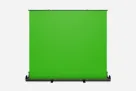
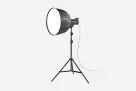
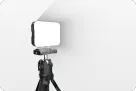
Official kits use ST30 camera tripods and ST20 microphone supports, with optional VK50 green screen and SL40 lights.
Built-in battery rated up to six hours and external USB-C power support.
Nearstream favors a supported studio rig; Mevo favors mobile setups where battery duration and charging are central checks.
Upgrade and recovery burden
Multiple outputs, PoE, RTSP, and local recording enable explicit redundancy but require configuration and labeling.
Interchangeable lenses, local recording, battery power, and app control preserve a flexible mobile workflow.
Nearstream recovery depends on testing alternate paths; Mevo recovery depends on lens, power, app, wireless, and media readiness.
Why sensor size alone cannot pick the podcast winner
Mevo Core's 4/3 sensor and VM20 Pro's 1/2-inch 50MP sensor are official facts, but they do not constitute a controlled image-quality test. Lens, lighting, framing, exposure, output format, and the host path all influence the delivered picture. This comparison does not invent a low-light or sharpness winner.
A more reliable decision is operational. If the team needs to change lenses, Mevo wins. If it wants integrated zoom and a defined set of outputs, VM20 Pro wins. Test image quality in the actual studio after those workflow requirements are satisfied.
Why local recording is a procedure, not a safety guarantee
Both cameras offer local recording paths, but a memory-card specification does not prove that a usable backup exists. The operator must insert suitable media, start recording, confirm status, stop correctly, and open the file before the next session.
Nearstream's multiple output formats add another check: verify that the selected live path and local recording path produce the formats the edit expects. Recovery succeeds only when the procedure is rehearsed.
Switching Costs and Migration Risks
Switching from Mevo Core to VM20 Pro changes lens strategy, control habits, power planning, and output routing. Treat it as a production redesign rather than a camera-body swap.
Retire the MFT lens assumption. Mevo Core accepts interchangeable Micro Four Thirds lenses; VM20 Pro integrates 10× optical zoom. Existing lenses and lens-specific framing notes do not transfer. Reframe every camera position.
Rebuild the control workflow. Mevo Studio view switching, crop, pan, zoom, and overlays do not become VM20 Pro presets. Decide who controls cameras, audio, and any optional Producer before the first Nearstream session.
Recable the host path. Mevo Core uses dual USB-C with UVC on one port, HDMI, and 3.5 mm analog input. VM20 Pro lists USB 3.0, HDMI 2.0, RJ45, SD, RTSP, PoE, and NA20 wireless AV. Choose and label the actual routes.
Redesign power. Mevo's battery is rated up to six hours and supports external USB-C power. Do not assume that mobile power routine transfers. Plan VM20 Pro's chosen power arrangement, including PoE only when the network design supports it.
Match formats to outputs. Mevo Core separates 4K30 capture from 1080p60 streaming. VM20 Pro assigns 4K30 and 1080p60 to different stated paths. Update recording software, switcher inputs, and delivery settings accordingly.
Migrate audio deliberately. Nearstream's full kit uses AM25X microphones and AMIX40U rather than assuming the Mevo 3.5 mm input remains the audio center. Rebuild gain, headphone monitoring, and computer input selection.
Recheck supports and local recovery. ST30 tripods and ST20 arms appear in Nearstream kits, but placement must fit the room. Test MicroSD recording and every intended live output before relying on a backup.
Keep Mevo as rollback until a full rehearsal passes. Record the actual number of hosts, duration, switching actions, and audio routes. Verify files after the rehearsal, not just the live preview.
A staged migration is safest: prove one VM20 Pro camera and AM25X path, then the two-person kit, then any four-person linked-mixer layout. Each expansion adds routing that a single-camera test cannot validate.
Frequently Asked Questions
Does Mevo Core stream in 4K?
Logitech's official product page distinguishes 4K30 capture from 1080p60 streaming. Treat those as separate capabilities and design the live output around the stated streaming format rather than assuming 4K capture means 4K streaming.
Can Nearstream VM20 Pro record locally in 4K?
Yes. Nearstream specifies 4K MicroSD local recording, and lists 4K30 for USB 3.0, RJ45, and SD recording. HDMI and wireless AV are listed at 1080p60, so the recording and output paths are not interchangeable.
Which camera is better for interchangeable lenses?
Mevo Core is the clear choice because it has a Micro Four Thirds interchangeable lens mount. VM20 Pro instead integrates a 10× optical zoom, so existing MFT lenses and lens-specific framing plans do not transfer to it.
Is VM20 Pro a complete podcast audio solution by itself?
No. It is the camera component. A complete Nearstream podcast kit adds the required AM25X microphones, AMIX40U mixer, supports, and cabling, with quantities based on the two- or four-person production design.
Choose VM20 Pro when the podcast needs integrated zoom, path-specific recording options, and a complete participant-based audio-video kit. Choose Mevo Core when MFT lenses, wireless app control, and battery mobility are the production's foundations. The right winner is the one whose verified workflow matches the show you actually produce.


















 sales@nearstream.us