Free Sports Streaming Apps with Real-Time Scoreboards and Cloud Storage (2026)
Discover the best sports streaming app for youth coaches and parent volunteers.
free sports streaming apps
best sports streaming app
best video camera for sports
Updated: Apr 25, 2026 · 8 minutes read
Modular Video Kits for Growing Business.
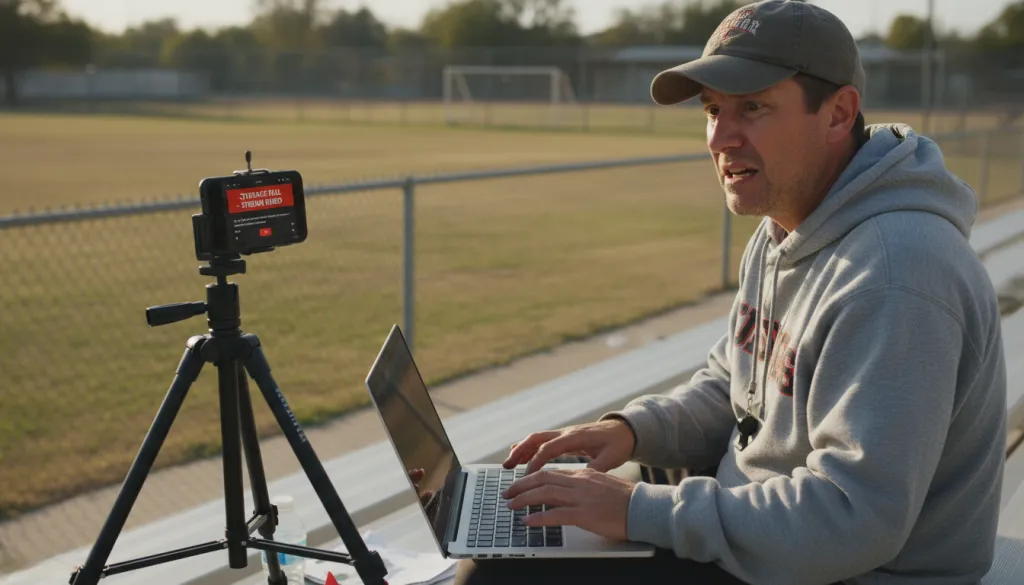
Picture this: it is the championship quarter, the score is tight, and grandparents three states away are watching live. Then the chat blows up with the same question: "What's the score?" The parent volunteer panics. They are holding the phone steady with one hand, squinting at a laptop running OBS with the other. Then, just as the winning shot goes up, the phone flashes: "Storage Full. Recording Stopped."
The stream dies. The moment is lost.
If you are a youth sports coach, a parent volunteer, or a solo streamer, this scenario is probably familiar. You are not a professional AV crew. You just want an easy way to share the game with families, build team visibility, and follow a proven high school sports live streaming guide to capture highlights for recruitment reels.
That is exactly where modern free sports streaming apps with built-in scoreboards and seamless cloud integration change everything. In this guide, we will walk through why real-time scoreboards and instant replays keep viewers engaged, how cloud storage eliminates the "Storage Full" nightmare, and how the right setup lets one person deliver a professional broadcast without the complexity.
Why Scoreboards and Instant Replays Make or Break Your Stream
Here is a truth every experienced streamer learns the hard way: video quality alone does not keep viewers watching. Context does. When someone tunes into a live sports stream with no score, no clock, and no sense of what is at stake, they bounce. Fast.
A professional-looking scoreboard does three things that directly impact viewer retention:
It answers the question before it is asked. Viewers never wonder who is winning. They stay locked in.
It signals legitimacy. A clean overlay tells families and scouts that this broadcast is organized.
It creates shareable moments. When the score is visible, clips from your stream become instantly understandable on social media.
Instant post-game replays serve a similar purpose. Families do not want to wait days for someone to manually upload files. They want to relive the best plays that night. The faster you deliver replays, the more your audience grows.
The Frantic Streamer Problem: When One Person Is Doing Everything
Let us name the elephant in the room: most youth sports streams are run by one person who never signed up to be a broadcast engineer. They are already coaching, keeping stats, or chasing siblings around the bleachers.
The typical workflow is painful:
Set up a phone on a tripod and start streaming.
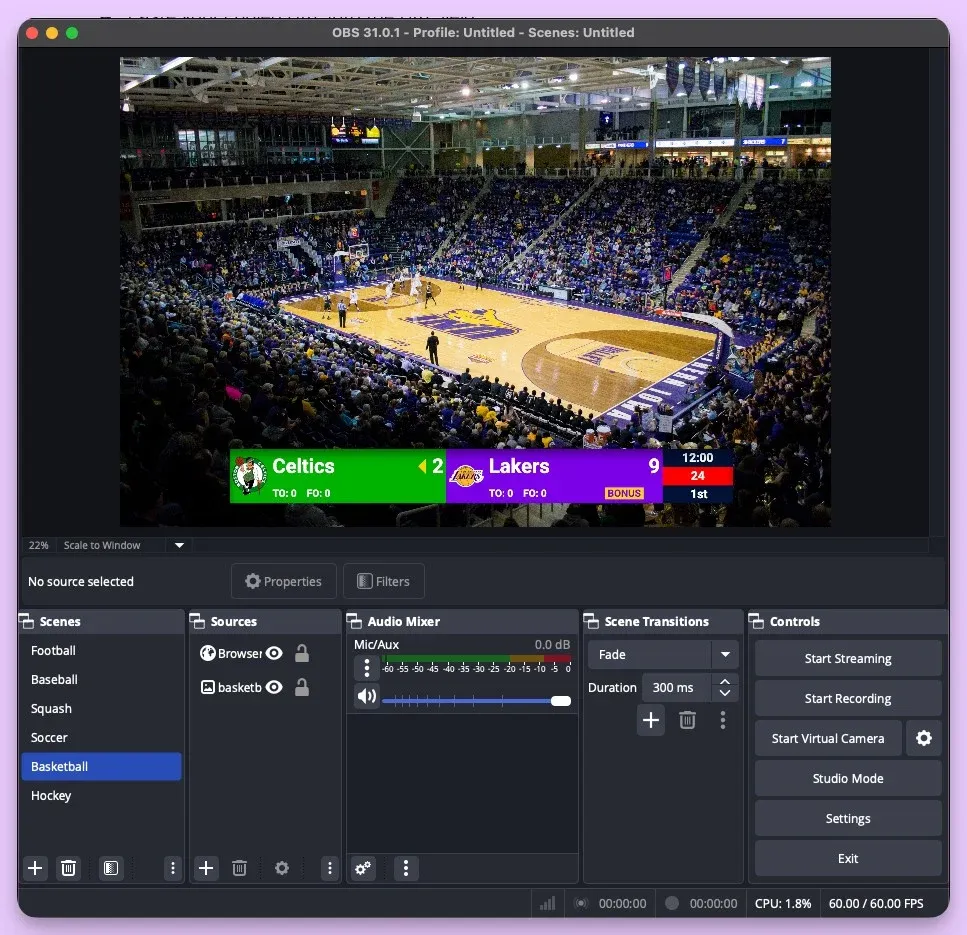
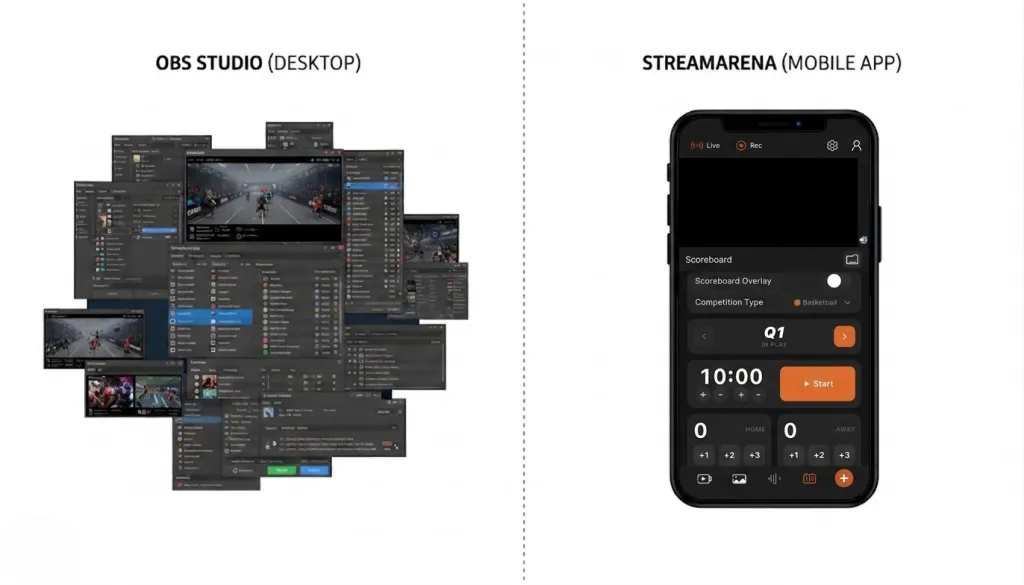
Open a separate laptop running OBS for the scoreboard overlay.
Switch between the game and software, missing plays while updating the score.
Field questions in chat because the overlay is several possessions behind.
Run out of phone storage before the game ends.
Spend two hours after the game trying to transfer files to parents.
This is not a talent problem. It is a tools problem.
A Better Way: Free Sports Streaming Apps with a Control Room in Your Pocket
The best sports streaming app is not the one with the most features. It is the one that removes complexity while delivering professional results. That is the core idea behind the NearStream App's native scoreboard: a broadcast control room inside your phone.
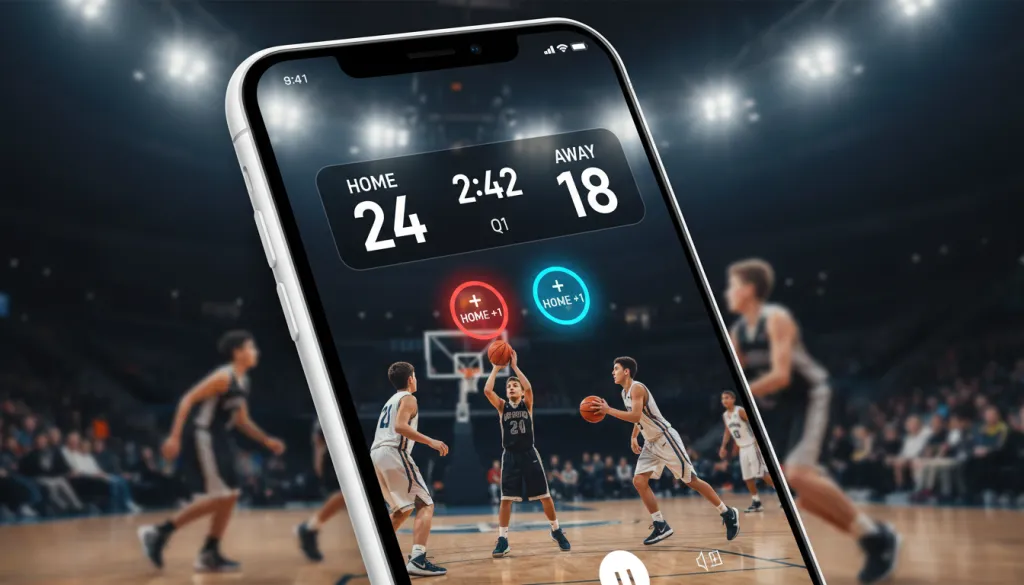
Instead of learning OBS layer hierarchies and browser sources, you get an interface designed for non-technical users. Enter team names and colors before the game. During the game, a single tap updates the score. Another tap adjusts the clock. The overlay appears automatically with clean, broadcast-grade graphics.
When the scoreboard lives inside the same app handling your stream, you no longer switch between devices or fight with window management. You watch the game, tap to update the score, and let the software handle the rest. You can actually enjoy the game you are streaming.
NearStream vs. OBS: What Solo Streamers Actually Need
OBS Studio is powerful. For dedicated esports broadcasters or multi-camera church streams, it is the industry standard. But for a parent volunteer at a Saturday morning youth soccer game, it is overkill.
What You Need
OBS Approach
NearStream App Approach
Add a scoreboard
Create a browser source, configure a widget, manage layers
Tap "Scoreboard," enter team names, tap to update
Update score during play
Switch to OBS, edit source, switch back to game
Single on-screen tap while watching
Storage management
Record to laptop, manage disk space, transfer later
Stream directly; footage auto-uploads to cloud
Share replays with parents
Export file, compress, upload to Drive, send links
Game ends; shareable link generated automatically
Device setup
Laptop, capture card, camera, cables, power
Phone or VM33 camera, app, one button to go live
OBS rewards users who invest hours learning its ecosystem. The NearStream App rewards users who want to press one button and stream a great-looking game. If your goal is to broadcast sports without becoming a part-time AV technician, the simpler path is the smarter path.
Stream Now, Share Instantly: How Cloud Integration Changes the Game
Phone storage is the silent killer of sports streams. A single 90-minute game in high definition can consume 8 to 12 gigabytes. The "Storage Full" notification is not a matter of if—it is when.
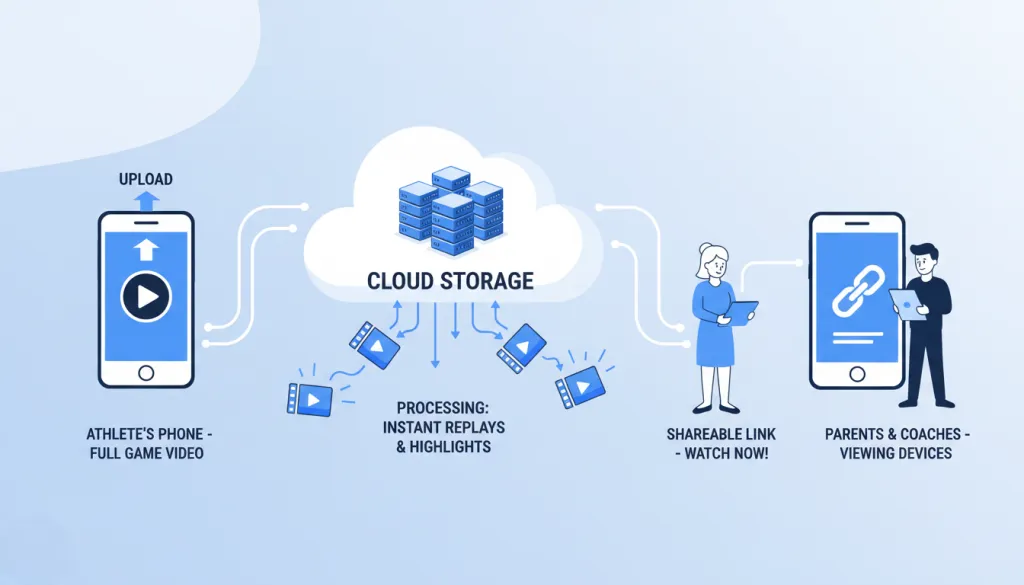
Cloud synchronization solves this at the source. When your stream is connected to cloud storage, the footage streams directly to the cloud in real time. Your phone stays light and ready for the next game.
When the game ends, the cloud does not just hold a raw file. It processes that footage into structured replays and a shareable link that parents can open immediately. No manual trimming. No waiting for uploads.
The workflow becomes:
Stream the game with one tap.
Finish the game.
Share the auto-generated link.
That is it. The "Stream Now, Share Instantly" model turns post-game distribution from a two-hour chore into a ten-second task.
Beyond the Broadcast: Why This Actually Matters for Your Team
Professional-looking scores and instant replays are not just nice to have. They create tangible value for youth sports programs.
Building Recruitment-Ready Highlight Reels
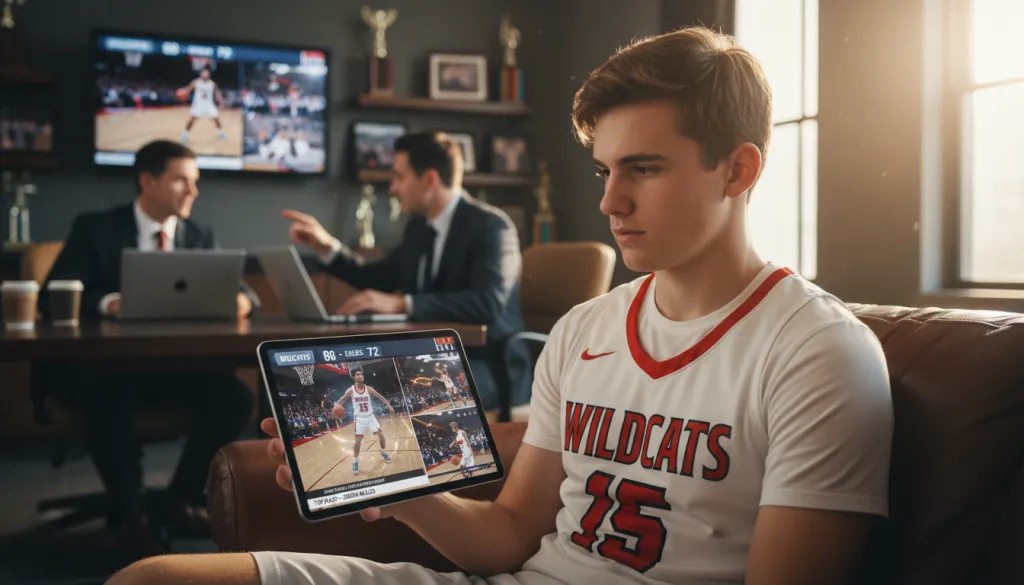
For student-athletes hoping to play at the next level, visibility is everything. College coaches want curated highlights with clear context: the score, the stakes, the outcome.
When your streams include real-time scoreboards and instant replays, you are building a media library that athletes can use for recruitment profiles. A clip of a game-winning shot hits differently when the scoreboard shows it was a one-point game with ten seconds left. That context turns a nice play into a compelling story.
Growing Your Team's Social Media Presence
Local sports teams are community brands. Programs that consistently post high-quality game clips build larger followings, which attract more fans and fundraising opportunities.
When parents can share a replay link minutes after the buzzer, your content enters social media while the game is still fresh. That timeliness separates teams that dominate local feeds from teams that post grainy screenshots days later.
Who This Setup Is Actually For
This integrated sports streaming setup is built for three groups:
Youth sports coaches who want to stream games without hiring AV staff.
Parent volunteers who need a solution that does not require technical expertise.
Solo sports streamers covering local leagues and school sports with minimal gear.
If you have ever thought, "There has to be an easier way," this technology was built for you.
Putting It Together: The NearStream VM33 as Your All-in-One Solution
While the NearStream App handles scoreboards, cloud sync, and streaming, the hardware matters too. The NearStream VM33 is an all-in-one streaming camera that pairs directly with the app, eliminating capture cards, encoding boxes, and tethered laptops.
You mount the VM33, connect it to the NearStream App, and press go live. The camera handles image quality. The app handles graphics and distribution. The cloud handles storage. For anyone evaluating the best video camera for sports recording and streaming, this integrated approach removes the cable mess and compatibility issues that trip up first-time streamers.
Frequently Asked Questions
How do I add a scoreboard to my live sports stream without OBS?
Use the NearStream App's built-in scoreboard. Tap on-screen controls to update scores and team names in real time. The overlay appears automatically with professional graphics—no additional software needed.
What is the best way to share youth sports footage with parents?
Automatic cloud synchronization. When your stream ends, footage uploads to cloud storage and generates a shareable link instantly. Parents access the game or replays immediately—no bulky transfers or storage issues.
Can one person stream a sports game with professional quality?
Yes. The NearStream VM33 paired with the NearStream App is built for solo operators. One volunteer manages the camera, updates the scoreboard with one tap, and monitors the stream from a single device.
How do scoreboards and replays help youth sports teams?
Scoreboards keep viewers engaged longer, increasing watch time and building audience. Replays can be compiled into highlight reels for student-athlete recruitment and shared on social media.
What is the best video camera for sports recording and streaming?
For solo streamers, the best option combines recording and streaming in one device. The NearStream VM33 connects directly to the NearStream App, enabling scoreboard overlays, cloud storage, and instant sharing without extra equipment.
Take the Next Step
You do not need a production crew or expensive equipment to stream sports professionally. The NearStream App's built-in scoreboard, seamless cloud integration, and the NearStream VM33 all-in-one streaming camera give you a complete broadcast solution that fits in your pocket.
Stop answering "What's the score?" in the comments. Stop losing footage to storage limits. Start streaming games that families want to watch, share, and remember.














































































 sales@nearstream.us






