NearStream Producer vs YoloBox Ultra for Sports & Events
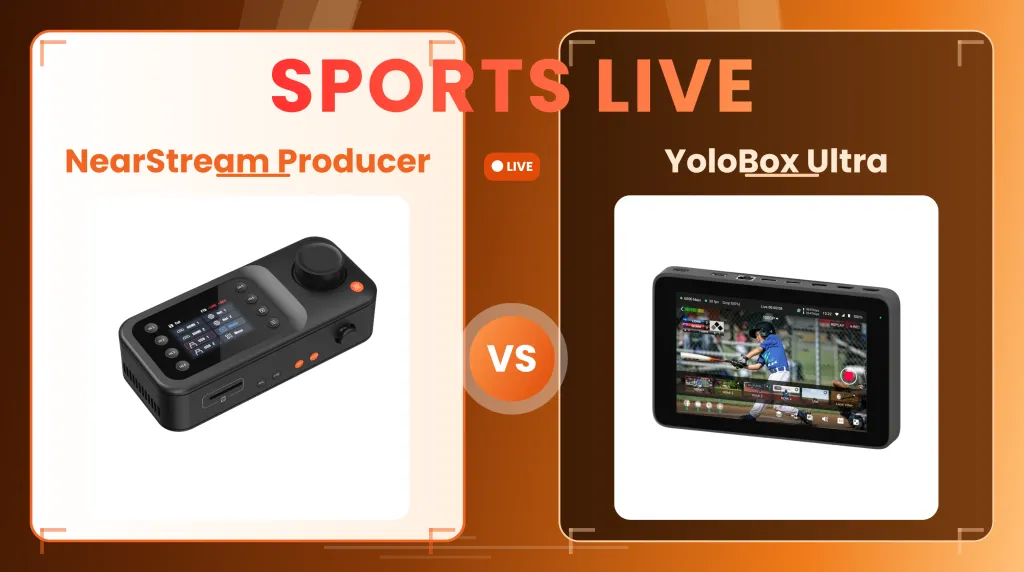
This article compares NearStream Producer vs YoloBox Ultra to help sports and event broadcasters choose the right multi-camera live streaming setup based on venue power, mobility needs, and specific production requirements.
video switcher
sports live streaming
multi camera live streaming
Updated: Nov 9, 2026 · 7 minutes read
Modular Video Kits for Growing Business.
Choosing the right live switcher for sports and events isn't about who has the longest spec sheet—it’s about game-day reliability. In this comparison, we break down why the NearStream Producer is the highly strategic, budget-friendly choice for powered venues, offering rock-solid 1080p30 stability, single-cable PoE setups, and tactile PTZ control. While the YoloBox Ultra offers 4K and mobility for off-the-grid setups, its premium price tag and potential thermal risks mean it’s not for everyone. Read on to discover which console actually solves your live broadcasting logistics without forcing you to pay for features you’ll never use.
Key Takeaways
While YoloBox Ultra’s complex touchscreen and sealed tablet design can overwhelm single operators and risk mid-game overheating, NearStream Producer solves these field challenges with a physical PTZ joystick and a battery-less hardware architecture designed for maximum thermal stability. Furthermore, Producer utilizes single-cable PoE to support distant cameras up to 328 feet away while avoiding the "replay trap" through a mistake-free live cut powered by True Preview and a 9-layer layout, ultimately delivering unbeatable value by saving nearly $680 compared to Ultra without hidden subscription fees.
The right switcher for a studio talk show is often the wrong tool for a tournament. Live sports and events come with a unique set of harsh realities: tracking fast plays, managing cameras positioned hundreds of feet away from the control desk, and ensuring the broadcast stays rock-solid from kickoff to the final whistle.
When comparing the NearStream Producer vs YoloBox Ultra, the deciding factor isn't about which box has the longest spec sheet—it’s about what actually solves your game-day logistics.
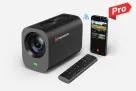
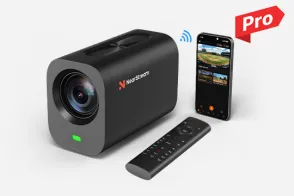
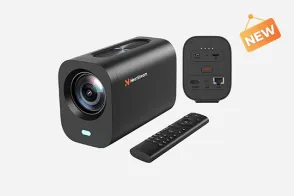
NearStream Producer is engineered for the practical realities of venue broadcasting. If you are operating from a press box, sideline tent, or control table, Producer is the smarter, highly efficient choice. Its PoE connectivity directly solves the nightmare of running power to distant cameras, while the tactile PTZ joystick lets a single operator track fast-moving action by feel rather than swiping on a screen. It focuses your budget on what matters most: expansive multi camera live streaming coverage and a highly stable 1080p30 stream, without overcomplicating the workflow.
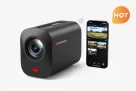
The YoloBox Ultra, by contrast, is a premium investment strictly tailored for niche, roaming workflows. It is the right fit primarily if your production operates entirely off the grid (requiring internal batteries and cellular bonding) or if a client contract explicitly demands 4K60, instant replay, and heavy post-game ISO editing. While it packs an impressive array of touchscreen software, it comes at nearly double the price—forcing buyers to pay for complex broadcast tools that many single-operator sports teams simply don't have the spare hands or time to manage live.
Quick Comparison for Game-Day Buyers
Sports/event decision
NearStream Producer
YoloBox Ultra
Best-fit production
Powered press box, control desk, or event-production position
Roaming production, temporary outdoor setups, and mobile social coverage
Maximum documented video workflow
1080p30 input, output, and streaming
Up to 4K60 in current YoloLiv documentation
Physical camera inputs
2 HDMI and 2 USB-C/UVC
4 HDMI and 3 USB connections
Network and wireless sources
2 PoE/NET and 2 Wi-Fi source options; up to 9 source options and 6 simultaneous inputs overall
Supported RTMP, SRT, RTSP, and NDI HX sources, subject to current feature and activation requirements
Remote-camera cabling
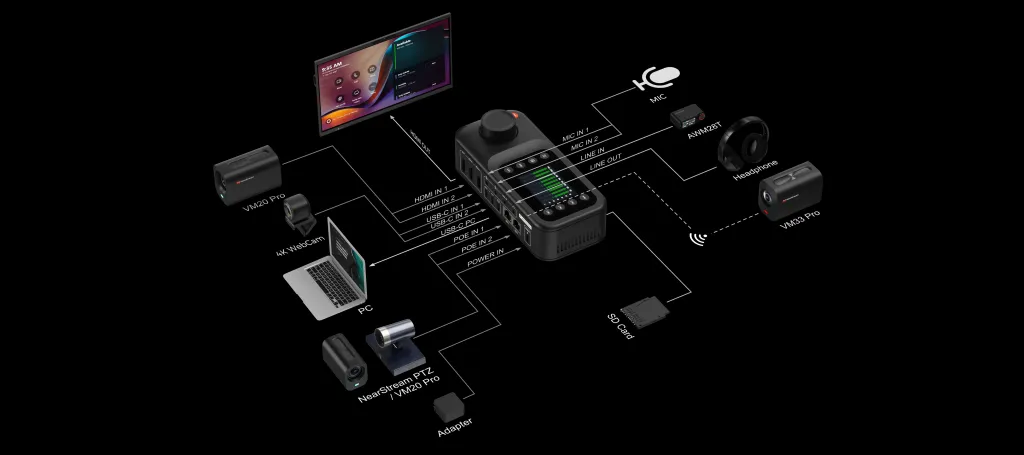
Compatible cameras can receive power and video over one Ethernet cable up to 328 ft/100 m
No built-in PoE camera power; remote positions need a separate power plan
Following the action
Built-in five-way PTZ joystick for compatible cameras
Touchscreen-centered operation; no built-in PTZ joystick
Replay and scoreboard
Preview, multiview, transitions, and media playback; no equivalent built-in replay system is documented
Instant replay plus graphics and scoreboard workflows
Recording
Switched MP4 program plus separate stereo WAV audio; no per-camera ISO recording
Program recording and ISO recording of supported inputs
Power and internet
Required 100 W USB-C PD adapter; Ethernet and dual-band Wi-Fi
On-device controls with HDMI output for an external monitor
Integrated 8-inch, 650-nit touchscreen
Displayed console price
$720 promotional; $799.99 list
$1,399 sale; $1,599 regular
Start With the Production Format, Not the Feature Count
A venue-based sports broadcast and a roaming tournament production place different demands on the switcher.
NearStream Producer is designed around a mixture of local and distributed sources. HDMI and USB-C/UVC cover nearby cameras or computer feeds, while compatible PoE/NET and Wi-Fi sources support other positions. This is useful when the production stays at a powered desk but the cameras do not: one may cover the full field, another the sideline, and another the stage or presentation area.
Producer supports up to nine source options and six simultaneous inputs,typically balancing local wired connections with up to two active PoE or Wi-Fi network feeds. Because of this flexibility, sketching out your active source map during pre-game prep is the best way to save precious time on game day. By visualising exactly which camera and network feeds you’ll be using beforehand, you can run through your setup in minutes and avoid the stress of troubleshooting on the fly.
YoloBox Ultra is more attractive when the operator and production system must physically move with the event. Its four HDMI inputs suit a tight cluster of cameras near the touchscreen, while USB and IP sources add flexibility. The integrated monitor, battery, and network bonding reduce the amount of bulky infrastructure needed at a temporary production position.
However, "mobile" does not always mean "easier to deploy." Four HDMI inputs will not power a camera at the opposite end of a soccer pitch, and an NDI-capable source still requires its own independent power and network infrastructure. For a long-distance multi-camera setup, you must compare the complete logistical path from each camera position to the operator—not just the connectors on the back of the console.
Producer has the deployment advantage when the venue is powered and remote cameras need the simplicity of single-cable PoE. Ultra has the mobility advantage when the entire production must travel light and operate completely independently of venue infrastructure.
Covering the Action: Tactile Control, Multi-Source Layouts, and the Replay Trap
Live sports are chaotic. The operator is constantly anticipating the next play, adjusting camera angles, and monitoring multiple feeds simultaneously. In this high-pressure environment, a switcher must prevent mistakes, not just add features.
NearStream Producer is built to manage this live chaos flawlessly. Instead of relying on a touchscreen, its built-in five-way joystick provides direct tactile control for compatible PTZ cameras, letting the operator reframe a shot by feel without looking away from the action.
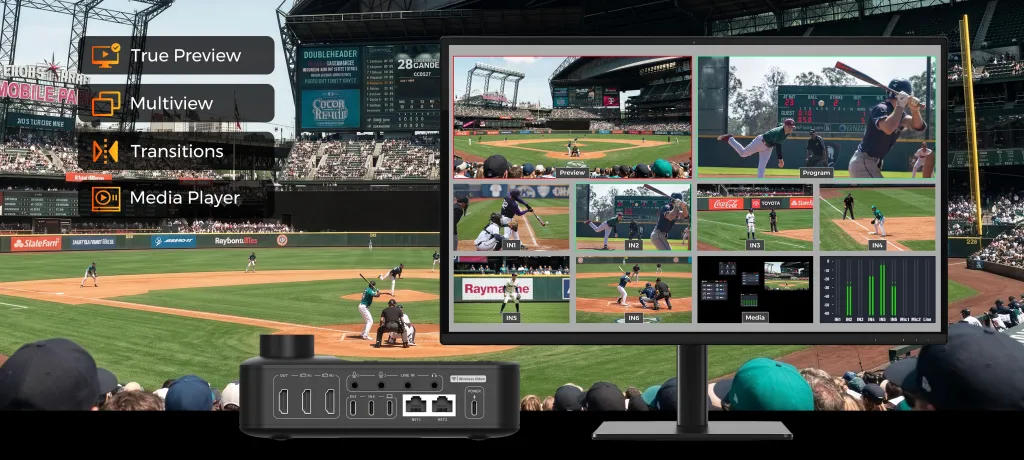
Beyond physical control, Producer excels in visual composition and broadcast safety. It features a robust 9-layer architecture (mixing Program, Preview, dual HDMI, dual UVC, dual Wi-Fi, dual NET, and Media) that allows you to build complex multi-source layouts on screen at once—such as a Picture-in-Picture of a sideline reporter alongside the wide shot. Crucially, its Multiview and True Preview support mean you see exactly what the next shot looks like before it goes live, ensuring you never accidentally cut to a blurry or out-of-focus camera during a critical play.
YoloBox Ultra differentiates itself with post-production-style features done live. YoloLiv documents instant replay with playback-speed controls, as well as graphics and scoreboard workflows managed through its touchscreen.
However, buyers must be realistic about the "replay trap." Executing an instant replay, updating a scoreboard graphic, and switching live cameras simultaneously is notoriously difficult. Unless you have a dedicated replay operator and a dedicated graphics person, trying to run these touchscreen features as a single operator often means you end up missing the actual live action on the field.
Before choosing, rehearse the actual sequence your single operator can realistically handle:
Track the fast-moving play and prep the next camera angle.
Verify focus and framing using True Preview.
Switch the angle flawlessly without dropping the broadcast layout.
Keep commentary and crowd audio balanced throughout.
Choose Producer when your priority is a mistake-free, visually rich broadcast anchored by True Preview, multi-source layouts, and tactile camera control. Choose Ultra only if you have the dedicated crew and bandwidth to actively manage its built-in instant replay and graphics workflows without missing the live game.
Picture Quality and Post-Event Footage: 1080p30 vs 4K60 and ISO
YoloBox Ultra offers higher maximum resolution and frame-rate capabilities, supporting up to 4K60 in its documented workflows. NearStream Producer takes a more streamlined approach, delivering up to 1080p30 across its input, output, and streaming workflow. For school sports, local tournaments, and venue-based events, this provides a practical format for delivering live coverage without adding the processing, bandwidth, and storage demands associated with higher-resolution production.
More importantly, the value of a sports broadcast is not determined by resolution alone. Camera positioning, consistent framing, live switching, and a stable delivery workflow all contribute to the final viewing experience. Unless an event requires 4K delivery or high-frame-rate footage for specialized slow-motion production, a well-executed 1080p30 broadcast can be a sensible and cost-effective choice. Teams should still verify that their cameras, streaming platform, network, and recording requirements are compatible with the intended format.
The two systems also take different approaches to post-event recording. YoloBox Ultra supports ISO recording of supported inputs, giving editors access to separate camera footage for highlight packages, coaching analysis, and more extensive post-production. This is a valuable advantage for teams with dedicated editing resources.
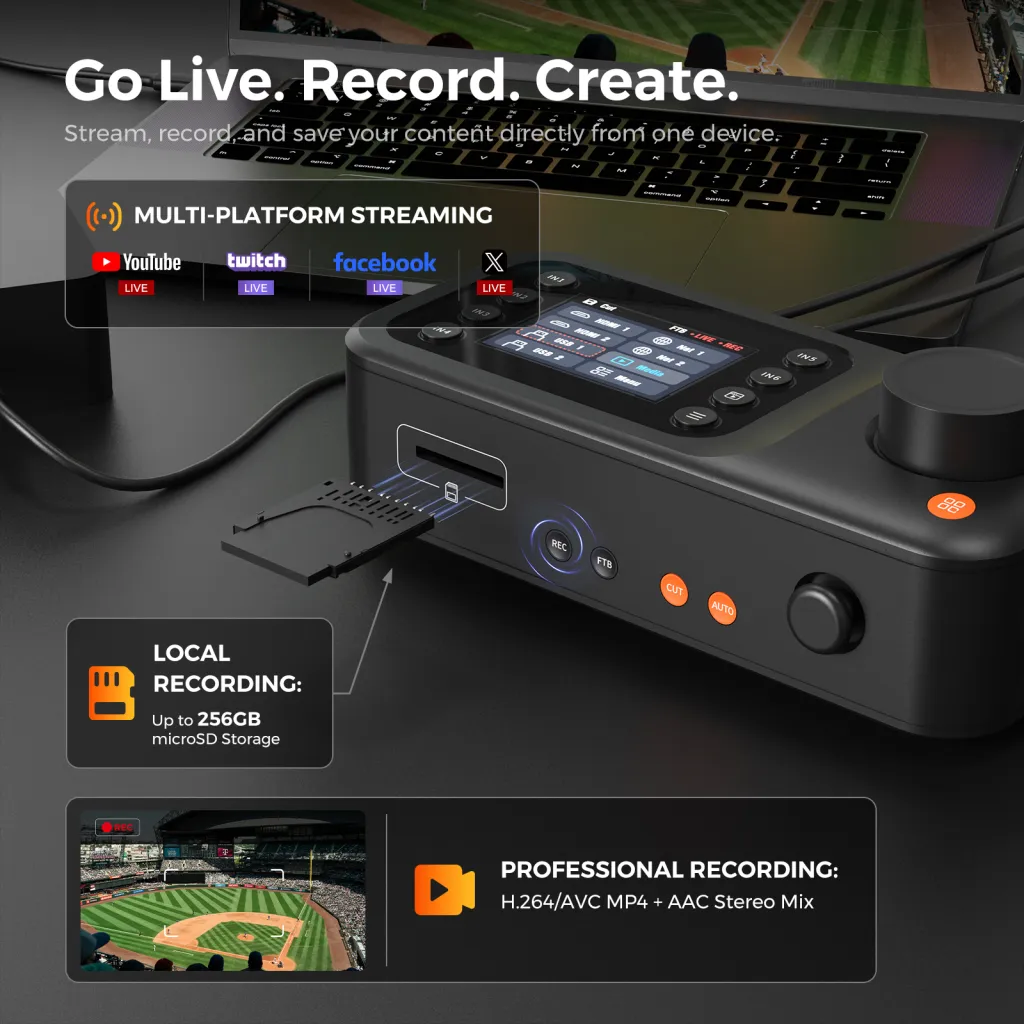
NearStream Producer prioritizes a ready-to-use program recording. It captures the finished switched production as an H.264/AVC MP4 file with AAC stereo audio, alongside a separate stereo WAV audio mix, directly to a FAT32 microSD card (up to 256 GB). Instead of managing multiple isolated camera files and synchronizing them in post-production, teams can review, archive, share, or make simple edits to the complete event recording immediately after the broadcast. The separate WAV mix also provides an additional audio file for teams that want to make adjustments during post-production.
For many school athletic departments, community sports clubs, and single-operator production teams, the finished live program is exactly what they need: a complete record of the event without an additional multi-camera editing workflow.
Choose Ultra if your production requires 4K60 or isolated camera footage for extensive post-event editing. Choose Producer if your priority is a practical 1080p30 live broadcast, a complete program recording, and a simpler path from live coverage to event archiving and sharing.
Field Connectivity, Power, and Event Duration
YoloBox Ultra is designed as a self-contained field unit. YoloLiv rates its 75.48 Wh internal battery for up to six hours of streaming, and its network bonding can combine cellular, Wi-Fi, and Ethernet connections. This makes it highly capable for roaming setups where a venue’s internet is completely unavailable. However, buyers should remember that relying heavily on an internal battery for multi-hour sports broadcasts can introduce thermal management challenges, battery degradation over time, and expensive recurring subscription costs for cellular bonding services.
NearStream Producer takes a different approach, prioritizing thermal stability and unlimited event uptime. Powered via a universal 100W USB-C PD adapter, it bypasses internal battery anxiety entirely. If you are operating from a press box or control table, you simply plug in and stream indefinitely over reliable 10/100 Ethernet or dual-band Wi-Fi. If you do need mobile power, its USB-C PD standard means it easily runs off high-capacity external power stations or V-mount batteries—giving you scalable power rather than a fixed internal limit.
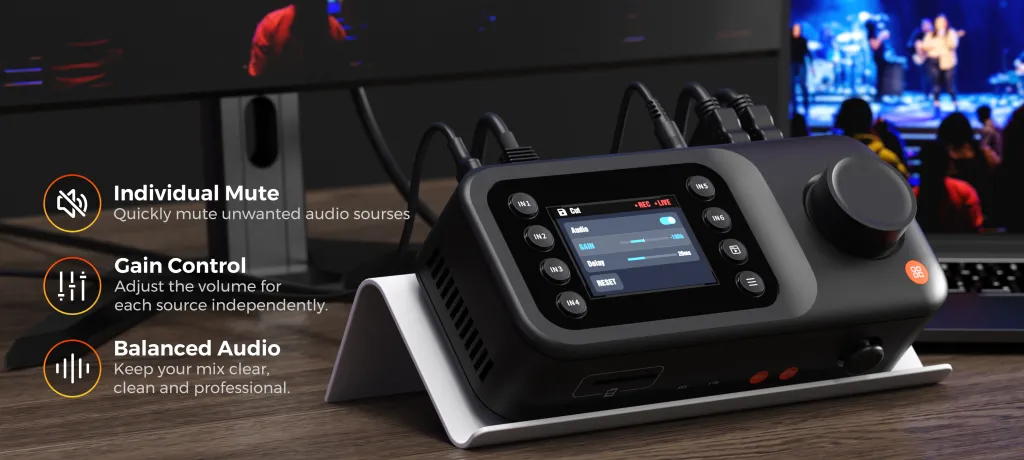
Audio requires the same level of preparation.Producer boasts a highly robust 11-channel audio mixing system with 0–500 ms independent delay for each source, ensuring your commentary, field mics, and crowd noise remain in perfect lip-sync. Ultra also provides its own microphone, line, USB, and embedded-audio mixing tools. With either console, verify the entire audio mix at event duration rather than judging from a two-minute desk test.
Ultra is the requirement-led choice if your production is completely off-the-grid, and you have the budget for bonded data subscriptions and potential thermal management gear. Producer is the highly strategic, reliable choice when you want unlimited broadcast uptime, robust 11-channel audio, and zero internal-battery anxiety at a powered production desk.
Real-World Reliability: What Actual Owners Say and What You Must Test
It is easy for any switcher to perform well in a 10-minute air-conditioned studio test. Live sports, however, expose the physical limits of your gear.
Ultra has earned praise from some solo producers who love the "broadcast room in a box" concept. But packing a 4K encoder, switcher, network router, and a bright 8-inch screen into a sealed tablet chassis comes with severe thermal challenges. Looking at real-world user feedback, these structural limitations frequently ruin live productions. As several verified buyers have warned:
1. Thermal Shutdowns: One user reported that the console is unreliable for extended broadcasts, noting, "The item overheats and shuts down 20 to 30 minutes into the stream."
2. Battery Deformation: Another buyer experienced catastrophic hardware failure, warning that the "battery expands and destroys the device... it freezes, lags and drops the stream."
3. Mid-Game Crashes: A professional user shared a nightmare scenario where the tablet "crashed in the middle of a paid live stream," rendering it unsuitable for professional use.
These are not just isolated bad experiences; they reflect the inescapable physical reality of heavy processor load in a compact tablet. Even YoloLiv’s own community FAQ explicitly advises users about the risks of heat and high processor load, noting these can trigger overheating and lagging.
NearStream Producer avoids these tablet-specific pitfalls through a dedicated, battery-less hardware architecture. By removing the built-in screen and internal battery, Producer eliminates the two biggest sources of heat generation and battery swelling. Its physical footprint is engineered specifically for thermal dissipation and continuous, multi-hour uptime.
The Test Plan: Do not rely on paper specs. Test either model with all your real cameras, graphics, and audio connected. Run them at your expected ambient game-day temperature for the full duration of your longest planned event. You will quickly discover whether a heavy, multi-functional tablet or a dedicated, battery-less hardware console offers the broadcast stability your event demands.
Price and Value: Pay for Requirements You Will Actually Use
At the checked sale prices, Producer cost $720 and Ultra cost $1,399, a difference of $679. For an athletic program or event producer, that gap could help fund a camera, networking, storage, audio, or backup equipment.
YoloLiv’s 2026 comparison documentation also lists NDI on Ultra as a paid upgrade. Teams requiring NDI should include activation, network design, and any related service costs rather than comparing only console prices. Ultra’s bonding workflow similarly depends on suitable data and service arrangements.
Ultra can justify its premium when replay, 4K60, ISO recording, the integrated screen, battery power, and bonding replace separate tools or enable productions that Producer cannot deliver. Producer offers stronger value when those capabilities are not requirements and the budget is better spent on camera positions, audio, and a dependable venue connection.
NearStream Producer vs YoloBox Ultra: Final Buying Recommendation
Choose NearStream Producer if your sports or event production:
Operates from a powered base: You broadcast from a press box, sideline tent, or control table.
Demands simplified wiring: You rely on the logistical ease of single-cable PoE to power and connect distant cameras across a field or venue.
Values tactile precision: You prefer tracking fast-moving action by feel with a physical PTZ joystick rather than swiping on a screen.
Prioritizes stability: You value rock-solid 1080p30 broadcast stability over resource-heavy 4K encoding.
Focuses on the live action: You prefer a streamlined, mistake-free switching workflow over the distraction of managing complex instant replays solo.
Invests strategically: You would rather reinvest the $679 console savings into better cameras, professional audio, or reliable venue routing.
Choose YoloBox Ultra if your production:
Is entirely off-the-grid: You move constantly without access to venue power and strictly require an internal battery.
Has a dedicated crew: You have the extra hands required to safely manage 4K ISO editing, instant replays, and scoreboard graphics without missing the live game.
Accepts subscription models: You possess the ongoing budget for cellular bonding data plans and paid NDI software upgrades.
Tolerates thermal risks: You are willing to accept the thermal management and battery challenges of running heavy broadcast software on a compact tablet.
For venue-based sports and event broadcasters,NearStream Producer is the undeniably smarter YoloBox Ultra alternative. It delivers professional, multi-camera live switching and dedicated hardware PTZ control—without forcing you to pay a premium for complex mobile features, recurring subscriptions, or 4K gimmicks your show may never use.
While Ultra has its place for purely roaming, off-the-grid coverage, NearStream Producer is the definitive choice for teams who want uncompromised reliability and superior return on investment.
Next step: Map out your required camera positions, venue power layout, and event duration. Then, explore the NearStream Producer and request a sports setup consultation to lock in your game-day workflow today.
FAQs
Is NearStream Producer a good YoloBox Ultra alternative for sports?Yes. If you broadcast from a powered media desk, Producer offers a highly reliable 1080p30 workflow, single-cable PoE for distant cameras, and tactile PTZ control—without the premium price tag of Ultra's mobile features.
Does NearStream Producer support instant replay for sports?No. Producer focuses on a mistake-free live cut via True Preview and a robust 9-layer layout, avoiding the "replay trap" where solo operators miss live action. Choose Ultra only if you have a dedicated crew to safely manage its built-in replays.
Is 4K60 necessary for sports live streaming? A rock-solid 1080p30 stream is far more valuable than a 4K60 stream that buffers on unstable venue Wi-Fi. Choose Ultra's 4K60 only if a client explicitly demands it and your bandwidth can guarantee it.
Which is better for a multi-camera outdoor tournament? Ultra offers complete off-the-grid mobility but risks overheating and mid-game freezing in direct sunlight. Producer is safer for long outdoor broadcasts if you have a power station, as its battery-less hardware is built for maximum thermal stability.
Which is easier for post-game highlight editing? Producer is faster, recording a ready-to-publish program file for immediate uploads after the final whistle. Ultra is better if you need separate ISO camera angles for heavy post-game re-editing, though this increases storage and workflow time.
Which offers better value for a school sports program? Producer offers vastly better value, saving you nearly $680—enough to fund an extra PTZ camera or professional audio system. Ultra only justifies its premium if you consistently rely on its battery, cellular bonding, and 4K ISO features.

















 sales@nearstream.us