NearStream Producer vs RØDECaster Video: Which Live Production System Fits Your Small Team?
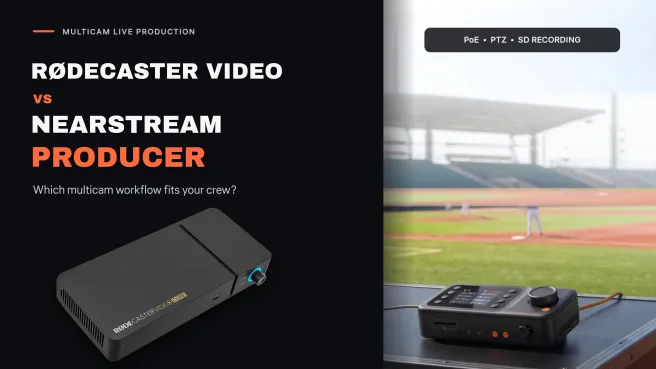
This article provides a live production system comparison of NearStream Producer and RØDECaster Video, helping small multi-camera teams choose the right fit for camera deployment, PTZ control, audio, recording, and budget.
video switcher
live production
multicamera setup
Updated: Nov 5, 2026 · 8 minutes read
Modular Video Kits for Growing Business.
This live production system comparison helps small multi-camera teams choose between NearStream Producer and RØDECaster Video by examining camera deployment, PTZ control, audio, recording, workflow, and budget.
Key Takeaways
Choose NearStream Producer for small or medium-sized churches, schools, sports venues, and event spaces that need compatible PoE cameras, long Ethernet runs, and straightforward multi-camera deployment.
Choose NearStream Producer when operators want tactile PTZ control; its built-in five-way joystick is complemented by NearStream app control for compatible PTZ cameras, while RØDECaster Video relies on app-based network PTZ control without a physical joystick.
Compare total system cost rather than console price alone; the researched prices of $720 for NearStream Producer and $1,199 for RØDECaster Video exclude cameras, cabling, storage, audio equipment, and other workflow requirements.
Rehearse the complete workflow before going live, including camera connections, PTZ control, audio synchronization, streaming destinations, storage capacity, firmware, and recording recovery.
Editorial verdict: NearStream Producer is our preferred fit for the distributed church, school, sports, and live-event multicam setups at the center of this comparison. It addresses the immediate challenges of remote-camera power, flexible source connections, and tactile PTZ control without pushing routine recording into a larger post-production workflow. RØDECaster Video remains the specialist choice for audio-led studios that will use its XLR inputs, processing, scenes, ISO video, and multitrack audio; its higher price is more difficult to justify when those studio features are not central to the job.
NearStream Producer vs RØDECaster Video: Key Differences
Decision factor
NearStream Producer
RØDECaster Video
Practical implication
Best-fit production
Distributed venues, volunteer operators, long camera runs
Fixed studios, podcasts, audio-led and edit-heavy productions
NearStream is the stronger default for distributed small-team venues; RØDE makes sense when studio audio and editing are genuine requirements.
Camera deployment
2built-inPoE/NET ports (power and video over Ethernet up to 328 ft/100 m with compatible cameras), 2 HDMI, 2 USB-C/UVC, 2Wi-Fi sources, and 1Media source
4HDMI inputs, 2USB-C/UVC inputs, and 4NDI inputs over Ethernet
NearStream simplifies compatible PoE camera runs; RØDE suits local HDMI and existing network-video workflows
PTZ operation
Built-in five-way joystick for direct pan, tilt, and zoom control of compatible cameras via NET/PoE or Wi-Fi; NearStream App control for compatible NearStream PTZ cameras
Pan, tilt, zoom, focus, and presets through the RØDECaster App for compatible network PTZ cameras
NearStream offers both tactile console and app control; RØDE uses software control
Video production
Up to nine source options and six simultaneous sources; nine layers, preview, multiview, and transitions
4 HDMI and 2 USB-C/UVC local connections, NDI expansion, seven customizable scenes, nine layers, keying, graphics, preview, and multiview
RØDE offers deeper scene/graphics tools, but NearStream prioritizes the flexible source deployment that matters more when cameras are spread across a room.
Audio
11-channel mixing; two 3.5 mm mono mic inputs and one 3.5 mm stereo line input; gain, mute, AGC, and per-channel delay
Two Neutrik comboXLR/TRS inputs, Revolution Preamps, APHEX processing, nine-channel mixing, and two Series IV wireless receivers
RØDE leads for direct XLR microphones; NearStream is the more efficient fit when an existing venue mixer already handles audio.
Recording
Program MP4 and stereo WAV to microSD; FAT32, up to 256 GB
Program, ISO video, and multitrack audio to external exFAT USB storage
RØDE is better for rebuilding a program in post; NearStream covers straightforward program capture
Displayed console price
$720 on NearStream’s US product page when researched
$1,199 on RØDE’s US product page and B&H listing when researched
NearStream leaves $479 more of the console budget for cameras, storage, audio, or networking; prices can change
Specifications and prices were checked on November 5, 2026. The prices above are console prices, not complete multicamera system quotes.
The Real Decision: Venue Cabling and Control vs Audio and Post-Production
In small team video production, regret rarely comes from buying a live production switcher whose specification sheet omitted one obscure feature. The regrets are usually more practical: a camera cannot be powered where it needs to sit, a volunteer cannot find the right PTZ preset during a live reading, or an editor discovers that only the switched program—not the individual cameras—was recorded.
That is why the useful question is not “Which box has more features?” It is “Where will my cameras, operators, microphones, and recordings actually live?”
NearStream Producer removes friction where distributed teams feel it most: between each camera position and the operator. RØDECaster Video concentrates more of its value at the control desk, especially in audio and post-production. Both can anchor multi-camera live streaming, but RØDE’s desk-side strengths do not simplify remote-camera power or provide tactile PTZ control. For a room-wide multicamera production workflow, NearStream addresses the more immediate deployment and operating tasks.
1. Camera Deployment: NearStream Makes Distributed Venues Simpler
NearStream Producer
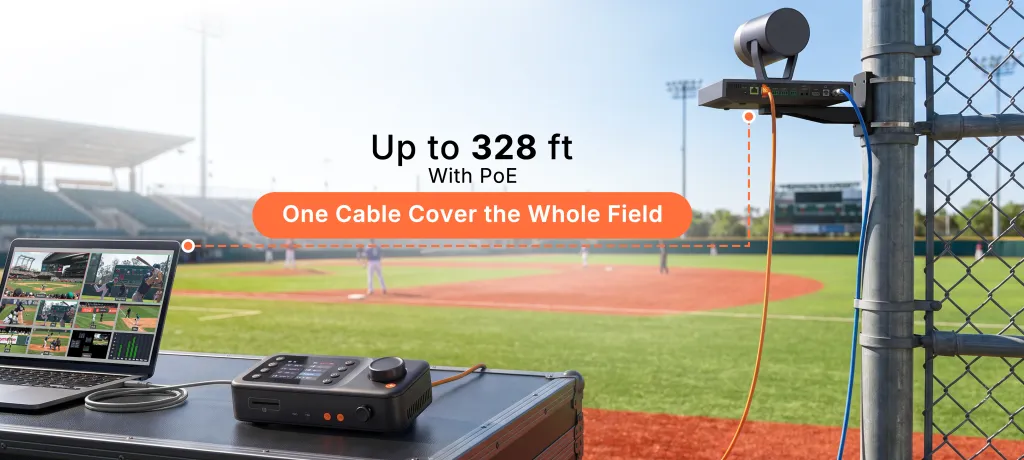
NearStream’s most distinctive advantage is not its source count; it is the pair of built-in PoE/NET ports. With compatible cameras, one Ethernet run can carry camera power and video at distances up to 328 ft/100 m. In a sanctuary, gym, lecture hall, or event room, that can eliminate the need to place a power outlet beside every camera or to commission a separate power run.
This matters most when the ideal camera position is nowhere near the control desk: a rear wide shot, a side-angle camera, or a high-mounted church streaming camera. Fewer local power dependencies can make installation cleaner and reduce the number of things a volunteer must check before going live. This makes Producer especially attractive as the hub of a compact PoE camera system.
RØDECaster Video
RØDE provides four Full HD HDMI inputs and two USB-C/UVC video inputs for local sources. That is convenient when an HDMI streaming camera and presentation computer sit close to the console. The limitation becomes clearer as the room gets larger: long HDMI runs can require additional cabling, signal extension, camera-power planning, and installation work.
Current RØDECaster Video systems also provide four NDI inputs and one NDI output over Ethernet. A compatible NDI camera can therefore join the production without an HDMI run to the console. You do not need to add an external NDI converter merely to make every network camera work. However, NDI support does not power the camera: teams still need compatible sources, a properly designed network, and power at the camera position. RØDE’s product page and user guide describe the current NDI workflow. NearStream’s two built-in PoE/NET ports handle power and video together for compatible cameras, giving small teams a more direct installation path.
Decision: NearStream wins this category because it removes a physical installation step rather than simply offering another way to connect a source. RØDE remains useful for existing HDMI and NDI systems, but that flexibility depends more heavily on the infrastructure already in the venue.
2. PTZ Camera Live Streaming: NearStream Offers Joystick and App Control
The ability to move a camera and the ability to move it confidently during a live service are different things.
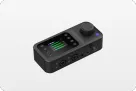
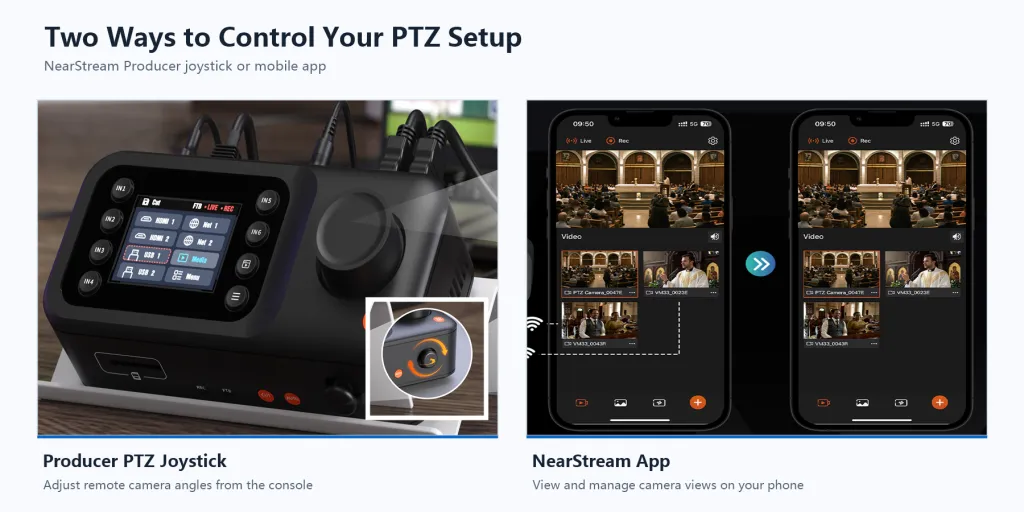
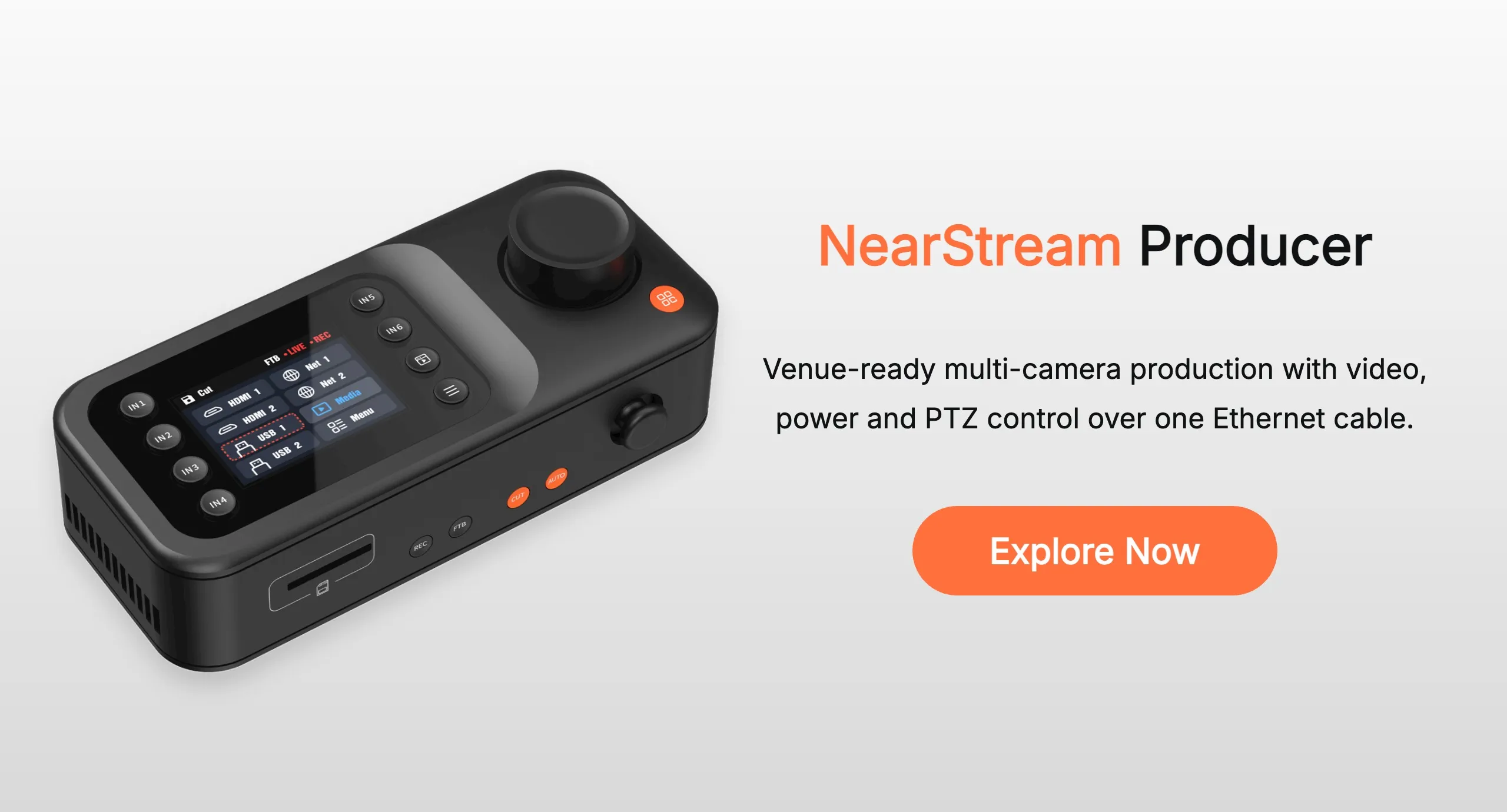
NearStream Producer includes a physical five-way PTZ joystick for direct pan, tilt, and zoom control of compatible cameras via NET/PoE or Wi-Fi. A short press changes PTZ/zoom mode, and a double-click switches between compatible wired PTZ devices. For a solo operator who is also watching the program, choosing shots, and monitoring audio, a dedicated control surface can reduce menu diving and make small reframing moves feel immediate.
Teams using compatible NearStream PTZ cameras can also control pan, tilt, and zoom through the NearStream App. That gives operators two options: tactile joystick control at the console during live action, or app-based camera adjustment when that better suits the setup.
RØDECaster Video can control compatible network PTZ cameras through the RØDECaster App, including pan, tilt, zoom, focus, and presets. It has no physical PTZ joystick, so operators make those adjustments through software rather than a dedicated console control. Saved presets may suit a fixed production, but a solo operator following unscripted movement has fewer tactile control options than with Producer.
Decision: NearStream is the stronger choice for volunteer-light teams and spontaneous live action because it combines immediate joystick control with app-based adjustment. RØDE’s app workflow remains functional, but it cannot match Producer’s console-side tactile option. Test both operating methods with the exact camera models before buying; do not reduce this decision to “PTZ supported: yes/no.”
3. Inputs, Scenes, and Outputs: NearStream Prioritizes the Room; RØDE Prioritizes the Desk
NearStream offers an unusually broad mix of source types for its price: two HDMI inputs, two USB-C/UVC inputs, two PoE/NET inputs, two Wi-Fi sources, and one media source. It lists HDMI, USB-C/UVC, PoE/NET, and Wi-Fi video at up to 1080p30. Production tools include nine layers, true preview, multiview, and transitions. One HDMI output and one USB UVC output cover local monitoring and computer workflows, while direct streaming supports YouTube Live, Twitch, Facebook Live, and X.
RØDE combines its local HDMI/USB and network NDI sources with seven customizable scenes, nine layers, keying, graphics, media, transitions, true preview, and multiview. Two configurable HDMI outputs provide more flexibility for local program, preview, or multiview distribution. RØDE Capture also supports iPhone integration.
RØDE’s layered graphics, keys, and customizable scenes are valuable for a studio that will use them, but they do not address the cabling and control work of a distributed venue. If the priority is connecting a mixture of room cameras and getting a clean program on air, NearStream’s flexible source deployment is the more practical advantage.
Do not confuse RØDE’s 4K capture mode with 4K live switching
Firmware 1.4 introduced separate 4K30 and 1080p60 capture/distribution modes with per-camera NDI and ISO recording. Those modes do not turn RØDECaster Video into a 4K live production switcher. Reporting on the firmware notes that the capture modes disable media, graphics, overlays, multicam scenes, and keying; the normal Full HD switching mode retains those production tools. Teams should choose the mode that matches the deliverable rather than treating “4K” as an unconditional upgrade.
Decision: RØDE retains the edge for scene complexity, keying, graphics, and output flexibility. For the small venue teams in this comparison, however, NearStream’s deployment-oriented design is more useful than additional desk-side complexity: it focuses on getting sources from across the room into a straightforward live workflow.
4. Audio: RØDE Leads at the Console, but NearStream Fits Existing Venue Systems
This is RØDE’s clearest advantage, but it is most valuable when microphones connect directly to the switcher. A venue that already has a sound console may gain little day-to-day benefit from duplicating that audio chain inside the video switcher.
RØDECaster Video includes two Neutrik combo XLR/TRS inputs with Revolution Preamps, APHEX audio processing, nine-channel mixing and routing, and two built-in RØDE Series IV wireless receivers. It also supports audio-driven auto-switching and integration with RØDECaster Pro II or Duo through RØDECaster Sync. A podcast or panel-production team can connect professional microphones directly, shape their sound, and keep audio and video in one ecosystem.
NearStream Producer provides eleven-channel audio mixing, two 3.5 mm mono microphone inputs, and one 3.5 mm stereo line input. Per-channel gain, mute, 0–500 ms delay, and automatic gain control cover the practical live adjustments needed for a simple microphone setup or a feed from an existing mixer. It does not match RØDE’s XLR preamps, processing, and wireless integration, but it allows the video switcher to focus on camera deployment and switching while the venue’s audio team and console handle sound.
For a church with an established sound console, NearStream’s stereo line input may be all the switcher needs: let the audio team and console handle the mix. For a two- or four-person podcast without a separate audio interface, RØDE can replace more of the audio chain and simplify the desk.
Decision: Choose RØDE when direct XLR microphone connections, processing, and wireless integration are central to the purchase. For churches, schools, and event venues with an established mixer, NearStream is often the more sensible allocation of budget and operational effort: use the audio system already in place and let Producer handle the multi-camera workflow.
5. Recording and Editing: NearStream Simplifies Capture; RØDE Adds Post-Production Work
NearStream records the switched program as H.264/AVC MP4 with AAC stereo audio, plus stereo WAV, to microSD. The card must be FAT32 and can be up to 256 GB. This is a straightforward way to archive a service, lecture, match, or event exactly as it went out.
It does not provide RØDE-style isolated camera recording. If the operator cuts away too early or misses a shot, you cannot reconstruct the full program from individual camera files later.
RØDECaster Video records to external exFAT USB storage and supports program recording, ISO video, and multitrack audio. That flexibility is valuable when an editor will rebuild camera choices, audio, and pacing after the event. It also creates more individual files to manage, more demands on external USB storage, and more editing work. Teams that only need a finished recording may therefore pay for and manage a workflow they rarely use.
Decision: NearStream is the better fit for teams that want to stream, record the finished program, and move on to the next event. RØDE wins when ISO video and multitrack editing are essential, but those capabilities deliver value only when the team has the time and post-production workflow to use them.
6. Budget: Compare the System You Will Actually Deploy
At the time of research, NearStream displayed the Producer console at $720, reduced from $799.99, while RØDE displayed RØDECaster Video at $1,199. B&H’s RØDE listing also showed $1,199. That is a $479 console-price difference in NearStream’s favor. Prices are volatile, so use these figures as a dated comparison rather than a permanent promise.
The larger budgeting mistake is to compare two console prices while ignoring the rest of the multicam setup. Include:
cameras, lenses, mounts, and any required PTZ controllers;
Ethernet cabling, switches, HDMI extension, and camera power;
microphones, stands, wireless systems, and an external mixer if needed;
microSD or supported high-speed USB storage;
monitors, computers, streaming accessories, and spare cables.
NearStream’s $479 console-price advantage is only the starting point. Its built-in PoE can remove separate camera-power work for compatible cameras, and its joystick can avoid a separate PTZ control surface. RØDE can justify its higher console price when its preamps, processing, wireless receivers, ISO recording, and multitrack audio replace other equipment, but those savings depend on a studio workflow that actually uses them.
Decision:NearStream is the clearer budget fit for distributed-venue production because its savings can extend beyond the console into installation and control. Compare complete system costs, and do not assume either console price represents a finished multicamera setup.
A Practical Scenario: One Operator, Three Camera Positions
This is a hypothetical workflow, not a customer testimonial.
Picture a Sunday service with one volunteer at the console: a rear wide shot, a side PTZ camera, and a close camera near the front. The speaker moves around the stage, so the operator needs to reframe a shot, switch cameras, and monitor the stream at the same time.
NearStream Producer lets the team choose the connection that suits each position. Two compatible remote cameras could use its built-in PoE/NET ports for power and video over Ethernet, while the front camera could connect through HDMI, USB-C, or another supported source path. At the console, the operator can use the physical PTZ joystick to adjust a compatible camera, check the next shot in preview, and switch without moving to a separate controller. The finished program can be streamed and recorded to microSD.
RØDE could also serve this room through HDMI or compatible NDI sources, with network PTZ control in the app. However, the team would still need to validate camera power, network or HDMI design, and software-based camera operation. If the same team records a midweek podcast, RØDE’s XLR inputs, processing, wireless support, ISO files, and multitrack audio become more relevant, but those studio features do not reduce the Sunday venue setup.
Ultimately, the choice comes down to practical deployment. For small teams and volunteers needing to run cameras across a venue, NearStream Producer is the clear favorite, combining flexible inputs with the sheer convenience of built-in PoE and hands-on PTZ control. RØDECaster Video serves a more specialized role, offering a different set of strengths mainly for teams strictly focused on studio audio and post-production editing.
Customer VOC: What Owners Say Matters in Daily Use
Customer feedback is most useful when it changes what you test, not when it is treated as a universal reliability score. The reviews below concern the original RØDECaster Video, not the separate Video S variant.
What verified Amazon buyers praised
Day-to-day usability and build quality. In a verified-purchase review of the original Video model, SDG compared it with an older ATEM Mini Extreme ISO and wrote, translated from German:
“In everyday use, I mostly use the RØDECaster Video. It has very good menu navigation… [and], in my experience and use cases, is more intuitive to operate than the ATEM MINI. I am completely satisfied.”
This supports the importance of menu logic and operator confidence—not just input counts. (5-star Amazon review, posted in Germany on November 1, 2026; English translation provided above.)
Flexible sources for small events. Another verified-purchase reviewer of the original Video model, eスポーツイベンター, wrote, translated from Japanese:
“I like that it can use four HDMI inputs and NDI. Up to four PiP sources is more than enough for small events.”
That is direct customer support for the current, more accurate comparison: RØDE is not HDMI-only, and its HDMI-plus-NDI flexibility is valuable in real small-event use. (5-star Amazon review, posted in Japan on August 17, 2026; English translation above).
What individual owners reported as pain points
User-supplied research also surfaced several traceable owner reports:
Intermittent black frames and audio offset: one operator using three HDMI cameras, two XLR microphones, and auto-switching reported random two-to-five-frame black video followed by an approximate audio sync offset.
Long-form ISO/audio concerns: another operator using three to five Sony FX30 cameras and external audio reported isolated tracks losing audio after about an hour in Premiere, with stuttering or lagging video even though the program monitor appeared normal.
Output-specific latency: a separate report described approximately seven frames of video delay on the HDMI output relative to audio, while streaming and internal recording remained synchronized.
Workflow feature gaps: one user listed limitations including image rotation, scene duplication, crop/scaling behavior, saved-layout switching, sound triggers with scene changes, third-party USB microphone support, and direct guest streams.
These are individual reports, not independently reproduced laboratory findings, and some may predate current firmware. They do not establish that every RØDECaster Video will fail or that NearStream is inherently more reliable.
The useful takeaway is narrower and more actionable: rehearse your exact cameras, audio path, storage, outputs, firmware, and recording duration before the first paid or public production. An independent AudioTechnology hands-on review praised RØDE’s setup, multiview, scenes, audio, standalone streaming, and ISO recording, while finding auto-switching workable but not impeccable—another reason to test automation rather than assume it replaces an operator.
Which Live Production System Should Your Small Team Buy?
Choose NearStream Producer if:
you produce church services, school events, sports, conferences, or other live shows with cameras positioned around a venue;
you want to mix supported HDMI, USB-C, Wi-Fi, and network video sources according to each camera position;
built-in PoE would simplify power and video connections for compatible remote cameras;
a solo or volunteer operator would benefit from tactile switching, True Preview, Multiview, and a physical PTZ joystick;
you want to stream and record the finished program without building a more complex post-production workflow;
you do not require ISO recordings of individual camera feeds.
you need a more affordable multi-camera live production solution.
Choose RØDECaster Video if:
your production is centered on a fixed studio with cameras and computers close to the console;
direct XLR microphone connections, audio processing, and RØDE ecosystem integration are priorities;
sophisticated scenes, graphics, and audio-led production are central to your shows;
ISO video files and multitrack audio are essential to your editing workflow;
your team is prepared to plan the power, connectivity, and control of cameras placed farther from the console.
For the small venue teams considered here, NearStream Producer is a strong RØDECaster Video alternative because it brings several everyday tasks into one operator-friendly workflow: connect different types of cameras, simplify compatible remote-camera deployment with PoE, preview and switch shots, adjust PTZ cameras from the console, stream, and record the finished program. RØDECaster Video remains a strong choice when studio audio and separate files for post-production drive the purchase.
Pre-Purchase and Rehearsal Checklist
Draw the active source plan. List every camera, computer, media source, and output. Check NearStream’s six-simultaneous-source and PoE/NET/Wi-Fi selection limits; check RØDE’s local, NDI, and output routing.
Verify camera compatibility. Confirm video format, PoE power, network protocol, PTZ control, and preset behavior with the exact camera models—not just the brand.
Test the least experienced operator. Have that person frame a speaker, recall a preset, switch a shot, and respond to an unexpected movement without coaching.
Record a full-duration rehearsal. Use the same cables, cameras, microphones, storage, and frame rates planned for the real event. Inspect files on the editing computer, not only the console monitor.
Measure each output separately. Check program recording, stream, and local HDMI output for sync; an issue on one path does not prove every path has the same delay.
Qualify storage and cables. Use the specified microSD format/capacity or supported exFAT USB storage. Test sustained recording and any high-speed cable requirements.
Update firmware, then retest. Confirm that the mode you need retains your required scenes, graphics, ISO, NDI, and audio functions. Keep a known-good configuration for live day.
FAQs
Is NearStream Producer a good fit for small and medium-sized churches?
Yes. Producer is a particularly strong fit for small and medium-sized churches where compatible PTZ cameras are far from the console, camera power is inconvenient, and volunteers operate the system. Built-in PoE, joystick and app-based PTZ control, direct streaming, and SD recording reduce the equipment and configuration a small team must manage. An existing sound console can supply the audio mix. RØDE may be the better choice when the church also runs an audio-led studio or needs ISO recordings for editing.
How does PTZ control differ between NearStream Producer and RØDECaster Video?
Producer’s built-in five-way joystick provides direct pan, tilt, and zoom control of compatible cameras via NET/PoE or Wi-Fi. Compatible NearStream PTZ cameras can also be controlled through the NearStream App. RØDECaster Video uses the RØDECaster App for compatible network PTZ cameras, with pan, tilt, zoom, focus, and presets, but has no physical PTZ joystick.
Which one is easier to deploy across a large room or venue?
NearStream Producer lets a small team choose connections around the room: HDMI or USB-C for nearby sources, Wi-Fi for supported wireless sources, and two built-in PoE/NET ports for compatible remote cameras. With PoE, a single Ethernet cable can carry power and video up to 328 ft/100 m, reducing the need for separate power at those camera positions.
RØDECaster Video supports HDMI and USB-C/UVC sources, as well as compatible NDI sources over Ethernet. It can work well with an existing HDMI or NDI system. NearStream’s deployment advantage is the combination of flexible inputs and built-in PoE: a team can keep convenient local connections while simplifying power and video cabling for up to two compatible remote cameras.
Can either live production system stream and record without a computer?
Both devices can stream directly over a network and record without using a computer as the streaming encoder or recorder. NearStream Producer saves the switched program to microSD; it does not record individual ISO camera feeds. RØDECaster Video records to compatible external USB storage and supports ISO recording. Both can be incorporated into computer-based workflows via USB, although their USB connections serve different purposes and should be checked against the intended setup.
How do their recording workflows differ?
NearStream Producer records the finished program as H.264/AVC MP4 with AAC stereo audio, plus a separate stereo WAV file, to a FAT32 microSD card up to 256 GB. RØDECaster Video supports program recording, ISO video, and multitrack audio on external exFAT USB storage. Choose NearStream when the goal is a finished recording with minimal file management; choose RØDE when individual camera files and multitrack post-production are essential. RØDE’s added flexibility comes with more media to manage, while NearStream keeps routine capture focused on the program.
Which is better for a video podcast?
RØDECaster Video is usually the stronger choice when microphones connect directly to the switcher, because it offers XLR/TRS inputs, Revolution Preamps, APHEX processing, wireless receivers, ISO video, and multitrack audio. NearStream Producer is a practical alternative when the production already has an audio mixer and benefits more from distributed cameras, built-in PoE, and flexible PTZ control.
Does NearStream Producer require an NDI workflow?
No. Producer’s documented source workflow combines direct HDMI and USB-C/UVC connections with compatible PoE/NET and Wi-Fi sources, so a small team does not need to build an NDI infrastructure to use it. Facilities already standardized on NDI should compare source compatibility and network requirements before choosing either console.










 sales@nearstream.us