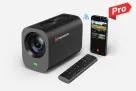
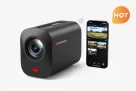
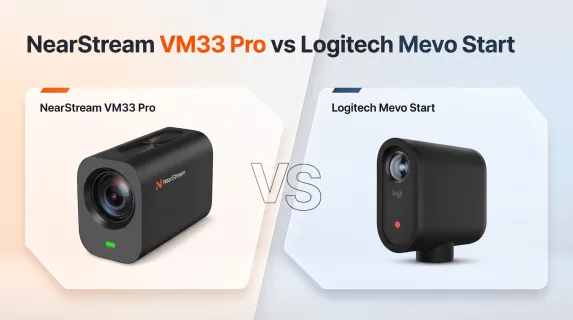
NearStream VM33 Pro vs Logitech Mevo Start: Which Wireless Streaming Camera Fits Your Production?
Compared with Mevo Start’s basic 1080p workflow, VM33 Pro offers greater optical reach, higher-resolution production, more connection options, and flexible App and remote control.
multicam live production
sports streaming camera
live event production
Updated: Nov 6, 2026 · 8 minutes read
Modular Video Kits for Growing Business.
Real user feedback highlights common streaming challenges, including limited zoom, unstable wireless connections, and inconvenient phone-only control. With 10x optical zoom, 4K video, flexible connectivity, App control, and an RF remote, NearStream VM33 Pro provides a more capable solution for sports, worship, meetings, and live events.
Key Takeaways
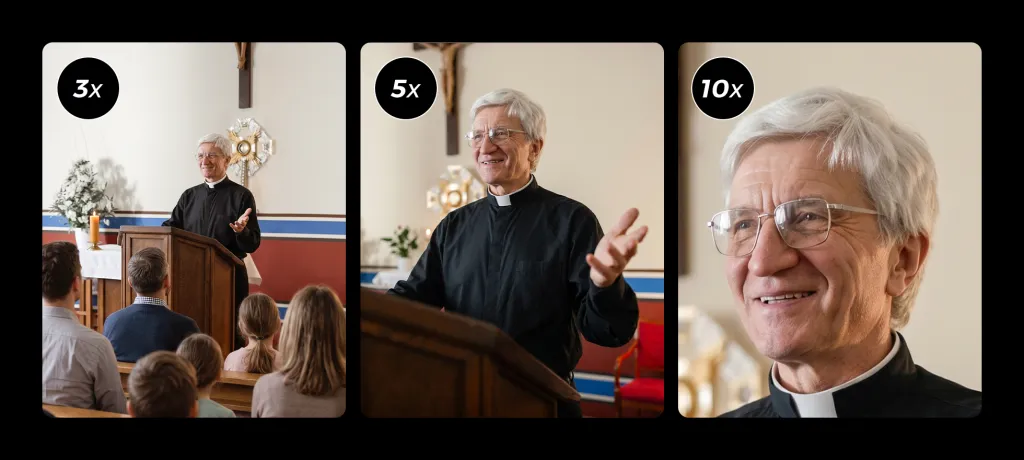
Customer feedback shows that digital zoom and a wide fixed view may not be enough when athletes, speakers, or performers are far from the camera. VM33 Pro’s 10x optical zoom provides more practical framing reach while preserving greater image detail.
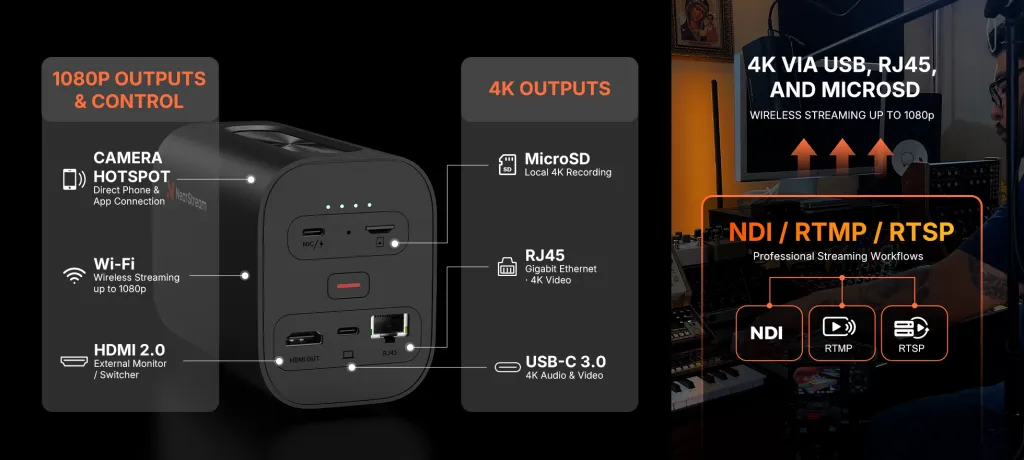
Users value wireless convenience but also want a dependable wired fallback. VM33 Pro offers built-in Wi-Fi and RJ45 Ethernet, along with USB-C and HDMI connections for flexible production setups.
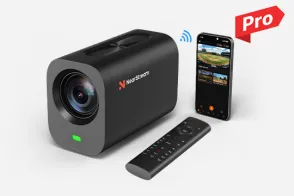
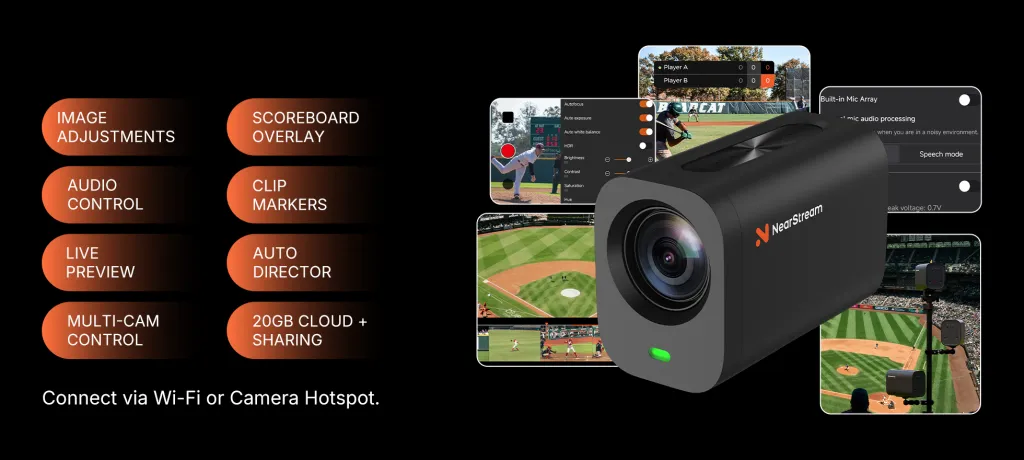
App-based control is useful, but some mevo start customers find it inconvenient to rely on a phone for every adjustment. VM33 Pro supports the NearStream app and includes an RF remote, giving operators two convenient ways to control the camera.
VM33 Pro combines professional capabilities with portability, making it easy to deploy at sports venues, churches, meeting rooms, outdoor locations, and live events.
A wireless streaming camera may appear simple until a real event begins.
The speaker is too far away for a clear close-up. The camera is mounted safely out of reach. Venue Wi-Fi becomes congested. The operator needs to adjust the shot, but doing so requires finding a phone, opening an app, and navigating through multiple controls.
These are the problems that real customers describe in Amazon reviews and Reddit discussions. They show that choosing a streaming camera is not only about resolution or battery life. It is about whether the camera can deliver the right framing, control, connectivity, and reliability once production is underway.
For most demanding use cases, the NearStream VM33 Pro is the more capable choice. It combines 10x optical zoom, up to 4K30 wired output and local recording, built-in Ethernet and HDMI, app-based control, and an included RF remote. Logitech Mevo Start remains a practical option for simple 1080p streaming, especially when a lightweight camera, wide fixed view, and longer rated battery life are the main priorities.
However, for sports, worship services, meetings, and live events where the camera may be far from the subject, VM33 Pro offers a more complete and flexible production solution.
NearStream VM33 Pro vs Mevo Start: Specification Comparison
Feature
NearStream VM33 Pro
Logitech Mevo Start
Core production focus
Distant subjects, flexible wired/wireless integration, and higher-resolution wired or local workflows
Portable, app-controlled 1080p streaming and recording
Maximum video output
4K30 via USB-C or RJ45; up to 1080p30 via HDMI or wireless output
Up to 1080p30
Local recording
Up to 4K30 MP4 to microSD
Up to 1080p30 to microSD
Zoom
10x optical zoom; up to 40x hybrid zoom
Digital zoom
Field of view
62.7° at wide end; 9.95° at full telephoto
83.7° diagonal field of view
Focus
Autofocus
Fixed focus
Physical and wireless connections
Built-in Wi-Fi, USB-C, RJ45 Ethernet, HDMI output, and microSD
Built-in Wi-Fi, USB-C, and microSD; Ethernet requires an optional adapter; no built-in HDMI output
Network/production protocols
NDI, RTMP, and RTSP support
NDI|HX, RTMP(S), and SRT support
Computer/webcam workflow
Plug-and-play USB audio/video output
Wired or wireless webcam modes; wired mode is enabled through the mobile app
Control
NearStream app plus included 433MHz RF remote; two saved presets and three camera-selection keys
Mevo mobile apps, including Multicam and Auto-Director features; no included RF remote
Built-in audio
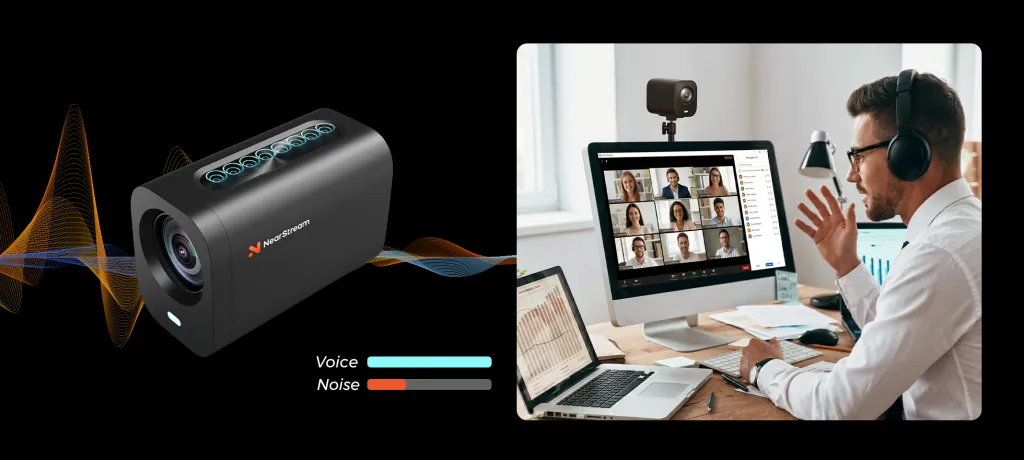
Eight-microphone array with AI noise reduction and beamforming
Three MEMS microphones with spatial processing
External audio
External/wireless microphone support
3.5mm TRS and USB-C audio input options
Rated battery life
Up to 4 hours; approximately 1.5-hour fast charging
6+ hours, according to Logitech
Camera weight
Approximately 701 g
Approximately 232 g
Best suited to
Sports, worship, live events, and multicamera productions needing optical reach, built-in Ethernet/HDMI, or 4K wired/local recording
Smaller or closer-range productions prioritizing simple 1080p streaming, a wider fixed view, portability, and longer battery life
Specification sources: NearStream VM33 Pro, Logitech Mevo Start, and the B&H product listings linked in Sources and Citations. NearStream notes that 4K H.264 streaming and 4K recording cannot be used simultaneously. Actual streaming quality also depends on the destination, software, network, and production settings.
What Customers Actually Care About: VOC From Amazon and Reddit
To understand how Mevo Start performs in real-world use, we reviewed customer feedback from Amazon and Reddit, with particular attention to youth sports, worship services, and software workflows. These firsthand experiences reveal the challenges users face during actual production—from framing distant subjects and managing network connections to controlling the camera and capturing clear audio. They also show where the right camera features can make a meaningful difference.
1. A wide shot is not enough when the subject is far away
An Amazon reviewer using Mevo Start in a church auditorium gave this direct warning:
Some helpful hints if you have a large auditorium and you want to zoom in this is not the camera for you.
— Anna Mangeni, “An Improvement Over the Original,” Amazon review, October 11, 2020
A Reddit user recording children’s sports described a related concern about stream quality:
I use mevostart to record kids sports games. The resolution is really struggling, and I’ve just noticed that the camera max’s out at 6 mbps streaming (but 20 mbps if I record to SD).
— u/robdog0909, “How to improve streaming on mevostart,” Reddit post supplied in the review dataset
These are two different issues: framing reach and encoded stream quality. A faster internet plan cannot turn a digital crop into an optical close-up, and a higher-resolution sensor does not guarantee a higher-bitrate platform stream.
The VM33 Pro differentiation: its 10x optical zoom changes the framing with the lens rather than relying only on cropping. Up to 40x hybrid zoom provides additional reach when needed, although the optical range is the more important feature for preserving detail. For production, 4K30 over USB-C/RJ45 and 4K30 microSD recording also provide a higher-resolution master for editing, cropping, and highlight packages.
Why it matters on the sidelines: imagine a camera fixed behind the backstop. A wide view shows the field, but the pitcher occupies only a small part of it. With Mevo Start, tightening that view means digitally cropping its 1080p image. With VM33 Pro, the operator can begin with optical zoom, keeping the camera in a safe position while making the player larger in the frame. The wireless stream may still be 1080p, but the shot itself is more purposeful—and the separately recorded 4K file gives the editor more to work with after the game.
2. Wireless freedom is valuable—but a wired fallback matters
One detailed Amazon reviewer praised Mevo Start’s flexibility while identifying the condition attached to wireless performance:
Wi-Fi works well if you have good access points and signals. Streaming quality will depend on your upload speeds.
— Waji, “Excellent Streaming Camera,” Amazon review, March 11, 2021
The same review notes that Ethernet requires a separate adapter. Logitech’s current product page also specifies an optional Ethernet power adapter.
The VM33 Pro differentiation: RJ45 Ethernet is built into the camera. USB-C connects directly to a computer, HDMI connects to a compatible monitor or switcher, and Wi-Fi supports portable operation. NDI, RTMP, and RTSP support gives integrators several ways to route video into a compatible production environment.
This does not make Ethernet magically immune to network problems, and neither camera can overcome an inadequate internet connection. The advantage is choice: a crew can start wirelessly, then adopt a wired network when the venue, audience density, or production requirements make Wi-Fi less attractive.
Why it matters during a worship service: the sanctuary may be full of phones, the camera may be at the back of the room, and the volunteer may have only a few minutes before the service. A built-in network port means the wired option is part of the camera rather than another adapter to remember. Meanwhile, local microSD recording provides a separate copy for later publishing.
3. Multicam is exciting, but setup and control can become the real workload
A youth-baseball reviewer ultimately became enthusiastic about Mevo Multicam after adding more cameras. Even so, the learning curve was clear:
There needs to be better instructions on how to use the Mevo multi cameras. There’s a gap for sure.
— Scotty D, “Fantastic streaming device, not ideal for beginners,” Amazon review, December 31, 2022
A separate Reddit post about recording youth volleyball expressed frustration with the software experience:
I bought one last week for recording the kids volleyball, and it worked OK, but the app interface is kind of garbage.
— u/immutato, “Is this product (Mevo Start) abandoned?”, Reddit post supplied in the review dataset
That is one person’s software experience, not proof that every user will encounter the same problem—or that another app will automatically be better. The broader insight is safer: when every small adjustment depends on a phone interface, the operator’s attention can shift from the event to the controls.
The VM33 Pro differentiation: Unlike live streaming cameras that rely solely on a mobile app, the VM33 Pro offers a dual control solution of "App + physical remote." In fast-paced live broadcasts where it's inconvenient to look at the screen, the dedicated remote allows you to quickly adjust zoom and focus, switch HDR and white balance, recall two preset camera positions with a single button, and control recording start and stop via physical buttons. One-handed seamless switching and control of up to three VM33 Pro cameras significantly improves the efficiency and error tolerance of multi-camera broadcasting.
For a solo operator, that means a camera can remain mounted high, across the room, or near the field while common adjustments are made from a handheld controller. A practical two-preset worship setup might include a wider stage view and a tighter speaker view.
Important distinction: the remote’s camera-selection keys choose which camera the remote controls. They do not, by themselves, replace the multicam app or video switcher that determines which feed goes out to the audience.
4. Better microphones help, but room acoustics still matter
A church reviewer liked Mevo Start’s picture but wanted different sound:
The internal mic is OK but it wasn’t the sound I was looking for. Our church has slight echo so, you really need good mic to capture the right sound.
— Douglas B., “Worth Gold,” Amazon review, November 10, 2023
The VM33 Pro differentiation: its eight-microphone array, AI noise reduction, and beamforming provide a more elaborate built-in audio system on paper. External/wireless microphone support provides an upgrade path.
But no built-in camera microphone should be presented as a universal cure for reverberation. For a distant pastor, lecturer, or performer, a microphone closer to the speaker is usually the more reliable production choice. The customer lesson is not “more microphones eliminate echo”; it is plan audio separately when the camera is far from the talker.
Three Real-World Scenarios Where the Differences Matter
Youth sports: follow the play without moving the camera into it
A parent or volunteer usually needs a safe, repeatable setup—not a complicated camera rig. Mevo Start offers a portable 1080p workflow and a broad fixed field of view that can be useful when the action is close. Its long rated battery life is another advantage for tournament days.
VM33 Pro becomes more compelling when the camera must stay farther from the subject. Optical zoom helps move from an establishing view to a tighter shot, while the RF remote handles common adjustments without touching the camera. Add local 4K recording when the footage will become coaching material, a recap, or social clips after the live stream.
Worship services: give a small volunteer team more control
In a small venue with close seating and a simple single-camera stream, Mevo Start’s 1080p workflow may be entirely sufficient. Its wider 83.7° field of view can also be useful when space is tight.
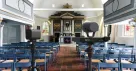
In a larger sanctuary, the requirements change. The speaker may be distant, the camera may be mounted out of reach, and a monitor, switcher, or wired network may already be part of the production. VM33 Pro’s optical zoom, included remote, HDMI output, and built-in RJ45 port address those specific needs. Its two presets can reduce repetitive reframing, while an external microphone remains advisable for speech in an echo-prone room.
Multicamera live production: separate camera control from program switching
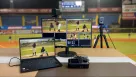
With several cameras, one person may need to check framing, adjust exposure, start recording, and cut between angles. Mevo Start provides app-based multicam production and Auto-Director features. VM33 Pro adds a physical control layer: the operator can use the RF remote for camera adjustments and presets, then use the NearStream app or a compatible switcher for program decisions.
That separation is useful because the person running the show does not have to perform every camera adjustment through the same touchscreen. It is not a claim that VM33 Pro eliminates setup, testing, or the need to learn the production software.
Which Camera Should You Choose?
Choose NearStream VM33 Pro if:
The camera will be far from players, speakers, performers, or presenters.
You need real optical zoom rather than digital cropping.
You want 4K30 output through USB-C or RJ45.
You need a 4K30 local recording master for editing or highlights.
You want both App control and a dedicated RF remote.
The camera may be mounted out of reach.
Built-in Ethernet or HDMI would simplify your workflow.
You are building a sports, worship, meeting, or multicamera production.
You want a portable camera that can support more advanced production needs over time.
Choose Logitech Mevo Start if:
Your production is limited to simple 1080p streaming.
Your subjects are usually close to the camera.
A wide fixed view is more important than optical zoom.
Longer rated battery life is your highest priority.
You prefer a lightweight, app-centered workflow.
You do not need built-in Ethernet, HDMI, or 4K recording.
Verdict: VM33 Pro Is the More Complete Production Camera
The most useful question is not simply which camera has the longer specification list. It is where the camera will be positioned and what the operator will need to do once the event begins.
Mevo Start remains a reasonable choice for lightweight, close-range 1080p streaming. Its longer rated battery life and simple app-based workflow make sense for users with straightforward requirements.
However, the VOC evidence points to several recurring problems: distant subjects, insufficient framing reach, crowded Wi-Fi, cumbersome phone-based adjustments, and the need for more flexible production connections.
NearStream VM33 Pro addresses these problems directly. Its 10x optical zoom provides real reach. Its 4K USB-C and RJ45 output and 4K local recording provide higher-resolution production options. Its built-in Ethernet and HDMI support more flexible integration. Its App and included RF remote allow the operator to control the camera in the way that best fits the moment.
For simple, close-range 1080p streaming, Mevo Start remains a valid option. For users who need a portable camera with optical zoom, 4K capability, flexible connectivity, App control, and physical remote operation, NearStream VM33 Pro is the stronger and more future-ready choice.
FAQ
Is the NearStream VM33 Pro a true 4K wireless streaming camera?
It supports 4K30 video, but not over every output. NearStream rates USB-C and RJ45 output at up to 4K30, and local microSD recording at up to 4K30. HDMI and wireless output are rated up to 1080p30. Buyers should therefore plan around the exact connection they intend to use.
Does Mevo Start support 4K recording or optical zoom?
No. Mevo Start is designed for streaming and recording up to 1080p30 and uses digital zoom rather than an optical zoom lens.
Can both cameras record to a microSD card?
Yes. VM33 Pro supports standalone local recording up to 4K30 MP4; Mevo Start supports local recording up to 1080p30. NearStream specifically notes that 4K H.264 streaming and 4K recording cannot be used simultaneously, so confirm the required resolution combination before an event.
Does Mevo Start require an adapter for Ethernet?
Yes. Logitech lists an optional Ethernet power adapter that can provide network connectivity and power. VM33 Pro has a built-in RJ45 Ethernet port.
Can the VM33 Pro remote switch the live program between cameras?
Not by itself. Its three device-selection keys switch which camera the remote controls. A multicam app or compatible video switcher still handles which feed is sent to the audience.
Which camera is better for church livestreaming?
For a small room, close camera position, and simple 1080p stream, Mevo Start may be sufficient. For a larger sanctuary, distant speaker, out-of-reach camera, or production that needs optical zoom, HDMI, built-in Ethernet, or 4K local recording, VM33 Pro is better matched to the task. In either case, use an appropriate external microphone when speech clarity or room echo is a concern.
Which camera has better battery life?
Mevo Start has the stronger manufacturer rating: 6+ hours, compared with up to 4 hours for VM33 Pro. VM33 Pro counters with approximately 1.5-hour fast charging. Actual runtime varies with settings and operating conditions, so long events should always include a power plan.
Does either camera work with OBS or other production software?
Both offer production-friendly workflows. VM33 Pro supports USB computer output plus NDI, RTMP, and RTSP; Mevo Start supports webcam modes plus NDI|HX, RTMP(S), and SRT. Compatibility depends on the selected resolution, protocol, operating system, software version, and network configuration, so test the complete chain before going live.














 sales@nearstream.us