The Nomadic Switch Setup: How to Turn Your iPad or Laptop into a Pro-Grade 4K Monitor Anywhere
Discover how to transform your iPad or MacBook into a professional-grade 4K gaming monitor for your Nintendo Switch and other consoles using a high-performance capture card.
Nintendo Switch
Capture Card
Portable Gaming
Updated: Mar 19, 2026 · 8 minutes read
Modular Video Kits for Growing Business.
The dream of a truly portable console experience has always been tethered to small, integrated screens. For Nintendo Switch players, traveling means sacrificing visual grandeur for a 7-inch handheld display. However, a "Nomadic Revolution" is occurring. By utilizing the best capture card technology, specifically the NearStream CCD30, you can now transform your iPad or MacBook into a vibrant, high-definition gaming monitor. This guide explores how a 4k capture card can liberate your console from the living room, providing a professional-grade setup in any coffee shop, hotel, or airplane tray table.
The Limitation of the Handheld Era: Why You Need a Capture Card for Nintendo Switch
The Nintendo Switch is a masterpiece of hybrid design, but it has a significant bottleneck: its screen. Whether you have the original LCD or the improved OLED model, you are still confined to a small form factor that struggles to showcase the artistic detail of titles like The Legend of Zelda or Xenoblade Chronicles.
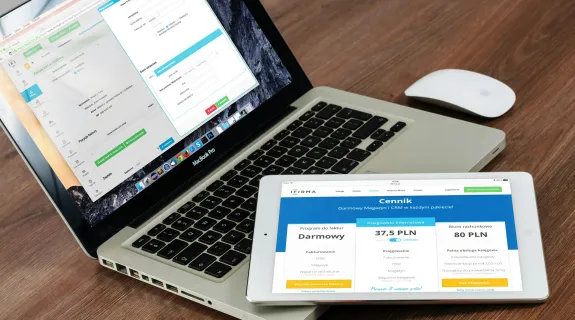
When traveling, carrying a dedicated portable monitor adds bulk and requires additional power outlets. This is where a capture card for nintendo switch becomes the ultimate minimalist solution. Instead of carrying a second screen, you leverage the beautiful, high-resolution Liquid Retina display already in your iPad or the ProMotion display of your MacBook. The best video capture card doesn’t just record gameplay; it acts as a high-speed bridge, turning your existing smart devices into a "Second Screen" for your console.
The Problem with Built-in Screens
Size Constraints: A 7-inch screen is insufficient for local multiplayer or immersive RPGs.
Resolution Caps: Handheld mode often drops resolution to maintain battery life.
Ergonomics: Looking down at a small screen for hours leads to "Tech Neck."
By using a video capture hdmi card, you can position your iPad at eye level while holding the Joy-Cons comfortably, creating a more ergonomic and visually satisfying "Nomadic Station."
Unlocking the iPad’s Potential: The UVC Revolution
The biggest shift in the "Nomadic Gaming" world occurred when iPadOS introduced support for UVC (USB Video Class). This allows an iPad to recognize an external video capture hdmi card as a camera source, essentially turning the tablet into a professional field monitor.
How the CCD30 Transforms the iPad Experience:
Plug-and-Play Simplicity: Using the NearStream CCD30, you simply connect your Switch (via a travel dock) to the HDMI input and the USB-C output to your iPad.
App Ecosystem: Using apps like Camo or Genki Studio, your iPad displays the Switch’s signal with zero setup friction.
Display Superiority: Most portable monitors use cheap TN or IPS panels. An iPad Pro’s XDR display offers color accuracy and brightness that far exceed standard monitors. When paired with a high-end 4k capture card, the visual fidelity is staggering.
This setup is particularly favored by university students and digital nomads who already carry an iPad for work or study. Instead of buying a separate gaming monitor, the best capture card unlocks the multi-hundred-dollar screen they already own.
Technical Mastery: Why 10Gbps USB 3.1 is the Best Video Capture Card Standard
Many travelers make the mistake of buying cheap, generic video capture hdmi card dongles. In the high-stakes world of modern gaming, these are obsolete. The reason lies in the "Bandwidth Wall."
The Bandwidth Breakdown
A standard USB 2.0 or 3.0 capture card has a maximum bandwidth of 480Mbps to 5Gbps. When trying to process a high-motion game like Mario Kart or Splatoon, these cards must compress the signal heavily to fit through the "pipe." This results in:
Input Lag: A delay between pressing a button and seeing the action—deadly for competitive play.
Visual Artifacts: Pixelation and "muddy" textures in fast-moving scenes.
The NearStream CCD30 utilizes USB 3.1 Gen 2 (10Gbps). This massive bandwidth allows it to be the best video capture card for nomadic play because it transmits the data with minimal compression. You get Premium Ultra Low Latency (sub-50ms), meaning the game feels as responsive as if it were plugged into a native TV.
Specification
Generic HDMI Card
NearStream CCD30
Interface
USB 2.0 / 3.0 (5Gbps)
USB 3.1 Gen 2 (10Gbps)
Max Bandwidth
~500 MB/s
~1250 MB/s
Latency
80ms - 150ms
\<50ms (Ultra Low)
Color Support
MJPEG (Compressed)
YUY2 / NV12 (High Fidelity)
Power Requirement
Often needs external DC
Bus-Powered (USB-C)
Zero External Power: The Freedom of Bus-Powered Gaming
The true essence of "Nomadic Gaming" is the ability to play anywhere—even where there are no power outlets. Most 4k capture card solutions require an external power brick to handle the signal processing, which adds weight and "cable spaghetti" to your backpack.
The CCD30 is a Bus-Powered masterpiece. It draws the minimal energy it needs directly from your laptop or iPad’s USB-C port.
The Airplane Scenario: On a long-haul flight, you have limited space. You can have your Switch in the seat pocket, the CCD30 tucked away, and your iPad on the tray table. No hunting for the plane's under-seat power outlet; the system runs entirely on your device's battery.
Coffee Shop Efficiency: One cable from the Switch, one cable to the MacBook. This is the definition of the best capture card for a minimalist travel setup.
For the traveler, this means one less charger to carry and one less thing to lose. The CCD30 operates as a silent, invisible bridge that simplifies your life rather than complicating it.
Durability and Thermal Aesthetics: The Aluminum Advantage
When you are traveling, your gear is subject to vibration, pressure, and temperature changes. Plastic video capture hdmi card units are prone to cracking and, more importantly, thermal throttling.
Passive Cooling in the Wild
Processing 4K video generates significant heat. If a capture card overheats, it will drop frames, causing your game to stutter. The CCD30 features a Premium Aluminum Alloy shell.
The Heatsink Effect: The metal casing acts as a giant passive radiator, pulling heat away from the internal 10Gbps chipset. Even in a warm hotel room or a sunny outdoor cafe, the CCD30 maintains peak performance.
The Aesthetic Match: The silver metallic finish isn't just for durability; it perfectly matches the aesthetic desk setup of modern iPads and MacBooks. It looks like a high-end Apple accessory rather than a piece of gaming peripheral.
In the "Nomadic" context, durability is non-negotiable. A card that fails in the middle of a trip is useless. The aluminum construction ensures the CCD30 can survive being tossed into a backpack every day.
The Perfect Passthrough: Playing in 4K60 HDR10
While the Switch outputs at 1080p, many "Nomadic" players carry other consoles like the Steam Deck or even a portable PS5 setup. This is where the 4k capture card capabilities of the CCD30 shine.
If you find yourself in a hotel with a nice 4K TV, you don't want to unplug your whole streaming setup. The CCD30 supports 4K60 HDR10 Passthrough.
Play in 4K: Enjoy your high-end games in full glory on the hotel TV.
Record in Pro Quality: Simultaneously capture or stream the footage to your laptop at the highest possible bitrate. This dual-purpose functionality is why it remains the best video capture card for multi-platform travelers.
Professional Audio Integration on the Go
One of the most overlooked aspects of the capture card for nintendo switch experience is audio sync. Using Bluetooth headphones with a Switch often introduces significant lag, especially in rhythm or action games.
The CCD30’s integrated 3.5mm audio interface solves this for the traveler.
Direct Monitoring: Plug your wired noise-canceling headphones directly into the CCD30.
Zero-Lag Sound: You hear the game audio exactly as it is captured, perfectly synced with the visual frames.
Voice-Over Capability: If you are a travel vlogger, you can plug a lapel mic into the card to record your live reactions to the game, all through a single USB-C cable to your recording software.
This consolidation of video and audio into a single hardware unit is what makes the CCD30 the best capture card for creators who move between different environments daily.
Comparative Use-Cases: MacBook vs. iPad vs. Android
The best capture card must be versatile across different operating systems. The CCD30’s driverless design ensures compatibility across the entire nomadic ecosystem.
The MacBook Setup (Pro Creator)
Use the CCD30 to bring Switch footage into OBS Studio. This allows you to apply professional filters, overlays, and even use your MacBook’s built-in webcam for a "Picture-in-Picture" travel stream.
The iPad Setup (The Pure Minimalist)
The most portable version. Using the CCD30 with a USB-C iPad Pro creates a "Switch Pro" experience. The 12.9-inch screen provides nearly 4x the viewing area of the Switch OLED, making games like Metroid Dread feel incredibly immersive.
The Android Tablet Setup (The Versatile Traveler)
For those using high-end Samsung or Lenovo tablets, the CCD30 works seamlessly with UVC-compatible apps, offering an affordable way to get a "Large Screen" gaming experience on the go.
Conclusion: The Future of Portable Play
The era of being limited by a console’s built-in screen is over. As we have explored, the best capture card for the modern traveler is one that balances high bandwidth, thermal stability, and extreme portability. The NearStream CCD30 is more than just a video capture hdmi card; it is a gateway to a professional-grade gaming experience anywhere in the world.
By embracing the 4k capture card standard and the efficiency of USB 3.1, you can ensure that your "Nomadic Setup" is never a compromise, but a superior way to play. Whether you are a student in a dorm or a digital nomad in a foreign city, the CCD30 is the best video capture card to keep your game sharp, your lag low, and your desk aesthetic.
FAQ: Mastering Your Nomadic Setup
Q1: Does the Nintendo Switch require the dock to work with the CCD30?
A: Yes. The Switch must be in "Docked Mode" to output an HDMI signal. We recommend using a high-quality "Travel Dock" or a "Docking Cable" to keep your capture card for nintendo switch setup as portable as possible.
Q2: Is there a visible delay when playing through the iPad screen?
A: With the NearStream CCD30, the delay is virtually imperceptible. Thanks to the 10Gbps USB 3.1 interface and Premium Ultra Low Latency, the input lag is typically under 50ms, which is faster than many standard televisions.
Q3: Can I record 4K footage from my Switch?
A: The Switch itself only outputs up to 1080p. However, the CCD30 is a 4k capture card, meaning it will capture that 1080p signal with the highest possible clarity (no compression artifacts) and is future-proof for 4K consoles like the Steam Deck or PS5.
Q4: Do I need to install drivers on my MacBook or iPad?
A: No. The CCD30 is a "Plug and Play" device. It follows the UVC standard, making it the best video capture card for users who want to avoid the hassle of software installations while traveling.
Q5: Will the capture card drain my iPad battery quickly?
A: The CCD30 is highly power-efficient. While it does draw power from your device, the drain is minimal. For long sessions, we recommend using an iPad or a laptop that supports "Pass-through Charging" to keep both the device and the console charged.













































 sales@nearstream.us