OBSBOT Tail 2 Alternative: NearStream VM20 Pro with 10X Optical Zoom
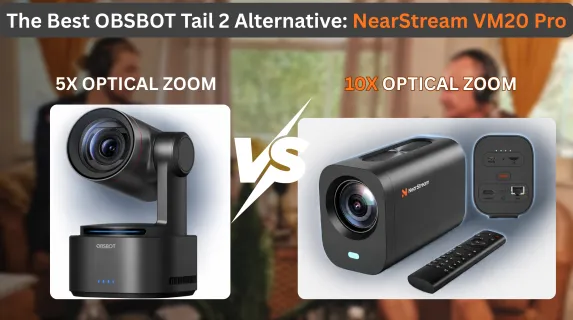
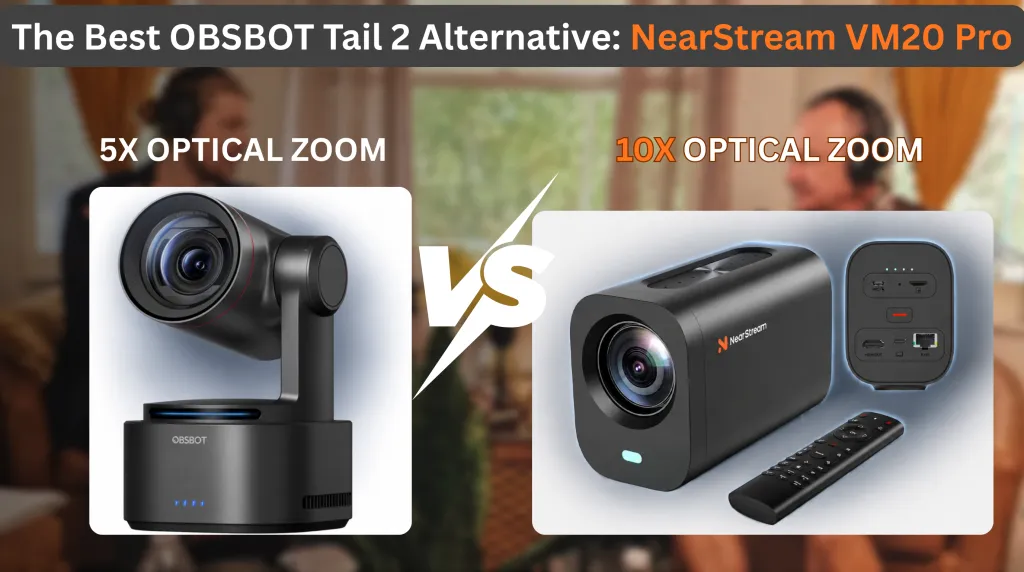
This comparison explores why the NearStream VM20 Pro is a practical OBSBOT Tail 2 alternative, showing how this 10X optical zoom 4K streaming camera simplifies your video podcast and multi-camera setup.
4k streaming camera
multi-camera setup
podcasting
Updated: Nov 22, 2026 · 8 minutes read
Modular Video Kits for Growing Business.
If you need a 4K streaming camera for a podcast studio, church, classroom, conference room, or small YouTube setup, the OBSBOT Tail 2 is an obvious contender. It offers 4K60 video, AI tracking, native vertical shooting, and professional ports.
However, it starts around $1,199, lacks a built-in microphone, and may require more software, networking, and accessory management than everyday productions need.
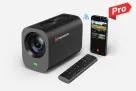
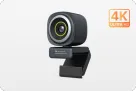
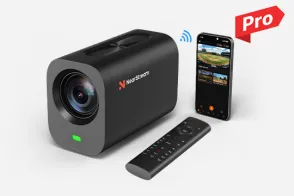
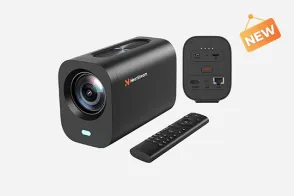
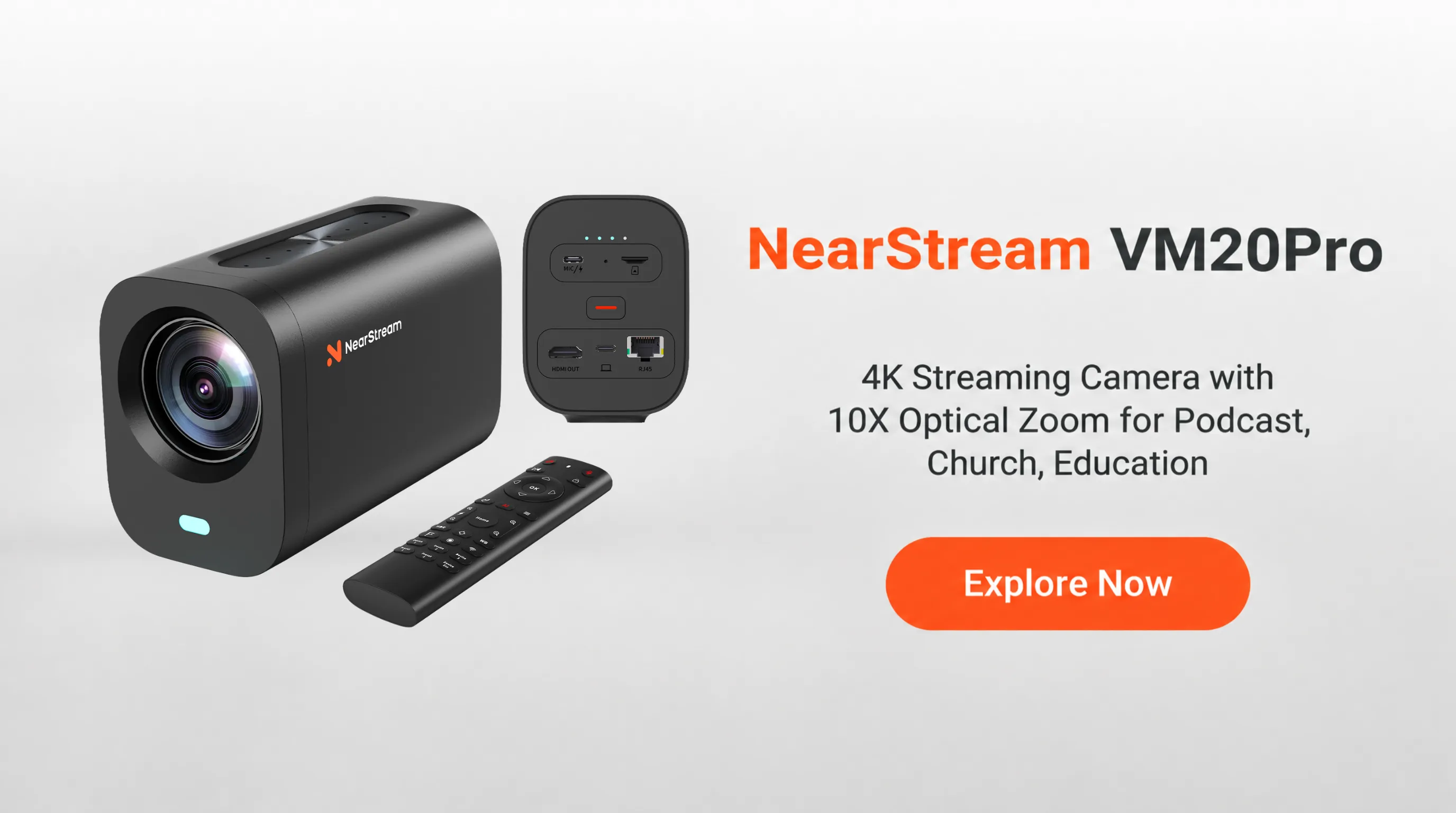
For most fixed-camera workflows, the more practical OBSBOT Tail 2 alternative is the NearStream VM20 Pro. It combines 4K video, true 10X optical zoom, an 8-microphone array, an included smart remote, USB-C/HDMI/RJ45 connectivity, PoE support, and MicroSD recording at a much lower total cost.
Key Takeaways
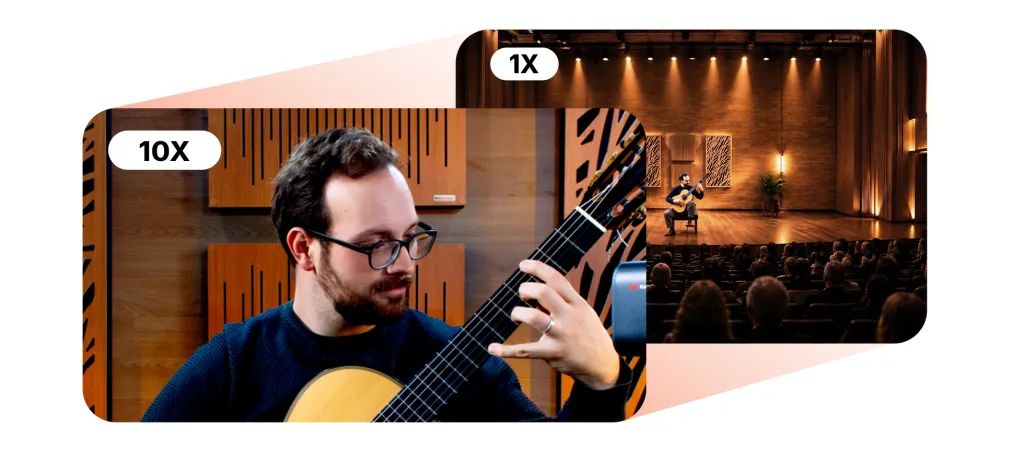
Optical Reach: The NearStream VM20 Pro delivers true 10X optical zoom (vs. Tail 2's 5X), keeping close-ups sharp across larger rooms without digital cropping.
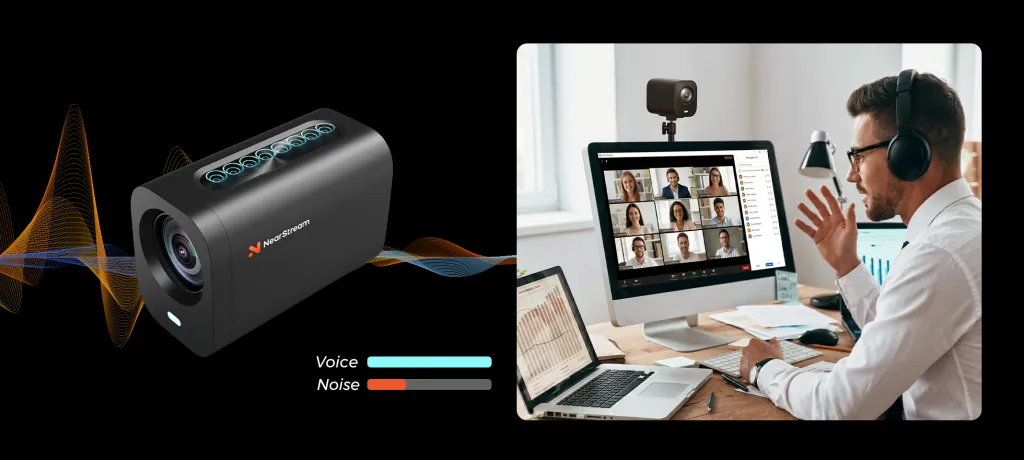
Ready Out of the Box: VM20Pro includes a built-in 8-MEMS microphone array and smart remote, whereas the OBSBOT Tail 2 has no onboard mic and requires extra audio gear.
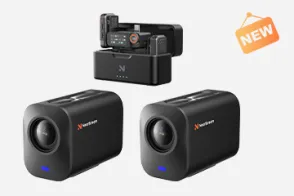
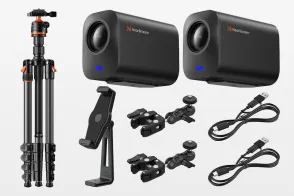
Smarter Multi-Camera Value: A two-camera VM20 Pro rig ($979.99) costs less than a single Tail 2 ($1,199+), making it far easier to scale a multi-camera podcast setup.
Silent Tracking & Simple Workflows: VM20 Pro Offers built-in human tracking, repeatable remote presets, plug-and-play USB-C, and single-cable PoE/NDI without complex app management.
Quick verdict: Choose the NearStream VM20 Pro for reliable, sharp, easy-to-deploy podcasting, worship, teaching, meetings, or multi-camera streaming. Choose the OBSBOT Tail 2 only if you specifically need motorized, native vertical 4K60, 3G-SDI, FreeD, or battery-powered roaming.
At-a-Glance: NearStream VM20 Pro vs. OBSBOT Tail 2
Built-in AI tracking / auto-framing + instant remote presets (silent, no moving parts)
Motorized PTZR AI Tracking 2.0 (physical gimbal movement + 90° vertical rotation)
Local recording
4K MicroSD recording; supports cards up to 1TB
MicroSD recording; supports cards up to 1TB
Current pricing context
$495 sale ; 2-pack $979.99 at the time of checking
Standard model listed at $1,199; NDI Edition historically listed at $1,298
The simplest way to frame the choice is this: the Tail 2 is built around motorized tracking and broadcast-style expansion. The VM20 Pro is built around the things most small teams use every week: optical reach, predictable framing, simple audio backup, direct computer connectivity, and the ability to add a second camera without doubling the budget.
VOC: What Real Users and Reviewers Say About the OBSBOT Tail 2
Specs matter, but owners reveal where a camera adds or removes friction. These are individual reports—not proof that every Tail 2 behaves the same way—but they highlight questions worth asking before a $1,000-plus purchase.
“I'm trying to connect 3 Tail 2s via my wifi network, but the camera disconnect from the network very often.”
The same post adds:
“Also, OBSBOT Central continually crashes on my mac.”
It does show why fixed installations should use predictable cabling when possible. VM20 Pro supports plug-and-play USB-C and PoE/RJ45, reducing dependence on busy Wi-Fi.
“The camera doesn't save the settings sometimes after a shutdown. not back to the original position”
The same user also wrote:
“the zoom + on the remote make it start and stop recording for no reason!”
And:
“inconsistent recording results while everything else is the same every time (lighting, posision, ...etc)”
Still, during a sermon, lecture, or paid podcast, a simple remote with repeatable presets can be more useful than automation you have to supervise.
Reviewers also flag the missing microphone
OBSBOT’s Tail 2 FAQ confirms that the camera requires an external audio device. GameRevolution said:
“The other downside is the lack of a microphone.”
SlashGear added:
“One thing to note is that there is no onboard mic, so you will need to plug one in to record audio.”
Dedicated microphones remain best for serious productions. VM20 Pro’s built-in 8-mic array simply gives you a useful reference track, room pickup, and emergency backup without another purchase. Both publications disclosed that OBSBOT supplied their review units, so their overall conclusions should be read with that context in mind.
For balance, one Tail 2 owner who hit a battery-communication error later said (Reddit):
“I manually forced the newest firmware update and it's working properly.”
It is another reminder that stationary productions benefit from fewer batteries, apps, and network variables.
What VM20 Pro users highlight instead
Across NearStream user feedback, the most consistent praise centers on predictability rather than flashy features: true plug-and-play UVC recognition in OBS without hunting for drivers, sharp 4K detail when punching in with the 10X optical zoom (for whiteboards, mixers, or church pulpits), and an 8-mic array that picks up voices clearly across conference rooms while suppressing background noise like air conditioning.
1. Optical Reach: Why a 10X Optical Zoom Camera Beats 5X in Real Rooms
The Tail 2’s 5X optical zoom covers a useful 22–110mm full-frame-equivalent range. In a small studio, that may be enough. In a sanctuary, classroom, boardroom, or back-of-room setup, it can run out quickly.
As a 10X optical zoomcamera, the VM20 Pro doubles that optical reach and adds 40X hybrid zoom when needed. Backed by a 1/2-inch 50MP CMOS sensor, HDR, and 3D noise reduction, it lets you mount the camera farther away and still fill the frame with a speaker, whiteboard, instrument, altar, or product detail—keeping skin tones clean and edges sharp without immediately relying on digital cropping.
SlashGear’s Tail 2 review warned:
“It outputs crisp 4K footage, but just be aware that if you go past the 5X optical zoom, video quality does start to degrade.”
The reviewer also found Tail 2’s 12X hybrid zoom more usable than expected, so this is not a claim that Tail 2 becomes unusable. The practical advantage is that VM20 Pro keeps you within its optical range much longer—the safer path to sharp, repeatable framing.
2. Audio and Out-of-the-Box Readiness
A video podcast camera does not replace a dedicated XLR or USB microphone. Built-in audio still matters, though: it provides a reference track, room pickup, and a backup if an external feed fails. That makes a self-contained camera for podcasting easier to deploy when plans change.
VM20 Pro includes an 8-MEMS microphone array with AI noise reduction, beamforming, AGC, and up to 16 feet of pickup. It also supports external audio. Tail 2 offers serious audio inputs, but no onboard microphone.
That changes the out-of-box experience. One VM20 Pro, one cable, and one computer can capture a basic talking-head stream. Tail 2 requires an external audio device before it can record sound. Dedicated podcasters should still buy a proper microphone; VM20 Pro is simply more self-contained when plans change.
3. Workflow Simplicity: What Matters Most in a 4K Streaming Camera
Tail 2 is more expandable. HDMI, SDI, UVC, Ethernet, Wi-Fi 6, RS-232, NDI, SRT, RTSP, and FreeD make sense for broadcast switchers, AR/VR production, and larger AV systems.
Most podcast, worship, education, and meeting-room workflows are simpler. They need a camera that appears in OBS or Zoom, records a backup, and stays connected for hours. VM20 Pro is easier to deploy:
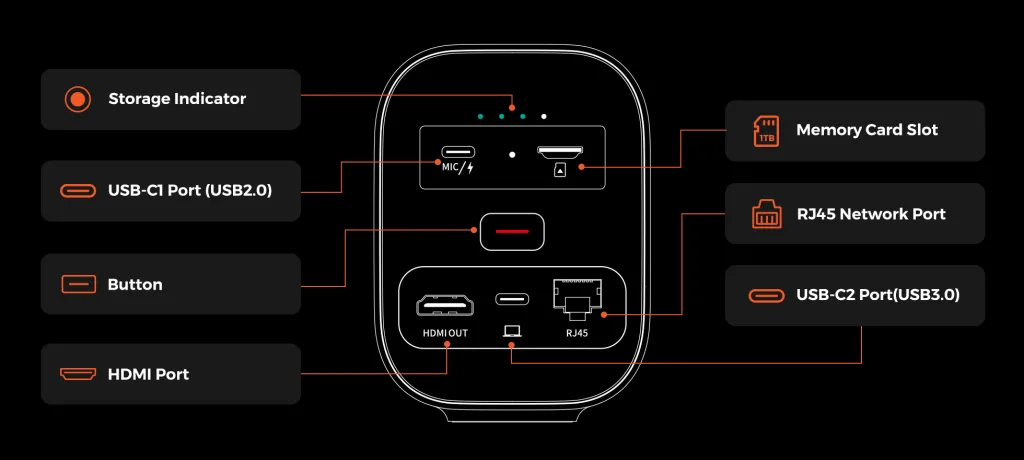
USB-C provides plug-and-play UVC video and audio on Mac or PC—no bloated companion apps required.
HDMI connects directly to studio monitors, hardware switchers, and capture cards.
RJ45 with PoE and NDI support enables clean, single-cable permanent installs for IP-based multi-camera workflows.
Optional wireless AV (via the dedicated NA20 transceiver) lets you go cable-free without fighting congested office or venue Wi-Fi.
MicroSD recording creates a standalone 4K local backup up to 1TB.
The included smart remote handles zoom, focus, HDR, human tracking, and preset framing right out of the box.
OBSBOT continues improving its software. Even so, teams that want the camera to behave like a dependable appliance may prefer VM20 Pro’s more direct path.
4. Human Tracking vs. Motorized Gimbal Tracking
Both cameras offer subject tracking, but they take very different approaches.
The NearStream VM20 Pro features built-in human tracking and auto-framing alongside instant remote presets. Because it tracks without a mechanical gimbal, operation is completely silent, there are no exposed motors to recalibrate or wear out, and framing stays composed for seated podcasts, classrooms, boardrooms, and pulpit-style presentations. When you want locked-in angles—wide shot, medium shot, close-up—one tap on the included remote switches presets cleanly.
The OBSBOT Tail 2 steps up to a motorized PTZR gimbal with AI Tracking 2.0 and 90-degree lens rotation. For a solo presenter pacing across a wide stage or shooting hands-free vertical 4K60, that physical pan-and-tilt range is genuinely useful.
However, motorized tracking isn't automatically better for everyday rooms. SlashGear noted that Tail 2 "is not so good at tracking smaller, quicker subjects," and for interviews, sermons, or panels, constant gimbal movement can actually distract viewers. Unless you regularly roam a large stage, the VM20 Pro gives you the human tracking you need with the calm, repeatable framing most productions prefer.
5. Price and Value: Building a Multi-Camera Podcast Setup for Less
At the time of checking, the VM20 Pro was listed at $495on sale; the two-pack was $979.99. OBSBOT has listed Tail 2 at $1,199 for the standard model and $1,298 for the NDI Edition. Its 2026 NDI update also moved new buyers toward pre-activated NDI models.
In other words, one Tail 2 can cost roughly the same as a two-camera VM20 Pro rig. For a multi camera podcast setup, that second angle lets you cut between hosts, guests, products, instruments, or room views without constantly moving one camera.
Tail 2’s premium can still be reasonable if you use 4K60, SDI, FreeD, battery operation, and AI tracking. If those features are not central to your weekly work, much of the extra cost goes unused.
Final Verdict: The Practical OBSBOT Tail 2 Alternative
For video podcasters, churches, educators, conference rooms, and small OBS/YouTube teams, the NearStream VM20 Pro is the smarter default choice. It gives you 4K, longer optical reach, built-in backup audio, an included remote, flexible wired connections, and local recording at a price that leaves room for a two-camera rig.
Tail 2 remains the niche pick for motorized tracking, vertical 4K60, SDI, and mobile production. If your camera stays in a studio, classroom, sanctuary, or meeting room, VM20 Pro will usually deliver more everyday value—and leave budget for a second angle, lighting, or better microphones.
Is NearStream VM20 Pro a good OBSBOT Tail 2 alternative?
Yes. For fixed podcast, worship, education, and conference-room workflows, VM20 Pro is a strong OBSBOT Tail 2 alternative because it offers 4K video, 10X optical zoom, built-in microphones, USB-C/RJ45/HDMI connectivity, PoE support, and a lower total cost. Tail 2 remains better for motorized AI tracking, vertical 4K60, SDI, and battery-powered production.
Does the OBSBOT Tail 2 have a built-in microphone?
No. OBSBOT states that Tail 2 does not have a built-in microphone and requires an external audio device for recording. The NearStream VM20 Pro includes an 8-MEMS microphone array with AI noise reduction and beamforming.
Is 10X optical zoom better than 5X optical zoom for streaming?
A 10X optical zoom camera gives you more reach before digital enhancement begins. That is useful when the camera is mounted far from the speaker, whiteboard, stage, or product. It does not automatically prove better image quality at the same focal length, but it gives you more lossless framing flexibility.
Which camera is better for a multi-camera podcast setup?
For most small teams, VM20 Pro is easier to scale because a two-camera VM20 Pro setup can cost about the same as one Tail 2. Its included remote, preset controls, USB-C simplicity, and PoE option are well suited to repeatable studio angles.
Does the VM20 Pro have human tracking, or do I need the Tail 2?
Both cameras support subject tracking. The NearStream VM20 Pro includes built-in human tracking and remote presets, which is ideal for podcasts, classrooms, meetings, and stage-front speakers without mechanical gimbal noise. Choose the OBSBOT Tail 2 only if you need a motorized PTZR gimbal to follow a solo presenter pacing across a wide stage or shooting native vertical 4K60.



























 sales@nearstream.us