PodKit Dual Kit: Built for Scalable Live Commerce Systems
The PodKit Dual Kit is an advanced live selling system designed for brands and teams serious about scaling their live commerce operations.
PodKit Dual Kit
Live Selling
Scalable Streaming
Updated: Feb 25, 2026 · 8 minutes read
Modular Video Kits for Growing Business.
By The Live Commerce LabEstimated Reading Time: 16 Minutes
Positioning: Not Just "More Gear," But Better Structure
When a brand decides to take live selling seriously, they eventually hit a ceiling.
A single camera isn't enough to show the fabric texture while the host is talking.
A single microphone isn't enough when you have a host, a guest, and a product demonstrator all on set.
The PodKit Dual Kit was not designed for a casual Saturday stream. It was designed for Operations.
It is built for teams that treat live selling as a business channel—high frequency, multiple roles, and long hours.=
What Makes the Dual Kit Different from the Duo Kit?
Many creators ask: "I already have the Duo Kit (2 Mics/2 Cams). Why do I need the Dual Kit?"
The difference lies in the workflow.
Duo Kit = Collaboration
Designed for two people talking to each other.
Focus is on the relationship between hosts.
Great for interviews or co-hosting.
Dual Kit = Structure
Designed for a Team and Zones.
Focus is on the production value of the brand.
Great for complex shows with product demos, multiple angles, and rotating staff.
Table 1: Structural Differences
Feature
Duo Kit Strategy
Dual Kit Strategy
Workflow
Linear: Host A talks to Host B.
Zonal: Zone A (Host) + Zone B (Product) + Zone C (Guest).
Camera Work
Switching: Cut between Host and Product.
Coverage: Always-on angles for Wide, Tight, and Macro shots simultaneously.
Audio
Conversation: Capturing dialogue.
Production: Managing a soundstage with multiple inputs.
Goal
Better Engagement
Business Scalability
Multi-Camera Advantage: Four Eyes on the Product
In professional live commerce, you never want to move a camera during a show. Moving cameras creates shake, focus hunting, and amateur vibes.
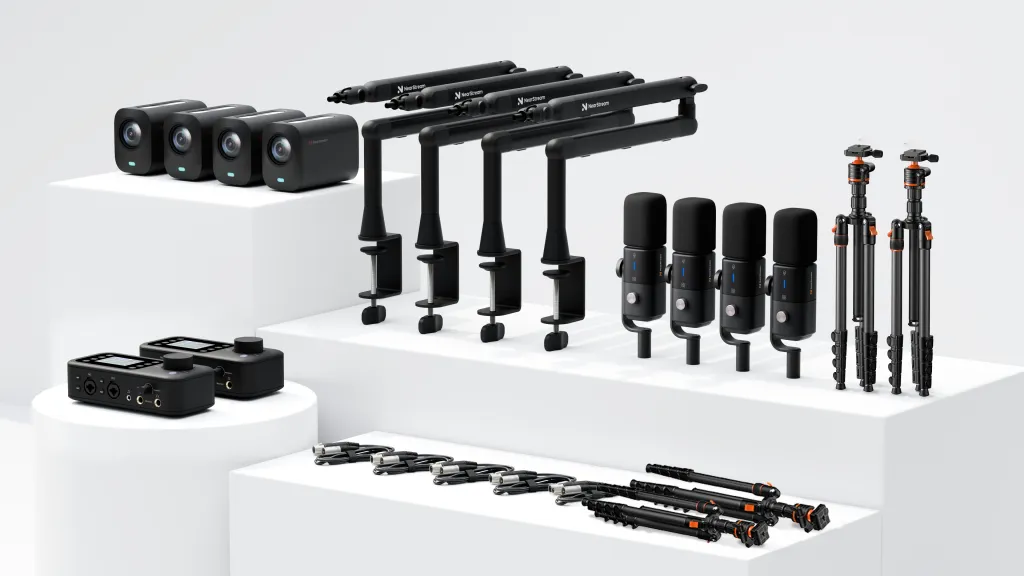
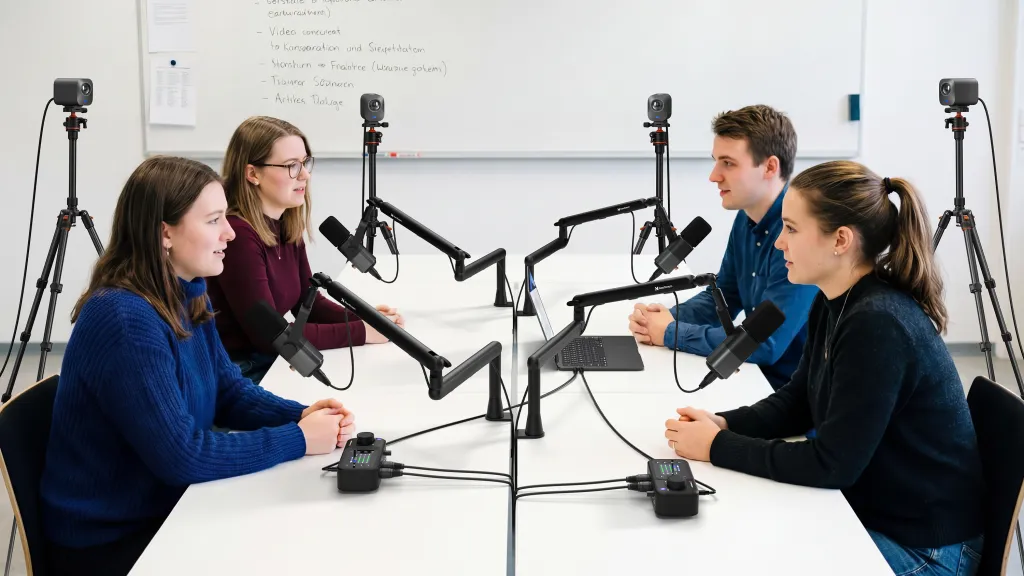
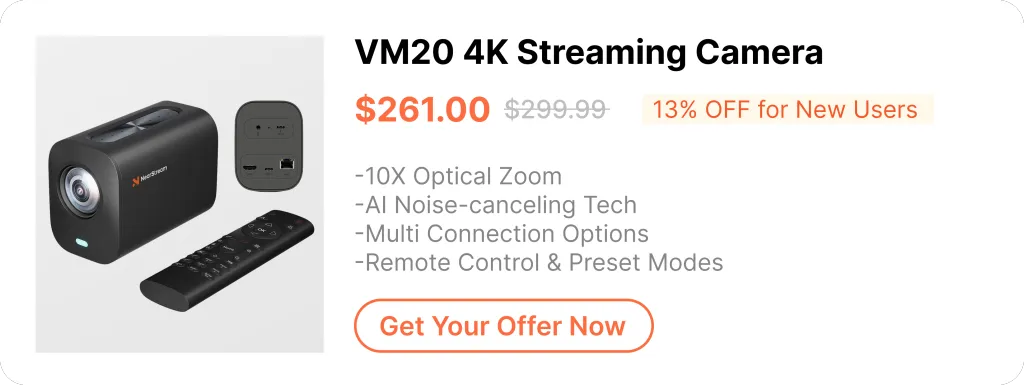
The PodKit Dual Kit includes Four VM20 4K Cameras.
Why Four?
You create dedicated visual zones that never change:
Cam 1 (Main): Locked on the Lead Host (Eye contact).
Cam 2 (Guest/Co-Host): Locked on the Assistant or Guest.
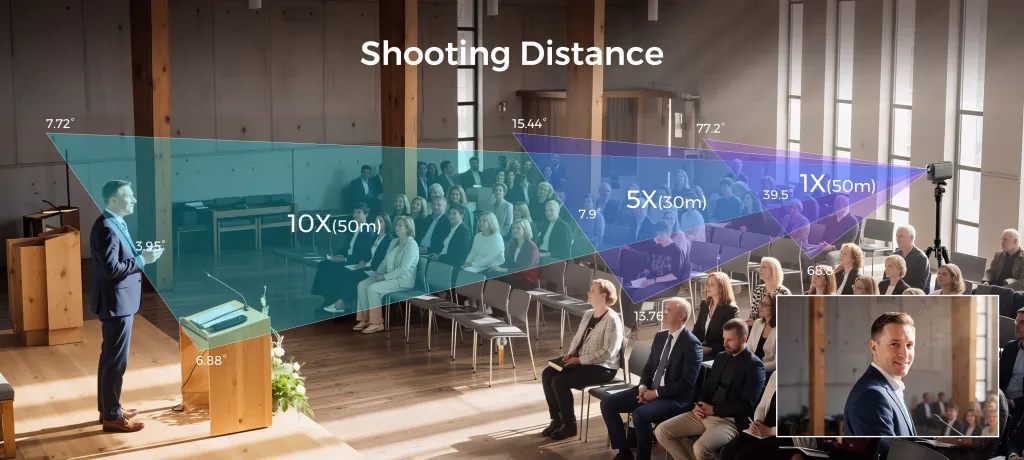
Cam 3 (The Macro): Using the 40X Zoom, this camera is pointed permanently at the "Product Table" for extreme close-ups.
Cam 4 (The Wide/Action): A wider shot to show the full studio, or a dedicated angle for standing demonstrations (e.g., trying on clothes).
The Business Value:
You can direct a show with TV-level pacing.
"Let's look at the stitching (Cut to Cam 3). Now let's ask our designer (Cut to Cam 2). Back to me (Cut to Cam 1)."
No one touches a tripod. The flow is seamless.
Multi-Voice Stability: A Mic for Every Role
The kit includes Four AM25X Condenser Microphones.
In a team environment, sharing microphones is a hygiene risk and an audio nightmare.
The "Fixed Station" Logic:
With four microphones, you don't hand the mic back and forth.
The Host has a mic.
The Guest has a mic.
The Product Demo Area has a dedicated mic.
Why this matters for Scale:
Consistency: The audio levels are set once. You don't have to ride the volume fader because someone moved the mic further away.
Clarity: The AM25X’s noise cancellation ensures that even with 4 people in the room, the specific person speaking is heard clearly without "room muddying."
Workspace Control: Clean Desks, Clear Minds
Chaos is the enemy of conversion.
If your desk is covered in wires, you look disorganized. If you look disorganized, your product looks cheap.
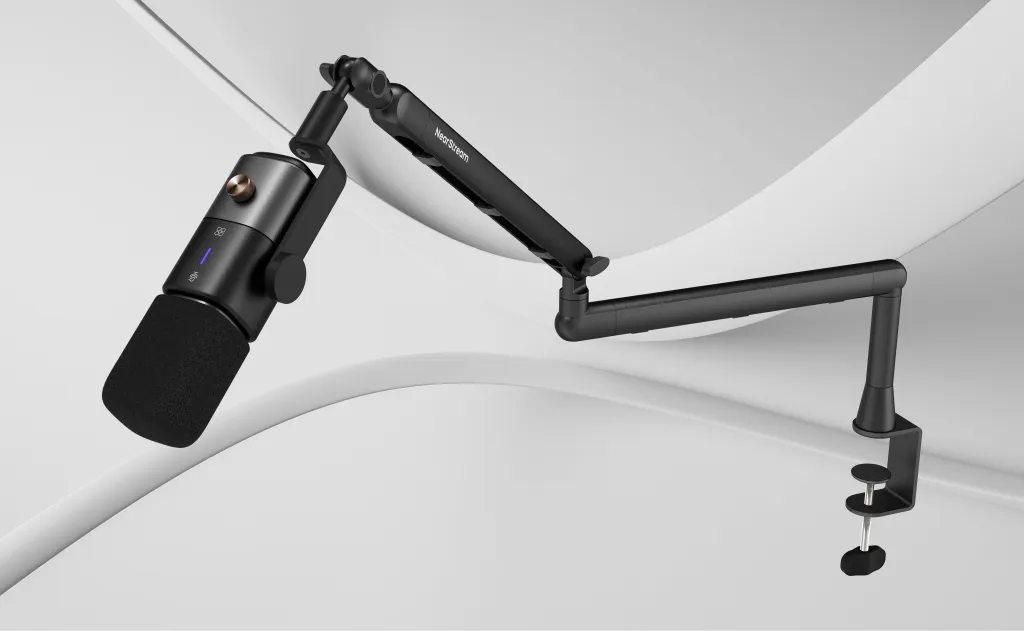
The Dual Kit provides Four ST20 Boom Arms.
Fixed Geography: Every microphone hangs from above. The table surface is 100% reserved for inventory.
Quick Change: If "Host A" finishes their shift and "Host B" sits down, they simply pull the boom arm down. No re-cabling required.
This reduces the "Turnover Time" between different shows or segments, which is critical for brands streaming 4-6 hours a day.
Audio Structure: Distributed Control with Dual Mixers
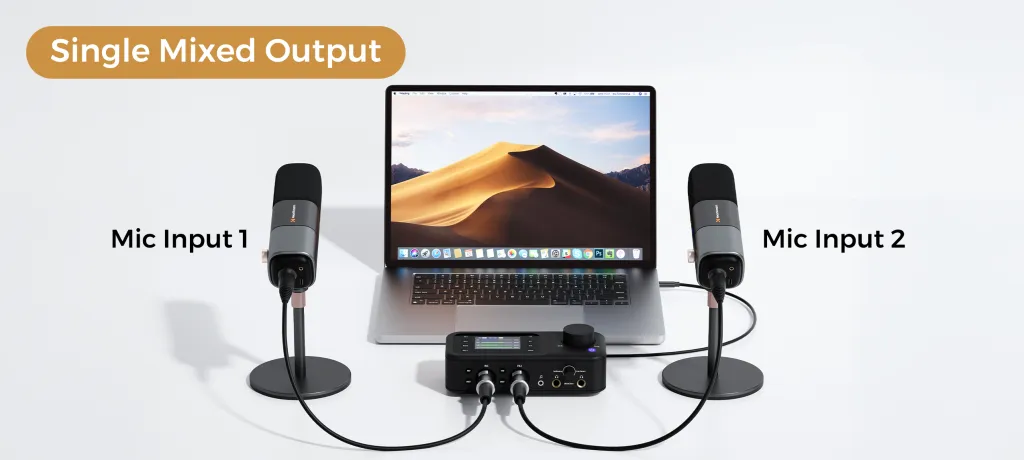
The kit powers this massive setup with Two AMIX40U Audio Mixers.
Why two? Because in a large production, you need Distributed Control.
The Logic of Dual Mixers:
Instead of cramming everything into one messy interface, you split the load.
Mixer A (The Talent): Handles the Host and Guest microphones.
Mixer B (The Media): Handles the Product Area mic, Bluetooth Music injection, and Sound Effects.
The Benefit:
It simplifies the mental load. The person managing the audio knows exactly which knob controls the music and which knob controls the host. It prevents the embarrassing mistake of muting the host when you meant to stop the music.
Reliable Connections: The Backbone of Scale
When you are running a 4-camera, 4-mic setup, USB bandwidth becomes a bottleneck.
The PodKit Dual Kit relies on XLR Connections for all audio.
Why XLR Wins at Scale:
Interference Free: With so many cables (HDMI, Power, USB) crossing each other, XLR cables are shielded. They stop the "buzzing" sound that cheap cables pick up.
Physical Security: XLR cables lock in. A host tripping over a wire won't yank the plug out of the mixer mid-sentence.
Stability is the prerequisite for Scale. You cannot build a daily live show on connections that feel loose.
Visual Consistency: Locked-In Professionalism
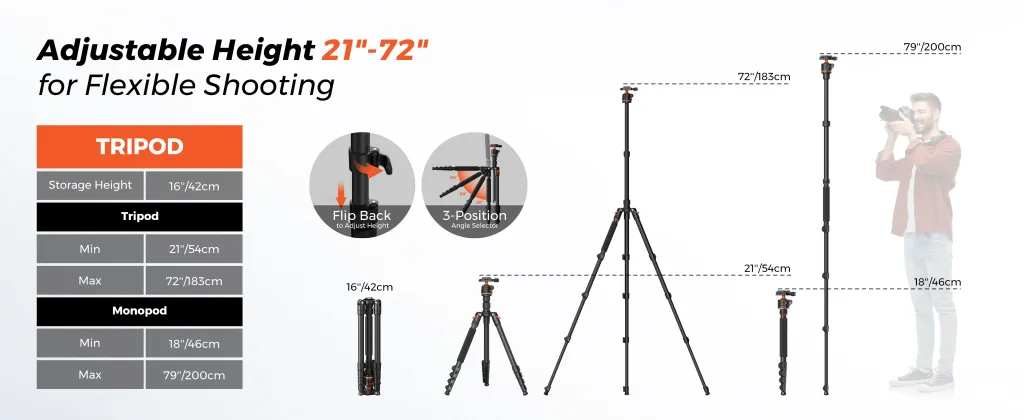
The kit includes Four ST30 Camera Tripod Stands.
In a scalable system, consistency is key.
Day 1: The product shot is framed perfectly.
Day 30: The product shot is framed exactly the same way.
Because you have dedicated tripods for every camera, you don't tear down the set every night. You build a Permanent Studio.
This consistency helps build brand recognition. Viewers instantly recognize "Your Look" when they scroll past your stream.
Comparison: Choosing Your PodKit Path
Which kit is right for your business stage?
Here is the definitive breakdown of the PodKit Ecosystem.
Table 3: The PodKit Selection Matrix (Solo vs. Duo vs. Dual)
Feature
PodKit Solo
PodKit Duo
PodKit Dual Kit
Best For
Individual Creator
Partners / Co-Hosts
Brand Teams / Operations
Cameras (VM20)
1x (Host/Product hybrid)
2x (Host + Detail)
4x (Host + Guest + Detail + Wide)
Microphones (AM25X)
1x (Main Voice)
2x (Conversation)
4x (Multi-Zone Audio)
Audio Control
1x Mixer (Simple)
1x Mixer (Unified)
2x Mixers (Distributed)
Primary Goal
Efficiency (One person does all)
Collaboration (Interactive Selling)
Systemization (Repeatable Broadcast)
Upgrade Path
Can upgrade to Duo
Can upgrade to Dual
The Ultimate Setup
Conclusion: When Live Selling Becomes a System
There is a difference between "Going Live" and "Running a Channel."
Solo Kit helps you start.
Duo Kit helps you collaborate.
Dual Kit helps you scale.
The PodKit Dual Kit is for the creators and brands who are ready to stop improvising and start operating.
It provides the infrastructure—4 cameras, 4 mics, total control—that allows you to focus entirely on your sales strategy, knowing your studio can handle anything you throw at it.
Build your system. Scale your sales.
Frequently Asked Questions (FAQ)
Q: Do I need a team to operate the Dual Kit?
A: While one person can operate it, the Dual Kit shines when you have at least one person on camera and one person "producing" (switching cameras/mixing audio). It is designed for a studio environment.
Q: Can I stream to multiple platforms at once with this kit?
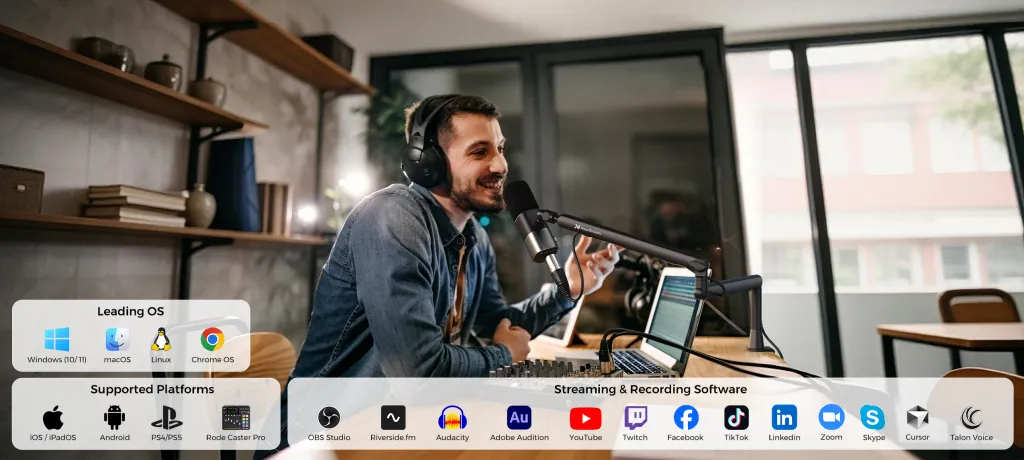
A: Yes. The hardware (Audio/Video) enters your PC as standard inputs. You can use software like OBS or Restream to broadcast the signal to TikTok, YouTube, and Amazon Live simultaneously.
Q: Why does the Dual Kit have two mixers instead of one big one?
A: Using two AMIX40U mixers provides redundancy and better physical control. It allows you to physically separate "Voice" controls from "Music/Media" controls, reducing mistakes during high-pressure live sales.
Q: Can I mix and match? Start with Duo and add more later?
A: Absolutely. The PodKit ecosystem is modular. You can start with a Duo Kit and simply buy two more VM20s and AM25Xs later to reach the "Dual Kit" capacity. The system grows with your revenue.














































































 sales@nearstream.us






