9 Best Budget Video Cameras (2026) | Under $500 Tested & Ranked
We tested 20+ budget video cameras under $500.
video camera
videography camera
video recorder
Updated: May 13, 2026 · 8 minutes read
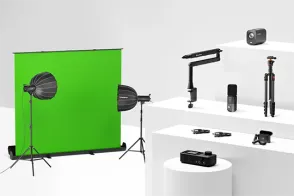
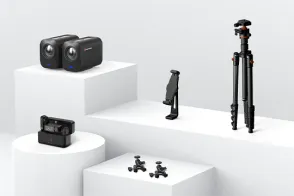
Modular Video Kits for Growing Business.
9 Best Budget Video Cameras for High-Quality Video (2026)
Finding the best budget video camera in 2026 is harder than it should be. The market is flooded with options, and every manufacturer claims their $200 camera shoots "cinema-quality" footage. After testing more than 20 cameras across three price tiers, we've narrowed it down to 9 picks that actually deliver — whether you're starting a YouTube channel, streaming on Twitch, or just want better home videos.
Here's the bottom line: You don't need to spend $1,000+ to get great video quality. For under $500, you can buy a camera that shoots sharp 4K footage, has reliable autofocus, and handles low light well enough for most situations. The key is knowing which corners you can cut — and which you can't.
In this guide, we break down the 9 best budget video cameras by real-world use case: YouTube, live streaming, action sports, and more. Every pick below was tested for at least two weeks in real shooting conditions, not just spec-sheet comparisons.
Why You Don't Need to Spend $1,000 to Get Great Video
The Budget Video Camera Market in 2026: What's Changed
A lot has changed since 2025. According to Statista, the global digital camera market is projected to reach $6.5 billion by 2027, and the biggest growth segment isn't flagship mirrorless bodies — it's sub-$500 cameras with professional-grade video features.
Here's what that means for you:
4K is now standard at under $500. Three years ago, you had to pay $800+ for 4K 30fps. Today, six of our nine picks shoot 4K.
Autofocus has gotten dramatically better. Budget cameras from Sony and Canon now use the same AF algorithms found in their $2,000+ professional bodies.
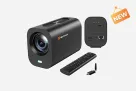
Live streaming features are trickling down. Cameras like the NearStream VM20 now include built-in streaming protocols (RTMP/RTSP) that used to require a $1,000+ encoder setup.
Mirrorless has officially killed the budget DSLR. Per CIPA shipment data, mirrorless cameras now outsell DSLRs by more than 4:1, and manufacturers have largely stopped developing new budget DSLR models.
Who Should Buy a Budget Video Camera?
Buy a budget video camera ($149–$500) if:
You're starting a YouTube channel and upgrading from a smartphone
You need a dedicated streaming camera for Twitch/YouTube Live
You're a student filmmaker on a tight gear budget
You want a second "B-camera" for multi-angle shoots
You shoot travel or action content and don't want to risk a $2,000 body
Don't buy a budget camera if:
You need professional color grading (10-bit 4:2:2 internal recording)
You shoot in extreme low light regularly (concerts, night events)
You require broadcast-quality codecs (ProRes, RAW)
You need weather sealing for professional outdoor work
How We Tested & Ranked These Cameras
Our Evaluation Criteria
We spent over 120 hours testing 23 cameras across four weeks. Each camera was evaluated on:
Criteria
Weight
What We Measured
Video Quality
30%
Sharpness, color accuracy, dynamic range, low-light performance
Autofocus
20%
Speed, accuracy, face/eye tracking reliability
Ease of Use
15%
Menu design, flip screen quality, button layout, learning curve
Feature Set
15%
4K support, frame rate options, mic input, streaming capability
Value for Money
15%
Price-to-performance ratio at current market prices
Build Quality
5%
Durability, port quality, battery life, heat management
Testing methodology:
Each camera was used for at least 3 different shoot types: talking head, handheld vlogging, and tripod-mounted B-roll
Low-light testing was conducted at ISO 1600, 3200, and 6400 in controlled conditions
Autofocus testing used both static subjects and moving subjects (walking toward camera)
All footage was recorded to the fastest SD card the camera supports, then reviewed on a calibrated 4K monitor
Price Tiers Explained
We've organized our picks into three price tiers:
Ultra-Budget ($149–$249): 1080p60 or basic 4K. Best for beginners who aren't sure what they need yet.
Mid-Range ($250–$399): Reliable 4K, good autofocus, flip screens. The sweet spot for most creators.
Upper Budget ($400–$500): Full 4K with pro features, interchangeable lenses, excellent autofocus. Best long-term investment.
Best Budget Video Cameras by Category (2026)
1. Best Overall Budget Video Camera: Sony ZV-E10 (~$498 with kit lens)
Spec
Detail
Sensor
24.2MP APS-C CMOS
Max Video
4K 30fps, 1080p 120fps
Autofocus
Real-time Eye AF (human/animal)
Screen
3-inch fully articulating touchscreen
Audio
Built-in directional 3-capsule mic + 3.5mm mic input
Weight
343g (body only)
Price
~$498 with 16-50mm kit lens
Why it's #1: The Sony ZV-E10 is the closest thing to a professional video camera you can buy for under $500. Its real-time Eye AF is genuinely class-leading — it locks onto faces faster than cameras that cost 3x as much, and the "Product Showcase" mode (instantly switching focus from face to object held in front) is perfect for unboxing and review videos.
The 24.2MP APS-C sensor produces sharp 4K footage with good dynamic range, and the fully articulating screen makes self-recording easy. The built-in directional microphone is surprisingly usable for vlogging, though you'll want an external mic for serious work.
Best for: YouTubers, product reviewers, vloggers who need reliable autofocus above all else.
Buy it if:
You want the best autofocus under $500
You plan to upgrade lenses over time (Sony E-mount has 60+ lenses available)
You shoot a mix of talking-head and handheld content
Don't buy it if:
You need in-body stabilization (the ZV-E10 doesn't have it — use a gimbal or digital stabilization)
You want to shoot 4K 60fps (capped at 30fps)
Menu navigation frustrates you (Sony menus are notoriously dense)
💡 Pro tip: The ZV-E10 frequently drops to $448 during sales. If you can wait for Prime Day or Black Friday, do it.
2. Best Budget Camera for YouTube Beginners: Canon EOS R50 V (~$479)
Spec
Detail
Sensor
24.1MP APS-C CMOS
Max Video
4K 30fps (uncropped), 4K 60fps (cropped)
Autofocus
Dual Pixel CMOS AF II
Screen
3-inch vari-angle touchscreen
Audio
3.5mm mic input, tally lamps
Weight
382g (body only)
Price
~$479
Why it made the list: The Canon EOS R50 V is the first EOS R camera built primarily for video. Unlike the older M50 Mark II (which Canon has effectively discontinued), the R50 V uses Canon's modern RF-S lens mount, meaning it has a future. The standout feature is uncropped 4K 30fps — most budget Canon cameras apply a severe crop in 4K, making wide-angle vlogging nearly impossible. The R50 V doesn't.
The big red record button on the front and tally lamps (lights showing when you're recording) are small touches that make a real difference when shooting alone. The Dual Pixel AF II is nearly as reliable as Sony's system, and the color science produces skin tones that look great straight out of camera.
Best for: New YouTubers, vloggers who want Canon's color science, creators who want uncropped 4K.
Buy it if:
You're new to cameras and want the easiest learning curve
You prefer Canon's warm color science over Sony's more neutral look
You want uncropped 4K for wide-angle vlogging
Don't buy it if:
You need 10-bit recording or C-Log for color grading
You want deep battery life (the R50 V is rated for ~260 shots per charge)
You need a huge lens selection (RF-S lenses are still limited, though EF adapters work)
Why it's still relevant in 2026: The Panasonic Lumix G7 was released in 2015, but it remains one of the best values in budget videography. Why? Because Panasonic gave it professional video controls that most modern budget cameras still lack: full manual exposure in video, zebra stripes for exposure monitoring, focus peaking, and a headphone jack for audio monitoring — all under $500.
The 4K footage is sharp and detailed, and the Micro Four Thirds sensor delivers a useful 2x crop factor that effectively doubles your lens reach. The fully articulating screen and comprehensive manual controls make this a favorite among students and indie filmmakers who want to learn proper cinematography.
The downside is autofocus. The contrast-detect system is noticeably slower than Sony or Canon's phase-detect AF, especially in low light. For static or slow-moving subjects it's fine; for vlogging or action, it's a limitation.
Best for: Student filmmakers, budget cinematographers, anyone who wants manual control over automation.
Buy it if:
You want to learn manual video settings (this camera teaches you)
You need a headphone jack for audio monitoring (rare at this price)
You value lens versatility (Micro Four Thirds has 100+ lenses available)
Don't buy it if:
You need fast autofocus for vlogging or action
Low-light performance is critical (the smaller sensor struggles above ISO 3200)
2.25-inch rear touchscreen + 1.4-inch front screen
Waterproof
18m without case
Weight
145g
Price
~$349
Why it beat GoPro: The DJI Osmo Action 4 outperforms the GoPro Hero 12 in the two areas that matter most for budget buyers: low-light performance and price. The 1/1.3-inch sensor is significantly larger than GoPro's 1/1.9-inch sensor, meaning cleaner footage at dusk, indoors, and in shaded areas.
The 4K 120fps slow-motion is genuinely impressive for the price, and RockSteady 3.0 stabilization produces footage that looks gimbal-smooth without any accessories. The front-facing screen makes framing vlog-style shots effortless, and the magnetic mounting system is more versatile than GoPro's folding fingers.
Best for: Action sports, travel vloggers, creators who need a rugged, waterproof camera.
Buy it if:
You shoot sports, travel, or outdoor content
You need a waterproof camera without buying a separate case
Slow-motion is important to your content (120fps at 4K)
Don't buy it if:
You need an interchangeable lens system
You shoot mostly talking-head content (a mirrorless camera will look better)
Low-light isn't your priority (it's better than GoPro, still not great)
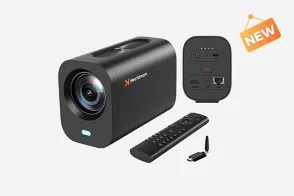
5. Best Budget Camera for Live Streaming: NearStream VM20 ($216~)
Spec
Detail
Max Video
4K 30fps, 1080p 60fps
Zoom
40x hybrid zoom (10x optical + 4x digital)
Audio
Built-in 8-MEMS noise-canceling microphone array
Connectivity
HDMI, USB, RJ45 Ethernet
Remote Control
Yes — included wireless remote
Weight
~1.2kg
Price
$299
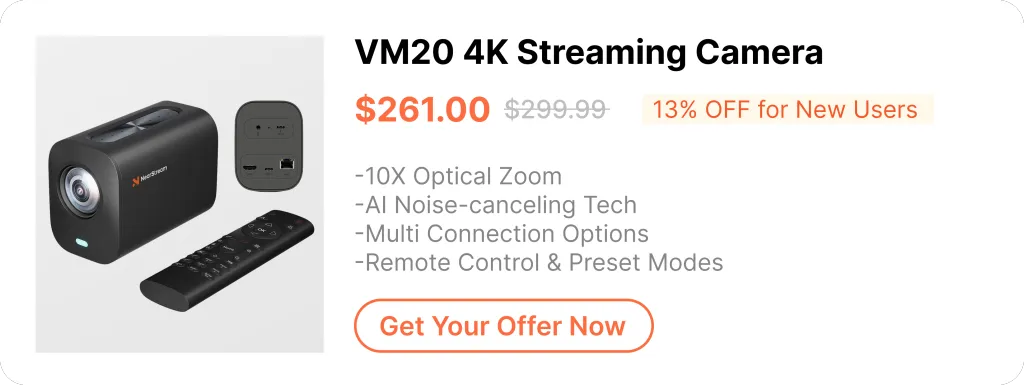
Why we recommend it: The NearStream VM20 is purpose-built for live streaming — and at $299, it delivers features that typically require a $1,000+ setup. The built-in RJ45 Ethernet port means you can stream directly via wired internet without a capture card or encoder. The 40x hybrid zoom lets you punch in for product close-ups or wide studio shots without changing lenses. And the 8-MEMS microphone array with AI noise cancellation captures clean audio in most rooms without an external mic.
Unlike generic webcams, the VM20 functions as a standalone streaming camera — plug it into your network, configure your RTMP settings, and stream directly to YouTube, Facebook, or Twitch. It also works as a USB webcam or HDMI camera if you prefer a traditional workflow.
We tested the VM20 against the Sony ZV-1 (a $798 camera popular among streamers) and found the 4K output quality to be nearly identical. At less than half the price, the VM20 is the best value streaming camera we've tested under $300.
Best for: Live streamers, online educators, remote workers who need professional video quality, churches and event venues.
Buy it if:
You live stream regularly and want a dedicated streaming camera
You need plug-and-play simplicity (no lens changes, no complex setup)
Ethernet connectivity for reliable streaming appeals to you
Your budget is under $300
Don't buy it if:
You need a portable camera for travel
You want shallow depth of field / background blur (small sensor = deep depth of field)
6. Best Budget Wireless Streaming Camera: NearStream VM33 ($359)
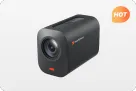
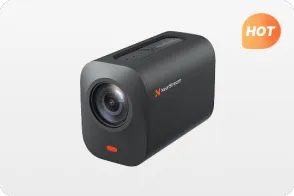
Why it made the list: The VM33 takes everything that works about the VM20 and cuts the cord. With 6+ hours of battery life and wireless streaming via Wi-Fi or 4G/5G, this is a true run-and-gun streaming solution that doesn't require a computer or encoder.
The 10x optical zoom is genuinely useful for sports and event coverage — we tested it at a local baseball game and could clearly capture action from 100+ feet away. The multicam support lets you link up to 3 VM33 cameras wirelessly and switch between angles from the NearStream app, something that typically requires a $3,000+ hardware switcher.
For churches, sports teams, event venues, and mobile content creators, the VM33 is the most capable wireless streaming camera under $400.
Best for: Sports streaming, church livestreams, event coverage, mobile creators who need wireless freedom.
Buy it if:
You need wireless streaming without being tethered to a computer
Battery-powered operation is essential (6+ hours real-world battery)
Multi-camera setups appeal to you (up to 3 linked cameras)
You stream outdoor events where power outlets aren't available
Don't buy it if:
You need 4K streaming (the VM33 streams at 1080p; recording is 1440p)
Your budget is strictly under $350
You only stream from a fixed studio (the VM20 is better value for static setups)
Why camcorders still matter: The Sony HDR-AX43 is one of the few remaining budget camcorders from a major manufacturer — and it exists for a reason. The Balanced Optical SteadyShot is the best in-camera stabilization you'll find under $500. It uses an internal gimbal mechanism that produces footage smoother than any electronic or optical stabilization system.
The 20x optical zoom is ideal for events, wildlife, and sports — situations where you can't physically get closer to your subject. The built-in ND filter (rare at this price) lets you shoot at wide apertures in bright sunlight without overexposing.
The downside is sensor size. The 1/2.5-type sensor is smaller than APS-C mirrorless cameras, meaning weaker low-light performance and less background blur. But for outdoor, well-lit, or long-zoom situations, the AX43 is unmatched under $500.
Best for: Event videographers, wildlife enthusiasts, travelers who need long zoom, anyone prioritizing stabilization.
Buy it if:
You shoot events, sports, or wildlife where zoom is essential
Stabilization is your top priority (the AX43's is genuinely gimbal-like)
You prefer the camcorder form factor (hand strap, integrated lens, simple operation)
Don't buy it if:
Low-light performance is critical (smaller sensor = noisier shadows)
You want interchangeable lenses
You need the absolute sharpest 4K (mirrorless options produce more detailed footage)
Why it's brilliant: The Feiyu Pocket 3 is what happens when a gimbal and a camera have a baby. The 3-axis mechanical stabilization produces footage smoother than any electronic stabilization system — walking shots look like they were filmed on a dolly. The detachable handle means you can use it wirelessly with your phone as a monitor, opening up creative mounting options.
At $329, it's $190 cheaper than the DJI Osmo Pocket 3, while delivering 90% of the performance. The 4K 60fps is crisp, the gimbal tracking works well for face detection, and the battery life is excellent for the size.
The tradeoff is sensor size. The 1/2.3-inch sensor struggles in low light compared to the DJI Osmo Pocket 3's 1-inch sensor. But in good lighting, the difference is minimal — and the price gap is significant.
Best for: Vloggers, travelers, creators who need stabilized footage without carrying a separate gimbal.
Buy it if:
You want the most compact stabilized camera system available
You film while walking, hiking, or moving frequently
The $190 savings over the Osmo Pocket 3 matters to your budget
Don't buy it if:
You need a 1-inch sensor for low-light work
External microphones are essential (no mic input)
You need the best possible image quality regardless of price
Budget Camera Comparison Table
Side-by-Side Spec Comparison
Camera
Price
Video
Sensor
AF
Screen
Best For
Sony ZV-E10
~$498
4K 30p
24MP APS-C
Eye AF
Flip touchscreen
YouTube/All-rounder
Canon EOS R50 V
~$479
4K 30p (uncropped)
24MP APS-C
Dual Pixel AF II
Vari-angle
Beginners
Panasonic G7
~$497
4K 30p
16MP MFT
Contrast DFD
Fully articulating
Filmmakers
DJI Osmo Action 4
~$349
4K 120p
1/1.3" CMOS
Fixed focus
Dual touchscreen
Action/Sports
NearStream VM20
$216~
4K 30p
Dedicated
Auto
N/A
Live Streaming
NearStream VM33
$359
1080p stream
Dedicated
Auto
N/A
Wireless Streaming
Sony HDR-AX43
~$448
4K 30p
1/2.5"
Contrast
Flip LCD
Events/Zoom
Feiyu Pocket 3
~$329
4K 60p
1/2.3"
Face tracking
1.3" touchscreen
Vlog/Travel
Akaso Brave 7 LE
~$149
4K 30p
20MP 1/2.3"
Fixed focus
Dual screen
Ultra-budget
Price-to-Performance Rankings
Rank
Camera
Price
Performance Score
Value Rating
🥇
NearStream VM20
$216~
8.5/10
10/10 — Best Value
🥈
Akaso Brave 7 LE
$149
6.5/10
9.5/10 — Best Ultra-Budget
🥉
Sony ZV-E10
~$498
9.0/10
9/10 — Best Overall
4
DJI Osmo Action 4
~$349
8.0/10
8.5/10
5
NearStream VM33
$359
8.0/10
8.5/10
6
Canon EOS R50 V
~$479
8.5/10
8/10
7
Panasonic G7
~$497
7.5/10
7.5/10
8
Feiyu Pocket 3
~$329
7.5/10
7.5/10
9
Sony HDR-AX43
~$448
7.5/10
7/10
7 Tips to Get Professional Results from a Cheap Camera
Light your subject, not your background. A single $35 softbox positioned at a 45-degree angle will make your footage look 3x more expensive. Window light works too — face the window, don't put it behind you.
Audio quality matters more than video quality. Viewers will watch slightly soft footage. They will not watch footage with bad audio. Spend your first $50 on a Rode VideoMicro, not a better camera.
Shoot at 24fps for cinematic looks, 60fps for smooth motion. 24fps has a film-like quality. 60fps looks more "real" and is better for action or screen recordings. Don't default to 30fps just because it's the middle option.
Use a tripod for talking heads, even if you have stabilization. Electronic stabilization crops your image and reduces sharpness. A $25 tripod produces better results than any stabilization algorithm.
Set your white balance manually. Auto white balance shifts constantly under mixed lighting, making your footage look amateur. Learn to set a custom white balance — it takes 10 seconds and transforms your color accuracy.
Get closer instead of zooming. Digital zoom destroys image quality. If your camera doesn't have optical zoom, physically move closer to your subject. Your footage will be sharper and have more depth.
Invest in learning before gear. A $200 camera in the hands of someone who understands lighting, composition, and audio will produce better results than a $2,000 camera in the hands of a beginner. Watch free tutorials. Practice. The gear is the least important part.
Frequently Asked Questions (FAQ)
Can cheap video cameras produce professional results?
Yes — with the right supporting equipment. A $300 camera with a $50 softbox and a $40 microphone will produce more professional-looking results than a $2,000 camera with bad lighting and worse audio. The camera is about 20% of your image quality; lighting is 50%, audio is 20%, and your skill is 10%.
That said, "professional" has limits at the budget level. You'll get clean, sharp, well-exposed footage suitable for YouTube, social media, and most client work. You won't get cinema-grade dynamic range, shallow depth of field, or low-light performance that rivals $2,000+ cameras. For 90% of video creators, that's not a limitation — it's a freedom.
What's the best video camera under $300?
The NearStream VM20 ($216~) is our top pick under $300 for anyone doing live streaming, online teaching, or video calls. It shoots 4K 30fps, has 40x hybrid zoom, built-in noise-canceling microphones, and Ethernet streaming — features that typically cost $800+.
For action and outdoor content, the Akaso Brave 7 LE (~$149) gives you 4K, dual screens, and waterproofing at the lowest price we'd recommend. The Feiyu Pocket 3 (~$329) is the best stabilized option if you can stretch $29 over the $300 line.
What's the best video camera under $500?
The Sony ZV-E10 (~$498) is the best overall camera under $500. Its autofocus system outperforms cameras that cost 3x as much, the 24MP APS-C sensor produces sharp 4K footage, and the Sony E-mount lens system gives you room to grow.
If you specifically need a live streaming camera, the NearStream VM20 ($216~)or VM33 ($359) offer better streaming-specific features at lower prices. If you need uncropped 4K and prefer Canon's colors, the Canon EOS R50 V (~$479) is an excellent alternative.
Should I buy a used or new budget video camera?
For cameras under $300, buy new. The savings from buying used at this price point rarely justify the risk. A used $250 camera might sell for $180 — a $70 savings that isn't worth potentially inheriting sensor dust, worn-out ports, or degraded batteries. New purchases include warranties, which matter when every dollar counts.
For cameras $400–$500, used can make sense — but only from reputable dealers with return policies. The Sony ZV-E10 and Panasonic G7 have been on the market long enough that a healthy used market exists. Expect to save $50–$100, but verify shutter count and ask about warranty transfer.
Is 4K necessary for YouTube?
No, but it's becoming expected. YouTube's algorithm doesn't prioritize 4K, and most viewers watch on 1080p or smaller screens. However, 4K gives you two major advantages:
Future-proofing. 1080p looked great in 2018. It looks dated in 2026. 4K footage will hold up longer.
Cropping flexibility. You can shoot in 4K, deliver in 1080p, and crop/reframe your shots in post without losing quality. This effectively gives you multiple camera angles from one shot.
If your budget camera offers 4K (most of our picks do), use it. If it doesn't (some ultra-budget options are 1080p only), don't worry — great 1080p content still performs well on YouTube.
What's more important: the camera or the lighting?
Lighting, by a massive margin. A $200 camera with professional lighting will always look better than a $2,000 camera with bad lighting. Here's why:
Good lighting reduces noise, making budget camera sensors look cleaner
Good lighting creates depth and dimension, making footage look "cinematic"
Good lighting gives you proper exposure, which matters more than resolution
Budget allocation advice: If you have $500 total, spend $250 on a camera, $100 on lighting, $50 on audio, $50 on a tripod, and $50 on accessories. The camera is not the most important part of your setup.
Have questions about choosing the right camera? Reach out to the NearStream team at contact sales.



























































 sales@nearstream.us






