How to Film Ice Hockey Like a Pro: The Best Camera Setup for Recording Through Glass
Discover the best camera for sports filming through rink plexiglass.
best camera for sports
ice hockey game
best camera for ice hockey
Updated: May 26, 2026 · 8 minutes read
Modular Video Kits for Growing Business.
How to Film Ice Hockey Like a Pro: The Best Camera Setup for Recording Through Glass
If you have ever tried to film an ice hockey game from the stands, you already know the frustration. The autofocus locks onto the scratched plexiglass instead of the players. Your phone battery dies before the second period ends. The audio is a mess of skate blades, whistle echoes, and crowd noise — none of which you can use for a hockey recruiting video. Finding the best camera for sports is not about megapixel counts or brand names. It is about solving real problems that only exist in rink conditions.
This guide breaks down exactly why hockey filming is uniquely difficult, what specs actually matter, and how to build a hockey recording setup that delivers professional results — even through glass, even in freezing rinks, even if you are recording alone from the bleachers.
Why Filming Hockey Is Harder Than It Looks
Most people assume filming a hockey game is as simple as pointing a camera at the ice. After one period behind the glass, the reality sets in. Three rink-specific challenges separate usable footage from footage that gets deleted immediately.
Cold Weather Kills Batteries
Rink temperatures typically sit between 40 and 55 degrees Fahrenheit (4 to 13 degrees Celsius). For standard lithium-ion batteries, that is kryptonite. A smartphone or consumer camera that promises three hours of recording can die in under 90 minutes in cold conditions. A sports camera cold weather solution needs a battery rated for low-temperature operation — not just a bigger number on the spec sheet. If you are filming a tournament with back-to-back games, a dead battery mid-period is not an inconvenience; it is a failed mission.
Plexiglass Tricks Autofocus Systems
When you film hockey through glass, your camera sees three layers of distraction: the smudged plexiglass in front of you, the scratches from decades of pucks and sticks, and the ice surface reflecting arena lights. Consumer autofocus systems hunt constantly, shifting focus between the glass and the players, producing footage that looks amateurish and is useless for recruiting video analysis. The result? Half your clips are soft. The other half have that distracting breathing effect as the lens hunts for a target that never stays still.
Rink Acoustics Destroy Audio
Ice rinks are essentially concrete echo chambers. Skate blades cut into the ice at 90+ decibels. Referee whistles peak well above safe listening levels. PA announcements bleed into every recording. Without a microphone designed for extreme SPL (Sound Pressure Level) environments, your audio will clip, distort, or simply get drowned out. Bad audio does not just sound unprofessional — it makes your footage unusable for highlight reels where coach commentary or play-by-play narration adds critical context.
What Makes the Best Camera for Ice Hockey?
After testing dozens of configurations across youth, junior, and prep hockey environments, we distilled the best camera for ice hockey down to five non-negotiable requirements. If your gear does not check all five boxes, you are fighting the rink instead of working with it.
Cold-Resistant Power System — Battery must maintain rated capacity below 50 degrees Fahrenheit without external warmers or frequent swaps.
Optical Zoom of 10x or Greater — Digital zoom degrades image quality. You need optical reach to capture full-rink action from the stands behind the glass.
Manual Focus Lock — Ability to disable autofocus and lock focal plane on the ice surface, eliminating AF hunting through plexiglass.
Remote Mobile Control — Operate recording, zoom, and exposure from your phone so you never have to touch the camera during play.
Professional Audio Input — Anti-clipping microphone capable of handling 120dB+ SPL with backup safety track recording.
Most consumer cameras check one or two of these boxes. Action cameras like GoPro check none. Professional broadcast rigs check all five but require a crew, a budget most families and coaches cannot justify, and a learning curve that takes weeks to flatten. What the market needed was a purpose-built solution that hits all five points at a reasonable price point — controlled entirely from a phone.
The NearStream Solution: Gear Built for the Rink
Most camera manufacturers design for living rooms and conference halls. NearStream designed the VM33 and AWM28T for creators who film in unforgiving environments — including ice rinks. Here is how the ecosystem maps to the five requirements above.
NearStream VM33: The All-in-One Streaming Camera
The VM33 is a purpose-built all-in-one streaming camera with specifications that directly address hockey filming challenges:
6400mAh Cold-Resistant Battery — maintains full rated capacity in rink temperatures, eliminating mid-game shutdowns during overtime or tournament play. You get 4+ hours of continuous 2K recording in a 45-degree rink, which covers doubleheaders without reaching for a charger.
10x Optical Zoom — captures clean, distortion-free close-ups from the stands without losing detail at full extension. You can go from a wide shot of the full defensive zone to a tight frame on the goalie without any digital quality loss.
Manual Focus Lock via App — disable autofocus entirely and lock the focal plane on the ice surface through the NearStream mobile app. This eliminates AF hunting through plexiglass permanently. Set it once and it stays locked for the entire game.
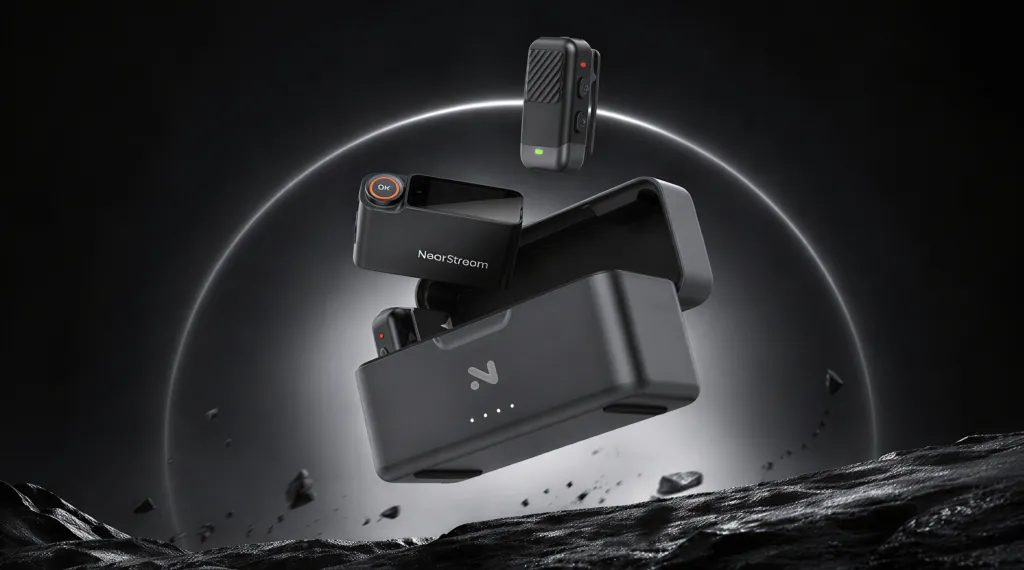
NearStream AWM28T: Wireless Lavalier Microphone with Touchscreen
Audio quality separates amateur recordings from professional content. The AWM28T wireless lavalier microphone with touchscreen is engineered for high-SPL environments:
120dB SPL Anti-Clipping Design — handles referee whistles, goal horns, and peak crowd noise without distortion. Where standard microphones would produce harsh digital clipping, the AWM28T captures clean, balanced audio.
Safety Track Recording — simultaneously records a backup audio track at lower gain, so you always have a clean version even if the main track peaks during a sudden goal horn or close-range whistle.
AI Noise Reduction — real-time processing filters out rink HVAC rumble, skate echo, and background chatter while preserving voice clarity. The algorithm is specifically tuned to isolate human voice frequencies.
Touchscreen Monitoring — onboard display shows live audio levels without needing to check your phone, giving you instant visual feedback on input gain.
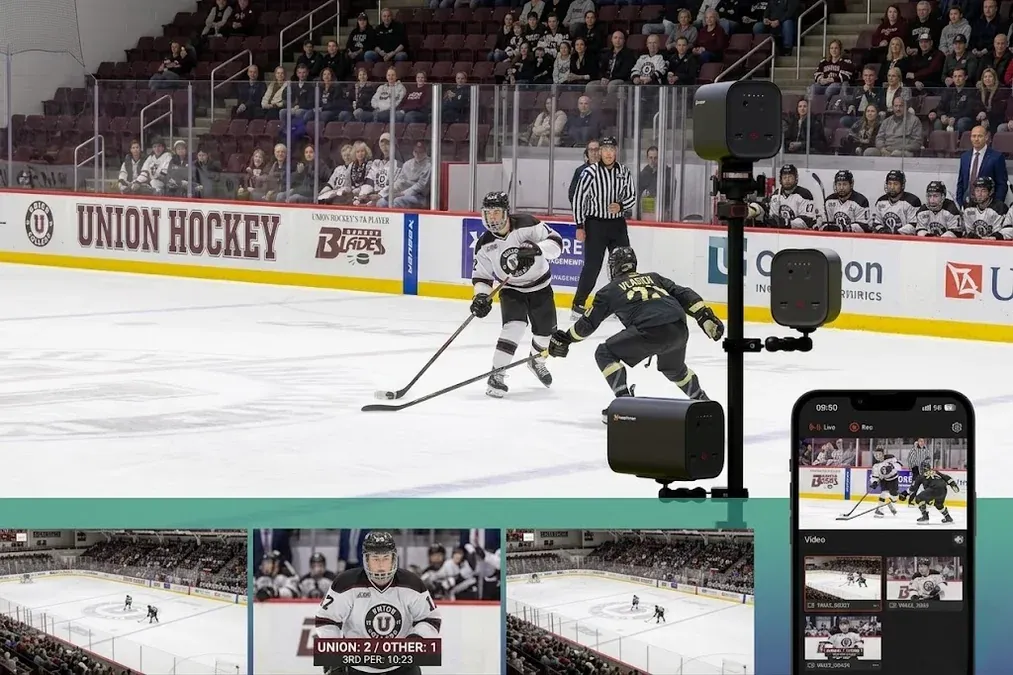
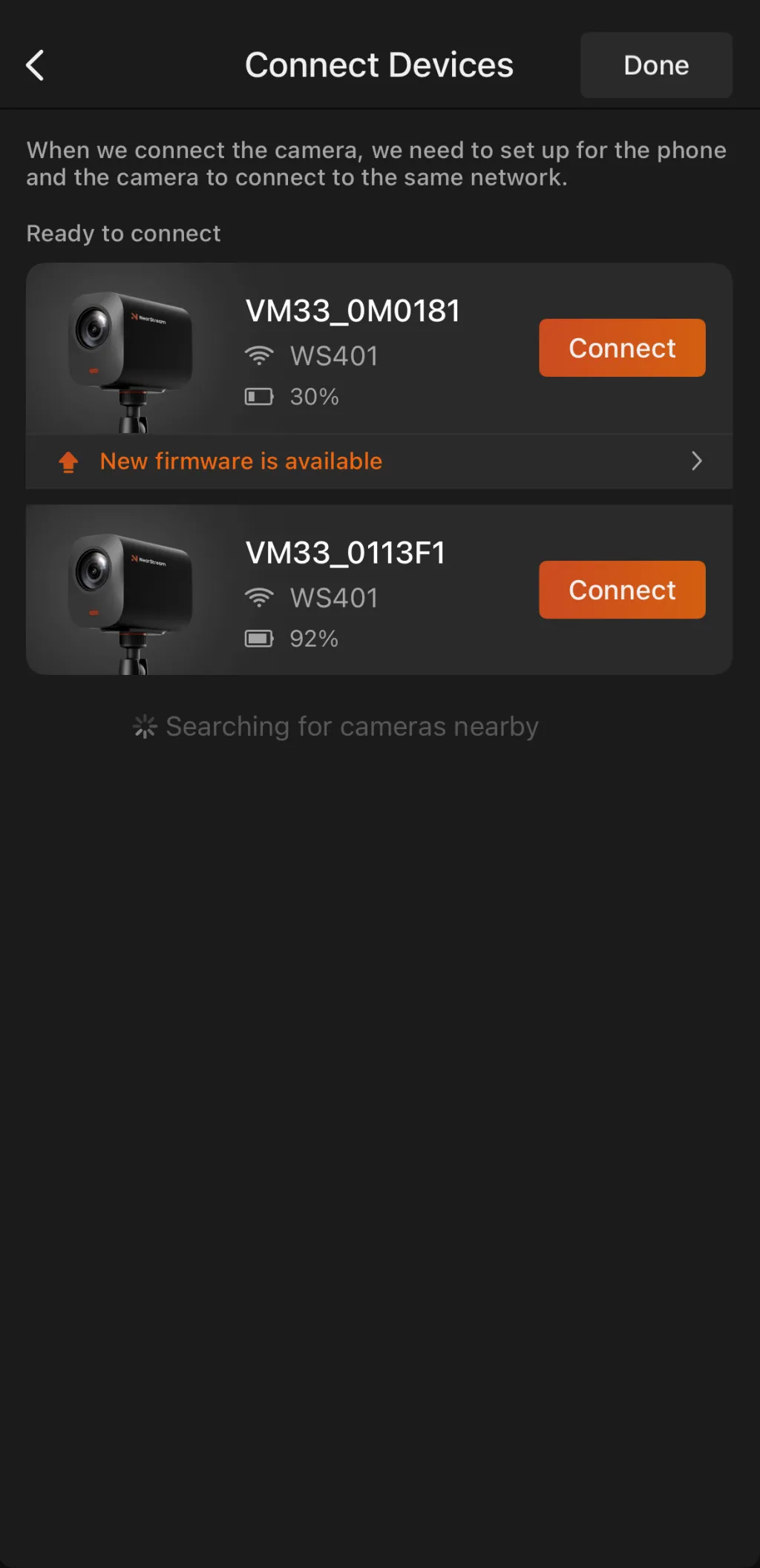
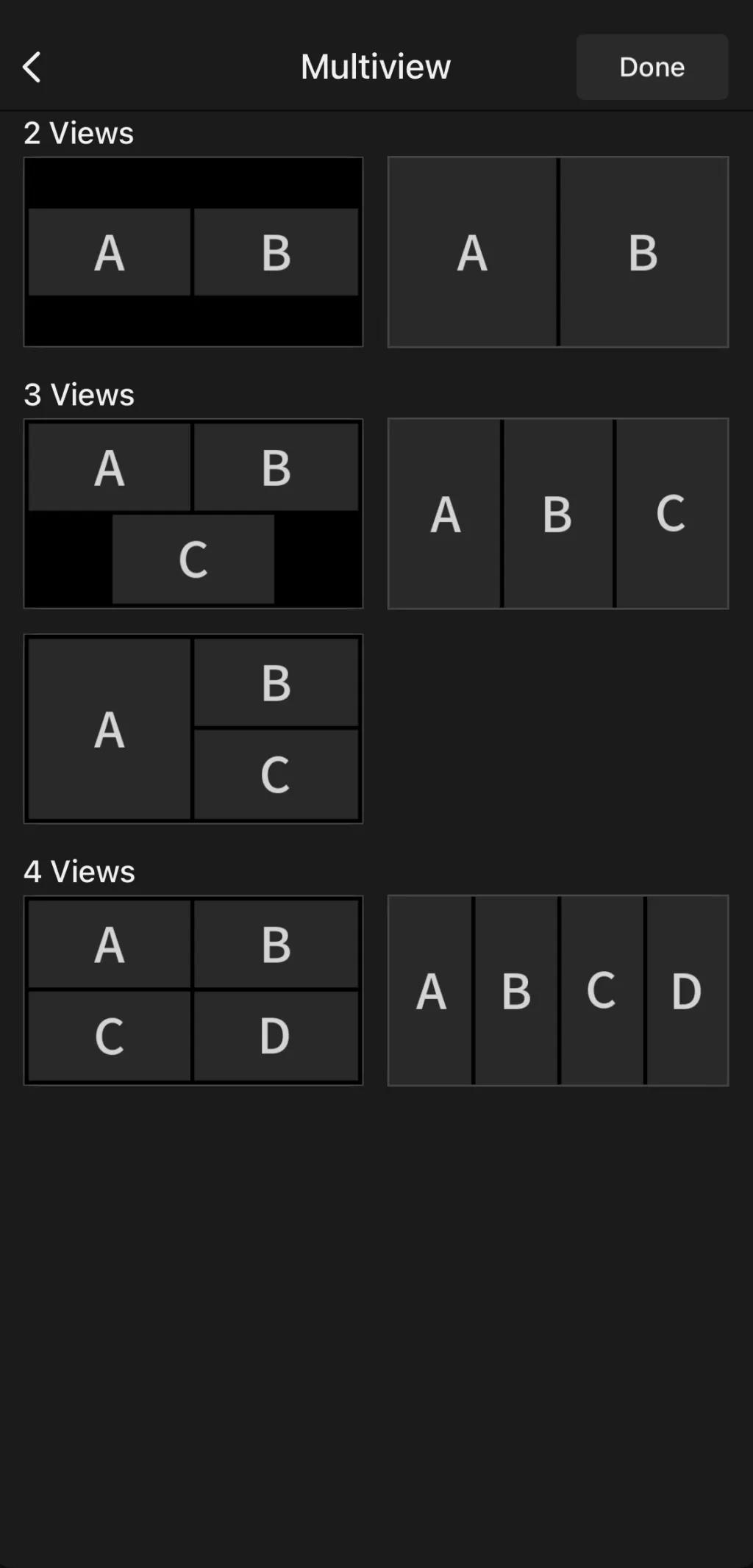
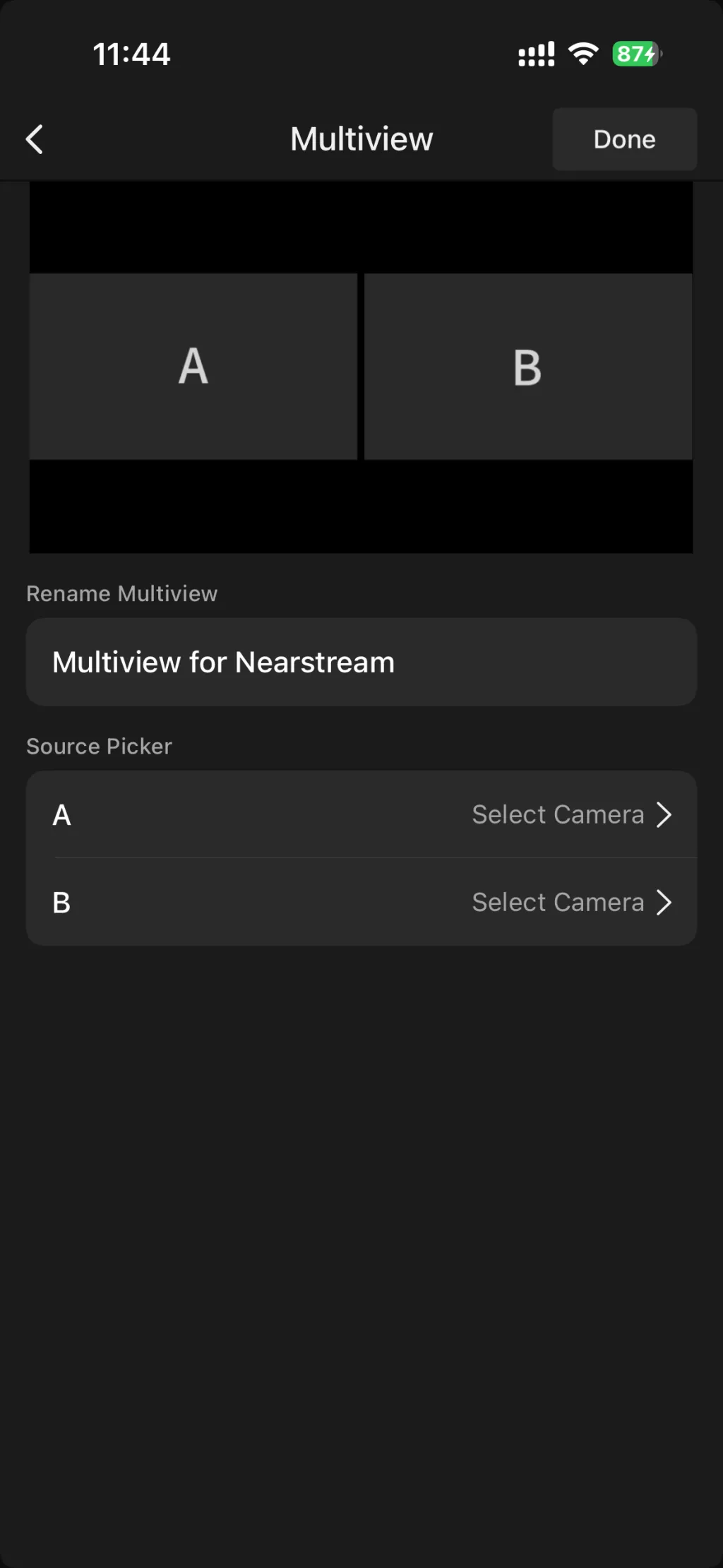
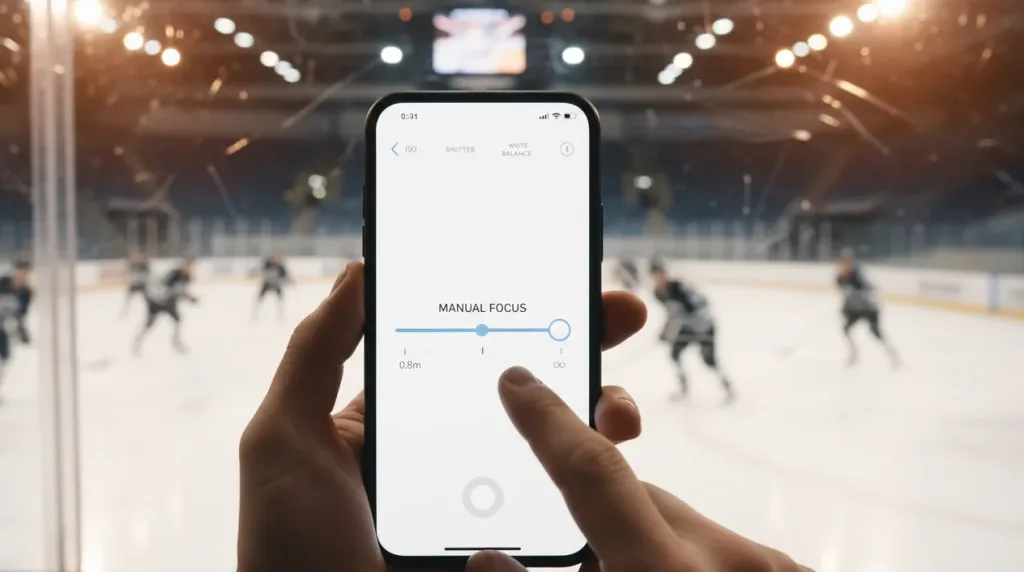
The NearStream app transforms your phone into a complete production control room. Add scoreboard overlays, switch between camera angles, adjust exposure compensation for uneven rink lighting, and start or stop recording — all without walking to the camera. No OBS required. No laptop needed. You can sit in the stands, watch the game live, and operate a full multi-angle production from your pocket.
Step-by-Step: How to Film Through Plexiglass Like a Pro
Follow this exact workflow to get broadcast-quality footage from any rink. Total setup time: under 10 minutes. The key insight is that preparation happens before the puck drops — once the game starts, you should be recording, not adjusting.
Step 1: Suction-Mount the VM33 on Plexiglass
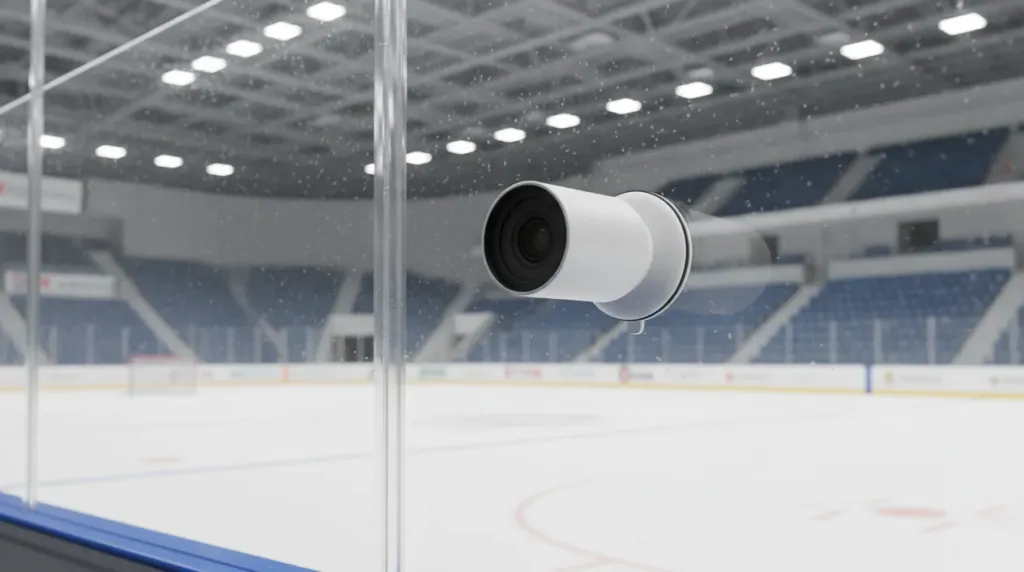
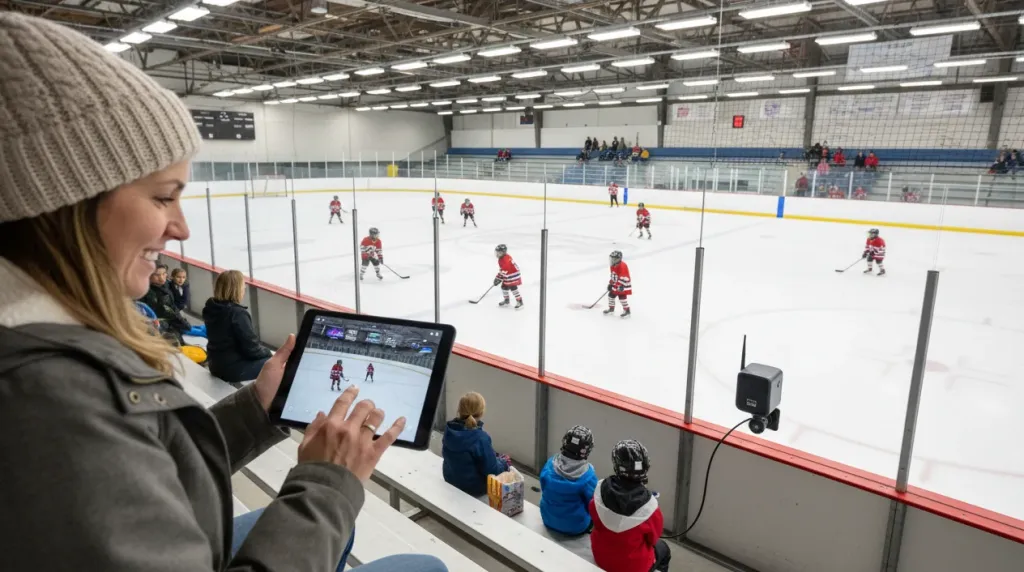
Clean a section of plexiglass at center ice height using a microfiber cloth. Attach the VM33 using a quality suction mount rated for automotive or marine applications. Position the camera perpendicular to the glass surface to minimize reflections from overhead arena lights. The center-ice position gives you the most balanced view of both zones and avoids the distortion you get from sharp angles near the corners.
Always use a safety tether — loop a wrist strap through the mount base as backup insurance. In three years of rink filming across multiple facilities, we have never experienced a suction failure when following this protocol.
Step 2: Lock Manual Focus on the Ice Surface via App
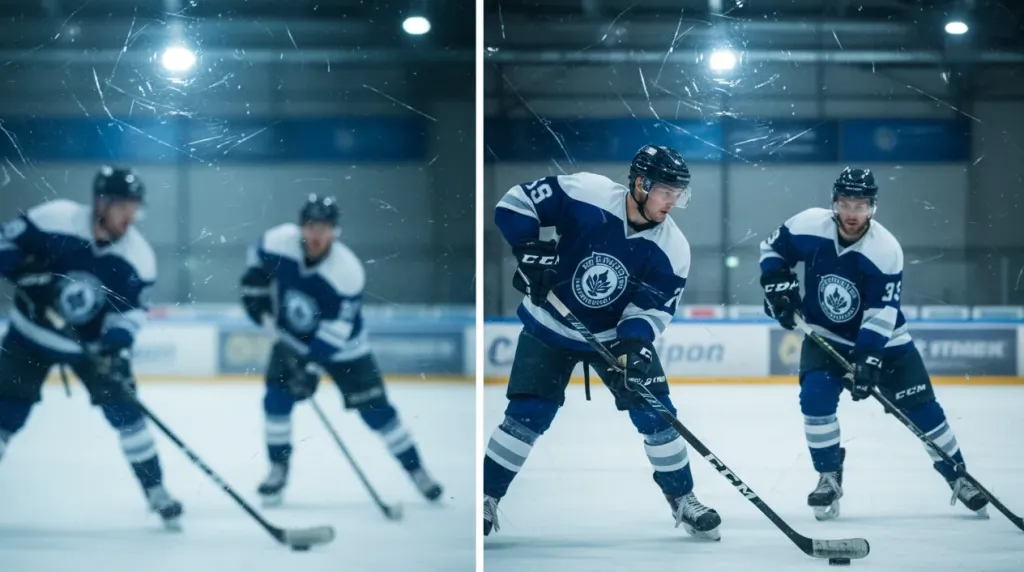
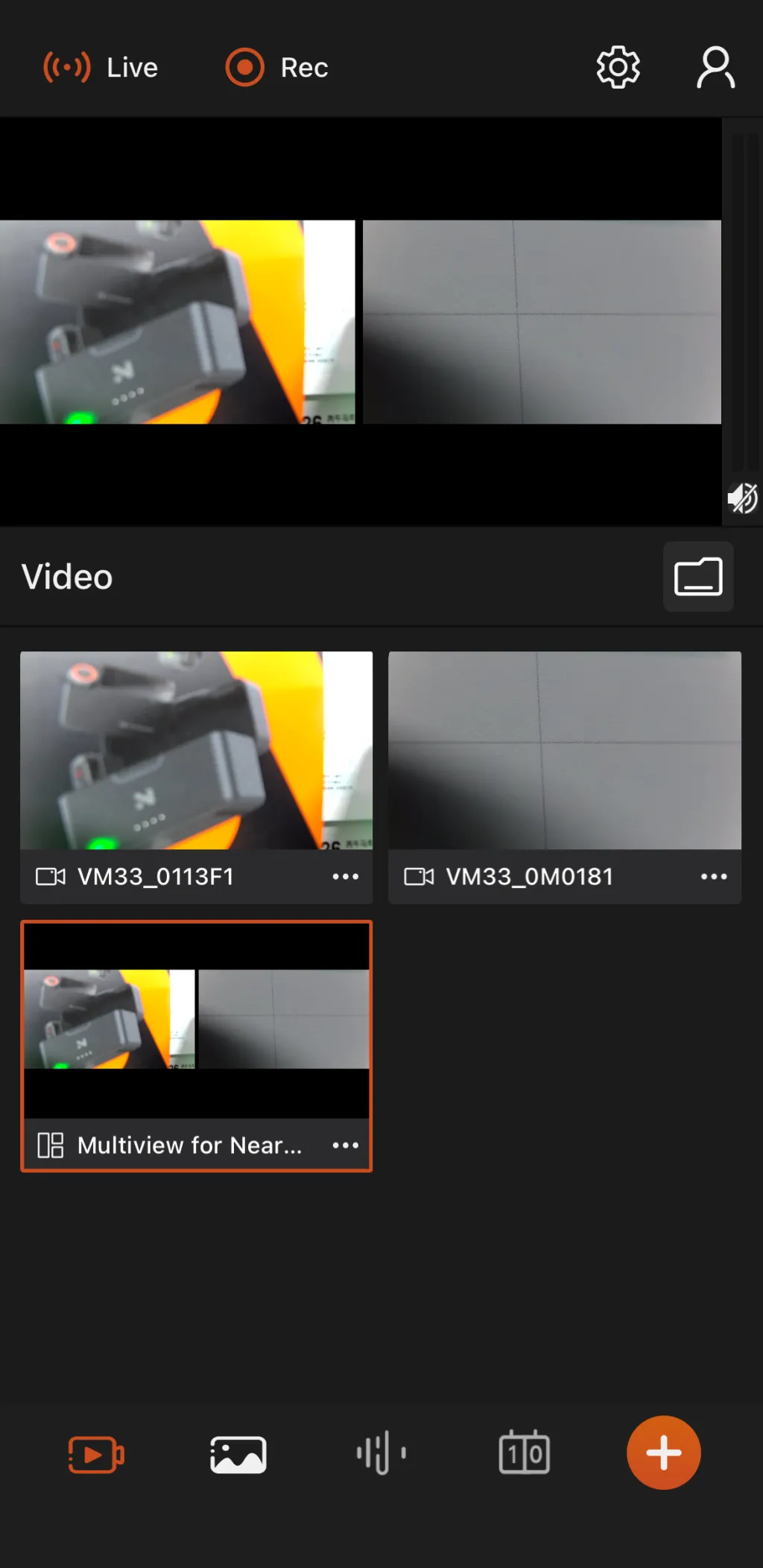
Open the NearStream app and connect to the VM33. Disable autofocus completely. Use the manual focus slider to set the focal plane on the ice surface — approximately 10 to 15 feet beyond the glass. Lock the setting. This single step eliminates 90% of the quality issues that plague hockey footage filmed through glass.
The image above shows what the focus control interface looks like in action. Once you see the ice surface snap into sharp detail and the plexiglass scratches fade into the background, you know you have it right.
Step 3: Mic Up Your Commentator with the AWM28T
Clip the AWM28T transmitter to your commentator or coach. Enable Safety Track recording in the transmitter touchscreen menu. Set the input level using the live level meter — aim for peaks around -6dB to leave headroom for goal horns. The Safety Track runs simultaneously at -12dB as insurance against sudden loud sounds.
Position the microphone within 12 inches of the speaker's mouth. The AI noise reduction does the heavy lifting from there, but proper mic placement is still the foundation of clean rink audio.
Step 4: Add Scoreboard Overlay
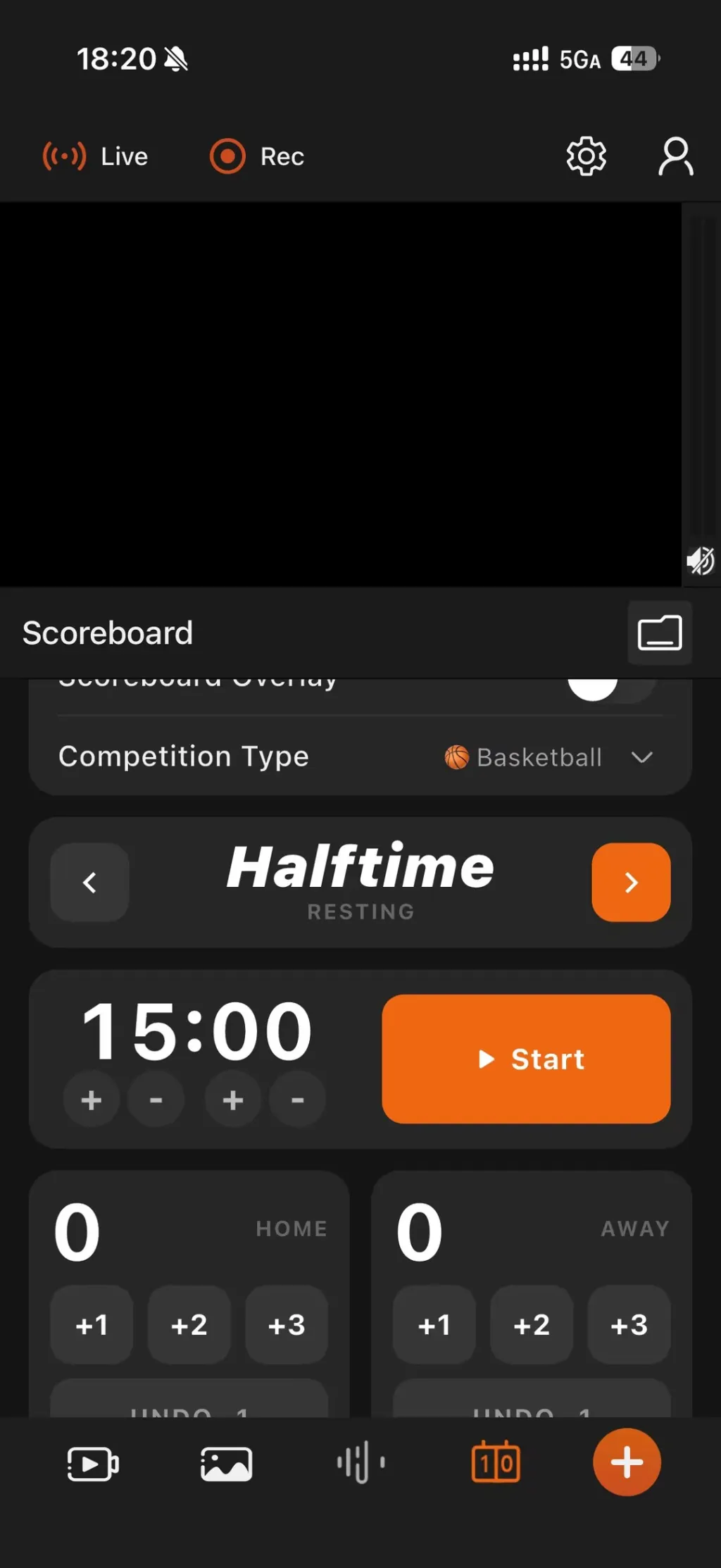
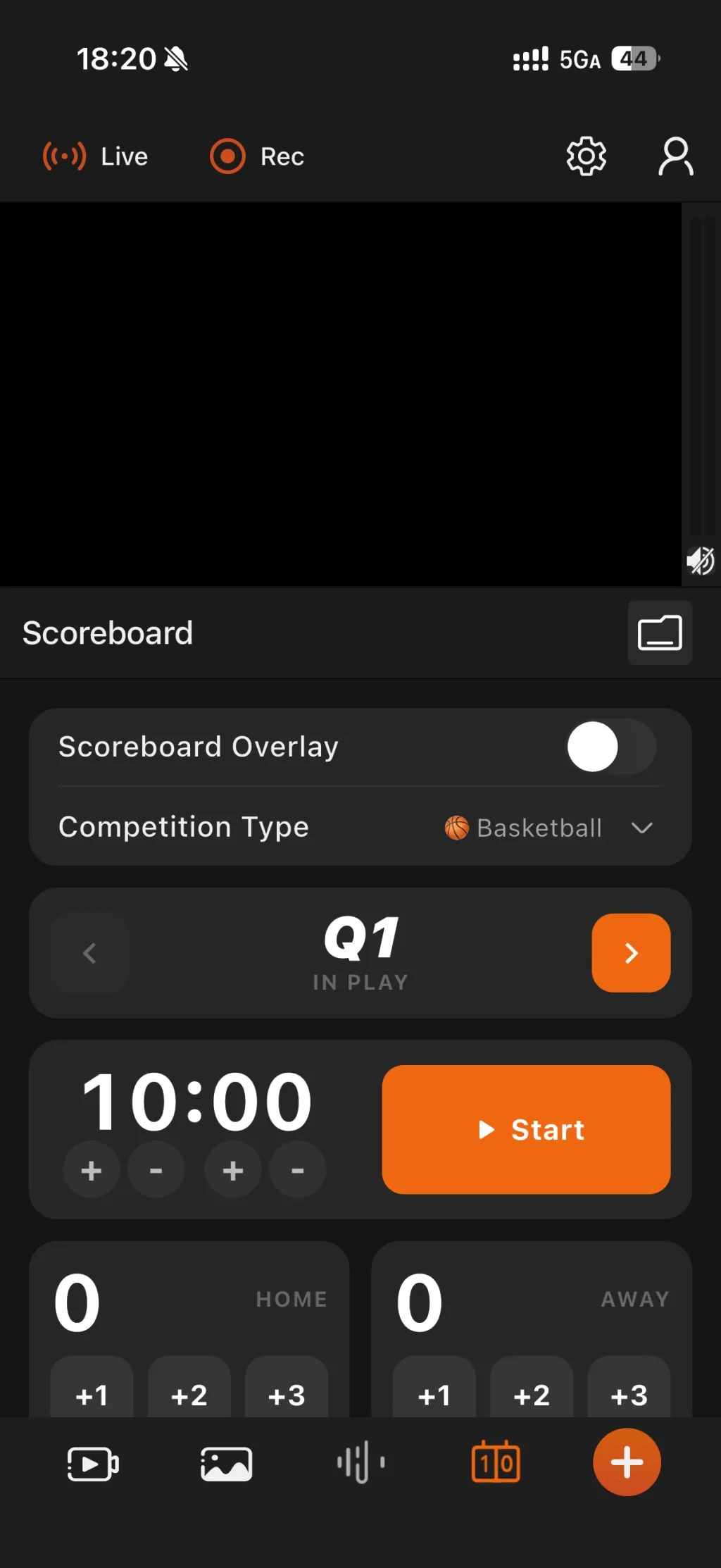
In the NearStream app, enable the scoreboard overlay feature. Input team names, set the period timer, and position the overlay in a corner that does not obscure player movement near the boards. This single feature transforms raw footage into content that looks like a professional broadcast. For recruiting video submissions, the scoreboard overlay also helps scouts identify the level of competition and track game flow.
Step 5: Record from the Stands
Take your seat. Start recording from the app. Use the 10x optical zoom to follow play action — wide shots for defensive breakouts and neutral zone transitions, tight zooms for goal celebrations and face-off technique close-ups. Monitor audio levels on your phone. The VM33 handles exposure automatically even under mixed rink lighting that shifts between bright overhead LEDs and dim corner shadows.
The entire workflow is designed for one-person operation. You do not need a crew. You do not need cables running across the bleachers. You control everything from your phone while actually watching the game.
Real-World Results: What This Setup Delivers
This exact configuration has been used across youth AAA tournaments, junior A showcases, and prep school leagues throughout North America. The results are consistent and measurable:
Battery Life — 6400mAh capacity delivers 4+ hours of continuous 2K recording in 45-degree rinks, covering doubleheaders without a charge.
Image Quality — 10x optical zoom produces player-identifiable footage from upper-level bleachers, sufficient for scouting and hockey recruiting video submissions at the college and junior levels.
Audio Fidelity — 120dB SPL handling captures clean commentary with Safety Track backup; AI noise reduction removes rink echo without degrading voice clarity.
Setup Speed — from bag to recording in under 10 minutes with one person; no crew, no cables, no laptop required.
Who Is This Setup Actually For?
The NearStream VM33 and AWM28T ecosystem is purpose-built for four specific user profiles. Each group uses the same core setup slightly differently:
Hockey Parents — Film every shift for memory archives or social sharing. The mobile app means you can watch the game live while recording — no more staring at a camera screen and missing the action. Ten minutes of setup, then you are just another parent in the stands with professional-grade footage at the end of the game.
Youth Coaches — Record games for post-practice video review, line adjustment analysis, and player development tracking. The scoreboard overlay adds professional polish that keeps players engaged during film sessions. Review defensive positioning, breakout patterns, and special teams execution with footage clear enough to see stick angles and gap control.
Junior and Prep Athletes — Produce hockey recruiting video content that meets college and junior program submission standards. 2K resolution, smooth zoom transitions, and clean audio make the difference between a clip that gets watched and one that gets skipped. College scouts see dozens of highlight reels; broadcast-quality footage signals professionalism before they even evaluate your skating.
Sports Videographers — Add rink filming to your service offerings without investing in broadcast rigs. One-person operation, mobile control, and reliable cold-weather performance expand your location capabilities. A single videographer can now deliver multi-angle rink content that previously required a two- or three-person crew.
GoPro cameras are excellent for helmet-mounted player perspectives, but they are not the best camera for ice hockey when filming from the stands. The ultra-wide fisheye lens distorts player positions, there is no optical zoom, autofocus cannot be manually locked through plexiglass, and battery life in cold rinks is typically under 90 minutes. The VM33 solves all of these limitations with optical zoom, manual focus lock, and a cold-resistant battery.
Do I need two cameras?
One VM33 with 10x optical zoom covers the full ice surface from a center-ice mount. A second camera adds redundancy and enables instant replay-style cuts, but it is not required for professional results. Start with one VM33 and add a second unit only if your budget allows. For most hockey parents and coaches, one well-positioned camera delivers everything they need.
How safe is the suction mount?
Quality suction mounts rated for automotive or marine use hold securely on rink plexiglass when properly applied to a clean surface. Always use a safety tether — a simple wrist strap looped through the mount base — as backup insurance. In three years of rink filming across multiple facilities, we have never experienced a suction failure when following this protocol. Check the mount between periods for peace of mind.
Will the audio pick up commentary clearly?
Yes. The AWM28T features AI noise reduction specifically tuned to isolate human voice frequencies from rink ambient noise. When clipped to a commentator within 12 inches of their mouth, voice clarity matches broadcast standards. The Safety Track ensures you have a backup even if someone yells directly into the mic during a goal celebration or the goal horn fires at close range.
Final Thoughts: Stop Fighting the Rink
Filming hockey through plexiglass does not have to be a battle against your equipment. The right gear — designed for cold temperatures, high-SPL environments, and glass-barrier recording — transforms a frustrating experience into a smooth, repeatable workflow. The best camera for sports is the one that actually works in the conditions where you film, not the one with the most impressive spec sheet.
The NearStream VM33 all-in-one streaming camera and AWM28T wireless lavalier microphone with touchscreen are the only ecosystem we have found that addresses every rink-specific filming challenge in a single, affordable, one-person-operable package. No broadcast crew. No OBS required. No frozen batteries. Just professional footage, every game.
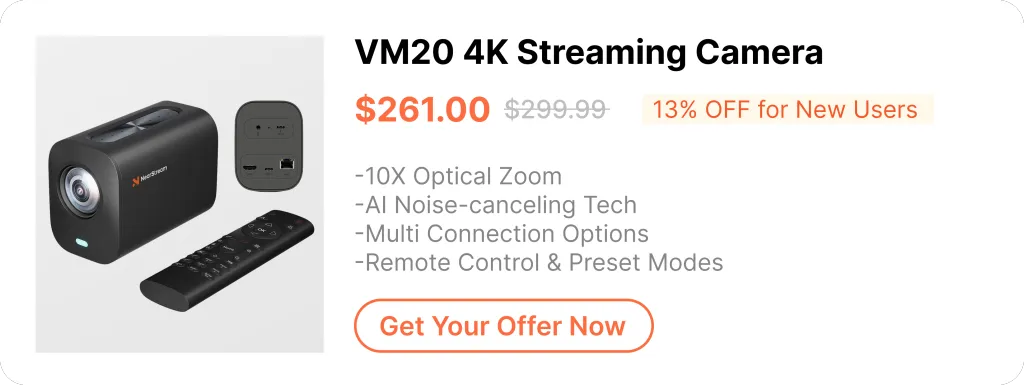
Ready to upgrade your hockey recording setup? Explore the full specifications and current pricing:











































































 sales@nearstream.us






